
Your Browsing History
BEST SELLERS


BEST SELLERS
In Intel Motherboards
Our most popular products, based on sales and updated frequently.Shop Department
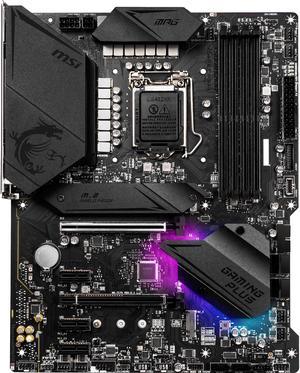
MSI MPG Z490 GAMING PLUS LGA 1200 ATX Intel Motherboard
- Memory Standard: Supports 1R 2933 / 2666 / 2133 * 1DPC 1R Max speed up to 5000+ 1DPC 2R Max speed up to 4500+ 2DPC 1R Max speed up to 4400+ 2DPC 2R Max speed up to 4000+ * Please refer www.msi.com for more information on compatible memory.
- Number of Memory Slots: 4x288pin (DDR4)
- Audio Chipset: Realtek ALC1200-VD1 Codec
- Brand: MSI
- Model #: MPG Z490 GAMING PLUS
- Item #: 9SIBJK3KBV1841
- Return Policy: View Return Policy
$263.99
Free Shipping
Easy to set up
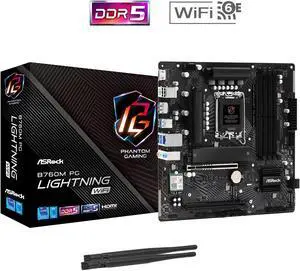
ASRock B760M PG Lightning WiFi LGA 1700 Micro ATX Motherboard
- Memory Standard: Supports DDR5 non-ECC, un-buffered memory up to 7200+(OC) 1DPC 1R Up to 7200+ MHz (OC), 4800 MHz Natively. 1DPC 2R Up to 6000+ MHz (OC), 4400 MHz Natively. 2DPC 1R Up to 5600+ MHz (OC), 4000 MHz Natively. 2DPC 2R Up to 4800+ MHz (OC), 3600 MHz Natively.
- Number of Memory Slots: 4x288pin (DDR5)
- Audio Chipset: 7.1 CH HD Audio (Realtek ALC897 Audio Codec) Nahimic Audio
- Brand: ASRock
- Model #: B760M PG Lightning WiFi
- Item #: N82E16813162145
- Return Policy: Standard Return Policy
$144.99
Free Shipping
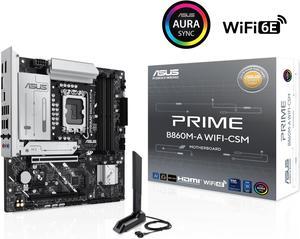
ASUS PRIME B860M-A WIFI-CSM B860 LGA 1851 mATX motherboard, Intel® Core™ Ultra Series 2 Ready, Advanced AI PC-ready, 7+1+1+1 stage, DDR5, PCIe 5.0 x16, HDMI, USB 20Gbps Type-C®, 2x M.2, WiFi 6E, 2.5Gb
- Memory Standard: 4 x DIMM slots, max. 192GB, DDR5 Supports up to 8400+MT/s (OC), Non-ECC,Un-buffered ,Clocked Unbuffered DIMM (CUDIMM)* Dual channel memory architecture DIMM Fit Supports Intel® Extreme Memory Profile (XMP) memory module ASUS Enhanced Memory Profile III(AEMPIII) * Supported memory types, data rate (speed), and number of DRAM modules vary depending on the CPU and memory configuration, for more information please refer to CPU/Memory Support list under the Support tab of product information site or visit https://www.asus.com/support/ download-center/. * Non-ECC, un-buffered DDR5 memory supports On-Die ECC function.
- Number of Memory Slots: 4x288pin (DDR5)
- Brand: ASUS
- CPU Socket Type: LGA 1851
- Model #: PRIME B860M-A WIFI-CSM
- Item #: 9SIAA4YM061151
- Return Policy: View Return Policy
$258.99
Free Shipping
Was cheap with the CPU bundle and no issues with 265k
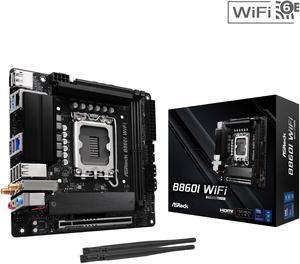
ASRock B860I WiFi LGA 1851 Intel B860 SATA 6Gb/s Intel Core Ultra DDR5 Mini ITX Motherboard
- Memory Standard: Up to DDR5 8933+(OC)
- Number of Memory Slots: 2x288pin (DDR5)
- Audio Chipset: Realtek ALC897
- Brand: ASRock
- Model #: B860I WiFi
- Item #: N82E16813162220
- Return Policy: Standard Return Policy
$209.99
$229.99
$7.99 Shipping
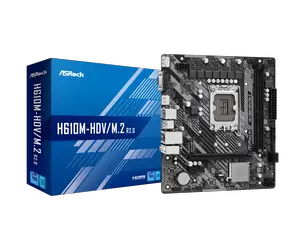
ASRock Intel H610 LGA 1700 Micro ATX DDR4 Motherboard
- Memory Standard: Up to DDR4 3200
- Number of Memory Slots: 2x288pin (DDR4)
- Audio Chipset: Realtek ALC897
- Brand: ASRock
- Model #: H610M-HDV/M.2 R2.0
- Item #: 1HD-002V-000G7
- Return Policy: Standard Return Policy
$89.99
Free Shipping
Excellent so far. In five more years we know for sure. Shipping was fast, too.
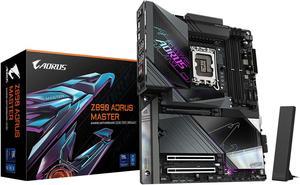
GIGABYTE Z890 AORUS MASTER Ultra Core (Series 2) LGA 1851, ATX, DDR5, 5x M.2, PCIe 5.0, Thunderbolt 4, WIFI7, 10GbE LAN, EZ-Latch
- Memory Standard: DDR5 5600 / DDR5 5800 / DDR5 6000 / DDR5 6200 / DDR5 6400 / DDR5 6600 / DDR5 6800 / DDR5 7000 / DDR5 7200 / DDR5 7400 / DDR5 7600 / DDR5 7800 / DDR5 7900 / DDR5 7950 / DDR5 8000 / DDR5 8200 / DDR5 8266 / DDR5 8400 / DDR5 8600 / DDR5 8800 / DDR5 8933 / DDR5 9066 / DDR5 9200 / DDR5 9466 / DDR5 9500
- Number of Memory Slots: 4x288pin (DDR5)
- Brand: GIGABYTE
- CPU Socket Type: LGA 1851
- Model #: Z890 AORUS MASTER
- Item #: N82E16813145523
- Return Policy: Standard Return Policy
$489.99
$809.99
Free Shipping
This board is very well made. Super heavy weight, massive voltage regulation heat sinks and excellent lay out. I went with a Samsung 9100 Pro as the boot drive. I usually get Samsung SSD's with the factory heatsink but the one without was half the price. The Gigabyte Motherboard PCIe5.0 slot heatsink works beautiful (idle temp is 83°F). As I continue on with my 10 year old Lian Li all Aluminum full tower, I an running a 120mm ASUS TUF water cooler on the Core Ultra 270k Plus. (Idle temps about 97°F very satisfactory IMO ..see included screen caps). The 9100 Pro is super fast. Write speed is faster than read, never seen that before but both numbers are very impressive. System memory is the Corsair Vengeance 32GB (2x16GB) DDR5 6400MHz (CMK32GX5M2B6400Z36) and it runs XMP perfectly stable at 6400 speed so it's a safe selection if you need a memory kit.
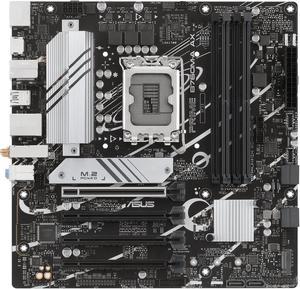
ASUS PRIME B760M-A AX LGA 1700(Intel 12th&13th Gen) microATX motherboard (PCIe 4.0, 2xM.2 slots, DDR5,Realtek 2.5 Gb LAN,WiFi 6, DP,rear USB 3.2 Gen 2, front USB 3.2 Gen 1 Type-C
- Memory Standard: DDR5 7200+(OC)/7000(OC)/6800(OC)/6600(OC)/ 6400(OC)/6200(OC)/6000(OC)/5800(OC)/5600/5400/5200/5000/4800MHNon-ECC, Un-buffered Memory* * Supported memory types, data rate (speed), and number of DRAM modules vary depending on the CPU and memory configuration, for more information please refer to CPU/Memory Support list under the Support tab of product information site or visit https://www.asus.com/support/ * Non-ECC, un-buffered DDR5 memory supports On-Die ECC function.
- Number of Memory Slots: 4x288pin (DDR5)
- Audio Chipset: Realtek 7.1 Surround Sound High Definition Audio CODEC* - Supports: Jack-detection, Multi-streaming, Front Panel Jack-retasking - Supports up to 24-Bit/192 kHz playback Audio Features - Audio Shielding - Premium audio capacitors - Dedicated audio PCB layers * A chassis with an HD audio module in the fron...
- Model #: PRIME B760M-A AX
- Item #: 9SIAA4YKPV9583
- Return Policy: View Return Policy
$189.99
Free Shipping
The motherboard works great and POSTED right away. The WiFi speed is actually incredbile - WiFi 6 is a huge upgrade. On 1.5 Gbps Rogers service, I'm getting over 550 Mbps, which is fantastic. Updated the BIOS right away.
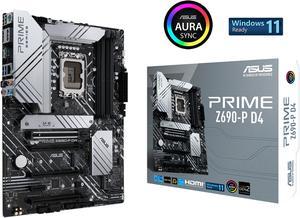
ASUS Prime Z690-P D4 LGA 1700 (Intel® 12th&13th Gen) ATX motherboard (PCIe 5.0,DDR4,14+1 Power Stages, 3x M.2,2.5Gb LAN,V-M.2 e-key,front panel USB 3.2 Gen 1 USB Type-C®,Thunderbolt™ 4 support)
- Memory Standard: DDR4 5333(OC) / 5133(OC) / 5000(OC) / 4800(OC) / 4600(OC) / 4400(OC) / 4266(OC) / 4133(OC) / 4000(OC) / 3866(OC) / 3733(OC) / 3600(OC) / 3466(OC) / 3400(OC) / 3333(OC) / 3200 / 3000 / 2933 / 2800 / 2666 / 2400 / 2133 * Refer to www.asus.com for the Memory QVL (Qualified Vendors Lists).
- Number of Memory Slots: 4x288pin (DDR4)
- Brand: ASUS
- CPU Socket Type: LGA 1700 * Designed with dual mounting holes compatible with both Intel LGA1700 and LGA1200 cooling brackets.
- Model #: 90MB18P0-M0AAY0
- Item #: 9SIC7XMM1S4783
- Return Policy: View Return Policy
$302.00
Free Shipping
This motherboard is better than msi competitors
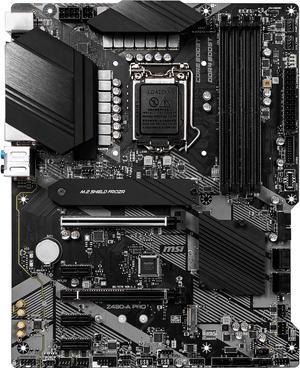
MSI PRO Z490-A PRO LGA 1200 ATX Intel Motherboard
- Memory Standard: Supports 1R 2933/ 2666/ 2133 MHz 1DPC 1R Max speed up to 4800+ MHz 1DPC 2R Max speed up to 4266+ MHz 2DPC 1R Max speed up to 4400+ MHz 2DPC 2R Max speed up to 4000+ MHz
- Number of Memory Slots: 4x288pin (DDR4)
- Audio Chipset: Realtek ALC892
- Brand: MSI
- Model #: Z490-A PRO
- Item #: 9SIC7VCM148510
- Return Policy: View Return Policy
$295.04
$295.10
Free Shipping
So many options!
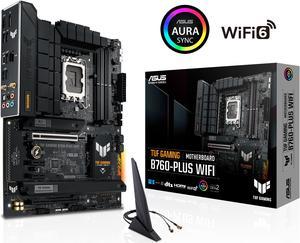
ASUS TUF GAMING B760-PLUS WIFI Intel B760 (14th, 13th and 12th Gen) LGA 1700 ATX motherboard with PCIe 5.0, three PCIe 4.0 M.2 slots, DDR5, Realtek 2.5Gb Ethernet, DisplayPort, HDMI, SATA 6 Gbps,
- Memory Standard: DDR5 7200(OC)/7000(OC)/6800(OC)/6600(OC)/ 6400(OC)/ 6200(OC)/ 6000(OC)/ 5800(OC)/ 5600/ 5400/5200/ 5000/ 4800 Non-ECC, Un-buffered Memory* * Supported memory types, data rate (speed), and number of DRAM modules vary depending on the CPU and memory configuration, for more information please refer to CPU/Memory Support under the Support tab or visit https://www.asus.com/support/ * Non-ECC, un-buffered DDR5 memory supports On-Die ECC function.
- Number of Memory Slots: 4x288pin (DDR5)
- Audio Chipset: Realtek 7.1 Surround Sound High Definition Audio CODEC - Supports: Jack-detection, Multi-streaming, Front Panel Jack-retasking - Supports up to 24-Bit/192 kHz playback Audio Features - Audio Shielding - Rear optical S/PDIF out port - Premium audio capacitors - Dedicated audio PCB layers - Audio cover
- Brand: ASUS...
- Model #: TUF GAMING B760-PLUS WIFI
- Item #: N82E16813119641
- Return Policy: Standard Return Policy
$279.99
$7.99 Shipping
This is a really nice, currently running smoothly, Intel LGA1700 board, from ASUS via Newegg. The manufacture date printed on the box is 2025-04, and existing BIOS version was up to date for 14th gen Intel Core CPU. Not a single problem installing and setting up in an ATX case with DDR5, various other parts, fans, M.2 SSDs, HDD drive, BluRay burner etc. On-board Intel AX201 WiFi works great. I downloaded BIOS updates , Drivers and (ASUS AISuite 3) direct from ASUS website. . After I had it up and running I used ASUS' free download of "ASUS DriverHub" to check for further driver updates. I'm very happy with this board and ASUS. Would absolutely buy again. Only real shocker was the price of 32GB DDR5 - costs more than the board does, go figure.
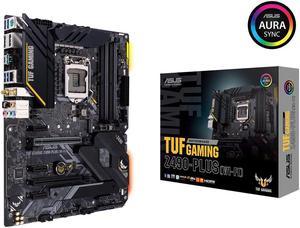
ASUS TUF GAMING Z490-PLUS (WI-FI) LGA 1200 (Intel 10th Gen) Intel Z490 (WiFi 6) SATA 6Gb/s ATX Intel Motherboard (Dual M.2, 12+2 Power Stages, USB 3.2 Front Panel Type-C, Intel WiFi 6 & 1Gb LAN, Aura
- Memory Standard: DDR4 2666
- Number of Memory Slots: 4x288pin (DDR4)
- Brand: ASUS
- CPU Socket Type: LGA 1200
- Model #: TUF GAM Z490-PLUS WF
- Item #: 9SIADDZJ181328
- Return Policy: View Return Policy
$199.99
Free Shipping
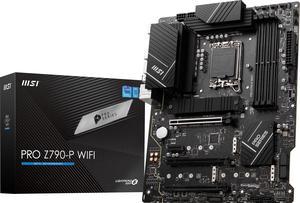
MSI PRO Z790-P WIFI LGA 1700 Intel Z790 SATA 6Gb/s DDR5 ATX Motherboard
- Memory Standard: Supports 1R 5600 MHz (by JEDEC & POR) Max. overclocking frequency: - 1DPC 1R Max speed up to 7000+ MHz - 1DPC 2R Max speed up to 6400+ MHz - 2DPC 1R Max speed up to 6400+ MHz - 2DPC 2R Max speed up to 5600+ MHz Supports Intel XMP 3.0 OC Supports Dual-Controller Dual-Channel mode Supports non-ECC, un-buffered memory
- Number of Memory Slots: 4x288pin (DDR5)
- Audio Chipset: Realtek ALC897
- Brand: MSI
- Model #: PRO Z790-P WIFI
- Item #: N82E16813144571
- Return Policy: Standard Return Policy
$299.99
Free Shipping
It run as well as a 600-dollar Z790 at half the cost.
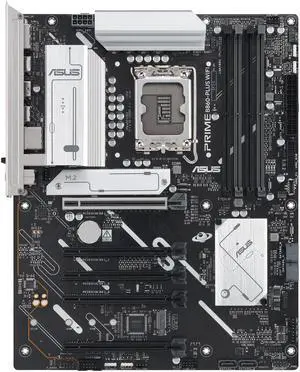
ASUS PRIME B860-PLUS WIFI-CSM B860 LGA 1851 ATX motherboard, Intel Core Ultra Series 2 Ready, Advanced AI, DDR5, PCIe 5.0, HDMI, USB 20Gbps Type-C, 2x M.2, WiFi 6E, 2.5Gb, ACCE Remote IT Management
- Memory Standard: Support up to 8200+MT/s (OC)
- Number of Memory Slots: 4x288pin (DDR5)
- Brand: ASUS
- CPU Socket Type: LGA 1851
- Model #: PRIME B860-PLUS WIFI-CSM
- Item #: N82E16813119760
- Return Policy: Standard Return Policy
$254.99
Free Shipping
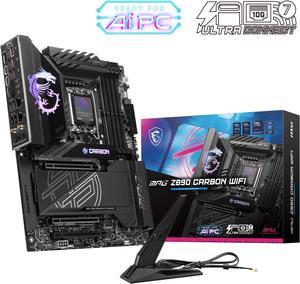
MSI MPG Z890 CARBON WIFI Motherboard, ATX - Supports Intel Core Ultra Processors (Series 2), LGA 1851 - 110A SPS VRM, DDR5 Memory Boost 9200+ MT/s (OC), PCIe 5.0 x16 & 4.0 x16, M.2 Gen5, Wi-Fi 7, 5G L
- Memory Standard: DDR5 4800 / DDR5 5000 / DDR5 5200 / DDR5 5400 / DDR5 5600 / DDR5 5800 / DDR5 6000 / DDR5 6200 / DDR5 6400 / DDR5 6600 / DDR5 6800 / DDR5 7000 / DDR5 7200 / DDR5 7400 / DDR5 7600 / DDR5 7800 / DDR5 7900 / DDR5 7950 / DDR5 8000 / DDR5 8200 / DDR5 8266 / DDR5 8400 / DDR5 8600 / DDR5 8800 / DDR5 8933 / DDR5 9000 / DDR5 9066 / DDR5 9200
- Number of Memory Slots: 4x288pin (DDR5)
- Audio Chipset: Realtek ALC1220
- Brand: MSI
- Model #: MPG Z890 CARBON WIFI
- Item #: 9SIBP4ZKWM4254
- Return Policy: View Return Policy
$1,199.99
Free Shipping
Durability, ease of use, port locations
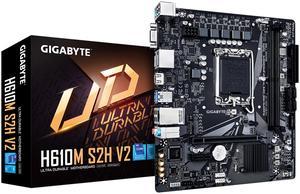
GIGABYTE H610M S2H V2 Motherboard, Supports 14th/13th/12th Gen Intel Core Processors (LGA 1700), mATX, DDR5, 1x M.2, PCIe 4.0, USB-C, HDMI, 2x DisplayPort, D-Sub, 1GbE LAN
- Memory Standard: DDR5 4400 / DDR5 4800 / DDR5 5200 / DDR5 5600
- Number of Memory Slots: 2x288pin (DDR5)
- Brand: GIGABYTE
- CPU Socket Type: LGA 1700
- Model #: H610M S2H V2
- Item #: N82E16813145576
- Return Policy: Standard Return Policy
$109.99
$149.99
$7.99 Shipping
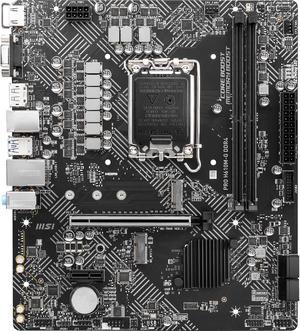
MSI PRO H610M-G DDR4 LGA 1700 Intel H610 SATA 6Gb/s Micro ATX Intel Motherboard
- Memory Standard: DDR4 3200
- Number of Memory Slots: 2x288pin (DDR4)
- Audio Chipset: Realtek ALC897
- Brand: MSI
- Model #: PRO H610M-G DDR4
- Item #: N82E16813144525
- Return Policy: Standard Return Policy
$124.99
$6.99 Shipping
Durable The ez debug led saved my life
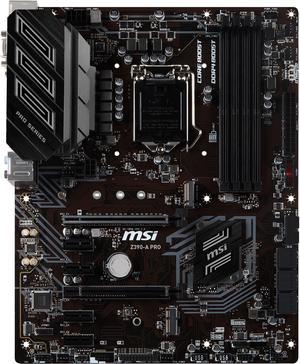
MSI PRO Z390-A PRO LGA 1151 (300 Series) ATX Intel Motherboard
- Memory Standard: DDR4 4400(OC)/ 4300(OC)/ 4266(OC)/ 4200(OC)/ 4133(OC)/ 4000(OC)/ 3866(OC)/ 3733(OC)/ 3600(OC)/ 3466(OC)/ 3400(OC)/ 3333(OC)/ 3300(OC)/ 3200(OC)/ 3000(OC)/ 2800(OC)/ 2666/ 2400/ 2133
- Number of Memory Slots: 4x288pin (DDR4)
- Audio Chipset: Realtek ALC892
- Brand: MSI
- Model #: Z390-A PRO
- Item #: 9SIBJK3JVN2235
- Return Policy: View Return Policy
$215.32
$215.42
Free Shipping
Not too fancy looking, yet fully functional. Great performance (used in pair with i5 9400F)
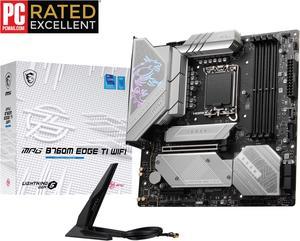
MSI MPG B760M EDGE TI WIFI LGA 1700 Intel B760 SATA 6Gb/s DDR5 Micro ATX Motherboard 14th/ 13th/ 12th Gen Processors PCI-E x16 slot 3x M.2 2.5Gbps LAN Wi-Fi 6E Supports Bluetooth
- Memory Standard: DDR5 5600
- Number of Memory Slots: 4x288pin (DDR5)
- Audio Chipset: Realtek ALC897
- Brand: MSI
- Model #: MPG B760M EDGE TI WIFI
- Item #: 9SIADDZKDG8161
- Return Policy: View Return Policy
$371.41
Free Shipping
I purchased this board on discount for $269.99. So far it's been good, it was easy to setup and work with. The BIOS update was also a breeze, however the BIOS menu takes getting used to, especially if you've used other mothers from different vendors.
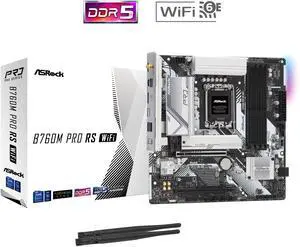
ASRock B760M PRO RS WiFi LGA 1700 Micro ATX Motherboard
- Memory Standard: Up to 7200+(OC)
- Number of Memory Slots: 4x288pin (DDR5)
- Audio Chipset: Realtek ALC897
- Brand: ASRock
- Model #: B760M Pro RS WiFi
- Item #: N82E16813162228
- Return Policy: Standard Return Policy
$184.99
Free Shipping
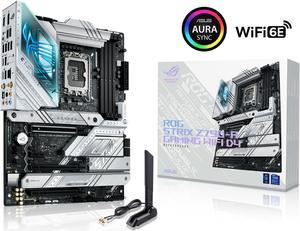
ASUS ROG Strix Z790-A Gaming WiFi D4 LGA1700(Intel 14th& 13th & 12th Gen) ATX gaming motherboard(16+1 power stages,DDR4,4xM.2 slots, PCIe® 5.0,WiFi 6E,USB 3.2 Gen 2x2 Type-C® with PD 3.0 up to 30W)
- Memory Standard: DDR4:5333(OC)/5133(OC)/5066(OC)/ 5000(OC)/4800(OC)/4700(OC)/4600(OC)/4500(OC)/4400(OC)/4266(OC)/4133Non-ECC, Un-buffered Memory* Dual Channel Memory Architecture Supports Intel® Extreme Memory Profile (XMP) OptiMem III * Supported memory types, data rate(Speed), and number of DRAM modules vary depending on the CPU and memory configuration, for more information refer to www.asus.com for memory support list.
- Number of Memory Slots: 4x288pin (DDR4)
- Audio Chipset: Realtek ALC4080
- Brand: ASUS
- Model #: ROG STRIX Z790-A GAMING WIFI D4
- Item #: 9SIC7VCM149269
- Return Policy: View Return Policy
$578.24
$578.78
Free Shipping
No issues and love the look of the board. 4 m.2 slots with heatsinks and quick latches so no post n screws needed. Quick release button for gpu easy to get to for cleaning Intergrated io shield