
Your Browsing History
BEST SELLERS


BEST SELLERS
In Components & Storage
Our most popular products, based on sales and updated frequently.Shop Department
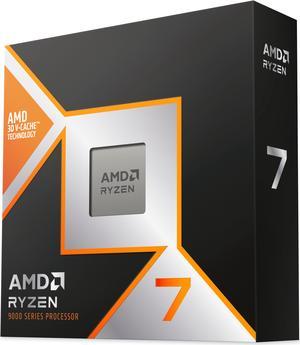
AMD Ryzen 7 9800X3D - Ryzen 7 9000 Series Zen 5 8-Core 5.2 GHz - Socket AM5 120W - AMD Radeon Graphics Desktop Processor - 100-100001084WOF
- Series: Ryzen 7 9000 Series
- L3 Cache: 96MB
- L2 Cache: 8MB
- Cooling Device: Cooling device not included - Processor Only
- Model #: 100-100001084WOF
- Item #: N82E16819113877
- Return Policy: Standard Return Policy
$579.99
$799.99
Free Shipping
Runs cooler
Kingston NV3 M.2 2280 1TB PCIe 4.0 x4 NVMe Internal Solid State Drive (SSD) SNV3S/1000G Up to 6000 MB/s
- Max Sequential Read: Up to 6000 MBps
- Max Sequential Write: Up to 4000 MBps
- Form Factor: M.2 2280
- Capacity: 1TB
- Model #: SNV3S/1000G
- Item #: N82E16820242902
- Return Policy: Standard Return Policy
$227.97
Free Shipping
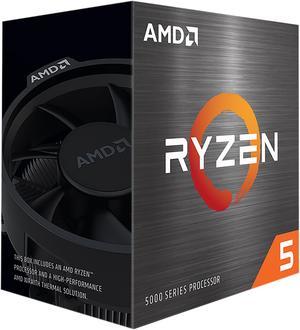
AMD Ryzen 5 5500 - Ryzen 5 5000 Series Cezanne (Zen 3) 6-Core 3.6 GHz Socket AM4 65W No Integrated Graphics Desktop CPU Processor - 100-100000457BOX
- Series: Ryzen 5 5000 Series
- L3 Cache: 16MB
- L2 Cache: 3MB
- Cooling Device: Wraith Stealth
- Model #: 100-100000457BOX
- Item #: N82E16819113737
- Return Policy: Standard Return Policy
$124.99
$229.99
Free Shipping
Bought for my son to build with new motherboard works great and really fast , son says was able to overclock without over heating and runs well
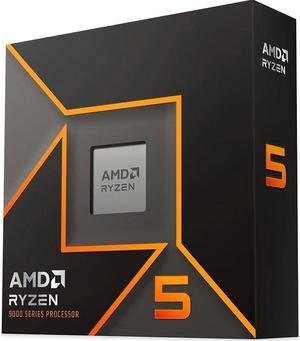
AMD Ryzen 5 9600X - Ryzen 5 9000 Series Granite Ridge (Zen 5) 6-Core 3.9 GHz - Socket AM5 65W - Radeon Graphics Processor - 100-100001405WOF
- Series: Ryzen 5 9000 Series
- L3 Cache: 32MB
- L2 Cache: 6MB
- Cooling Device: Cooling device not included - Processor Only
- Model #: 100-100001405WOF
- Item #: N82E16819113844
- Return Policy: Standard Return Policy
$279.99
$449.99
Free Shipping
- Built in Graphics
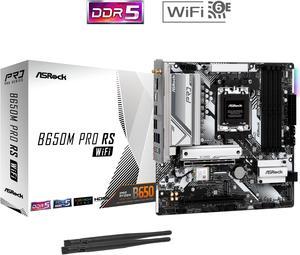
ASRock B650M Pro RS WiFi AM5 Micro ATX Motherboard
- Brand: ASRock
- CPU Socket Type: AM5
- Chipset: AMD B650
- Serial ATA (SATA): 4 x SATA 6Gb/s
- Model #: B650M Pro RS WiFi
- Item #: N82E16813162131
- Return Policy: Standard Return Policy
$139.99
$214.99
Free Shipping
Installation was successful immediately. Bios upgrade also a snap, just to ensure full compatibility with Ryzen 7 CPU. No compatibility issues I had with Asus mboard with same chipset.
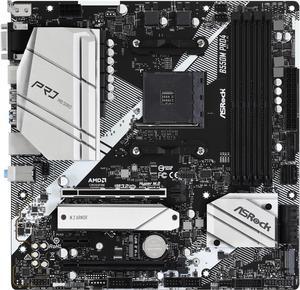
ASRock PRO B550M PRO4 AM4 Micro ATX AMD Motherboard
- Brand: ASRock
- CPU Socket Type: AM4
- Chipset: AMD B550
- M.2: 1 x Hyper M.2 Socket (M2_1), supports M Key type 2280 M.2 PCI Express module up to Gen4x4 (64 Gb/s) (with Vermeer, Matisse) or Gen3x4 (32 Gb/s) (with Cezanne, Renoir and Picasso)* 1 x M.2 Socket (M2_2), supports M Key type 2280 M.2 SATA3 6.0 Gb/s module and M.2 PCI Express module up to Gen3 x2 (16 Gb/s)* * Supports NVMe SSD as boot disks. * Supports ASRock U.2 Kit.
- Model #: B550M PRO4
- Item #: N82E16813157939
- Return Policy: Standard Return Policy
$99.99
$124.99
Free Shipping
Beautiful, minimalist board. Looks great in my case. USB-C, HDMI and Display ports on board.
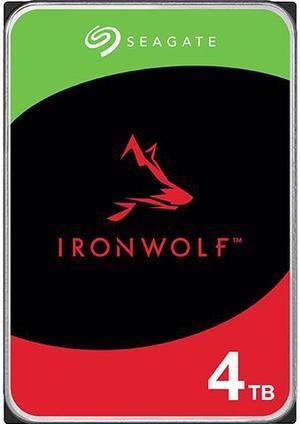
Seagate IronWolf ST4000VN006 4TB 5400 RPM 256MB Cache SATA 6.0Gb/s 3.5" Internal Hard Drive HDD
- Brand: Seagate
- Series: IronWolf
- Capacity: 4TB
- RPM: 5400 RPM
- Model #: ST4000VN006
- Item #: N82E16822185030
- Return Policy: Standard Return Policy
$264.99
$279.99
Free Shipping
Straight forward setup, fast shipment, whisper quiet operation and great price. Works perfectly in the Synology DS223j.
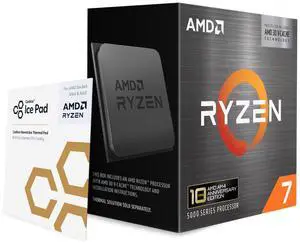
AMD Ryzen 7 5800X3D 10th Anniversary Edition - Ryzen 7 5000 Series Vermeer (Zen 3) 8-Core 3.4 GHz Socket AM4 105W Desktop CPU Processor - 100-100000651POF
- Series: Ryzen 7 5000 Series
- L3 Cache: 96MB
- L2 Cache: 4MB
- Cooling Device: Cooling device not included - Processor Only
- Model #: 100-100000651POF
- Item #: N82E16819113940
- Return Policy: Standard Return Policy
$489.99
$499.99
Free Shipping
C'est le meilleur processeur pour gagmer .
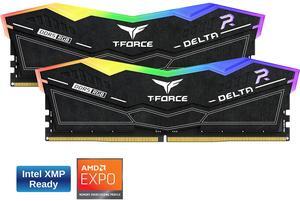
Team Group 16GB (2 x 8GB) 288-Pin PC RAM DDR5 6000 (PC5 48000) Memory Model FF3D516G6000HC38ADC01
- CAS Latency: CL38
- Voltage: 1.25V
- Multi-channel Kit: Dual Channel Kit
- Timing: 38-38-38-78
- Model #: FF3D516G6000HC38ADC01
- Item #: N82E16820985307
- Return Policy: Standard Return Policy
$349.99
Free Shipping
COOL RGB AND EXPO AT 6000 MT I GOT THEM ON A BUNDLE PROMO
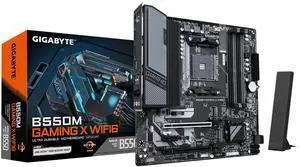
GIGABYTE B550M GAMING X WIFI6 AM4 Micro ATX Motherboard
- Brand: GIGABYTE
- CPU Socket Type: AM4
- Chipset: AMD B550
- Serial ATA (SATA): 4 x SATA 6Gb/s
- Model #: B550M GAMING X WIFI6
- Item #: N82E16813145586
- Return Policy: Standard Return Policy
$129.99
Free Shipping
Love the combo
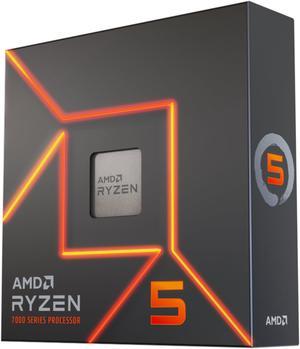
AMD Ryzen 5 7600X - Zen 4 6-Core 4.7 GHz - Socket AM5 - 105W Desktop Processor (100-100000593WOF)
- Series: Ryzen 5 7000 Series
- L3 Cache: 32MB
- L2 Cache: 6MB
- Cooling Device: Cooling device not included - Processor Only
- Model #: 100-100000593WOF
- Item #: N82E16819113770
- Return Policy: Standard Return Policy
$209.99
$449.99
Free Shipping
Great for 4K gaming. Don't need anything more for 4K gaming. Can't wait to see this paired with a 7900XT. Bought this day one along with the X670E Steel Legend.
WD_BLACK 2TB SN850X NVMe Internal Gaming SSD Solid State Drive - Gen4 PCIe, M.2 2280, Up to 7,300 MB/s - WDS200T2X0E
- Max Sequential Read: Up to 7300 MBps
- Max Sequential Write: Up to 6600 MBps
- 4KB Random Read: Up to 1,200,000 IOPS
- Form Factor: M.2 2280
- Model #: WDS200T2X0E-00BCA0
- Item #: N82E16820250247
- Return Policy: Standard Return Policy
$529.99
Free Shipping
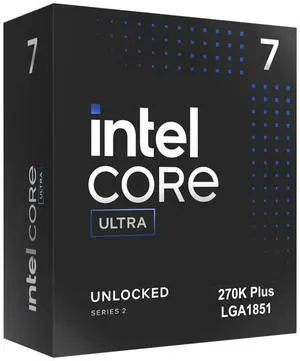
Intel Core Ultra 7 270K Plus Processor 24 cores (8 P-cores + 16 E-cores) up to 5.5 GHz BX80768270K
- Series: Core Ultra 7 (Series 2)
- L3 Cache: 36MB
- L2 Cache: 40MB
- Brand: Intel
- Model #: BX80768270K
- Item #: N82E16819118628
- Return Policy: Standard Return Policy
$469.99
Free Shipping
Very good performance! Love it!
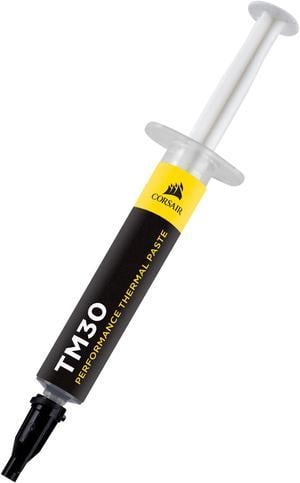
CORSAIR TM30 Performance Thermal Paste, CT-9010001-WW.
- Volume / Net Weight: 3.5g
- Thermal Conductivity: 3.8 W/mK
- Specifications: CORSAIR TM30 thermal paste helps you push your PC to its limit, with a low-viscosity premium zinc oxide thermal material that’s easy to apply. TM30’s ultra-low thermal impedance ensures high-efficiency heat transfer between your hardware and cooler, lowering temperatures and allowing for higher clock speeds. Net Weight: 3g Thermal Conductivity: 3.8 W/mK Thermal Impedance: 0.01°C -in2/W Viscosity: 2300K cPs Specific Gravity: 2.5g/cm3
- Model #: CT-9010001-WW
- Item #: N82E16835181166
- Return Policy: Standard Return Policy
$14.99
Free Shipping
Long duration
SAMSUNG 990 EVO PLUS SSD 1TB, PCIe Gen 4x4 | Gen 5x2 M.2 2280, Speeds Up-to 7,150 MB/s, Upgrade Storage for PC/Laptops, HMB Technology and Intelligent Turbowrite 2.0 (MZ-V9S1T0B/AM)
- Max Sequential Read: Up to 7150 MBps
- Max Sequential Write: Up to 6300 MBps
- 4KB Random Read: Up to 850,000 IOPS
- Form Factor: M.2 2280
- Model #: MZ-V9S1T0B/AM
- Item #: N82E16820147899
- Return Policy: Standard Return Policy
$244.97
$394.97
Free Shipping

WD_BLACK SN7100 M.2 2280 1TB PCI-Express 4.0 x4 TLC 3D NAND Internal Solid State Drive (SSD) WDS100T4X0E
- Max Sequential Read: Up to 7250 MBps
- Max Sequential Write: Up to 6900 MBps
- 4KB Random Read: Up to 1,000,000 IOPS
- Form Factor: M.2 2280
- Model #: WDS100T4X0E-00CJA0
- Item #: 9SIC7XMM4F0269
- Return Policy: View Return Policy
$293.11
Free Shipping
100% working.
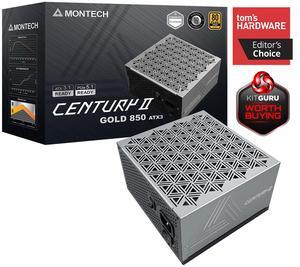
MONTECH CENTURY II - 850W High-End ATX Gaming Power Supply - 80 Plus Gold & Cybenetics Platinum
- Brand: Montech
- Type: ATX
- Maximum Power: 850 W
- Modular: Full Modular
- Model #: Century II 850
- Item #: N82E16817959008
- Return Policy: Standard Return Policy
OUT OF STOCK
Sold Price: $129.99
Free Shipping
Small form factor 850 watts. Quiet works.
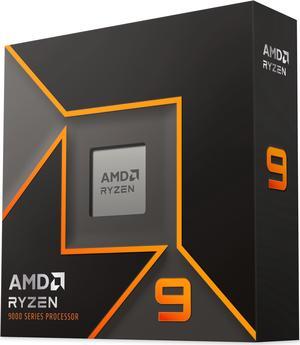
AMD Ryzen 9 9900X - Ryzen 9 9000 Series Granite Ridge (Zen 5) 12-Core 4.4 GHz - Socket AM5 120W - Radeon Graphics Processor - 100-100000662WOF
- Series: Ryzen 9 9000 Series
- L3 Cache: 64MB
- L2 Cache: 12MB
- Cooling Device: Cooling device not included - Processor Only
- Model #: 100-100000662WOF
- Item #: N82E16819113842
- Return Policy: Standard Return Policy
$509.99
$699.99
Free Shipping
Worked with no issues out of the box When paired with a Gigabyte B650E Aorus Elite X AC ICE MB I managed to get 6400MT/s (from the default 4800MT/s) after overclocking the memory sticks, and so far I had no issues with stability With the Gigabyte B650E Aorus Elite X AC ICE MB I can have an external GPU (on the main PCIe socket) at x16 lanes, and also have an NVME SSD on the "M2B_CPU" slot. Using the first "M2A_CPU" slot would cause the main PCIe socket to share some lanes with the external GPU Easy to cool with a cheap air cooler, as it is only 65W TDP.
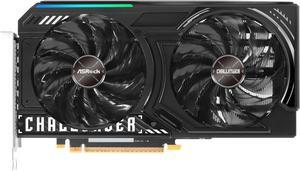
ASRock Challenger Arc B580 Graphics Card B580 CL 12GO
- Core Clock: 2740 MHz
- Max Resolution: 7680 x 4320
- DisplayPort: 3 x DisplayPort 2.1 with DSC
- HDMI: 1 x HDMI 2.1
- Model #: B580 CL 12GO
- Item #: N82E16814930131
- Return Policy: Standard Return Policy
$429.99
Free Shipping
Seems made for 1440 monitors. Best cost to performance ratio. Satisfaction of having a PC thats mostly Intel parts. (Get back into the memory game Intel! :) )
Kingston NV3 M.2 2280 2TB PCIe 4.0 x4 NVMe Internal Solid State Drive (SSD) SNV3S/2000G Up to 6000 MB/s
- Max Sequential Read: Up to 6000 MBps
- Max Sequential Write: Up to 5000 MBps
- Form Factor: M.2 2280
- Capacity: 2TB
- Model #: SNV3S/2000G
- Item #: N82E16820242903
- Return Policy: Standard Return Policy
$429.97
Free Shipping
- Faster option is nearly twice the speed of the "fast" option, I recommend spending the few extra dollars for it.