
Your Browsing History
BEST SELLERS


BEST SELLERS
In Server Components
Our most popular products, based on sales and updated frequently.Shop Department
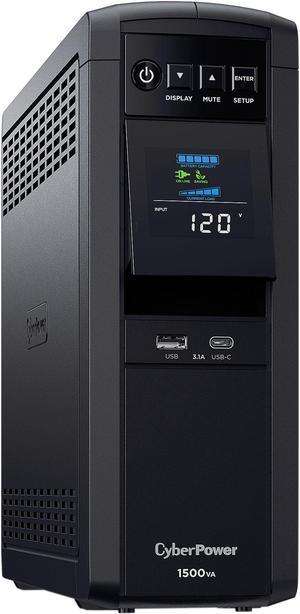
CyberPower CP1500PFCLCD PFC Sinewave UPS Systems - 1500VA/1000W, 120 VAC, NEMA 5-15P, Mini-Tower, Sine Wave, 12 Outlets, LCD, PowerPanel
- Outlets: 12
- Battery Run Time: At Half Load: 10 Minutes At Full Load: 2.5 Minutes
- Output Frequency: 60 Hz +/- 1%
- Battery Recharge Time: 8 Hour(s)
- Model #: CP1500PFCLCD
- Item #: 9SIAH2MKXN5231
- Return Policy: View Return Policy
$294.40
$298.28
Free Shipping
- Estimated 40-50 hours of backup - Works great with unraid (just about plug and play) - Great display - Nice form factor
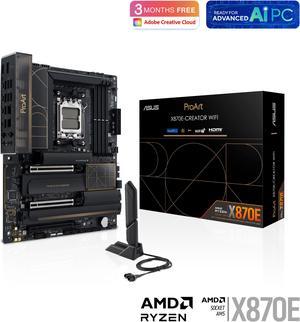
ASUS ProArt X870E-CREATOR WIFI AMD AM5 X870E ATX Motherboard PCIe 5.0 x16 slots with full support for next-gen GPUs, 16+2+2 power stages, DDR5, dual USB4, 10 Gb & 2.5 Gb LAN, WiFi 7, four M.2 slots
- Brand: ASUS
- CPU Socket Type: AM5
- Chipset: AMD X870
- Serial ATA (SATA): 4 x SATA 6Gb/s
- Model #: ProArt X870E-CREATOR WIFI
- Item #: N82E16813119688
- Return Policy: Standard Return Policy
$729.00
Free Shipping
Bought this to add 10Gb and USB4 video out. Happy to have discovered that the built-in Radeon capability of the 7900x CPU outputs from both the HDMI port and the USB4 ports by default. Also, I have 4x16Gb of Corsair Vengeance RAM and no issues to report.
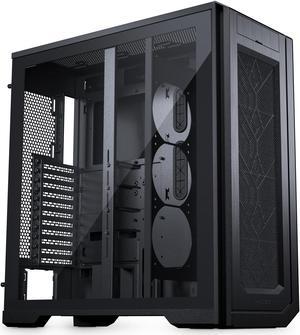
Phanteks Enthoo Pro 2 Server Edition – SSI-EEB Motherboard support, 11-PCI slots, 15x fan positions, Tempered Glass Side Panel, Black
- Motherboard Compatibility: XL-ATX, SSI-EEB, E-ATX, ATX, micro-ATX, mini-ITX
- Color: Black
- Case Material: Steel Chassis
- Side Panel: 1 x Side Tempered Glass Panel
- Model #: PH-ES620PTG_BK02
- Item #: N82E16811854127
- Return Policy: Standard Return Policy
$229.99
$259.99
$19.99 Shipping
Very spacious Comes with screws Can fit multiple fans and storage drives If you're a Linux nerd like me who wants to do a GPU Pass-through for a Windows VM, this case is it (I Pass-through the Nvidia card btw) Yes, I have mismatch fans, it was all I had for now
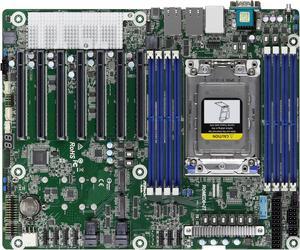
Asrock Rack ROMED8-2T ATX Server Motherboard AMD EPYC 7003 (with AMD 3D V-Cache Technology)/7002 series processors SP3 (LGA 4094) Dual 10GbE
- Brand: AsRock Rack
- CPU Socket Type: Socket SP3
- CPU Type: Supports AMD EPYC 7003 (with AMD 3D V-Cache Technology*) / 7002 Series Processors *A BIOS update is required to support AMD EPYC 7003 series processors with AMD 3D V-Cache Technology
- Number of Processor Support: 1
- Model #: ROMED8-2T
- Item #: N82E16813140044
- Return Policy: Standard Return Policy
$999.99
Free Shipping
Easy per-slot PCIe speed control and bifurcation options. Intuitive Bios in general. miniSASHD SATA breakouts, instead of individual ports (those breakout cables are included!) Very stable running proxmox once I disabled C-state options. IPMI is great (and the password for which can be easily reset in the BMC settings of the BIOS!)
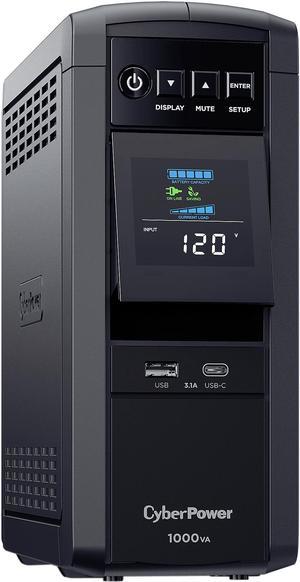
CyberPower CP1000PFCLCD PFC Sinewave UPS Systems - 1000VA/600W, 120 VAC, NEMA 5-15P, Mini-Tower, Sine Wave, 10 Outlets, LCD, PowerPanel®
- Outlets: 10
- Battery Run Time: Runtime at Full Load: 2 min Runtime at Half Load: 6 min
- Output Frequency: 60 Hz +/- 1%
- Battery Recharge Time: 8 Hour(s)
- Model #: CP1000PFCLCD
- Item #: 9SIAH2MM1D8288
- Return Policy: View Return Policy
$219.64
Free Shipping
This battery backup has everything I needed to protect my system. I have my 24" iMac, multifunction printer (in one of the surge protected outlets, 4 external HD's, speakers and modem/router all plugged into it. It offers true sinewave output, which I am happy about as much of the data for my business is on multiple hard drives that I do not want damaged. I use really large files for images for my design business and if they get corrupted due to power surges I am ruined. Again, this UPS makes me feel much better about leaving my computer running all the time and not worrying about a surge or the power going out for a few minutes while a file is writing to a HD.
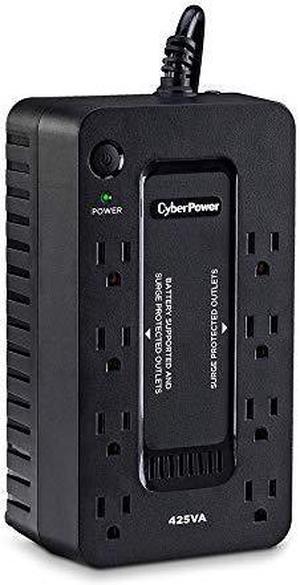
CyberPower ST425 Standby UPS Systems - 425VA/260W, 120 VAC, NEMA 5-15P, Compact, 8 Outlets
- Outlets: 8
- Battery Run Time: Runtime at Full Load: 1.5 min Runtime at Half Load: 6 min
- Output Frequency: 50/60 Hz +/- 1%
- Battery Recharge Time: 8 Hours
- Model #: ST425
- Item #: N82E16842102335
- Return Policy: Manufacturer Only Return Policy
$79.99
$99.99
Free Shipping
mounted to the wall easily. everything works as expected
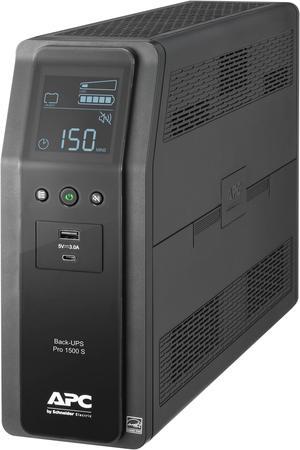
APC BR1500MS2 Back-UPS Pro 1500VA/900W, Tower, 120V, 10x NEMA 5-15R outlets, AVR, USB Type A + C ports, LCD, User Replaceable Battery -Tower - AVR - 16 Hour Recharge -4.10 Minute Stand-by -120 V Input
- Outlets: 10
- Battery Run Time: Backup/Run Time (Half Load) 14.50 Minute Backup/Run Time (Full Load) 4.10 Minute
- Output Frequency: 60 Hz +/- 3 Hz
- Battery Recharge Time: 16 hour(s)
- Model #: BR1500MS2
- Item #: 9SIAH2MKNU7915
- Return Policy: View Return Policy
$379.57
Free Shipping
- doesn't necessarily require software to check it's operational status, has its own LCD display menu - large enough for a PC and medium size flat screen TV
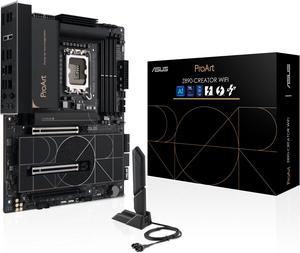
ASUS ProArt Z890-CREATOR WIFI Z890 LGA 1851 ATX Motherboard, Intel® Core™ Ultra Processor Series 2 Ready, 16+2+1+2 stages, PCIe® 5.0, DDR5, Thunderbolt™ 5 Type-C®, 10+2.5 Gb LAN, WiFi 7, 5x M.2, AI OC
- Memory Standard: DDR5 4400 / DDR5 4800 / DDR5 5000 / DDR5 5200 / DDR5 5400 / DDR5 5600 / DDR5 5800 / DDR5 6000 / DDR5 6200 / DDR5 6400 / DDR5 6600 / DDR5 6800 / DDR5 7000 / DDR5 7200 / DDR5 7400 / DDR5 7600 / DDR5 7800 / DDR5 7900 / DDR5 7950 / DDR5 8000 / DDR5 8200 / DDR5 8266 / DDR5 8400 / DDR5 8600
- Number of Memory Slots: 4x288pin (DDR5)
- Audio Chipset: Realtek ALC1220P
- Brand: ASUS
- Model #: PROART Z890-CREATOR WIFI
- Item #: N82E16813119699
- Return Policy: Standard Return Policy
$669.99
Free Shipping
Very well built. You can feel the difference between inferior boards and thisone. The easy DIY features make it easy to remove PCIe cards and open the heat shield to the numerous M.2 slots.
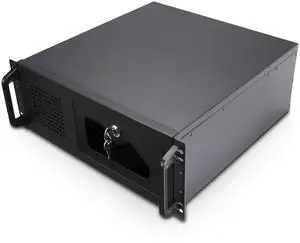
Rosewill 4U Server Chassis Rackmount Case | 7 x 3.5" Bays + 2 x 5.25" Devices | ATX, CEB Compatible | 1 x 120mm PWM Fan + 2 x 80mm PWM Fans | 2 x USB 3.0 | Front Panel Lock and Key | Silver/Black
- Brand: Rosewill
- Color: Black
- Case Material: Steel
- Form Factor: 4U
- Model #: RSV-R4100U
- Item #: N82E16811147332
- Return Policy: Standard Return Policy
$189.99
Free Shipping
4u, lots of space, cable management is actually possible, lockable front IO, decent price. Came with lots of extra screws & I was able to use a NZXT Kraken 120mm water cooler in push-pull config.
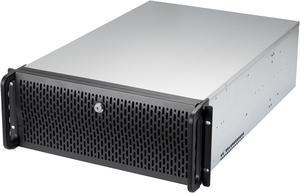
Rosewill 4U Server Chassis Rackmount Case | 15 x 3.5" HDD Bays | E-ATX Compatible | 6 x Front 120mm Fans | 2 x Rear 80mm Fans | 2 x USB 3.0 | Front Panel Lock and Key | Silver/Black - RSV-L4500U
- Brand: Rosewill
- Color: Black
- Case Material: SGCC
- Form Factor: 4U
- Model #: RSV-L4500U
- Item #: N82E16811147328
- Return Policy: Standard Return Policy
$329.99
$76.57 Shipping
+Plenty of included fans +Actual EATX support, with holes for standoffs in positions for various MB configurations so board is properly secured to the chassis +Lots of space to work in +Price
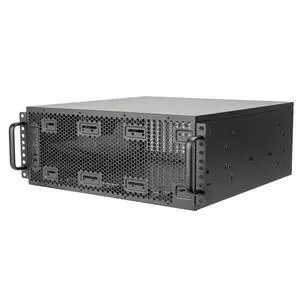
SilverStone SST-RM4A Black 4U Rackmount Server Chassis with Enhanced 360mm Radiators Compatibility
- Brand: SilverStone
- Color: Black
- Case Material: Steel
- Form Factor: 4U
- Model #: SST-RM4A
- Item #: N82E16811163439
- Return Policy: Standard Return Policy
$349.99
$367.99
Free Shipping
CyberPower CP1500PFCRM2U PFC Sinewave UPS Systems - 1500VA/1000W, 120 VAC, NEMA 5-15P, 2U, Rackmount, Sine Wave, 8 Outlets, LCD, PowerPanel®
- Outlets: 8 surge + battery backup
- Battery Run Time: Runtime at Full Load: 3.1 min Runtime at Half Load: 10.2 min
- Battery Recharge Time: 8 Hours
- Series: PFC Sinewave
- Model #: CP1500PFCRM2U
- Item #: 9SIAH2MKXD7769
- Return Policy: View Return Policy
$437.54
Free Shipping
Easy setup Clean looking Easy management
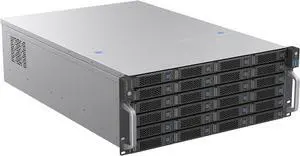
Rosewill 4U Rackmount Server Chassis | Supports up to 24 x 3.5" 12Gbps Hot Swap SATA/SAS | E-ATX & SSI-EEB Compatible | 3 x 120x38mm PWM Fan | RSV-H424
- Brand: Rosewill
- Color: Black / Silver
- Case Material: SGCC
- Form Factor: 4U
- Model #: RSV-H424
- Item #: N82E16811147383
- Return Policy: Standard Return Policy
$709.99
$83.45 Shipping
Well built case and came well packaged for shipping. Fans included, and lots of space.
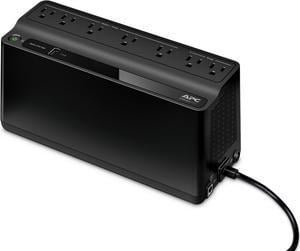
APC BE600M1 Back-UPS 600VA, 120V, 1 USB charging port, 7 NEMA outlets (2 surge) - Tower - 10 Hour Recharge - 3.20 Minute Stand-by - 120 V Input - 120 V AC Output
- Outlets: 7
- Battery Run Time: Run Time at Half load: 11.75 minutes Run Time at Full load: 3.2 minutes
- Output Frequency: 50/60Hz +/- 3 Hz
- Battery Recharge Time: 10 Hours
- Model #: BE600M1
- Item #: N82E16842301669
- Return Policy: Manufacturer Only Return Policy
$125.99
Free Shipping
1st one was an RMA, 2nd Unit works perfectly! User serviceable battery +++ great price
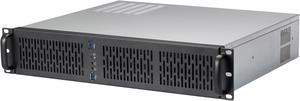
Rosewill 2U Server Chassis Rackmount Case | 4 x 3.5" HDD Bays | Micro-ATX Compatible | 3 x 80mm PWM Fans | 2 x USB 3.0 | Silver/Black - RSV-Z2600U
- Brand: Rosewill
- Color: Black
- Case Material: SGCC
- Form Factor: 2U
- Model #: RSV-Z2600U
- Item #: N82E16811147329
- Return Policy: Final Sale Return Policy
$159.99
Free Shipping
clean nice finish affordable has some space
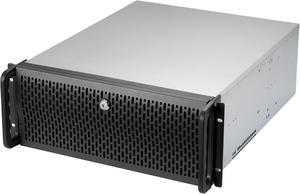
Rosewill 4U Server Chassis Rackmount Case | 8 x 3.5" HDD Bays + 3 x 5.25" Devices | ATX, CEB Compatible | 2 x Front 120mm PWM Fans + 2 x Rear 80mm Fans | 2 x USB 3.0 | Front Panel Lock
- Brand: Rosewill
- Color: Black
- Case Material: 1.0mm SGCC
- Form Factor: 4U
- Model #: RSV-R4000U
- Item #: N82E16811147326
- Return Policy: Standard Return Policy
$279.99
Free Shipping
- Well built, much more rigid construction than i was expecting. - Easy to work in, lots of space to get your hands in there - If you don't want to use the internal fans (which use Molex) and switch to PWM, super easy to grab any 120s and drop them in the front, same with the 80s in the back. - Lots of room for cable management
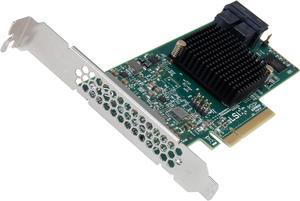
LSI 9300-8i PCI-Express 3.0 x8 SATA / SAS 8-Port SAS3 12Gb/s HBA - Single
- Internal Connectors: 2 x SFF-8643 mini-SAS HD
- Transfer Rate: Up to 12Gb/s
- Part: LSI00344
- Dimensions: 6.00" x 2.60"
- Model #: LSI00344
- Item #: 9SIBZT8KT48170
- Return Policy: View Return Policy
$78.64
Free Shipping
NO RAID Real HBA PCI Gen 3 Works awesome with Windows Storage Spaces
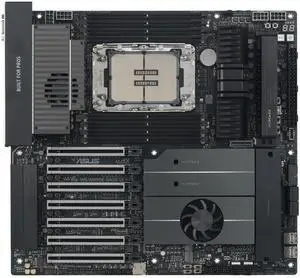
ASUS Pro WS W890E-SAGE SE Intel W890 (LGA 4710-2) EEB workstation motherboard, PCIe 5.0 x16, M.2, MCIO, SlimSAS, 2x 10Gb LAN, Server-grade Remote Management, 16+(2+2)+1+2 stages, USB4, USB Type-C
- Number of Memory Slots: 8x288pin (DDR5)
- Brand: ASUS
- CPU Socket Type: LGA 4710
- Chipset: Intel W890
- Model #: Pro WS W890E-SAGE SE
- Item #: N82E16813119779
- Return Policy: Standard Return Policy
$1,599.99
$14.36 Shipping
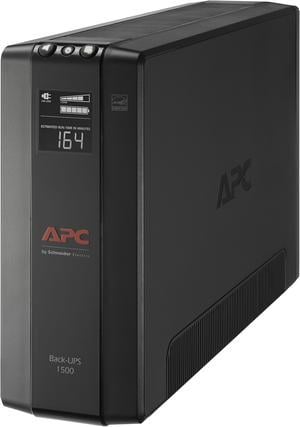
APC BX1500M Back-UPS Pro, 1500VA, Tower, 120V, 10 NEMA 5-15R outlets, AVR, LCD - Tower - 16 Hour Recharge - 3 Minute Stand-by -120 V Input-120 V AC Output -5 x NEMA 5-15R,5xNEMA 5-15R Surge Receptacle
- Outlets: 10
- Battery Run Time: At full load: 2.8 minutes At half load: 10.85 minutes
- Output Frequency: 60 Hz
- Battery Recharge Time: 16 Hours
- Model #: BX1500M
- Item #: N82E16842301561
- Return Policy: Manufacturer Only Return Policy
$307.99
$317.99
Free Shipping
battery activation is easy; unit detected a building fault of which I was unaware; upon repair by an electrician, unit has operated without problem; instructions are straightforward unit fits well in small space
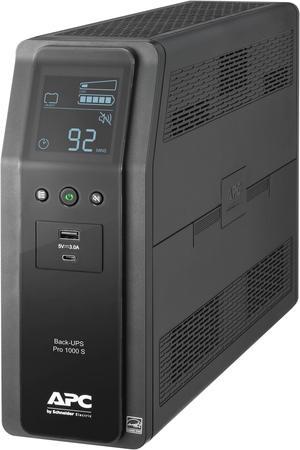
APC BR1000MS Back-UPS Pro, 1000VA/600W, Tower, 120V, 10x NEMA 5-15R outlets, Sine Wave, AVR, USB Type A + C ports, LCD, User Replaceable Battery - Tower - 16 Hour Recharge - 3.70 Minute Stand-by
- Outlets: 10
- Battery Run Time: Run Time at Full Load: 3.68 min Run Time at Half Load: 12.2 min
- Output Frequency: 60 Hz +/- 3 Hz
- Battery Recharge Time: 16 Hours
- Model #: BR1000MS
- Item #: 9SIAH2MKNU7902
- Return Policy: View Return Policy
$266.87
Free Shipping
Easy to setup. My NAS recognized it right away. Nothing special required.