
Your Browsing History
BEST SELLERS


BEST SELLERS
In Intel Motherboards
Our most popular products, based on sales and updated frequently.Shop Department
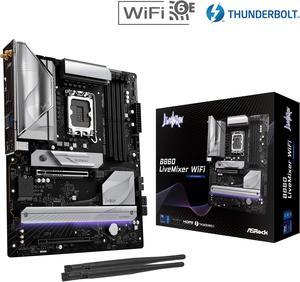
ASRock B860 LiveMixer WiFi LGA 1851 Intel B860 SATA 6Gb/s DDR5 Intel Core Ultra ATX Motherboard
- Memory Standard: Up to DDR5 8666+(OC)
- Number of Memory Slots: 4x288pin (DDR5)
- Audio Chipset: Realtek ALC1220
- Brand: ASRock
- Model #: B860 LiveMixer WiFi
- Item #: N82E16813162204
- Return Policy: Standard Return Policy
$179.99
$264.99
Free Shipping
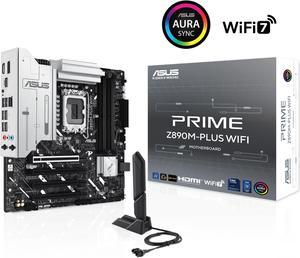
ASUS PRIME Z890M-PLUS WIFI Z890 LGA 1851 mATX motherboard, Intel® Core™ Ultra Series 2 Ready, Advanced AI PC-ready, 10+1+2+1 80A power stages, DDR5, PCIe® 5.0, USB Type-C®, 3x M.2, Wi-Fi 7, 2.5Gb LAN
- Memory Standard: DDR5 4400 / DDR5 4800 / DDR5 5000 / DDR5 5200 / DDR5 5400 / DDR5 5600 / DDR5 5800 / DDR5 6000 / DDR5 6200 / DDR5 6400 / DDR5 6600 / DDR5 6800 / DDR5 7000 / DDR5 7200 / DDR5 7400 / DDR5 7600 / DDR5 7800 / DDR5 7900 / DDR5 7950 / DDR5 8000 / DDR5 8200 / DDR5 8266 / DDR5 8400 / DDR5 8600 / DDR5 8666
- Number of Memory Slots: 4x288pin (DDR5)
- Brand: ASUS
- CPU Socket Type: LGA 1851
- Model #: PRIME Z890M-PLUS WIFI
- Item #: N82E16813119698
- Return Policy: Standard Return Policy
$279.99
Free Shipping
initally after building it out i flipped the switch and nothing. i troublshooted several things. and still nothing. i even posted a DOA on newegg but today 1dec24 138pm dst. i looked again at 1 issue a 3rd time and corrected something. i am embarassed to say what it was but i corrected it. replugged some components i had previously unplugged and FLIPPED the swich and an OH MY G-D MOMENT OCCURED.! lights fans and after it shutoff briefly and on again SCREEN DISPLAY!. even a multiple times pc builder lik me can F_UP. AND just as an apologetic it took me about 25 hours partially because i kept running into issues mostly fitting components to tower. AND though i had lots of fun doing it it did take me 25hours probably a little less to build the thing. in my defense i was adding components that i was not familiar with and therefore took longer to make do. ... i coulod go on and on and on even making a fool of myself. if i havent already. when i mess up i admit it. and i did. and i corrected it. >>>>>>>>>>>>>>>>>>>>>> IN CONCLUSION the ASUS PRIME line of mobos does not disappoint specifically the asus prime Z890M-plus WIFI
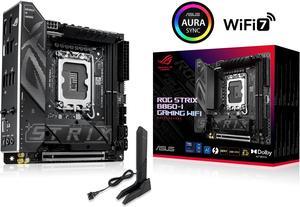
ASUS ROG STRIX B860-I GAMING WIFI B860 LGA 1851 mITX Mini-ITX motherboard, Intel Core Ultra Series 2 Ready, Advanced AI ready, 10+1+2+1 stage, DDR5, 2.5G LAN, WiFi7, M.2, Thunderbolt 4, USB Type-C
- Memory Standard: Up to 9066+MT/s (OC)
- Number of Memory Slots: 2x288pin (DDR5)
- Audio Chipset: Realtek ALC1220P
- Brand: ASUS
- Model #: ROG STRIX B860-I GAMING WIFI
- Item #: N82E16813119710
- Return Policy: Standard Return Policy
$309.99
$7.99 Shipping
-clear cmos button on the IO -ASUS bios -ASUS DriverHub -plenty of IO connections
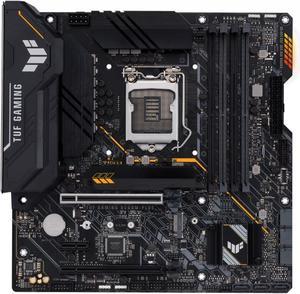
ASUS TUF GAMING B560M-PLUS LGA 1200 Micro ATX Intel Motherboard
- Memory Standard: DDR4 5000(OC) / 4800(OC) / 4600(OC) / 4400(OC) / 4266(OC) / 4000(OC) / 3733(OC) / 3600(OC) / 3466(OC) / 3333(OC) / 3200 / 2933 / 2800 / 2666 / 2400 / 2133* * 11th Gen Intel processors support 3200 / 2933 / 2800 / 2666 / 2400 / 2133 natively. * 10th Gen Intel Core i7 / i9 processors support 2933 / 2800 / 2666 / 2400 / 2133 natively, others will run at the maximum transfer rate of DDR4 2666. * Refer to www.asus.com for the Memory QVL (Qualified Vendors Lists), and memory frequency support depends on the CPU types.
- Number of Memory Slots: 4x288pin (DDR4)
- Audio Chipset: Realtek ALC887/897
- Brand: ASUS
- Model #: TUF GAMING B560M-PLU
- Item #: 9SIC7XMM4H4941
- Return Policy: View Return Policy
$210.00
$212.00
Free Shipping
-Components have plenty of room to breath -Dark Color of the mother is great for Blackout builds
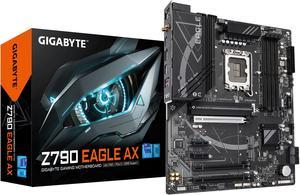
GIGABYTE Z790 EAGLE AX LGA 1700 Intel Z790 ATX Motherboard with DDR5, M.2, PCIe 5.0, USB 3.2 Gen2X2 Type-C, Intel Wi-Fi 6E, 2.5GbE LAN, Q-Flash Plus, EZ-Latch
- Memory Standard: DDR5 5600
- Number of Memory Slots: 4x288pin (DDR5)
- Brand: GIGABYTE
- CPU Socket Type: LGA 1700
- Model #: Z790 EAGLE AX
- Item #: N82E16813145495
- Return Policy: Standard Return Policy
$239.99
Free Shipping
Plenty of heads for multiple fans and case inputs. Works with 14th Gen i7.
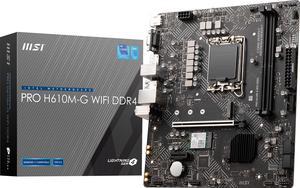
MSI PRO PRO H610M-G WIFI DDR4 LGA 1700 Micro ATX Motherboard
- Memory Standard: Supports 1R 2133/ 2666/ 3200 MHz (by JEDEC & POR)
- Number of Memory Slots: 2x288pin (DDR4)
- Audio Chipset: Realtek ALC897
- Brand: MSI
- Model #: PRO H610M-G WIFI DDR4
- Item #: N82E16813144573
- Return Policy: Standard Return Policy
$114.99
$139.99
Free Shipping
-As of October 2024 purchase, it came with BIOS version 3/26/2024. It recognized the Core i3 14100 processor without any issue. Didn't need to put a 12th gen Core processor in to do any BIOS update. -From the above bulletpoint, my box had a "Next Gen CPU Ready" sticker on it probably to indicate it has the updated BIOS version to support 13th and 14th gen Core processors. -Compact size and has Wi-Fi card already included. -High quality -2x ARGB 5v headers for your LED lights -Integrated video output if you don't want to add a dedicated video card. (VGA, Displayport, and HDMI)
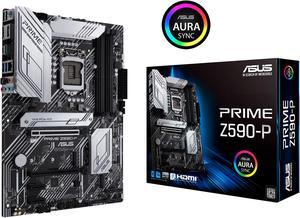
ASUS PRIME Z590-P LGA 1200 ATX Intel Motherboard
- Memory Standard: DDR4 5133(OC) / 5000(OC) / 4800(OC) / 4700(OC) / 4600(OC) / 4500(OC) / 4400(OC) / 4266(OC) / 4133(OC) / 4000(OC) / 3866(OC) / 3733(OC) / 3600(OC) / 3466(OC) / 3400(OC) / 3333(OC) / 3200 / 3000 / 2933 / 2800 / 2666 / 2400 / 2133* * 10th Gen Intel Core i7 / i9 processors support 2933 / 2800 / 2666 / 2400 / 2133 natively, others will run at the maximum transfer rate of DDR4 2666MHz. * 11th Gen Intel processors support 3200 / 2933 / 2800 / 2666 / 2400 / 2133 natively. * Refer to www.asus.com for the Memory QVL (Qualified Vendors Lists), and memory frequency support depends on the CPU types.
- Number of Memory Slots: 4x288pin (DDR4)
- Audio Chipset: Realtek ALC897
- Brand: ASUS
- Model #: PRIME Z590-P
- Item #: 9SIC7XMM1S4763
- Return Policy: View Return Policy
$243.60
Free Shipping
Beautiful mobo with three M.2 slots and very aesthetically pleasing.
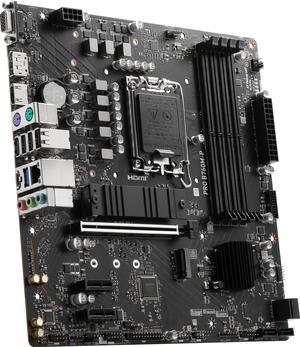
MSI PRO B760M-P LGA 1700 Intel B760 SATA 6Gb/s Micro ATX Motherboard
- Memory Standard: Memory Support DDR5 6800+(OC)/ 6600(OC)/ 6400(OC)/ 6200(OC)/ 6000(OC)/ 5800(OC)/ 5600(JEDEC)/ 5400(JEDEC)/ 5200(JEDEC)/ 5000(JEDEC)/ 4800(JEDEC) MHz Max. overclocking frequency: • 1DPC 1R Max speed up to 6800+ MHz • 1DPC 2R Max speed up to 6400+ MHz • 2DPC 1R Max speed up to 6000+ MHz • 2DPC 2R Max speed up to 5600+ MHz
- Number of Memory Slots: 4x288pin (DDR5)
- Audio Chipset: Realtek® ALC897 Codec 7.1-Channel High Definition Audio
- Brand: MSI
- Model #: PRO B760M-P
- Item #: N82E16813144709
- Return Policy: Standard Return Policy
$124.99
$169.99
$1.99 Shipping
Affordable price Excellent workmanship Stable and easy-to-use BIOS
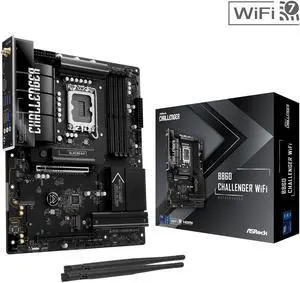
ASRock B860 Challenger WiFi LGA 1851 ATX Motherboard
- Memory Standard: Supports up to 8666+(OC)
- Number of Memory Slots: 4x288pin (DDR5)
- Brand: ASRock
- CPU Socket Type: LGA 1851
- Model #: B860 Challenger WiFi
- Item #: N82E16813162245
- Return Policy: Standard Return Policy
$184.99
$209.99
Free Shipping
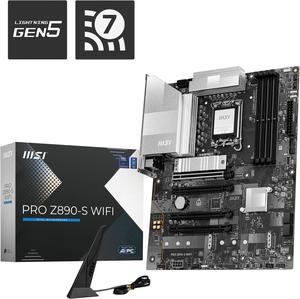
MSI PRO Z890-S WIFI LGA 1851 ATX Motherboard
- Memory Standard: DDR5 4800 / DDR5 5000 / DDR5 5200 / DDR5 5400 / DDR5 5600 / DDR5 5800 / DDR5 6000 / DDR5 6200 / DDR5 6400 / DDR5 6600 / DDR5 6800 / DDR5 7000 / DDR5 7200 / DDR5 7400 / DDR5 7600 / DDR5 7800 / DDR5 7900 / DDR5 7950 / DDR5 8000 / DDR5 8200 / DDR5 8266 / DDR5 8400 / DDR5 8600
- Number of Memory Slots: 4x288pin (DDR5)
- Audio Chipset: Realtek ALC897
- Brand: MSI
- Model #: Z890-S WIFI
- Item #: N82E16813144675
- Return Policy: Standard Return Policy
$279.99
$309.99
Free Shipping
Very convenient, the set up is very easy. The connection with bluetooth is perfect !
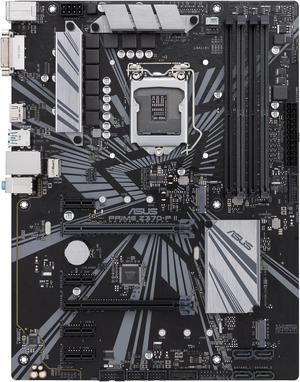
ASUS PRIME Z370-P II LGA 1151 (300 Series) ATX Intel Motherboard
- Memory Standard: DDR4 4000(O.C.)*/ 3866(O.C.)*/ 3733(O.C.)*/ 3600(O.C.)*/ 3466(O.C.)*/ 3400(O.C.)*/ 3333(O.C.)*/ 3300(O.C.)*/ 3200(O.C.)*/ 3000(O.C.)*/ 2800(O.C.)*/ 2666 / 2400 / 2133 * The maximum memory frequency supported varies by processor ** Refer to www.asus.com for the Memory QVL (Qualified Vendors List)
- Number of Memory Slots: 4x288pin (DDR4)
- Audio Chipset: Realtek ALC887
- Brand: ASUS
- Model #: PRIME Z370-P II
- Item #: 9SIBJK3JVN2536
- Return Policy: View Return Policy
$125.00
Free Shipping
Basic ASUS Z370 motherboard. High quality components, easy on the eyes.
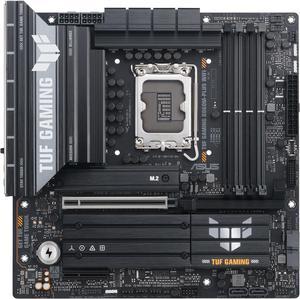
ASUS TUF GAMING B860M-PLUS WIFI B860 LGA 1851 mATX motherboard, Intel Core Ultra Series 2 Ready, AI PC, 12+1+2+1 80A stages, DDR5 ,PCIe 5.0, 3x M.2, Wi-Fi 7, 2.5G LAN, HDMI, USB 20Gbps Type-C
- Memory Standard: Up to 8800+ MT/s (OC)
- Number of Memory Slots: 4x288pin (DDR5)
- Brand: ASUS
- CPU Socket Type: LGA 1851
- Model #: TUF GAMING B860M-PLUS WIFI
- Item #: N82E16813119712
- Return Policy: Standard Return Policy
$299.99
Free Shipping
- Clean layout makes for an easy build, very DIY friendly - ASUS quality - More audio ports on the back I/O panel than most - Up to 3 video ports, with Thunderbolt/DisplayPort adapter - All the features most of us will ever need
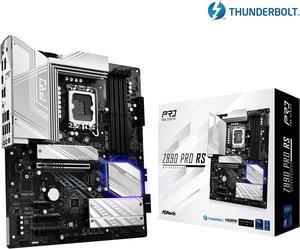
ASRock Z890 Pro RS LGA 1851 ATX Motherboard
- Memory Standard: DDR5 4400 / DDR5 4800 / DDR5 5000 / DDR5 5200 / DDR5 5400 / DDR5 5600 / DDR5 5800 / DDR5 6000 / DDR5 6200 / DDR5 6400 / DDR5 6600 / DDR5 6800 / DDR5 7000 / DDR5 7200 / DDR5 7400 / DDR5 7600 / DDR5 7800 / DDR5 7900 / DDR5 7950 / DDR5 8000 / DDR5 8200 / DDR5 8266 / DDR5 8400 / DDR5 8600 / DDR5 8666 / DDR5 8800 / DDR5 8933 / DDR5 9000 / DDR5 9066
- Number of Memory Slots: 4x288pin (DDR5)
- Audio Chipset: Realtek ALC897
- Brand: ASRock
- Model #: Z890 Pro RS
- Item #: N82E16813162176
- Return Policy: Standard Return Policy
$229.99
$239.99
Free Shipping
Excellent and powerful motherboard, works perfectly. BIOS update 3.4, works perfectly. Windows 11 23h2
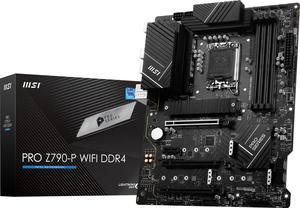
MSI PRO Z790-P WIFI DDR4 LGA 1700 Intel Z790 SATA 6Gb/s DDR4 ATX Motherboard
- Memory Standard: Supports 2133/ 2666/ 3200 MHz (by JEDEC & POR) Maxoverclocking frequency: - 1DPC 1R Max speed up to 5333+ MHz - 1DPC 2R Max speed up to 4800+ MHz - 2DPC 1R Max speed up to 4400+ MHz - 2DPC 2R Max speed up to 4000+ MHz Supports Dual-Channel mode Supports non-ECC, un-buffered memory Supports Intel Extreme Memory Profile (XMP)
- Number of Memory Slots: 4x288pin (DDR4)
- Audio Chipset: Realtek ALC897
- Brand: MSI
- Model #: PRO Z790-P WIFI DDR4
- Item #: 9SIC7XMM1U1714
- Return Policy: View Return Policy
$482.00
$488.00
Free Shipping
-Ease of use when assembling -Lots of M.2 and sata slots -Supports cheaper DDR4 memory -Good variety in IO provided
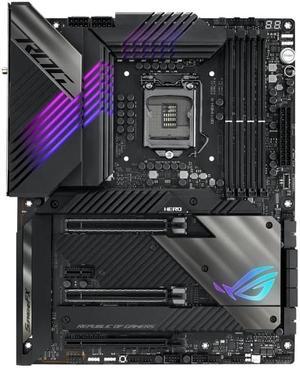
ASUS ROG Maximus XIII Hero (WiFi 6E) Z590 LGA 1200 (Intel 11th/10th Gen) ATX Gaming Motherboard (PCIe 4.0, 14+2 Power Stages, DDR4 5333+, Dual 2.5Gb LAN, Thunderbolt 4 Onboard, Bluetooth v5.2.
- Memory Standard: DDR4 5333(OC)/ 5133(OC)/ 5000(OC)/ 4800(OC)/ 4700(OC)/ 4600(OC)/ 4500(OC)/ 4400(OC)/ 4266(OC)/ 4133(OC)/ 4000(OC)/ 3866(OC)/ 3733(OC)/ 3600(OC)/ 3466(OC)/ 3400(OC)/ 3333(OC)/ 3200/ 3000/ 2933/ 2800/ 2666/ 2400/ 2133 MHz Non-ECC, Un-buffered Memory* * 10th Gen Intel Core i7/i9 processors support 2933/ 2800/ 2666/ 2400/ 2133 natively, others will run at the maximum transfer rate of DDR4 2666MHz. * 11th Gen Intel Core processors support 3200/ 2933/ 2800/ 2666/ 2400/ 2133 natively. * Refer to www.asus.com for the Memory QVL (Qualified Vendors Lists), and memory frequency support depends on the CPU types.
- Number of Memory Slots: 4x288pin (DDR4)
- Audio Chipset: ROG SupremeFX 7.1 Surround Sound High Definition Audio CODEC ALC4082
- Brand: ASUS
- Model #: ROG MAXIMUS XIII HER
- Item #: 9SIC7VCM148526
- Return Policy: View Return Policy
$506.68
$506.85
Free Shipping
This board is FULL of many features for those who want to embrace on many different avenues to work with. Plenty of fan headers, an AIO fan header, and a water pump header to set up the most extensive and advance cooling system. Love the ARGB headers to allow to control various different RGB equipment to pretty up the custom build you are planning or working on. The CPU mount is SOLID and the heat sinks are really beafy to keep the power centers cool. Love how many different connection points you have to be able to use such a wide variety of different peripherals to custom your build. Asus really thought of many things to make this MOBO upgradable for the future. One should be able to get a lot of use out of this.
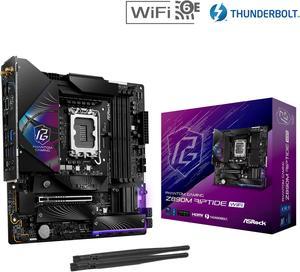
ASRock Z890M Riptide WiFi LGA 1851 Micro ATX Motherboard
- Memory Standard: DDR5 4400 / DDR5 4800 / DDR5 5000 / DDR5 5200 / DDR5 5400 / DDR5 5600 / DDR5 5800 / DDR5 6000 / DDR5 6200 / DDR5 6400 / DDR5 6600 / DDR5 6800 / DDR5 7000 / DDR5 7200 / DDR5 7400 / DDR5 7600 / DDR5 7800 / DDR5 7900 / DDR5 7950 / DDR5 8000 / DDR5 8200 / DDR5 8266 / DDR5 8400 / DDR5 8600 / DDR5 8666 / DDR5 8800 / DDR5 8933 / DDR5 9000 / DDR5 9066 / DDR5 9200 / DDR5 9466
- Number of Memory Slots: 4x288pin (DDR5)
- Audio Chipset: Realtek ALC897
- Brand: ASRock
- Model #: Z890M Riptide WiFi
- Item #: 9SIAMW5KK15457
- Return Policy: View Return Policy
$677.99
well built, has more than enough usb and lighting pluggins. fit perfectly in an ATX case even with 140mm fan in the rear of the case. I really like the M.2 heatsinks for the storage drives
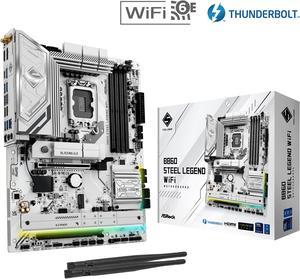
ASRock B860 Steel Legend WiFi LGA 1851 Intel B860 SATA 6Gb/s DDR5 ATX Motherboard
- Memory Standard: Up to DDR5 8666+(OC)
- Number of Memory Slots: 4x288pin (DDR5)
- Audio Chipset: Realtek ALC1220
- Brand: ASRock
- Model #: B860 Steel Legend WiFi
- Item #: N82E16813162203
- Return Policy: Standard Return Policy
$189.99
$279.99
Free Shipping
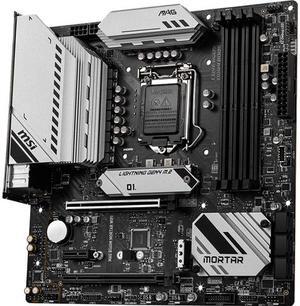
MSI MAG B560M MORTAR WIFI LGA 1200 Micro ATX Intel Motherboard
- Memory Standard: Supports 1R 2133/ 2666/ 2933 MHz for 10th Gen Intel CPU (by JEDEC & POR) Supports 1R 2133/ 2666/ 2933/ 3200 MHz for 11th Gen Intel CPU (by JEDEC & POR) Max overclocking frequency: 1DPC 1R Max speed up to 5066+ MHz 1DPC 2R Max speed up to 4600+ MHz 2DPC 1R Max speed up to 4266+ MHz 2DPC 2R Max speed up to 4000+ MHz Supports Dual-Channel mode Supports non-ECC, un-buffered memory Supports Intel Extreme Memory Profile (XMP)
- Number of Memory Slots: 4x288pin (DDR4)
- PCI Express x16: 2 x PCI Express x16
- Audio Chipset: Realtek ALC897 Codec Supports S/PDIF output
- Model #: MAG B560M MORTAR WIF
- Item #: 9SIBJK3KUG0277
- Return Policy: View Return Policy
$216.40
$216.63
Free Shipping
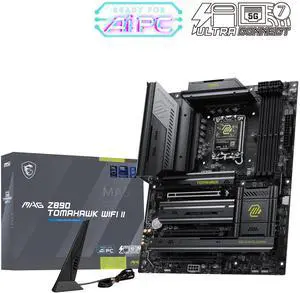
MSI MAG Z890 TOMAHAWK WIFI II Gaming Motherboard, LGA 1851, Intel Z890, Supports Core Ultra Series 2 Processors, DDR5, PCIe 5.0, M.2 Gen5, Wi-Fi 7, Bluetooth 5.4, 5G LAN, Thunderbolt 4, ATX
- Memory Standard: DDR5 9200
- Number of Memory Slots: 4x288pin (DDR5)
- PCI Express x16: 3 x PCI Express x16
- Audio Chipset: Realtek ALC1220P
- Model #: MAG Z890 TOMAHAWK WIFI II
- Item #: N82E16813144757
- Return Policy: Standard Return Policy
$294.99
Free Shipping
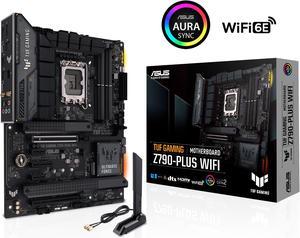
ASUS TUF Gaming Z790-Plus WiFi LGA 1700(Intel14th & 13th & 12th Gen) ATX gaming motherboard(PCIe 5.0, DDR5,4xM.2 Slots,16+1 DrMOS,WiFi 6,Intel 2.5Gb LAN,front USB 3.2 Gen 2 Type-C,Thunderbolt 4(USB4)
- Memory Standard: DDR5 7200(OC)/7000(OC)/6800(OC)/6600(OC)/ 6400(OC)/ 6200(OC)/ 6000(OC)/ 5800(OC)/ 5600/ 5400/ 5200/ 5000/ 4800 Non-ECC, Un-buffered Memory* Dual Channel Memory Architecture Supports Intel® Extreme Memory Profile (XMP) OptiMem II * Supported memory types, data rate (speed), and number of DRAM modules vary depending on the CPU and memory configuration, for more information please refer to CPU/Memory Support under the Support tab or visit https://www.asus.com/support/ * Non-ECC, un-buffered DDR5 memory supports On-Die ECC function.
- Number of Memory Slots: 4x288pin (DDR5)
- Brand: ASUS
- CPU Socket Type: LGA 1700
- Model #: TUF GAMING Z790-PLUS WIFI 6E
- Item #: 9SIADGEJSY0890
- Return Policy: View Return Policy
$361.44
$18.99 Shipping
Reasonably priced. Arrived on time. Paper manual so it was simple figuring out the connections. Booted once to BIOS and then Windows on the second boot.