
Your Browsing History
BEST SELLERS


BEST SELLERS
In Intel Motherboards
Our most popular products, based on sales and updated frequently.Shop Department
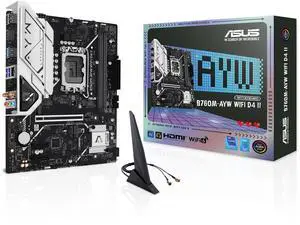
ASUS B760M-AYW WIFI D4 II Intel B760 (LGA 1700) microATX mATX motherboard, PCIe 5.0 x16 Support, two M.2 slots, DDR4, Realtek 2.5Gb Ethernet, Wi-Fi 6, HDMI, SATA 6 Gbps, front USB 5Gbps, Aura Sync
- Memory Standard: DDR4 2133 / DDR4 2400 / DDR4 2666 / DDR4 2667 / DDR4 2933 / DDR4 3200 / DDR4 3333 / DDR4 3400 / DDR4 3466 / DDR4 3600 / DDR4 3733 / DDR4 4000 / DDR4 4266 / DDR4 4400 / DDR4 4600 / DDR4 4800 / DDR4 5000 / DDR4 5066 / DDR4 5333
- Number of Memory Slots: 2x288pin (DDR4)
- Brand: ASUS
- CPU Socket Type: LGA 1700
- Model #: B760M-AYW WIFI D4 II
- Item #: N82E16813119744
- Return Policy: Standard Return Policy
$134.99
$149.99
Free Shipping
Bought this MB with a Raptor Lake i5 to replace my old Asus Zxx MB and Kaby Lake i7 that were not capable of upgrading to Windows 11. Reused my old CM PS, CM Heatsink, Nvidia card and even my old 16GB of PC4 RAM. Booted-up and it automatically booted Windows 10 from my old SSD. I was then able to "Upgrade" to Windows 11 (rather than having to buy a new copy) and it has worked perfectly. When I first started doing builds 30 years ago, if you changed the CPU, MB or HD, you had to start all over. Not this time. Don't know why?
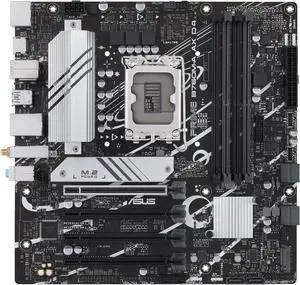
ASUS PRIME B760M-A AX D4 Intel B760 (LGA 1700)((13th and 12th Gen) mATX motherboard, PCIe 4.0, two M.2 slots, Realtek 2.5Gb Ethernet, Wi-Fi 6, DisplayPort, Dual HDMI, SATA 6 Gbps, rear USB 3.2 Gen 2,
- Memory Standard: DDR4 3200
- Number of Memory Slots: 4x288pin (DDR4)
- Audio Chipset: Realtek 7.1 Surround Sound High Definition Audio CODEC* - Supports: Jack-detection, Multi-streaming, Front Panel Jack-retasking - Supports up to 24-Bit/192 kHz playback Audio Features - Audio Shielding - Premium audio capacitors - Dedicated audio PCB layers * A chassis with an HD audio module in the front panel is required to support 7.1 Surround Sound audio output.
- Brand: ASUS
- Model #: PRIME B760M-A AX D4
- Item #: 9SIADGEJHG8224
- Return Policy: View Return Policy
$200.22
$10.99 Shipping
Works with a 14th gen i3 with no need to update the BIOS
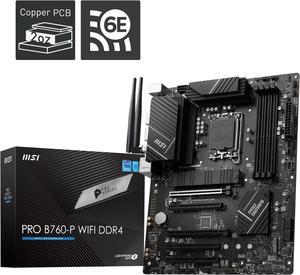
MSI PRO B760-P WIFI DDR4 LGA 1700 (l12th&13th Gen), SATA 6Gb/s motherboard, WiFi 6,Intel 2.5Gb LAN,2xM.2 Slots
- Memory Standard: Memory Support 5333(OC)/ 5200(OC)/ 5066(OC)/ 5000(OC)/ 4800(OC)/ 4600(OC)/ 4400(OC)/ 4266(OC)/ 4200(OC)/ 4000(OC)/ 3800(OC)/ 3733(OC)/ 3600(OC)/ 3466(OC)/ 3400(OC)/ 3333(OC)/ 3200(JEDEC)/ 2933(JEDEC)/ 2666(JEDEC)/ 2400(JEDEC)/ 2133(JEDEC)
- Number of Memory Slots: 4x288pin (DDR4)
- Brand: MSI
- CPU Socket Type: LGA 1700
- Model #: PRO B760-P WIFI DDR4
- Item #: N82E16813144587
- Return Policy: Standard Return Policy
$214.99
Free Shipping
Ordered day before. Paid for overnight shipping and even though they were having website issues they still got it sent out and delivered. Newegg is the best.
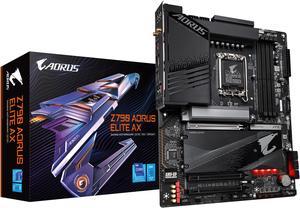
GIGABYTE Z790 AORUS ELITE AX LGA 1700 Intel Z790 ATX Motherboard with DDR5, Quad M.2, PCIe 5.0, USB 3.2 Gen2X2 Type-C, Intel WiFi 6E, 2.5GbE LAN, Q-Flash Plus, PCIe EZ-Latch
- Memory Standard: Support for DDR5 7600(O.C.) /7400(O.C.) /7200(O.C.) /7000(O.C.) /6800(O.C.) /6600(O.C.) / 6400(O.C.) / 6200(O.C.) / 6000(O.C.) / 5800(O.C.) / 5600(O.C.) / 5400(O.C.) / 5200(O.C.) / 4800 / 4000 memory modules Dual channel memory architecture Support for ECC Un-buffered DIMM 1Rx8/2Rx8 memory modules (operate in non-ECC mode) Support for non-ECC Un-buffered DIMM 1Rx8/2Rx8/1Rx16 memory modules Support for Extreme Memory Profile (XMP) memory modules
- Number of Memory Slots: 4x288pin (DDR5)
- Audio Chipset: Realtek Audio CODEC High Definition Audio
- Brand: GIGABYTE
- Model #: Z790 AORUS ELITE AX
- Item #: N82E16813145417
- Return Policy: Standard Return Policy
$269.99
$364.99
Free Shipping
-Worked right out of the box and supported my 13th gen and 32GB 6000MHz with XMP -Really enjoy the 4 m.2 slots with the easy latch design -Bios is very easy to navigate
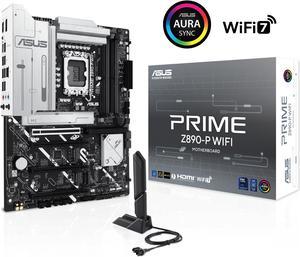
ASUS PRIME Z890-P WIFI Z890 LGA 1851 ATX motherboard, Intel® Core™ Ultra Series 2 Ready, Advanced AI PC-ready, 14+1+1+2 power stage, DDR5, PCIe® 5.0, Thunderbolt™ 4 USB Type-C®, 4x M.2, Wi-Fi 7, 2.5Gb
- Memory Standard: DDR5 4400 / DDR5 4800 / DDR5 5000 / DDR5 5200 / DDR5 5400 / DDR5 5600 / DDR5 5800 / DDR5 6000 / DDR5 6200 / DDR5 6400 / DDR5 6600 / DDR5 6800 / DDR5 7000 / DDR5 7200 / DDR5 7400 / DDR5 7600 / DDR5 7800 / DDR5 7900 / DDR5 7950 / DDR5 8000 / DDR5 8200 / DDR5 8266 / DDR5 8400 / DDR5 8600 / DDR5 8666
- Number of Memory Slots: 4x288pin (DDR5)
- Brand: ASUS
- CPU Socket Type: LGA 1851
- Model #: PRIME Z890-P WIFI
- Item #: N82E16813119696
- Return Policy: Standard Return Policy
$319.99
Free Shipping
Fortnite works great with this mobo. I feel that this is a future proof item, should last me years. I hear the OLED screen will be able to display pictures in future BIOS updates.
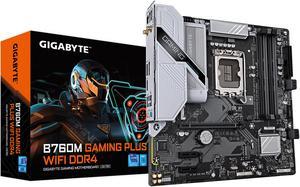
GIGABYTE B760M GAMING PLUS WIFI DDR4 LGA 1700 Intel B760 M-ATX Motherboard with DDR4, 2* M.2, PCIe 4.0, Front USB 3.2 Gen 1 Type-C, WiFi 6 GbE LAN, Q-Flash Plus, PCIe EZ-Latch
- Memory Standard: DDR4 3200
- Number of Memory Slots: 4x288pin (DDR4)
- Brand: GIGABYTE
- CPU Socket Type: LGA 1700
- Model #: B760M GAMING PLUS WIFI DDR4
- Item #: N82E16813145505
- Return Policy: Standard Return Policy
$194.99
$209.99
Free Shipping
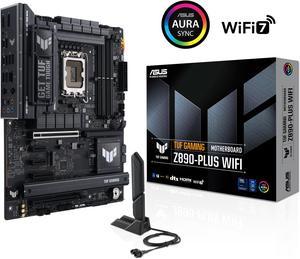
ASUS TUF GAMING Z890-PLUS WIFI Z890 LGA 1851 ATX motherboard, Intel® Core™ Ultra Series 2 Ready, Advanced AI PC-ready, 16+1+2+1 stages, DDR5, PCIe® 5.0, Thunderbolt™ 4 Type-C®, 4x M.2, Wi-Fi 7, 2.5Gb
- Memory Standard: DDR5 4400 / DDR5 4800 / DDR5 5000 / DDR5 5200 / DDR5 5400 / DDR5 5600 / DDR5 5800 / DDR5 6000 / DDR5 6200 / DDR5 6400 / DDR5 6600 / DDR5 6800 / DDR5 7000 / DDR5 7200 / DDR5 7400 / DDR5 7600 / DDR5 7800 / DDR5 7900 / DDR5 7950 / DDR5 8000 / DDR5 8200 / DDR5 8266 / DDR5 8400 / DDR5 8600 / DDR5 8666 / DDR5 8800 / DDR5 8933 / DDR5 9000 / DDR5 9066
- Number of Memory Slots: 4x288pin (DDR5)
- Brand: ASUS
- CPU Socket Type: LGA 1851
- Model #: TUF GAMING Z890-PLUS WIFI
- Item #: N82E16813119695
- Return Policy: Standard Return Policy
$369.99
Free Shipping
Simple setup, worked and updated itself on first power up zero issues thus far. Massive heat sinks everywhere running benchmarks so far everything has been optimal. Nothing over 70c at 100% on processor,board, or video card. Wish I had known before hand they had heat sinks installed on the M.2 sockets for M1 M3 and M4. Wouldnt have had to buy memory with heat sinks. This is more positive than negative hence the pros column.
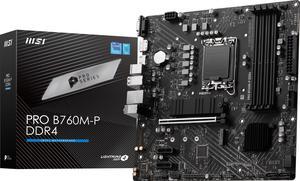
MSI PRO B760M-P DDR4 LGA 1700 Intel B760 SATA 6Gb/s Micro ATX Motherboard
- Memory Standard: DDR4 3200
- Number of Memory Slots: 4x288pin (DDR4)
- PCI Express x16: 1 x PCI Express x16
- Audio Chipset: Realtek ALC897
- Model #: PRO B760M-P DDR4
- Item #: N82E16813144597
- Return Policy: Standard Return Policy
$134.99
$139.99
Free Shipping
- everything is labeled
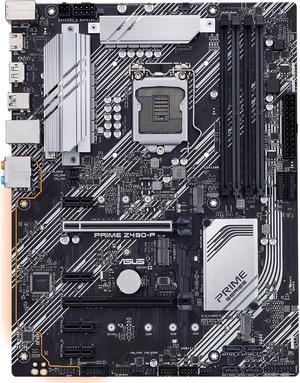
ASUS Prime PRIME Z490-P LGA 1200 ATX Intel Motherboard
- Memory Standard: DDR4 4600(O.C.)/ 4500(O.C.)/ 4400(O.C.)/ 4266(O.C.)/ 4133(O.C.)/ 4000(O.C.)/ 3866(O.C.)/ 3733(O.C.)/ 3600(O.C.)/ 3466(O.C.)/ 3400(O.C.)/ 3333(O.C.)/ 3300(O.C.)/ 3200(O.C.)/ 3000(O.C.)/ 2933(O.C.)/ 2800(O.C.)/ 2666/ 2400/ 2133 MHz Non-ECC, Un-buffered Memory* * 10th Gen Intel Core i9/i7 CPUs support 2933/ 2800/ 2666/ 2400/ 2133 natively. Refer to www.asus.com for the Memory QVL (Qualified Vendors Lists).
- Number of Memory Slots: 4x288pin (DDR4)
- Audio Chipset: Realtek ALC887
- Brand: ASUS
- Model #: PRIME Z490-P
- Item #: 9SIBJK3JVN2714
- Return Policy: View Return Policy
$169.00
Free Shipping
Budget friendly, works great, has some rgb it looks like
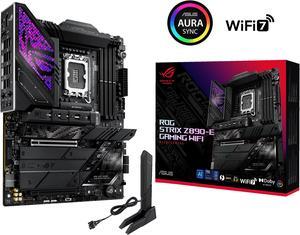
ASUS ROG STRIX Z890-E GAMING WIFI Intel® Z890 LGA 1851 ATX motherboard, Advanced AI PC-ready, 18+2+1+2 stages, DDR5, WiFi 7, 7x M.2, Thunderbolt™ 4, USB Type-C®, AI Overclocking, Cooling & Networking
- Memory Standard: DDR5 4400 / DDR5 4800 / DDR5 5000 / DDR5 5200 / DDR5 5400 / DDR5 5600 / DDR5 5800 / DDR5 6000 / DDR5 6200 / DDR5 6400 / DDR5 6600 / DDR5 6800 / DDR5 7000 / DDR5 7200 / DDR5 7400 / DDR5 7600 / DDR5 7800 / DDR5 7900 / DDR5 7950 / DDR5 8000 / DDR5 8200 / DDR5 8266 / DDR5 8400 / DDR5 8600 / DDR5 8666 / DDR5 8800
- Number of Memory Slots: 4x288pin (DDR5)
- Brand: ASUS
- CPU Socket Type: LGA 1851
- Model #: ROG STRIX Z890-E GAMING WIFI
- Item #: N82E16813119692
- Return Policy: Standard Return Policy
$559.99
Free Shipping
- Lots of USB ports - Lots of M.2 slots - Stunning Looks - Solid build - Fair price considering cost of everything has gone up
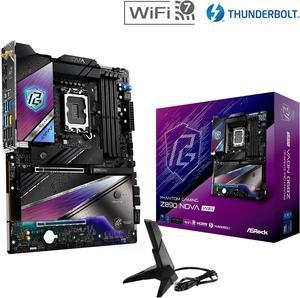
ASRock Z890 Nova WiFi LGA 1851 ATX Motherboard
- Memory Standard: DDR5 4400 / DDR5 4800 / DDR5 5000 / DDR5 5200 / DDR5 5400 / DDR5 5600 / DDR5 5800 / DDR5 6000 / DDR5 6200 / DDR5 6400 / DDR5 6600 / DDR5 6800 / DDR5 7000 / DDR5 7200 / DDR5 7600 / DDR5 7900 / DDR5 7950 / DDR5 8000 / DDR5 8200 / DDR5 8266 / DDR5 8400 / DDR5 8600 / DDR5 8800 / DDR5 9000 / DDR5 9066 / DDR5 9200 / DDR5 9466 / DDR5 9600
- Number of Memory Slots: 4x288pin (DDR5)
- Audio Chipset: Realtek ALC4082
- Brand: ASRock
- Model #: Z890 Nova WiFi
- Item #: N82E16813162170
- Return Policy: Standard Return Policy
$269.99
$474.99
Free Shipping
I really was amazed about this motherboard . It had some purple on it and really had everything you would need on it including a start and reset button right on the board awesome!!
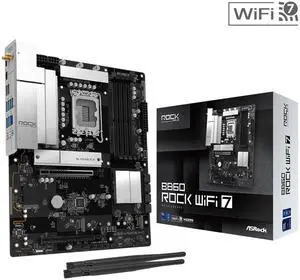
ASRock B860 Rock WiFi 7 LGA 1851 ATX Motherboard
- Memory Standard: Supports up to 8666+(OC)
- Number of Memory Slots: 4x288pin (DDR5)
- Brand: ASRock
- CPU Socket Type: LGA 1851
- Model #: B860 Rock WiFi 7
- Item #: N82E16813162246
- Return Policy: Standard Return Policy
$179.99
$19.99 Shipping
ASRock quality. Great price for home office solution. Running Core 5 Ultra 5 250K Plus with no problem.
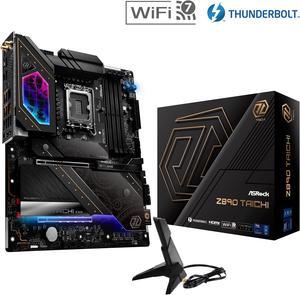
ASRock Z890 Taichi LGA 1851 ATX Motherboard
- Memory Standard: DDR5 4400 / DDR5 4800 / DDR5 5000 / DDR5 5200 / DDR5 5400 / DDR5 5600 / DDR5 5800 / DDR5 6000 / DDR5 6200 / DDR5 6400 / DDR5 6600 / DDR5 6800 / DDR5 7000 / DDR5 7200 / DDR5 7600 / DDR5 7900 / DDR5 7950 / DDR5 8000 / DDR5 8200 / DDR5 8266 / DDR5 8400 / DDR5 8600 / DDR5 8800 / DDR5 9000 / DDR5 9066 / DDR5 9200 / DDR5 9600
- Number of Memory Slots: 4x288pin (DDR5)
- Audio Chipset: Realtek ALC4082
- Brand: ASRock
- Model #: Z890 Taichi
- Item #: N82E16813162169
- Return Policy: Standard Return Policy
$319.99
$619.99
Free Shipping
- Dr Debug LED is really useful - Easy to install and build - Excellet build quality - It has RAM latches on both sides instead of just one like some boards - Looks amazing - Update BIOS without RAM installed
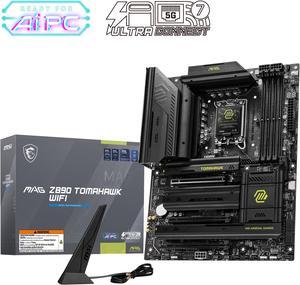
MAG Z890 TOMAHAWK WIFI Motherboard, ATX - Supports Intel Core Ultra Processors (Series 2), LGA 1851 - DDR5 Memory Boost 4 x DDR5 (9200+ MT/s OC), 1 x PCIe 5.0 x16, 1 x M.2 Gen5, Wi-Fi 7, 5G LAN
- Memory Standard: DDR5 4800 / DDR5 5000 / DDR5 5200 / DDR5 5400 / DDR5 5600 / DDR5 5800 / DDR5 6000 / DDR5 6200 / DDR5 6400 / DDR5 6600 / DDR5 6800 / DDR5 7000 / DDR5 7200 / DDR5 7400 / DDR5 7600 / DDR5 7800 / DDR5 7900 / DDR5 7950 / DDR5 8000 / DDR5 8200 / DDR5 8266 / DDR5 8400 / DDR5 8600 / DDR5 8666 / DDR5 8800 / DDR5 8933 / DDR5 9000 / DDR5 9066 / DDR5 9200
- Number of Memory Slots: 4x288pin (DDR5)
- Audio Chipset: Realtek ALC1220
- Brand: MSI
- Model #: MAG Z890 TOMAHAWK WIFI
- Item #: N82E16813144669
- Return Policy: Standard Return Policy
$349.99
$379.99
Free Shipping
This board has practically everything I could need for my new build. Love that the IO Shield is already applied, has great VRM cooling, and tons of high-speed ports. Love how easy it is to install SSDs under the heatsinks without fumbling with super tiny screws. My favorite part is the PCIE release button. Super useful when removing these gigantic graphics cards nowadays.
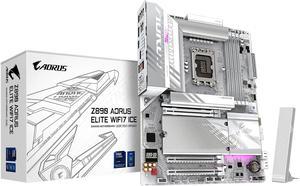
GIGABYTE Z890 AORUS ELITE WIFI7 ICE Ultra Core (Series 2) LGA 1851, ATX, DDR5, 4x M.2, PCIe 5.0, Thunderbolt 4, WIFI7, 2.5GbE LAN, EZ-Latch
- Memory Standard: DDR5 5600 / DDR5 5800 / DDR5 6000 / DDR5 6200 / DDR5 6400 / DDR5 6600 / DDR5 6800 / DDR5 7000 / DDR5 7200 / DDR5 7400 / DDR5 7600 / DDR5 7800 / DDR5 7900 / DDR5 7950 / DDR5 8000 / DDR5 8200 / DDR5 8266 / DDR5 8400 / DDR5 8600 / DDR5 8800 / DDR5 8933 / DDR5 9066 / DDR5 9200
- Number of Memory Slots: 4x288pin (DDR5)
- Brand: GIGABYTE
- CPU Socket Type: LGA 1851
- Model #: Z890 AORUS ELITE WIFI7 ICE
- Item #: N82E16813145526
- Return Policy: Standard Return Policy
SOLD OUT
Sold Price: $249.99
Obviously simple to install it make my system run nice and fast. No real issues until I try to setup XMP. But other than that It runs great and error free and the LED's are really cool. The WiFi-7 is very fast and trouble free. The ICE White color of the board is a really nice touch. The list of pro's are great and I'm starting to think I'm way behind the curve as to properly set it up. I'm used to an actual Intel C-Mos program and I find the Aorus C-Mos is quite complicated. But I really do like the board.
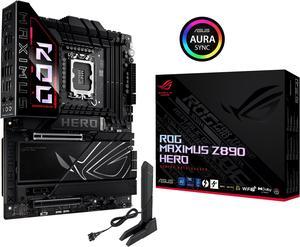
ASUS ROG MAXIMUS Z890 HERO Intel® Z890 LGA 1851 ATX motherboard, Advanced AI PC-ready, 22+2+1+2 stages, DDR5, WiFi 7, 3x PCIe® 5.0 M.2, Thunderbolt™ 4, USB Type-C®, AI Overclocking/Cooling/Networking
- Memory Standard: DDR5 4400 / DDR5 4800 / DDR5 5000 / DDR5 5200 / DDR5 5400 / DDR5 5600 / DDR5 5800 / DDR5 6000 / DDR5 6200 / DDR5 6400 / DDR5 6600 / DDR5 6800 / DDR5 7000 / DDR5 7200 / DDR5 7400 / DDR5 7600 / DDR5 7800 / DDR5 7900 / DDR5 7950 / DDR5 8000 / DDR5 8200 / DDR5 8266 / DDR5 8400 / DDR5 8600 / DDR5 8666 / DDR5 8800 / DDR5 8933 / DDR5 9000 / DDR5 9066 / DDR5 9200
- Number of Memory Slots: 4x288pin (DDR5)
- Brand: ASUS
- CPU Socket Type: LGA 1851
- Model #: ROG MAXIMUS Z890 HERO
- Item #: 9SIADGEKE01728
- Return Policy: View Return Policy
$664.44
$24.55 Shipping
Well built with quality parts.
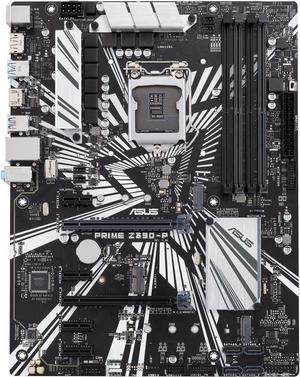
ASUS Prime Z390-P LGA 1151 (300 Series) ATX Intel Motherboard
- Memory Standard: DDR4 4266(O.C.)/ 4133(O.C.)/ 4000(O.C.)/ 3866(O.C.)/ 3733(O.C.)/ 3600(O.C.)/ 3466(O.C.)/ 3400(O.C.)/ 3333(O.C.)/ 3300(O.C.)/ 3200(O.C.)/ 3000(O.C.)/ 2800(O.C.)/ 2666/ 2400/ 2133 * The maximum memory frequency supported varies by processor ** Refer to www.asus.com for the Memory QVL (Qualified Vendors List)
- Number of Memory Slots: 4x288pin (DDR4)
- Audio Chipset: Realtek ALC887
- Brand: ASUS
- Model #: Prime Z390-P
- Item #: 9SIBJK3JKY4690
- Return Policy: View Return Policy
$130.59
Free Shipping
It has all the stuff you'll need, and none of the stuff you won't use anyways. It is not full of bells and whistles, which I like -- I prefer a stripped-down and lean model. I built two machines (together) with this motherboard, and both of them fired right up without any problems and self-installed the Asus chipset drivers etc. It's slightly smaller than the typical ATX board on width.
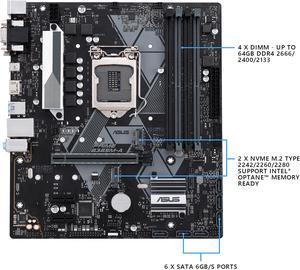
ASUS PRIME B365M-A LGA 1151 (300 Series) Micro ATX Intel Motherboard
- Memory Standard: DDR4 2666/ 2400/ 2133 MHz Non-ECC, Un-buffered Memory * The maximum memory frequency supported varies by processor ** DDR4 2666 MHz and higher memory modules will run at max. 2666 MHz on Intel 8th Gen. 6-core or higher processors
- Number of Memory Slots: 4x288pin (DDR4)
- Audio Chipset: Realtek ALC887
- Brand: ASUS
- Model #: PRIME B365M-A
- Item #: 9SIBJK3JTJ6509
- Return Policy: View Return Policy
$149.98
Free Shipping
PriceForm factorComponentsBuild quality
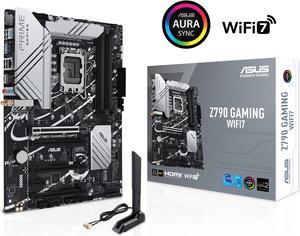
ASUS Z790 GAMING WIFI7 (LGA 1700) ATX motherboard with PCIe 5.0, three M.2 slots, 14+1 DrMOS, DDR5, WIFI 7, Realtek 1Gb LAN, HDMI TM, USB 3.2 Gen 2x2 Type-C, front USB 3.2 Gen 1 Type-C
- Memory Standard: DDR5 7200+(OC)/7000(OC)/6800(OC)/6600(OC)/ 6400(OC)/ 6200(OC)/ 6000(OC)/ 5800(OC)/ 5600/ 5400/ 5200/ 5000/ 4800 Non-ECC, Un-buffered Memory*
- Number of Memory Slots: 4x288pin (DDR5)
- PCI Express x16: 1 x PCIe 3.0 x1 slot * Please check the PCIe bifurcation table on the support site (https://www.asus.com/support/FAQ/ 1037507/). - To ensure compatibility of the device installed, please refer to https://www.asus.com/support/ for the list of supported peripherals.
- Brand: ASUS
- Model #: Z790 GAMING WIFI7
- Item #: 9SIADGEKGJ1991
- Return Policy: View Return Policy
$298.22
$18.99 Shipping
Reasonably priced. Arrived on time. Paper manual so it was simple figuring out the connections. Booted once to BIOS and then Windows on the second boot.
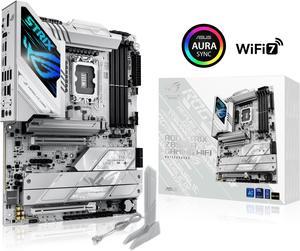
ASUS ROG STRIX Z890-A GAMING WIFI Z890 LGA 1851 ATX motherboard, Intel® Core™ Ultra Series 2 Ready, Advanced AI PC-ready, 16+2+1+2 stages, DDR5, WiFi 7, 2.5G, 5x M.2, Thunderbolt™ 4, USB Type-C, AI OC
- Memory Standard: DDR5 4400 / DDR5 4800 / DDR5 5000 / DDR5 5200 / DDR5 5400 / DDR5 5600 / DDR5 5800 / DDR5 6000 / DDR5 6200 / DDR5 6400 / DDR5 6600 / DDR5 6800 / DDR5 7000 / DDR5 7200 / DDR5 7400 / DDR5 7600 / DDR5 7800 / DDR5 7900 / DDR5 7950 / DDR5 8000 / DDR5 8200 / DDR5 8266 / DDR5 8400 / DDR5 8600 / DDR5 8666 / DDR5 8800 / DDR5 8933 / DDR5 9000 / DDR5 9066
- Number of Memory Slots: 4x288pin (DDR5)
- Brand: ASUS
- CPU Socket Type: LGA 1851
- Model #: ROG STRIX Z890-A GAMING WIFI
- Item #: N82E16813119693
- Return Policy: Standard Return Policy
$409.99
Free Shipping
Looks great in my white build. Super simple setup!