
Your Browsing History
BEST SELLERS


BEST SELLERS
In AMD Motherboards
Our most popular products, based on sales and updated frequently.Shop Department
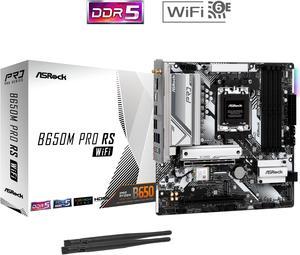
ASRock B650M Pro RS WiFi AM5 Micro ATX Motherboard
- Brand: ASRock
- CPU Socket Type: AM5
- Chipset: AMD B650
- Serial ATA (SATA): 4 x SATA 6Gb/s
- Model #: B650M Pro RS WiFi
- Item #: N82E16813162131
- Return Policy: Standard Return Policy
$139.99
$214.99
Free Shipping
If you're looking for all the latest, PCIe 5.0 M.2 slot, along with and x4 PCIe 4.0 and a 3rd M.2 for extra storage this motherboard has it all. Good built-in MediaTek Wi-Fi 6E and Bluetooth 5.2, both rock solid and good placement of the annenna's no need for an external antenna base. BIOS seems good, A-RGB is nice to have at this price point and DDR5-6000 OC with EXPO... although my memory couldn't handle this for whatever reason not the motherboard's fault. Running this with a Ryzen 7800X3D and except for the $25 price drop after I bought this board, no regrets.
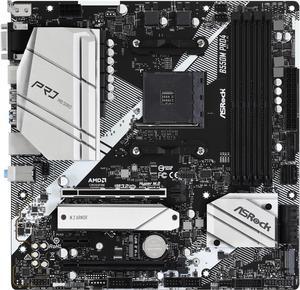
ASRock PRO B550M PRO4 AM4 Micro ATX AMD Motherboard
- Brand: ASRock
- CPU Socket Type: AM4
- Chipset: AMD B550
- M.2: 1 x Hyper M.2 Socket (M2_1), supports M Key type 2280 M.2 PCI Express module up to Gen4x4 (64 Gb/s) (with Vermeer, Matisse) or Gen3x4 (32 Gb/s) (with Cezanne, Renoir and Picasso)* 1 x M.2 Socket (M2_2), supports M Key type 2280 M.2 SATA3 6.0 Gb/s module and M.2 PCI Express module up to Gen3 x2 (16 Gb/s)* * Supports NVMe SSD as boot disks. * Supports ASRock U.2 Kit.
- Model #: B550M PRO4
- Item #: N82E16813157939
- Return Policy: Standard Return Policy
$99.99
$124.99
Free Shipping
Everything is amazing
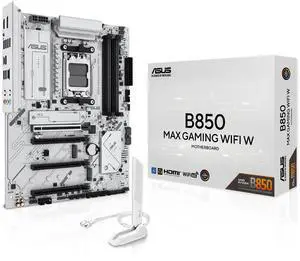
ASUS B850 MAX GAMING WIFI W - AMD AM5 ATX Motherboard, White PCB, DDR5, PCIe 5.0 Ready, 3x M.2, Wi-Fi 6E, 2.5Gb LAN, USB 10Gbps Type-C, DisplayPort, HDMI, BIOS FlashBack, Aura Sync, ASUS AI Advisor
- Brand: ASUS
- CPU Socket Type: AM5
- Chipset: AMD B850
- Serial ATA (SATA): 4 x SATA 6Gb/s
- Model #: B850 MAX GAMING WIFI W
- Item #: 9SIC6WNKXZ2018
- Return Policy: View Return Policy
$899.00
Free Shipping
It was so new and only review I was nervous. This motherboard is top tier! I couldnt have made a better choice.
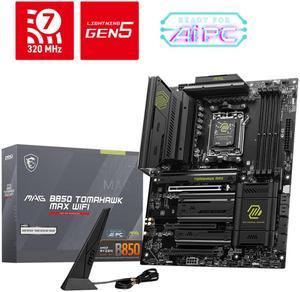
MSI MAG B850 TOMAHAWK MAX WIFI Motherboard, ATX - Supports AMD Ryzen 9000 / 8000 / 7000 Processors, AM5 - 80A SPS VRM, DDR5 Memory Boost 8400+ MT/s (OC), PCIe 5.0 x16, M.2 Gen5, Wi-Fi 7, 5G LAN
- Brand: MSI
- CPU Socket Type: AM5
- Chipset: AMD B850
- Serial ATA (SATA): 4 x SATA 6Gb/s
- Model #: MAG B850 TOMAHAWK MAX WIFI
- Item #: N82E16813144697
- Return Policy: Standard Return Policy
$319.99
Free Shipping
- Probably the best B850 Board - Plenty of connection. 2x Gen5 NVME Supper. Minimal Lane sharing ( Only with 3rd M.2) - Ez-Conn Switch add extra ports. Saved the day for rear fans. - Plenty of fan headers and really good VRMs.
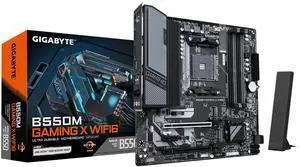
GIGABYTE B550M GAMING X WIFI6 AM4 Micro ATX Motherboard
- Brand: GIGABYTE
- CPU Socket Type: AM4
- Chipset: AMD B550
- Serial ATA (SATA): 4 x SATA 6Gb/s
- Model #: B550M GAMING X WIFI6
- Item #: N82E16813145586
- Return Policy: Standard Return Policy
$129.99
Free Shipping
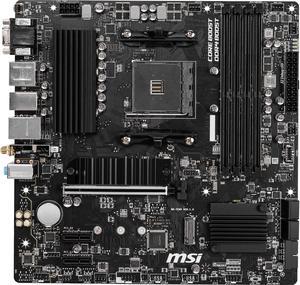
MSI PRO B550M PRO-VDH WIFI AM4 Micro ATX AMD Motherboard
- Brand: MSI
- CPU Socket Type: AM4
- Chipset: AMD B550
- Serial ATA (SATA): 4 x SATA 6Gb/s
- Model #: B550M PRO-VDH WIFI
- Item #: N82E16813144331
- Return Policy: Standard Return Policy
$124.99
Est. Shipping Fee $7.99
Eligible for Free Shipping
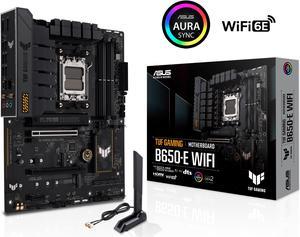
ASUS TUF GAMING B650-E WIFI AMD B650 AM5 ATX motherboard, DDR5, 8+2 teamed power stages, PCIe 5.0, a PCIe 5.0 M.2 slot, Realtek 2.5 Gb Ethernet, Wi-Fi 6E, HDMI, DisplayPort, front USB 20Gbps Type-C
- Brand: ASUS
- CPU Socket Type: AM5
- Chipset: AMD B650
- Serial ATA (SATA): 4 x SATA 6Gb/s
- Model #: TUF GAMING B650-E WIFI
- Item #: N82E16813119671
- Return Policy: Standard Return Policy
$229.99
$269.99
Free Shipping
First board was bad, Newegg exchanged quickly. I record music from vinyl, the line in sounds better than the USB out from phono preamps I have used. I used only 2 of the 3 M.2 slots.
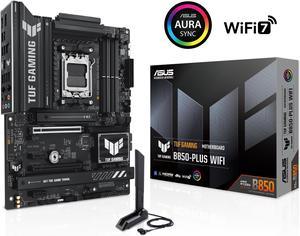
ASUS TUF GAMING B850-PLUS WIFI AMD AM5 B850 ATX motherboard, 14+2+1 80A stages, AI Ready, DDR5, PCIe 5.0 , 3x M.2, Wi-Fi 7, 2.5Gb LAN, DisplayPort, HDMI, USB 10Gbps & 20Gbps Type-C, BIOS FlashBack
- Brand: ASUS
- CPU Socket Type: AM5
- Chipset: AMD B850
- Serial ATA (SATA): 4 x SATA 6Gb/s
- Model #: TUF GAMING B850-PLUS WIFI
- Item #: N82E16813119705
- Return Policy: Standard Return Policy
$329.99
Free Shipping
-Awesome budget motherboard that delivers a phenomenal gaming experience. -Awesome user manual makes for easy installation -Very sturdy, can easily see and feel its quality -Ryzen -Easy navigation through BIOS -Troubleshooting LED indicators allow easy diagnosis of potential problems within hardware systems
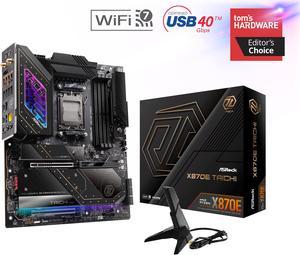
ASRock X870E TAICHI AM5 Extended ATX Motherboard
- Brand: ASRock
- CPU Socket Type: AM5
- Chipset: AMD X870E
- Serial ATA (SATA): 6 x SATA 6Gb/s
- Model #: X870E Taichi
- Item #: 9SIADGEKE25131
- Return Policy: View Return Policy
$572.44
$18.99 Shipping
The best X870E Motherboard on the market!
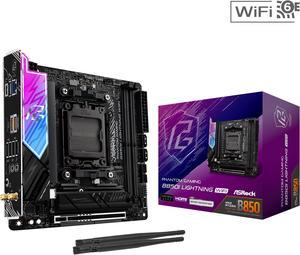
ASRock B850I Lightning WiFi AM5 Mini ITX Motherboard
- Brand: ASRock
- CPU Socket Type: AM5
- Chipset: AMD B850
- Serial ATA (SATA): 2 x SATA 6Gb/s
- Model #: B850I Lightning WiFi
- Item #: N82E16813162201
- Return Policy: Standard Return Policy
$229.99
$299.99
$29.99 Shipping
Easy set up, excellent features. Best value for the price
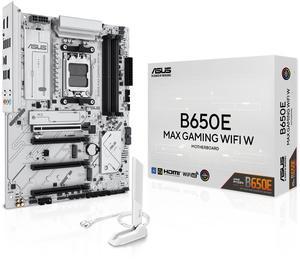
ASUS B650E MAX GAMING WIFI W - AMD B650 AM5, PCIe 5.0, ATX Motherboard, White PCB, DDR5, 3x M.2, Wi-Fi 6E, 2.5Gb LAN, USB 10Gbps Type-C, DisplayPort, HDMI, BIOS FlashBack, Aura Sync, Advanced AI PC
- Brand: ASUS
- CPU Socket Type: AM5
- Chipset: AMD B650
- Serial ATA (SATA): 4 x SATA 6Gb/s
- Model #: B650E MAX GAMING WIFI White
- Item #: N82E16813119736
- Return Policy: Standard Return Policy
$239.99
Free Shipping
Board was manufactured in April 2025 and came with BIOS from March 2025. I didn't need to do BIOS Flashback to get it to work, it POSTED on first try. White and Silver aesthetic reminds me of Platinum Slim PS2. Lots of BIOS performance features available, I recommend setting Core Tuning For Gaming to Legacy for better memory latency. Easy fan tuning in the BIOS so I don't have to rely on third party software on the OS side. Includes Wifi/Bluetooth/Lots of Ports
ASRock B550M-ITX/AC AM4 Mini ITX AMD Motherboard
- Brand: ASRock
- CPU Socket Type: AM4
- Chipset: AMD B550
- Serial ATA (SATA): 4 x SATA3 6.0 Gb/s Connectors, support RAID, NCQ, AHCI and Hot Plug
- Model #: B550M-ITX/AC
- Item #: N82E16813157954
- Return Policy: Standard Return Policy
$149.99
$29.99 Shipping
I have used this board on several builds now, for myself and for a couple friends. It has all of the features you want without all of the fluff you find on other ones. It has allowed for some modest OC's but I have decided to let the Ryzen Master & Curve Optimizer do it's thing. *Cost to Performance! All the features you need without the fluff. *Great entry into the Mini-ITX world. *Very Clean and well organized board. *Intuitive for new and experienced builders. ASRock B550M-ITX/AC AM4 Ryzen 5700G 1tb Western Digital 850 Corsair Vengeance, DDR4 3600 Fractal Node 202 Case EVGA 750 SLX 2x Noctua 120mm fans (will install a dedicated GPU eventually... or not) The current onboard graphics are keeping up with most of the titles I play from the 360 & One days. Streams excellent and temps are very well managed.
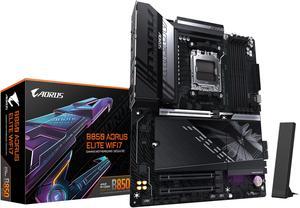
GIGABYTE B850 AORUS ELITE WIFI7 AMD AM5 LGA 1718 Motherboard, ATX, DDR5, 3x M.2, PCIe 5.0, USB-C, WIFI7, 2.5GbE LAN, EZ-Latch 5-Year Warranty
- Brand: GIGABYTE
- CPU Socket Type: AM5
- Chipset: AMD B850
- Form Factor: ATX
- Model #: B850 AORUS ELITE WF7
- Item #: N82E16813145545
- Return Policy: Standard Return Policy
$294.00
$339.00
Free Shipping
I previous had a AMD 5800x with the X570 Aorus Master. Didn't have a single problem with it. So while reviewing motherboards for my new build, I put my trust in Gigabyte once again. Easy set up, BIOS was super user friendly. Best part of all, no lane sharing between the GPU and the M.2 slots. That's a win on it's own.
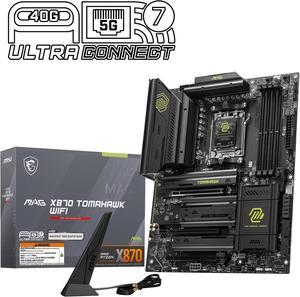
MSI MAG X870 TOMAHAWK WIFI Motherboard, ATX - Supports AMD Ryzen 9000 / 8000 / 7000 Processors, AM5 - 80A SPS VRM, DDR5 Memory Boost 8400+MT/s (OC), PCIe 5.0 x16 & 4.0 x16, M.2 Gen5, Wi-Fi 7, 5G LAN
- Brand: MSI
- CPU Socket Type: AM5
- Chipset: AMD X870
- Serial ATA (SATA): 4 x SATA 6Gb/s
- Model #: MAG X870 TOMAHAWK WIFI
- Item #: N82E16813144667
- Return Policy: Standard Return Policy
$364.99
Free Shipping
Easy to install/remove GPUs Quick release for M.2 SSDs as well Debug code Lots of M.2 slots
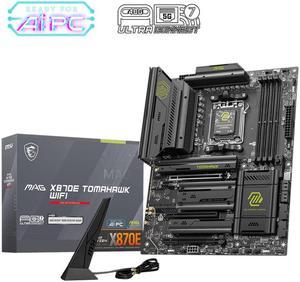
MSI MAG X870E TOMAHAWK WIFI Motherboard, ATX - Supports AMD Ryzen 9000 / 8000 / 7000 Processors, AM5 - 80A SPS VRM, DDR5 Memory Boost 8400+ MT/s (OC), PCIe 5.0 x16, M.2 Gen5, Wi-Fi 7, 5G LAN
- Brand: MSI
- CPU Socket Type: AM5
- Chipset: AMD X870E
- Serial ATA (SATA): 4 x SATA 6Gb/s
- Model #: MAG X870E TOMAHAWK WIFI
- Item #: N82E16813144699
- Return Policy: Standard Return Policy
$369.99
$409.99
Free Shipping
the packaging for the board is excellent and kept it very well protected during shipping the motherboard looks stunning in all black and green i really like how the frozr heat sinks were designed to cover the m.2 ssd giving the computer a very clean look horizontal connectors for the 24pin and sata ports was nice
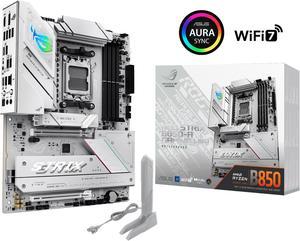
ASUS ROG STRIX B850-A GAMING WIFI AMD AM5 B850 ATX motherboard 14+2+2 power stages, DDR5 AEMP, 2.5G LAN, WiFi 7 with Q-Antenna, 4x M.2, PCIe 5.0, USB 20Gbps Type-C, AI Networking II, ASUS AI Advisor
- Brand: ASUS
- CPU Socket Type: AM5
- Chipset: AMD B850
- Serial ATA (SATA): 2 x SATA 6Gb/s
- Model #: ROG STRIX B850-A GAMING WIFI
- Item #: N82E16813119703
- Return Policy: Standard Return Policy
$349.99
$399.99
Free Shipping
Really clean and easo to install
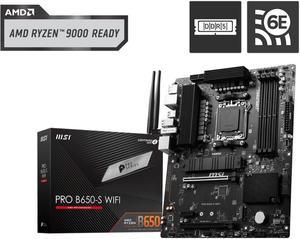
MSI PRO B650-S WIFI AM5 AMD B650 Ryzen 7000 DDR5 PCI-E x16 slot Wi-Fi 6E Bluetooth SATA 6Gb/s ATX Motherboard
- Brand: MSI
- CPU Socket Type: AM5
- Chipset: AMD B650
- Serial ATA (SATA): 4 x SATA 6Gb/s
- Model #: PRO B650-S WIFI
- Item #: 9SIA7BBK7K2765
- Return Policy: View Return Policy
$316.92
Free Shipping
easy to install
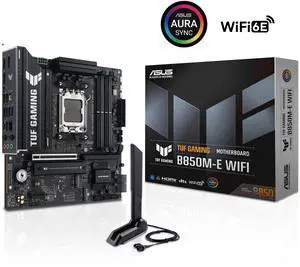
ASUS TUF GAMING B850M-E WIFI AMD B850 mATX motherboard, 8+2+1 80A DrMOS power stages, DDR5, PCIe 5.0, 3 M.2 slots, WiFi 6E, 2.5Gb Ethernet, DisplayPort, HDMI, rear USB-C 10Gbps and front USB-C 5Gbps
- Brand: ASUS
- CPU Socket Type: AM5
- Chipset: AMD B850
- Serial ATA (SATA): 4 x SATA 6Gb/s
- Model #: TUF GAMING B850M-E WIFI
- Item #: N82E16813119758
- Return Policy: Standard Return Policy
$229.99
$309.99
Free Shipping
- The three m.2 slots definitely are more than what you get from other mATX motherboards. - Fits perfectly into a smaller build - The PCIE release latch is in a way more accessible location compared to my previous msi b550-A Pro - Built in wifi 6 means no need for an adapter to get wifi or bluetooth. Included wifi antenna was super easy to install. - Bios flashback is nice in case something happens during a regular bios update. - Basically, a smaller ATX board with no compromised features.
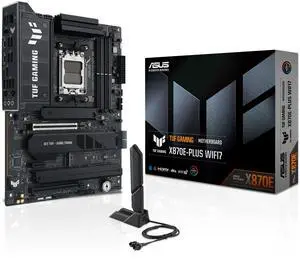
ASUS TUF GAMING X870E-PLUS WIFI7 AMD X870E ATX Motherboard with 16+2+1 80A Power Stages, DDR5 Support with AEMP, PCIe 5.0 x16 with PCIe Slot Q-Release Slim, Four M.2 Slots, WiFi 7 with ASUS Q-Antenna
- Brand: ASUS
- CPU Socket Type: AM5
- Chipset: AMD X870E
- Serial ATA (SATA): 4 x SATA 6Gb/s
- Model #: TUF GAMING X870E-PLUS WIFI7
- Item #: N82E16813119748
- Return Policy: Standard Return Policy
$409.99
$479.99
Free Shipping
The board itself is a very nice board. The memory that came with it was very nice memory too. The two together work.
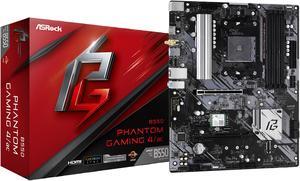
ASRock B550 Phantom Gaming 4/ac AM4 ATX AMD Motherboard
- Brand: ASRock
- CPU Socket Type: AM4
- Chipset: AMD B550
- Serial ATA (SATA): 4 x SATA 6Gb/s
- Model #: B550 PHAN GAM 4 AC
- Item #: N82E16813157936
- Return Policy: Standard Return Policy
$104.99
$129.99
Free Shipping
Works and seems rock solid. Decent bios setup, plenty of fan headers. I actually got better drive benchmark from an external NVMe USB 3.0 drive than I did with a Samsung 850 Sata SSD. (installed Windows to go on the NVMe)