
Your Browsing History
BEST SELLERS


BEST SELLERS
In Switches
Our most popular products, based on sales and updated frequently.Shop Department
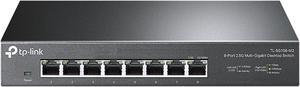
TP-Link TL-SG108-M2 | 8 Port Multi-Gigabit Unmanaged Network Switch, Ethernet Splitter | 2.5G Bandwidth | Plug & Play | Desktop/Wall-Mount | Fanless Metal Design | Limited Lifetime Protection
- Format: Desktop
- Standards: IEEE 802.3, 802.3u, 802.3ab, 802.3x, 802.1p, 802.3bz
- Primary Ports: 8 x RJ45
- Primary Port Speed: 2.5 Gbps
- Model #: TL-SG108-M2
- Item #: N82E16833704544
- Return Policy: Standard Return Policy
$89.99
$149.99
$2.99 Shipping
- Full 2.5gbps speed on all ports! - It does the job without any compromise. I've saturated the 2.5gb ports many times and it performs well.
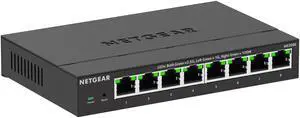
Netgear MS308E Multi-Gigabit (2.5G) Ethernet Easy Smart Managed Essentials Switch, MS308E-100NAS
- Brand: NETGEAR
- Part Number: MS308E-100NAS
- Standards: Networking Standards: IEEE 802.3 IEEE 802.3ab IEEE 802.3u IEEE 802.1p IEEE 802.1Q IEEE 802.3x IEEE 802.3bz IEEE 802.3az IEEE 802.3ad
- Network Media: Media Type Supported: Twisted Pair Ethernet Technology: 2.5 Gigabit Ethernet Network Technology: 2.5GBase-T
- Model #: MS308E-100NAS
- Item #: N82E16833222345
- Return Policy: Standard Return Policy
$179.99
$319.99
Free Shipping
The MS305 (pay attention to the model number when purchasing) is a fine addition to a home network, especially with moving moderately large amounts of data between devices (pictures, streaming, archives) internally or via the Internet.
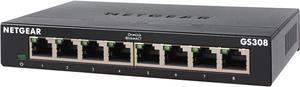
Netgear GS308 8-Port Gigabit Ethernet Unmanaged Switch, GS308-300PAS
- Brand: NETGEAR
- Part Number: GS308-300PAS
- Format: Desktop or wallmountable
- Standards: IEEE 802.3ab 1000BASE-T Gigabit Ethernet IEEE 802.3u 100BASE-TX Fast Ethernet IEEE 802.3i 10BASE-T Ethernet IEEE 802.3x Flow Control IEEE 802.1p Priority QoS (all models) IEEE 802.1p Priority QoS and DSCP (except GS308P, GS316) IEEE 802.3 CSMA / CD 802.3az Energy Efficient Ethernet
- Model #: GS308-300PAS
- Item #: N82E16833222029
- Return Policy: Standard Return Policy
$24.99
$33.99
$6.99 Shipping
With this product, you're able to throw your wifi away and hook everything up hardwire. If you're not concerned about EMF radiation, this product is not for you. Great device.
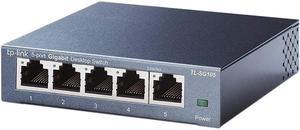
TP-Link 5 Port Gigabit Ethernet Network Switch - Ethernet Splitter | Plug & Play | Fanless | Sturdy Metal w/ Shielded Ports | Traffic Optimization | Unmanaged | Limited Lifetime Protection(TL-SG105)
- Brand: TP-Link
- Format: Desktop
- Standards: IEEE802.3, IEEE802.3u, IEEE802.3ab, IEEE802.3x
- Network Management Type: Unmanaged
- Model #: TL-SG105
- Item #: N82E16833704179
- Return Policy: Standard Return Policy
$22.99
$6.99 Shipping
Nice solid build great speeds. Ran this with four ports populated in my computer shop ran speed tests on two computers at a time a small drop from running one then two but almost unnoticeable. I had this hooked up to two desktops and a laptop and ran file sharing on my network on all three at the same time. and it didn't miss a beat. This unit has the IGMP snooping on board which is a nice option. Quote :IGMP snooping allows a switch to only forward multicast traffic to the links that have solicited them. Essentially, IGMP snooping is a layer 2 optimization for the layer 3 IGMP. IGMP snooping takes place internally on switches and is not a protocol feature. Snooping is therefore especially useful for bandwidth-intensive IP multicast applications such as IPTV. Snooping is a general way for Layer 2 devices, such as Juniper Networks MX Series Ethernet Services Routers, to implement a series of procedures to “snoop” at the Layer 3 packet content to determine which actions are to be taken to process or forward a frame. More specific forms of snooping, such as Internet Group Membership Protocol (IGMP ) snooping or Protocol Independent Multicast (PIM) snooping, are used with multicast. Layer 2 devices (LAN switches or bridges) handle multicast packets and the frames that contain them much in the same way the Layer 3 devices (routers) handle broadcasts. So, a Layer 2 switch processes an arriving frame having a multicast destination media access control (MAC) address by forwarding a copy of the packet (frame) onto each of the other network interfaces of the switch that are in a forwarding state. However, this approach (sending multicast frames everywhere the device can) is not the most efficient use of network bandwidth, particularly for IPTV applications. Quote:IGMP snooping functions by “snooping” at the IGMP packets received by the switch interfaces and building a multicast database similar to that a multicast router builds in a Layer 3 network. Using this database, the switch can forward multicast traffic only onto downstream interfaces with interested receivers, and this technique allows more efficient use of network bandwidth. End Quote As mentioned before all five of the ports and in the front of the unit which for some people could be a problem. but by the standpoint of being to see the activity lights and notice a problem the layout makes sense. The unit is cool to the touch. Its a nice little switch will be a very handy add on to my computer repair shop.
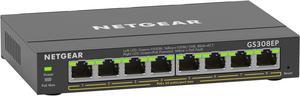
Netgear GS308EP 8-Port Gigabit Ethernet PoE+ Smart Managed Plus Switch (62W), GS308EP-100NAS
- Brand: NETGEAR
- Part Number: GS308EP-100NAS
- Format: Wall Mountable Desktop Rack-mountable
- Standards: IEEE 802.3 Ethernet IEEE 802.3ab 1000BASE-T IEEE 802.3u 100BASE-T IEEE 802.3ab 1000BASE-T EEE 802.1p Class of Service IEEE 802.1Q VLAN Tagging IEEE 802.3x Full-duplex Flow Control IEEE 802.3af PoE IEEE 802.3at PoE+
- Model #: GS308EP-100NAS
- Item #: N82E16833222146
- Return Policy: Standard Return Policy
$129.99
Free Shipping
The switch has a very heavy and quality feel to it. POE+ works great with my cameras, and wireless access points.
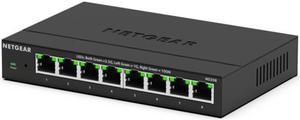
Netgear MS308 8-Port 2.5G Multi-Gigabit Ethernet Unmanaged Switch, MS308-100NAS
- Brand: NETGEAR
- Part Number: MS308-100NAS
- Format: Desktop Wall mount
- Standards: IEEE 802.3 IEEE 802.3bz IEEE 802.3ab IEEE 802.3u IEEE 802.3az IEEE 802.1p IEEE 802.3x
- Model #: MS308-100NAS
- Item #: N82E16833222332
- Return Policy: Standard Return Policy
$149.99
$249.99
Free Shipping
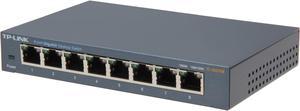
TP-Link 8 Port Gigabit Ethernet Network Switch | Ethernet Splitter | Sturdy Metal w/ Shielded Ports | Plug-and-Play | Traffic Optimization | Unmanaged (TL-SG108)
- Brand: TP-Link
- Format: Desktop
- Standards: IEEE802.3, IEEE802.3u, IEEE802.3ab, IEEE802.3x
- Network Management Type: Unmanaged
- Model #: TL-SG108
- Item #: N82E16833704173
- Return Policy: Standard Return Policy
$27.99
$31.99
Est. Shipping Fee $5.99
Eligible for Free Shipping
Good little 8 port switch. Plugged it in, plugged in my ethernet lines and works well. No problems so far.
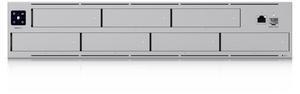
Ubiquiti Networks - (UNAS-Pro)
- Model #: UNAS-Pro
- Item #: 0XP-000A-006A8
- Return Policy: Standard Return Policy
$699.00
Free Shipping
Fits into the Ubuiquti ecosystem perfectly. Lowest price by far for anywhere near the quality and specifications for a NAS of this kind. 10 gigabit port. My Mac can format it APFS, just like an external drive. File sharing is a breeze. Security is easy to set up. Seven drive bays. RAID 5, 6, and 1+0 (with hot spare). Multiple volumes. Perfect integration into Ubiquity ecosystem.
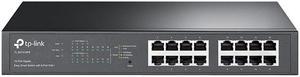
TP-Link TL-SG1016PE V3 | 16 Port Gigabit PoE Switch | Easy Smart Managed | 8 PoE+ Ports @150W | Plug & Play | Sturdy Metal w/ Shielded Ports | QoS, Vlan, IGMP & LAG | Limited Lifetime Protection
- Format: Rackmount
- Standards: IEEE 802.3, IEEE 802.3u, IEEE 802.3ab, IEEE 802.3x, IEEE 802.1q, IEEE 802.1p
- Primary Ports: 16 x RJ45
- Primary Port Speed: 10/100/1000Mbps
- Model #: TL-SG1016PE
- Item #: 0XP-006M-00023
- Return Policy: Standard Return Policy
$189.99
Free Shipping
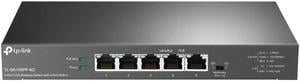
TP-Link TL-SG105PP-M2 Desktop Switch with 4-Port PoE++
- Format: Desktop
- Primary Ports: 5 x RJ45
- Primary Port Speed: 2.5 Gbps
- Primary Port Type: 5 x 10 Mbps/100 Mbps/1 Gbps/2.5 Gbps RJ45 ports
- Model #: TL-SG105PP-M2
- Item #: N82E16833704718
- Return Policy: Standard Return Policy
$199.99
Free Shipping
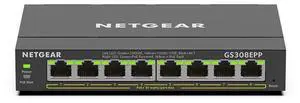
Netgear GS308EPP 8-Port PoE+ Gigabit Ethernet Plus Switch 123W, GS308EPP-100NAS
- Brand: NETGEAR
- Part Number: GS308EPP-100NAS
- Format: Wall Mountable Desktop Rack-mountable
- Standards: IEEE 802.3 Ethernet IEEE 802.3ab 1000BASE-T IEEE 802.3u 100BASE-T IEEE 802.3ab 1000BASE-T EEE 802.1p Class of Service IEEE 802.1Q VLAN Tagging IEEE 802.3x Full-duplex Flow Control IEEE 802.3af PoE IEEE 802.3at PoE+
- Model #: GS308EPP-100NAS
- Item #: N82E16833222147
- Return Policy: Standard Return Policy
$174.99
Free Shipping
Super easy setup. Plenty of POE ports.
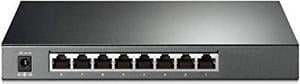
tp-link tl-sg2008 v3 | jetstream 8 port gigabit smart managed switch | omada sdn integrated | ipv6 | static routing | l2/l3/l4 qos, igmp & link aggregation |limited lifetime protec
- Model #: TL-SG2008
- Item #: 0XP-001U-00752
- Return Policy: Standard Return Policy
$109.99
Free Shipping
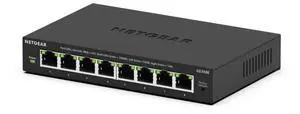
Netgear GS308E 8-Port Gigabit Ethernet Easy Smart Managed Essentials Switch, GS308E-400NAS
- Brand: NETGEAR
- Part Number: GS308E-400NAS
- Format: Desktop Wall Mountable
- Standards: IEEE 802.3az IEEE 802.1Q IEEE 802.1p IEEE 802.3 IEEE 802.3ab IEEE 802.3u IEEE 802.3x
- Model #: GS308E-400NAS
- Item #: N82E16833222346
- Return Policy: Standard Return Policy
$34.99
$54.99
$5.99 Shipping
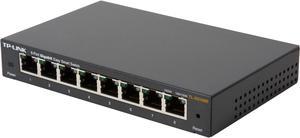
TP-Link 8 Port Gigabit Ethernet Network Switch (TL-SG108) - Ethernet Splitter Plug & Play Fanless Sturdy Metal w/ Shielded Ports Traffic Optimization Unmanaged Lifetime Protection TL-SG108E 8-
- Format: Desktop
- Standards: IEEE 802.3, IEEE 802.3u, IEEE 802.3ab, IEEE 802.3x, IEEE 802.1q, IEEE 802.1p
- Primary Ports: 8 x RJ45
- Primary Port Speed: 10/100/1000Mbps
- Model #: TL-SG108E
- Item #: N82E16833704203
- Return Policy: Standard Return Policy
$39.99
$4.99 Shipping
Port mirroring Inexpensive Easy to use
Netgear MS305E 5-Port Multi-Gigabit (2.5G) Ethernet Easy Smart Managed Essentials Switch, MS305E-100NAS
- Brand: NETGEAR
- Part Number: MS305E-100NAS
- Standards: Networking Standards: IEEE 802.3 IEEE 802.3ab IEEE 802.3u IEEE 802.1p IEEE 802.1Q IEEE 802.3x IEEE 802.3bz IEEE 802.3az IEEE 802.3ad
- Network Media: Media Type Supported: Twisted Pair Ethernet Technology: 2.5 Gigabit Ethernet Network Technology: 2.5GBase-T
- Model #: MS305E-100NAS
- Item #: N82E16833222344
- Return Policy: Standard Return Policy
$159.99
$219.99
$3.99 Shipping
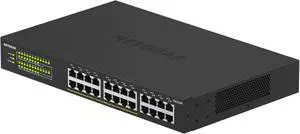
Netgear GS324 24-Port Gigabit Ethernet Unmanaged Essentials Switch, GS324-200NAS
- Brand: NETGEAR
- Part Number: GS324-200NAS
- Format: Desktop Wall Mountable Rack-mountable
- Network Media: Media Type Supported: Twisted Pair Ethernet Technology: Gigabit Ethernet Network Technology: 10/100/1000Base-T
- Model #: GS324-200NAS
- Item #: N82E16833222153
- Return Policy: Standard Return Policy
$119.99
$139.99
Free Shipping
-Whisper quite -Many Features -Web GUI or phone app to manage it -You have to know what your doing or at least read the manual.
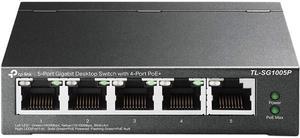
TP-Link TL-SG1005P | 5 Port Fast Ethernet PoE Switch | 4 PoE+ Ports @67W | Desktop | Plug & Play | Sturdy Metal w/ Shielded Ports | Fanless | Limited Lifetime Protection | Extend & Priority Mode
- Brand: TP-Link
- Switch Type: desktop
- Format: Desktop
- Network Management Type: Unmanaged
- Model #: TL-SG1005P V2
- Item #: 2WG-002T-000D4
- Return Policy: Standard Return Policy
$49.99
$59.99
$7.99 Shipping
This simply works as expected. It's a dumb switch. It is in a metal box, not simple plastic. it has two LEDs per port, Green for Gig, and amber/yellow for 100/10. This is part of the reason for the purchase, it lets you know you have the correct wiring. If you have a Gig port device connected and you don't get a green, you have most likely a cable or interface set up problem. I'm using this in a lab environment so this was important. By the way it has 8 ports, 1 for net work, and 7 for equipment. currently using 6 of the 8.
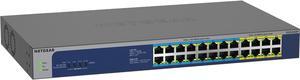
Netgear GS524UP 24-Port Gigabit Ethernet High-Power PoE+ Unmanaged Switch with 16-Ports PoE++ (480W), GS524UP-100NAS
- Brand: NETGEAR
- Part Number: GS524UP-100NAS
- Switch Type: unmanged
- Format: Desktop Rack-mountable
- Model #: GS524UP-100NAS
- Item #: 1B4-00AS-001M4
- Return Policy: Standard Return Policy
$624.99
$659.99
Free Shipping
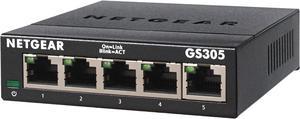
Netgear GS305 5-Port Gigabit Ethernet SOHO Unmanaged Essentials Switch, GS305-300PAS
- Brand: NETGEAR
- Part Number: GS305-300PAS
- Format: Desktop Wall mountable
- Standards: IEEE 802.3ab 1000BASE-T Gigabit Ethernet IEEE 802.3u 100BASE-TX Fast Ethernet IEEE 802.3i 10BASE-T Ethernet IEEE 802.3x Flow Control IEEE 802.1p Priority QoS IEEE 802.1p Priority QoS and DSCP IEEE 802.3 CSMA/CD 802.3az Energy Efficient Ethernet
- Model #: GS305-300PAS
- Item #: N82E16833222039
- Return Policy: Standard Return Policy
$24.99
$27.99
$5.99 Shipping
-Easy setup -Plug and Play -Metal Casing
![ubiquiti [3-pack] unifi switch flex mini | managed 5-port gigabit switch (usw-flex-mini-3)](https://c1.neweggimages.com/productimage/nb300/B1MBS2202100NT7XZ5F.jpg "ubiquiti [3-pack] unifi switch flex mini | managed 5-port gigabit switch (usw-flex-mini-3)")
ubiquiti [3-pack] unifi switch flex mini | managed 5-port gigabit switch (usw-flex-mini-3)
- Model #: RNAB08ML5B6BT
- Item #: 9SIADGEKE09276
- Return Policy: View Return Policy
$131.11
$10.99 Shipping