
Your Browsing History
BEST SELLERS


BEST SELLERS
In Switches
Our most popular products, based on sales and updated frequently.Shop Department

Netgear GS316 16-Port Gigabit Ethernet Unmanaged Essentials Switch, GS316-300NAS
- Brand: NETGEAR
- Part Number: GS316-300NAS
- Format: Desktop Wall Mountable Rack-mountable
- Standards: IEEE 802.1p IEEE 802.3az IEEE 802.3ab IEEE 802.3u IEEE 802.3i IEEE 802.3x IEEE 802.3
- Model #: GS316-300NAS
- Item #: N82E16833222362
- Return Policy: Standard Return Policy
$89.99
$119.99
$2.99 Shipping
I really like this switch. It has all the great management features you would want, the GUI makes sense, VLANs work as expected, it has POE, and it's got a great slim form factor for wall mounting and getting it out of the way. Comes with the screws necessary to wall mount as well.

TP-Link 28-Port Gigabit Easy Smart Switch with 24-Port PoE+
- Format: 19" 1U rack mountable
- Standards: IEEE 802.3, IEEE 802.3u, IEEE 802.3ab, IEEE 802.3x IEEE 802.3af, IEEE 802.3at, IEEE 802.1q, IEEE 802.1p
- Uplink Interface: 26 10/100/1000 Mbps RJ45 Ports 2 Gigabit SFP Ports
- Primary Ports: 24 x RJ45
- Model #: TL-SG1428PE
- Item #: 9SIA7BBDVT8997
- Return Policy: View Return Policy
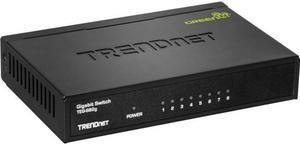
Trendnet 8-Port Gigabit Greennet Switch
- Protocols: TCP/IP
- Features: Plug and play installation 8 x Gigabit ports 16Gbps switching capacity
- Weight: 1
- Model #: TEG-S82G
- Item #: 0XP-0134-00003
- Return Policy: Standard Return Policy
OUT OF STOCK
Sold Price: $40.99
Free Shipping
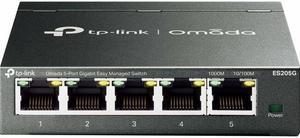
TP-Link Omada 5-Port Gigabit Easy Managed Switch - 5 Ports - Manageable - Gigabit Ethernet - 10/100/1000Base-T - 2 Layer Supported - Twisted Pair - Desktop, Wall Mountable
- Model #: ES205G
- Item #: 0XP-001U-008W2
- Return Policy: Standard Return Policy
$35.99
$3.99 Shipping
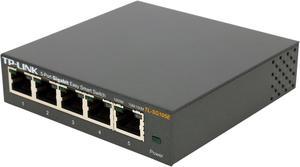
TP-Link 5 Port Gigabit Switch | Easy Smart Managed | Plug & Play | Desktop/Wall-Mount | Sturdy Metal w/ Shielded Ports | Support QoS, Vlan, IGMP and Link Aggregation (TL-SG105E)
- Brand: TP-Link
- Format: Desktop
- Standards: IEEE 802.3, IEEE 802.3u, IEEE 802.3ab, IEEE 802.3x, IEEE 802.1q, IEEE 802.1p
- Network Management Type: Unmanaged
- Model #: TL-SG105E
- Item #: N82E16833704224
- Return Policy: Standard Return Policy
$26.99
$29.99
$5.99 Shipping
Nice looking switch. Solid build that feels very sturdy. Small, and makes very good utilization of it's space. Lights all work. Installation was easy, but you will want to follow the instructions in order to know how to connect to it with the software. -see other thoughts on install. Connect an ethernet cable from your router or model to the switch. (this takes up one port, so if you need more than 4 ports you should get the larger switch) The software should find your new switch. You will want to connect to it and configure the IP to one you wish to use, or one within your current gateway address. Once you login to the switch with the default credentials you can access many features that will give you some advanced functionality. You can set this to DHCP, You can enable / disable ports, set custom configurations, Port Mirror, setup a Vlan, Port based QOS, bandwidth controls as well. I set this up with some port based QOS and it seemed to work great. So far very happy with this switch.
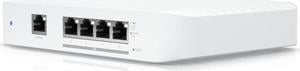
Ubiquiti Flex 10 GbE, Compact 5-port Layer 2 Switch (USW-Flex-XG)
- Brand: Ubiquiti Networks
- Series: Network Switch
- Part Number: USW-Flex-XG
- Format: Desktop
- Model #: USW-Flex-XG
- Item #: 0XP-000A-005B5
- Return Policy: Standard Return Policy
$409.00
Free Shipping
I'm new to the Ubiquity ecosystem.. But after having used routers and switches from Netgear, TP-Link, QNap, Eero, Asus, and some others I care not to remember, every single piece of Unifi gear stands heads and shoulders above the rest. Just the user interface along justifies going with Unifi. None of the above can touch them with a 10-foot pole. This switch has everything you could want on a POE+ powered switch with five 10 GbE ports (RJ45 mind you) and a 1 GbE POE port. It integrated into my network in seconds, and automatically showed up. So easy to manage.
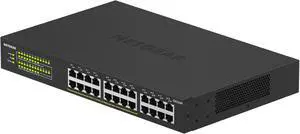
Netgear GS324P 24-Port Gigabit Ethernet Unmanaged PoE+ Essentials Switch with 16-Ports PoE+ (190W), GS324P-100NAS
- Brand: NETGEAR
- Part Number: GS324P-100NAS
- Format: Rack-mountable Desktop
- Network Media: Media Type Supported: Twisted Pair Ethernet Technology: Gigabit Ethernet Network Technology: 10/100/1000Base-T
- Model #: GS324P-100NAS
- Item #: N82E16833222057
- Return Policy: Standard Return Policy
$349.99
Free Shipping
-Whisper quite -Many Features -Web GUI or phone app to manage it -You have to know what your doing or at least read the manual.
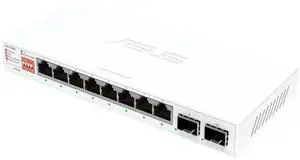
ASUS QG-U1080, 5-Port 2.5G and 2-Port 10G SFP+ Unmanaged Switch, Support 4 Intelligent Modes, Home Network Hub, Office Ethernet Splitter, TAA Compliant
- Brand: ASUS
- Part Number: 90IG0A00-MA1B0T
- Format: Desktop
- Standards: IEEE802.3u 100BASE-TX IEEE802.3ab 1000BASE-T IEEE802.3bz 2.5G BASE-T IEEE 802.3-2012, IEEE 10GBASE-KR (10.3125 Gbps) IEEE802.3az EEE IEEE802.3x Flow control
- Model #: QG-U1080
- Item #: 9SIA7BBKKZ9063
- Return Policy: View Return Policy
$245.20
Free Shipping

Netgear GS316EP 16-Port PoE+ Gigabit Ethernet Plus Switch 180W with 1 SFP Port, GS316EP-100NAS
- Brand: NETGEAR
- Part Number: GS316EP-100NAS
- Format: Desktop Wall Mountable
- Standards: IEEE 802.3 Ethernet IEEE 802.3ab 1000BASE-T IEEE 802.3u 100BASE-T EEE 802.1p Class of Service IEEE 802.1Q VLAN Tagging IEEE 802.3x Full-duplex Flow Control IEEE 802.3af PoE IEEE 802.3at PoE+
- Model #: GS316EP-100NAS
- Item #: N82E16833222199
- Return Policy: Standard Return Policy
$309.99
Free Shipping
Great product with upgradeable POE settings. Has 3 settings that can be adjusted for your needs when paired with a larger (same voltage) power supply.
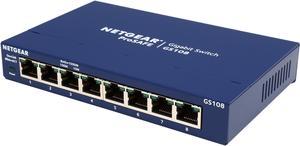
Netgear GS108 8-Port Gigabit Ethernet Unmanaged Switch, GS108-400NAS
- Brand: NETGEAR
- Series: ProSafe
- Part Number: GS108-400NAS
- Format: Desktop
- Model #: GS108-400NAS
- Item #: 12K-008X-00026
- Return Policy: Standard Return Policy
$49.99
$64.99
$3.99 Shipping
No software setup - no software configuration required - plug and play.
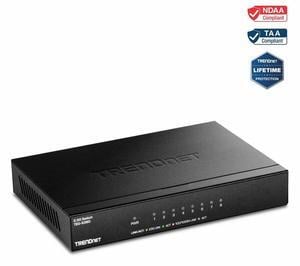
TRENDnet 8-Port Unmanaged 2.5G Switch, 8 x 2.5GBASE-T Ports, 40Gbps Switching Capacity, Backwards Compatible with 10-100-1000Mbps Devices, Fanless, Wall Mountable, Black, TEG-S380
- Brand: TRENDnet
- Format: Desktop
- Standards: IEEE 802.3 IEEE 802.3u IEEE 802.3x IEEE 802.3z IEEE 802.3ab IEEE 802.3az IEEE 802.3bz
- Network Media: Media Type Supported: Twisted Pair Ethernet Technology: 2.5 Gigabit Ethernet Network Technology: 2.5GBase-T
- Model #: TEG-S380
- Item #: 9SIA7BBFG08137
- Return Policy: View Return Policy
Works as advertised and had no issues with autonegotiating speeds on interfaces with Google Fiber's provided equipment (an issue I had read about in reviews for other boxes which I was concerned about). Get full speed.
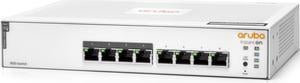
HPE Networking Instant On Switch 8p Gigabit CL4 PoE 65W 1830 (JL811A#ABA)
- Primary Ports: 8 x RJ45
- Primary Port Speed: 10/100/1000Mbps
- PoE: Yes
- SNMP: Yes
- Model #: JL811A#ABA
- Item #: N82E16833539110
- Return Policy: Standard Return Policy
$281.99
Free Shipping

HPE Networking Instant On 1930 24G Class4 PoE 4SFP/SFP+ 195W Switch (JL683B#ABA)
- Primary Ports: 24 x RJ45 + 4 x SFP
- Primary Port Speed: 10/100/1000Mbps + 10 Gbps
- Buffer Memory: 1.5 MB
- PoE: Yes
- Model #: JL683B#ABA
- Item #: 0XP-002G-02ND0
- Return Policy: International Order Return Policy
$599.99
Free Shipping
Don't cloud register and you can manage it just fine via an admittedly nice web interface. The switch takes a long time to boot, likely vestiges of the cloud integration, but it is quad SFP+/10GB ports and 48 gigabit... and its silent. Does LACP trunking, multiple vlan tagging, IGMPv3 snooping, lldp (never wonder where your AP is connected to again).
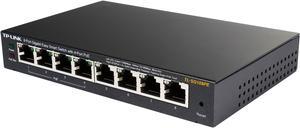
TP-Link TL-SG108PE V3 | 8 Port Gigabit PoE Switch | Easy Smart Managed | 4 PoE+ Ports @64W | Plug & Play | Sturdy Metal w/ Shielded Ports | Fanless | QoS, Vlan & IGMP | Limited Lifetime Protection
- Standards: IEEE 802.3i, IEEE 802.3u, IEEE 802.3ab, IEEE 802.3af, IEEE 802.3x, IEEE 802.1q, IEEE 802.1p
- Primary Ports: 8 x RJ45
- Primary Port Speed: 10/100/1000Mbps
- MAC Address Table: 4K
- Model #: TL-SG108PE
- Item #: N82E16833704289
- Return Policy: Standard Return Policy
$89.99
Free Shipping
When it comes to home or small business network devices, a switch is one of the easiest and most reliable ways to increase resources and accessibility in that network. At the same time, the right switch provides relatively simple yet powerful configurability at the same time. This is one of those right switches. Installation is extremely simple, you really don’t need to understand or use many of the available features on this switch, but it’s nice to know it’s possible if your needs change in the future. I connected the switch to a D-Link DGL-4500 turned WAP, (MDIX on this switch eliminated the necessity of using a crossover cable, which was nice, as I didn’t have one at the time.) The DGL-4500 connects to a Linksys wireless 802.11ac router, which in turn is connected to a Motorola Surfboard cable modem. A second Linksys 802.11ac router has been re-purposed like the D-Link, as a third WAP in the network. All three access points have both wired and wireless devices connected to them, and all computers on the network were able to communicate with the TL-SG108PE and its connected devices. This was accomplished by setting up the initial switch configuration by running the installation utility from the included disc on my computer. In a matter of minutes, I had 7 additional Ethernet ports available, the 8th of course already being used to uplink the switch to the WAP (8 is merely coincidence, any of the switch ports, (unless specifically configured otherwise), can be used to uplink this switch, not necessarily the one actually labeled number 8), and 4 of those 8 provide low-power POE for 802.3af devices. The TV-IP311PI camera I connected to one of those 4 POE ports powered the camera right up, and my family and I are able to access this camera from any device in the house, streaming video to multiple devices to test network speed and throughput. In fact, I’m streaming it to my computer right now as I’m writing this, while streaming a movie from the NAS. I’ve connected three NAS, one laptop, and the IP camera to this switch, which connects directly to the D-Link, which connects to the core router in another room. I’ve had the kids stream movies from two of the NAS, the IP camera, and download a game from Steam. The download from Steam races along at between 10-15MB/s, the 720p and/or higher video streams from any of the 3 NAS connected to the TP-Link switch travel through without issue. As a parent, I really like the QoS configurability TP-Link has included in this switch. Rather than an either/or when it comes to internet privileges, there can be varying amounts of said privilege. We’re all Steam, Origin, GOG, etc junkies in my family. Switching that Battlefield 1 download to 10 Mb, half duplex because someone ‘forgot’ to do their homework… a far great motivator than simply pulling the plug. Seriously though, controlling data flow and access is easy with the Easy Smart Configuration Utility. Most home networks won’t need or want to use VLans, but for many businesses, this feature is practical if not necessary, and impossible on an unmanaged switch. VLan configuration is done through the ESCU, and can be accomplished one of the three ways you decide. Easy configuration utility also includes monitoring; loop prevention, cable test, port mirroring, port statistics, Trunk mode, port speed and flow control, and don’t forget 4 POE (15.4W max) ports. 16Gbs backplane bandwidth means each port is capable of Gigabit two-way transfers. While I was unable to test a fully populated switch with multiple simultaneous transfers per port, I was impressed with the switch’s transfer speeds on my 4 computer, multiple laptop, NAS, smartphone, SmartTV, online gaming console home network torture test.
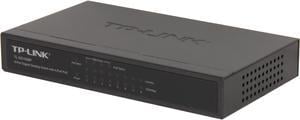
TP-Link TL-SG1008P V4 | 8 Port Gigabit PoE Switch | 4 PoE+ Ports @64W | Desktop | Plug & Play | Sturdy Metal w/ Shielded Ports | Fanless | Limited Lifetime Protection | QoS & IGMP Snooping | Unmanaged
- Format: Desktop
- Primary Ports: 8 x RJ45
- Primary Port Speed: 10/100/1000Mbps
- MAC Address Table: 4K
- Model #: TL-SG1008P
- Item #: N82E16833704175
- Return Policy: Standard Return Policy
$79.99
$10.17 Shipping
Bought it to power a Ubiquity UAP-AC Pro that I was putting in my house. The two units powered up and negotiated without any issues. I am currently only using 3 of the ports but I wanted it for future expansion if possible.
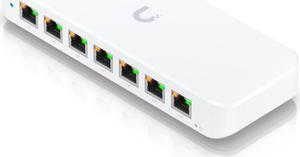
Ubiquiti Ultra 60W 8-Port Layer 2 PoE Switch (USW-Ultra-60W (52W))
- Brand: Ubiquiti Networks
- Series: Network Switch
- Format: Desktop
- Network Management Type: Managed
- Model #: USW-ULTRA-60W
- Item #: 9SIA7BBKHA3513
- Return Policy: View Return Policy
$288.78
Free Shipping
UniFi compatible and suited to the kinds of awful environmental conditions the old Ubiquiti Tough Switch Pro was perfect for. Being managed by UniFi rather than UISP simplifies the network, so it's GREAT to have this niche filled. Surprisingly useful to have more ports, didn't know we needed them until we had the option.
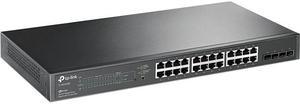
TP-Link JetStream 28-Port Gigabit Smart Switch with 24-Port PoE+ (TL-SG2428P)
- Switch Type: other
- Format: Desktop
- Standards: IEEE 802.3i, IEEE 802.3u, IEEE 802.3ab, IEEE802.3z, IEEE 802.3ad, IEEE 802.3x, IEEE 802.3az, IEEE 802.1d, IEEE 802.1s, IEEE 802.1w, IEEE 802.1q, IEEE 802.1p, IEEE 802.1x
- Primary Ports: 24 x RJ45 + 4 x SFP
- Model #: SG2428P
- Item #: 0XP-001U-00667
- Return Policy: Standard Return Policy
$399.99
$29.99 Shipping
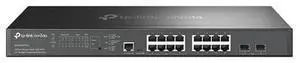
TP-Link Omada 16-Port 8 POE+ Managed Switch SG3218XP-M2
- Model #: SG3218XP-M2
- Item #: 0XP-001U-008K9
- Return Policy: Standard Return Policy
$599.99
Free Shipping
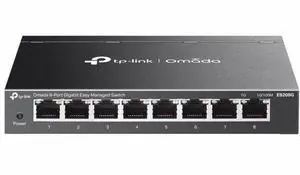
TP-Link Omada 8-Port Gigabit Easy Managed Switch - 8 Ports - Manageable - Gigabit Ethernet - 10/100/1000Base-T - 2.70 W Power Consumption - Twisted Pair - Desktop, Wall Mountable
- Brand: TP-Link
- Model #: ES208G
- Item #: 0XP-001U-00AM4
- Return Policy: Standard Return Policy
$40.99
$4.99 Shipping
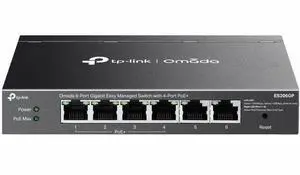
TP-Link Omada 6-Port Gigabit Easy Managed Switch with 4-Port PoE+ - 6 Ports - Manageable - Gigabit Ethernet - 10/100/1000Base-T - 2 Layer Supported - 65 W PoE Budget - Twisted Pair - PoE Ports - Black
- Brand: TP-Link
- Model #: ES206GP
- Item #: 0XP-001U-00AM6
- Return Policy: Standard Return Policy
$74.99
$4.99 Shipping