
Your Browsing History
BEST SELLERS


BEST SELLERS
In Motherboard
Our most popular products, based on sales and updated frequently.Shop Department
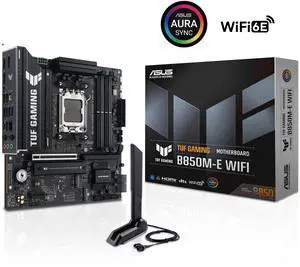
ASUS TUF GAMING B850M-E WIFI AMD B850 mATX motherboard, 8+2+1 80A DrMOS power stages, DDR5, PCIe 5.0, 3 M.2 slots, WiFi 6E, 2.5Gb Ethernet, DisplayPort, HDMI, rear USB-C 10Gbps and front USB-C 5Gbps
- Brand: ASUS
- CPU Socket Type: AM5
- Chipset: AMD B850
- Serial ATA (SATA): 4 x SATA 6Gb/s
- Model #: TUF GAMING B850M-E WIFI
- Item #: N82E16813119758
- Return Policy: Standard Return Policy
$249.99
$309.99
$9.99 Shipping
Came with UEFI and Secure Boot enabled, which was a pleasant surprise. The BIOS was only a few months old so I haven't even bothered to consider updating. Everything worked first time as expected
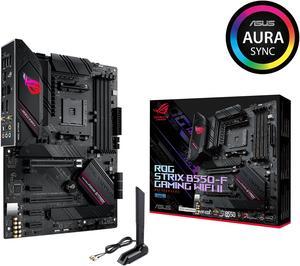
Asus ROG Strix B550-F Gaming WiFi II AMD AM4 (3rd Gen Ryzen) ATX Gaming Motherboard (PCIe 4.0,WiFi 6E, 2.5Gb LAN, BIOS Flashback, HDMI 2.1, Addressable Gen 2 RGB Header and Aura Sync)
- Brand: ASUS
- CPU Socket Type: AM4
- Chipset: AMD B550
- Serial ATA (SATA): 6 x SATA 6Gb/s
- Model #: ROG STRIX B550-F GAMING WIFI II
- Item #: N82E16813119500
- Return Policy: Standard Return Policy
$249.99
Free Shipping
First,I was pleased to find an instruction pamphlet even if they are going smaller every time I bought a new motherboard but they showed the essential.If you need, you can go to the Asutek website and download the user manual,it will be easier to read it on your monitor since the caracters are quite small.I was very glad to discovered while assembling, that pesky little front panel pin connectors on the mobo was beefed up and able to secure properly those tiny panel wires.
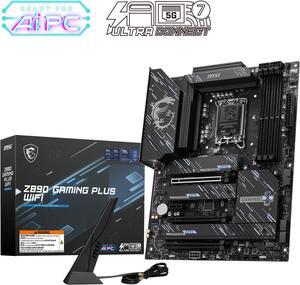
MSI Z890 GAMING PLUS WIFI LGA 1851 ATX Motherboard
- Memory Standard: DDR5 4800 / DDR5 5000 / DDR5 5200 / DDR5 5400 / DDR5 5600 / DDR5 5800 / DDR5 6000 / DDR5 6200 / DDR5 6400 / DDR5 6600 / DDR5 6800 / DDR5 7000 / DDR5 7200 / DDR5 7400 / DDR5 7600 / DDR5 7800 / DDR5 7900 / DDR5 7950 / DDR5 8000 / DDR5 8200 / DDR5 8266 / DDR5 8400 / DDR5 8600 / DDR5 8666 / DDR5 8800 / DDR5 8933 / DDR5 9000 / DDR5 9066 / DDR5 9200
- Number of Memory Slots: 4x288pin (DDR5)
- Audio Chipset: Realtek ALC897
- Brand: MSI
- Model #: Z890 GAMING PLUS WIFI
- Item #: N82E16813144671
- Return Policy: Standard Return Policy
$259.99
Free Shipping
Easy to install Smooth M.2 drive installation Built in I/O shield Great BIOS ui Push connect wifi, not screw In
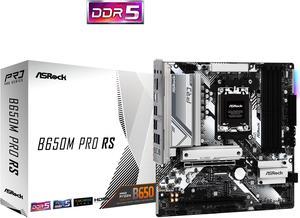
ASRock B650M PRO RS AM5 Micro ATX Motherboard
- Brand: ASRock
- CPU Socket Type: AM5
- Chipset: AMD B650
- Serial ATA (SATA): 4 x SATA 6Gb/s
- Model #: B650M Pro RS
- Item #: N82E16813162130
- Return Policy: Standard Return Policy
$144.99
$199.99
Free Shipping
Bios flashing with out cpu or ram! (Was able to use it with a 8700G) Amazing full featured bios, lots of options for everything. Fans, overclocking cpu and ram, hard drive options. A little bit of rgb, that can be turned off. Pretty decent vrm power. Appears to have a pretty decent ram controller.
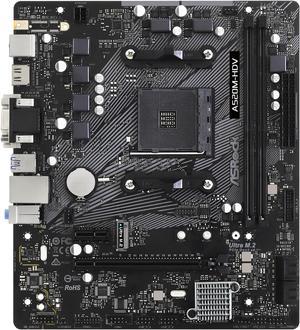
ASRock A520M-HDV AM4 Micro ATX AMD Motherboard
- Brand: ASRock
- CPU Socket Type: AM4
- Chipset: AMD A520
- Serial ATA (SATA): 4 x SATA3 6.0Gb/s Connectors, support RAID, NCQ, AHCI and Hot Plug
- Model #: A520M-HDV
- Item #: N82E16813157958
- Return Policy: Standard Return Policy
$84.99
$89.99
Free Shipping
Supports a 4000 series CPU with no issue Stable
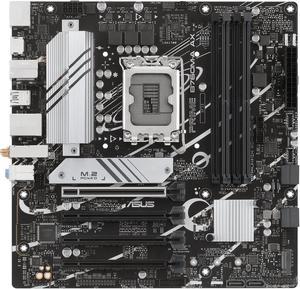
ASUS PRIME B760M-A AX LGA 1700(Intel 12th&13th Gen) microATX motherboard (PCIe 4.0, 2xM.2 slots, DDR5,Realtek 2.5 Gb LAN,WiFi 6, DP,rear USB 3.2 Gen 2, front USB 3.2 Gen 1 Type-C
- Memory Standard: DDR5 7200+(OC)/7000(OC)/6800(OC)/6600(OC)/ 6400(OC)/6200(OC)/6000(OC)/5800(OC)/5600/5400/5200/5000/4800MHNon-ECC, Un-buffered Memory* * Supported memory types, data rate (speed), and number of DRAM modules vary depending on the CPU and memory configuration, for more information please refer to CPU/Memory Support list under the Support tab of product information site or visit https://www.asus.com/support/ * Non-ECC, un-buffered DDR5 memory supports On-Die ECC function.
- Number of Memory Slots: 4x288pin (DDR5)
- Audio Chipset: Realtek 7.1 Surround Sound High Definition Audio CODEC* - Supports: Jack-detection, Multi-streaming, Front Panel Jack-retasking - Supports up to 24-Bit/192 kHz playback Audio Features - Audio Shielding - Premium audio capacitors - Dedicated audio PCB layers * A chassis with an HD audio module in the fron...
- Model #: PRIME B760M-A AX
- Item #: 9SIAA4YKPV9583
- Return Policy: View Return Policy
$189.99
$199.99
Free Shipping
The goods I have purchased form Canadian Newegg over the years, never, Never disspoited me. Allways all came on time and NEVER anything was " box open " Very relable place to get the componets from.
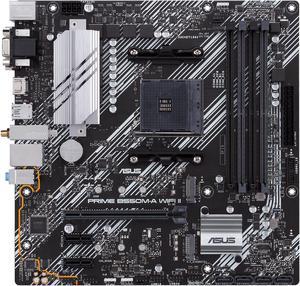
ASUS Prime B550M-A WiFi II AMD AM4 (3rd Gen Ryzen) Micro ATX Motherboard (PCIe 4.0, WiFi 6, ECC Memory, 1Gb LAN, HDMI 2.1/D-Sub, 4K@60HZ, Addressable Gen 2 RGB Header and Aura Sync)
- Brand: ASUS
- CPU Socket Type: AM4
- Chipset: AMD B550
- Serial ATA (SATA): 4 x SATA 6Gb/s
- Model #: PRIME B550M-A WIFI II
- Item #: N82E16813119580
- Return Policy: Standard Return Policy
$169.99
Free Shipping
Motherboard got here just in time to get my granddaughters computer finished before Christmas. I had no issues with installing and worked as expected. I would recommend this motherboard to anyone looking to make a cost effective PC.
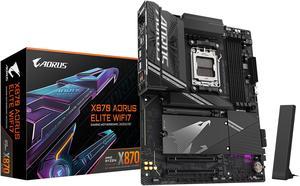
GIGABYTE X870 AORUS ELITE WIFI7 AM5 LGA 1718, ATX, DDR5, 4x M.2, PCIe 5.0, USB4, Wi-Fi 7, 2.5GbE LAN, EZ-Latch, 5-Year Warranty
- Brand: GIGABYTE
- CPU Socket Type: AM5
- Chipset: AMD X870
- Serial ATA (SATA): 4 x SATA 6Gb/s
- Model #: X870 AORUS ELITE WIFI7
- Item #: N82E16813145519
- Return Policy: Standard Return Policy
$319.99
Free Shipping
Worked first time I plugged it in and got everything set up
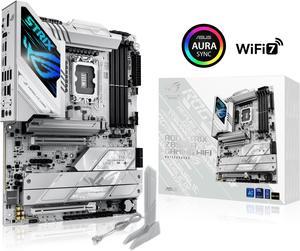
ASUS ROG STRIX Z890-A GAMING WIFI Z890 LGA 1851 ATX motherboard, Intel® Core™ Ultra Series 2 Ready, Advanced AI PC-ready, 16+2+1+2 stages, DDR5, WiFi 7, 2.5G, 5x M.2, Thunderbolt™ 4, USB Type-C, AI OC
- Memory Standard: DDR5 4400 / DDR5 4800 / DDR5 5000 / DDR5 5200 / DDR5 5400 / DDR5 5600 / DDR5 5800 / DDR5 6000 / DDR5 6200 / DDR5 6400 / DDR5 6600 / DDR5 6800 / DDR5 7000 / DDR5 7200 / DDR5 7400 / DDR5 7600 / DDR5 7800 / DDR5 7900 / DDR5 7950 / DDR5 8000 / DDR5 8200 / DDR5 8266 / DDR5 8400 / DDR5 8600 / DDR5 8666 / DDR5 8800 / DDR5 8933 / DDR5 9000 / DDR5 9066
- Number of Memory Slots: 4x288pin (DDR5)
- Brand: ASUS
- CPU Socket Type: LGA 1851
- Model #: ROG STRIX Z890-A GAMING WIFI
- Item #: 9SIAA4YKPV9589
- Return Policy: View Return Policy
$413.99
Free Shipping
Somehow I bent the pins under the CPU of the 1st MB, don't know how I did that, after getting it back from from ASUS repair center, which it really didn't need because all they did is test startup 50 times & when I got it back the issue was resolved - so just a big waste of time I can't blame on any body else. So that's off my chest, the 2nd Z890-A is working perfectly. No complaints at all. It has plenty of USB's. Room for 2 HDD's, 4 2.5" SSD's & 5 M.2 SSD's. You don't need to be a gamer to get this MB, it will handle whatever you throw at it. I still haven't played with the Audio capabilities it has, or finished moving all my files over to the new PC. It's been a busy Summer. One hack I accidently discovered: I went with an Intel 265KF (no internal graphics), but was planning on getting a GPU any way. Do that and you can save a few bucks on the CPU.
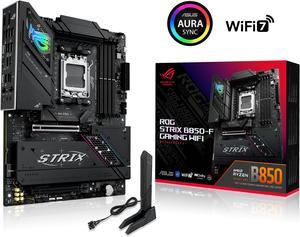
ASUS ROG STRIX B850-F GAMING WIFI AMD AM5 B850-F ATX motherboard 16+2+2 power stages, AI PC, DDR5 AEMP, WiFi 7, 4x M.2, PCIe 5.0, total support of 19 USB, 20Gbps Type-C, AI Networking II, Aura Sync
- Brand: ASUS
- CPU Socket Type: AM5
- Chipset: AMD B850
- Serial ATA (SATA): 2 x SATA 6Gb/s
- Model #: ROG STRIX B850-F GAMING WIFI
- Item #: N82E16813119702
- Return Policy: Standard Return Policy
$419.99
Free Shipping
It was so new and only review I was nervous. This motherboard is top tier! I couldnt have made a better choice.
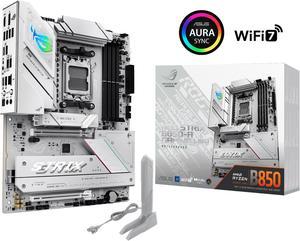
ASUS ROG STRIX B850-A GAMING WIFI AMD AM5 B850 ATX motherboard 14+2+2 power stages, DDR5 AEMP, 2.5G LAN, WiFi 7 with Q-Antenna, 4x M.2, PCIe 5.0, USB 20Gbps Type-C, AI Networking II, ASUS AI Advisor
- Brand: ASUS
- CPU Socket Type: AM5
- Chipset: AMD B850
- Serial ATA (SATA): 2 x SATA 6Gb/s
- Model #: ROG STRIX B850-A GAMING WIFI
- Item #: N82E16813119703
- Return Policy: Standard Return Policy
$379.99
Free Shipping
First build so dont know much what to say but it was very easy to install and had all the features i wanted custom rgb
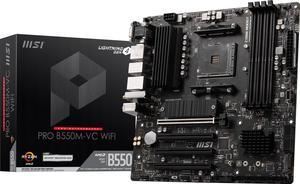
MSI PRO PRO B550M-VC WIFI AM4 MATX AMD Motherboard
- Brand: MSI
- CPU Socket Type: AM4
- Chipset: AMD B550
- Serial ATA (SATA): 4x SATA 6Gb/s ports
- Model #: PRO B550M-VC WIFI
- Item #: N82E16813144548
- Return Policy: Standard Return Policy
$139.99
$169.99
Free Shipping
Great motherboard has all the new bells and whistles, at a great price what more you want?
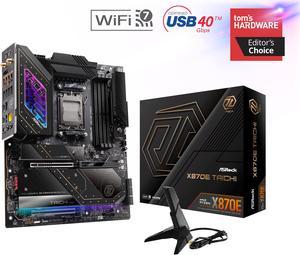
ASRock X870E TAICHI AM5 Extended ATX Motherboard
- Brand: ASRock
- CPU Socket Type: AM5
- Chipset: AMD X870E
- Serial ATA (SATA): 6 x SATA 6Gb/s
- Model #: X870E Taichi
- Item #: N82E16813162161
- Return Policy: Standard Return Policy
$459.99
$619.99
$29.99 Shipping
love the fact you do not lose any PCI-E lanes when populateing the NVME slots. Very fast WiFi
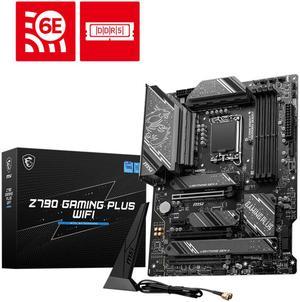
MSI Z790 GAMING PLUS WIFI LGA 1700 Intel Z790 SATA 6Gb/s ATX DDR5 PCI-E x16 slot Wi-Fi 6E 2.5Gbps LAN 4x M.2 EZ Debug LED Motherboard
- Memory Standard: DDR5 7200+(OC)/ 7000(OC)/ 6800(OC)/ 6600(OC)/ 6400(OC)/ 6200(OC)/ 6000(OC)/ 5800(OC)/ 5600(JEDEC)/ 5400(JEDEC)/ 5200(JEDEC)/ 5000(JEDEC)/ 4800(JEDEC)
- Number of Memory Slots: 4x288pin (DDR5)
- Audio Chipset: Realtek ALC897
- Brand: MSI
- Model #: Z790 GAMING PLUS WIFI
- Item #: N82E16813144637
- Return Policy: Standard Return Policy
$249.99
$294.99
Free Shipping
Elegant design Reliable board Board runs cool with all the heatsinks Reasonable price
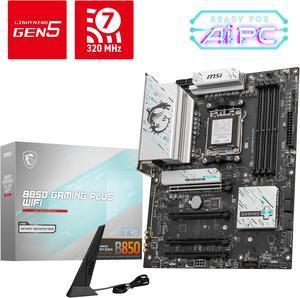
MSI B850 GAMING PLUS WIFI AM5 AMD B850 SATA 6Gb/s 5G Network DDR5 Wi-Fi 7 ATX Motherboard
- Brand: MSI
- CPU Socket Type: AM5
- Chipset: AMD B850
- Serial ATA (SATA): 4 x SATA 6Gb/s
- Model #: B850 GAMING PLUS WIFI
- Item #: N82E16813144688
- Return Policy: Standard Return Policy
$234.99
$294.99
Free Shipping
Pros of this MSI product is how the installation was so very simple. Not only that but all my components worked fine upon booting up with bios update installed. Along the UI of the motherboard it was easy to understand and find what I was looking for as well.
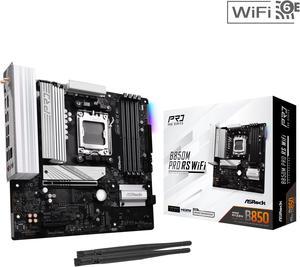
ASRock B850M PRO RS WIFI AM5 Micro ATX Motherboard
- Brand: ASRock
- CPU Socket Type: AM5
- Chipset: AMD B850
- Serial ATA (SATA): 4 x SATA 6Gb/s
- Model #: B850M Pro RS WiFi
- Item #: N82E16813162196
- Return Policy: Standard Return Policy
$179.99
$239.99
Free Shipping
easy to use from someone who hasn't put a computer together in a decade. No compatibility issues so far running great and the bios menu was easy to navigate
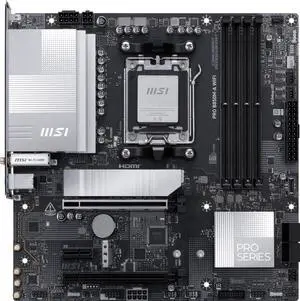
MSI PRO B850M-A WIFI AM5 , Wi-FI 7, 5G LAN, SATA 6Gbps, Bluetooth 5.4, double M.2 support,Micro ATX AMD Motherboard
- Brand: MSI
- CPU Socket Type: AM5
- Chipset: AMD B850
- Serial ATA (SATA): 4 x SATA 6Gb/s
- Model #: PRO B850M-A WIFI
- Item #: N82E16813144706
- Return Policy: Standard Return Policy
$199.99
$209.99
Free Shipping
Improved network speed and wifi. Better slot placement than the PRO 650m A board. The pci slot for expansion cards is full length so I can use a 10G network card and it has an extra PCI-E 8 pin connector for power for PCIE 5 SSD.
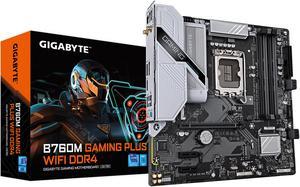
GIGABYTE B760M GAMING PLUS WIFI DDR4 LGA 1700 Intel B760 M-ATX Motherboard with DDR4, 2* M.2, PCIe 4.0, Front USB 3.2 Gen 1 Type-C, WiFi 6 GbE LAN, Q-Flash Plus, PCIe EZ-Latch
- Memory Standard: DDR4 3200
- Number of Memory Slots: 4x288pin (DDR4)
- Brand: GIGABYTE
- CPU Socket Type: LGA 1700
- Model #: B760M GAMING PLUS WIFI DDR4
- Item #: N82E16813145505
- Return Policy: Standard Return Policy
$209.99
Free Shipping
Plenty of features. Easy to use software. What more could you want in a motherboard?
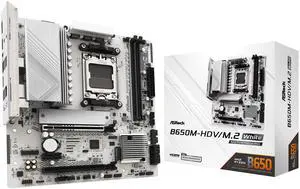
ASRock B650M-HDV/M.2 White AM5 Micro ATX Motherboard
- Brand: ASRock
- CPU Socket Type: AM5
- Chipset: AMD B650
- Serial ATA (SATA): 4 x SATA 6Gb/s
- Model #: B650M-HDV/M.2 White
- Item #: N82E16813162229
- Return Policy: Standard Return Policy
$134.99
$169.99
Free Shipping
- Sturdy, feels tough, well built - No BIOS update needed for latest 9000 AMD series processors. - Easy to apply CPU under-volt with performance presets in BIOS. - Built-in IO Shield - Wifi Antenna holes - 1 USB-C port and 1 header for future upgrades
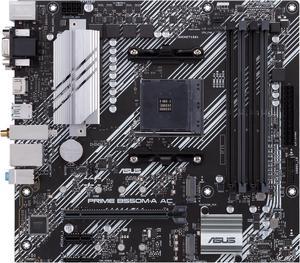
ASUS PRIME B550M-A AC AMD AM4 mATX motherboard with impressive features, including PCIe 4.0, dual M.2 slots, WiFi, HDMI, D-Sub, DVI, SATA 6 Gbps, USB 3.2 Gen 2 ports, and Aura Sync RGB lighting
- Brand: ASUS
- CPU Socket Type: AM4
- Chipset: AMD B550
- Serial ATA (SATA): 4 x SATA 6Gb/s
- Model #: PRIME B550M-A AC
- Item #: N82E16813119492
- Return Policy: Standard Return Policy
$159.99
Free Shipping