
Your Browsing History
BEST SELLERS


BEST SELLERS
In Motherboard
Our most popular products, based on sales and updated frequently.Shop Department
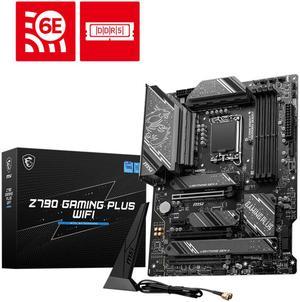
MSI Z790 GAMING PLUS WIFI LGA 1700 Intel Z790 SATA 6Gb/s ATX DDR5 PCI-E x16 slot Wi-Fi 6E 2.5Gbps LAN 4x M.2 EZ Debug LED Motherboard
- Memory Standard: DDR5 7200+(OC)/ 7000(OC)/ 6800(OC)/ 6600(OC)/ 6400(OC)/ 6200(OC)/ 6000(OC)/ 5800(OC)/ 5600(JEDEC)/ 5400(JEDEC)/ 5200(JEDEC)/ 5000(JEDEC)/ 4800(JEDEC)
- Number of Memory Slots: 4x288pin (DDR5)
- Audio Chipset: Realtek ALC897
- Brand: MSI
- Model #: Z790 GAMING PLUS WIFI
- Item #: N82E16813144637
- Return Policy: Standard Return Policy
$294.99
Free Shipping
Rear I/O panel built in (no snap in face plate like older models) Everything works as intended so far. Fit great in my fractal case was easy to install, booted right up!
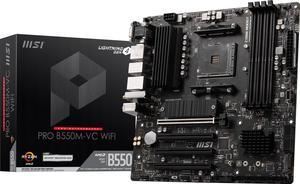
MSI PRO PRO B550M-VC WIFI AM4 MATX AMD Motherboard
- Brand: MSI
- CPU Socket Type: AM4
- Chipset: AMD B550
- Serial ATA (SATA): 4x SATA 6Gb/s ports
- Model #: PRO B550M-VC WIFI
- Item #: N82E16813144548
- Return Policy: Standard Return Policy
$169.99
$2.99 Shipping
It's cheap, it has 2 M.2 slots, and 4 PCIe slots.
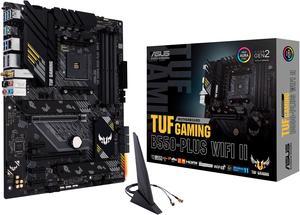
ASUS TUF GAMING B550-PLUS WIFI II AM4 ATX AMD Motherboard
- Brand: ASUS
- CPU Socket Type: AM4
- Chipset: AMD B550
- Serial ATA (SATA): 6 x SATA 6Gb/s
- Model #: TUF GAMING B550-PLUS WIFI II
- Item #: N82E16813119518
- Return Policy: Standard Return Policy
$169.99
$209.99
Free Shipping
Good motherboard
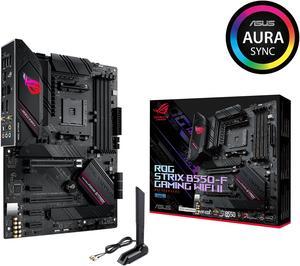
Asus ROG Strix B550-F Gaming WiFi II AMD AM4 (3rd Gen Ryzen) ATX Gaming Motherboard (PCIe 4.0,WiFi 6E, 2.5Gb LAN, BIOS Flashback, HDMI 2.1, Addressable Gen 2 RGB Header and Aura Sync)
- Brand: ASUS
- CPU Socket Type: AM4
- Chipset: AMD B550
- Serial ATA (SATA): 6 x SATA 6Gb/s
- Model #: ROG STRIX B550-F GAMING WIFI II
- Item #: N82E16813119500
- Return Policy: Standard Return Policy
$199.99
$249.99
Free Shipping
Very nice motherboard
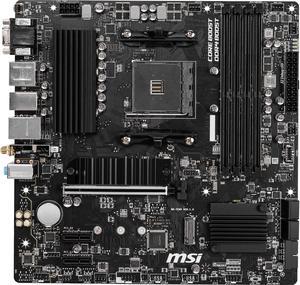
MSI PRO B550M PRO-VDH WIFI AM4 Micro ATX AMD Motherboard
- Brand: MSI
- CPU Socket Type: AM4
- Chipset: AMD B550
- Serial ATA (SATA): 4 x SATA 6Gb/s
- Model #: B550M PRO-VDH WIFI
- Item #: N82E16813144331
- Return Policy: Standard Return Policy
$129.99
$154.99
Free Shipping
Lots of features for the price and works pretty well. Havent encountered any issues with it so far.
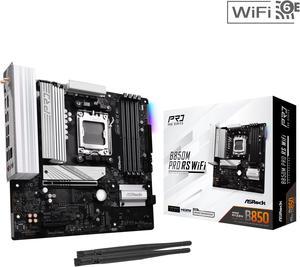
ASRock B850M PRO RS WIFI AM5 Micro ATX Motherboard
- Brand: ASRock
- CPU Socket Type: AM5
- Chipset: AMD B850
- Serial ATA (SATA): 4 x SATA 6Gb/s
- Model #: B850M Pro RS WiFi
- Item #: N82E16813162196
- Return Policy: Standard Return Policy
$184.99
$239.99
Free Shipping
Numerous m.2 slots (3) Pcie Gen5 slot Pcie Gen5 m.2 slot (1) 2.5 gigabit lan
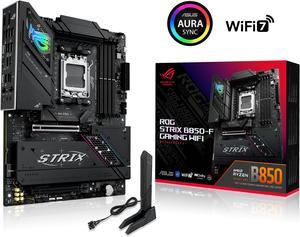
ASUS ROG STRIX B850-F GAMING WIFI AMD AM5 B850-F ATX motherboard 16+2+2 power stages, AI PC, DDR5 AEMP, WiFi 7, 4x M.2, PCIe 5.0, total support of 19 USB, 20Gbps Type-C, AI Networking II, Aura Sync
- Brand: ASUS
- CPU Socket Type: AM5
- Chipset: AMD B850
- Serial ATA (SATA): 2 x SATA 6Gb/s
- Model #: ROG STRIX B850-F GAMING WIFI
- Item #: N82E16813119702
- Return Policy: Standard Return Policy
$419.99
Free Shipping
Beautiful, diy friendly
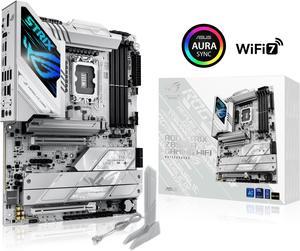
ASUS ROG STRIX Z890-A GAMING WIFI Z890 LGA 1851 ATX motherboard, Intel® Core™ Ultra Series 2 Ready, Advanced AI PC-ready, 16+2+1+2 stages, DDR5, WiFi 7, 2.5G, 5x M.2, Thunderbolt™ 4, USB Type-C, AI OC
- Memory Standard: DDR5 4400 / DDR5 4800 / DDR5 5000 / DDR5 5200 / DDR5 5400 / DDR5 5600 / DDR5 5800 / DDR5 6000 / DDR5 6200 / DDR5 6400 / DDR5 6600 / DDR5 6800 / DDR5 7000 / DDR5 7200 / DDR5 7400 / DDR5 7600 / DDR5 7800 / DDR5 7900 / DDR5 7950 / DDR5 8000 / DDR5 8200 / DDR5 8266 / DDR5 8400 / DDR5 8600 / DDR5 8666 / DDR5 8800 / DDR5 8933 / DDR5 9000 / DDR5 9066
- Number of Memory Slots: 4x288pin (DDR5)
- Brand: ASUS
- CPU Socket Type: LGA 1851
- Model #: ROG STRIX Z890-A GAMING WIFI
- Item #: 9SIAA4YKPV9589
- Return Policy: View Return Policy
$413.99
Free Shipping
Fast wifi Very pretty Lots of connectors
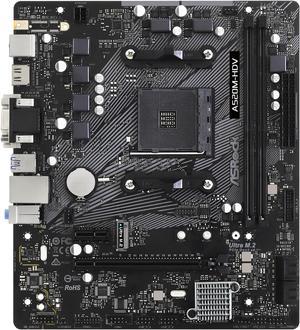
ASRock A520M-HDV AM4 Micro ATX AMD Motherboard
- Brand: ASRock
- CPU Socket Type: AM4
- Chipset: AMD A520
- Serial ATA (SATA): 4 x SATA3 6.0Gb/s Connectors, support RAID, NCQ, AHCI and Hot Plug
- Model #: A520M-HDV
- Item #: N82E16813157958
- Return Policy: Standard Return Policy
$79.99
$89.99
$2.99 Shipping
- Inexpensive - m.2 slot was a nice surprise
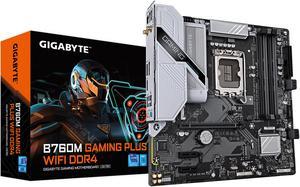
GIGABYTE B760M GAMING PLUS WIFI DDR4 LGA 1700 Intel B760 M-ATX Motherboard with DDR4, 2* M.2, PCIe 4.0, Front USB 3.2 Gen 1 Type-C, WiFi 6 GbE LAN, Q-Flash Plus, PCIe EZ-Latch
- Memory Standard: DDR4 3200
- Number of Memory Slots: 4x288pin (DDR4)
- Brand: GIGABYTE
- CPU Socket Type: LGA 1700
- Model #: B760M GAMING PLUS WIFI DDR4
- Item #: N82E16813145505
- Return Policy: Standard Return Policy
$209.99
$10.35 Shipping
Easy to set up. Looks great in a white case even though its kinda silver. Flashing the bios was easy.
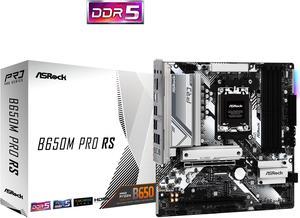
ASRock B650M PRO RS AM5 Micro ATX Motherboard
- Brand: ASRock
- CPU Socket Type: AM5
- Chipset: AMD B650
- Serial ATA (SATA): 4 x SATA 6Gb/s
- Model #: B650M Pro RS
- Item #: N82E16813162130
- Return Policy: Standard Return Policy
$144.99
$199.99
Free Shipping
BIOS flashback, 3 M.2 SSD slots, boots up fast, build quality
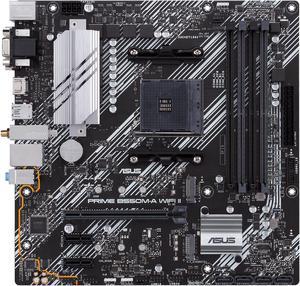
ASUS Prime B550M-A WiFi II AMD AM4 (3rd Gen Ryzen) Micro ATX Motherboard (PCIe 4.0, WiFi 6, ECC Memory, 1Gb LAN, HDMI 2.1/D-Sub, 4K@60HZ, Addressable Gen 2 RGB Header and Aura Sync)
- Brand: ASUS
- CPU Socket Type: AM4
- Chipset: AMD B550
- Serial ATA (SATA): 4 x SATA 6Gb/s
- Model #: PRIME B550M-A WIFI II
- Item #: N82E16813119580
- Return Policy: Standard Return Policy
$129.99
$169.99
Free Shipping
-Wifi -Exists
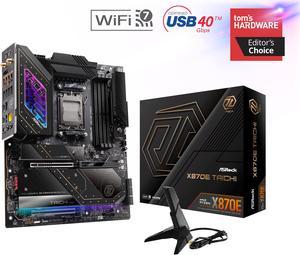
ASRock X870E TAICHI AM5 Extended ATX Motherboard
- Brand: ASRock
- CPU Socket Type: AM5
- Chipset: AMD X870E
- Serial ATA (SATA): 6 x SATA 6Gb/s
- Model #: X870E Taichi
- Item #: 9SIADGEKE25131
- Return Policy: View Return Policy
$573.44
$18.99 Shipping
A good looking board, great performance, power to spare, plenty of rear panel connections. Populated all four NVMe slots and the GPU running at X16. Flashed bios to recently released 3.2 and set up was easy and straightforward. A little coaxing necessary to get my Corsair titanium running at 6600 because I transferred it from an intel board and so it has an XMP profile not EXPO. The only other finicky task was hooking up the front panel connectors but this is generally the case unless you have an Asus motherboard. Installed board into Meshify2 case which can be tricky with an EATX motherboard. Happily the board only partially obstructs the cable pass through grommets leaving enough room even for the 24v cable which is the thickest.
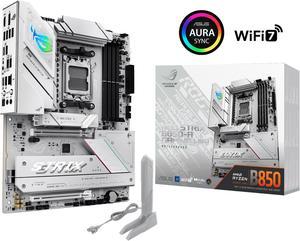
ASUS ROG STRIX B850-A GAMING WIFI AMD AM5 B850 ATX motherboard 14+2+2 power stages, DDR5 AEMP, 2.5G LAN, WiFi 7 with Q-Antenna, 4x M.2, PCIe 5.0, USB 20Gbps Type-C, AI Networking II, ASUS AI Advisor
- Brand: ASUS
- CPU Socket Type: AM5
- Chipset: AMD B850
- Serial ATA (SATA): 2 x SATA 6Gb/s
- Model #: ROG STRIX B850-A GAMING WIFI
- Item #: N82E16813119703
- Return Policy: Standard Return Policy
$369.99
Free Shipping
Excellent design, feel of the whole board. Feels super premium, and works like a charm!
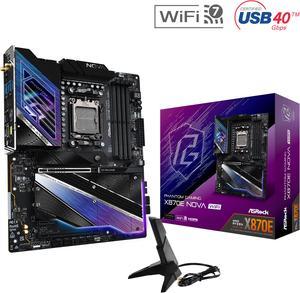
ASRock X870E NOVA WIFI AM5 ATX Motherboard
- Brand: ASRock
- CPU Socket Type: AM5
- Chipset: AMD X870E
- Serial ATA (SATA): 4 x SATA 6Gb/s
- Model #: X870E Nova WiFi
- Item #: N82E16813162163
- Return Policy: Standard Return Policy
$369.00
$499.00
Free Shipping
1) Four M.2 NVMe running at gen4.0 under a RAID 10 configuration gives both speed and reliability. 2) Support for DDR5 ECC-UDIMMs provides for memory stability for longer calculations. 3) One PCIe5.0x16 provides the needed GPU slot. 4) All M.2 type 2280 sockets have motherboard integrated heat sinks. 5) M.2 gen5x4's heartsink does not interfere with LF3 AIO head. 6) Supports both WiFi and LAN for our mesh network. 7) 3 "CPU" and 3 Fan can provide the current for cooling by 9 140mm PWM Fans, VRM Fan and water pump. 8) Can support additional water pump for GPU. 9) USB-C 4.0 10) considerable capacitance to minimize AC noise. 11) Copper PCB layers spread heat and insolate against stray signals. 12) Thermal ports for additional heat measurements. 13) Plenty of USB ports.
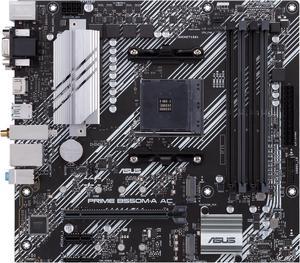
ASUS PRIME B550M-A AC AMD AM4 mATX motherboard with impressive features, including PCIe 4.0, dual M.2 slots, WiFi, HDMI, D-Sub, DVI, SATA 6 Gbps, USB 3.2 Gen 2 ports, and Aura Sync RGB lighting
- Brand: ASUS
- CPU Socket Type: AM4
- Chipset: AMD B550
- Serial ATA (SATA): 4 x SATA 6Gb/s
- Model #: PRIME B550M-A AC
- Item #: N82E16813119492
- Return Policy: Standard Return Policy
$109.99
$159.99
Free Shipping
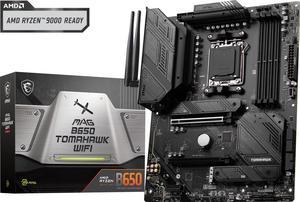
MSI MAG B650 TOMAHAWK WIFI AM5 AMD B650 SATA 6Gb/s DDR5 Ryzen 7000 ATX Motherboard
- Brand: MSI
- CPU Socket Type: AM5
- Chipset: AMD B650
- Serial ATA (SATA): 6x SATA 6Gb/s ports (From B650 chipset) - SATA_1_2/ SATA_3_4 (From B650 chipset) - SATA_A1_A2 (From ASM1061)
- Model #: MAG B650 TOMAHAWK WIFI
- Item #: N82E16813144557
- Return Policy: Standard Return Policy
$249.99
$294.99
Free Shipping
-IO includes a plethora of USB 3.0 and one USB-C. -Includes Wi-Fi. -3 M.2 SSD slots, two of which have heatsinks. -Status Lights -Integrated I/O shielding, no cut fingers here.
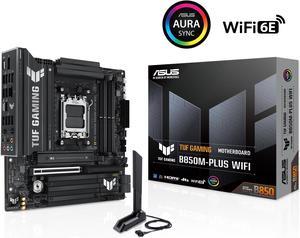
ASUS TUF GAMING B850M-PLUS WIFI AMD AM5 B850 mATX motherboard, 14+2+1 80A DrMOS stages, DDR5, PCIe 5.0, 3x M.2, Wi-Fi 6E, 2.5Gb LAN, DP, HDMI, USB 10Gbps & 20Gbps Type-C, BIOS FlashBack, Aura Sync
- Brand: ASUS
- CPU Socket Type: AM5
- Chipset: AMD B850
- Serial ATA (SATA): 4 x SATA 6Gb/s
- Model #: TUF GAMING B850M-PLUS WIFI
- Item #: N82E16813119706
- Return Policy: Standard Return Policy
$349.99
Free Shipping
This MB is a beast! Has tons of USB ports, even a Type C. Posted with a string cpu, Ryzen 9 9900x and up out the X3Ds you cant go wrong here
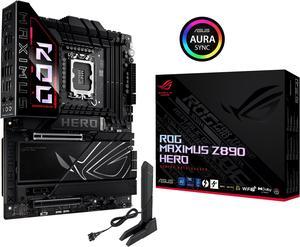
ASUS ROG MAXIMUS Z890 HERO Intel® Z890 LGA 1851 ATX motherboard, Advanced AI PC-ready, 22+2+1+2 stages, DDR5, WiFi 7, 3x PCIe® 5.0 M.2, Thunderbolt™ 4, USB Type-C®, AI Overclocking/Cooling/Networking
- Memory Standard: DDR5 4400 / DDR5 4800 / DDR5 5000 / DDR5 5200 / DDR5 5400 / DDR5 5600 / DDR5 5800 / DDR5 6000 / DDR5 6200 / DDR5 6400 / DDR5 6600 / DDR5 6800 / DDR5 7000 / DDR5 7200 / DDR5 7400 / DDR5 7600 / DDR5 7800 / DDR5 7900 / DDR5 7950 / DDR5 8000 / DDR5 8200 / DDR5 8266 / DDR5 8400 / DDR5 8600 / DDR5 8666 / DDR5 8800 / DDR5 8933 / DDR5 9000 / DDR5 9066 / DDR5 9200
- Number of Memory Slots: 4x288pin (DDR5)
- Brand: ASUS
- CPU Socket Type: LGA 1851
- Model #: ROG MAXIMUS Z890 HERO
- Item #: 9SIADGEKE01728
- Return Policy: View Return Policy
$556.22
$24.55 Shipping
Somehow I bent the pins under the CPU of the 1st MB, don't know how I did that, after getting it back from from ASUS repair center, which it really didn't need because all they did is test startup 50 times & when I got it back the issue was resolved - so just a big waste of time I can't blame on any body else. So that's off my chest, the 2nd Z890-A is working perfectly. No complaints at all. It has plenty of USB's. Room for 2 HDD's, 4 2.5" SSD's & 5 M.2 SSD's. You don't need to be a gamer to get this MB, it will handle whatever you throw at it. I still haven't played with the Audio capabilities it has, or finished moving all my files over to the new PC. It's been a busy Summer. One hack I accidently discovered: I went with an Intel 265KF (no internal graphics), but was planning on getting a GPU any way. Do that and you can save a few bucks on the CPU.
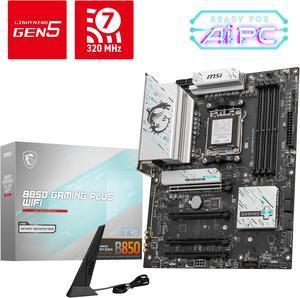
MSI B850 GAMING PLUS WIFI AM5 AMD B850 SATA 6Gb/s 5G Network DDR5 Wi-Fi 7 ATX Motherboard
- Brand: MSI
- CPU Socket Type: AM5
- Chipset: AMD B850
- Serial ATA (SATA): 4 x SATA 6Gb/s
- Model #: B850 GAMING PLUS WIFI
- Item #: N82E16813144688
- Return Policy: Standard Return Policy
$264.99
$294.99
$7.99 Shipping
Easy to install compatible with my case