
Your Browsing History
BEST SELLERS


BEST SELLERS
In Keyboard
Our most popular products, based on sales and updated frequently.Shop Department
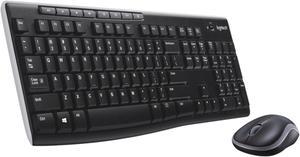
Logitech MK270 Wireless Keyboard and Mouse Combo, Full Size Keyboard, 2.4GHz USB Receiver, Long Battery Life, PC
- Keyboard Interface: USB 2.0
- Keyboard Color: Black
- Brand: Logitech
- Name: Wireless Combo MK270
- Model #: 920-004536
- Item #: N82E16823126332
- Return Policy: Standard Return Policy
$39.99
$3.99 Shipping
Please disregard my previous complaint about my wireless keyboard order. It did come with a USB module... I just didn't see the tiny thing, where they had placed it. LOGITECH~ You may want to reconsider sticking that tiny USB module, in a cut-out in the cardboard. I almost threw the box away, with it... It is literally part of the box design. I think it would be much smarter to place it in the plastic bags the mouse or keyboard come in. Just a suggestion.
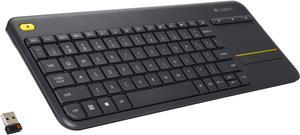
Logitech K400 Plus Wireless Touch Keyboard with Built-In Touchpad, TV Keyboard for Smart TV, PC, HTPC
- Design Style: Compact
- Keyboard Color: Black
- Brand: Logitech
- Name: K400+
- Model #: 920-007119
- Item #: N82E16823126406
- Return Policy: Standard Return Policy
$44.99
Est. Shipping Fee $4.99
Eligible for Free Shipping
Ive owned the keyboard model before this one for many years and this model for at least a year before I bought this second one for my Dad. For the price its great, and the past models of Logitech products have lasted me many years and lots of use. This keyboard is big enought to type on , but not so big that you wont mind carying it. And little weight. The range works fine in the same room, and can even go into an adjacent room close to a doorway and it still works.
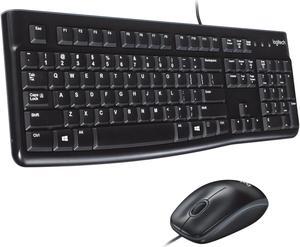
Logitech MK120 Wired Keyboard and Mouse Combo for Windows, Optical Wired Mouse, Full-Size Keyboard, USB Plug-and-Play, Compatible with PC, Laptop - Black
- Keyboard Interface: USB
- Keyboard Color: Black
- Brand: Logitech
- Name: MK120
- Model #: 920-002565
- Item #: 9SIB277K524724
- Return Policy: View Return Policy
$30.98
Free Shipping
Optical mouse, nice keyboard with big backspace and good standard layout.
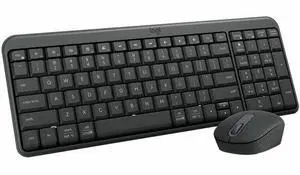
Logitech MK250 Bluetooth Wireless Mouse and Keyboard Combo: Fast & Easy Connectivity, Compact Wireless Keyboard, Ambidextrous Mouse (Graphite) - Wireless Bluetooth Keyboard - Graphite - Wireless B
- Brand: Logitech
- Type: See Description
- Parts: 1 Year
- Model #: 920-013510
- Item #: 0GA-0001-011Z3
- Return Policy: Standard Return Policy
$39.99
$4.99 Shipping
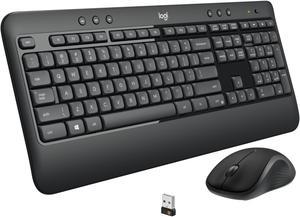
Logitech MK540 Wireless Keyboard Mouse Combo - USB Wireless RF Keyboard - Black - USB Wireless RF Mouse - Optical - 1000 dpi - 3 Button - Scroll Wheel - QWERTY - Black
- Keyboard Interface: USB
- Keyboard Color: Black
- Brand: Logitech
- Name: MK540 ADVANCED
- Model #: 920-008671
- Item #: N82E16823126499
- Return Policy: Standard Return Policy
$59.99
$74.99
$0.99 Shipping
The best keyboard&mouse set I owned. Great design. Low profile. The plastic fills great Keyboard produce nice soft sound when typing Mouse has rubber coating from the sides and plastic for the buttons.
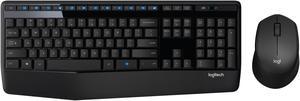
Logitech MK345 Wireless Combo Full-Sized Keyboard with Palm Rest and Comfortable Right-Handed Mouse, 2.4 GHz Wireless USB Receiver, Compatible with PC, Laptop
- Keyboard Interface: USB
- Keyboard Color: Black
- Brand: Logitech
- Name: MK345
- Model #: 920-006481
- Item #: 0GA-0001-001N1
- Return Policy: Standard Return Policy
$59.99
$0.99 Shipping
Like the key weighting. Makes me feel like I type fast. Single USB dongle, smart No software or set-up Batteries pre-installled, just pull out plastic contact protector and bam working!
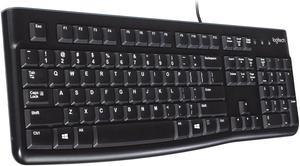
Logitech K120 Wired Keyboard for Windows, Plug and Play, Full-Size, Spill-Resistant, Curved Space Bar, Compatible with PC, Laptop - Black
- Keyboard Interface: USB
- Design Style: Standard
- Keyboard Color: Black
- Brand: Logitech
- Model #: K120 Wired Keyboard - Black
- Item #: N82E16823126096
- Return Policy: Standard Return Policy
$19.99
Est. Shipping Fee $6.99
Eligible for Free Shipping
Nice solid keyboard, keys feel nice when you press them and they're pretty silent. Got this to replace a failing Dell keyboard.
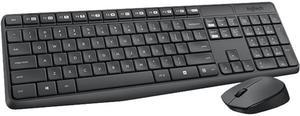
Logitech MK235 Wireless Keyboard and Mouse Combo for Windows, 2.4 GHz Wireless Unifying USB Receiver, 15 FN Keys, Long Battery Life, Compatible with PC, Laptop
- Keyboard Interface: USB
- Keyboard Color: Black
- Brand: Logitech
- Name: MK235
- Model #: 920-007897
- Item #: 0GA-0001-00383
- Return Policy: Standard Return Policy
$39.99
$5.99 Shipping
Nice light touch in the quiet keys.
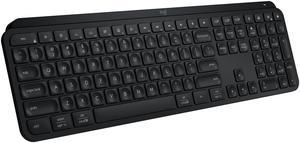
Logitech MX Keys S Wireless Keyboard, Low Profile, Fluid Precise Quiet Typing, Programmable Keys, Backlighting, Bluetooth, USB C Rechargeable, for Windows PC, Linux, Chrome, Mac (Black)
- Keyboard Interface: Bluetooth and USB
- Design Style: Standard
- Keyboard Color: Black
- Brand: Logitech
- Model #: 920-011406
- Item #: N82E16823126718
- Return Policy: Standard Return Policy
$169.99
Free Shipping
Easy to connect. Keys respond well
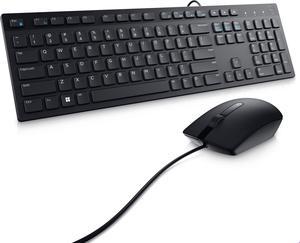
Dell Wired Keyboard and Mouse - KM300C - USB Keyboard - Black - USB Cable Mouse - Optical - 1000 dpi - 3 Button - Black - Mute, Volume Down, Volume Up Hot Key(s) - Compatible with Mac, PC
- Keyboard Interface: USB
- Keyboard Color: Black
- Brand: DELL
- Name: DELL
- Model #: DELL-KM300C-US
- Item #: N82E16823665061
- Return Policy: Standard Return Policy
$47.99
Free Shipping
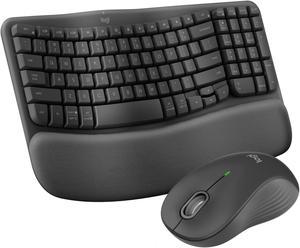
Logitech Wave Keys MK670 Combo, Wireless Ergonomic Keyboard with Signature M550 L Wireless Mouse, Comfortable Natural Typing, Bluetooth, Logi Bolt, for Multi-OS, Windows/Mac
- Keyboard Interface: Bluetooth
- Brand: Logitech
- Name: Wave Keys MK670 Keyboard & Mouse
- Type: Bluetooth Wireless
- Model #: 920-012059
- Item #: N82E16823126731
- Return Policy: Standard Return Policy
$119.99
Free Shipping
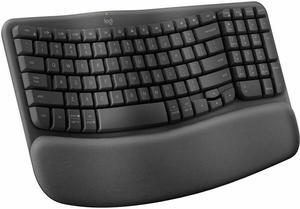
Logitech Wave Keys Wireless Ergonomic Keyboard with Cushioned Palm Rest, Comfortable Natural Typing, Easy-Switch, Bluetooth, Logi Bolt Receiver, for Multi-OS, Windows/Mac - Graphite
- Keyboard Interface: Logi Bolt USB receiver (included) Bluetooth® Low Energy Technology
- Design Style: Ergonomic
- Brand: Logitech
- Name: Wave Keys Graphite
- Model #: 920-011898
- Item #: N82E16823126732
- Return Policy: Standard Return Policy
$89.99
Free Shipping
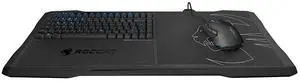
ROCCAT Sova Mechanical Gaming Lapboard for Gaming on the Couch with Cushion, Illuminated Backlit, Hotkeys, Programmable Keys, Quiet & Ergonomic, Brown Switch, for MMO & MOBA Games for PC, WOW ? BLACK
- Model #: 0117-7C01KUL7WHC
- Item #: 9SIC5JRKT16773
- Return Policy: View Return Policy
$308.83
$317.38
Free Shipping
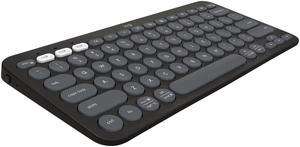
Logitech Pebble Keys 2 K380s, Multi-Device Bluetooth Wireless Keyboard with Customizable Shortcuts, Slim and Portable, Easy-Switch for Windows, macOS, iPadOS, Android, Chrome OS - Tonal Graphite
- Keyboard Interface: Bluetooth
- Keyboard Color: Black
- Brand: Logitech
- Type: Bluetooth Wireless
- Model #: 920-011775
- Item #: N82E16823126724
- Return Policy: Standard Return Policy
$59.99
$2.99 Shipping
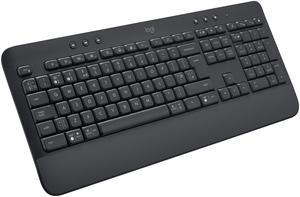
Logitech Signature K650 Comfort Full-Size Wireless Keyboard with Wrist Rest, Bluetooth and Logi Bolt USB receiver, Deep-Cushioned Keys, Numpad, Compatible with Window/Mac
- Design Style: Low-Profile
- Keyboard Color: Black
- Brand: Logitech
- Name: Signature
- Model #: 920-010908
- Item #: N82E16823126707
- Return Policy: Standard Return Policy
$69.99
$1.99 Shipping
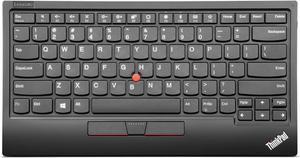
Lenovo ThinkPad TrackPoint Keyboard II - US English
- Keyboard Interface: USB 2.0
- Design Style: Modern
- Keyboard Color: Black
- Brand: ThinkPad
- Model #: 4Y40X49493
- Item #: 9SIA7BBBZF9628
- Return Policy: View Return Policy
$297.81
Free Shipping

SaniType Washable Bundle with Medical Keyboard, Mouse, and Mousepad | BDSTRC06-W
- Mouse Included: Yes
- Normal Keys: 106
- Function Keys: 12
- Operating System Supported: Windows 7/8/10
- Model #: BDSTRC06-W
- Item #: 9SIBFA5K8G8474
- Return Policy: View Return Policy
$264.06
$181.56 Shipping
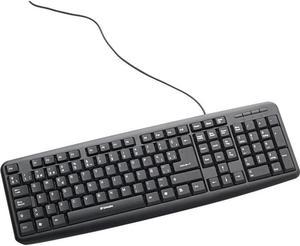
VERBATIM CORPORATION 98121 USB 98121 SLIMLINE CORDED
- Mouse Color: Black
- Model #: 98121
- Item #: 0GA-01S6-00006
- Return Policy: Standard Return Policy
$9.99
$11.09 Shipping
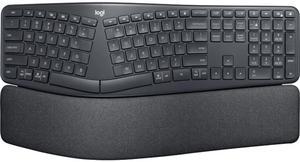
Logitech ERGO K860 Wireless Ergonomic Keyboard - Split Keyboard, Wrist Rest, Natural Typing, Stain-Resistant Fabric, Bluetooth and USB Connectivity, Compatible with Windows/Mac
- Design Style: Ergonomic
- Keyboard Color: Black
- Brand: Logitech
- Name: ERGO K860
- Model #: 920-009166
- Item #: N82E16823126565
- Return Policy: Standard Return Policy
$199.99
Free Shipping
- My typing was enhanced. - very fast switch on functionality (no boot up time!). - Works well with Linux, The search button drops to search bar, the F3 switch's between two workspace, the F4 switch between two apps (little slow on the software side). - It works with my Huawei device, by bluetooth, and I was actually looking for this function long time ago, I even test it with xMind, works good for typing but the whole mindmap switch place, and I need to understand the shortcuts usage for the whole input method in Android. - (Also as a test, I paired my MX mouse and it actually gave me an arrow).
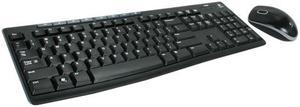
Logitech Media Combo MK200 Full-Size Keyboard and High-Definition Optical Mouse
- Keyboard Interface: USB
- Keyboard Color: Black
- Brand: Logitech
- Name: MK200
- Model #: 920-002714
- Item #: N82E16823126193
- Return Policy: Standard Return Policy
$29.99
$5.99 Shipping
This is not flimsy and is cheap in price. It does not have a bunch of extra buttons which is what I want. Standard keyboard, standard optical mouse.