
Your Browsing History
BEST SELLERS


BEST SELLERS
In Wireless Adapters
Our most popular products, based on sales and updated frequently.Shop Department
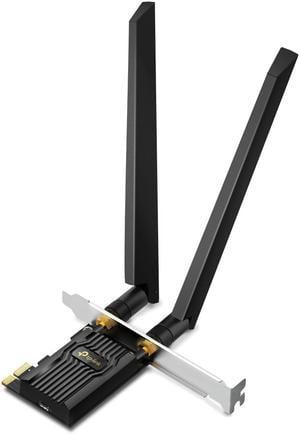
TP-Link Archer TXE72E PCI Express AXE5400 Wi-Fi 6E Bluetooth 5.3 PCIe Adapter
- Frequency Band: 2.4 GHz / 5 GHz / 6 GHz
- Standards: IEEE 802.11a/b/g/n/ac/ax
- Security: WEP, WPA/WPA2/WPA3, WPA-PSK/WPA2-PSK
- Transmitted Power: 5 GHz: 20dBm(FCC) /15dBm(CE) (EIRP) 2.4 GHz: 20dBm(FCC) / 16dBm(CE) (EIRP) 6 GHz: 12dBm(FCC)
- Model #: Archer TXE72E
- Item #: N82E16833704664
- Return Policy: Standard Return Policy
- Wi-Fi 6E gives me a little future proofing. - Wi-Fi seems a lot more stable than with previous cards - The Bluetooth has a solid connection
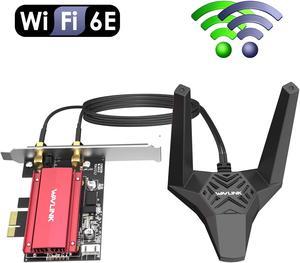
Wavlink WiFi 6E AX5400 PCIe WiFi Card AX210 Network Card Bluetooth 5.3 Tri-Band 2.4G/5G/6G for Desktop PC, 802.11ax with MU-MIMO, OFDMA, WPA3, Heat Sink, 4x7dBi Antennas, Support Windows 11,10 (64bit)
- Type: PCIE Wi-Fi Adapter
- Color: Black
- Standards: IEEE 802.11ax
- Wireless Data Rates: 5G:2400Mbps 6G:2400Mbps 2.4G:574Mbps
- Model #: WL-WN675X3-A
- Item #: 9SIACU9JV17789
- Return Policy: View Return Policy
$59.99
$62.99
Free Shipping
I have purchased through newegg to add wifi and bluetooth to my PC builds. I like the magnetic wifi antenna and cords as they allow placement options to get the best signal. I am very satisfied with the quality of the build. The heatsink and soldering were all solid as well. If you need a fast Wi-Fi card at an excellent value, this card will do the trick!
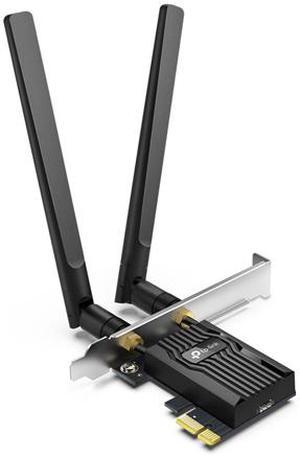
TP-Link WiFi 6 PCIe WiFi Card for Desktop PC AX3000 (Archer TX55E), Bluetooth 5.2, WPA3, 802.11ax Dual Band Wireless Adapter with MU-MIMO, Ultra-Low Latency, Supports Windows 11, 10 (64bit) Only
- Frequency Band: 2.4 GHz / 5 GHz
- Security: Support 64/128 bit WEP, WPA/WAP2/WPA3, WPA-PSK/WPA2-PSK, 802.1x
- Transmitted Power: 5 GHz : 27dBm(FCC) / 23dBm(CE) (EIRP) 2.4 GHz : 26dBm(FCC) / 20dBm(CE) (EIRP)
- Antenna: Two High-Gain Dual Band Antennas
- Model #: Archer TX55E
- Item #: N82E16833704656
- Return Policy: Standard Return Policy
$49.99
$3.99 Shipping
HAVE INSTALLED THESE IN SEVERAL BUILDS, AND THEY JUST PLAIN WORK GREAT. WILL CONTINUE TO USE THEM
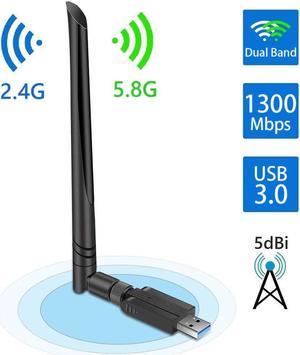
USB WiFi Adapter 1300Mbps, USB 3.0 Wireless Network Adapter, 802.11ac WiFi Dongle with Dual Band 2.4GHz 5.8GHz, 5dBi Antenna, Supports Windows 10 8 7 Vista XP, Mac10.6-10.13, Linux
- Frequency Band: 2.4 GHz / 5 GHz
- Type: USB Wi-FI Adapter
- Color: Black
- Antenna: External Antenna
- Model #: WA001
- Item #: 9SIAZVYERV4716
- Return Policy: View Return Policy
$29.99
$35.98
Free Shipping
Easy to setup Fast wifi
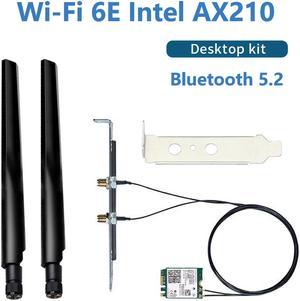
Teday Wi-Fi 6E Intel AX210 Bluetooth 5.2 + 3000Mbps 2.4Ghz 5Ghz 6Ghz M.2 2230 Key E Desktop Kit Wireless Adapter AX210NGW NGFF WiFi 6 Card 802.11ax/ac MU-MIMO OFDMA Windows 10 With 6Dbi Antenna Set
- Wireless Data Rates: Speed up to 2400Mbps (The router must support 802.11ax)
- Frequency Band: 2.4Ghz/5Ghz/6Ghz
- Type: M.2 Wi-FI Adapter
- Standards: IEEE 802.11ax/ac
- Model #: AX210 Kit
- Item #: 9SIASPTKAP0815
- Return Policy: View Return Policy
$27.33
Free Shipping
so, I have a desktop connected to the router by means of Wi-Fi; no more cables around the room; and it works, no issues moreover, I am able to connect my Bluetooth keyboard and mouse without interruptions; if before it was 50%-ish, now is in the 95% and more (and I suspect the 5% is not due to the card) I have 2 USBs free now on the front of the HTPC I use Linux Mint
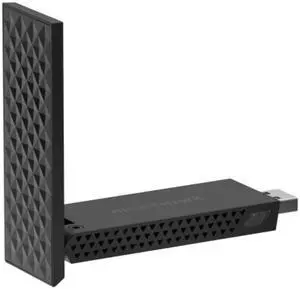
Netgear Nighthawk BE6500 WiFi 7 USB 3.0 Adapter, A9000-100PAS
- Wireless Data Rates: BE6500
- Frequency Band: 2.4 GHz / 5 GHz / 6 GHz
- Interface: USB 3.0
- Brand: NETGEAR
- Model #: A9000-100PAS
- Item #: N82E16833222370
- Return Policy: Standard Return Policy
$129.99
Free Shipping

Intel WiFi 6E AX210 (Gig+) Wireless Network Adapter No vPro, Bluetooth 5.2 AX210.NGWG Wi-Fi 6E
- Frequency Band: 2.4 GHz / 5 GHz / 6 GHz
- Interface: PCIe Half Mini Card / M.2 (NGFF)
- Brand: Intel
- Model: AX210
- Model #: AX210.NGWG.NV
- Item #: 9SIADDZK118002
- Return Policy: View Return Policy
$35.95
Free Shipping
Easy installation, fast wifi connection, internet speed increased almost 100Mbps on laptop and enabled Wifi 6E!
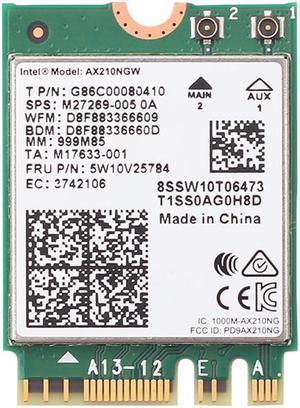
Teday 3000Mbps WiFi 6E Intel AX210 Bluetooth 5.2 M.2 2230 Key E WiFi 6 Card 2.4G/5Ghz/6Ghz With IPEX4 Antennas Wireless AX210NGW 802.11ac/ax WiFi Adapter, Support Windows 10 Linux For Laptop Desktop
- Wireless Data Rates: 3000Mbps
- Frequency Band: 2.4Ghz/5Ghz/6Ghz
- Type: M.2 Wi-FI Adapter
- Standards: IEEE 802.11ax/ac
- Model #: WiFi 6E AX210
- Item #: 9SIASPTKAK7553
- Return Policy: View Return Policy
$23.88
Free Shipping
Fast, WiFi6E, Bluetooth 5.2
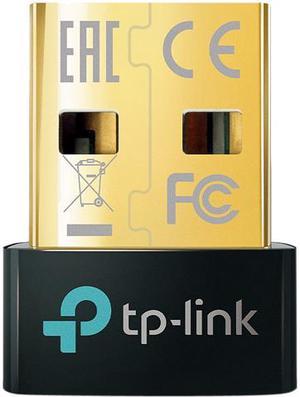
TP-Link USB Bluetooth Adapter for PC, 5.0 Bluetooth Dongle Receiver (UB500) Supports Windows 10/8.1/7 for Desktop, Laptop, Mouse, Keyboard, Printers, Headsets, Speakers, PS4/ Xbox Controllers
- Type: Bluetooth Adapter
- Bluetooth: Bluetooth 5.0
- Features: Bluetooth 5.0 - Applies the latest Bluetooth 5.0 technology, backward compatible with Bluetooth V4.0/3.0/2.1/2.0/1.1 Wireless Connectivity - Provides stable and convenient communication between Bluetooth devices and your PC or laptop Nano-Sized - Ultra-small for convenient portability with reliable high performance Supported Operating System - Windows 10/8.1/7
- Dimensions: 0.58" x 0.27" x 0.74"
- Model #: UB500
- Item #: N82E16833704609
- Return Policy: Standard Return Policy
$14.99
$16.99
$4.99 Shipping
Easy to set up and use . It has about 6 feet of range.
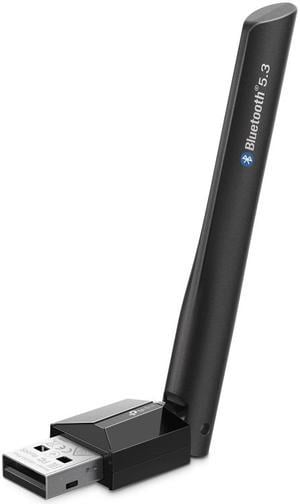
TP-Link UB500 Plus USB Bluetooth Adapter for PC, Bluetooth 5.3 Long Range Receiver, Plug and Play, Adjustable Antenna
- Brand: TP-Link
- Type: Bluetooth Adapter
- Standards: Bluetooth 5.3
- System Requirements: Supported operating systems include Win 11/10/8.1/7
- Model #: UB500 Plus
- Item #: N82E16833704765
- Return Policy: Standard Return Policy
$24.99
$4.99 Shipping
Works in Linux
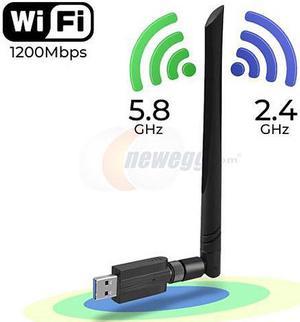
1200Mbps USB Wifi Adapter for PC,CORN Mini 802.11ac Dual Band 2.4G/5G High Gain 2dBi Antenna Wireless Network Adapter Wi-Fi Dongle Adapter Support Windows XP,Win Vista,Win 7,Win 8.1,Win 10,Mac OS X 10
- Wireless Data Rates: AC1200 / Up to 1.2Gbps
- Frequency Band: 2.4 GHz / 5 GHz
- Type: USB Wi-FI Adapter
- Color: Gray
- Model #: DZ-WXWK-USB-006-A
- Item #: 9SIADDZAFB1891
- Return Policy: View Return Policy
$27.99
Free Shipping
It is blazing fast and works great! No need for that install disk that comes with it, just plugged it into my win 10 box and it immediately detected my Wi-Fi routers...
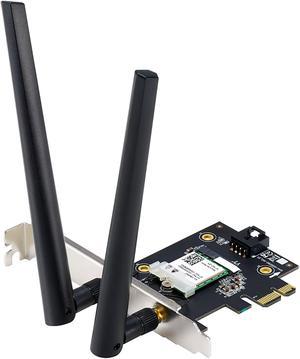
ASUS AX1800 PCIe WiFi Adapter (PCE-AX1800) - WiFi 6, Bluetooth 5.2, Ultra-Low Latency Wireless, 2 External Antenna, Supporting Total Data Rate up to 1800Mbps, OFDMA and MU-MIMO, TAA Compliant
- Wireless Data Rates: WiFi 6 (802.11ax) (2.4GHz) : up to 574 Mbps WiFi 6 (802.11ax) (5GHz) : up to 1201 Mbps
- Frequency Band: 2.4 GHz / 5 GHz
- Standards: IEEE 802.11ax
- Antenna: External Antenna
- Model #: PCE-AX1800
- Item #: N82E16833320525
- Return Policy: Standard Return Policy
$44.99
$54.99
$4.99 Shipping
-Works very well.
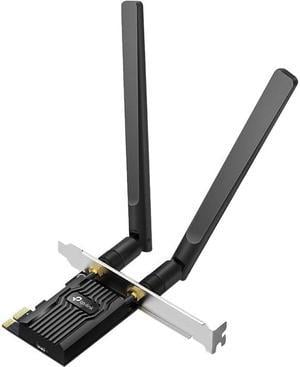
TP-Link Archer TX20E IEEE 802.11ax AX1800 Wi-Fi 6 Bluetooth 5.2 PCIe Adapter
- Frequency Band: 2.4 GHz / 5 GHz
- Standards: IEEE 802.11ax
- Security: Support 64/128 bit WEP, WPA/WAP2/WPA3, WPA-PSK/WPA2-PSK, 802.1x
- Modulation: DBPSK, DQPSK, CCK, OFDM, 16-QAM, 64-QAM, 256-QAM, 1024QAM
- Model #: Archer TX20E
- Item #: 16R-00EE-00011
- Return Policy: Standard Return Policy
Requires a free pcie slot and a free usb plug on the motherboard for the bluetooth.
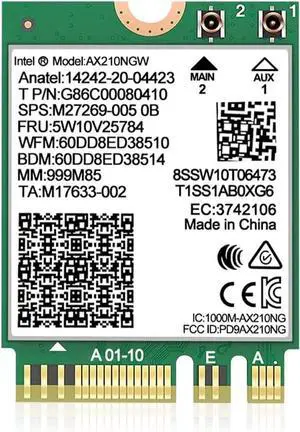
BONAEVER WiFi 6E Wireless Card Intel AX210 NGW Bluetooth 5.3 Tri-Band 5400Mbps Network Adapter for Laptop Support Windows 10/11 (64bit) M.2/NGFF
- Model #: 70Y40G-323
- Item #: 9SIBZXPKNT5308
- Return Policy: View Return Policy
$38.99
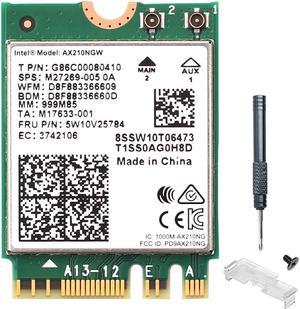
DERAPID WiFi 6E Card M.2 (NGFF) Key A+E Adapter with Bluetooth 5.3 - Up to 5400Mbps for PC with Intel AX210 Chip, Tri-Band 6GHz Support Windows 10/11 64bit
- Wireless Data Rates: AX5400
- Frequency Band: 2.4 GHz / 5 GHz / 6 GHz
- Interface: M.2
- Brand: DERAPID
- Model #: DE-AXE210NGW
- Item #: 9SIADDZHZC3624
- Return Policy: View Return Policy
$35.99
Free Shipping
my laptop from asus had wifi issues out the box, this card fixed it
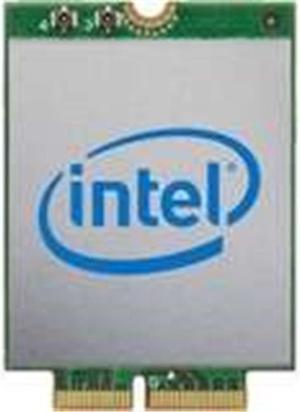
Intel AX200 IEEE 802.11ax Bluetooth 5.0 - Wi-Fi/Bluetooth Combo Adapter for Notebook - M.2-2.40 Gbit/s - 2.40 GHz ISM - 5 GHz UNII - Internal
- Wireless Data Rates: 2.40 Gbit/s
- Interface: M.2
- Brand: Intel
- Model: AX200
- Model #: AX200.NGWG
- Item #: 9SIADDZHZD7596
- Return Policy: View Return Policy
$30.00
Free Shipping
1. Recieved product well packed. 2. Simple installation if you know what you are doing.
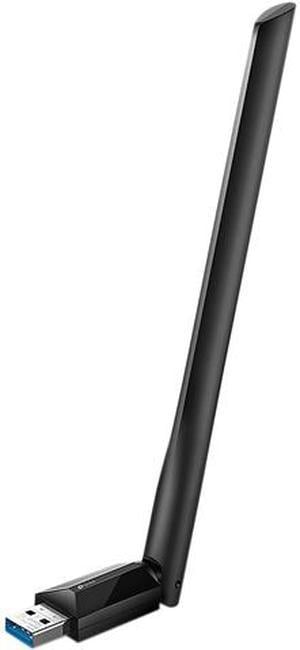
TP-Link Archer T3U Plus USB 3.0 AC1300 High Gain Wireless Dual Band USB Adapter
- Frequency Band: 2.4 GHz / 5 GHz
- Security: WEP, WPA/WPA2, WPA-PSK/WPA2-PSK
- Transmitted Power: 5 GHz: 20dBm(FCC) / 20dBm(CE) (EIRP) 2.4 GHz: 18dBm(FCC) / 18dBm(CE) (EIRP)
- Antenna: 1 x External High Gain Antenna
- Model #: Archer T3U Plus
- Item #: N82E16833704529
- Return Policy: Standard Return Policy
Used this usb wireless adaptor on my 9yo FX8350 based PC. Wow, it feels good to cut the cord. Connection speed > 200mbps.
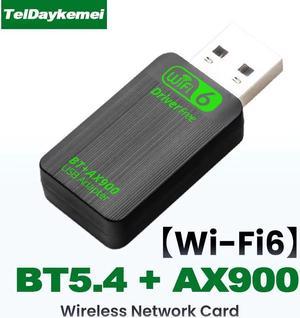
TelDaykemei Bluetooth 5.4 AX900 WiFi 6 USB Adapter 2in1 Dongle Dual Band 2.4G&5GHz Network Wireless Receiver DRIVER FREE Windows 10/11
- Wireless Data Rates: AX900
- Frequency Band: 2.4 GHz / 5 GHz
- Type: USB Wi-FI Adapter
- Color: Black
- Model #: AX900 WiFi6 BT5.4
- Item #: 9SIASPTKCK2798
- Return Policy: View Return Policy
$12.00
Free Shipping
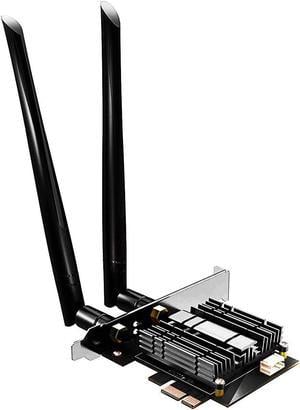
GLOTRENDS AC1200 WiFi 5 PCIe Card with Low-Profile Bracket for Desktop PC, Intel 7265 Chip, 802.11ac, Bluetooth 4.2, Support Windows 11/10/7/Linux, Not Support Mac OS/Windows XP
- Wireless Data Rates: AC1200
- Frequency Band: 2.4 GHz / 5 GHz
- Standards: IEEE 802.11ac, IEEE 802.11a/b/g/n
- Security: WPA2
- Model #: WIFI5
- Item #: 9SIAMXWHCG1701
- Return Policy: View Return Policy
$25.00
$29.00
Free Shipping
The only thing I care about is compatibility with Linux, and I am happy to report that I plugged this thing into the motherboard yesterday, and it appears to work perfectly without installing anything. I didn't even install the drivers that came on the CD. I have only owned this thing one day, but things are good so far. Immediately after plugging in the card and booting up, I was able to use 'ip address' to see the card present (but no IP, since I hadn't set up networking obviously). Then, I edited /etc/netplan/_your_config.yaml with my wifi configuration. I ran sudo netplan --debug apply and the interface did not appear to pickup an IP address. The output of 'ip address' showed that the state of the interface was 'down', so I though I might have been missing firmware, so I messed around for a while trying to get my sources.list set up for 'contrib' and 'non-free', but turned out to not be necessary. I did install a few debugging tools, but I don't think any of them contributed to making it work. I was using 'connmanctl' command to debug the interface when I realized that it was already connected and working perfectly. I think my problem was not rebooting after running the netplan apply. Here is my kernel version/stack: uname -a Linux host 5.15.0-43-generic #46-Ubuntu SMP Tue Jul 12 10:30:17 UTC 2022 x86_64 x86_64 x86_64 GNU/Linux lsb_release -a No LSB modules are available. Distributor ID: Ubuntu Description: Ubuntu 22.04.1 LTS Release: 22.04 Codename: jammy (server version) I observed transfer speeds of 17.7 MB/s, which is more than enough for my needs.
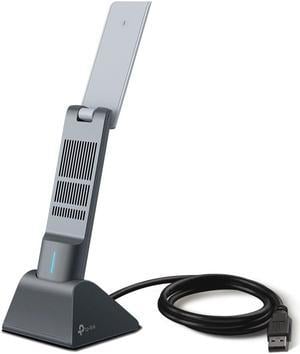
TP-Link Archer TX20UH AX1800 High Gain Wireless USB Adapter
- Wireless Data Rates: Up to 1201 Mbps on the 5GHz band, Up to 574 Mbps on the 2.4GHz band
- Frequency Band: 2.4 GHz / 5 GHz
- Interface: USB 3.0
- Brand: TP-Link
- Model #: Archer TX20UH
- Item #: N82E16833704691
- Return Policy: Standard Return Policy
$44.99
$3.99 Shipping