
Your Browsing History
BEST SELLERS


BEST SELLERS
In Motherboard
Our most popular products, based on sales and updated frequently.Shop Department
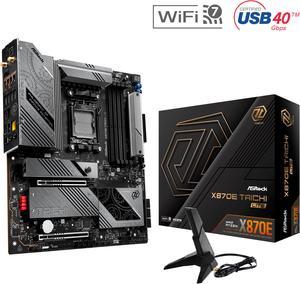
ASRock X870E Taichi Lite AM5 Extended ATX Motherboard
- Brand: ASRock
- CPU Socket Type: AM5
- Chipset: AMD X870E
- Serial ATA (SATA): 6 x SATA 6Gb/s
- Model #: X870E Taichi Lite
- Item #: N82E16813162162
- Return Policy: Standard Return Policy
$429.99
$579.99
$29.99 Shipping
- Great value, has all the features of high end boards several hundred dollars more. - External BCLK for that extra bit of overlocking without effecting PCIE - Basically same board as the X870E Taichi - Great build quality - Top of the line VRM design - Snappy BIOS/UEFI - Fit nicely in my Lancool II Mesh case even though it's an EATX board (slightly larger) - Code read-out on board can even display current CPU temp - 4 m.2 drives and 3 sata drives all hooked up at full speeds, not sharing lanes with GPU - 8 layer PCB.
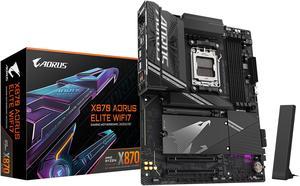
GIGABYTE X870 AORUS ELITE WIFI7 AM5 LGA 1718, ATX, DDR5, 4x M.2, PCIe 5.0, USB4, Wi-Fi 7, 2.5GbE LAN, EZ-Latch, 5-Year Warranty
- Brand: GIGABYTE
- CPU Socket Type: AM5
- Chipset: AMD X870
- Serial ATA (SATA): 4 x SATA 6Gb/s
- Model #: X870 AORUS ELITE WIFI7
- Item #: N82E16813145519
- Return Policy: Standard Return Policy
$304.99
$319.99
Free Shipping
Plenty of USB slots Post number display is featured Ez latch is nice, especially for aesthetics
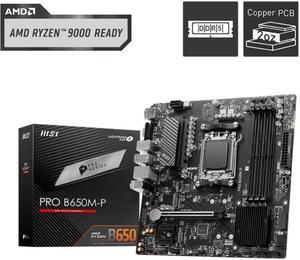
MSI PRO B650M-P AM5 Ryzen 7000 DDR5 SATA 6G 2x M.2 2.5G LAN 7.1 Audio mATX Motherboard
- Brand: MSI
- CPU Socket Type: AM5
- Chipset: AMD B650
- Serial ATA (SATA): 4 x SATA 6Gb/s
- Model #: PRO B650M-P
- Item #: N82E16813144607
- Return Policy: Standard Return Policy
$169.99
Free Shipping
It came completely ready for 8000 and 7000 out of the box. Good OC capabilities. Looks very minimal and clean.
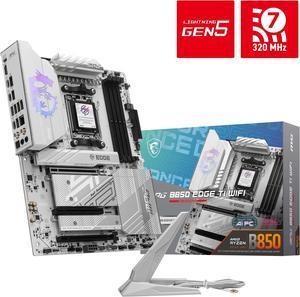
MSI MPG B850 EDGE TI WIFI AM5 AMD B850 SATA 6Gb/s 5G Network Wi-Fi 7 DDR5 Audio Boost 5 Motherboard
- Brand: MSI
- CPU Socket Type: AM5
- Chipset: AMD B850
- Serial ATA (SATA): 4 x SATA 6Gb/s
- Model #: MPG B850 EDGE TI WIFI
- Item #: N82E16813144696
- Return Policy: Standard Return Policy
$319.99
$364.99
Free Shipping
I am searching for a white motherboard. The B850 edge ti has meet my requirement and the performance is pretty good as well. I very like it
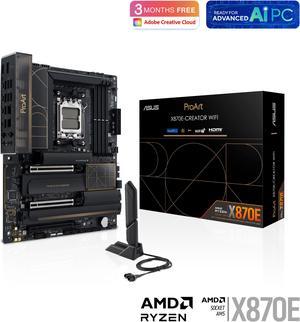
ASUS ProArt X870E-CREATOR WIFI AMD AM5 X870E ATX Motherboard PCIe 5.0 x16 slots with full support for next-gen GPUs, 16+2+2 power stages, DDR5, dual USB4, 10 Gb & 2.5 Gb LAN, WiFi 7, four M.2 slots
- Brand: ASUS
- CPU Socket Type: AM5
- Chipset: AMD X870
- Serial ATA (SATA): 4 x SATA 6Gb/s
- Model #: ProArt X870E-CREATOR WIFI
- Item #: N82E16813119688
- Return Policy: Standard Return Policy
$719.99
Free Shipping
Lots of high bandwidth USB ports, 3 PCIE slots (if you need them) and good UEFI updates as the AGESA gets updated.
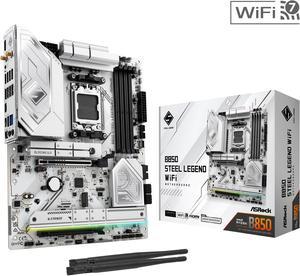
ASRock B850 STEEL LEGEND WIFI AM5 ATX Motherboard
- Brand: ASRock
- CPU Socket Type: AM5
- Chipset: AMD B850
- Serial ATA (SATA): 4 x SATA 6Gb/s
- Model #: B850 Steel Legend WiFi
- Item #: N82E16813162187
- Return Policy: Standard Return Policy
$234.99
$299.99
Free Shipping
Lots of ports on the back and even an extra m.2 on back of board. Compact but very cool looking. I love this thing. I got it on sale for $180 and am so happy for what other ITX is going for and this looks the best. Update the BIOS and it it is easy to do.
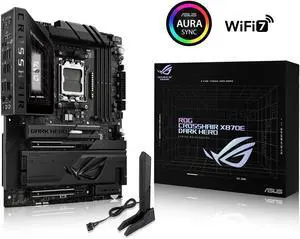
ASUS ROG Crosshair X870E Dark Hero ATX motherboard, 20+2+2 power stages, DDR5 slots, PCIe 5.0, five M.2 slots, 3D VC M.2 heatsink, USB4, AI Cache Boost, PCIe Slot Q-Release, AIO Q-Connector
- Brand: ASUS
- CPU Socket Type: AM5
- Chipset: AMD X870E
- Serial ATA (SATA): 4 x SATA 6Gb/s
- Model #: ROG CROSSHAIR X870E DARK HERO
- Item #: N82E16813119770
- Return Policy: Standard Return Policy
$949.99
Free Shipping
Board gives me everything I needed and then some. It is on the expensive side, but the power and easy connections made it great to assemble in. I originally was going to get the Crosshair Extreme, which is it's big brother, then decided against it. I picked up this MB, the Ram, and a AMD Ryzen 7 9850X3D, as a Newegg combo (gave the 9850X3D to my dad as a birthday present), which was pricey. The NVMe thing. My lord it's a godsend, I have 2 4TB Gen4 SSDs in here, and I don't lose any speed on either of them. I don't use the USB 4 slots, so I was happy to give those up.
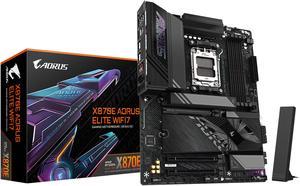
GIGABYTE X870E AORUS ELITE WIFI7 AM5 LGA 1718, ATX, DDR5, 4x M.2, PCIe 5.0, USB4, Wi-Fi 7, 2.5GbE LAN, EZ-Latch, 5-Year Warranty
- Brand: GIGABYTE
- CPU Socket Type: AM5
- Chipset: AMD X870E
- Serial ATA (SATA): 4 x SATA 6Gb/s
- Model #: X870E AORUS ELITE WIFI7
- Item #: N82E16813145517
- Return Policy: Standard Return Policy
$465.00
Free Shipping
It has been 13 years since I last built up a PC but was forced to with Microsoft shutting down Windows 10. I've probably built 6 PCs from scratch since the 1980's but have upgraded dozens over the years - friends and churches. This is my second Gigabyte - all the others were Asus. Why are people complaining about the x16 bus having an optional split into 2 Nvme x4 plus an x8? It still gives you two other x4 Nvme (one being gen5). That allows plenty of storage for just about anyone. I can only see using these other two slots if you wanted to configure a RAID. So they gave an option that makes sense. I was lucky enough to score a 5070 GPU at MSRP. And by golly it sits on the x16 bus as gen5. My Nvme sits in the CPU slot as gen5x2. My other sits in the D slot as gen4x4. They both perform to their specs - so says Samsung magician. It's as good as it gets. I initially brought up the board with the internal Ryzen 9900 graphics. It works. I've utilized most of the front panel USB connections. As far as I can tell they are all working. I don't know what some reviewer meant by them not all working at once - if I encounter this, I'll update my review. I installed 2 32G sticks of DDR5600. I expected to have to go into BIOS and set it to 5600 but it adjusted automatically. My MB is in a 4U rack chassis. I have no need for RGB. (Seriously, what's the point?)
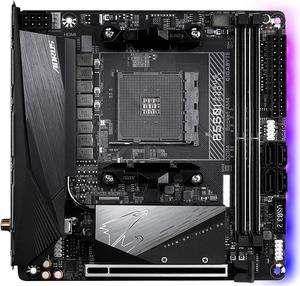
GIGABYTE B550I AORUS PRO AX AM4 AMD B550 Mini-ITX Motherboard with Dual M.2, SATA 6Gb/s, USB 3.2 Gen 1, WIFI 6, 2.5 GbE LAN, PCIe 4.0
- Brand: GIGABYTE
- CPU Socket Type: AM4
- Chipset: AMD B550
- Serial ATA (SATA): 4 x SATA 6Gb/s
- Model #: B550I AORUS PRO AX
- Item #: N82E16813145222
- Return Policy: Standard Return Policy
$234.99
$309.99
Free Shipping
I am a first time micro ITX builder in a Cooler Master Elite 130 case. This MB seems to be, and is, a great fit. The main MB issue I had was flashing to the new 5600G BIOS file with the Q-flash Plus. Two of THREE USB drives with IDENTICAL FAT32 format and files were not recognized. A single LED flash and nothing after power on. The third USB went fine. Flashing LED as I expected the first two times. No clue so just be aware it seems to not be broken per say, but SOMETHING isn't compatible. After that was figured out...or trial and errored into really, the USB ISO W10 file boot went just fine. All HW went in and was seen properly. Very easy initial system set-up. For power usage set to economy in the W10 power plan the entire system sips 65 watts under my streamer use. Part of that is the AMD CPU seems to be real efficient but it all adds up. The cooler, CPU and case seem well matched. The MB does have three headers, 2 system one in front and one in back, and one CPU so for a small case you can get decent fans help. Nice. The on board m.2 set-up is fine for most users with one NVMe speed and one SATA speed on the bottom (no room above!). PLENTY fast. I can't tell read or write speed differences except with a test. The tests seem to say I should but I don't on typical files.
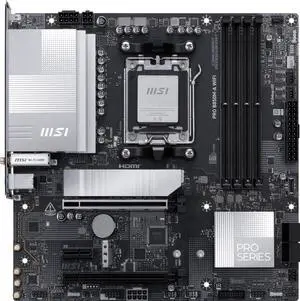
MSI PRO B850M-A WIFI AM5 , Wi-FI 7, 5G LAN, SATA 6Gbps, Bluetooth 5.4, double M.2 support,Micro ATX AMD Motherboard
- Brand: MSI
- CPU Socket Type: AM5
- Chipset: AMD B850
- Serial ATA (SATA): 4 x SATA 6Gb/s
- Model #: PRO B850M-A WIFI
- Item #: N82E16813144706
- Return Policy: Standard Return Policy
$209.99
$224.99
Free Shipping
Improved network speed and wifi. Better slot placement than the PRO 650m A board. The pci slot for expansion cards is full length so I can use a 10G network card and it has an extra PCI-E 8 pin connector for power for PCIE 5 SSD.
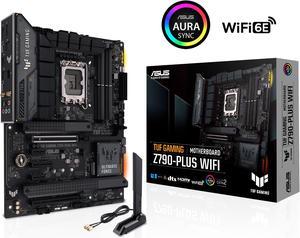
ASUS TUF Gaming Z790-Plus WiFi LGA 1700(Intel14th & 13th & 12th Gen) ATX gaming motherboard(PCIe 5.0, DDR5,4xM.2 Slots,16+1 DrMOS,WiFi 6,Intel 2.5Gb LAN,front USB 3.2 Gen 2 Type-C,Thunderbolt 4(USB4)
- Memory Standard: DDR5 7200(OC)/7000(OC)/6800(OC)/6600(OC)/ 6400(OC)/ 6200(OC)/ 6000(OC)/ 5800(OC)/ 5600/ 5400/ 5200/ 5000/ 4800 Non-ECC, Un-buffered Memory* Dual Channel Memory Architecture Supports Intel® Extreme Memory Profile (XMP) OptiMem II * Supported memory types, data rate (speed), and number of DRAM modules vary depending on the CPU and memory configuration, for more information please refer to CPU/Memory Support under the Support tab or visit https://www.asus.com/support/ * Non-ECC, un-buffered DDR5 memory supports On-Die ECC function.
- Number of Memory Slots: 4x288pin (DDR5)
- Brand: ASUS
- CPU Socket Type: LGA 1700
- Model #: TUF GAMING Z790-PLUS WIFI 6E
- Item #: N82E16813119618
- Return Policy: Standard Return Policy
$309.99
$349.99
Free Shipping
- works great - has rgb controllers (that I don't use) - software gives control on desktop - wifi antenna has magnetic base so you can slap it anywhere on the case
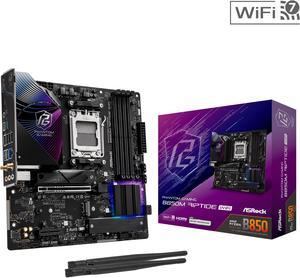
ASRock B850M Riptide WiFi AM5 Micro ATX Motherboard
- Brand: ASRock
- CPU Socket Type: AM5
- Chipset: AMD B850
- Serial ATA (SATA): 4 x SATA 6Gb/s
- Model #: B850M Riptide WiFi
- Item #: N82E16813162193
- Return Policy: Standard Return Policy
$209.99
$274.99
Free Shipping
Very easy to set up, manuals are all online for reference. Very intuitive, lots of options.
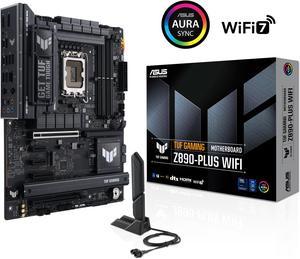
ASUS TUF GAMING Z890-PLUS WIFI Z890 LGA 1851 ATX motherboard, Intel® Core™ Ultra Series 2 Ready, Advanced AI PC-ready, 16+1+2+1 stages, DDR5, PCIe® 5.0, Thunderbolt™ 4 Type-C®, 4x M.2, Wi-Fi 7, 2.5Gb
- Memory Standard: DDR5 4400 / DDR5 4800 / DDR5 5000 / DDR5 5200 / DDR5 5400 / DDR5 5600 / DDR5 5800 / DDR5 6000 / DDR5 6200 / DDR5 6400 / DDR5 6600 / DDR5 6800 / DDR5 7000 / DDR5 7200 / DDR5 7400 / DDR5 7600 / DDR5 7800 / DDR5 7900 / DDR5 7950 / DDR5 8000 / DDR5 8200 / DDR5 8266 / DDR5 8400 / DDR5 8600 / DDR5 8666 / DDR5 8800 / DDR5 8933 / DDR5 9000 / DDR5 9066
- Number of Memory Slots: 4x288pin (DDR5)
- Brand: ASUS
- CPU Socket Type: LGA 1851
- Model #: TUF GAMING Z890-PLUS WIFI
- Item #: N82E16813119695
- Return Policy: Standard Return Policy
$399.99
Free Shipping
Excellent performance
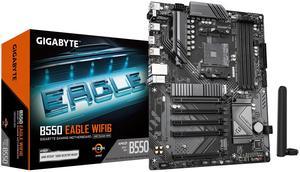
GIGABYTE B550 EAGLE WIFI6 Motherboard, Supports AMD AM4 Ryzen 5000 Processors, ATX, DDR4, 2x M.2, PCIe 4.0, WIFI6, 1GbE LAN, EZ-Latch
- Brand: GIGABYTE
- CPU Socket Type: AM4
- Chipset: AMD B550
- Serial ATA (SATA): 4 x SATA 6Gb/s
- Model #: B550 Eagle WIFI6
- Item #: N82E16813145567
- Return Policy: Standard Return Policy
$144.99
$179.99
$29.99 Shipping
Great product and price. Delivered on time and in excellent condition.
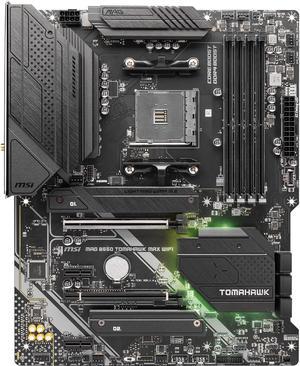
MSI MAG B550 TOMAHAWK MAX WIFI, AMD B550 ATX AM4, 4 Dimm DDR4, PCIE 4.0, M.2 x 2, USB 3.2 Ports, JRGB JRAINBOW, WIFI 6
- Brand: MSI
- CPU Socket Type: AM4
- Chipset: AMD B550
- Serial ATA (SATA): 6 x SATA 6Gb/s
- Model #: MAG B550 TOMAHAWK MAX WIFI
- Item #: N82E16813144540
- Return Policy: Standard Return Policy
$224.99
Free Shipping
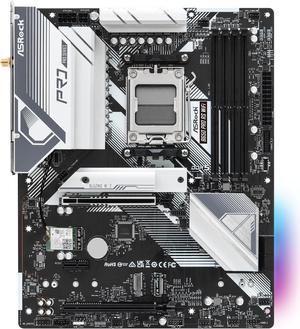
ASRock B650 Pro RS WiFi AM5 ATX Motherboard
- Brand: ASRock
- CPU Socket Type: AM5
- Chipset: AMD B650
- Serial ATA (SATA): 4 x SATA 6Gb/s
- Model #: B650 Pro RS WiFi
- Item #: N82E16813162185
- Return Policy: Standard Return Policy
$169.99
$219.99
$7.99 Shipping
This was the base for my first PC build, it was easy enough to work with. I haven't yet figured out how to set up anything in the BIOS, apart from changing the RAM speed, but all worked first try when I plugged it in.
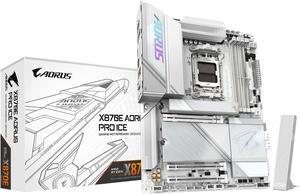
GIGABYTE X870E AORUS PRO ICE AM5 LGA 1718, ATX, DDR5, 4x M.2, PCIe 5.0, USB4, Wi-Fi 7, 2.5GbE LAN, EZ-Latch, 5-Year Warranty
- Brand: GIGABYTE
- CPU Socket Type: AM5
- Chipset: AMD X870E
- Serial ATA (SATA): 4 x SATA 6Gb/s
- Model #: X870E AORUS PRO ICE
- Item #: N82E16813145515
- Return Policy: Standard Return Policy
$414.00
$529.00
Free Shipping
- All white board, very aesthetically pleasing - PCIe 5 connections, with plenty of Gen 5 connections
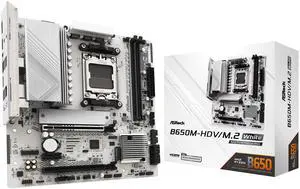
ASRock B650M-HDV/M.2 White AM5 Micro ATX Motherboard
- Brand: ASRock
- CPU Socket Type: AM5
- Chipset: AMD B650
- Serial ATA (SATA): 4 x SATA 6Gb/s
- Model #: B650M-HDV/M.2 White
- Item #: N82E16813162229
- Return Policy: Standard Return Policy
$124.99
$169.99
$4.99 Shipping
- Sturdy, feels tough, well built - No BIOS update needed for latest 9000 AMD series processors. - Easy to apply CPU under-volt with performance presets in BIOS. - Built-in IO Shield - Wifi Antenna holes - 1 USB-C port and 1 header for future upgrades
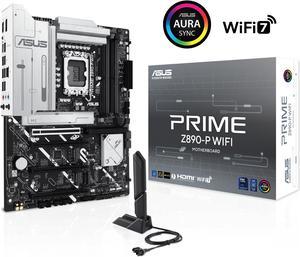
ASUS PRIME Z890-P WIFI Z890 LGA 1851 ATX motherboard, Intel® Core™ Ultra Series 2 Ready, Advanced AI PC-ready, 14+1+1+2 power stage, DDR5, PCIe® 5.0, Thunderbolt™ 4 USB Type-C®, 4x M.2, Wi-Fi 7, 2.5Gb
- Memory Standard: DDR5 4400 / DDR5 4800 / DDR5 5000 / DDR5 5200 / DDR5 5400 / DDR5 5600 / DDR5 5800 / DDR5 6000 / DDR5 6200 / DDR5 6400 / DDR5 6600 / DDR5 6800 / DDR5 7000 / DDR5 7200 / DDR5 7400 / DDR5 7600 / DDR5 7800 / DDR5 7900 / DDR5 7950 / DDR5 8000 / DDR5 8200 / DDR5 8266 / DDR5 8400 / DDR5 8600 / DDR5 8666
- Number of Memory Slots: 4x288pin (DDR5)
- Brand: ASUS
- CPU Socket Type: LGA 1851
- Model #: PRIME Z890-P WIFI
- Item #: N82E16813119696
- Return Policy: Standard Return Policy
$319.99
Free Shipping
Clean look and easy BIOS Keeps my 265k boosted as high as other more expensive boards
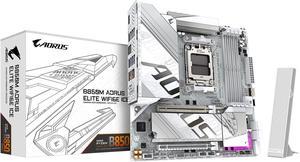
GIGABYTE B850M AORUS ELITE WIFI6E ICE AMD AM5 LGA 1718 Motherboard, mATX, DDR5, 2x M.2, PCIe 5.0, USB-C, WIFI6E, 2.5GbE LAN, EZ-Latch, 5-Year Warranty
- Brand: GIGABYTE
- CPU Socket Type: AM5
- Chipset: AMD B850
- Form Factor: Micro ATX
- Model #: B850M A ELT WF6E ICE
- Item #: N82E16813145549
- Return Policy: Standard Return Policy
$299.99
Free Shipping
- Looks great, particularly in an otherwise-white PC - Features work as specified