
Your Browsing History
BEST SELLERS


BEST SELLERS
In Motherboard
Our most popular products, based on sales and updated frequently.Shop Department
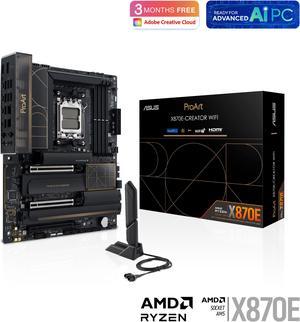
ASUS ProArt X870E-CREATOR WIFI AMD AM5 X870E ATX Motherboard PCIe 5.0 x16 slots with full support for next-gen GPUs, 16+2+2 power stages, DDR5, dual USB4, 10 Gb & 2.5 Gb LAN, WiFi 7, four M.2 slots
- Brand: ASUS
- CPU Socket Type: AM5
- Chipset: AMD X870
- Serial ATA (SATA): 4 x SATA 6Gb/s
- Model #: ProArt X870E-CREATOR WIFI
- Item #: N82E16813119688
- Return Policy: Standard Return Policy
$719.99
Free Shipping
10G network. 2nd NIC. Works with 256GB ram.
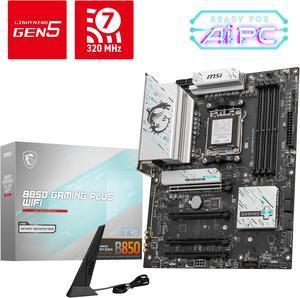
MSI B850 GAMING PLUS WIFI AM5 AMD B850 SATA 6Gb/s 5G Network DDR5 Wi-Fi 7 ATX Motherboard
- Brand: MSI
- CPU Socket Type: AM5
- Chipset: AMD B850
- Serial ATA (SATA): 4 x SATA 6Gb/s
- Model #: B850 GAMING PLUS WIFI
- Item #: N82E16813144688
- Return Policy: Standard Return Policy
$264.99
$294.99
$7.99 Shipping
Easy to install compatible with my case
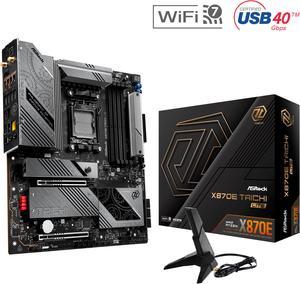
ASRock X870E Taichi Lite AM5 Extended ATX Motherboard
- Brand: ASRock
- CPU Socket Type: AM5
- Chipset: AMD X870E
- Serial ATA (SATA): 6 x SATA 6Gb/s
- Model #: X870E Taichi Lite
- Item #: N82E16813162162
- Return Policy: Standard Return Policy
$429.99
$579.99
$29.99 Shipping
-Easy Post -Easy memory OC using EXPO -Easy driver installation -Dr Debug made me less nervous about failures -Aesthetically pleasing board, made me regret not buying a fish tank style case -Fan headers maximum amps (3A for most) took all the worry away from configuring my fan wiring -Can't wait to take advantage of the impressive IO as a video editor
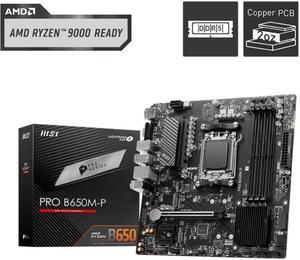
MSI PRO B650M-P AM5 Ryzen 7000 DDR5 SATA 6G 2x M.2 2.5G LAN 7.1 Audio mATX Motherboard
- Brand: MSI
- CPU Socket Type: AM5
- Chipset: AMD B650
- Serial ATA (SATA): 4 x SATA 6Gb/s
- Model #: PRO B650M-P
- Item #: N82E16813144607
- Return Policy: Standard Return Policy
$169.99
Free Shipping
Everything works as planned no cons ive seen
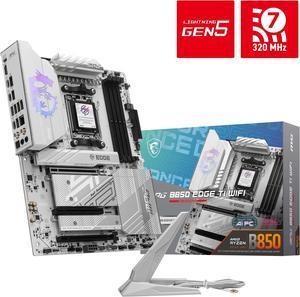
MSI MPG B850 EDGE TI WIFI AM5 AMD B850 SATA 6Gb/s 5G Network Wi-Fi 7 DDR5 Audio Boost 5 Motherboard
- Brand: MSI
- CPU Socket Type: AM5
- Chipset: AMD B850
- Serial ATA (SATA): 4 x SATA 6Gb/s
- Model #: MPG B850 EDGE TI WIFI
- Item #: N82E16813144696
- Return Policy: Standard Return Policy
$319.99
$364.99
Free Shipping
Photos don't do it justice if you are doing a white build it's the one you want. Build went great, m.2 install mechanism is convenient and solid, great heat sinks, and the power delivery is well-reviewed and acknowledged to be top quality. Love the bios. Everything is just where you hope it will be and good help text for options.
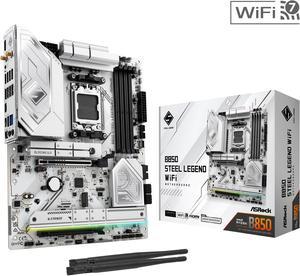
ASRock B850 STEEL LEGEND WIFI AM5 ATX Motherboard
- Brand: ASRock
- CPU Socket Type: AM5
- Chipset: AMD B850
- Serial ATA (SATA): 4 x SATA 6Gb/s
- Model #: B850 Steel Legend WiFi
- Item #: N82E16813162187
- Return Policy: Standard Return Policy
$234.99
$299.99
Free Shipping
I used this motherboard in a midsize case, fit perfectly. I used it together with an msi 1000w power supply, 240mm arctic liquid cooler, an amd ryzen cpu, and a 4070 gpu. All working perfectly.
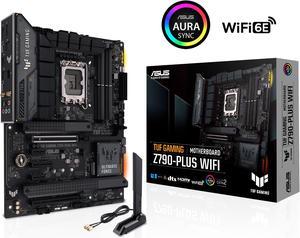
ASUS TUF Gaming Z790-Plus WiFi LGA 1700(Intel14th & 13th & 12th Gen) ATX gaming motherboard(PCIe 5.0, DDR5,4xM.2 Slots,16+1 DrMOS,WiFi 6,Intel 2.5Gb LAN,front USB 3.2 Gen 2 Type-C,Thunderbolt 4(USB4)
- Memory Standard: DDR5 7200(OC)/7000(OC)/6800(OC)/6600(OC)/ 6400(OC)/ 6200(OC)/ 6000(OC)/ 5800(OC)/ 5600/ 5400/ 5200/ 5000/ 4800 Non-ECC, Un-buffered Memory* Dual Channel Memory Architecture Supports Intel® Extreme Memory Profile (XMP) OptiMem II * Supported memory types, data rate (speed), and number of DRAM modules vary depending on the CPU and memory configuration, for more information please refer to CPU/Memory Support under the Support tab or visit https://www.asus.com/support/ * Non-ECC, un-buffered DDR5 memory supports On-Die ECC function.
- Number of Memory Slots: 4x288pin (DDR5)
- Brand: ASUS
- CPU Socket Type: LGA 1700
- Model #: TUF GAMING Z790-PLUS WIFI 6E
- Item #: N82E16813119618
- Return Policy: Standard Return Policy
$309.99
$349.99
Free Shipping
My first Tuff motherboard was a X58 that last thirteen years and my second Tuff motherboard was a Z87 which still runs today after ten years. The bios is easy to navigate. I paired this board up with a i9 i12900k and it is as fast as a Hellcat. I did have some issues with an internet connection while loading Windows but I did some research and got it taken care of. Hopefully I can have the same luck with this Z790 as I have with the other Tuff motherboards. Since I have a rare and unique Cooler Master Nvidia case, I did a retro fit with this motherboard and I think it turned out fine.
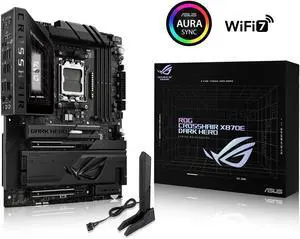
ASUS ROG Crosshair X870E Dark Hero ATX motherboard, 20+2+2 power stages, DDR5 slots, PCIe 5.0, five M.2 slots, 3D VC M.2 heatsink, USB4, AI Cache Boost, PCIe Slot Q-Release, AIO Q-Connector
- Brand: ASUS
- CPU Socket Type: AM5
- Chipset: AMD X870E
- Serial ATA (SATA): 4 x SATA 6Gb/s
- Model #: ROG CROSSHAIR X870E DARK HERO
- Item #: N82E16813119770
- Return Policy: Standard Return Policy
$949.99
Free Shipping
- Perfect lane distribution - 10gbps ethernet built in - Great looking overall without too much emphasis on RGB
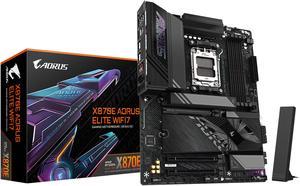
GIGABYTE X870E AORUS ELITE WIFI7 AM5 LGA 1718, ATX, DDR5, 4x M.2, PCIe 5.0, USB4, Wi-Fi 7, 2.5GbE LAN, EZ-Latch, 5-Year Warranty
- Brand: GIGABYTE
- CPU Socket Type: AM5
- Chipset: AMD X870E
- Serial ATA (SATA): 4 x SATA 6Gb/s
- Model #: X870E AORUS ELITE WIFI7
- Item #: N82E16813145517
- Return Policy: Standard Return Policy
$465.00
Free Shipping
The options of components that you can put on this motherboard without worrying about taxing it are great. We're testing games that have not yet been optimized so will be putting it through the paces but it's more than capable to build a great system. Having visual post errors helps. The USB4 is great for running a full frame camera for presentations.
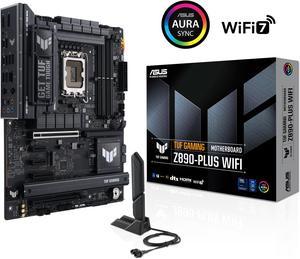
ASUS TUF GAMING Z890-PLUS WIFI Z890 LGA 1851 ATX motherboard, Intel® Core™ Ultra Series 2 Ready, Advanced AI PC-ready, 16+1+2+1 stages, DDR5, PCIe® 5.0, Thunderbolt™ 4 Type-C®, 4x M.2, Wi-Fi 7, 2.5Gb
- Memory Standard: DDR5 4400 / DDR5 4800 / DDR5 5000 / DDR5 5200 / DDR5 5400 / DDR5 5600 / DDR5 5800 / DDR5 6000 / DDR5 6200 / DDR5 6400 / DDR5 6600 / DDR5 6800 / DDR5 7000 / DDR5 7200 / DDR5 7400 / DDR5 7600 / DDR5 7800 / DDR5 7900 / DDR5 7950 / DDR5 8000 / DDR5 8200 / DDR5 8266 / DDR5 8400 / DDR5 8600 / DDR5 8666 / DDR5 8800 / DDR5 8933 / DDR5 9000 / DDR5 9066
- Number of Memory Slots: 4x288pin (DDR5)
- Brand: ASUS
- CPU Socket Type: LGA 1851
- Model #: TUF GAMING Z890-PLUS WIFI
- Item #: N82E16813119695
- Return Policy: Standard Return Policy
$399.99
Free Shipping
Simple setup, worked and updated itself on first power up zero issues thus far. Massive heat sinks everywhere running benchmarks so far everything has been optimal. Nothing over 70c at 100% on processor,board, or video card. Wish I had known before hand they had heat sinks installed on the M.2 sockets for M1 M3 and M4. Wouldnt have had to buy memory with heat sinks. This is more positive than negative hence the pros column.
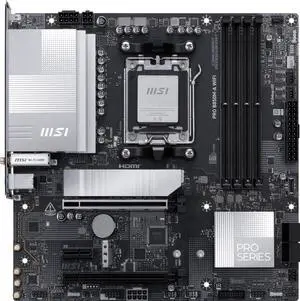
MSI PRO B850M-A WIFI AM5 , Wi-FI 7, 5G LAN, SATA 6Gbps, Bluetooth 5.4, double M.2 support,Micro ATX AMD Motherboard
- Brand: MSI
- CPU Socket Type: AM5
- Chipset: AMD B850
- Serial ATA (SATA): 4 x SATA 6Gb/s
- Model #: PRO B850M-A WIFI
- Item #: N82E16813144706
- Return Policy: Standard Return Policy
$209.99
$224.99
Free Shipping
Pros: Everything is stable and sufficient for my retro build purposes. Using Patriot DDR5 sticks (not paired at the factory) successfully at CL30 and 6000M/T, an AMD 7600X, and an RX 9060XT. Plenty of SATA connections for SSDs and an internal DVD drive (only running a single NVMe due to RAM shortage) in a SilverStone FLP-02 case.
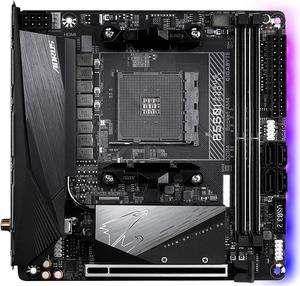
GIGABYTE B550I AORUS PRO AX AM4 AMD B550 Mini-ITX Motherboard with Dual M.2, SATA 6Gb/s, USB 3.2 Gen 1, WIFI 6, 2.5 GbE LAN, PCIe 4.0
- Brand: GIGABYTE
- CPU Socket Type: AM4
- Chipset: AMD B550
- Serial ATA (SATA): 4 x SATA 6Gb/s
- Model #: B550I AORUS PRO AX
- Item #: N82E16813145222
- Return Policy: Standard Return Policy
$234.99
$309.99
Free Shipping
Fair price, bunch of extras.
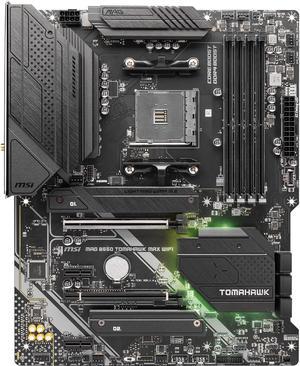
MSI MAG B550 TOMAHAWK MAX WIFI, AMD B550 ATX AM4, 4 Dimm DDR4, PCIE 4.0, M.2 x 2, USB 3.2 Ports, JRGB JRAINBOW, WIFI 6
- Brand: MSI
- CPU Socket Type: AM4
- Chipset: AMD B550
- Serial ATA (SATA): 6 x SATA 6Gb/s
- Model #: MAG B550 TOMAHAWK MAX WIFI
- Item #: N82E16813144540
- Return Policy: Standard Return Policy
$224.99
Free Shipping
Lots of fan headers thought I was going to need a hub but did not in the end.
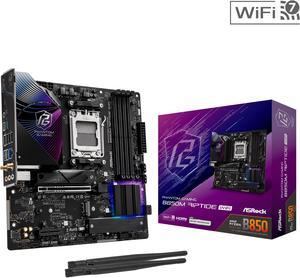
ASRock B850M Riptide WiFi AM5 Micro ATX Motherboard
- Brand: ASRock
- CPU Socket Type: AM5
- Chipset: AMD B850
- Serial ATA (SATA): 4 x SATA 6Gb/s
- Model #: B850M Riptide WiFi
- Item #: N82E16813162193
- Return Policy: Standard Return Policy
$209.99
$274.99
Free Shipping
It has a lot of features for the price. Under stress testing this board performs flawless. It's 100% stable using t-force memory.
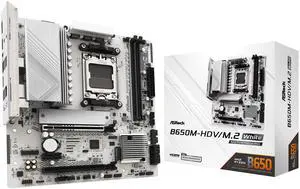
ASRock B650M-HDV/M.2 White AM5 Micro ATX Motherboard
- Brand: ASRock
- CPU Socket Type: AM5
- Chipset: AMD B650
- Serial ATA (SATA): 4 x SATA 6Gb/s
- Model #: B650M-HDV/M.2 White
- Item #: N82E16813162229
- Return Policy: Standard Return Policy
$124.99
$169.99
$4.99 Shipping
- Sturdy, feels tough, well built - No BIOS update needed for latest 9000 AMD series processors. - Easy to apply CPU under-volt with performance presets in BIOS. - Built-in IO Shield - Wifi Antenna holes - 1 USB-C port and 1 header for future upgrades
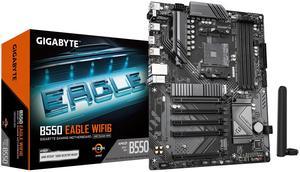
GIGABYTE B550 EAGLE WIFI6 Motherboard, Supports AMD AM4 Ryzen 5000 Processors, ATX, DDR4, 2x M.2, PCIe 4.0, WIFI6, 1GbE LAN, EZ-Latch
- Brand: GIGABYTE
- CPU Socket Type: AM4
- Chipset: AMD B550
- Serial ATA (SATA): 4 x SATA 6Gb/s
- Model #: B550 Eagle WIFI6
- Item #: N82E16813145567
- Return Policy: Standard Return Policy
$144.99
$179.99
$29.99 Shipping
Great product and price. Delivered on time and in excellent condition.
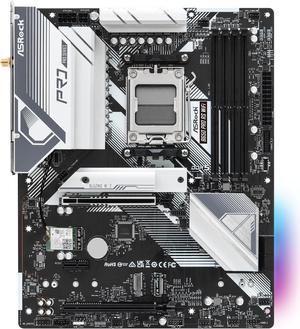
ASRock B650 Pro RS WiFi AM5 ATX Motherboard
- Brand: ASRock
- CPU Socket Type: AM5
- Chipset: AMD B650
- Serial ATA (SATA): 4 x SATA 6Gb/s
- Model #: B650 Pro RS WiFi
- Item #: N82E16813162185
- Return Policy: Standard Return Policy
$169.99
$219.99
$7.99 Shipping
It was very easy to setup, the BIOS comes with an easy mode to toggle, has a nice color and sleek design to it.
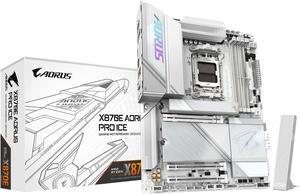
GIGABYTE X870E AORUS PRO ICE AM5 LGA 1718, ATX, DDR5, 4x M.2, PCIe 5.0, USB4, Wi-Fi 7, 2.5GbE LAN, EZ-Latch, 5-Year Warranty
- Brand: GIGABYTE
- CPU Socket Type: AM5
- Chipset: AMD X870E
- Serial ATA (SATA): 4 x SATA 6Gb/s
- Model #: X870E AORUS PRO ICE
- Item #: N82E16813145515
- Return Policy: Standard Return Policy
$414.00
$529.00
Free Shipping
Excellent aesthetics for a white-colored system build. Memory support is better than a competitor's X670E I was using previously. 2x48 GB (not as easily supported as the more common 2x32 or 2x16 formats) worked out of the box, along with EXPO profiles (this wasn't the case with the previous MB I was using). Love the screwless m.2 installation and having all the accessories included: rubber pad standoffs and additional pieces to accommodate either single-sided or dual-sided NVMe drives. Thermal pads are included for all 4 M.2 slots as well (3 on the large heatsink for top-surface cooling of those; there are preinstalled bottom and top surface pads for the main M.2 closest to the CPU as well as an extra pad to add thickness at the bottom for single-sided M.2 NVMe storage). EZ-Latch for the primary x16/x8 PCIe slot makes it much easier to remove a large GPU. Wifi/bluetooth antennae click into place: no more need for screwing them in one by one as in prior product I was using. While I know some folks dislike MB vendor supplied software, I found that GIGABYTE Control Center is simple and saves me time. After setting up the HW, I was able to quickly download and install all the drivers on one screen menu instead of having to manually search for and download one at a time as with some other MB manufacturers. There are also intriguing and intuitive features to customize fan controls, such that each fan/pump header can be associated with specific temp sensors on the board. You, as the user, can inform the OS & MB which areas of the MB each fan header is responsible for, so the temp sensor values from those areas drive the changes in corresponding fan speeds. RGB Fusion portion of the application was pretty straightforward for changing the onboard LED styles. Three of the four m.2 slots are off the CPU PCIe Gen5 (x4), in case you need the max speed. Just as with any X870E platform, the consumption of these lanes results in the x16 slot, typically used for a GPU, being downgraded to use only 8 lanes. However, this is not a major issue for current generation GPUs (including RTX 5000 series) as Gen5 x8 has minimal or no differences in performance from x16 and is comparable to Gen4 x16. Manual/documentation are great and detailed, including a block diagram of resource & lane allocations.
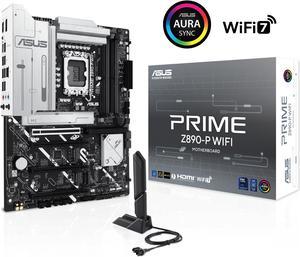
ASUS PRIME Z890-P WIFI Z890 LGA 1851 ATX motherboard, Intel® Core™ Ultra Series 2 Ready, Advanced AI PC-ready, 14+1+1+2 power stage, DDR5, PCIe® 5.0, Thunderbolt™ 4 USB Type-C®, 4x M.2, Wi-Fi 7, 2.5Gb
- Memory Standard: DDR5 4400 / DDR5 4800 / DDR5 5000 / DDR5 5200 / DDR5 5400 / DDR5 5600 / DDR5 5800 / DDR5 6000 / DDR5 6200 / DDR5 6400 / DDR5 6600 / DDR5 6800 / DDR5 7000 / DDR5 7200 / DDR5 7400 / DDR5 7600 / DDR5 7800 / DDR5 7900 / DDR5 7950 / DDR5 8000 / DDR5 8200 / DDR5 8266 / DDR5 8400 / DDR5 8600 / DDR5 8666
- Number of Memory Slots: 4x288pin (DDR5)
- Brand: ASUS
- CPU Socket Type: LGA 1851
- Model #: PRIME Z890-P WIFI
- Item #: N82E16813119696
- Return Policy: Standard Return Policy
$319.99
Free Shipping
Clean look and easy BIOS Keeps my 265k boosted as high as other more expensive boards
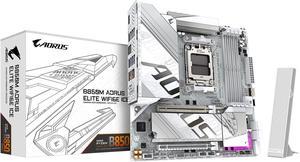
GIGABYTE B850M AORUS ELITE WIFI6E ICE AMD AM5 LGA 1718 Motherboard, mATX, DDR5, 2x M.2, PCIe 5.0, USB-C, WIFI6E, 2.5GbE LAN, EZ-Latch, 5-Year Warranty
- Brand: GIGABYTE
- CPU Socket Type: AM5
- Chipset: AMD B850
- Form Factor: Micro ATX
- Model #: B850M A ELT WF6E ICE
- Item #: N82E16813145549
- Return Policy: Standard Return Policy
$299.99
Free Shipping
Super pretty, pretty easily modified