
Your Browsing History
BEST SELLERS


BEST SELLERS
In Motherboard
Our most popular products, based on sales and updated frequently.Shop Department
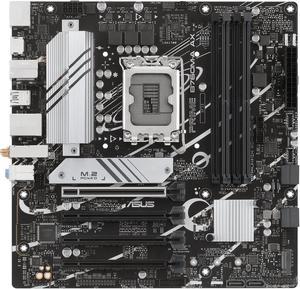
ASUS PRIME B760M-A AX LGA 1700(Intel 12th&13th Gen) microATX motherboard (PCIe 4.0, 2xM.2 slots, DDR5,Realtek 2.5 Gb LAN,WiFi 6, DP,rear USB 3.2 Gen 2, front USB 3.2 Gen 1 Type-C
- Memory Standard: DDR5 7200+(OC)/7000(OC)/6800(OC)/6600(OC)/ 6400(OC)/6200(OC)/6000(OC)/5800(OC)/5600/5400/5200/5000/4800MHNon-ECC, Un-buffered Memory* * Supported memory types, data rate (speed), and number of DRAM modules vary depending on the CPU and memory configuration, for more information please refer to CPU/Memory Support list under the Support tab of product information site or visit https://www.asus.com/support/ * Non-ECC, un-buffered DDR5 memory supports On-Die ECC function.
- Number of Memory Slots: 4x288pin (DDR5)
- Audio Chipset: Realtek 7.1 Surround Sound High Definition Audio CODEC* - Supports: Jack-detection, Multi-streaming, Front Panel Jack-retasking - Supports up to 24-Bit/192 kHz playback Audio Features - Audio Shielding - Premium audio capacitors - Dedicated audio PCB layers * A chassis with an HD audio module in the fron...
- Model #: PRIME B760M-A AX
- Item #: N82E16813119640
- Return Policy: Standard Return Policy
$144.99
$199.99
Free Shipping
The motherboard works great and POSTED right away. The WiFi speed is actually incredbile - WiFi 6 is a huge upgrade. On 1.5 Gbps Rogers service, I'm getting over 550 Mbps, which is fantastic. Updated the BIOS right away.
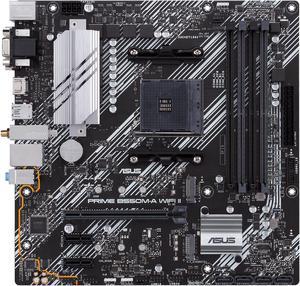
ASUS Prime B550M-A WiFi II AMD AM4 (3rd Gen Ryzen) Micro ATX Motherboard (PCIe 4.0, WiFi 6, ECC Memory, 1Gb LAN, HDMI 2.1/D-Sub, 4K@60HZ, Addressable Gen 2 RGB Header and Aura Sync)
- Brand: ASUS
- CPU Socket Type: AM4
- Chipset: AMD B550
- Serial ATA (SATA): 4 x SATA 6Gb/s
- Model #: PRIME B550M-A WIFI II
- Item #: 9SIA7BBKNB9765
- Return Policy: View Return Policy
$240.35
Free Shipping
-Wifi -Exists
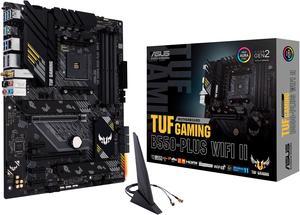
ASUS TUF GAMING B550-PLUS WIFI II AM4 ATX AMD Motherboard
- Brand: ASUS
- CPU Socket Type: AM4
- Chipset: AMD B550
- Serial ATA (SATA): 6 x SATA 6Gb/s
- Model #: TUF GAMING B550-PLUS WIFI II
- Item #: N82E16813119518
- Return Policy: Standard Return Policy
$169.99
$209.99
Free Shipping
BIOS was easily Updated The BIOS options are off the Hook good. This board has my Corsair RGB Pro DDR4 3200 running 108% on benchmark test. I am running a Ryzen 5 5600g on it right now. it too is well over preforming. The heat sink for the M.2 SSD comes in handy running a WD Black sn750 sdd Gaming M.2 that can be picked up cheap right now without a Heatsink . RGB Control is cool and with software it syncs with my Corsair ram. SO performance and cool looks factor is really really Good
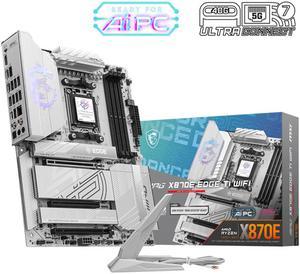
MSI MPG MPG X870E EDGE TI WIFI AM5 AMD X870E SATA 6Gb/s 5G LAN DDR5 M.2 Wi-Fi 7 ATX Motherboards
- Brand: MSI
- CPU Socket Type: AM5
- Chipset: AMD X870E
- Serial ATA (SATA): 4 x SATA 6Gb/s
- Model #: MPG X870E EDGE TI WIFI
- Item #: N82E16813144698
- Return Policy: Standard Return Policy
$459.99
Free Shipping
Everything is perfect!
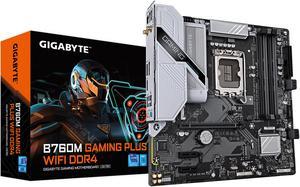
GIGABYTE B760M GAMING PLUS WIFI DDR4 LGA 1700 Intel B760 M-ATX Motherboard with DDR4, 2* M.2, PCIe 4.0, Front USB 3.2 Gen 1 Type-C, WiFi 6 GbE LAN, Q-Flash Plus, PCIe EZ-Latch
- Memory Standard: DDR4 3200
- Number of Memory Slots: 4x288pin (DDR4)
- Brand: GIGABYTE
- CPU Socket Type: LGA 1700
- Model #: B760M GAMING PLUS WIFI DDR4
- Item #: N82E16813145505
- Return Policy: Standard Return Policy
$209.99
$10.35 Shipping
* Two M.2 full speed Gen4x4 *Wi-Fi built in *Front USB-C connector (rare at this price) *Good color for a white build like mine. *4 RAM slots *Q-flash BIOS update capable
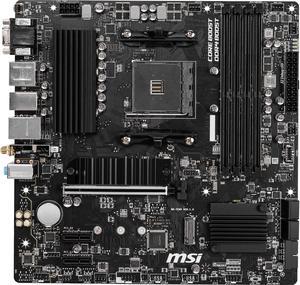
MSI PRO B550M PRO-VDH WIFI AM4 Micro ATX AMD Motherboard
- Brand: MSI
- CPU Socket Type: AM4
- Chipset: AMD B550
- Serial ATA (SATA): 4 x SATA 6Gb/s
- Model #: B550M PRO-VDH WIFI
- Item #: N82E16813144331
- Return Policy: Standard Return Policy
$129.99
$154.99
Free Shipping
people are saying the ryzen 5 3600 doesnt work correctly. Mine worked fine.
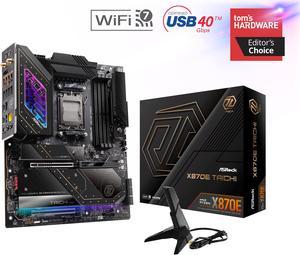
ASRock X870E TAICHI AM5 Extended ATX Motherboard
- Brand: ASRock
- CPU Socket Type: AM5
- Chipset: AMD X870E
- Serial ATA (SATA): 6 x SATA 6Gb/s
- Model #: X870E Taichi
- Item #: N82E16813162161
- Return Policy: Standard Return Policy
$469.99
$619.99
Free Shipping
- 4 NVME sockets - PCIe Gen 5.0 - No lane sharing between M.2 sockets and PCIe expansion slots - 6 SATA3 6.0 Gb/s connectors - USB4
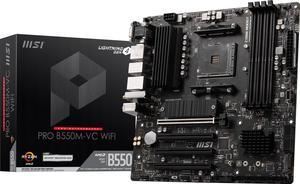
MSI PRO PRO B550M-VC WIFI AM4 MATX AMD Motherboard
- Brand: MSI
- CPU Socket Type: AM4
- Chipset: AMD B550
- Serial ATA (SATA): 4x SATA 6Gb/s ports
- Model #: PRO B550M-VC WIFI
- Item #: N82E16813144548
- Return Policy: Standard Return Policy
$169.99
$2.99 Shipping
Motherboard was easy to put together Bios was easy to navigate EZ Debug light came in handy
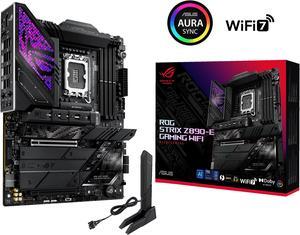
ASUS ROG STRIX Z890-E GAMING WIFI Intel® Z890 LGA 1851 ATX motherboard, Advanced AI PC-ready, 18+2+1+2 stages, DDR5, WiFi 7, 7x M.2, Thunderbolt™ 4, USB Type-C®, AI Overclocking, Cooling & Networking
- Memory Standard: DDR5 4400 / DDR5 4800 / DDR5 5000 / DDR5 5200 / DDR5 5400 / DDR5 5600 / DDR5 5800 / DDR5 6000 / DDR5 6200 / DDR5 6400 / DDR5 6600 / DDR5 6800 / DDR5 7000 / DDR5 7200 / DDR5 7400 / DDR5 7600 / DDR5 7800 / DDR5 7900 / DDR5 7950 / DDR5 8000 / DDR5 8200 / DDR5 8266 / DDR5 8400 / DDR5 8600 / DDR5 8666 / DDR5 8800
- Number of Memory Slots: 4x288pin (DDR5)
- Brand: ASUS
- CPU Socket Type: LGA 1851
- Model #: ROG STRIX Z890-E GAMING WIFI
- Item #: N82E16813119692
- Return Policy: Standard Return Policy
$559.99
Free Shipping
initally after building it out i flipped the switch and nothing. i troublshooted several things. and still nothing. i even posted a DOA on newegg but today 1dec24 138pm dst. i looked again at 1 issue a 3rd time and corrected something. i am embarassed to say what it was but i corrected it. replugged some components i had previously unplugged and FLIPPED the swich and an OH MY G-D MOMENT OCCURED.! lights fans and after it shutoff briefly and on again SCREEN DISPLAY!. even a multiple times pc builder lik me can F_UP. AND just as an apologetic it took me about 25 hours partially because i kept running into issues mostly fitting components to tower. AND though i had lots of fun doing it it did take me 25hours probably a little less to build the thing. in my defense i was adding components that i was not familiar with and therefore took longer to make do. ... i coulod go on and on and on even making a fool of myself. if i havent already. when i mess up i admit it. and i did. and i corrected it. >>>>>>>>>>>>>>>>>>>>>> IN CONCLUSION the ASUS PRIME line of mobos does not disappoint specifically the asus prime Z890M-plus WIFI
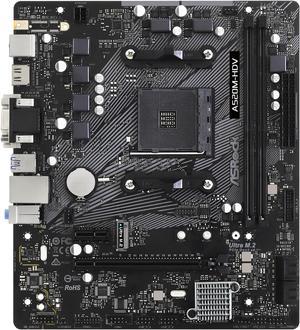
ASRock A520M-HDV AM4 Micro ATX AMD Motherboard
- Brand: ASRock
- CPU Socket Type: AM4
- Chipset: AMD A520
- Serial ATA (SATA): 4 x SATA3 6.0Gb/s Connectors, support RAID, NCQ, AHCI and Hot Plug
- Model #: A520M-HDV
- Item #: N82E16813157958
- Return Policy: Standard Return Policy
$84.99
$89.99
Free Shipping
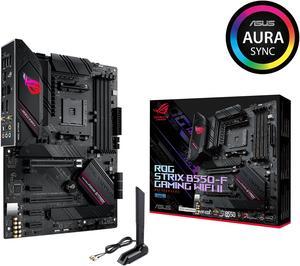
Asus ROG Strix B550-F Gaming WiFi II AMD AM4 (3rd Gen Ryzen) ATX Gaming Motherboard (PCIe 4.0,WiFi 6E, 2.5Gb LAN, BIOS Flashback, HDMI 2.1, Addressable Gen 2 RGB Header and Aura Sync)
- Brand: ASUS
- CPU Socket Type: AM4
- Chipset: AMD B550
- Serial ATA (SATA): 6 x SATA 6Gb/s
- Model #: ROG STRIX B550-F GAMING WIFI II
- Item #: N82E16813119500
- Return Policy: Standard Return Policy
$199.99
$249.99
Free Shipping
Build quality is great and was easy to install.
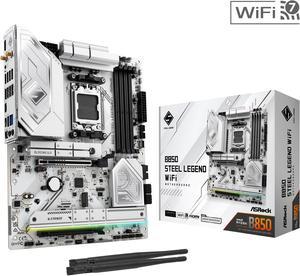
ASRock B850 STEEL LEGEND WIFI AM5 ATX Motherboard
- Brand: ASRock
- CPU Socket Type: AM5
- Chipset: AMD B850
- Serial ATA (SATA): 4 x SATA 6Gb/s
- Model #: B850 Steel Legend WiFi
- Item #: N82E16813162187
- Return Policy: Standard Return Policy
$234.99
$299.99
Free Shipping
- Best bang for buck in my opinion - Exactly the same as the Riptide WiFi but for $10 less - Decent enough VRM size 7+1+1 (although they say 14, it's really 7) - 4 M.2 Slots - WiFi 7 and BT compatible - Should work instantly with 9000 series CPUs -Supports 8000 MT/s DDR5!
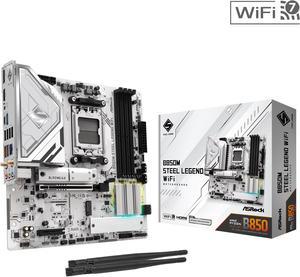
ASRock B850M STEEL LEGEND WIFI AM5 Micro ATX Motherboard
- Brand: ASRock
- CPU Socket Type: AM5
- Chipset: AMD B850
- Serial ATA (SATA): 4 x SATA 6Gb/s
- Model #: B850M Steel Legend WiFi
- Item #: N82E16813162194
- Return Policy: Standard Return Policy
$169.99
$269.99
Free Shipping
Plenty of fan headers placed in great spots for connecting fans, water cooling pump/radiator, etc. Wi-Fi 7 (For Windows 11 only) GPU quick release lever USB-C Front and Rear suppport Wi-Fi Antennas are slim (a clearance issue with Tower 300) NvME secure posts are clasps built into the board, a nice touch and no worrying about tiny screws being lost NvME Heat Sinks with Thermal Pads
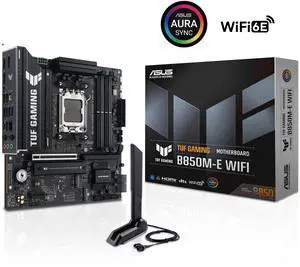
ASUS TUF GAMING B850M-E WIFI AMD B850 mATX motherboard, 8+2+1 80A DrMOS power stages, DDR5, PCIe 5.0, 3 M.2 slots, WiFi 6E, 2.5Gb Ethernet, DisplayPort, HDMI, rear USB-C 10Gbps and front USB-C 5Gbps
- Brand: ASUS
- CPU Socket Type: AM5
- Chipset: AMD B850
- Serial ATA (SATA): 4 x SATA 6Gb/s
- Model #: TUF GAMING B850M-E WIFI
- Item #: N82E16813119758
- Return Policy: Standard Return Policy
$249.99
$309.99
Free Shipping
Came with UEFI and Secure Boot enabled, which was a pleasant surprise. The BIOS was only a few months old so I haven't even bothered to consider updating. Everything worked first time as expected
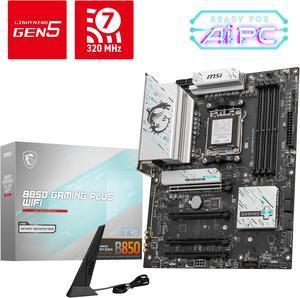
MSI B850 GAMING PLUS WIFI AM5 AMD B850 SATA 6Gb/s 5G Network DDR5 Wi-Fi 7 ATX Motherboard
- Brand: MSI
- CPU Socket Type: AM5
- Chipset: AMD B850
- Serial ATA (SATA): 4 x SATA 6Gb/s
- Model #: B850 GAMING PLUS WIFI
- Item #: N82E16813144688
- Return Policy: Standard Return Policy
$264.99
$294.99
Free Shipping
Solid Build Quality: The motherboard feels premium with a durable design and high-quality components. Strong Performance: Handles AMD AM5 processors efficiently, offering smooth performance even under heavy workloads. Great Connectivity: Comes with WiFi 7, 5G LAN, and multiple USB ports, ensuring fast and stable connections. GPU EZ install is also very convenient. DDR5 Support: Future-proof with support for high-speed DDR5 memory. Efficient Cooling: Well-designed VRMs and heatsinks keep temperatures in check, ideal for gaming and overclocking. Easy BIOS Setup: MSIs BIOS interface is user-friendly, making tuning and adjustments hassle-free.
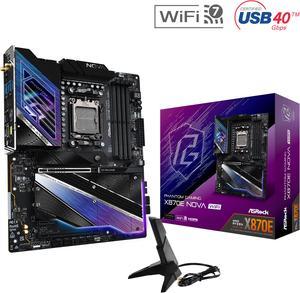
ASRock X870E NOVA WIFI AM5 ATX Motherboard
- Brand: ASRock
- CPU Socket Type: AM5
- Chipset: AMD X870E
- Serial ATA (SATA): 4 x SATA 6Gb/s
- Model #: X870E Nova WiFi
- Item #: N82E16813162163
- Return Policy: Standard Return Policy
$369.00
$499.00
Free Shipping
For the price this board packs some great features. - no PCIE lane sharing with GPU - plenty of m.2 slots for storage - plenty of high speed usb ports
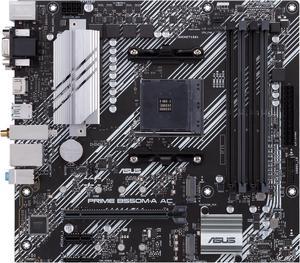
ASUS PRIME B550M-A AC AMD AM4 mATX motherboard with impressive features, including PCIe 4.0, dual M.2 slots, WiFi, HDMI, D-Sub, DVI, SATA 6 Gbps, USB 3.2 Gen 2 ports, and Aura Sync RGB lighting
- Brand: ASUS
- CPU Socket Type: AM4
- Chipset: AMD B550
- Serial ATA (SATA): 4 x SATA 6Gb/s
- Model #: PRIME B550M-A AC
- Item #: N82E16813119492
- Return Policy: Standard Return Policy
$159.99
Free Shipping
- Stable with no crashes in 6 weeks of use - it has enough features with 4 ram slots, rgb headers, bluethooth and wifi built in to make it feel better than the cheapest options - Great price - XMP/DOCP worked on second attempt with G. Skill RGB 3600 Mhz Ram
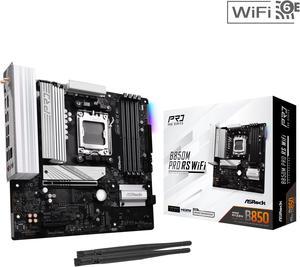
ASRock B850M PRO RS WIFI AM5 Micro ATX Motherboard
- Brand: ASRock
- CPU Socket Type: AM5
- Chipset: AMD B850
- Serial ATA (SATA): 4 x SATA 6Gb/s
- Model #: B850M Pro RS WiFi
- Item #: N82E16813162196
- Return Policy: Standard Return Policy
$184.99
$239.99
Free Shipping
- Good wifi reception even if you don't plug in the antennas - BIOS UI is pleasant to use and offers good control over fan curves - Good linux compatibility - Relatively cheap for having the latest-gen tech
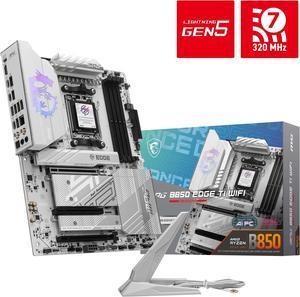
MSI MPG B850 EDGE TI WIFI AM5 AMD B850 SATA 6Gb/s 5G Network Wi-Fi 7 DDR5 Audio Boost 5 Motherboard
- Brand: MSI
- CPU Socket Type: AM5
- Chipset: AMD B850
- Serial ATA (SATA): 4 x SATA 6Gb/s
- Model #: MPG B850 EDGE TI WIFI
- Item #: 9SIA9H5KFU9921
- Return Policy: View Return Policy
$389.99
Free Shipping
Plenty of space and good layout for my pc build.
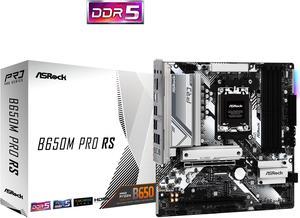
ASRock B650M PRO RS AM5 Micro ATX Motherboard
- Brand: ASRock
- CPU Socket Type: AM5
- Chipset: AMD B650
- Serial ATA (SATA): 4 x SATA 6Gb/s
- Model #: B650M Pro RS
- Item #: N82E16813162130
- Return Policy: Standard Return Policy
$144.99
$199.99
Free Shipping
Easy to install, very fast pcie 5, and looks good.