
Your Browsing History
BEST SELLERS


BEST SELLERS
In AMD Motherboards
Our most popular products, based on sales and updated frequently.Shop Department
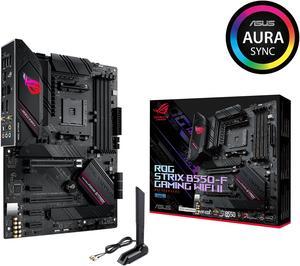
Asus ROG Strix B550-F Gaming WiFi II AMD AM4 (3rd Gen Ryzen) ATX Gaming Motherboard (PCIe 4.0,WiFi 6E, 2.5Gb LAN, BIOS Flashback, HDMI 2.1, Addressable Gen 2 RGB Header and Aura Sync)
- Brand: ASUS
- CPU Socket Type: AM4
- Chipset: AMD B550
- Serial ATA (SATA): 6 x SATA 6Gb/s
- Model #: ROG STRIX B550-F GAMING WIFI II
- Item #: N82E16813119500
- Return Policy: Standard Return Policy
$199.99
$249.99
Free Shipping
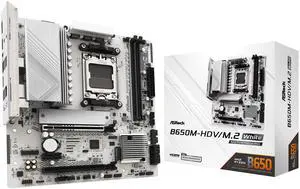
ASRock B650M-HDV/M.2 White AM5 Micro ATX Motherboard
- Brand: ASRock
- CPU Socket Type: AM5
- Chipset: AMD B650
- Serial ATA (SATA): 4 x SATA 6Gb/s
- Model #: B650M-HDV/M.2 White
- Item #: N82E16813162229
- Return Policy: Standard Return Policy
$139.99
$169.99
Free Shipping
- Sturdy, feels tough, well built - No BIOS update needed for latest 9000 AMD series processors. - Easy to apply CPU under-volt with performance presets in BIOS. - Built-in IO Shield - Wifi Antenna holes - 1 USB-C port and 1 header for future upgrades
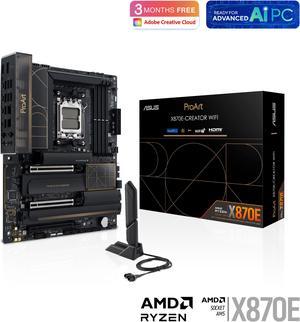
ASUS ProArt X870E-CREATOR WIFI AMD AM5 X870E ATX Motherboard PCIe 5.0 x16 slots with full support for next-gen GPUs, 16+2+2 power stages, DDR5, dual USB4, 10 Gb & 2.5 Gb LAN, WiFi 7, four M.2 slots
- Brand: ASUS
- CPU Socket Type: AM5
- Chipset: AMD X870
- Serial ATA (SATA): 4 x SATA 6Gb/s
- Model #: ProArt X870E-CREATOR WIFI
- Item #: N82E16813119688
- Return Policy: Standard Return Policy
$719.99
Free Shipping
I havent upgraded for awhile, and this board has everything I could want. Plenty of USBs and 10Gbe built in. I paired it with a 9950x and compatible memory with tight timings and everything booted the 1st time. I updated the Bios to the latest and couldnt be happier.
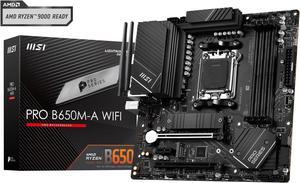
MSI PRO B650M-A WIFI AM5 AMD B650 SATA 6Gb/s DDR5 Ryzen 7000 Micro ATX Motherboard
- Brand: MSI
- CPU Socket Type: AM5
- Chipset: AMD B650
- Serial ATA (SATA): 4x SATA 6Gb/s ports (From B650 chipset)
- Model #: PRO B650M-A WIFI
- Item #: N82E16813144559
- Return Policy: Standard Return Policy
$224.99
Free Shipping
-optional wifi attachments -allows for the replacement AMD bracket to be placed -alot of options for USB 3.0, SSD's, and M.2 drives -easy to use BIOS updater
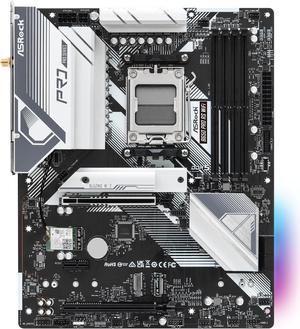
ASRock B650 Pro RS WiFi AM5 ATX Motherboard
- Brand: ASRock
- CPU Socket Type: AM5
- Chipset: AMD B650
- Serial ATA (SATA): 4 x SATA 6Gb/s
- Model #: B650 Pro RS WiFi
- Item #: N82E16813162185
- Return Policy: Standard Return Policy
$179.99
$219.99
Free Shipping
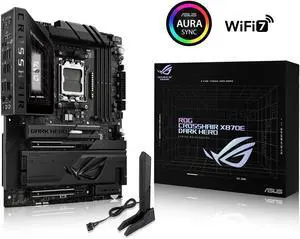
ASUS ROG Crosshair X870E Dark Hero ATX motherboard, 20+2+2 power stages, DDR5 slots, PCIe 5.0, five M.2 slots, 3D VC M.2 heatsink, USB4, AI Cache Boost, PCIe Slot Q-Release, AIO Q-Connector
- Brand: ASUS
- CPU Socket Type: AM5
- Chipset: AMD X870E
- Serial ATA (SATA): 4 x SATA 6Gb/s
- Model #: ROG CROSSHAIR X870E DARK HERO
- Item #: N82E16813119770
- Return Policy: Standard Return Policy
$949.99
$19.99 Shipping
The ASUS ROG Crosshair X870E Dark Hero is phenomenal. I want to start by mentioning the attention to detail and the build qualityit's on another level. The board feels very solid, strong, and heavy. The main reason I decided to go with this board is that it allows me to run two Gen 5 SSDs at full speed without losing GPU performance, keeping the graphics card running at x16. I do lose the use of the 40Gb USB-C ports, but honestly I dont use them anyway. Working on the board was super easy thanks to all the EZ-Latch mechanisms, which made installing components quick and hassle-free.
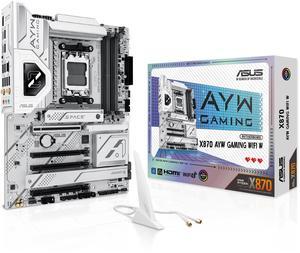
ASUS X870 AYW GAMING WIFI W AMD X870 AM5 ATX motherboard, 12+2+1 80A DrMOS power stages, DDR5, PCIe 5.0 Ready, PCIe 5.0 x16, 3x M.2, Wi-Fi 6, 2.5Gb LAN, HDMI, USB4, USB 20Gbps Type-C, Aura Sync
- Brand: ASUS
- CPU Socket Type: AM5
- Chipset: AMD X870
- Serial ATA (SATA): 4 x SATA 6Gb/s
- Model #: X870 AYW GAMING WIFI W
- Item #: N82E16813119737
- Return Policy: Standard Return Policy
$279.99
$299.99
Free Shipping
No issue at all Paired with 9900X with 7900 GRE and it works like a charm I went back to AMD because of Intels problem
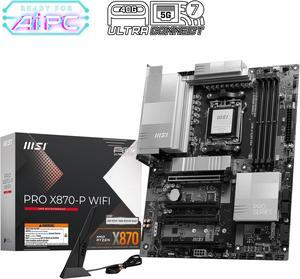
MSI PRO X870-P WIFI Motherboard, ATX - Supports AMD Ryzen 9000 / 8000 / 7000 Processors, AM5 - 60A SPS VRM, DDR5 Memory Boost 8200+MT/s (OC), PCIe 5.0 x16 & 4.0 x16, M.2 Gen5, Wi-Fi 7, 5G LAN
- Brand: MSI
- CPU Socket Type: AM5
- Chipset: AMD X870
- Serial ATA (SATA): 4 x SATA 6Gb/s
- Model #: PRO X870-P WIFI
- Item #: N82E16813144668
- Return Policy: Standard Return Policy
$224.99
$294.99
Free Shipping
I have been using MSI products for years & have found MSI computer hardware bullet proof.
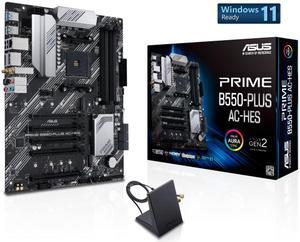
ASUS Prime B550-PLUS AC-HES AMD AM4 (3rd Gen Ryzen) ATX motherboard (dual M.2, PCIe 4.0, WIFI 5, 1 Gb Ethernet, DisplayPort/HDMI, SATA 6 Gbps, USB 3.2 Gen 2 Type-C, front USB 3.2 Gen 1 Type-C
- Brand: ASUS
- CPU Socket Type: AM4
- Chipset: AMD B550
- Serial ATA (SATA): 6 x SATA 6Gb/s
- Model #: PRIME B550-PLUS AC-HES
- Item #: N82E16813119665
- Return Policy: Standard Return Policy
$139.99
$179.99
Free Shipping
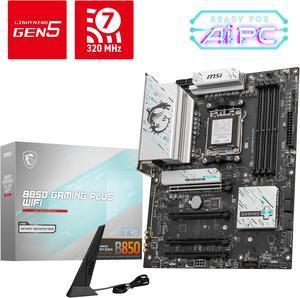
MSI B850 GAMING PLUS WIFI Motherboard, ATX - Supports AMD Ryzen 9000 / 8000 / 7000 Processors, AM5 - DDR5 Memory Boost 8200+ MT/s (OC), PCIe 5.0 x16 & 4.0 x16, M.2 Gen5, Wi-Fi 7, 5G LAN
- Brand: MSI
- CPU Socket Type: AM5
- Chipset: AMD B850
- Serial ATA (SATA): 4 x SATA 6Gb/s
- Model #: B850 GAMING PLUS WIFI
- Item #: N82E16813144688
- Return Policy: Standard Return Policy
$229.99
$294.99
Free Shipping
- easy install - onboard video with Ryzen 7 9700X means an easier install for testing base config - looks lovely :)
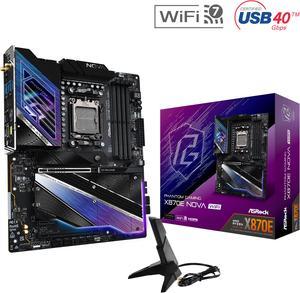
ASRock X870E NOVA WIFI AM5 ATX Motherboard
- Brand: ASRock
- CPU Socket Type: AM5
- Chipset: AMD X870E
- Serial ATA (SATA): 4 x SATA 6Gb/s
- Model #: X870E Nova WiFi
- Item #: N82E16813162163
- Return Policy: Standard Return Policy
$379.00
$499.00
Free Shipping
- Build Quality - 5 m.2 slots - No lane sharing with GPU - Overkill VRM - EZ Release
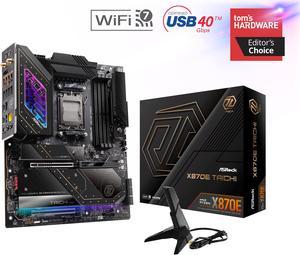
ASRock X870E TAICHI AM5 Extended ATX Motherboard
- Brand: ASRock
- CPU Socket Type: AM5
- Chipset: AMD X870E
- Serial ATA (SATA): 6 x SATA 6Gb/s
- Model #: X870E Taichi
- Item #: N82E16813162161
- Return Policy: Standard Return Policy
$439.99
$619.99
$7.99 Shipping
4 m.2 slots doesn't share pcie lanes between the gpu and m.2 slots when using 4 nvme ssds ez-latch is fantastic
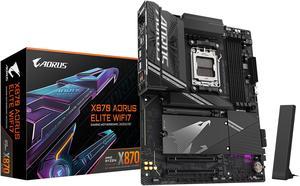
GIGABYTE X870 AORUS ELITE WIFI7 AM5 LGA 1718, ATX, DDR5, 4x M.2, PCIe 5.0, USB4, Wi-Fi 7, 2.5GbE LAN, EZ-Latch, 5-Year Warranty
- Brand: GIGABYTE
- CPU Socket Type: AM5
- Chipset: AMD X870
- Serial ATA (SATA): 4 x SATA 6Gb/s
- Model #: X870 AORUS ELITE WIFI7
- Item #: N82E16813145519
- Return Policy: Standard Return Policy
$339.99
Free Shipping
-I like how its very easy and convenient to built on this motherboard. I found it very practical and fun to build. -Enough fan ports. Easy bios menu than most of new released games.
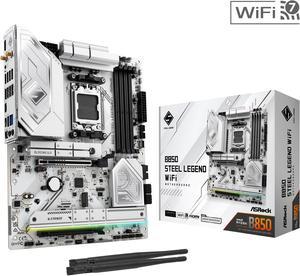
ASRock B850 STEEL LEGEND WIFI AM5 ATX Motherboard
- Brand: ASRock
- CPU Socket Type: AM5
- Chipset: AMD B850
- Serial ATA (SATA): 4 x SATA 6Gb/s
- Model #: B850 Steel Legend WiFi
- Item #: N82E16813162187
- Return Policy: Standard Return Policy
$249.99
$299.99
Free Shipping
I used this motherboard in a midsize case, fit perfectly. I used it together with an msi 1000w power supply, 240mm arctic liquid cooler, an amd ryzen cpu, and a 4070 gpu. All working perfectly.
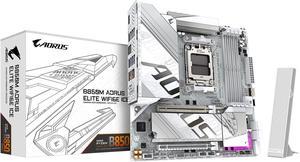
GIGABYTE B850M AORUS ELITE WIFI6E ICE AMD AM5 LGA 1718 Motherboard, mATX, DDR5, 2x M.2, PCIe 5.0, USB-C, WIFI6E, 2.5GbE LAN, EZ-Latch, 5-Year Warranty
- Brand: GIGABYTE
- CPU Socket Type: AM5
- Chipset: AMD B850
- Form Factor: Micro ATX
- Model #: B850M A ELT WF6E ICE
- Item #: N82E16813145549
- Return Policy: Standard Return Policy
$264.99
$299.99
$29.99 Shipping
The list of the pros is way too long!!!!
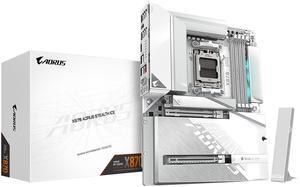
GIGABYTE X870 AORUS STEALTH ICE AMD AM5 Motherboard, ATX, DDR5, 4x M.2, PCIe 5.0, 2xUSB-4,USB-C, WIFI7, 5GbE LAN, EZ-Latch
- Brand: GIGABYTE
- CPU Socket Type: AM5
- Chipset: AMD X870
- Form Factor: ATX
- Model #: X870 AORUS STEALTH ICE
- Item #: N82E16813145580
- Return Policy: Standard Return Policy
$419.99
Free Shipping
I'll keep it short and simple with pro's and cons Pro's -multiple Gen 5 slots -multiple M.2 slots -Ease of access to all installed parts -quick release button for GPU is super nice and convenient -Back connect ports are very well placed -motherboard diagnosis is easy if you installed something wrong or something isnt working properly
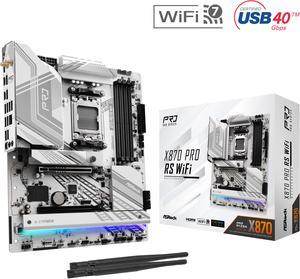
ASRock X870 PRO RS WiFi AM5 ATX Motherboard
- Brand: ASRock
- CPU Socket Type: AM5
- Chipset: AMD X870
- Serial ATA (SATA): 4 x SATA 6Gb/s
- Model #: X870 Pro RS WiFi
- Item #: N82E16813162167
- Return Policy: Standard Return Policy
$249.99
$289.99
Free Shipping
The board looks great, and the tool free install of the nvme is a nice addition. I like have all the pci lanes for my gpu as well.
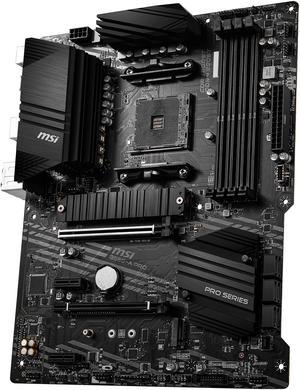
MSI PRO B550-A PRO AM4 ATX AMD Motherboard
- Brand: MSI
- CPU Socket Type: AM4
- Chipset: AMD B550
- Serial ATA (SATA): 6 x SATA 6Gb/s
- Model #: B550-A PRO
- Item #: 9SIA7BBBMW5038
- Return Policy: View Return Policy
$227.13
Free Shipping
Cost No unnecessary features Works great! Doubled the speed of my NVMe drive LAN doesn't drop Current BIOS available immediately, to secure my CPU CPU can fully boost to 4.4 GHZ without a single hiccup because the VRMs are SOLID. (5800X3D) More efficient than my old board
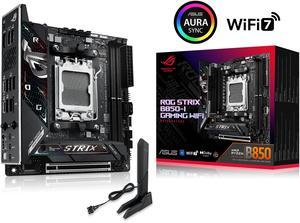
ASUS ROG STRIX B850-I GAMING WIFI AMD AM5 B850 Mini-ITX mITX motherboard 10+2+1 stages, DDR5, 2.5G LAN, WiFi 7, 2x M.2, PCIe 5.0 x16, USB 20Gbps Type-C, AI Overclocking, AI Networking II, Aura Sync
- Brand: ASUS
- CPU Socket Type: AM5
- Chipset: AMD B850
- Serial ATA (SATA): 2 x SATA 6Gb/s
- Model #: ROG STRIX B850-I GAMING WIFI
- Item #: 9SIADGEKEZ3692
- Return Policy: View Return Policy
$442.44
$446.44
$10.99 Shipping
easy install lots of options
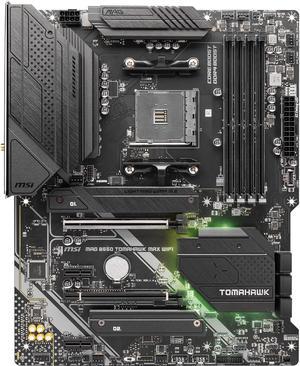
MSI MAG B550 TOMAHAWK MAX WIFI, AMD B550 ATX AM4, 4 Dimm DDR4, PCIE 4.0, M.2 x 2, USB 3.2 Ports, JRGB JRAINBOW, WIFI 6
- Brand: MSI
- Model: MAG B550 TOMAHAWK MAX WIFI
- CPU Socket Type: AM4
- Chipset: AMD B550
- Model #: MAG B550 TOMAHAWK MAX WIFI
- Item #: 9SIA7BBHXN1804
- Return Policy: View Return Policy
$281.58
Free Shipping
-fit precisely into the full tower I had and didn't even have to move spacers. -came 5000 ryzen ready -worked as expected -runs at 29 C -was fairly cheap at 139 bucks...