
Your Browsing History
BEST SELLERS


BEST SELLERS
In Motherboard
Our most popular products, based on sales and updated frequently.Shop Department
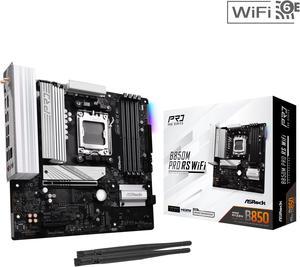
ASRock B850M PRO RS WIFI AM5 Micro ATX Motherboard
- Brand: ASRock
- CPU Socket Type: AM5
- Chipset: AMD B850
- Serial ATA (SATA): 4 x SATA 6Gb/s
- Model #: B850M Pro RS WiFi
- Item #: N82E16813162196
- Return Policy: Standard Return Policy
$184.99
$239.99
Free Shipping
price, 850 chipset, pcie 5.0 and nvme slots
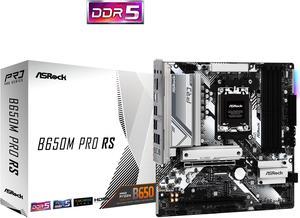
ASRock B650M PRO RS AM5 Micro ATX Motherboard
- Brand: ASRock
- CPU Socket Type: AM5
- Chipset: AMD B650
- Serial ATA (SATA): 4 x SATA 6Gb/s
- Model #: B650M Pro RS
- Item #: N82E16813162130
- Return Policy: Standard Return Policy
$144.99
$199.99
Free Shipping
This was the base for my first PC build, it was easy enough to work with. I haven't yet figured out how to set up anything in the BIOS, apart from changing the RAM speed, but all worked first try when I plugged it in.
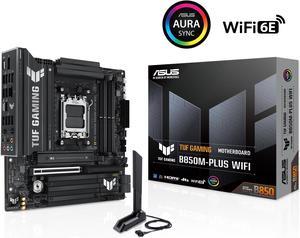
ASUS TUF GAMING B850M-PLUS WIFI AMD AM5 B850 mATX motherboard, 14+2+1 80A DrMOS stages, DDR5, PCIe 5.0, 3x M.2, Wi-Fi 6E, 2.5Gb LAN, DP, HDMI, USB 10Gbps & 20Gbps Type-C, BIOS FlashBack, Aura Sync
- Brand: ASUS
- CPU Socket Type: AM5
- Chipset: AMD B850
- Serial ATA (SATA): 4 x SATA 6Gb/s
- Model #: TUF GAMING B850M-PLUS WIFI
- Item #: N82E16813119706
- Return Policy: Standard Return Policy
$259.99
$349.99
Free Shipping
- Sleek black design with silver accents looks amazing, especially in white-themed builds imo. - The heatsinks look great, they really make it look "tough"... Tuf? - Smart, intuitive layout makes fan and cable connections effortless and no cables running across the entire motherboard or over components. - Armoury Crate and ASUS DriverHub streamline setup and updates flawlessly. - Solid performance and stability with the Ryzen 9 7900X and DDR5 memory with EXPO enabled in my case. - Quality feel throughout, this is not the most expensive motherboard from ASUS, but you sure feel quality and that premium feeling from the moment you unbox it.
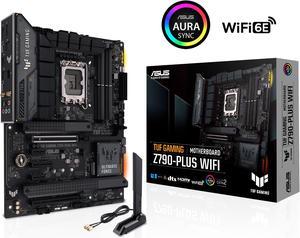
ASUS TUF Gaming Z790-Plus WiFi LGA 1700(Intel14th & 13th & 12th Gen) ATX gaming motherboard(PCIe 5.0, DDR5,4xM.2 Slots,16+1 DrMOS,WiFi 6,Intel 2.5Gb LAN,front USB 3.2 Gen 2 Type-C,Thunderbolt 4(USB4)
- Memory Standard: DDR5 7200(OC)/7000(OC)/6800(OC)/6600(OC)/ 6400(OC)/ 6200(OC)/ 6000(OC)/ 5800(OC)/ 5600/ 5400/ 5200/ 5000/ 4800 Non-ECC, Un-buffered Memory* Dual Channel Memory Architecture Supports Intel® Extreme Memory Profile (XMP) OptiMem II * Supported memory types, data rate (speed), and number of DRAM modules vary depending on the CPU and memory configuration, for more information please refer to CPU/Memory Support under the Support tab or visit https://www.asus.com/support/ * Non-ECC, un-buffered DDR5 memory supports On-Die ECC function.
- Number of Memory Slots: 4x288pin (DDR5)
- Brand: ASUS
- CPU Socket Type: LGA 1700
- Model #: TUF GAMING Z790-PLUS WIFI 6E
- Item #: N82E16813119618
- Return Policy: Standard Return Policy
$309.99
$349.99
Free Shipping
Awesome board I love it runs my i7 13700 so good no high temperature underload it's also good for overclocking
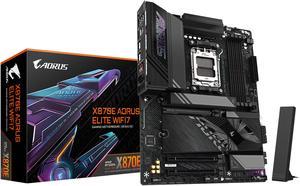
GIGABYTE X870E AORUS ELITE WIFI7 AM5 LGA 1718, ATX, DDR5, 4x M.2, PCIe 5.0, USB4, Wi-Fi 7, 2.5GbE LAN, EZ-Latch, 5-Year Warranty
- Brand: GIGABYTE
- CPU Socket Type: AM5
- Chipset: AMD X870E
- Serial ATA (SATA): 4 x SATA 6Gb/s
- Model #: X870E AORUS ELITE WIFI7
- Item #: N82E16813145517
- Return Policy: Standard Return Policy
$465.00
Free Shipping
EZ Latch Tons of pcie 4.0 ports dual USB 4.0, backward compatible with thunderbolt 3 extremely easy overclocking wifi 7 5 year warranty
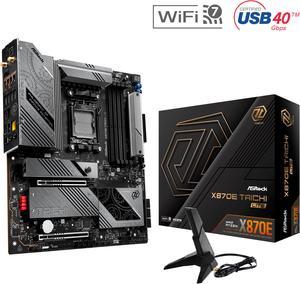
ASRock X870E Taichi Lite AM5 Extended ATX Motherboard
- Brand: ASRock
- CPU Socket Type: AM5
- Chipset: AMD X870E
- Serial ATA (SATA): 6 x SATA 6Gb/s
- Model #: X870E Taichi Lite
- Item #: N82E16813162162
- Return Policy: Standard Return Policy
$429.99
$579.99
Free Shipping
This review for ASRock review rebate program Feature rich motherboard, extremely fast, good value. Very high quality construction. Everything assembled well. Asrock X870E Taichi Lite worked great with AMD Ryzen 7 9700X and G.SKILL Trident Z5 RGB Series 64GB DDR5-6400 (from the supported RAM list on Asrock's website). Also worked great with BeQuiet! Dark Rock Pro 5 cooler. Also, I had a challenge installing a Crucial T700 Gen5 NVMe drive (see pictures). I ordered the drive with a preinstalled heatsink. This increases the height of the NVMe and it wouldn't install in the Blazing NVMe slot on the motherboard until I removed the sitcky heatsink stuff that's preinstalled on the motherboard (looks like a black strip of puffy tape). After removing the tape stuff, the Crucial NVMe drive installed no problem. The heatsink is not removable from the Crucial NVMe drive without voiding the warranty. Given that the Taichi Lite includes a nice NVMe heatsink already, my recommendation is to go with a bare NVMe drive, not one with a preinstalled heatsink to avoid any installation issues.
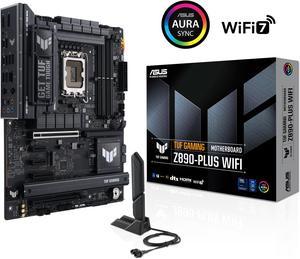
ASUS TUF GAMING Z890-PLUS WIFI Z890 LGA 1851 ATX motherboard, Intel® Core™ Ultra Series 2 Ready, Advanced AI PC-ready, 16+1+2+1 stages, DDR5, PCIe® 5.0, Thunderbolt™ 4 Type-C®, 4x M.2, Wi-Fi 7, 2.5Gb
- Memory Standard: DDR5 4400 / DDR5 4800 / DDR5 5000 / DDR5 5200 / DDR5 5400 / DDR5 5600 / DDR5 5800 / DDR5 6000 / DDR5 6200 / DDR5 6400 / DDR5 6600 / DDR5 6800 / DDR5 7000 / DDR5 7200 / DDR5 7400 / DDR5 7600 / DDR5 7800 / DDR5 7900 / DDR5 7950 / DDR5 8000 / DDR5 8200 / DDR5 8266 / DDR5 8400 / DDR5 8600 / DDR5 8666 / DDR5 8800 / DDR5 8933 / DDR5 9000 / DDR5 9066
- Number of Memory Slots: 4x288pin (DDR5)
- Brand: ASUS
- CPU Socket Type: LGA 1851
- Model #: TUF GAMING Z890-PLUS WIFI
- Item #: N82E16813119695
- Return Policy: Standard Return Policy
$379.99
$399.99
Free Shipping
Strong power delivery, PCIe 5.0 support, Wi-Fi 7, 2.5Gb LAN, plenty of USB including Thunderbolt 4, and good cooling design.
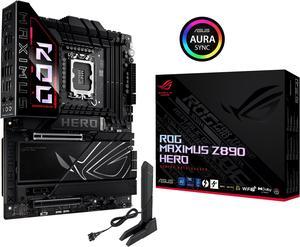
ASUS ROG MAXIMUS Z890 HERO Intel® Z890 LGA 1851 ATX motherboard, Advanced AI PC-ready, 22+2+1+2 stages, DDR5, WiFi 7, 3x PCIe® 5.0 M.2, Thunderbolt™ 4, USB Type-C®, AI Overclocking/Cooling/Networking
- Memory Standard: DDR5 4400 / DDR5 4800 / DDR5 5000 / DDR5 5200 / DDR5 5400 / DDR5 5600 / DDR5 5800 / DDR5 6000 / DDR5 6200 / DDR5 6400 / DDR5 6600 / DDR5 6800 / DDR5 7000 / DDR5 7200 / DDR5 7400 / DDR5 7600 / DDR5 7800 / DDR5 7900 / DDR5 7950 / DDR5 8000 / DDR5 8200 / DDR5 8266 / DDR5 8400 / DDR5 8600 / DDR5 8666 / DDR5 8800 / DDR5 8933 / DDR5 9000 / DDR5 9066 / DDR5 9200
- Number of Memory Slots: 4x288pin (DDR5)
- Brand: ASUS
- CPU Socket Type: LGA 1851
- Model #: ROG MAXIMUS Z890 HERO
- Item #: N82E16813119691
- Return Policy: Standard Return Policy
$579.99
$629.99
Free Shipping
New LGA 1851 Lots of room for PCI 5 expansion Onboard BT and WiFi Tons of space for M.2 memory (gen 4 at least)
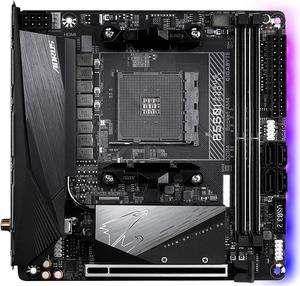
GIGABYTE B550I AORUS PRO AX AM4 AMD B550 Mini-ITX Motherboard with Dual M.2, SATA 6Gb/s, USB 3.2 Gen 1, WIFI 6, 2.5 GbE LAN, PCIe 4.0
- Brand: GIGABYTE
- CPU Socket Type: AM4
- Chipset: AMD B550
- Serial ATA (SATA): 4 x SATA 6Gb/s
- Model #: B550I AORUS PRO AX
- Item #: N82E16813145222
- Return Policy: Standard Return Policy
$234.99
$309.99
Free Shipping
Great price, so far it is working great. All features running well.
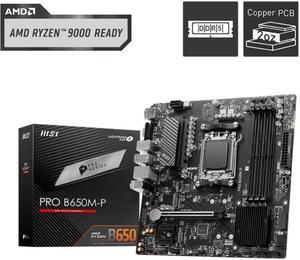
MSI PRO B650M-P AM5 Ryzen 7000 DDR5 SATA 6G 2x M.2 2.5G LAN 7.1 Audio mATX Motherboard
- Brand: MSI
- CPU Socket Type: AM5
- Chipset: AMD B650
- Serial ATA (SATA): 4 x SATA 6Gb/s
- Model #: PRO B650M-P
- Item #: N82E16813144607
- Return Policy: Standard Return Policy
$169.99
Free Shipping
Everything works as planned no cons ive seen
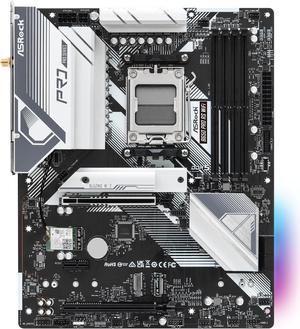
ASRock B650 Pro RS WiFi AM5 ATX Motherboard
- Brand: ASRock
- CPU Socket Type: AM5
- Chipset: AMD B650
- Serial ATA (SATA): 4 x SATA 6Gb/s
- Model #: B650 Pro RS WiFi
- Item #: N82E16813162185
- Return Policy: Standard Return Policy
$179.99
$219.99
Free Shipping
It was very easy to setup, the BIOS comes with an easy mode to toggle, has a nice color and sleek design to it.
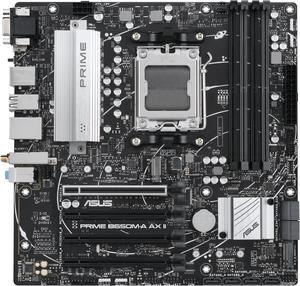
ASUS Prime B650M-A AX II AMD B650(Ryzen 7000) Micro-ATX motherboard(DDR5 6400+(OC) , PCIe 5.0 M.2 support, 2.5Gb Ethernet, Wi-Fi 6, DisplayPort, HDMI,USB 3.2 Gen 2 ports, front USB 3.2 Gen 1 Type-C
- Brand: ASUS
- CPU Socket Type: AM5
- Chipset: AMD B650
- Serial ATA (SATA): 8 x SATA 6Gb/s
- Model #: PRIME B650M-A AX II
- Item #: N82E16813119631
- Return Policy: Standard Return Policy
$229.99
Free Shipping
The motherboard is working
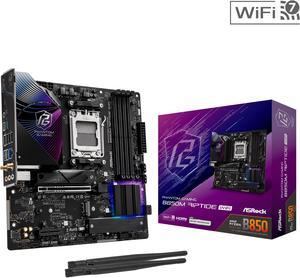
ASRock B850M Riptide WiFi AM5 Micro ATX Motherboard
- Brand: ASRock
- CPU Socket Type: AM5
- Chipset: AMD B850
- Serial ATA (SATA): 4 x SATA 6Gb/s
- Model #: B850M Riptide WiFi
- Item #: N82E16813162193
- Return Policy: Standard Return Policy
$209.99
$274.99
Free Shipping
The board has decent I/O, is easy to work with and install. The bios GUI is well thought out. Integrated WIFI 7 chipset is extremely fast and stable.
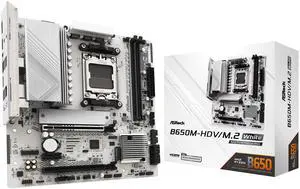
ASRock B650M-HDV/M.2 White AM5 Micro ATX Motherboard
- Brand: ASRock
- CPU Socket Type: AM5
- Chipset: AMD B650
- Serial ATA (SATA): 4 x SATA 6Gb/s
- Model #: B650M-HDV/M.2 White
- Item #: N82E16813162229
- Return Policy: Standard Return Policy
$139.99
$169.99
Free Shipping
- Sturdy, feels tough, well built - No BIOS update needed for latest 9000 AMD series processors. - Easy to apply CPU under-volt with performance presets in BIOS. - Built-in IO Shield - Wifi Antenna holes - 1 USB-C port and 1 header for future upgrades
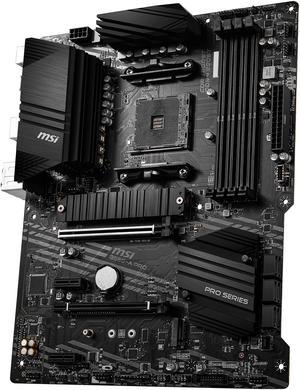
MSI PRO B550-A PRO AM4 ATX AMD Motherboard
- Brand: MSI
- CPU Socket Type: AM4
- Chipset: AMD B550
- Serial ATA (SATA): 6 x SATA 6Gb/s
- Model #: B550-A PRO
- Item #: N82E16813144330
- Return Policy: Standard Return Policy
$169.99
Free Shipping
Excellent price, spares you paying the surcharge for fun lights. Installation was easy. The labeling on the board is fairly clear.
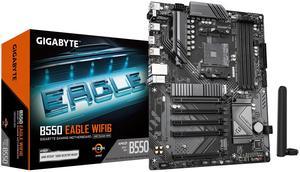
GIGABYTE B550 EAGLE WIFI6 Motherboard, Supports AMD AM4 Ryzen 5000 Processors, ATX, DDR4, 2x M.2, PCIe 4.0, WIFI6, 1GbE LAN, EZ-Latch
- Brand: GIGABYTE
- CPU Socket Type: AM4
- Chipset: AMD B550
- Serial ATA (SATA): 4 x SATA 6Gb/s
- Model #: B550 Eagle WIFI6
- Item #: N82E16813145567
- Return Policy: Standard Return Policy
$144.99
$179.99
Free Shipping
Great product and price. Delivered on time and in excellent condition.
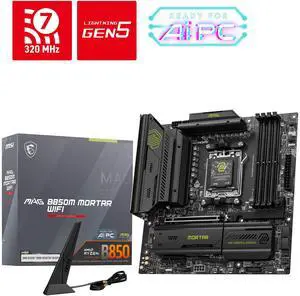
MSI MAG B850M MORTAR WIFI AM5 Micro ATX Motherboard
- Brand: MSI
- CPU Socket Type: AM5
- Chipset: AMD B850
- Serial ATA (SATA): 4 x SATA 6Gb/s
- Model #: MAG B850M MORTAR WIFI
- Item #: N82E16813144715
- Return Policy: Standard Return Policy
$279.99
$334.99
Free Shipping
Stability, temperature, tool-less M2 SSD installation, temperatures, 3rd SSD slot
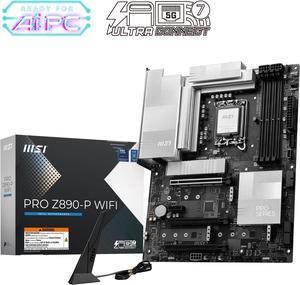
MSI PRO Z890-P WIFI LGA 1851 ATX Motherboard
- Memory Standard: DDR5 4800 / DDR5 5000 / DDR5 5200 / DDR5 5400 / DDR5 5600 / DDR5 5800 / DDR5 6000 / DDR5 6200 / DDR5 6400 / DDR5 6600 / DDR5 6800 / DDR5 7000 / DDR5 7200 / DDR5 7400 / DDR5 7600 / DDR5 7800 / DDR5 7900 / DDR5 7950 / DDR5 8000 / DDR5 8200 / DDR5 8266 / DDR5 8400 / DDR5 8600 / DDR5 8666 / DDR5 8800 / DDR5 8933 / DDR5 9000 / DDR5 9066 / DDR5 9200
- Number of Memory Slots: 4x288pin (DDR5)
- Audio Chipset: Realtek ALC897
- Brand: MSI
- Model #: PRO Z890-P WIFI
- Item #: N82E16813144672
- Return Policy: Standard Return Policy
$319.99
Free Shipping
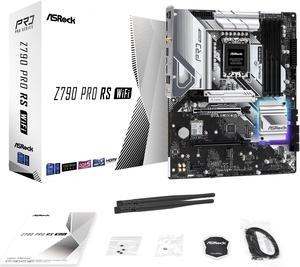
ASRock PRO Z790 PRO RS WiFi Intel LGA1700 (14th,13th,12th Gen) ATX Motherboard, 4 DDR5 Slots, PCIE 5.0x16, Realtek ALC897 7.1 CH, Dragon 2.5G LAN, WiFi 6E+Bluetooth, 8 SATA3, 4 Hyper M.2 (PCIe Gen4x4)
- Memory Standard: Supports DDR5 non-ECC, un-buffered memory up to 6800+(OC)* 1DPC 1R Up to 6800+ MHz (OC), 4800 MHz Natively. 1DPC 2R Up to 6000+ MHz (OC), 4400 MHz Natively. 2DPC 1R Up to 5600+ MHz (OC), 4000 MHz Natively. 2DPC 2R Up to 4800+ MHz (OC), 3600 MHz Natively. - Max. capacity of system memory: 128GB - Supports Intel® Extreme Memory Profile (XMP) 3.0 * Please refer to Memory Support List on ASRock's website for more information. (http://www.asrock.com/
- Number of Memory Slots: 4x288pin (DDR5)
- Audio Chipset: 7.1 CH HD Audio (Realtek ALC897 Audio Codec) - Nahimic Audio
- Brand: ASRock
- Model #: Z790 PRO RS WIFI
- Item #: N82E16813162102
- Return Policy: Standard Return Policy
$194.99
$219.99
Free Shipping
It work uhhhhh, very nice.
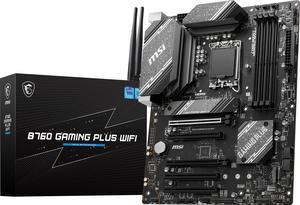
MSI B760 GAMING PLUS WIFI LGA 1700 (280) DDR5 ATX Motherboards - Intel, SATA 6Gbps, Wi-Fi 6E, Bluetooth 5.3, 7.1 HD Audio, PCIe 4.0 x16, 2.5G LAN
- Memory Standard: 4x DDR5, Maximum Memory Capacity 192GB Memory Support DDR5 6800+(OC)/ 6600(OC)/ 6400(OC)/ 6200(OC)/ 6000(OC)/ 5800(OC)/ 5600(JEDEC)/ 5400(JEDEC)/ 5200(JEDEC)/ 5000(JEDEC)/ 4800(JEDEC) MHz Max. overclocking frequency: • 1DPC 1R Max speed up to 6800+ MHz • 1DPC 2R Max speed up to 6400+ MHz • 2DPC 1R Max speed up to 6000+ MHz • 2DPC 2R Max speed up to 5600+ MHz Supports Intel® XMP 3.0 OC Supports Dual-Controller Dual-Channel mode Supports non-ECC, un-buffered memory
- Number of Memory Slots: 4x288pin (DDR5)
- Brand: MSI
- CPU Socket Type: LGA 1700
- Model #: B760 GAMING PLUS WIFI
- Item #: N82E16813144600
- Return Policy: Standard Return Policy
$224.99
$239.99
Free Shipping
Lots of oc options, easy install, great BIOS with tons of options and easy navigation