
Your Browsing History
BEST SELLERS


BEST SELLERS
In Intel Motherboards
Our most popular products, based on sales and updated frequently.Shop Department
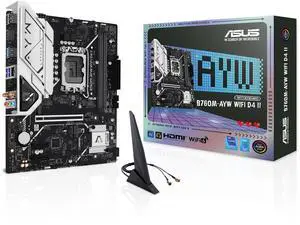
ASUS B760M-AYW WIFI D4 II Intel B760 (LGA 1700) microATX mATX motherboard, PCIe 5.0 x16 Support, two M.2 slots, DDR4, Realtek 2.5Gb Ethernet, Wi-Fi 6, HDMI, SATA 6 Gbps, front USB 5Gbps, Aura Sync
- Memory Standard: DDR4 2133 / DDR4 2400 / DDR4 2666 / DDR4 2667 / DDR4 2933 / DDR4 3200 / DDR4 3333 / DDR4 3400 / DDR4 3466 / DDR4 3600 / DDR4 3733 / DDR4 4000 / DDR4 4266 / DDR4 4400 / DDR4 4600 / DDR4 4800 / DDR4 5000 / DDR4 5066 / DDR4 5333
- Number of Memory Slots: 2x288pin (DDR4)
- Brand: ASUS
- CPU Socket Type: LGA 1700
- Model #: B760M-AYW WIFI D4 II
- Item #: N82E16813119744
- Return Policy: Standard Return Policy
$139.99
$149.99
Free Shipping
First off its a $100 motherboard with a big heatsink, BT 5.3, PCIe 5.0, two 4.0 m.2 slots, comes preloaded with WiFi and BT drivers
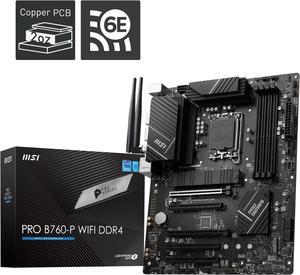
MSI PRO B760-P WIFI DDR4 LGA 1700 (l12th&13th Gen), SATA 6Gb/s motherboard, WiFi 6,Intel 2.5Gb LAN,2xM.2 Slots
- Memory Standard: Memory Support 5333(OC)/ 5200(OC)/ 5066(OC)/ 5000(OC)/ 4800(OC)/ 4600(OC)/ 4400(OC)/ 4266(OC)/ 4200(OC)/ 4000(OC)/ 3800(OC)/ 3733(OC)/ 3600(OC)/ 3466(OC)/ 3400(OC)/ 3333(OC)/ 3200(JEDEC)/ 2933(JEDEC)/ 2666(JEDEC)/ 2400(JEDEC)/ 2133(JEDEC)
- Number of Memory Slots: 4x288pin (DDR4)
- Brand: MSI
- CPU Socket Type: LGA 1700
- Model #: PRO B760-P WIFI DDR4
- Item #: N82E16813144587
- Return Policy: Standard Return Policy
$224.99
Free Shipping
M.2 slot lga 1700 everything is great even has a c port slot which is nice idk what I would use it for
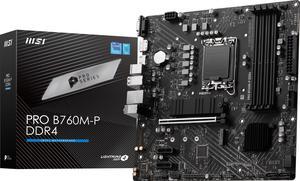
MSI PRO B760M-P DDR4 LGA 1700 Intel B760 SATA 6Gb/s Micro ATX Motherboard
- Memory Standard: DDR4 3200
- Number of Memory Slots: 4x288pin (DDR4)
- PCI Express x16: 1 x PCI Express x16
- Audio Chipset: Realtek ALC897
- Model #: PRO B760M-P DDR4
- Item #: N82E16813144597
- Return Policy: Standard Return Policy
$134.99
Free Shipping
- Looks cool - aluminum sinks / design / graphics - Works well - Triple M.2 slots - I'm using 2 of them - PCI-E x16 slot for giant GPU
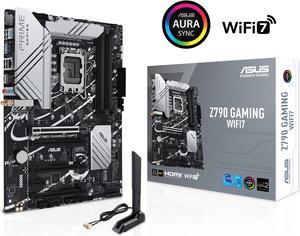
ASUS Z790 GAMING WIFI7 (LGA 1700) ATX motherboard with PCIe 5.0, three M.2 slots, 14+1 DrMOS, DDR5, WIFI 7, Realtek 1Gb LAN, HDMI TM, USB 3.2 Gen 2x2 Type-C, front USB 3.2 Gen 1 Type-C
- Memory Standard: DDR5 7200+(OC)/7000(OC)/6800(OC)/6600(OC)/ 6400(OC)/ 6200(OC)/ 6000(OC)/ 5800(OC)/ 5600/ 5400/ 5200/ 5000/ 4800 Non-ECC, Un-buffered Memory*
- Number of Memory Slots: 4x288pin (DDR5)
- PCI Express x16: 1 x PCIe 3.0 x1 slot * Please check the PCIe bifurcation table on the support site (https://www.asus.com/support/FAQ/ 1037507/). - To ensure compatibility of the device installed, please refer to https://www.asus.com/support/ for the list of supported peripherals.
- Brand: ASUS
- Model #: Z790 GAMING WIFI7
- Item #: N82E16813119679
- Return Policy: Standard Return Policy
$219.99
$239.99
Free Shipping
I got a mother board that possibly had bad pins on it. It was taken care of with a new one sent right out and now is running well!
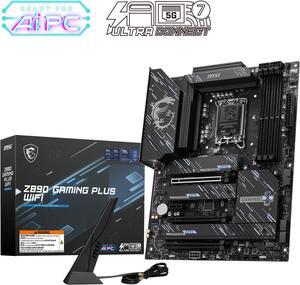
MSI Z890 GAMING PLUS WIFI LGA 1851 ATX Motherboard
- Memory Standard: DDR5 4800 / DDR5 5000 / DDR5 5200 / DDR5 5400 / DDR5 5600 / DDR5 5800 / DDR5 6000 / DDR5 6200 / DDR5 6400 / DDR5 6600 / DDR5 6800 / DDR5 7000 / DDR5 7200 / DDR5 7400 / DDR5 7600 / DDR5 7800 / DDR5 7900 / DDR5 7950 / DDR5 8000 / DDR5 8200 / DDR5 8266 / DDR5 8400 / DDR5 8600 / DDR5 8666 / DDR5 8800 / DDR5 8933 / DDR5 9000 / DDR5 9066 / DDR5 9200
- Number of Memory Slots: 4x288pin (DDR5)
- Audio Chipset: Realtek ALC897
- Brand: MSI
- Model #: Z890 GAMING PLUS WIFI
- Item #: N82E16813144671
- Return Policy: Standard Return Policy
$259.99
$294.99
Free Shipping
Easy to install Smooth M.2 drive installation Built in I/O shield Great BIOS ui Push connect wifi, not screw In
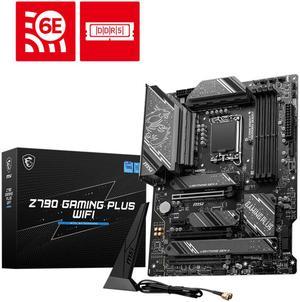
MSI Z790 GAMING PLUS WIFI LGA 1700 Intel Z790 SATA 6Gb/s ATX DDR5 PCI-E x16 slot Wi-Fi 6E 2.5Gbps LAN 4x M.2 EZ Debug LED Motherboard
- Memory Standard: DDR5 7200+(OC)/ 7000(OC)/ 6800(OC)/ 6600(OC)/ 6400(OC)/ 6200(OC)/ 6000(OC)/ 5800(OC)/ 5600(JEDEC)/ 5400(JEDEC)/ 5200(JEDEC)/ 5000(JEDEC)/ 4800(JEDEC)
- Number of Memory Slots: 4x288pin (DDR5)
- Audio Chipset: Realtek ALC897
- Brand: MSI
- Model #: Z790 GAMING PLUS WIFI
- Item #: N82E16813144637
- Return Policy: Standard Return Policy
$294.99
Free Shipping
solid heatsinks good rear IO panel, a lot of connectivities nice design
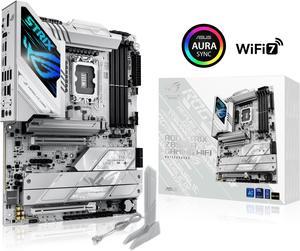
ASUS ROG STRIX Z890-A GAMING WIFI Z890 LGA 1851 ATX motherboard, Intel® Core™ Ultra Series 2 Ready, Advanced AI PC-ready, 16+2+1+2 stages, DDR5, WiFi 7, 2.5G, 5x M.2, Thunderbolt™ 4, USB Type-C, AI OC
- Memory Standard: DDR5 4400 / DDR5 4800 / DDR5 5000 / DDR5 5200 / DDR5 5400 / DDR5 5600 / DDR5 5800 / DDR5 6000 / DDR5 6200 / DDR5 6400 / DDR5 6600 / DDR5 6800 / DDR5 7000 / DDR5 7200 / DDR5 7400 / DDR5 7600 / DDR5 7800 / DDR5 7900 / DDR5 7950 / DDR5 8000 / DDR5 8200 / DDR5 8266 / DDR5 8400 / DDR5 8600 / DDR5 8666 / DDR5 8800 / DDR5 8933 / DDR5 9000 / DDR5 9066
- Number of Memory Slots: 4x288pin (DDR5)
- Brand: ASUS
- CPU Socket Type: LGA 1851
- Model #: ROG STRIX Z890-A GAMING WIFI
- Item #: 9SIAA4YKPV9589
- Return Policy: View Return Policy
$413.99
Free Shipping
7600mhz XMP working beautifully right out of the box. I am coming from the exact same mobo but Z490 10th gen. The old mobo had a sad I/O plate but this new rig is fully integrated and comparing the two makes me laugh, the old one looks so cheap. The wifi and Bluetooth are excellent, reaching across a big room to my DualShock controllers.
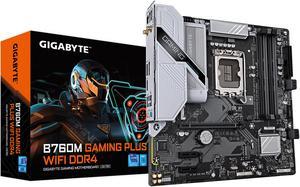
GIGABYTE B760M GAMING PLUS WIFI DDR4 LGA 1700 Intel B760 M-ATX Motherboard with DDR4, 2* M.2, PCIe 4.0, Front USB 3.2 Gen 1 Type-C, WiFi 6 GbE LAN, Q-Flash Plus, PCIe EZ-Latch
- Memory Standard: DDR4 3200
- Number of Memory Slots: 4x288pin (DDR4)
- Brand: GIGABYTE
- CPU Socket Type: LGA 1700
- Model #: B760M GAMING PLUS WIFI DDR4
- Item #: N82E16813145505
- Return Policy: Standard Return Policy
$209.99
$10.35 Shipping
Plenty of features. Easy to use software. What more could you want in a motherboard?
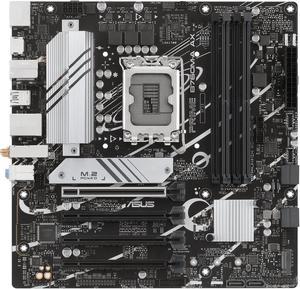
ASUS PRIME B760M-A AX LGA 1700(Intel 12th&13th Gen) microATX motherboard (PCIe 4.0, 2xM.2 slots, DDR5,Realtek 2.5 Gb LAN,WiFi 6, DP,rear USB 3.2 Gen 2, front USB 3.2 Gen 1 Type-C
- Memory Standard: DDR5 7200+(OC)/7000(OC)/6800(OC)/6600(OC)/ 6400(OC)/6200(OC)/6000(OC)/5800(OC)/5600/5400/5200/5000/4800MHNon-ECC, Un-buffered Memory* * Supported memory types, data rate (speed), and number of DRAM modules vary depending on the CPU and memory configuration, for more information please refer to CPU/Memory Support list under the Support tab of product information site or visit https://www.asus.com/support/ * Non-ECC, un-buffered DDR5 memory supports On-Die ECC function.
- Number of Memory Slots: 4x288pin (DDR5)
- Audio Chipset: Realtek 7.1 Surround Sound High Definition Audio CODEC* - Supports: Jack-detection, Multi-streaming, Front Panel Jack-retasking - Supports up to 24-Bit/192 kHz playback Audio Features - Audio Shielding - Premium audio capacitors - Dedicated audio PCB layers * A chassis with an HD audio module in the fron...
- Model #: PRIME B760M-A AX
- Item #: N82E16813119640
- Return Policy: Standard Return Policy
$144.99
$199.99
Free Shipping
The goods I have purchased form Canadian Newegg over the years, never, Never disspoited me. Allways all came on time and NEVER anything was " box open " Very relable place to get the componets from.
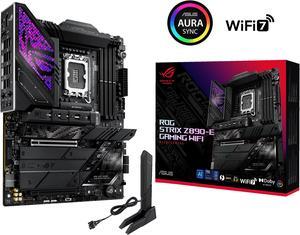
ASUS ROG STRIX Z890-E GAMING WIFI Intel® Z890 LGA 1851 ATX motherboard, Advanced AI PC-ready, 18+2+1+2 stages, DDR5, WiFi 7, 7x M.2, Thunderbolt™ 4, USB Type-C®, AI Overclocking, Cooling & Networking
- Memory Standard: DDR5 4400 / DDR5 4800 / DDR5 5000 / DDR5 5200 / DDR5 5400 / DDR5 5600 / DDR5 5800 / DDR5 6000 / DDR5 6200 / DDR5 6400 / DDR5 6600 / DDR5 6800 / DDR5 7000 / DDR5 7200 / DDR5 7400 / DDR5 7600 / DDR5 7800 / DDR5 7900 / DDR5 7950 / DDR5 8000 / DDR5 8200 / DDR5 8266 / DDR5 8400 / DDR5 8600 / DDR5 8666 / DDR5 8800
- Number of Memory Slots: 4x288pin (DDR5)
- Brand: ASUS
- CPU Socket Type: LGA 1851
- Model #: ROG STRIX Z890-E GAMING WIFI
- Item #: N82E16813119692
- Return Policy: Standard Return Policy
$559.99
Free Shipping
I've been building PCs since the swap meet heydays of the 80s. This motherboard is built like military grade hardware, and the layout is perfect. Building a PC around it was a walk in the park. It supports a ton of standards. The ever improving ASUS BIOS is a joy to use.
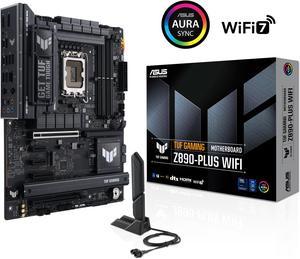
ASUS TUF GAMING Z890-PLUS WIFI Z890 LGA 1851 ATX motherboard, Intel® Core™ Ultra Series 2 Ready, Advanced AI PC-ready, 16+1+2+1 stages, DDR5, PCIe® 5.0, Thunderbolt™ 4 Type-C®, 4x M.2, Wi-Fi 7, 2.5Gb
- Memory Standard: DDR5 4400 / DDR5 4800 / DDR5 5000 / DDR5 5200 / DDR5 5400 / DDR5 5600 / DDR5 5800 / DDR5 6000 / DDR5 6200 / DDR5 6400 / DDR5 6600 / DDR5 6800 / DDR5 7000 / DDR5 7200 / DDR5 7400 / DDR5 7600 / DDR5 7800 / DDR5 7900 / DDR5 7950 / DDR5 8000 / DDR5 8200 / DDR5 8266 / DDR5 8400 / DDR5 8600 / DDR5 8666 / DDR5 8800 / DDR5 8933 / DDR5 9000 / DDR5 9066
- Number of Memory Slots: 4x288pin (DDR5)
- Brand: ASUS
- CPU Socket Type: LGA 1851
- Model #: TUF GAMING Z890-PLUS WIFI
- Item #: N82E16813119695
- Return Policy: Standard Return Policy
$379.99
$399.99
Free Shipping
New feature to flash BIOS with no memory was a life saver.
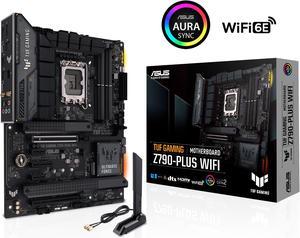
ASUS TUF Gaming Z790-Plus WiFi LGA 1700(Intel14th & 13th & 12th Gen) ATX gaming motherboard(PCIe 5.0, DDR5,4xM.2 Slots,16+1 DrMOS,WiFi 6,Intel 2.5Gb LAN,front USB 3.2 Gen 2 Type-C,Thunderbolt 4(USB4)
- Memory Standard: DDR5 7200(OC)/7000(OC)/6800(OC)/6600(OC)/ 6400(OC)/ 6200(OC)/ 6000(OC)/ 5800(OC)/ 5600/ 5400/ 5200/ 5000/ 4800 Non-ECC, Un-buffered Memory* Dual Channel Memory Architecture Supports Intel® Extreme Memory Profile (XMP) OptiMem II * Supported memory types, data rate (speed), and number of DRAM modules vary depending on the CPU and memory configuration, for more information please refer to CPU/Memory Support under the Support tab or visit https://www.asus.com/support/ * Non-ECC, un-buffered DDR5 memory supports On-Die ECC function.
- Number of Memory Slots: 4x288pin (DDR5)
- Brand: ASUS
- CPU Socket Type: LGA 1700
- Model #: TUF GAMING Z790-PLUS WIFI 6E
- Item #: N82E16813119618
- Return Policy: Standard Return Policy
$309.99
$349.99
Free Shipping
Had all the ports and options I was looking for. Easy to work with.
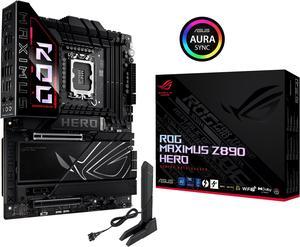
ASUS ROG MAXIMUS Z890 HERO Intel® Z890 LGA 1851 ATX motherboard, Advanced AI PC-ready, 22+2+1+2 stages, DDR5, WiFi 7, 3x PCIe® 5.0 M.2, Thunderbolt™ 4, USB Type-C®, AI Overclocking/Cooling/Networking
- Memory Standard: DDR5 4400 / DDR5 4800 / DDR5 5000 / DDR5 5200 / DDR5 5400 / DDR5 5600 / DDR5 5800 / DDR5 6000 / DDR5 6200 / DDR5 6400 / DDR5 6600 / DDR5 6800 / DDR5 7000 / DDR5 7200 / DDR5 7400 / DDR5 7600 / DDR5 7800 / DDR5 7900 / DDR5 7950 / DDR5 8000 / DDR5 8200 / DDR5 8266 / DDR5 8400 / DDR5 8600 / DDR5 8666 / DDR5 8800 / DDR5 8933 / DDR5 9000 / DDR5 9066 / DDR5 9200
- Number of Memory Slots: 4x288pin (DDR5)
- Brand: ASUS
- CPU Socket Type: LGA 1851
- Model #: ROG MAXIMUS Z890 HERO
- Item #: N82E16813119691
- Return Policy: Standard Return Policy
$579.99
$629.99
Free Shipping
This was my first AIO water cooled desktop and I'm quite impressed. No noice whatsoever when the desktops are powered up. Huge difference in boot times, page refresh times .... just raw beautify speed! No more external hubs since each of these 2 MB's have ample USB ports.
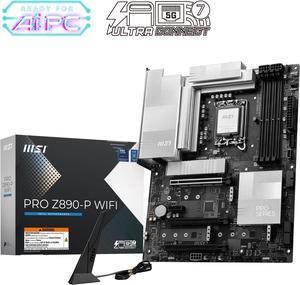
MSI PRO Z890-P WIFI LGA 1851 ATX Motherboard
- Memory Standard: DDR5 4800 / DDR5 5000 / DDR5 5200 / DDR5 5400 / DDR5 5600 / DDR5 5800 / DDR5 6000 / DDR5 6200 / DDR5 6400 / DDR5 6600 / DDR5 6800 / DDR5 7000 / DDR5 7200 / DDR5 7400 / DDR5 7600 / DDR5 7800 / DDR5 7900 / DDR5 7950 / DDR5 8000 / DDR5 8200 / DDR5 8266 / DDR5 8400 / DDR5 8600 / DDR5 8666 / DDR5 8800 / DDR5 8933 / DDR5 9000 / DDR5 9066 / DDR5 9200
- Number of Memory Slots: 4x288pin (DDR5)
- Audio Chipset: Realtek ALC897
- Brand: MSI
- Model #: PRO Z890-P WIFI
- Item #: N82E16813144672
- Return Policy: Standard Return Policy
$319.99
Free Shipping
I printed out manual. Its mor inclusive. Easy setup and came on on first build. I used there gt utility from the msi site. It installed all drivers and updated the bios. That was awesome. Primary m.2 connector had a nice heat sink too. Nice board. My 4th overall.
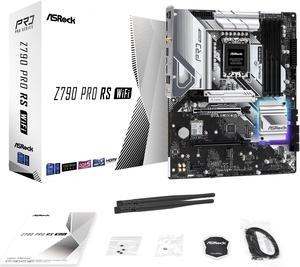
ASRock PRO Z790 PRO RS WiFi Intel LGA1700 (14th,13th,12th Gen) ATX Motherboard, 4 DDR5 Slots, PCIE 5.0x16, Realtek ALC897 7.1 CH, Dragon 2.5G LAN, WiFi 6E+Bluetooth, 8 SATA3, 4 Hyper M.2 (PCIe Gen4x4)
- Memory Standard: Supports DDR5 non-ECC, un-buffered memory up to 6800+(OC)* 1DPC 1R Up to 6800+ MHz (OC), 4800 MHz Natively. 1DPC 2R Up to 6000+ MHz (OC), 4400 MHz Natively. 2DPC 1R Up to 5600+ MHz (OC), 4000 MHz Natively. 2DPC 2R Up to 4800+ MHz (OC), 3600 MHz Natively. - Max. capacity of system memory: 128GB - Supports Intel® Extreme Memory Profile (XMP) 3.0 * Please refer to Memory Support List on ASRock's website for more information. (http://www.asrock.com/
- Number of Memory Slots: 4x288pin (DDR5)
- Audio Chipset: 7.1 CH HD Audio (Realtek ALC897 Audio Codec) - Nahimic Audio
- Brand: ASRock
- Model #: Z790 PRO RS WIFI
- Item #: N82E16813162102
- Return Policy: Standard Return Policy
$194.99
$219.99
Free Shipping
Rgb has plenty of room for aio and GPU many many options in bios for CPU and memory
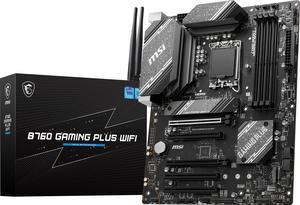
MSI B760 GAMING PLUS WIFI LGA 1700 (280) DDR5 ATX Motherboards - Intel, SATA 6Gbps, Wi-Fi 6E, Bluetooth 5.3, 7.1 HD Audio, PCIe 4.0 x16, 2.5G LAN
- Memory Standard: 4x DDR5, Maximum Memory Capacity 192GB Memory Support DDR5 6800+(OC)/ 6600(OC)/ 6400(OC)/ 6200(OC)/ 6000(OC)/ 5800(OC)/ 5600(JEDEC)/ 5400(JEDEC)/ 5200(JEDEC)/ 5000(JEDEC)/ 4800(JEDEC) MHz Max. overclocking frequency: • 1DPC 1R Max speed up to 6800+ MHz • 1DPC 2R Max speed up to 6400+ MHz • 2DPC 1R Max speed up to 6000+ MHz • 2DPC 2R Max speed up to 5600+ MHz Supports Intel® XMP 3.0 OC Supports Dual-Controller Dual-Channel mode Supports non-ECC, un-buffered memory
- Number of Memory Slots: 4x288pin (DDR5)
- Brand: MSI
- CPU Socket Type: LGA 1700
- Model #: B760 GAMING PLUS WIFI
- Item #: N82E16813144600
- Return Policy: Standard Return Policy
$224.99
$239.99
Free Shipping
- support up to 14 gen Intel processor - DDR 5 memory - two M.2 storage slots
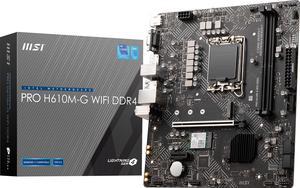
MSI PRO PRO H610M-G WIFI DDR4 LGA 1700 Micro ATX Motherboard
- Memory Standard: Supports 1R 2133/ 2666/ 3200 MHz (by JEDEC & POR)
- Number of Memory Slots: 2x288pin (DDR4)
- Audio Chipset: Realtek ALC897
- Brand: MSI
- Model #: PRO H610M-G WIFI DDR4
- Item #: N82E16813144573
- Return Policy: Standard Return Policy
$139.99
Free Shipping
-As of October 2024 purchase, it came with BIOS version 3/26/2024. It recognized the Core i3 14100 processor without any issue. Didn't need to put a 12th gen Core processor in to do any BIOS update. -From the above bulletpoint, my box had a "Next Gen CPU Ready" sticker on it probably to indicate it has the updated BIOS version to support 13th and 14th gen Core processors. -Compact size and has Wi-Fi card already included. -High quality -2x ARGB 5v headers for your LED lights -Integrated video output if you don't want to add a dedicated video card. (VGA, Displayport, and HDMI)
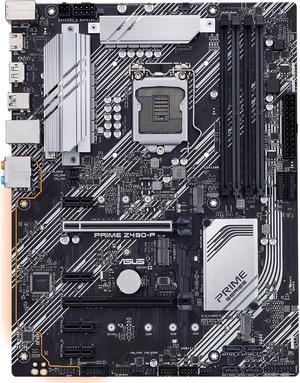
ASUS Prime PRIME Z490-P LGA 1200 ATX Intel Motherboard
- Memory Standard: DDR4 4600(O.C.)/ 4500(O.C.)/ 4400(O.C.)/ 4266(O.C.)/ 4133(O.C.)/ 4000(O.C.)/ 3866(O.C.)/ 3733(O.C.)/ 3600(O.C.)/ 3466(O.C.)/ 3400(O.C.)/ 3333(O.C.)/ 3300(O.C.)/ 3200(O.C.)/ 3000(O.C.)/ 2933(O.C.)/ 2800(O.C.)/ 2666/ 2400/ 2133 MHz Non-ECC, Un-buffered Memory* * 10th Gen Intel Core i9/i7 CPUs support 2933/ 2800/ 2666/ 2400/ 2133 natively. Refer to www.asus.com for the Memory QVL (Qualified Vendors Lists).
- Number of Memory Slots: 4x288pin (DDR4)
- Audio Chipset: Realtek ALC887
- Brand: ASUS
- Model #: PRIME Z490-P
- Item #: 9SIC514KU19508
- Return Policy: View Return Policy
$158.93
$161.93
Free Shipping
Upgrading my computer from a second gen i3 to this was easy. Decided to get the non wifi version because i already had ethernet ran.
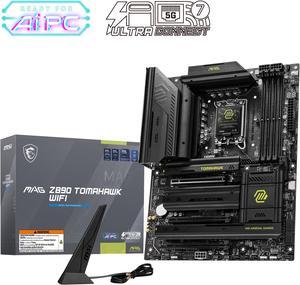
MSI MAG Z890 TOMAHAWK WIFI LGA 1851 ATX Motherboard
- Memory Standard: DDR5 4800 / DDR5 5000 / DDR5 5200 / DDR5 5400 / DDR5 5600 / DDR5 5800 / DDR5 6000 / DDR5 6200 / DDR5 6400 / DDR5 6600 / DDR5 6800 / DDR5 7000 / DDR5 7200 / DDR5 7400 / DDR5 7600 / DDR5 7800 / DDR5 7900 / DDR5 7950 / DDR5 8000 / DDR5 8200 / DDR5 8266 / DDR5 8400 / DDR5 8600 / DDR5 8666 / DDR5 8800 / DDR5 8933 / DDR5 9000 / DDR5 9066 / DDR5 9200
- Number of Memory Slots: 4x288pin (DDR5)
- Audio Chipset: Realtek ALC1220
- Brand: MSI
- Model #: MAG Z890 TOMAHAWK WIFI
- Item #: N82E16813144669
- Return Policy: Standard Return Policy
$349.99
$379.99
Free Shipping
Easy to set up, lots of options plenty of m.2 slots. Tons of fan headers and rbg headers too.
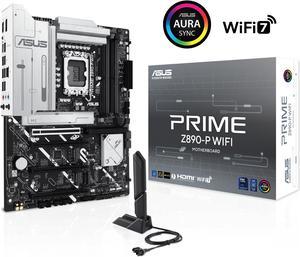
ASUS PRIME Z890-P WIFI Z890 LGA 1851 ATX motherboard, Intel® Core™ Ultra Series 2 Ready, Advanced AI PC-ready, 14+1+1+2 power stage, DDR5, PCIe® 5.0, Thunderbolt™ 4 USB Type-C®, 4x M.2, Wi-Fi 7, 2.5Gb
- Memory Standard: DDR5 4400 / DDR5 4800 / DDR5 5000 / DDR5 5200 / DDR5 5400 / DDR5 5600 / DDR5 5800 / DDR5 6000 / DDR5 6200 / DDR5 6400 / DDR5 6600 / DDR5 6800 / DDR5 7000 / DDR5 7200 / DDR5 7400 / DDR5 7600 / DDR5 7800 / DDR5 7900 / DDR5 7950 / DDR5 8000 / DDR5 8200 / DDR5 8266 / DDR5 8400 / DDR5 8600 / DDR5 8666
- Number of Memory Slots: 4x288pin (DDR5)
- Brand: ASUS
- CPU Socket Type: LGA 1851
- Model #: PRIME Z890-P WIFI
- Item #: N82E16813119696
- Return Policy: Standard Return Policy
$319.99
Free Shipping
Somehow I bent the pins under the CPU of the 1st MB, don't know how I did that, after getting it back from from ASUS repair center, which it really didn't need because all they did is test startup 50 times & when I got it back the issue was resolved - so just a big waste of time I can't blame on any body else. So that's off my chest, the 2nd Z890-A is working perfectly. No complaints at all. It has plenty of USB's. Room for 2 HDD's, 4 2.5" SSD's & 5 M.2 SSD's. You don't need to be a gamer to get this MB, it will handle whatever you throw at it. I still haven't played with the Audio capabilities it has, or finished moving all my files over to the new PC. It's been a busy Summer. One hack I accidently discovered: I went with an Intel 265KF (no internal graphics), but was planning on getting a GPU any way. Do that and you can save a few bucks on the CPU.