
Your Browsing History
BEST SELLERS


BEST SELLERS
In Intel Motherboards
Our most popular products, based on sales and updated frequently.Shop Department
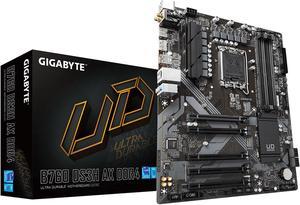
GIGABYTE B760 DS3H AX DDR4 LGA 1700 Intel B760 ATX Motherboard with DDR4, M.2, PCIe 4.0, USB 3.2 Gen 2 Type-C, WiFi 6E Realtek GbE LAN, Q-Flash Plus, PCIe EZ-Latch
- Memory Standard: Support for DDR4 5333(O.C.)/ 5133(O.C.)/ 5000(O.C.)/ 4933(O.C.)/ 4800(O.C.)/ 4700(O.C.)/ 4600(O.C.)/ 4500(O.C.)/ 4400(O.C.)/ 4300(O.C.)/ 4266(O.C.)/ 4133(O.C.)/ 4000(O.C.)/ 3866(O.C.)/ 3800(O.C.)/ 3733(O.C.)/ 3666(O.C.)/ 3600(O.C.)/ 3466(O.C.)/ 3400(O.C.)/ 3333(O.C.)/ 3300(O.C.)/ 3200/ 3000/ 2933/ 2666/ 2400/ 2133 MT/s memory modules
- Number of Memory Slots: 4x288pin (DDR4)
- Audio Chipset: Realtek Audio CODEC High Definition Audio 2/4/5.1/7.1-channel * You can change the functionality of an audio jack using the audio software. To configure 7.1-channel audio, access the audio software for audio settings. Support for S/PDIF Out
- Brand: GIGABYTE
- Model #: B760 DS3H AX DDR4
- Item #: 9SIAHEBK4K6543
- Return Policy: View Return Policy
$330.90
Free Shipping
![[OB-NA] MSI Z390-A PRO LGA 1151 (300 Series) Intel Z390 SATA 6Gb/s ATX Intel Mobo](https://c1.neweggimages.com/productimage/nb300/V0Y4_1_20190212440646870.jpg "[OB-NA] MSI Z390-A PRO LGA 1151 (300 Series) Intel Z390 SATA 6Gb/s ATX Intel Mobo")
[OB-NA] MSI Z390-A PRO LGA 1151 (300 Series) Intel Z390 SATA 6Gb/s ATX Intel Mobo
- Memory Standard: DDR4 4400(OC)/ 4300(OC)/ 4266(OC)/ 4200(OC)/ 4133(OC)/ 4000(OC)/ 3866(OC)/ 3733(OC)/ 3600(OC)/ 3466(OC)/ 3400(OC)/ 3333(OC)/ 3300(OC)/ 3200(OC)/ 3000(OC)/ 2800(OC)/ 2666/ 2400/ 2133
- Number of Memory Slots: 4x288pin (DDR4)
- Audio Chipset: Realtek ALC892
- Brand: MSI
- Model #: Z390-A PRO
- Item #: 9SIC3VJKUN4757
- Return Policy: View Return Policy
$132.00
$30.00 Shipping
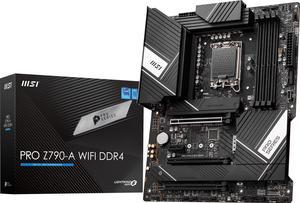
MSI PRO Z790-A WIFI DDR4 LGA 1700 Intel Z790 SATA 6Gb/s DDR4 ATX Motherboard
- Memory Standard: Supports 1R 2133/2666/3200 MHz (by JEDEC & POR) Max overclocking frequency: - 1DPC 1R Max speed up to 5333+ MHz - 1DPC 2R Max speed up to 4800+ MHz - 2DPC 1R Max speed up to 4400+ MHz - 2DPC 2R Max speed up to 4000+ MHz Supports Dual-Channel mode Supports non-ECC, un-buffered memory Supports Intel Extreme Memory Profile (XMP)
- Number of Memory Slots: 4x288pin (DDR4)
- Audio Chipset: Realtek ALC4080
- Brand: MSI
- Model #: PRO Z790-A WIFI DDR4
- Item #: 9SIC514KT11241
- Return Policy: View Return Policy
$614.88
$615.34
Free Shipping
The motherboard was easy to set up and all pins were clearly labeled and easy to locate.
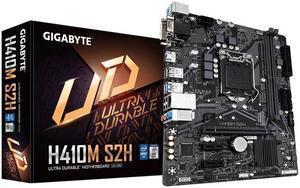
GIGABYTE H410M S2H LGA 1200 Intel H410 Micro-ATX Motherboard
- Memory Standard: Intel Core i9/i7 processors: Support for DDR4 2933/ 2666/ 2400/ 2133 MHz memory modules Intel Core i5/i3/Pentium/Celeron processors: Support for DDR4 2666/ 2400/ 2133 MHz memory modules Support for ECC Un-buffered DIMM 1Rx8/2Rx8 memory modules (operate in non-ECC mode) Support for non-ECC Un-buffered DIMM 1Rx8/2Rx8/1Rx16 memory modules Support for Extreme Memory Profile (XMP) memory modules
- Number of Memory Slots: 2x288pin (DDR4)
- Audio Chipset: Realtek ALC887
- Brand: GIGABYTE
- Model #: H410M S2H
- Item #: 9SIAHEBK4B0483
- Return Policy: View Return Policy
$166.90
Free Shipping
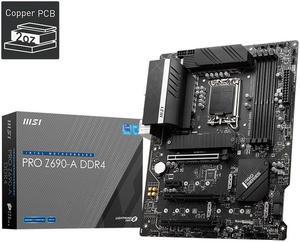
MSI PRO Z690-A DDR4 Intel LGA 1700 Motherboard
- Brand: MSI
- CPU Socket Type: LGA 1700
- Chipset: Intel Z690
- CPU Type: Celeron / Core i3 / Core i5 / Core i7 / Core i9 / Intel Core 12th Gen (LGA 1700) / Intel Core 13th Gen (LGA 1700) / Pentium Gold
- Model #: PRO Z690-A DDR4
- Item #: 9SIC3VJKUN4747
- Return Policy: View Return Policy
$309.00
$60.00 Shipping
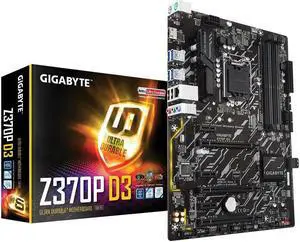
GIGABYTE Z370P D3 (rev. 1.0) LGA 1151 (300 Series) Intel Z370 HDMI SATA 6Gb/s USB 3.1 Motherboard
- Memory Standard: DDR4 4000(O.C.)/ 3866(O.C.)/ 3800(O.C.)/ 3733(O.C.)/ 3666(O.C.)/ 3600(O.C.)/ 3466(O.C.)/ 3400(O.C.)/ 3333(O.C.)/ 3300(O.C.)/ 3200(O.C.)/ 3000(O.C.)/ 2800(O.C.)/ 2666/ 2400/ 2133
- Number of Memory Slots: 4x288pin (DDR4)
- Audio Chipset: Realtek ALC887
- Brand: GIGABYTE
- Model #: Z370P D3
- Item #: 9SIADDZKJV7730
- Return Policy: View Return Policy
$172.84
Free Shipping
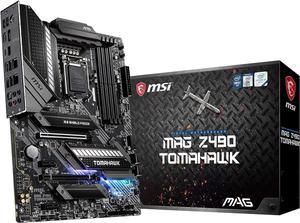
MSI MAG Z490 TOMAHAWK LGA 1200 Intel Z490 SATA 6Gb/s ATX Intel Motherboard
- Memory Standard: Supports 1R 2933/ 2666/ 2133 MHz 1DPC 1R Max speed up to 4800+ MHz 1DPC 2R Max speed up to 4266+ MHz 2DPC 1R Max speed up to 4400+ MHz 2DPC 2R Max speed up to 4000+ MHz Please refer www.msi.com for more information on compatible memory.
- Number of Memory Slots: 4x288pin (DDR4)
- Brand: MSI
- CPU Socket Type: LGA 1200
- Model #: MAG Z490 TOMAHAWK
- Item #: 9SIC3VJKUK3860
- Return Policy: View Return Policy
$186.00
$30.00 Shipping
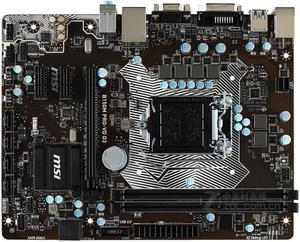
MSI B150M PRO-VD D3 Intel B150 LGA 1151 DDR3 32GB Micro ATX Motherboard
- Memory Standard: Supports dual-channel DDR3 1600/1333/1066MHz memory
- Audio Chipset: Realtek ALC887 Decoder Chip 7.1 channel high-quality sound effects
- Brand: MSI
- CPU Socket Type: LGA 1151
- Model #: 1211981-1-53
- Item #: 9SIC3VJKUK2276
- Return Policy: View Return Policy
$86.57
$10.00 Shipping
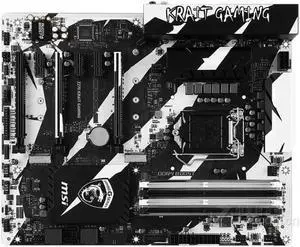
MSI Z270 KRAIT GAMING Intel Z270 LGA 1151 DDR4 64GB ATX Motherboard
- Memory Standard: Support dual-channel DDR4 3800 (OC)/3600 (OC)/3200 (OC)/3000 (OC)/2800 (OC)/2600 (OC)/2400/2133MHz memory
- Audio Chipset: Realtek ALC1220 decoding chip - 7.1 channel high-quality sound effects
- Brand: MSI
- CPU Socket Type: LGA 1151
- Model #: 1163623MSI
- Item #: 9SIC3VJKUJ6753
- Return Policy: View Return Policy
$130.62
$10.00 Shipping
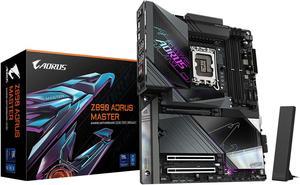
GIGABYTE Z890 AORUS MASTER Ultra Core (Series 2) LGA 1851, ATX, DDR5, 5x M.2, PCIe 5.0, Thunderbolt 4, WIFI7, 10GbE LAN, EZ-Latch
- Memory Standard: DDR5 5600 / DDR5 5800 / DDR5 6000 / DDR5 6200 / DDR5 6400 / DDR5 6600 / DDR5 6800 / DDR5 7000 / DDR5 7200 / DDR5 7400 / DDR5 7600 / DDR5 7800 / DDR5 7900 / DDR5 7950 / DDR5 8000 / DDR5 8200 / DDR5 8266 / DDR5 8400 / DDR5 8600 / DDR5 8800 / DDR5 8933 / DDR5 9066 / DDR5 9200 / DDR5 9466 / DDR5 9500
- Number of Memory Slots: 4x288pin (DDR5)
- Brand: GIGABYTE
- CPU Socket Type: LGA 1851
- Model #: Z890 AORUS MASTER
- Item #: N82E16813145523
- Return Policy: Standard Return Policy
$419.99
$809.99
$29.99 Shipping
Plenty of ports and options for any build. Alot of fan plugs and rbg plugs. I love how the pci express is reinforced for the heavy video cards. and the heatsinks are tool less with their own thermal pads. This board is made for cool temps. The led's are nice to. GCC software is excellent with the bios updates and the rgb. Very impressive that they now have GCC. Their software has come a long way from the older style control center.
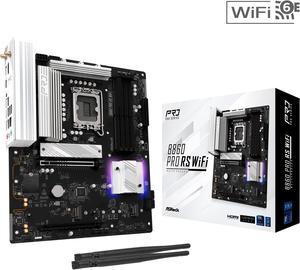
ASRock B860 Pro RS WiFi LGA 1851 Intel B860 SATA 6Gb/s DDR5 Intel Core Ultra ATX Motherboard
- Memory Standard: Up to DDR5 8666+(OC)
- Number of Memory Slots: 4x288pin (DDR5)
- Audio Chipset: Realtek ALC897
- Brand: ASRock
- Model #: B860 Pro RS WiFi
- Item #: 9SIADGEKFD3545
- Return Policy: View Return Policy
$214.44
$18.99 Shipping
ALERT! It's 2025 already, and this motherboard will not recognize a GPT-partitioned device as bootable! Once I figured out why I didn't seem to have any bootable drives, I formatted and partitioned my M2 SSD with a MS-DOS partition table, and it was good to go. I bought a pair of 24 GB G.Skill Trident DDR5 DIMMs that are listed on the ASROCK QVL. The CPU is an Intel Core Ultra 7 265KF. I learned that my nice legacy heatsink was incompatible with the heatsink footprint (the 4 holes) on a LGA 1851, so I bought a Noctua NH-D9L and it works great. CPU temp with air cooling is 32-35C. I;ve been a pretty reliable Asus MB user over the years, but this ASROCK unit is getting the job done for me and I have zero regrets for this decision.
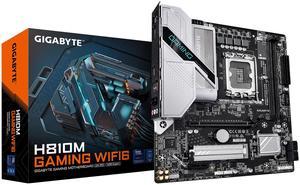
GIGABYTE H810M GAMING WIFI6 Intel Core Ultra (Series 2) LGA 1851 Motherboard, mATX, DDR5, 1x M.2, PCIe 5.0, USB-C, WIFI6, 2.5GbE LAN, EZ-Latch
- Memory Standard: Support for DDR5 6400/5600
- Number of Memory Slots: 2x288pin (DDR5)
- Brand: GIGABYTE
- CPU Socket Type: LGA 1851
- Model #: H810M GAMING WIFI6
- Item #: N82E16813145574
- Return Policy: Standard Return Policy
$169.99
$179.99
$29.99 Shipping
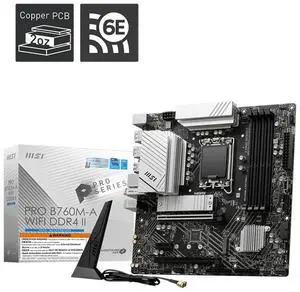
MSI PRO B760M-A WIFI DDR4 II LGA 1700 Intel B750 SATA 6Gb/s mATX Motherboard ,Wi-Fi 6E, Bluetooth 5.3, premium 2.5G LAN
- Model #: B760M-A WIFI DDR4 II
- Item #: 9SIC4RVKRJ8323
- Return Policy: View Return Policy
$338.64
$339.00
$29.99 Shipping
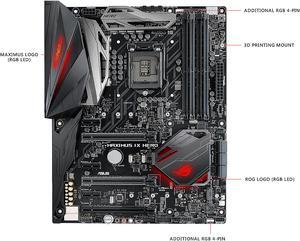
ASUS ROG Maximus IX Hero Z270 LGA1151 DDR4 DP HDMI M.2 USB 3.1 ATX Motherboard
- Memory Standard: DDR4 4133(O.C.)/ 4000(O.C.)/ 3866(O.C.)/ 3733(O.C.)/ 3600(O.C.)/ 3466(O.C.)/ 3400(O.C.)/ 3333(O.C.)/ 3300(O.C.)/ 3200(O.C.)/ 3000(O.C.)/ 2800(O.C.)/ 2666(O.C.)/ 2400(O.C.)/ 2133(O.C.) Hyper DIMM support is subject to the physical characteristics of individual CPUs.
- Number of Memory Slots: 4x288pin (DDR4)
- Audio Chipset: ROG SupremeFX High Definition Audio CODEC S1220
- Brand: ASUS
- Model #: MAXIMUS IX HERO
- Item #: 9SIC4RVKRU2227
- Return Policy: View Return Policy
$424.72
$426.85
$29.99 Shipping
Install was a breeze, I like that the USB 3 front panel is located in the bottom, people with Thermaltake Core P5 would know why! The RGB is a nice touch, vibrant colors, it doesn’t get hot after long sessions of gaming, the Q connector is much better than the Gigabyte’s.
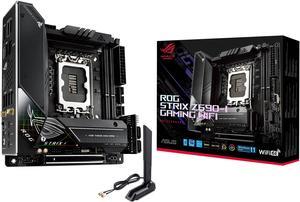
ASUS ROG Strix Z690-I Gaming WiFi 6E LGA 1700 (Intel® 12th&13th&14th Gen) mini-ITX gaming motherboard (PCIe 5.0,DDR5,10 layer PCB,10+1 power stages,Thunderbolt 4 Onboard,Intel® 2.5 Gb LAN)
- Memory Standard: DDR5 6400(OC) / 6200(OC) / 6000(OC) / 5800(OC) / 5600(OC) / 5400(OC) / 5200(OC) / 5000(OC) / 4800(OC)* * Actual Memory frequency support depends on the CPU types and DRAM modules, for more information refer to www.asus.com for the Memory QVL (Qualified Vendors Lists).
- Number of Memory Slots: 2x288pin (DDR5)
- Audio Chipset: ROG SupremeFX 7.1 Surround Sound High Definition Audio CODEC ALC4080
- Brand: ASUS
- Model #: 90MB1910-M0AAY0
- Item #: 9SIA7BBJTX9224
- Return Policy: View Return Policy
$634.62
Free Shipping
Bracket LGA 1200 fit without issues
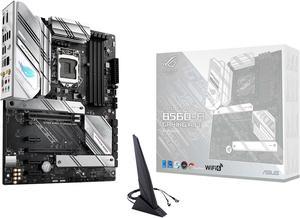
ASUS ROG STRIX B560-A GAMING WIFI LGA 1200 ATX Intel Motherboard
- Memory Standard: DDR4 5000(OC) / 4800(OC) / 4600(OC) / 4400(OC) / 4266(OC) / 4000(OC) / 3733(OC) / 3600(OC) / 3466(OC) / 3333(OC) / 3200 / 2933 / 2800 / 2666 / 2400 / 2133* * 11th Gen Intel processors support 3200 / 2933 / 2800 / 2666 / 2400 / 2133 natively. * 10th Gen Intel i9 / i7 processors support 2933 / 2800 / 2666 / 2400 / 2133 natively, others will run at the maximum transfer rate of DDR4 2666MHz. * Refer to www.asus.com for the Memory QVL (Qualified Vendors Lists), and memory frequency support depends on the CPU types.
- Number of Memory Slots: 4x288pin (DDR4)
- Audio Chipset: ROG SupremeFX High Definition Audio CODEC S1220A
- Brand: ASUS
- Model #: STRIX B560-A GAM WIF
- Item #: 9SIC4RVKRM9339
- Return Policy: View Return Policy
$349.95
$29.99 Shipping
Motherboard has excellent build quality and a lot of premium features
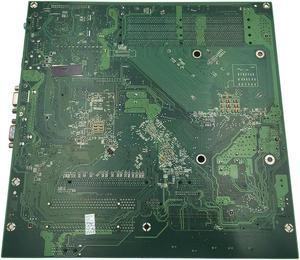
Desktop Motherboard For OptiPlex 740 MT CN-0D197D D197D 0UT225 UT225 AM2 Fully Tested Good
- Model #: AGCC-2351432
- Item #: 9SIBFYXK5J7364
- Return Policy: View Return Policy
$108.75
Free Shipping
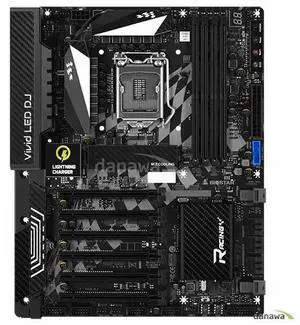
BIOSTAR Z270GT8 Z270 LGA1151 DDR4 ATX International Version - R.O.Korea - No Warranty
- Memory Standard: DDR4 3600
- Number of Memory Slots: 4x288pin (DDR4)
- PCI Express x16: 6 x PCI Express x16
- Audio Chipset: ALC1220
- Model #: Z270GT8
- Item #: 9SIC210KK51431
- Return Policy: View Return Policy
$148.00
$36.00 Shipping
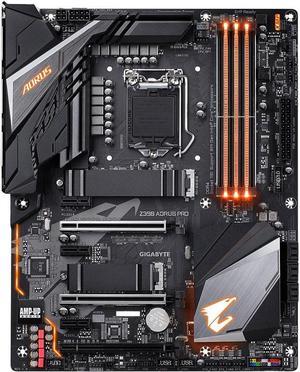
GIGABYTE Z390 AORUS PRO LGA 1151 (300 Series) Intel Z390 HDMI SATA 6Gb/s USB 3.1 ATX Intel Motherboard
- Memory Standard: DDR4 4133(O.C.)/ 4000(O.C.)/ 3866(O.C.)/ 3800(O.C.)/ 3733(O.C.)/ 3666(O.C.)/ 3600(O.C.)/ 3466(O.C.)/ 3400(O.C.)/ 3333(O.C.)/ 3300(O.C.)/ 3200(O.C.)/ 3000(O.C.)/ 2800(O.C.)/ 2666/ 2400/ 2133
- Number of Memory Slots: 4x288pin (DDR4)
- Audio Chipset: Realtek ALC1220-VB codec * The back panel line out jack supports DSD audio.
- Brand: GIGABYTE
- Model #: Z390 AORUS PRO
- Item #: 9SIADDZKJV7230
- Return Policy: View Return Policy
$239.99
$37.97 Shipping
After coming back to PC building from a 12 year hiatus (stopped in 2012, picking back up in 2024) I was in the market for a motherboard capable of handling my i9-9900K, and GTX 980 Ti Hybrid's in SLI. Dug around for a couple weeks researching and this was the solution. What I like about this board is: - One of the few SLI capable boards on the market, which was a requirement for me - Quality VRM, and phase system(s) - Has capability for Corsair iCue RGB management thru the motherboard RGB headers itself, which is useful for my SP120 / RX120 fans - I/O shield built into the VRM cooler, so one-piece install. No more pesky IO shields to remove. - 4-pin ATX-12V connector for CPU isn't required unlike some other cheaper motherboards that force running both power cables to operate the system - Just useful for overclockers pushing 150+ watts on CPU and need more power. - The nifty little front I/O Panel connector clip to "quick disconnect" your power switches is BALLER - No clue why other motherboard manufacturers haven't done this for their customers... made it super easy getting that right 1st try without cracking open the manual for help. - Overclocking features are far more detailed and accessible compared to my previous Asus Prime Z390-P. - Small things like the positioning of the SATA ports, locations of fan headers, etc show Gigabyte has thought about people and the complex systems we like to assemble.
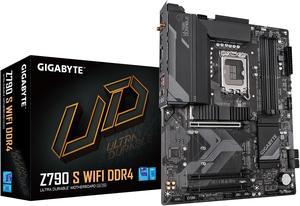
GIGABYTE Z790 S WIFI DDR4 LGA 1700 Intel Z790 ATX Motherboard with DDR4, Triple M.2, PCIe 4.0, USB 3.2 Gen2 Type-C, 2.5GbE LAN, PCIe EZ-Latch, Multi-Key
- Memory Standard: Support for DDR4 5333(O.C.)/ DDR4 5133(O.C.)/ DDR4 5000(O.C.)/ 4933(O.C.)/ 4800(O.C.)/ 4700(O.C.)/ 4600(O.C.)/ 4500(O.C.)/ 4400(O.C.)/ 4300(O.C.)/ 4266(O.C.) / 4133(O.C.)/ 4000(O.C.)/ 3866(O.C.)/ 3800(O.C.)/ 3733(O.C.)/ 3666(O.C.)/ 3600(O.C.)/ 3466(O.C.)/ 3400(O.C.)/ 3333(O.C.)/ 3200/ 3000/ 2933/ 2666/ 2400/ 2133 MT/s memory modules
- Number of Memory Slots: 4x288pin (DDR4)
- Audio Chipset: Realtek Audio CODEC High Definition Audio 2/4/5.1/7.1-channel Support for S/PDIF Out * You can change the functionality of an audio jack using the audio software. To configure 7.1-channel audio, access the audio software for audio settings.
- Brand: GIGABYTE
- Model #: Z790 S WIFI DDR4
- Item #: 9SIA7BBKHC6620
- Return Policy: View Return Policy
$714.98
Free Shipping
Fan curves are great, can do 0 RPM idles for silent idle.