
Your Browsing History
BEST SELLERS


BEST SELLERS
In Intel Motherboards
Our most popular products, based on sales and updated frequently.Shop Department
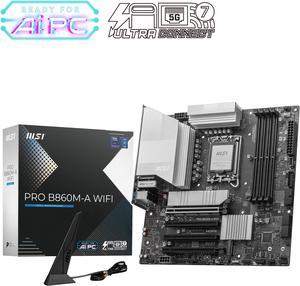
MSI PRO B860M-A WIFI LGA 1851 Intel B860 SATA 6Gb/s DDR5 PCI-E x16 slot M.2 Thunderbolt4 5Gbps LAN Wi-Fi 7 Micro ATX Motherboard
- Memory Standard: Up to DDR5 8600+ MT/s (OC)
- Number of Memory Slots: 4x288pin (DDR5)
- Audio Chipset: Realtek ALC897
- Brand: MSI
- Model #: PRO B860M-A WIFI
- Item #: N82E16813144695
- Return Policy: Standard Return Policy
$219.99
$239.99
$7.99 Shipping
A strong, affordable pickup for a mobo of its kind. Very easy to set up. Very well designed allowing for ease of build. Has every function that most would look for in a mobo for gaming.
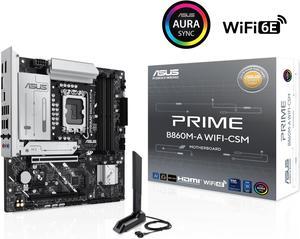
ASUS PRIME B860M-A WIFI-CSM B860 LGA 1851 mATX motherboard, Intel® Core™ Ultra Series 2 Ready, Advanced AI PC-ready, 7+1+1+1 stage, DDR5, PCIe 5.0 x16, HDMI, USB 20Gbps Type-C®, 2x M.2, WiFi 6E, 2.5Gb
- Memory Standard: 4 x DIMM slots, max. 192GB, DDR5 Supports up to 8400+MT/s (OC), Non-ECC,Un-buffered ,Clocked Unbuffered DIMM (CUDIMM)* Dual channel memory architecture DIMM Fit Supports Intel® Extreme Memory Profile (XMP) memory module ASUS Enhanced Memory Profile III(AEMPIII) * Supported memory types, data rate (speed), and number of DRAM modules vary depending on the CPU and memory configuration, for more information please refer to CPU/Memory Support list under the Support tab of product information site or visit https://www.asus.com/support/ download-center/. * Non-ECC, un-buffered DDR5 memory supports On-Die ECC function.
- Number of Memory Slots: 4x288pin (DDR5)
- Brand: ASUS
- CPU Socket Type: LGA 1851
- Model #: PRIME B860M-A WIFI-CSM
- Item #: N82E16813119714
- Return Policy: Replacement Only Return Policy
$239.99
$7.99 Shipping
I was so impressed by how easy it was to assemble this and also the price was very affordable. Great working motherboard processor combination super fast. I put a 50 series RTX card on it. Its a nice new DDR five and 1000 W power supply. The machine works killer Very impressed.
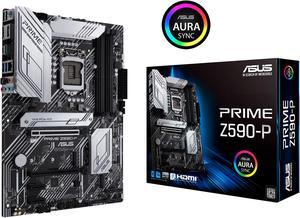
ASUS PRIME Z590-P LGA 1200 ATX Intel Motherboard
- Memory Standard: DDR4 5133(OC) / 5000(OC) / 4800(OC) / 4700(OC) / 4600(OC) / 4500(OC) / 4400(OC) / 4266(OC) / 4133(OC) / 4000(OC) / 3866(OC) / 3733(OC) / 3600(OC) / 3466(OC) / 3400(OC) / 3333(OC) / 3200 / 3000 / 2933 / 2800 / 2666 / 2400 / 2133* * 10th Gen Intel Core i7 / i9 processors support 2933 / 2800 / 2666 / 2400 / 2133 natively, others will run at the maximum transfer rate of DDR4 2666MHz. * 11th Gen Intel processors support 3200 / 2933 / 2800 / 2666 / 2400 / 2133 natively. * Refer to www.asus.com for the Memory QVL (Qualified Vendors Lists), and memory frequency support depends on the CPU types.
- Number of Memory Slots: 4x288pin (DDR4)
- Audio Chipset: Realtek ALC897
- Brand: ASUS
- Model #: PRIME Z590-P
- Item #: 9SIC514KT86603
- Return Policy: View Return Policy
$258.93
$268.97
Free Shipping
Easy install great mother board
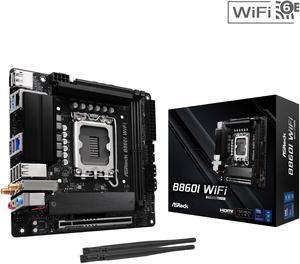
ASRock B860I WiFi LGA 1851 Intel B860 SATA 6Gb/s Intel Core Ultra DDR5 Mini ITX Motherboard
- Memory Standard: Up to DDR5 8933+(OC)
- Number of Memory Slots: 2x288pin (DDR5)
- Audio Chipset: Realtek ALC897
- Brand: ASRock
- Model #: B860I WiFi
- Item #: N82E16813162220
- Return Policy: Standard Return Policy
$214.99
$229.99
$7.99 Shipping
ALERT! It's 2025 already, and this motherboard will not recognize a GPT-partitioned device as bootable! Once I figured out why I didn't seem to have any bootable drives, I formatted and partitioned my M2 SSD with a MS-DOS partition table, and it was good to go. I bought a pair of 24 GB G.Skill Trident DDR5 DIMMs that are listed on the ASROCK QVL. The CPU is an Intel Core Ultra 7 265KF. I learned that my nice legacy heatsink was incompatible with the heatsink footprint (the 4 holes) on a LGA 1851, so I bought a Noctua NH-D9L and it works great. CPU temp with air cooling is 32-35C. I;ve been a pretty reliable Asus MB user over the years, but this ASROCK unit is getting the job done for me and I have zero regrets for this decision.
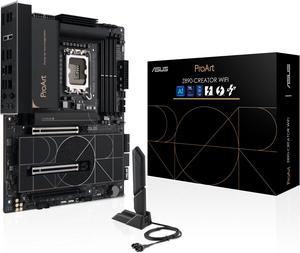
ASUS ProArt Z890-CREATOR WIFI Z890 LGA 1851 ATX Motherboard, Intel® Core™ Ultra Processor Series 2 Ready, 16+2+1+2 stages, PCIe® 5.0, DDR5, Thunderbolt™ 5 Type-C®, 10+2.5 Gb LAN, WiFi 7, 5x M.2, AI OC
- Memory Standard: DDR5 4400 / DDR5 4800 / DDR5 5000 / DDR5 5200 / DDR5 5400 / DDR5 5600 / DDR5 5800 / DDR5 6000 / DDR5 6200 / DDR5 6400 / DDR5 6600 / DDR5 6800 / DDR5 7000 / DDR5 7200 / DDR5 7400 / DDR5 7600 / DDR5 7800 / DDR5 7900 / DDR5 7950 / DDR5 8000 / DDR5 8200 / DDR5 8266 / DDR5 8400 / DDR5 8600
- Number of Memory Slots: 4x288pin (DDR5)
- Audio Chipset: Realtek ALC1220P
- Brand: ASUS
- Model #: PROART Z890-CREATOR WIFI
- Item #: N82E16813119699
- Return Policy: Standard Return Policy
$669.99
$7.99 Shipping
-beautiful board -plenty of high speed connections (TB5, TB4, 10G LAN, etc)
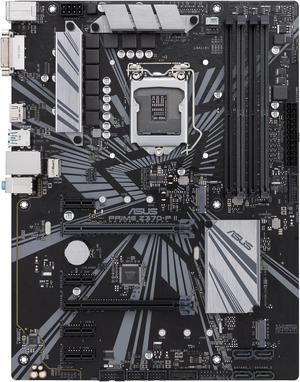
ASUS PRIME Z370-P II LGA 1151 (300 Series) ATX Intel Motherboard
- Memory Standard: DDR4 4000(O.C.)*/ 3866(O.C.)*/ 3733(O.C.)*/ 3600(O.C.)*/ 3466(O.C.)*/ 3400(O.C.)*/ 3333(O.C.)*/ 3300(O.C.)*/ 3200(O.C.)*/ 3000(O.C.)*/ 2800(O.C.)*/ 2666 / 2400 / 2133 * The maximum memory frequency supported varies by processor ** Refer to www.asus.com for the Memory QVL (Qualified Vendors List)
- Number of Memory Slots: 4x288pin (DDR4)
- Audio Chipset: Realtek ALC887
- Brand: ASUS
- Model #: PRIME Z370-P II
- Item #: 9SIC514KU19495
- Return Policy: View Return Policy
$123.89
$123.93
Free Shipping
The board is ready for the next step in storage and is also full of backwards compatible connections. Setup was easy and support was also available.
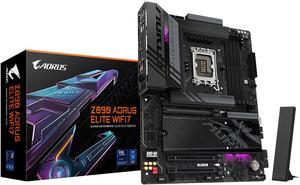
GIGABYTE Z890 AORUS ELITE WIFI7 Ultra Core (Series 2) LGA 1851, ATX, DDR5, 4x M.2, PCIe 5.0, Thunderbolt 4, WIFI7, 2.5GbE LAN, EZ-Latch
- Memory Standard: DDR5 5600 / DDR5 5800 / DDR5 6000 / DDR5 6200 / DDR5 6400 / DDR5 6600 / DDR5 6800 / DDR5 7000 / DDR5 7200 / DDR5 7400 / DDR5 7600 / DDR5 7800 / DDR5 7900 / DDR5 7950 / DDR5 8000 / DDR5 8200 / DDR5 8266 / DDR5 8400 / DDR5 8600 / DDR5 8800 / DDR5 8933 / DDR5 9066 / DDR5 9200
- Number of Memory Slots: 4x288pin (DDR5)
- Brand: GIGABYTE
- CPU Socket Type: LGA 1851
- Model #: Z890 AORUS ELITE WIFI7
- Item #: N82E16813145527
- Return Policy: Standard Return Policy
$279.00
$399.00
Free Shipping
Sleek looking with great features.
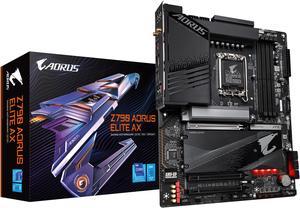
GIGABYTE Z790 AORUS ELITE AX LGA 1700 Intel Z790 ATX Motherboard with DDR5, Quad M.2, PCIe 5.0, USB 3.2 Gen2X2 Type-C, Intel WiFi 6E, 2.5GbE LAN, Q-Flash Plus, PCIe EZ-Latch
- Memory Standard: Support for DDR5 7600(O.C.) /7400(O.C.) /7200(O.C.) /7000(O.C.) /6800(O.C.) /6600(O.C.) / 6400(O.C.) / 6200(O.C.) / 6000(O.C.) / 5800(O.C.) / 5600(O.C.) / 5400(O.C.) / 5200(O.C.) / 4800 / 4000 memory modules Dual channel memory architecture Support for ECC Un-buffered DIMM 1Rx8/2Rx8 memory modules (operate in non-ECC mode) Support for non-ECC Un-buffered DIMM 1Rx8/2Rx8/1Rx16 memory modules Support for Extreme Memory Profile (XMP) memory modules
- Number of Memory Slots: 4x288pin (DDR5)
- Audio Chipset: Realtek Audio CODEC High Definition Audio
- Brand: GIGABYTE
- Model #: Z790 AORUS ELITE AX
- Item #: N82E16813145417
- Return Policy: Standard Return Policy
$324.99
$364.99
$7.99 Shipping
Product was everything it said it would be. Had no issues with order at all. The product worked great with no hiccups. Thank you for everything Newegg.
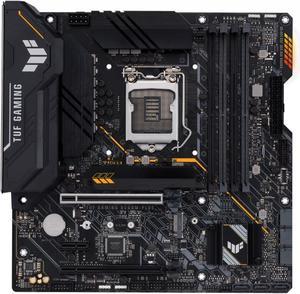
ASUS TUF GAMING B560M-PLUS LGA 1200 Micro ATX Intel Motherboard
- Memory Standard: DDR4 5000(OC) / 4800(OC) / 4600(OC) / 4400(OC) / 4266(OC) / 4000(OC) / 3733(OC) / 3600(OC) / 3466(OC) / 3333(OC) / 3200 / 2933 / 2800 / 2666 / 2400 / 2133* * 11th Gen Intel processors support 3200 / 2933 / 2800 / 2666 / 2400 / 2133 natively. * 10th Gen Intel Core i7 / i9 processors support 2933 / 2800 / 2666 / 2400 / 2133 natively, others will run at the maximum transfer rate of DDR4 2666. * Refer to www.asus.com for the Memory QVL (Qualified Vendors Lists), and memory frequency support depends on the CPU types.
- Number of Memory Slots: 4x288pin (DDR4)
- Audio Chipset: Realtek ALC887/897
- Brand: ASUS
- Model #: TUF GAMING B560M-PLU
- Item #: 9SIBJK3KN50421
- Return Policy: View Return Policy
$187.38
$187.50
Free Shipping
It was exactly as described. Everything worked. Shipping was with GOFO, but was over a week faster than estimated. While it is an older mainboard, based on BIOS revision, it was a somewhat recently assembled board.
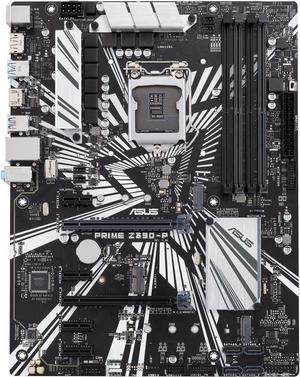
ASUS Prime Z390-P LGA 1151 (300 Series) ATX Intel Motherboard
- Memory Standard: DDR4 4266(O.C.)/ 4133(O.C.)/ 4000(O.C.)/ 3866(O.C.)/ 3733(O.C.)/ 3600(O.C.)/ 3466(O.C.)/ 3400(O.C.)/ 3333(O.C.)/ 3300(O.C.)/ 3200(O.C.)/ 3000(O.C.)/ 2800(O.C.)/ 2666/ 2400/ 2133 * The maximum memory frequency supported varies by processor ** Refer to www.asus.com for the Memory QVL (Qualified Vendors List)
- Number of Memory Slots: 4x288pin (DDR4)
- Audio Chipset: Realtek ALC887
- Brand: ASUS
- Model #: Prime Z390-P
- Item #: 9SIC514KU19356
- Return Policy: View Return Policy
$145.18
$145.59
Free Shipping
5 way optimization. The sound is just as good as boards that cost twice the price. It has all you need for gaming.
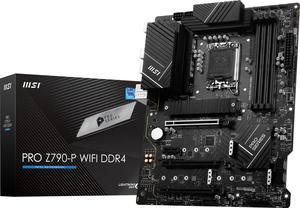
MSI PRO Z790-P WIFI DDR4 LGA 1700 Intel Z790 SATA 6Gb/s DDR4 ATX Motherboard
- Memory Standard: Supports 2133/ 2666/ 3200 MHz (by JEDEC & POR) Maxoverclocking frequency: - 1DPC 1R Max speed up to 5333+ MHz - 1DPC 2R Max speed up to 4800+ MHz - 2DPC 1R Max speed up to 4400+ MHz - 2DPC 2R Max speed up to 4000+ MHz Supports Dual-Channel mode Supports non-ECC, un-buffered memory Supports Intel Extreme Memory Profile (XMP)
- Number of Memory Slots: 4x288pin (DDR4)
- Audio Chipset: Realtek ALC897
- Brand: MSI
- Model #: PRO Z790-P WIFI DDR4
- Item #: 9SIC514KT11295
- Return Policy: View Return Policy
$409.48
$411.39
Free Shipping
The look and ease of setup
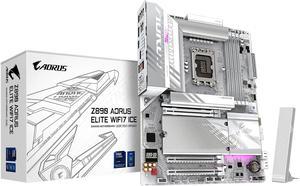
GIGABYTE Z890 AORUS ELITE WIFI7 ICE Ultra Core (Series 2) LGA 1851, ATX, DDR5, 4x M.2, PCIe 5.0, Thunderbolt 4, WIFI7, 2.5GbE LAN, EZ-Latch
- Memory Standard: DDR5 5600 / DDR5 5800 / DDR5 6000 / DDR5 6200 / DDR5 6400 / DDR5 6600 / DDR5 6800 / DDR5 7000 / DDR5 7200 / DDR5 7400 / DDR5 7600 / DDR5 7800 / DDR5 7900 / DDR5 7950 / DDR5 8000 / DDR5 8200 / DDR5 8266 / DDR5 8400 / DDR5 8600 / DDR5 8800 / DDR5 8933 / DDR5 9066 / DDR5 9200
- Number of Memory Slots: 4x288pin (DDR5)
- Brand: GIGABYTE
- CPU Socket Type: LGA 1851
- Model #: Z890 AORUS ELITE WIFI7 ICE
- Item #: N82E16813145526
- Return Policy: Standard Return Policy
$279.99
$399.99
Free Shipping
Looks nice in my setup and working great
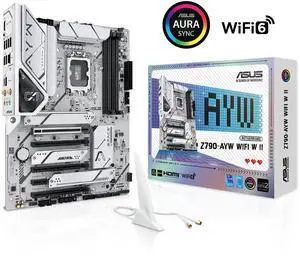
ASUS Z790-AYW WIFI W II Intel Z790 (LGA 1700) ATX motherboard with PCIe 5.0, three M.2, 12+1 DrMOS, DDR5, WIFI 6, Realtek 2.5Gb LAN, HDMI, rear USB 10Gbps Type-C and Type-A, front USB 10Gbps Type-C
- Memory Standard: Up to 8000+(OC)
- Number of Memory Slots: 4x288pin (DDR5)
- Brand: ASUS
- CPU Socket Type: LGA 1700
- Model #: Z790-AYW WIFI W II
- Item #: N82E16813119740
- Return Policy: Standard Return Policy
$239.99
$259.99
Free Shipping
As usual, at least in my experience, ASUS products have been solid performers. I use ASUS motherboards in all my computer builds, never had one mal-function.
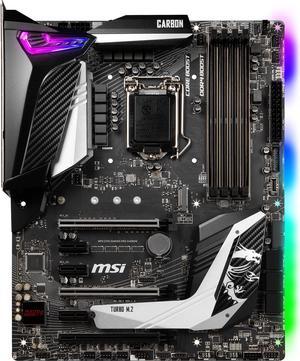
MSI MPG Z390 GAMING PRO CARBON LGA 1151 (300 Series) ATX Intel Motherboard
- Memory Standard: DDR4 4400(OC)/ 4300(OC)/ 4266(OC)/ 4200(OC)/ 4133(OC)/ 4000(OC)/ 3866(OC)/ 3733(OC)/ 3600(OC)/ 3466(OC)/ 3400(OC)/ 3333(OC)/ 3300(OC)/ 3200(OC)/ 3000(OC)/ 2800(OC)/ 2666/ 2400/ 2133
- Number of Memory Slots: 4x288pin (DDR4)
- Audio Chipset: Realtek ALC1220P-VB2 Codec
- Brand: MSI
- Model #: Z390 GAMING PRO CARB
- Item #: 9SIBJK3JMF6054
- Return Policy: View Return Policy
$299.93
Free Shipping
Alright team here it is everything you will want to know: 1. Overclock - works and very easy to do with the msi bios. both cpu and ram running OC currently and showing very stable currently at 4.8 for cpu but slowly ramping it up to 5.0 ghz 2. Bios - updated easily, easy to navigate, no complaints here 3. Hardware/Install - plenty of room on the board for multiple gpu's, large coolers, and pci extras. included some sata cables, a couple M2 screws and SLI bridge. 4. RGBs- excellent, not overbearing nor under preforming adds just the right amount 5. Fan headers - BIG KUDDOS to MSI for having multiple fan headers, but also starting the incorporate other company proprietary headers on their board. Example Corsair. I am a big fan of Corsair products (my wallet isnt) and MSI has dedicated headers to corsair proprietary products such as RGB fans and hubs. This is great since if you dont want to use iCUE you can use the MSI drivers to control RGB and fan speeds instead. 6. Heat sinks/shields - around the VRMs and the secondary M2 slot. just remember to remove the protective film on your heat sinks on install especially on the underside of the secondary M2 heat shield (but probably not a big deal) 7. Z390 - yup new chipset not much else to say Overall very happy with this MSI product. You could get wireless for an extra couple bucks but I didn't need it thus I bought this one which I would like to add that I really appreciate as the price point on these boards are high and having extras that you dont use is annoying to pay for. I really like the quality of the board and materials as nothing on the board felt cheap. The fact that the IO shield is apart of the board is nice on install. So you can say I would highly recommend this board as a solid add to a mid level gaming build.
GIGABYTE Z890M AORUS ELITE WIFI7 ICE Ultra Core (Series 2) LGA 1851, ATX, DDR5, 3x M.2, PCIe 5.0, Thunderbolt 4, WIFI7, 2.5GbE LAN, EZ-Latch
- Memory Standard: DDR5 5600 / DDR5 5800 / DDR5 6000 / DDR5 6200 / DDR5 6400 / DDR5 6600 / DDR5 6800 / DDR5 7000 / DDR5 7200 / DDR5 7400 / DDR5 7600 / DDR5 7900 / DDR5 7950 / DDR5 8000 / DDR5 8200 / DDR5 8266 / DDR5 8400 / DDR5 8600 / DDR5 8800 / DDR5 9066 / DDR5 9200
- Number of Memory Slots: 4x288pin (DDR5)
- CPU Socket Type: LGA 1851
- Chipset: Intel Z890
- Model #: Z890M AORUS ELITE WIFI7 ICE
- Item #: N82E16813145532
- Return Policy: Standard Return Policy
$239.99
$329.99
$29.99 Shipping
- Two LED ARGB light zones. One by the heatsinks and one by the chipset. Can set up different effects using GCC. I wasn't expecting the motherboard to have lights on it. Photos attached show the two zones in white. - Extensive BIOS options. Not sure how to tweak everything for max performance. There are auto tweak settings as well. - Great front panel I/O options. - Easy to install and setup.
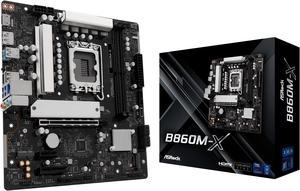
ASRock B860M-X LGA 1851 Intel B860 SATA 6Gb/s Intel Core Ultra DDR5 Micro ATX Motherboard
- Memory Standard: Up to DDR5 9066+(OC)
- Number of Memory Slots: 2x288pin (DDR5)
- Audio Chipset: Realtek ALC897
- Brand: ASRock
- Model #: B860M-X
- Item #: N82E16813162216
- Return Policy: Standard Return Policy
$164.99
$179.99
$7.99 Shipping
Wifi Built in
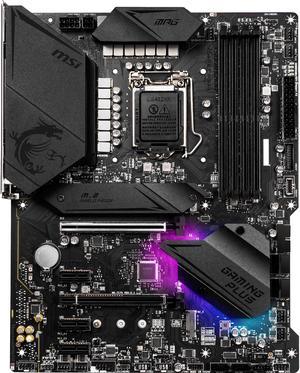
MSI MPG Z490 GAMING PLUS LGA 1200 ATX Intel Motherboard
- Memory Standard: Supports 1R 2933 / 2666 / 2133 * 1DPC 1R Max speed up to 5000+ 1DPC 2R Max speed up to 4500+ 2DPC 1R Max speed up to 4400+ 2DPC 2R Max speed up to 4000+ * Please refer www.msi.com for more information on compatible memory.
- Number of Memory Slots: 4x288pin (DDR4)
- Audio Chipset: Realtek ALC1200-VD1 Codec
- Brand: MSI
- Model #: MPG Z490 GAMING PLUS
- Item #: 9SIBJK3KBV1841
- Return Policy: View Return Policy
$265.00
Free Shipping
I wanted a board that looked nice but wasn't flooded with RGB lighting everywhere. While this MSI board uses their "Mystic Lighting" system, it's quite subtle as opposed to other RGB boards. MSI Frozr for the M.2 drive seems to work as intended, but only dropped the temp on my 970 EVO Plus by around 3 or 4c.
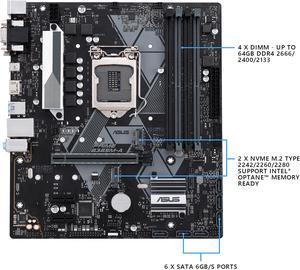
ASUS PRIME B365M-A LGA 1151 (300 Series) Micro ATX Intel Motherboard
- Memory Standard: DDR4 2666/ 2400/ 2133 MHz Non-ECC, Un-buffered Memory * The maximum memory frequency supported varies by processor ** DDR4 2666 MHz and higher memory modules will run at max. 2666 MHz on Intel 8th Gen. 6-core or higher processors
- Number of Memory Slots: 4x288pin (DDR4)
- Audio Chipset: Realtek ALC887
- Brand: ASUS
- Model #: PRIME B365M-A
- Item #: 9SIC514KU19493
- Return Policy: View Return Policy
$156.79
$157.98
Free Shipping
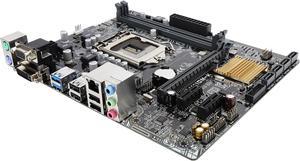
ASUS H110M-K LGA 1151 Micro ATX Intel Motherboard
- Memory Standard: DDR4 2133
- Number of Memory Slots: 2x288pin (DDR4)
- Audio Chipset: Realtek ALC887
- Brand: ASUS
- Model #: H110M-K
- Item #: 9SIBJK3JVN2547
- Return Policy: View Return Policy
$95.20
$95.42
Free Shipping
Has all the features you really need to build a good budget rig with out breaking the bank. I'm running the 6th gen i3 until I can upgrade later but so far no problems at all, very stable and fast.

ASRock N100M Micro ATX (280) Motherboards - Intel, 1 DDR4 DIMM, 2 SATA3, 1 M.2 Intel Quad-Core Processor N100 (Up to 3.4 GHz),.1 CH HD Audio
- Memory Standard: 1 x DDR4 DIMM Slot - Supports DDR4 non-ECC, un-buffered memory up to 3200 - Supports ECC UDIMM memory modules (operate in non-ECC mode) - Max. capacity of system memory: 32GB
- Brand: ASRock
- Chipset: - Intel® Quad-Core Processor N100 (Up to 3.4 GHz) - Supports Intel® Turbo Boost Technology
- Form Factor: Micro ATX
- Model #: N100M
- Item #: N82E16813162134
- Return Policy: Standard Return Policy
$154.99
$27.02 Shipping
Modern architecture in a low power form factor Can run off a 20 pin ATX power cord BIOS has no restrictions (power limit increase to ~15W, boot on power provided, and CPU undervolting) Passive cooling