
Your Browsing History
BEST SELLERS


BEST SELLERS
In AMD Motherboards
Our most popular products, based on sales and updated frequently.Shop Department
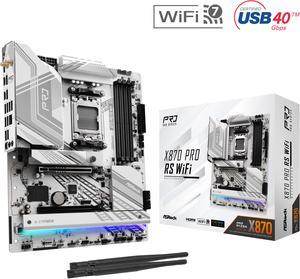
ASRock X870 PRO RS WiFi AM5 ATX Motherboard
- Brand: ASRock
- CPU Socket Type: AM5
- Chipset: AMD X870
- Serial ATA (SATA): 4 x SATA 6Gb/s
- Model #: X870 Pro RS WiFi
- Item #: N82E16813162167
- Return Policy: Standard Return Policy
$244.99
$289.99
Free Shipping
Built 2 rigs with AMD 9900X IGP / Qube 500 flat pack vertical setups. One with ASRock X870 RS PRO WIFI, the other with Gigabyte X870 Elite WIFI7. All went well with both, but connector layout was way better with ASRock for this case. Haven't tried RAID yet but installed Windows 11 on T705 1TB NVME with no software issues. Though I had to ditch the MB Hyper heatsink because I could not remove the stock heatsink easily from the T705. Would opt for no heatsink version if I did it again.
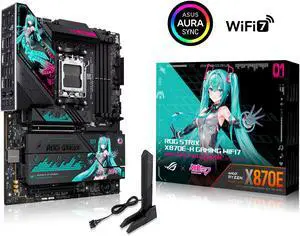
ASUS ROG STRIX X870E-H GAMING WIFI7 HATSUNE MIKU EDITION AMD X870E ATX motherboard, 16+2+1 power stages, Dynamic OC Switcher, Core Flex, DDR5, WiFi 7, 4x M.2, PCIe 5.0, dual USB4, USB 10Gbps Type-C
- Brand: ASUS
- CPU Socket Type: AM5
- Chipset: AMD X870E
- Serial ATA (SATA): 4 x SATA 6Gb/s
- Model #: ROG STRIX X870E-H GAMING WIFI7
- Item #: N82E16813119763
- Return Policy: Standard Return Policy
$779.99
$829.99
Free Shipping
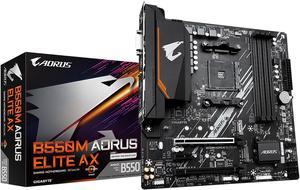
GIGABYTE B550M AORUS ELITE AX (rev 1.3) AM4 AMD B550 Micro-ATX Motherboard with Single M.2, SATA 6Gb/s, USB 3.2 Gen 1, Realtek GbE LAN, PCIe 4.0
- Brand: GIGABYTE
- CPU Socket Type: AM4
- Chipset: AMD B550
- Serial ATA (SATA): 4 x SATA 6Gb/s
- Model #: B550M AORUS ELITE AX
- Item #: N82E16813145454
- Return Policy: Standard Return Policy
$169.99
$229.99
Free Shipping
- Built in Wifi/BT - Built in I/O Shield - Sufficient rear I/O - Premium looking heatsink shroud - Preinstalled M.2 screws is super convenient - Shipped with latest BIOS version - Two M.2 slots + 4 SATA ports for storage
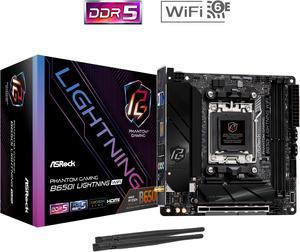
ASRock B650I LIGHTNING WIFI AM5 Ryzen 7000 AMD B650 SATA 6Gb/s Mini-ITX s DDR5 7200+ (OC) 2.5G LAN x WiFi 6E + Bluetooth Motherboards - AMD
- Brand: ASRock
- CPU Socket Type: AM5
- Chipset: AMD B650
- Serial ATA (SATA): CPU: - 1 x Blazing M.2 Socket (M2_1, Key M), supports type 2280 PCIe Gen5x4 (128 Gb/s) mode* Chipset: - 1 x Hyper M.2 Socket (M2_2, Key M), supports type 2280 PCIe Gen4x4 (64 Gb/s) mode* - 2 x SATA3 6.0 Gb/s Connectors * Supports NVMe SSD as boot disks
- Model #: B650I LIGHTNING WIFI
- Item #: N82E16813162151
- Return Policy: Standard Return Policy
$219.99
$289.99
Free Shipping
Def works with wide range of ram and the 7600 WI-FI hits 250 mbps a few rooms away from my router which isnt the best but I didnt pay for the best either and 250 is plenty for my needs
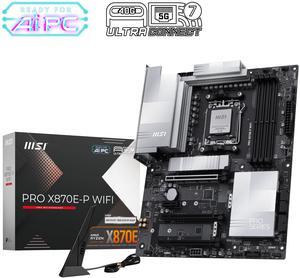
MSI PRO X870E-P WIFI AM5 ATX AMD Motherboards, USB 4.0 (40G),4x SATA 6Gb/s,Wi-Fi 7, Triple M.2 Connectors,
- Brand: MSI
- CPU Socket Type: AM5
- Chipset: AMD X870E
- Serial ATA (SATA): 4 x SATA 6Gb/s
- Model #: PRO X870E-P WIFI
- Item #: N82E16813144707
- Return Policy: Standard Return Policy
$349.99
Free Shipping
Pros - Strong Power Delivery With a 14+2+1 digital phase design, it supports Ryzen 9000 CPUs and maintains stability with DDR5-8000 to DDR5-8100 memory overclocking. Great for performance and overclocking builds. - Next-Gen Connectivity Offers Wi-Fi 7, 5GbE LAN, PCIe 5.0 (GPU), USB 4 Type-C, and 3× M.2 slots with effective heatsinks. Solid foundation for future-proofing. - Professional & Clean Design No RGB, subtle silver/gray heatsinksideal for workstations or minimalistic builds. - User-Friendly BIOS and Tools Features MSIs Click BIOS X, EZ Overclocking, AI-powered networking tools, and a simplified build process.
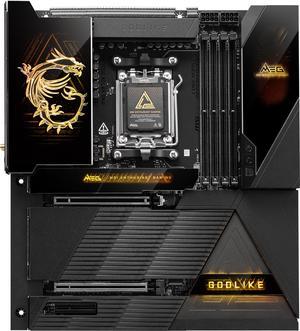
MSI MEG X870E GODLIKE AM5 Extended ATX Motherboard
- Brand: MSI
- CPU Socket Type: AM5
- Chipset: AMD X870E
- Serial ATA (SATA): 4 x SATA 6Gb/s
- Model #: MEG X870E GODLIKE
- Item #: 9SIBP4ZKTY6257
- Return Policy: View Return Policy
$1,799.99
Free Shipping
Motherboard has a lot of great features with no lane sharing which is great also has the 10gb lan
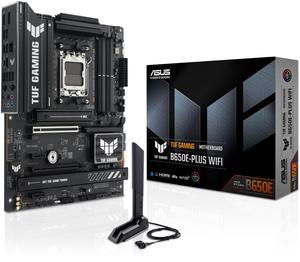
ASUS TUF GAMING B650E-PLUS WIFI AMD B650 ATX motherboard, 12+2+1 80A DrMOS power stages, DDR5, PCIe 5.0 Ready, 3x M.2, Wi-Fi 6E, 2.5Gb LAN, DisplayPort, HDMI, USB Type-C, BIOS FlashBack, Aura Sync
- Brand: ASUS
- CPU Socket Type: AM5
- Chipset: AMD B650
- Serial ATA (SATA): 4 x SATA 6Gb/s
- Model #: TUF GAMING B650E-PLUS WIFI
- Item #: N82E16813119739
- Return Policy: Standard Return Policy
$269.99
Free Shipping
Works unlike the last terrible Gigabyte motherboard I bought here.
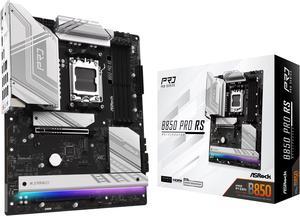
ASRock B850 PRO RS AM5 ATX Motherboard
- Brand: ASRock
- CPU Socket Type: AM5
- Chipset: AMD B850
- Serial ATA (SATA): 4 x SATA 6Gb/s
- Model #: B850 Pro RS
- Item #: N82E16813162189
- Return Policy: Standard Return Policy
$189.99
$249.99
Free Shipping
+ Great features and priced lower than competitors + Great motherboard design and aesthetics + Customizable onboard RGB lights + PCIe 5.0 x16 for GPU fps boost + AMD Expo ran with no issues + Tons of BIOS OC options + Generous of USB ports + Troubleshooting LEDs
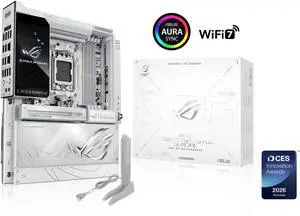
ASUS ROG Crosshair X870E Glacial, AMD E-ATX motherboard, 24+2+2 power stages, DDR5 slots, two PCIe 5.0 x16 SafeSlots, seven M.2 slots, Dual Realtek 10G Ethernet, AI Cache Boost, Full -color 5" LCD
- Brand: ASUS
- CPU Socket Type: AM5
- Chipset: AMD X870E
- Serial ATA (SATA): 4 x SATA 6Gb/s
- Model #: ROG CROSSHAIR X870E GLACIAL
- Item #: N82E16813119769
- Return Policy: Standard Return Policy
$1,649.99
Free Shipping
Beautiful mobo, everything has been thought of to make building east and beautiful at the same time
.jpg "ASRock B650M PG RIPTIDE WIFI AM5 Micro-ATX Motherboard, 4 slots DDR5, 2x PCIe 4.0 x16 Slot, Dual M.2 slots, 2.5Gb Lan, WI-FI AX, 7.1 Nahimic Audio , Rear USB3.2 Gen2X2 Type_C , 12+2+1 Power Phase")
ASRock B650M PG RIPTIDE WIFI AM5 Micro-ATX Motherboard, 4 slots DDR5, 2x PCIe 4.0 x16 Slot, Dual M.2 slots, 2.5Gb Lan, WI-FI AX, 7.1 Nahimic Audio , Rear USB3.2 Gen2X2 Type_C , 12+2+1 Power Phase
- Brand: ASRock
- CPU Socket Type: AM5
- Chipset: AMD B650
- Serial ATA (SATA): 4 x SATA 6Gb/s
- Model #: B650M PG RIPTIDE WIFI
- Item #: N82E16813162095
- Return Policy: Standard Return Policy
$194.99
$279.99
Free Shipping
Solid features for the price Worked great out of the box XMP worked great once enabled RGB is vibrant I/O plate pre installed Well packaged
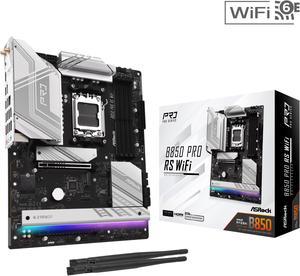
ASRock B850 PRO RS WIFI AM5 ATX Motherboard
- Brand: ASRock
- CPU Socket Type: AM5
- Chipset: AMD B850
- Serial ATA (SATA): 4 x SATA 6Gb/s
- Model #: B850 Pro RS WiFi
- Item #: N82E16813162190
- Return Policy: Standard Return Policy
$209.99
$274.99
Free Shipping
-Everything I've tried has worked. -Rear M.2 is convenient to access (depending on your case) -Nice to have a dedicated temp sensor with a 1ft cable to put wherever you want, like taped to your rad for a rough coolant temp sensor. Can then set fan curves based on that.
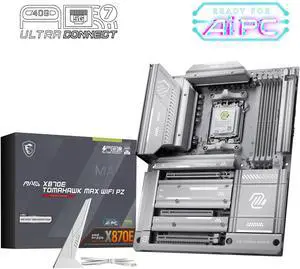
MSI MAG X870E TOMAHAWK MAX WIFI PZ AM5 AMD X870E Back Connect Motherboard, SATA 6Gb/s M.2 DDR5 Wi-Fi 7 5G LAN ATX Motherboards
- Brand: MSI
- CPU Socket Type: AM5
- Chipset: AMD X870E
- Serial ATA (SATA): 4 x SATA 6Gb/s
- Model #: MAG X870E TOMAHAWK MAX WIFI PZ
- Item #: N82E16813144728
- Return Policy: Standard Return Policy
$419.99
$449.99
Free Shipping
-The color and style for my grey/white build fit perfect M2 slots are not shared
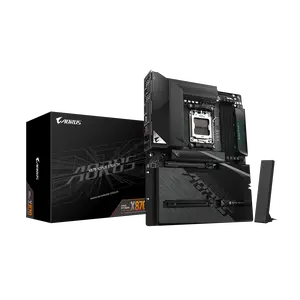
GIGABYTE X870 AORUS STEALTH AMD AM5 ATX Motherboard, Supports AMD Ryzen 9000/8000/7000 Series, DDR5, 16+2+2 Power Phase, 4x M.2, PCIe 5.0, USB4, WIFI7, 5 GbE, PCIe EZ-Latch Plus, 5-Year Warranty
- Brand: GIGABYTE
- CPU Socket Type: AM5
- Chipset: AMD X870
- Serial ATA (SATA): 2 x SATA 6Gb/s
- Model #: X870 AORUS STEALTH
- Item #: N82E16813145606
- Return Policy: Standard Return Policy
$439.99
$7.99 Shipping
Hidden back connectors, black brushed aluminum, minimal ambient light
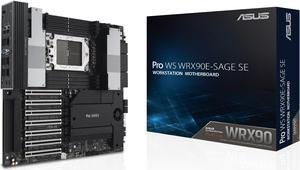
ASUS Pro WS WRX90E-SAGE SE EEB Workstation motherboard, AMD Ryzen™ Threadripper™ PRO 7000 WX-Series Processors, ECC R-DIMM DDR5, 32 power-stage,7xPCIe 5.0 x 16, PCIe 5.0 M.2, 10 Gb and 2.5 Gb LAN
- Brand: ASUS
- CPU Socket Type: sTR5
- Chipset: AMD WRX90
- Serial ATA (SATA): 4 x SATA 6Gb/s
- Model #: Pro WS WRX90E-SAGE SE
- Item #: N82E16813119667
- Return Policy: Standard Return Policy
$1,799.99
$7.99 Shipping
This is pretty much as good as it gets. Yes, there are teething issues with WRX90 because it's such a new platform, but once you get past those, the board has been rock solid.
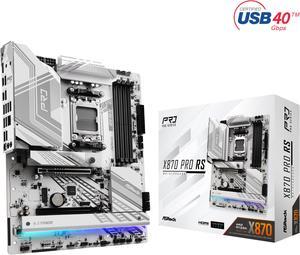
ASRock X870 PRO RS AM5 ATX Motherboard
- Brand: ASRock
- CPU Socket Type: AM5
- Chipset: AMD X870
- Serial ATA (SATA): 4 x SATA 6Gb/s
- Model #: X870 Pro RS
- Item #: N82E16813162166
- Return Policy: Standard Return Policy
$264.99
$279.99
$59.99 Shipping
- PCIe slot 1 (GPU) does not share lanes with m.2 or USB4 controller. - PCIe slot 1/GPU release is wonderful - honestly, every motherboard needs this - Fully loaded with 5 m.2 slots and USB4, and PCIe 5 - Beautiful
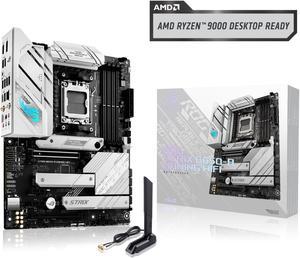
ASUS ROG Strix B650-A Gaming WiFi AMD B650 AM5 Ryzen™ Desktop 9000 8000 & 7000 ATX motherboard, 12 + 2 power stages, DDR5, 3x M.2 slot, PCIe® 4.0, 2.5G LAN, WiFi 6E, USB 3.2 Gen 2x2 Type-C®, Aura Sync
- Brand: ASUS
- CPU Socket Type: AM5
- Chipset: AMD B650
- Serial ATA (SATA): 4 x SATA 6Gb/s
- Model #: ROG STRIX B650-A GAMING WIFI
- Item #: N82E16813119606
- Return Policy: Standard Return Policy
$309.99
Free Shipping
Works. Cool.
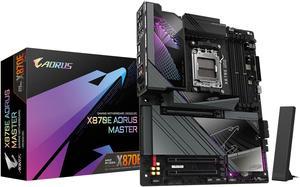
GIGABYTE X870E AORUS MASTER AM5 LGA 1718, ATX, DDR5, 4x M.2, PCIe 5.0, USB4, Wi-Fi 7, 5GbE LAN, EZ-Latch, 5-Year Warranty
- Brand: GIGABYTE
- CPU Socket Type: AM5
- Chipset: AMD X870E
- Serial ATA (SATA): 4 x SATA 6Gb/s
- Model #: X870E AORUS MASTER
- Item #: N82E16813145514
- Return Policy: Standard Return Policy
$674.99
$79.99 Shipping
I recently wanted to replace my B650E and decided to go x870E, It is an access motherboard the Bios is simple and has straight forward information on what each segment does currently running with a 7800x3d and 5600mhz of Ram impressed with the stability.
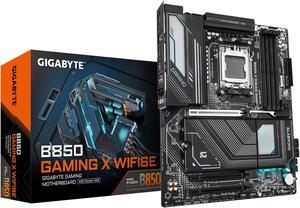
GIGABYTE B850 GAMING X WIFI6E AMD AM5 LGA 1718 Motherboard, ATX, DDR5, 3x M.2, PCIe 5.0, USB-C, WIFI6E, 2.5GbE LAN, EZ-Latch, 5-Year Warranty
- Brand: GIGABYTE
- CPU Socket Type: AM5
- Chipset: AMD B850
- Serial ATA (SATA): 4 x SATA 6Gb/s
- Model #: B850 GAMING X WIFI6E
- Item #: N82E16813145546
- Return Policy: Standard Return Policy
$299.99
Free Shipping
The installation process was surprisingly smooth, especially for the CPU and RAM. The heatsinks for the M.2 SSDs are effective and keep temperatures well-managed, which is crucial for high-speed drives. The inclusion of WiFi 6E is a huge plus, providing lightning-fast and stable wireless connectivity.
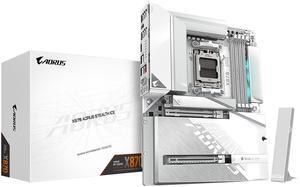
GIGABYTE X870 AORUS STEALTH ICE AMD AM5 Motherboard, ATX, DDR5, 4x M.2, PCIe 5.0, 2xUSB-4,USB-C, WIFI7, 5GbE LAN, EZ-Latch
- Brand: GIGABYTE
- CPU Socket Type: AM5
- Chipset: AMD X870
- Form Factor: ATX
- Model #: X870 AORUS STEALTH ICE
- Item #: N82E16813145580
- Return Policy: Standard Return Policy
$419.99
Free Shipping
Back connect Super sleek
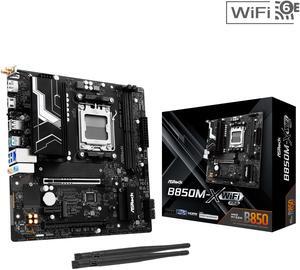
ASRock B850M-X WiFi R2.0 AM5 AMD B850 SATA 6Gb/s USB 3.2 Dual Graphics Outputs RGB Micro ATX Motherboards-AMD
- Brand: ASRock
- CPU Socket Type: AM5
- Chipset: AMD B850
- Serial ATA (SATA): 4 x SATA 6Gb/s
- Model #: B850M-X WiFi R2.0
- Item #: N82E16813162225
- Return Policy: Standard Return Policy
$179.99
Free Shipping
- Good wifi reception even if you don't plug in the antennas - BIOS UI is pleasant to use and offers good control over fan curves - Good linux compatibility - Relatively cheap for having the latest-gen tech