
Your Browsing History
BEST SELLERS


BEST SELLERS
In AMD Motherboards
Our most popular products, based on sales and updated frequently.Shop Department
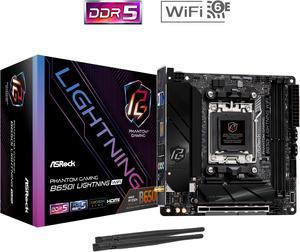
ASRock B650I LIGHTNING WIFI AM5 Ryzen 7000 AMD B650 SATA 6Gb/s Mini-ITX s DDR5 7200+ (OC) 2.5G LAN x WiFi 6E + Bluetooth Motherboards - AMD
- Brand: ASRock
- CPU Socket Type: AM5
- Chipset: AMD B650
- Serial ATA (SATA): CPU: - 1 x Blazing M.2 Socket (M2_1, Key M), supports type 2280 PCIe Gen5x4 (128 Gb/s) mode* Chipset: - 1 x Hyper M.2 Socket (M2_2, Key M), supports type 2280 PCIe Gen4x4 (64 Gb/s) mode* - 2 x SATA3 6.0 Gb/s Connectors * Supports NVMe SSD as boot disks
- Model #: B650I LIGHTNING WIFI
- Item #: N82E16813162151
- Return Policy: Standard Return Policy
$219.99
$289.99
Free Shipping
Cheaper than the competition Blacked out aesthetic Worked perfectly out of the box No RGB
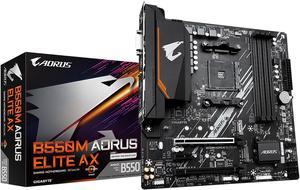
GIGABYTE B550M AORUS ELITE AX (rev 1.3) AM4 AMD B550 Micro-ATX Motherboard with Single M.2, SATA 6Gb/s, USB 3.2 Gen 1, Realtek GbE LAN, PCIe 4.0
- Brand: GIGABYTE
- CPU Socket Type: AM4
- Chipset: AMD B550
- Serial ATA (SATA): 4 x SATA 6Gb/s
- Model #: B550M AORUS ELITE AX
- Item #: N82E16813145454
- Return Policy: Standard Return Policy
$169.99
$229.99
Free Shipping
-Good price for a name brand -Good WiFi and Bluetooth -AM4 5000 series ready
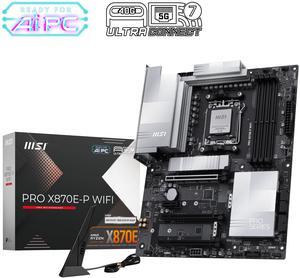
MSI PRO X870E-P WIFI AM5 ATX AMD Motherboards, USB 4.0 (40G),4x SATA 6Gb/s,Wi-Fi 7, Triple M.2 Connectors,
- Brand: MSI
- CPU Socket Type: AM5
- Chipset: AMD X870E
- Serial ATA (SATA): 4 x SATA 6Gb/s
- Model #: PRO X870E-P WIFI
- Item #: N82E16813144707
- Return Policy: Standard Return Policy
$349.99
Free Shipping
Pros - Strong Power Delivery With a 14+2+1 digital phase design, it supports Ryzen 9000 CPUs and maintains stability with DDR5-8000 to DDR5-8100 memory overclocking. Great for performance and overclocking builds. - Next-Gen Connectivity Offers Wi-Fi 7, 5GbE LAN, PCIe 5.0 (GPU), USB 4 Type-C, and 3× M.2 slots with effective heatsinks. Solid foundation for future-proofing. - Professional & Clean Design No RGB, subtle silver/gray heatsinksideal for workstations or minimalistic builds. - User-Friendly BIOS and Tools Features MSIs Click BIOS X, EZ Overclocking, AI-powered networking tools, and a simplified build process.
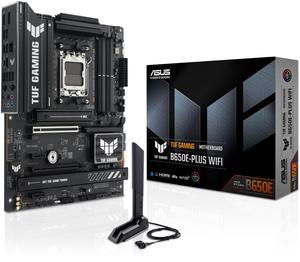
ASUS TUF GAMING B650E-PLUS WIFI AMD B650 ATX motherboard, 12+2+1 80A DrMOS power stages, DDR5, PCIe 5.0 Ready, 3x M.2, Wi-Fi 6E, 2.5Gb LAN, DisplayPort, HDMI, USB Type-C, BIOS FlashBack, Aura Sync
- Brand: ASUS
- CPU Socket Type: AM5
- Chipset: AMD B650
- Serial ATA (SATA): 4 x SATA 6Gb/s
- Model #: TUF GAMING B650E-PLUS WIFI
- Item #: N82E16813119739
- Return Policy: Standard Return Policy
$269.99
Free Shipping
Works unlike the last terrible Gigabyte motherboard I bought here.
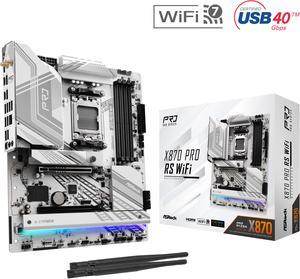
ASRock X870 PRO RS WiFi AM5 ATX Motherboard
- Brand: ASRock
- CPU Socket Type: AM5
- Chipset: AMD X870
- Serial ATA (SATA): 4 x SATA 6Gb/s
- Model #: X870 Pro RS WiFi
- Item #: N82E16813162167
- Return Policy: Standard Return Policy
$244.99
$289.99
Free Shipping
Plenty of room for all your watercooling needs. Toolless panels. A ton of flexibility with fan sizes. It'll fit three 360mm radiators with fans easily. No dividers on the pcie slots makes for easy vertical mounting.
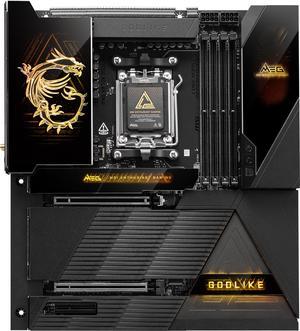
MSI MEG X870E GODLIKE AM5 Extended ATX Motherboard
- Brand: MSI
- CPU Socket Type: AM5
- Chipset: AMD X870E
- Serial ATA (SATA): 4 x SATA 6Gb/s
- Model #: MEG X870E GODLIKE
- Item #: 9SIBP4ZKTY6257
- Return Policy: View Return Policy
$1,799.99
Free Shipping
Exceptional I/O, aesthetically pleasing design, outstanding overclocking capability.
.jpg "ASRock B650M PG RIPTIDE WIFI AM5 Micro-ATX Motherboard, 4 slots DDR5, 2x PCIe 4.0 x16 Slot, Dual M.2 slots, 2.5Gb Lan, WI-FI AX, 7.1 Nahimic Audio , Rear USB3.2 Gen2X2 Type_C , 12+2+1 Power Phase")
ASRock B650M PG RIPTIDE WIFI AM5 Micro-ATX Motherboard, 4 slots DDR5, 2x PCIe 4.0 x16 Slot, Dual M.2 slots, 2.5Gb Lan, WI-FI AX, 7.1 Nahimic Audio , Rear USB3.2 Gen2X2 Type_C , 12+2+1 Power Phase
- Brand: ASRock
- CPU Socket Type: AM5
- Chipset: AMD B650
- Serial ATA (SATA): 4 x SATA 6Gb/s
- Model #: B650M PG RIPTIDE WIFI
- Item #: N82E16813162095
- Return Policy: Standard Return Policy
$194.99
$279.99
Free Shipping
Best layout among competing motherboards. A 2-slot width GPU still allows use of x1 PCIe in addition to the other x16. This allowed mounting a 10Gbps network card on the x1 (albeit max at 7Gbps) and a U.2 NVMe on the other x16 slot. The M.2 slots are all exposed. That means, mounting U.2 NVMe's on the M.2 slots is possible. I mounted a U.2 Optane for OS and caching to the hard drives on one of the slots. This setup is not possible with Gigabye, Asus, and MSI micro-ATX boards. These competing motherboards have either 1 or both of their M.2 slots underneath the PCIe cards! The slots have open ended notches that allows longer x16 card to be mounted on the x1 slot, for example. The BIOS features is extensive. Bifurcation is possible on the PCIe. Runs Ryzen 9 7950x with ease. EXPO setting on a GSkill 6000Mhz CL30 is running excellent. Supports ECC memory. Nice. I paired it with an A6000 GPU for a true creative workstation setup.
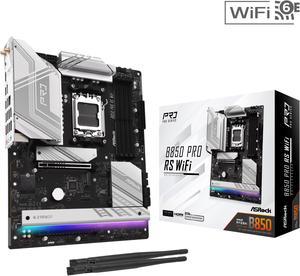
ASRock B850 PRO RS WIFI AM5 ATX Motherboard
- Brand: ASRock
- CPU Socket Type: AM5
- Chipset: AMD B850
- Serial ATA (SATA): 4 x SATA 6Gb/s
- Model #: B850 Pro RS WiFi
- Item #: N82E16813162190
- Return Policy: Standard Return Policy
$209.99
$274.99
Free Shipping
- Good wifi reception even if you don't plug in the antennas - BIOS UI is pleasant to use and offers good control over fan curves - Good linux compatibility - Relatively cheap for having the latest-gen tech
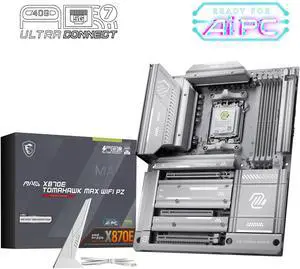
MSI MAG X870E TOMAHAWK MAX WIFI PZ AM5 AMD X870E Back Connect Motherboard, SATA 6Gb/s M.2 DDR5 Wi-Fi 7 5G LAN ATX Motherboards
- Brand: MSI
- CPU Socket Type: AM5
- Chipset: AMD X870E
- Serial ATA (SATA): 4 x SATA 6Gb/s
- Model #: MAG X870E TOMAHAWK MAX WIFI PZ
- Item #: N82E16813144728
- Return Policy: Standard Return Policy
$419.99
$449.99
Free Shipping
Rear connections makes for a great looking build, easy to install
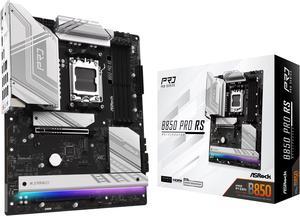
ASRock B850 PRO RS AM5 ATX Motherboard
- Brand: ASRock
- CPU Socket Type: AM5
- Chipset: AMD B850
- Serial ATA (SATA): 4 x SATA 6Gb/s
- Model #: B850 Pro RS
- Item #: N82E16813162189
- Return Policy: Standard Return Policy
$189.99
$249.99
Free Shipping
+ Great features and priced lower than competitors + Great motherboard design and aesthetics + Customizable onboard RGB lights + PCIe 5.0 x16 for GPU fps boost + AMD Expo ran with no issues + Tons of BIOS OC options + Generous of USB ports + Troubleshooting LEDs
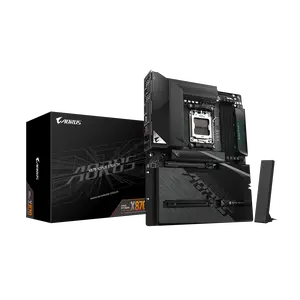
GIGABYTE X870 AORUS STEALTH AMD AM5 ATX Motherboard, Supports AMD Ryzen 9000/8000/7000 Series, DDR5, 16+2+2 Power Phase, 4x M.2, PCIe 5.0, USB4, WIFI7, 5 GbE, PCIe EZ-Latch Plus, 5-Year Warranty
- Brand: GIGABYTE
- CPU Socket Type: AM5
- Chipset: AMD X870
- Serial ATA (SATA): 2 x SATA 6Gb/s
- Model #: X870 AORUS STEALTH
- Item #: N82E16813145606
- Return Policy: Standard Return Policy
$439.99
$7.99 Shipping
Hidden back connectors, black brushed aluminum, minimal ambient light
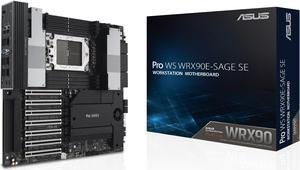
ASUS Pro WS WRX90E-SAGE SE EEB Workstation motherboard, AMD Ryzen™ Threadripper™ PRO 7000 WX-Series Processors, ECC R-DIMM DDR5, 32 power-stage,7xPCIe 5.0 x 16, PCIe 5.0 M.2, 10 Gb and 2.5 Gb LAN
- Brand: ASUS
- CPU Socket Type: sTR5
- Chipset: AMD WRX90
- Serial ATA (SATA): 4 x SATA 6Gb/s
- Model #: Pro WS WRX90E-SAGE SE
- Item #: N82E16813119667
- Return Policy: Standard Return Policy
$1,799.99
$7.99 Shipping
This is pretty much as good as it gets. Yes, there are teething issues with WRX90 because it's such a new platform, but once you get past those, the board has been rock solid.
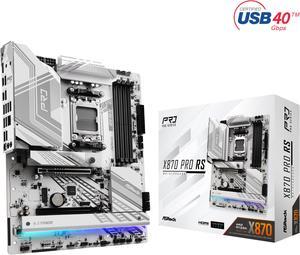
ASRock X870 PRO RS AM5 ATX Motherboard
- Brand: ASRock
- CPU Socket Type: AM5
- Chipset: AMD X870
- Serial ATA (SATA): 4 x SATA 6Gb/s
- Model #: X870 Pro RS
- Item #: N82E16813162166
- Return Policy: Standard Return Policy
$264.99
$279.99
$59.99 Shipping
Its number of m.2 slots
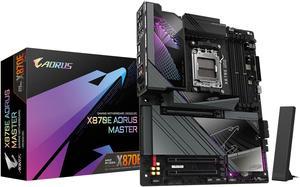
GIGABYTE X870E AORUS MASTER AM5 LGA 1718, ATX, DDR5, 4x M.2, PCIe 5.0, USB4, Wi-Fi 7, 5GbE LAN, EZ-Latch, 5-Year Warranty
- Brand: GIGABYTE
- CPU Socket Type: AM5
- Chipset: AMD X870E
- Serial ATA (SATA): 4 x SATA 6Gb/s
- Model #: X870E AORUS MASTER
- Item #: N82E16813145514
- Return Policy: Standard Return Policy
$674.99
$79.99 Shipping
Easy bios for kids No longer eatx Does 8000 stable ddr5 -vsoc 1.1 vddio 1.45 fclk 2000 Easy
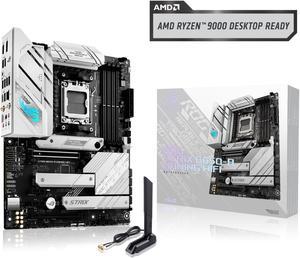
ASUS ROG Strix B650-A Gaming WiFi AMD B650 AM5 Ryzen™ Desktop 9000 8000 & 7000 ATX motherboard, 12 + 2 power stages, DDR5, 3x M.2 slot, PCIe® 4.0, 2.5G LAN, WiFi 6E, USB 3.2 Gen 2x2 Type-C®, Aura Sync
- Brand: ASUS
- CPU Socket Type: AM5
- Chipset: AMD B650
- Serial ATA (SATA): 4 x SATA 6Gb/s
- Model #: ROG STRIX B650-A GAMING WIFI
- Item #: N82E16813119606
- Return Policy: Standard Return Policy
$309.99
Free Shipping
After 18 years of great service, my old ASUS 4 core AMD CPU motherboard died in my old custom HTPC after being unable to support some of its USB ports, and I decided it was time to build at least one new computer. This ROG STRIX B650-A looked to be a good deal and had everything I expected for a better than average build. After such a long time there was a learning curve, but I had modified Win 11 Pro some years back to run on my four pre UEFI BIOS computers - so I'm still somewhat capable even at 73. I worked slowly and methodically installing the board in a new Silverstone GD10B shelf case with a Seasonic FOCUS GX750 PSU, with an AMD Ryzen 5 8600G series processor and some new Corsair DDR5 PC6400 (2x16GB Vengeance RGB sticks - that weren't in the ASUS QVC listing). I reused my old Samsung 256 GB SSD and a Western Digital Purple 1 TB storage drive. I then download and burned a Win 11 Pro 23H2 ISO and installed the latest ASUS BIOS to a 32GB USB memory stick. This case is tight, but cable management worked well, and I had no problem mounting my ASUS BlueRay Dual Layer SATA burner drive, the 2.5 SATA SSD and the 3.5 SATA hard drive. First power up was uneventful as I watched the Aura lighting come on with the diagnostic lights showing correct operation. My SSD still had my modified pre UEFI WIN 11 Pro loaded and BIOS would not show a bootable drive but did show the drives as storage. I loaded the WIN 11 Pro ISO in my disc drive and Win 11 Pro loaded in 17 minutes. WiFi and Ethernet came Online and the computer ran so quiet I found myself looking at it repeatedly just to see if it was still on despite my HDMI monitor's screen. I then inserted the memory stick into the BIOS USB with the new .CAP BIOS with the computer turned off. I held the button in for three seconds for three flashes on the BIOS FlashBack and it ran for 4 minutes to completion. I then loaded all the ASUS utilities and used them to update some of the drivers with zero issues. I then hit activation for WIN 11 Pro and purchased a digital license from Microsoft. After activation, I made sure WIN 11 Pro was fully updated which added even more features. Once this was done, I re-entered the ASUS Armoury Crate utility and used it to further update all ASUS and AMD drivers. This PC runs very cool and extremely quiet using the three included case fans and CPU fan at 900-1000 RPM. 31-35 C. CPU cores and it still hasn't been running long enough to burn in the factory AMD Wraith Stealth cooler to the CPU. The PSU fan is also so quiet I had to look just to see if its fan was on (Seasonic has a back button that will turn it off).
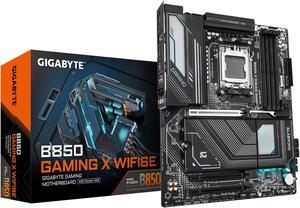
GIGABYTE B850 GAMING X WIFI6E AMD AM5 LGA 1718 Motherboard, ATX, DDR5, 3x M.2, PCIe 5.0, USB-C, WIFI6E, 2.5GbE LAN, EZ-Latch, 5-Year Warranty
- Brand: GIGABYTE
- CPU Socket Type: AM5
- Chipset: AMD B850
- Serial ATA (SATA): 4 x SATA 6Gb/s
- Model #: B850 GAMING X WIFI6E
- Item #: N82E16813145546
- Return Policy: Standard Return Policy
$299.99
Free Shipping
Very easy super fluid makes building fun
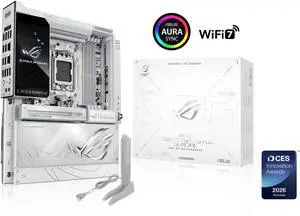
ASUS ROG Crosshair X870E Glacial, AMD E-ATX motherboard, 24+2+2 power stages, DDR5 slots, two PCIe 5.0 x16 SafeSlots, seven M.2 slots, Dual Realtek 10G Ethernet, AI Cache Boost, Full -color 5" LCD
- Brand: ASUS
- CPU Socket Type: AM5
- Chipset: AMD X870E
- Serial ATA (SATA): 4 x SATA 6Gb/s
- Model #: ROG CROSSHAIR X870E GLACIAL
- Item #: N82E16813119769
- Return Policy: Standard Return Policy
$1,649.99
Free Shipping
Beautiful mobo, everything has been thought of to make building east and beautiful at the same time
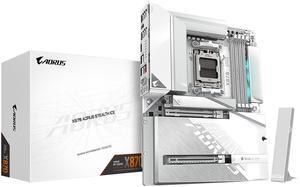
GIGABYTE X870 AORUS STEALTH ICE AMD AM5 Motherboard, ATX, DDR5, 4x M.2, PCIe 5.0, 2xUSB-4,USB-C, WIFI7, 5GbE LAN, EZ-Latch
- Brand: GIGABYTE
- CPU Socket Type: AM5
- Chipset: AMD X870
- Form Factor: ATX
- Model #: X870 AORUS STEALTH ICE
- Item #: N82E16813145580
- Return Policy: Standard Return Policy
$419.99
Free Shipping
AM5 Support with next-gen Ryzen CPUs rock-solid stability so far. PCIe Gen 5 for both GPU and NVMe storage, future-proofing baked in. Robust VRM design that runs cool even under load. Perfect for overclocking or pushing X3D chips. DDR5 support with high-speed kits running flawlessly. Connectivity: USB4, Wi-Fi 7, and plenty of fast rear I/O options. No compromises here. Q-Flash Plus & Clear CMOS buttons a lifesaver for enthusiasts.
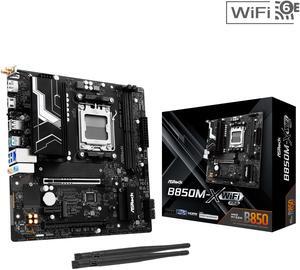
ASRock B850M-X WiFi R2.0 AM5 AMD B850 SATA 6Gb/s USB 3.2 Dual Graphics Outputs RGB Micro ATX Motherboards-AMD
- Brand: ASRock
- CPU Socket Type: AM5
- Chipset: AMD B850
- Serial ATA (SATA): 4 x SATA 6Gb/s
- Model #: B850M-X WiFi R2.0
- Item #: N82E16813162225
- Return Policy: Standard Return Policy
$179.99
Free Shipping
All's good so far A+++
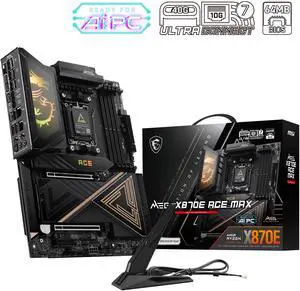
MSI MEG X870E ACE MAX AM5 AMD X870E Motherboard
- Model #: MEG X870E ACE MAX
- Item #: N82E16813144735
- Return Policy: Standard Return Policy
$909.99
Free Shipping
Ultra Power Phase with 2 M.2 and 2 LAN. MSi has this OC Engine that boot up the gaming performance up to 20%. come with the ONE click OC jumper make is more smoothly. Love the board! waiting for the 9850X3D launch !