
Your Browsing History



Featured Brands








SHOP BY Screen Size
Quick View
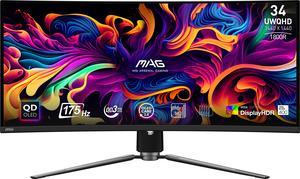
MSI 34" Ultrawide QHD 2K 1440P 175Hz with AMD FreeSync Premium Pro 0.03ms HDR400 USB-C KVM OLED Curved Gaming Computer Monitor with Height Adjustable, Swivel & Tilt stand MAG341CQP QD-OLED
OUT OF STOCK
- Screen Size: 34"
- Refresh Rate: 175Hz
- Resolution: 3440 x 1440 (2K)
- Response Time: 0.03ms (GTG)
- Model #: MAG 341CQP QD-OLED
- $1,040.99 –
- Free Shipping
Quick View
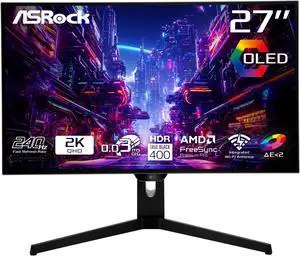
ASRock Phantom Gaming 27" QHD 2K 1440P 240Hz 0.03ms (GTG), 99% DCI-P3 with 129% sRGB Color Space, 2 x HDMI 2.1, 2 x DisplayPort 1.4, OLED Gaming Computer Monitor PGO27QFS

OUT OF STOCK
- Screen Size: 27"
- Refresh Rate: 240Hz
- Resolution: 2560 x 1440 (2K)
- Response Time: 0.03 ms (GTG)
- Model #: PGO27QFS
- $899.99
- $655.99 –
- Save: 27%
- $22.46 Shipping
Quick View
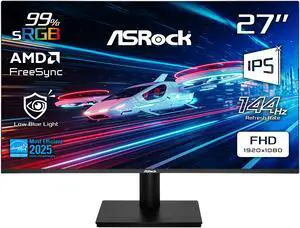
ASRock Phantom Gaming 27" Full HD 144Hz IPS with AMD FreeSync (Adaptive Sync) 1ms Computer Monitor for both Work and Gaming CL27FFB
OUT OF STOCK
- Screen Size: 27"
- Refresh Rate: 144Hz
- Resolution: 1920 x 1080
- Response Time: 1 ms
- Model #: CL27FFB
- $169.99
- $145.99 –
- Save: 14%
- $17.19 Shipping
Quick View
OUT OF STOCK
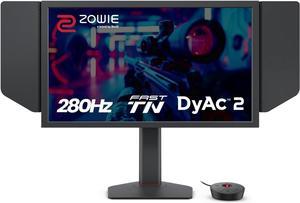
- Screen Size: 24.1"
- Refresh Rate: 280Hz
- Resolution: 1920 x 1080
- Monitor Pixel Density: 0.28mm
- Model #: XL2546X+
- $699.00
- $26.94 Shipping
Quick View
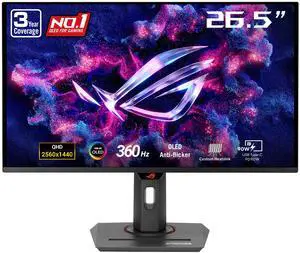
ASUS ROG Strix 27" (26.5" viewable) QHD 2K 1440P 360Hz FreeSync Premium Pro & G-Sync Compatible HDR400 Gaming Ai Technology Exclusive GamePlus AURA Sync Software OLED Gaming Computer Monitor XG27ACDNG
OUT OF STOCK
- Screen Size: 27"(26.5" viewable)
- Refresh Rate: 360Hz
- Resolution: 2560 x 1440 (2K)
- Response Time: 0.03ms (GTG)
- Model #: XG27ACDNG
- $1,760.99 –
- Free Shipping
Quick View

OUT OF STOCK
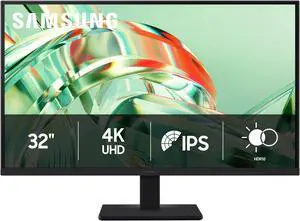
- Screen Size: 32"
- Resolution: 3840 x 2160
- Display Colors: Max 1B
- Panel: IPS
- Model #: LS32H710EANXZA
- $409.99 –
- $25.12 Shipping
Find Your Perfect Gaming Monitor
Elevate Your Gaming Experience: The Monitor Matters
Your gaming monitor isn't just a screen—it's your window into virtual worlds. Whether you're dodging bullets in competitive shooters or getting lost in cinematic RPGs, the right display can make all the difference. Let's break down what really matters when choosing your gaming monitor.
Read our complete step-by-step walkthrough here: How to choose the right gaming monitor in 2025.
Size: Find Your Sweet Spot
Bigger isn't always better when it comes to gaming monitors. Here's what works best:
- 24-27 inches: The esports sweet spot. Smaller screens keep everything in your field of view for faster reactions.
- 32+ inches: Perfect for immersive single-player games where you want to soak in every detail.
- Ultrawide (34+ inches): Curved screens that wrap around your vision for next-level immersion.
Pro tip: Measure your desk space first—you don't want a monitor that overwhelms your setup!
Resolution & Refresh Rate: The Speed vs. Clarity Balance
These two specs work together to create buttery-smooth gameplay:
- Resolution:
- 1080p(Full HD): 1920 X 1080 pixel, still great for competitive gaming and budget builds, offering a good between quality and performance.
- 1440p(QHD): 2560 x 1440 pixels, The sweet spot for most gamers—sharp visuals without crushing your GPUs
- 4K(UHD): 840 x 2880 pixels,Stunning detail and clarity, but only if your graphics card can handle it,suitable for gaming, video editing, and multitasking
- 5K(WUHD): 512 x 2880 pixels, a premium resolution for large, high-end monitors, offering even great detail and clarity
- Refresh Rate:
- 60Hz or 75Hz: It might be sufficient for casual gamers and can offer a more comfortable experience for tasks like scrolling and working with spreadsheets
- 144Hz: The baseline for serious gaming—everything feels smoother
- 240Hz+: For esports pros who need every competitive edge
Remember: A high refresh rate means nothing if your GPU can't keep up!
Response Time: Speed in Every Frame
Monitor response time refers to how quickly a monitor can change the color of a pixel, measured in milliseconds (ms).
- Lower is Better: A lower response time means the monitor can switch colors faster, resulting in smoother visuals—especially during fast-paced action and gaming.
- Gaming: In competitive gaming, a lower response time reduces motion blur and ghosting (where motion trails follow fast-moving objects), creating a more responsive and immersive experience.
- General Use: For tasks like browsing or streaming, a response time below 5ms is usually sufficient, as most users won’t notice the difference between 1ms and 5ms.
- 1ms Response Time: Ideal for high-speed gaming, a 1ms response time ensures pixel transitions are nearly instantaneous.
- Real-World Performance: Manufacturer specs may exaggerate performance—refer to third-party reviews for accurate results.
- 0.03ms Response Time: Seen in premium OLED and QD-OLED monitors, this ultra-fast response delivers near-instant pixel changes for the smoothest motion clarity.
Editor’s Picks: Recommended Gaming Monitors
Samsung Odyssey OLED G6 — Max 500Hz, Glare-Free
27" QHD QD-OLED with up to 500Hz refresh and 0.03ms (GtG), FreeSync Premium/G-Sync Compatible, and a glare-free finish for clear, fast action.
Samsung Odyssey OLED G6 — 27" QHD, up to 500Hz, 0.03ms, FreeSync Premium & G-Sync CompatibleASUS ROG Strix OLED — 4K 240Hz, TrueBlack Glossy
32" 4K WOLED with 240Hz (dual mode: FHD 480Hz) and 0.03ms (GtG), FreeSync Premium Pro/G-Sync Compatible, TrueBlack Glossy zero-haze panel, OLED Care Pro, plus DP 1.4 (DSC), HDMI 2.1, and USB-C 15W.
ASUS ROG Strix OLED XG32UCWMG — 32" 4K, 240Hz/480Hz dual mode, 0.03ms, FreeSync Premium Pro & G-Sync CompatiblePanel Technology: Choose Your Strength
Different panel types excel at different things:
- IPS (In-Plane Switching): Gorgeous colors and wide viewing angles—perfect for visually stunning games.
- TN (Twisted Nematic): Lightning-fast response times (1ms), ideal for competitive gaming.
- VA (Vertical Alignment): Deep blacks and high contrast—offering a balanced experience for gaming and media.
- OLED (Organic Light Emitting Diode): Delivers true blacks by turning off individual pixels. Known for high contrast, wide viewing angles, and ultra-fast response times.
- QD-OLED (Quantum Dot OLED): Combines OLED with a quantum dot layer to enhance brightness and color vibrancy—great for immersive visuals.
- W-OLED (White OLED): Uses a white light-emitting layer and an extra white subpixel for improved brightness efficiency and accurate color reproduction.
Game-Changing Features
These technologies can take your gaming to the next level:
Adaptive Sync (G-Sync/FreeSync)
No more screen tearing or stuttering! These technologies sync your monitor's refresh rate with your GPU's output for perfectly smooth gameplay.
HDR & Advanced Display Tech
For visuals that pop:
- HDR: Makes colors more vibrant and lifelike
- OLED/QLED: Incredible contrast with perfect blacks
- Curved Screens: Wrap around your vision for deeper immersion
Intel Gamer Days Sale – Level up for the new semester with Newegg’s Intel Gamer Days Sale. Snag limited-time savings on Intel-powered laptops and desktops, cutting-edge GPUs, fast SSDs, sharp monitors, printers, and more—everything you need for class by day and gaming by night. Build your ideal study-and-play setup and score big before school starts..
Built-in Crosshair Features
Many modern gaming monitors now include built-in crosshair overlays—ideal for first-person shooters like Counter-Strike 2, Valorant, Apex Legends, or Overwatch 2. These features can enhance accuracy by helping you line up shots more effectively, giving you a competitive edge without relying on in-game settings.
FAQs about Gaming PCs
-
Is 27 inches too big for competitive gaming?
Not necessarily! It depends on your viewing distance. Just don't go so big that you have to move your head to see the edges. -
Do I need 4K for gaming?
Only if your GPU can handle it. For most gamers, 1440p offers the best balance of visual quality and performance. -
What's more important: refresh rate or response time?
Both matter! Refresh rate (Hz) determines how smooth motion looks, while response time (ms) affects motion clarity. Look for at least 144Hz and 1ms for competitive gaming.
Bestselling Gaming Monitor Reviews:
Boris
9/16/2026 4:41:53 PM
great quality superb image
“ Ive been using the monitor for a few months now and its a solid budget 1440p gaming monitor. ”
ASUS TUF Gaming 27 inch QHD 2K 1440P 180Hz IPS AMD FreeSync Premium & G-SYNC Compatible 1ms Built-in Speakers Gaming Computer Monitor with Swivel & Tilt Stand VG27AQ3ALouise L.
9/16/2026 12:06:10 PM
Great monitor, TERRIBLE wobbly base.
“ If you need a good gaming monitor and don't care if it's slightly older technology that works really well, this is a good one! ”
Acer Nitro 27 inch WQHD 2K 1440P 240HZ IPS 0.5ms with AMD FreeSync Premium HDR400 Gaming Computer Monitor with Speakers VG272U W2BMIIPXibrahim117
9/15/2026 8:20:02 PM
Best OLED gaming monitor, hands down
“ This is everything I want in a gaming monitor. ”
ASUS ROG Swift 32 inch UHD 4K 240Hz AMD FreeSync Premium Pro & G-Sync Compatible 0.03ms HDR500 USB-C GEN 3 OLED Gaming Computer Monitor with Height Adjustable, Swivel & Tilt Stand PG32UCDM3Michael F.
4/22/2026 10:36:17 AM
Amazing quality screen!
“ I highly recommended this to anyone that truly needs a gaming monitor for their first 4k/OLED. ”
ASUS ROG Swift 32 inch UHD 4K 240Hz AMD FreeSync Premium Pro & G-Sync Compatible 0.03ms HDR500 USB-C GEN 3 OLED Gaming Computer Monitor with Height Adjustable, Swivel & Tilt Stand PG32UCDM3Anonymous
4/10/2026 12:01:00 PM
Perfect Monitor
“ I would definitely recommend it to anyone looking for a reliable gaming monitor, and I would buy it again without hesitation. ”
ASUS TUF Gaming 27 inch QHD 2K 1440P 180Hz with AMD FreeSync, 0.5ms, 1500R, Extreme Low Motion Blur Curved Gaming Computer Monitor VG27WQ3BMark.D
3/9/2026 12:10:45 PM
Great OLED Monitor for the price
“ Perfect gaming monitor at perfect size and resolution ”
MSI 27 inch QHD 2K 1440P 240Hz AMD FreeSync Premium Pro & G-Sync Compatible 0.03ms OLED Gaming Computer Monitor with Height Adjustable, Pivot, Swivel & Tilt stand MAG 272QP QD-OLED X24Jeanlucw
3/5/2026 8:33:46 PM
Great value OLED monitor
“ I recommend this gaming monitor to anyone who wants vibrant OLED colors, and 240Hz refresh rate ”
MSI 27 inch QHD 2K 1440P 240Hz AMD FreeSync Premium Pro & G-Sync Compatible 0.03ms OLED Gaming Computer Monitor with Height Adjustable, Pivot, Swivel & Tilt stand MAG 272QP QD-OLED X24Lew
3/2/2026 5:58:24 PM
Great product!
“ Great gaming monitor with no complaints so far!! ”
MSI 32 inch UHD 4K 240Hz with Nvidia G-Sync compatible 0.03ms 90W USB-C OLED Gaming Computer Monitor with Height Adjustable & Swivel Stand MPG 321URX QD-OLED