
Your Browsing History

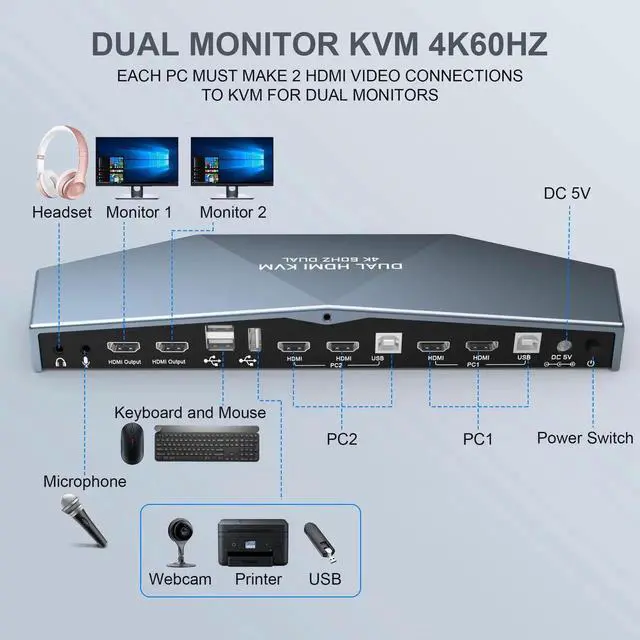
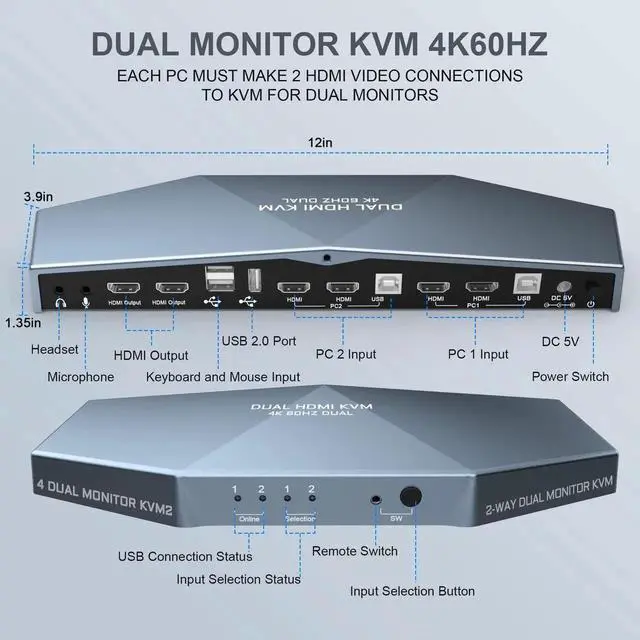



EACH PC MUST MAKE 2 VIDEO CONNECTIONS FOR DUAL MONITORS
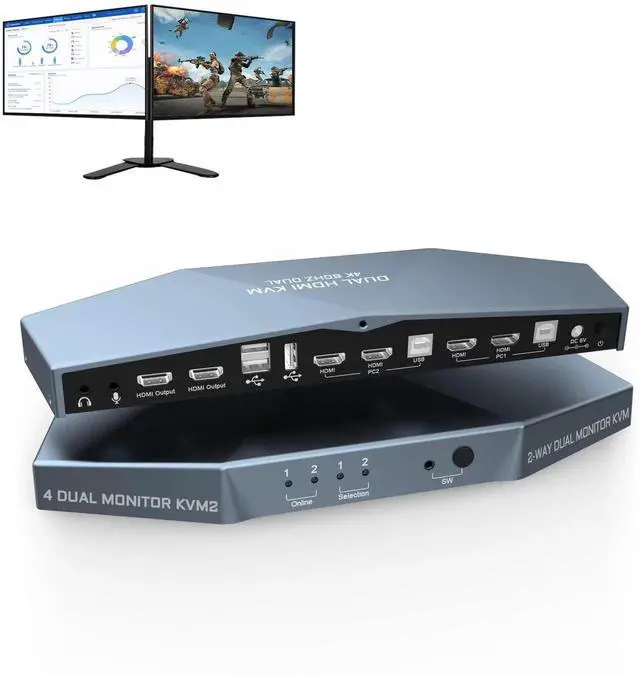
1. This 2 computer KVM switch allows you to share one set of keyboard, two video monitors, and mouse with two PCs.
2. Dual monitors output support extended and mirrored display. The dual monitor displays are from a same input source selected, it does not support computer 1 on monitor A, computer 2 on monitor B.
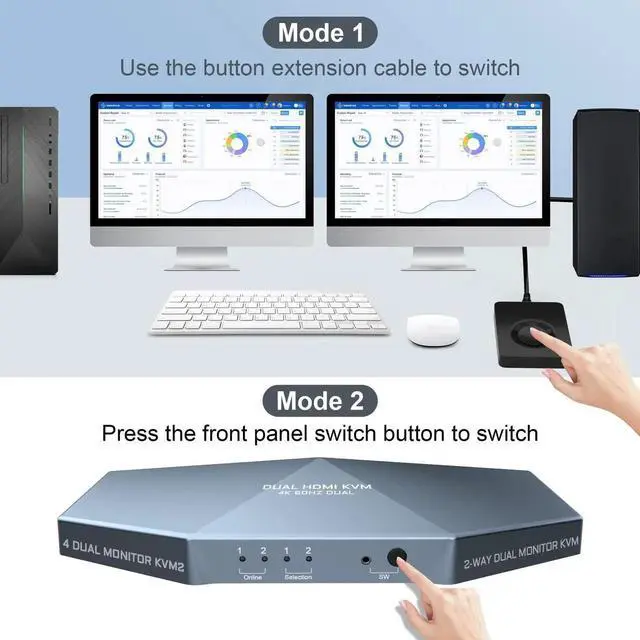
3. Support front panel switch buttons and external remote control switch button to control this Dual Monitor HDMI KVM switch.
4. Support wired or wireless keyboard and mouse. Allow you to quickly switch to the mode you need anytime and anywhere during the work, improve your work efficiency.
5. Does not require software or drivers and works with Windows, MacOS, Linux, etc.
6. With extra 3 USB 2.0 port , by using USB 2.0 hub ports on the KVM, you even can attach USB drive, printer, barcode scanner or other USB devices to the KVM.
7. HDMI 2.0 supports 4K (3840 x 2160 @ 60hz) resolution. downward compatible. If monitor is not displaying properly, try reduce resolution.
8. Automatically adapt to EDID/HDCP, which can keep PCs always having correct display information.
9. Supports separate audio and microphone output.
Connection steps:
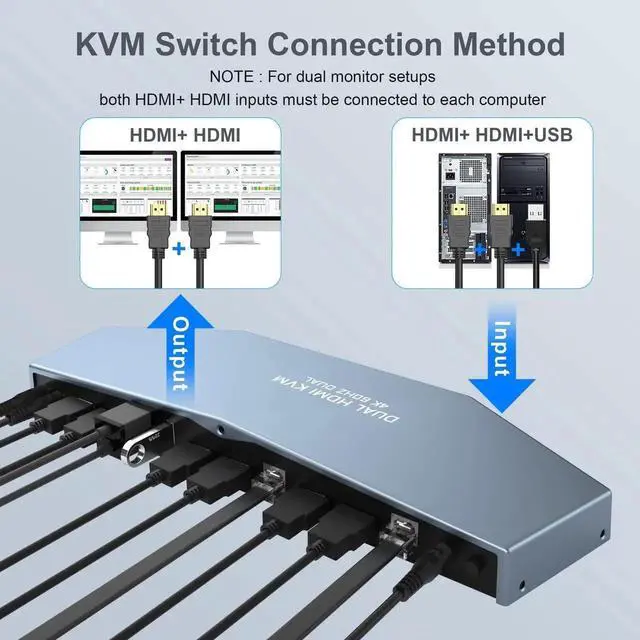
1) Use HDMI cable and USB-B cable to connect the computerand PC1 and PC2 realizes two-in and two-out connection.
2) Use DC 5V 2A auxiliary power to connect the switch and turn on the power switch.
3) Use the 2 HDMI cables to connect 2 monitors and the 2 HDMI output interface of the switcher.
4) Use the switch button to switch the input computer.