


- Shop Category
Gaming & Streaming Gear Featured Items
Shop all products
Verbatim 8-in-1 USB-C Hub with 4K HDMI Output, USB-C 100W Power Delivery, 2x USB 3.0 Ports, SD+MicroSD Card Reader, 3.5mm Audio
- Type: USB / Ethernet
- Standards: USB 3.0
- Ports: 2 x USB 3.0 1 x USB C for data 1 x USB C for power 2 x SD card readers 1 x HDMI 1 x 3.5mm audio port
- Dimensions: 7" x 3.82" x 1"
- Model #: VUC-2081D
- Item #: N82E16817130333
- Return Policy: Extended Holiday Return Policy
- $59.99
- $14.38 –
- Save: 76%
- Free Shipping
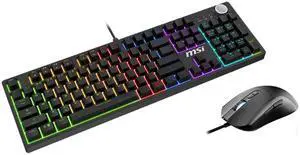
MSI Forge GK320 Combo RED US - Gaming RGB Keyboard & Mouse Set, Full Keys Anti-Ghosting, 12,800 DPI Optical Sensor, 13-Mode RGB, up to 12,800 DPI, Black

- Brand: MSI
- Name: FORGE GK320 COMBO
- Keyboard Interface: USB 2.0
- Design Style: Gaming
- Model #: FORGEGK320C
- Item #: 9SIA7BBKSC6303
- Return Policy: View Return Policy
- $108.32 –
- More options from $52.99 - $128.96
- Free Shipping
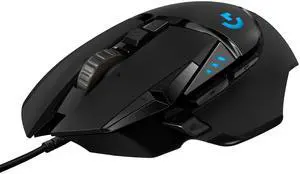
Logitech G502 HERO High Performance Wired Gaming Mouse, HERO 25K Sensor, 25,600 DPI, RGB, Adjustable Weights, 11 Programmable Buttons, On-Board Memory, PC / Mac

- Brand: Logitech
- Name: G502 HERO
- Type: Wired
- Interface: USB
- Model #: 910-005469
- Item #: 9SIC8MVMB49229
- Return Policy: View Return Policy
- $64.53 –
- More options from $39.99 - $172.21
- Free Shipping
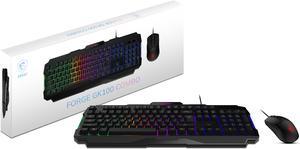
MSI Forge GK100 Combo – Gaming RGB Keyboard & Mouse Set, 19-Key Anti-Ghosting, 6400 DPI Optical Sensor, 6-Mode RGB, up to 6,400 DPI, Black
- Brand: MSI
- Name: FORGE GK100 COMBO
- Keyboard Interface: USB 2.0
- Design Style: Standard
- Model #: FORGEGK100C
- Item #: N82E16823167058
- Return Policy: Extended Holiday Return Policy
- $49.99 –
- More options from $49.99 - $59.99
- Free Shipping
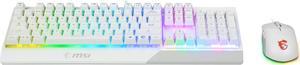
MSI Vigor GK30 Gaming Keyboard & GM11 Mouse Combo, RGB Gaming Set, Anti-Ghosting Keyboard, Ergonomic Gaming Mouse, PC Bundle
- Brand: MSI
- Name: Vigor GK30 White Gaming Combo
- Keyboard Interface: USB 2.0
- Design Style: Standard
- Model #: VigorGK30COMBOWHITE
- Item #: N82E16823167047
- Return Policy: Extended Holiday Return Policy
- $104.99 –
- More options from $104.99 - $135.16
- Free Shipping
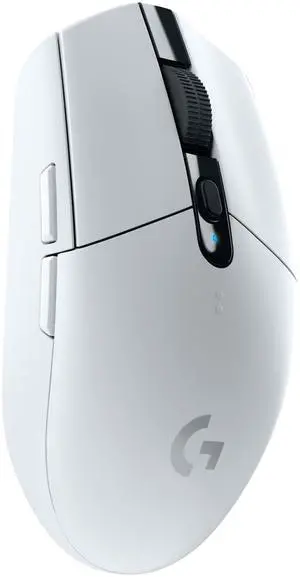
Logitech G305 LIGHTSPEED Wireless Gaming Mouse, Hero 12K Sensor, 12,000 DPI, Lightweight, 6 Programmable Buttons, 250h Battery Life, On-Board Memory, PC/Mac - White
- Brand: Logitech
- Name: G305
- Type: Wireless
- Color: White
- Model #: 910-005289
- Item #: N82E16826197309
- Return Policy: Extended Holiday Return Policy
- $69.99
- See price in cart
- More options from $39.99 - $136.98
- $6.99 Shipping
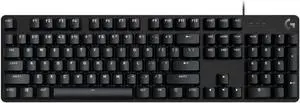
Logitech G413 SE Full-Size Wired Mechanical Gaming Keyboard, Tactile Switches, White LED Backlit, PBT Keycaps, Brushed Aluminum Top Case, Anti-Ghosting, Black
- Brand: Logitech
- Name: G413 SE
- Keyboard Interface: USB 2.0
- Design Style: Standard
- Model #: 920-010433
- Item #: 9SIA7BBKGB5596
- Return Policy: View Return Policy
- $141.85 –
- More options from $79.99 - $219.15
- Free Shipping

MSI Gaming Gear Bundle FRIEREN Edition, Wireless Mouse and Keyboard, Mechanical Linear Switches, TKL, Long-Range 2.4Ghz Wireless, Rechargeable Power, Optical Sensor, 26000 DPI
- Model #: 952-8Z0Z-001
- Item #: N82E16823167075
- Return Policy: Extended Holiday Return Policy
- $249.99
- $224.99 –
- Save: 10%
- More options from $224.99 - $688.67
- Free Shipping
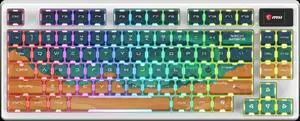
MSI FORGE GK600 TKL Wireless Gaming Keyboard – MARS Edition, Hot-Swappable 5-Pin, Tri-Mode (2.4GHz/Bluetooth/USB-C), Linear Mechanical Switches, RGB
- Brand: MSI Computer
- Model #: S11-43CEU01-HH9
- Item #: N82E16823167074
- Return Policy: Extended Holiday Return Policy
- $139.99
- $79.99 –
- Save: 42%
- More options from $79.99 - $167.71
- Free Shipping
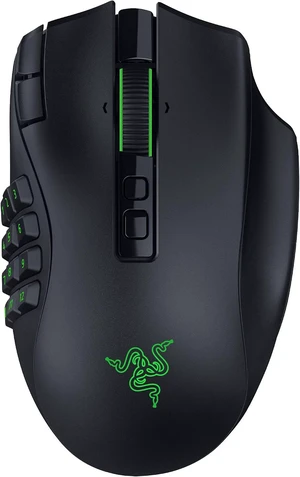

- Brand: RAZER
- Part Number: RZ01-05660100-R3U1
- Type: Bluetooth / 2.4GHz / Wired
- Color: Black
- Model #: RZ01-05660100-R3U1
- Item #: N82E16826153386
- Return Policy: Extended Holiday Return Policy
- $259.99 –
- Free Shipping
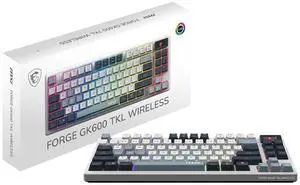
MSI Forge GK600 TKL Wireless Gaming Keyboard - Mechanical Linear Switches, Dye-Sublimated PBT Keycaps, Anti-Slip Base, RGB, USB 2.0, Bluetooth, 2.4 GHz - White
- Brand: MSI
- Keyboard Interface: USB + 2.4GHz + Bluetooth
- Design Style: Standard
- Layout: TKL
- Model #: FORGE GK600 TKL
- Item #: N82E16823167065
- Return Policy: Extended Holiday Return Policy
- $139.99
- See price in cart
- More options from $79.99 - $146.99
- Free Shipping
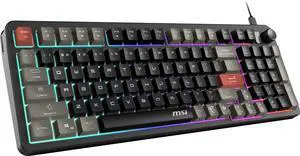
MSI Forge GK110 RGB Gaming Keyboard, Membrane Switch, Anti-Ghosting Keys, RGB Lighting, Spill Resistant, PC
- Brand: MSI Computer
- Name: FORGE GK110
- Keyboard Interface: USB 2.0
- Design Style: Standard
- Model #: FORGEGK110
- Item #: N82E16823167068
- Return Policy: Extended Holiday Return Policy
- $44.99 –
- More options from $44.99 - $50.10
- Free Shipping
An input device is essentially any hardware or tool you use to enter information into a computer so that you can control it, whether you're talking about PC game controllers, microphones or many other types of devices. The category of input devices is pretty comprehensive, with items ranging from computer mice to keyboards to VR headsets to microphones. The input devices you need to get will be dependent on what you're going to be using them for. You can divide input devices into several different categories, including human interface devices, composite devices and video input devices.
Wireless Keyboards Reduce Clutter
The one input device that many people have is the computer keyboard, and it is considered a human interface device, or a device that takes input from people and gives the output. There are many different types of keyboards, so choose the one that works best with your needs. Wireless keyboards rely on WiFi to keep you connected, making them ideal for anyone who wants to cut down on wires and cords. Gaming keyboards let you easily maneuver and work your way through your favorite games. Bluetooth keyboards offer another great way to go cordless, and they often connect more seamlessly than wireless keyboards do.
Touchpads Give Sketch Artists a Platform
Your pointing input devices are the devices that you'll use to move your cursor around the screen to complete specific commands. Tools range from standard corded mouses to wireless gaming mice to touchpads to PC game controllers. At the end of the day, which pointing input device you use depends on what you're doing and what you feel most comfortable with. Whether you're an artist, writer or gamer, choose the one that is easiest for you to complete your tasks. Some people can't live without their touchpads, while others never leave home without their wireless gaming mouses.
Video-Input Devices Transport Your Video Data
Video input devices are the ones that you use to digitize video or any other sorts of images that you take outside and transfer or upload into the computer. These devices include digital cameras, digital camcorders, webcams, fingerprint scanners, image scanners and portable media players.
Composite Devices Hold a Little Bit of Everything
Composite input devices are input devices that have different input elements on a single machine. Gaming devices are the first things that come to mind when people think about composite devices since they have at least two different forms of input. The most common types of composite devices are gamepads, gaming joysticks and paddle.
Audio Input Devices Channel Sound
Audio input devices are the ones that capture sound. These devices allow you to send audio signals to a computer so that you can record, process or perform certain commands. Some examples of audio input devices include microphones and digital instruments like MIDI keyboards. A microphone allows you to speak into the computer and record information, or it will enable you to control and manage computer commands with your voice. Nearly everyone needs audio input devices, including musicians, gamers and writers.
Bestselling Gaming & Streaming Gear Reviews:
Anonymous
11/2/2026 6:20:10 AM
Slaps!
“ I wouldnt change a thing unless you like your keyboard to have a bit more thockyNess. ”
ASUS M703 ROG Falcata Ace 75% Wireless Gaming KeyboardYoo boy review
11/2/2026 1:56:17 AM
Great product
“ It is a really great keyboard they just need to work in the packaging it took me forever to get all that tape off I couldnt find my scissors so I just pealed away but really great made gaming better ”
SteelSeries Apex Pro Mini Wired Esports Keyboard, 61-Key 60% Compact OmniPoint Adjustable HyperMagnetic Rapid Trigger, 5000-Series Aircraft-Grade Aluminum Frame, Per-Key PrismSync RGB BacklightingBest X Anthony
10/22/2026 9:56:10 AM
It is good. Slow movement. It is nice.
“ The mouse is good. ”
MSI VERSA 300 2.4GHz Wireless Bluetooth 5.3 Optical Gaming MouseAnonymous
9/29/2026 5:13:38 PM
great wireless keyboard
“ typically i dont like wireless keyboards or mice but ive been really impressed with its response time and battery life.. plus the keys feel good to the touch. ”
Logitech G515 LIGHTSPEED TKL Low Profile Wireless Gaming Keyboard - GL Red Linear Switches, LIGHTSYNC RGB, Thin Tenkeyless Design, PBT Keycaps - BlackJason
8/27/2026 7:21:01 AM
Great mouse
“ Overall a good mouse and I can easily reccomend when on a discount. ”
Razer Basilisk V3 Customizable Ergonomic Gaming Mouse: Fastest Gaming Mouse Switch - Chroma RGB Lighting - 26K DPI Optical Sensor - 11 Programmable Buttons - HyperScroll Tilt Wheel - Classic BlackAnonymous
8/24/2026 3:26:34 PM
Great keyboard!
“ Overall this a great keyboard at a fair price. ”
MSI Forge GK600 TKL Wireless Gaming Keyboard - Mechanical Linear Switches, Dye-Sublimated PBT Keycaps, Anti-Slip Base, RGB, USB 2.0, Bluetooth, 2.4 GHz - WhiteD
8/9/2026 3:29:34 PM
Mouse
“ I would recommend as a basic mouse ”
USB Wired Gaming Mouse, PC Gaming Mice USB Computer Mouse with LED Backlits, High - Precision Adjustable 3200 DPI, 6 Programmable Buttons, Ergonomic Gamer Mouse for Windows PC Mac LaptopJohn E
8/5/2026 9:01:05 AM
like it
“ good mouse still learning all features ”
Razer Basilisk V3 Pro Wireless Gaming Mouse, Customizable RGB, HyperScroll Tilt Wheel, 30K DPI Optical Sensor, PC