
Your Browsing History
BEST SELLERS


BEST SELLERS
In Water / Liquid Cooling
Our most popular products, based on sales and updated frequently.Shop Department
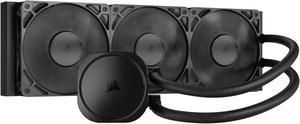
CORSAIR NAUTILUS 360 RS Liquid CPU Cooler – RS120 Fans – Fits Intel® LGA 1851/1700, AMD® AM5/AM4 – Simple Daisy-Chain - Direct Motherboard Connection
- Brand: CORSAIR
- Series: Nautilus Series
- Type: AIO
- Block Compatibility: Intel® LGA 1851/1700, AMD® AM5/AM4
- Model #: CW-9060089-WW
- Item #: N82E16835181474
- Return Policy: Standard Return Policy
$154.99
Free Shipping
-silent under most loads -extremely functional and quality feel for the price -sturdy -sealed AIO does not need maintenance or initial filling -filled with premium Corsair coolant -very easy to install, comes with premium hardware that will suit most mid applications
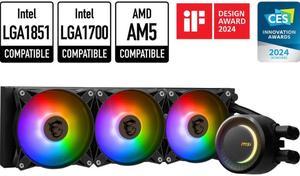
MSI MAG CoreLiquid E360 Black - AIO ARGB CPU Liquid Cooler - Rotating Cap Design - 360mm Radiator - Triple 120mm ARGB PWM Fans - LGA 1851,1700 Ready / AMD AM5 Compatible
- Type: Liquid Cooling System
- Block Dim.: 41 (+/-0.2) x 47.6 (+/-0.2) mm
- Block Material: Copper
- Radiator Size: Radiator Size: 360 mm Radiator Dimensions: 394 x 119.2 x 27mm / 15.51 x 4.69 x 1.06 inches
- Model #: MAG CORELIQUID E360
- Item #: 9SIA9H5K643966
- Return Policy: View Return Policy
$209.99
Free Shipping
- Easy, flawless installation - Simple assembly - Pump and fans run pretty quiet overall - RGB lights are nice touch and can be turned off - Good performance (~40C idle with Ryzen 7 9800x3D)
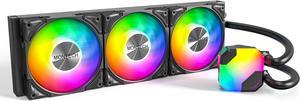
MONTECH HyperFlow ARGB 360 - AIO CPU Liquid Cooler, Supports Intel LGA 1851/1700, AMD AM5/AM4, Enhanced 3100RPM Water Pump Design, 3X Metal Pro 12 ARGB Ultimate Cooling Fans - Black
- Brand: MONTECH
- Type: Liquid Cooling System
- Block Compatibility: Intel: LGA115X/1200/1700/1851/20XX AMD:AM3/ AM4/AM5
- Fan Size: 3 Fan Slots (120 mm)
- Model #: HyperFlow ARGB 360
- Item #: N82E16835988004
- Return Policy: Standard Return Policy
$94.99
$129.99
Free Shipping
Everything is excellent. As described.
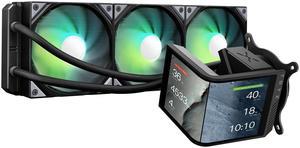
TRYX Panorama SE 360 ARGB 360mm AIO Rotatable 6.67'' AMOLED Curved Screen 3D Anamorphic Effect Customizable AIO Cooler 360mm Asetek Adela 280w TDP ARGB Fan Intel LGA 1851/1700/1200/115X AMD AM5/AM4
- Brand: TRYX
- Series: PANORAMA SE ARGB
- Part Number: L-P360L-AM3M-G0K
- Type: AIO
- Model #: L-P360L-AM3M-G0K
- Item #: 2YM-00BE-00013
- Return Policy: Standard Return Policy
$359.99
$409.99
Free Shipping
Nice screen hardware monitor good performance without overclocking 55 degrees max easy to install on am5

MSI MAG Coreliquid A13 360 Black - AIO ARGB Liquid Cooling - 360mm Radiator - Triple 120mm ARGB PWM Fans - EZ Connect - LGA 1700/1851/AM5/AM4 Compatible
- Brand: MSI
- Type: AIO
- Block Compatibility: Intel Socket LGA 1700 / 1851 AMD Socket AM5/AM4
- Block Compatibility - AMD: AMD Socket AM5/AM4
- Model #: MAG Coreliquid A13 360
- Item #: N82E16835846069
- Return Policy: Standard Return Policy
$119.99
$164.99
$109.99 after $10.00 rebate card
Free Shipping
- Great price (I got it free with my cpu) - Very easy to install - RGB looks fantastic - All assembled and ready to go, just install it
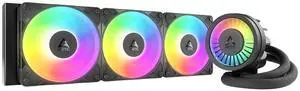
ARCTIC ACFRE00184A Liquid Freezer III Pro 360 A-RGB AIO CPU Cooler, Water Cooling 38 mm Radiator, AMD AM5/AM4, Intel LGA1851/1700 (Black)
- Brand: Alphacool
- Series: ROG STRIX LC II 360
- Part Number: ACFRE00184A
- Block Compatibility: AMD Socket AM5
- Model #: ACFRE00184A
- Item #: 9SIA9H5KF33096
- Return Policy: View Return Policy
$184.99
Free Shipping
Amazing AIO. Fans already preinstalled. Easy instructions to follow. Cools my CPU no issue
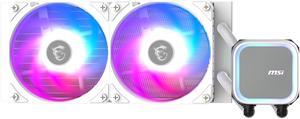
MSI MAG Coreliquid A13 240 White - AIO ARGB Liquid Cooling - 240mm Radiator - Dual 120mm ARGB PWM Fans - EZ Connect - LGA 1700/1851/AM5/AM4 Compatible
- Brand: MSI
- Type: AIO
- Block Compatibility: Intel Socket LGA 1700 / 1851 AMD Socket AM5/AM4
- Block Compatibility - AMD: AMD Socket AM5/AM4
- Model #: MAG Coreliquid A13 240 White
- Item #: N82E16835846068
- Return Policy: Standard Return Policy
$99.99
$127.99
$89.99 after $10.00 rebate card
Free Shipping
Easy to install, fans come preinstalled so no need to worry about putting it together. Provides a great aesthetic and neat cable management.
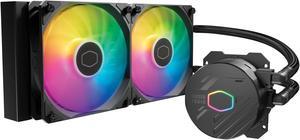
Cooler Master MasterLiquid 240L Core 240mm Close-Loop AIO Liquid Cooler, ARGB Sync, Gen S Coldplate Pump, 120mm PWM, CryoFuze Thermal Paste AMD AM5/AM4, Intel LGA 1851/1700/1200 (MLW-D24M-A18PZ-R1)
- Brand: COOLER MASTER
- Series: MasterLiquid
- Part Number: MLW-D24M-A18PZ-R1
- Type: Liquid Cooling System
- Model #: MLW-D24M-A18PZ-R1
- Item #: N82E16835103353
- Return Policy: Standard Return Policy
$89.99
$109.99
Free Shipping
I like that it doesn't say coolermaster in the center anymore because believe it or not, some boards you are required to orient the AIO in different directions depending on how much room there is, so if you have to have hoses on left or right, or even top or bottom, you wont hate your life because it says coolermaster upside down!
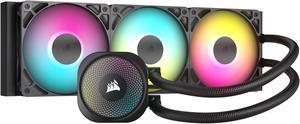
CORSAIR NAUTILUS 360 RS ARGB Liquid CPU Cooler – RS120 ARGB Fans – Fits Intel® LGA 1851, AMD® AM5/AM4 – Simple Daisy-Chain Connections - Direct Motherboard Connection
- Brand: CORSAIR
- Series: Nautilus Series
- Type: AIO
- Block Compatibility: Intel® LGA 1851/1700, AMD® AM5/AM4
- Model #: CW-9060093-WW
- Item #: N82E16835181478
- Return Policy: Standard Return Policy
$184.99
Free Shipping
- CPU Temps are lower than my previous 240mm unit - RGB is very nice once installed - Quieter than expected. Originally it was very loud, running at 100% constantly no matter what settings I adjusted to lower the fan speed. Realized I plugged my Pump Fan lead into the CPU Fan slot on my MB. Switched to the Pump Fan slot and it regulates properly now and is quiet unless I'm running a game on Ultra settings
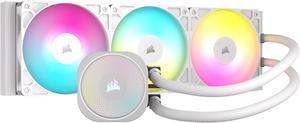
CORSAIR NAUTILUS 360 RS ARGB Liquid CPU Cooler – White – RS120 ARGB Fans – Fits Intel® LGA 1851, AMD® AM5/AM4 – Simple Daisy-Chain Connections - Direct Motherboard Connection
- Brand: CORSAIR
- Series: Nautilus Series
- Type: AIO
- Block Compatibility: Intel® LGA 1851/1700, AMD® AM5/AM4
- Model #: CW-9060095-WW
- Item #: N82E16835181476
- Return Policy: Standard Return Policy
$184.99
Free Shipping
I have both the nautilus 240 rs and 360 rs, both have worked amazing right out of the box with zero issues and cools great. Although i do recommend use a commander core xt (if you can buy one) it makes controlling the fan speeds and RGB a lot easier. But besides that i highly recommend because theyre not too expensive and the fans that come with, they push and pull a great amount of air. Perfect for someone looking to do a white build or to upgrade their AIO.
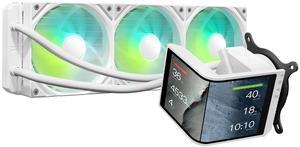
TRYX Panorama SE 360 ARGB White 360mm AIO Rotatable 6.67'' AMOLED Curved Screen 3D Anamorphic Effect Customizable AIO Cooler 360mm White Asetek Adela 280w TDP Intel LGA 1851/1700/1200/115X AMD AM5/AM4
- Brand: TRYX
- Series: PANORAMA SE ARGB
- Part Number: L-P360L-AM3M-G0W
- Type: AIO
- Model #: L-P360L-AM3M-G0W
- Item #: 2YM-00BE-00014
- Return Policy: Standard Return Policy
$359.99
$409.99
Free Shipping
This is my first AIO cooler. I've always leaned towards high end air cooling in the past and I have to say I'm beyond impressed by what I'm seeing (and not hearing!) in this TRYX AIO. The heatsink (dual fan) I replaced with this was definitely skirting the mid-high to high end air cooling solutions. Not only does the TRYX keep my idle temps a few degrees cooler but under load with moderate gaming the temps are literally 10 degrees cooler. (i7 10700k with a mild overclock) Under extreme loads it sits around 10-15 degrees cooler but far less noisy compared to my air cooler. If I crank the fan speed up it will stay consistently ~15 degrees cooler than the air cooling. But the most impressive part of that is the silence. I'm able to maintain the level of cooling I am right now (check the included screenshot) without the need to have the TRYX fans spin up to an audible level. The pump is also silent. To the point I questioned if it was even running the first time I turned it on! Under heavy duty gaming the TRYX is still able to maintain significantly lower temps at much lower fan speeds. The silence really is golden. I really can't stress how quiet this is while still maintaining great temps. The ARGB lighting is a nice touch and added to the theme of my entire build. Keep in mind you need to either have support for it on your motherboard or a controller. There is no way to adjust the lighting without it. The install is simple. Took all of 10 minutes to get setup. Instructions are easy to follow. The screen can be mounted at different orientations, vertical and horizontal. All customizable through the software. You can also add some neat effects like rain or fog. There's ways to split the images as well and treat the display as two screens. Speaking of the software... this leads me to my one con.

MSI MAG Coreliquid A13 240 Black - AIO ARGB Liquid Cooling - 240mm Radiator - Dual 120mm ARGB PWM Fans - EZ Connect - LGA 1700/1851/AM5/AM4 Compatible
- Brand: MSI
- Type: AIO
- Block Compatibility: Intel Socket LGA 1700 / 1851 AMD Socket AM5/AM4
- Block Compatibility - AMD: AMD Socket AM5/AM4
- Model #: MAG Coreliquid A13 240
- Item #: N82E16835846067
- Return Policy: Standard Return Policy
$99.99
$129.99
$89.99 after $10.00 rebate card
Free Shipping
Easiest pump install on a motherboard ever! Mounting bracket is a sinch. Smaller radiator fits in confined space. 285K hit 94C during Cinebench with score of 41304. Normal use temps 45C or less. Excellent price/performance.
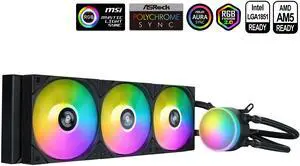
SAMA L60 CPU Liquid Cooler, AIO Cooler 360mm 4pin PWM Quiet Fans - FDB Bearings ARGB Water Cooling, Black CPU Cooler Compatible LGA 1366/115X/2011/1200/1700 and AM4 AM5
- Part Number: L60-BKWAYXO3-G
- Type: Liquid Cooling System
- Block Compatibility: Intel&AMD
- Block Compatibility - AMD: AMD:AM5/AM4
- Model #: L60-BKWAYXO3-G
- Item #: 9SIB41PKCW8764
- Return Policy: View Return Policy
$49.99
$104.99
Free Shipping
these bad babies where easy to set up and install keeps my pc very cool and argb works really good
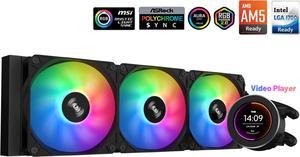
SAMA SM360 Black 360mm Liquid Water AIO CPU Cooler For Gaming PC Computer with Screen LCD Display, 3 ARGB PWM Silent Fans
- Brand: SAMA
- Type: Liquid Cooling System
- Block Compatibility: Intel: LGA 775,115X,1366,1200,1700AMD:AM5,AM4,AM3,AM2,FM1, FM2, FM3
- Block Compatibility - AMD: AM5,AM4,AM3,AM2,FM1.FM2,FM3
- Model #: SM360LD Black
- Item #: 9SIB41PJUX5123
- Return Policy: View Return Policy
$79.99
$169.99
Free Shipping
I used the SAMA SM360 AIO for the first time while building my PC, and its definitely the best choice if youre looking for an AIO cooler. The assembly was super easy, and it looks great in my setup. Its also very versatile, working well with both Intel and AMD motherboards. I have an AMD motherboard, and the manual provided clear instructions for mounting the CPU plug. YouTube was a huge help as well when I ran into any issues during installation. Overall, Im extremely satisfied with my purchase and would buy it again.
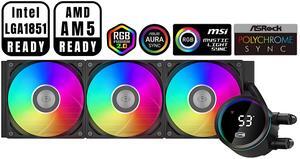
PCCOOLER CPS DA360 Pro ARGB Digital AIO CPU Liquid Cooler, 360mm Radiator, 300W TDP, 270° Rotatable Digital Display, Infinity Halo ARGB Effect, for Intel LGA 1851/1700/1200/115X & AMD AM5/AM4, Black
- Brand: PCCOOLER
- Series: DA
- Part Number: DA360Pro-BKAWXL-GL
- Type: Liquid Cooling System
- Model #: DA360Pro-BKAWXL-GL
- Item #: 9SIBYC4KEB5575
- Return Policy: View Return Policy
$84.99
$115.99
Free Shipping
Easy to install , work great with My msi mother board no connectivity issues
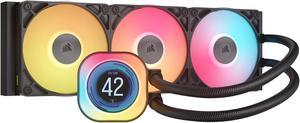
CORSAIR iCUE LINK TITAN 360 RX LCD Liquid CPU Cooler – RX120 RGB Fans – Fits Intel® LGA 1851/1700, AMD® AM5/AM4 – iCUE LINK System Hub Included
- Brand: CORSAIR
- Part Number: CW-9061023-WW
- Type: AIO
- Block Compatibility: AMD: AM5, AM4 | Intel: 1851, 1700
- Model #: CW-9061023-WW
- Item #: N82E16835181479
- Return Policy: Standard Return Policy
$309.99
Free Shipping
I went form a H115i AIO to this and temps dropped about 4°c on my 14700k intel CPU. I really like how this one is set up. Easy to control though the ICUE software
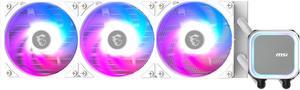
MSI MAG Coreliquid A13 360 White - AIO ARGB Liquid Cooling - 360mm Radiator - Triple 120mm ARGB PWM Fans - EZ Connect - LGA 1700/1851/AM5/AM4 Compatible
- Brand: MSI
- Type: AIO
- Block Compatibility: Intel Socket LGA 1700 / 1851 AMD Socket AM5/AM4
- Block Compatibility - AMD: AMD Socket AM5/AM4
- Model #: MAG Coreliquid A13 360 White
- Item #: N82E16835846070
- Return Policy: Standard Return Policy
$119.99
$109.99 after $10.00 rebate card
Free Shipping
I have two MSI MAG coolers now, one for myself, and one for my son. Installing these was as easy as can be. This one was installed for my son, and it is able to keep the CPU well below dangerous temps, even running the most demanding games, and is absolutely quiet as can be.
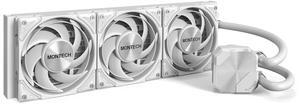
MONTECH HyperFlow Silent 360 White – Ultra-Quiet AIO Liquid CPU Cooler, 3100RPM Pump, Triple Silent Fans, High-Efficiency Radiator for Superior Heat Dissipation, Intel & AMD Compatible, ARGB-Free Mini
- Brand: Montech
- Series: HyperFlow Silent
- Part Number: HyperFlow Silent 360 White
- Pump Speed: Pump: 3100 RPM ±10%
- Model #: HyperFlow Silent 360 White
- Item #: N82E16835988008
- Return Policy: Standard Return Policy
$84.99
$89.99
Free Shipping
Great color easy install looks clean
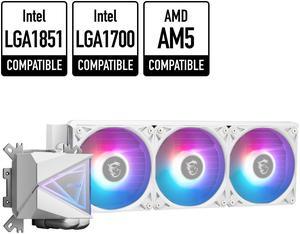
MSI MAG CoreLiquid I360 White - AIO ARGB CPU Liquid Cooler - Infinity Mirror Design - UNI Bracket - 360mm Radiator - Triple 120mm ARGB PWM Fans - LGA 1700/1851 / AM5/AM4 Compatible
- Brand: MSI
- Series: MAG Series
- Type: Liquid Cooling System
- Block Compatibility: Intel: LGA1150/1151/1155/1156/1200/1700/ 1851 AMD: AM5/AM4
- Model #: MAG CORELIQUID I360 WHITE
- Item #: N82E16835846064
- Return Policy: Standard Return Policy
$201.99
$191.99 after $10.00 rebate card
Free Shipping
easy setup quiet pretty
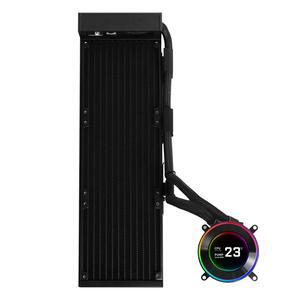
Lian Li Hydroshift II-C 360 Liquid CPU Cooler - Flexible Slide-Tube Clamp Coolant Pathway - 2.1 IPS LCD Screen - 3 Control Mode - Fits Most PC Fans - LGA 1851/1700, AMD AM5/AM4 - Black (HS2LCD36B)
- Type: Liquid Cooling System
- Block Compatibility - AMD: AM4, AM5
- Block Compatibility - Intel: LGA1700, LGA1851
- Radiator Size: 15.75 x 4.8 x 0.86 inch
- Model #: HS2LCD36B
- Item #: 2YM-002Y-00043
- Return Policy: Standard Return Policy
$179.99
$229.99
$7.99 Shipping
Slim profile Cable management is easy and well thought of! Nice packaging Easy installation