
Your Browsing History
BEST SELLERS


BEST SELLERS
In Water / Liquid Cooling
Our most popular products, based on sales and updated frequently.Shop Department
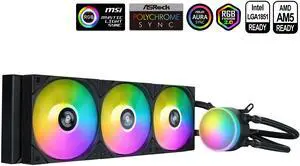
SAMA L60 CPU Liquid Cooler, AIO Cooler 360mm 4pin PWM Quiet Fans - FDB Bearings ARGB Water Cooling, Black CPU Cooler Compatible LGA 1366/115X/2011/1200/1700 and AM4 AM5
- Part Number: L60-BKWAYXO3-G
- Type: Liquid Cooling System
- Block Compatibility: Intel&AMD
- Block Compatibility - AMD: AMD:AM5/AM4
- Model #: L60-BKWAYXO3-G
- Item #: 9SIB41PKCW8764
- Return Policy: View Return Policy
$52.99
$104.99
Free Shipping
these bad babies where easy to set up and install keeps my pc very cool and argb works really good

MSI MAG Coreliquid A13 360 Black - AIO ARGB Liquid Cooling - 360mm Radiator - Triple 120mm ARGB PWM Fans - EZ Connect - LGA 1700/1851/AM5/AM4 Compatible
- Brand: MSI
- Type: AIO
- Block Compatibility: Intel Socket LGA 1700 / 1851 AMD Socket AM5/AM4
- Block Compatibility - AMD: AMD Socket AM5/AM4
- Model #: MAG Coreliquid A13 360
- Item #: 9SIA9H5KCK8231
- Return Policy: View Return Policy
$163.99
Free Shipping
is perfect
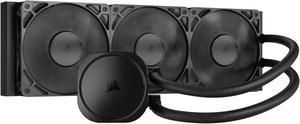
CORSAIR NAUTILUS 360 RS Liquid CPU Cooler – RS120 Fans – Fits Intel® LGA 1851/1700, AMD® AM5/AM4 – Simple Daisy-Chain - Direct Motherboard Connection
- Brand: CORSAIR
- Series: Nautilus Series
- Type: AIO
- Block Compatibility: Intel® LGA 1851/1700, AMD® AM5/AM4
- Model #: CW-9060089-WW
- Item #: N82E16835181474
- Return Policy: Standard Return Policy
$154.99
Free Shipping
Simple to install No silly RGB Stable temps on my 9800x3d
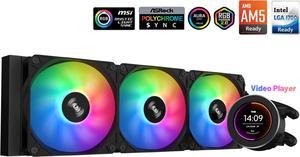
SAMA SM360 Black 360mm Liquid Water AIO CPU Cooler For Gaming PC Computer with Screen LCD Display, 3 ARGB PWM Silent Fans
- Brand: SAMA
- Type: Liquid Cooling System
- Block Compatibility: Intel: LGA 775,115X,1366,1200,1700AMD:AM5,AM4,AM3,AM2,FM1, FM2, FM3
- Block Compatibility - AMD: AM5,AM4,AM3,AM2,FM1.FM2,FM3
- Model #: SM360LD Black
- Item #: 9SIB41PJUX5123
- Return Policy: View Return Policy
$79.99
$169.99
Free Shipping
Ease of set up Performance is good Quiet pump Screen is great and easy to use No custom software needed, so VERY easy to set up.
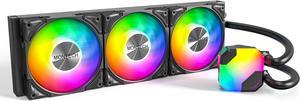
MONTECH HyperFlow ARGB 360 - AIO CPU Liquid Cooler, Supports Intel LGA 1851/1700, AMD AM5/AM4, Enhanced 3100RPM Water Pump Design, 3X Metal Pro 12 ARGB Ultimate Cooling Fans - Black
- Brand: MONTECH
- Type: Liquid Cooling System
- Block Compatibility: Intel: LGA115X/1200/1700/1851/20XX AMD:AM3/ AM4/AM5
- Fan Size: 3 Fan Slots (120 mm)
- Model #: HyperFlow ARGB 360
- Item #: N82E16835988004
- Return Policy: Standard Return Policy
$129.99
Free Shipping
Good cooling for a 7800x3d, not too loud if proper fan curves are used, great value overall, pairs great with a Montech King 95 Pro case, 6 year warranty-huge factor for me picking this aio.
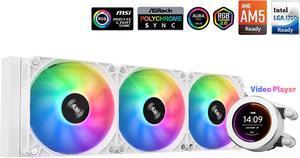
SAMA SM360 Gaming Water Liquid Cooler White 360mm AIO PC CPU Cooler with LCD Display Moitor Screen, 3 ARGB PWM Silent Fans
- Brand: SAMA
- Type: Liquid Cooling System
- Block Compatibility: Intel: LGA 775,115X,1366,1200,1700AMD:AM5,AM4.AM3,AM2,FM1.FM2, FM3
- Block Compatibility - AMD: AM5.AM4,AM3,AM2,FM1 FM2.FM3
- Model #: SM360LD White
- Item #: 9SIB41PJUX5124
- Return Policy: View Return Policy
$79.99
$95.98
Free Shipping
Bright LCD, quiet
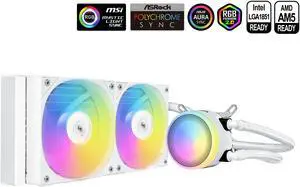
SAMA L40 CPU Liquid Cooler, 240mm AIO Cooler 4pin PWM Quiet Fans - FDB Bearings ARGB Water Cooling,White CPU Cooler Compatible LGA 1366/115X/2011/1200/1700 and AM4 AM5
- Brand: SAMA
- Series: L40 Series
- Model: L40-White
- Part Number: L40-WHWAYXO2-G
- Model #: L40-WHWAYXO2-G
- Item #: 9SIB41PKCW8785
- Return Policy: View Return Policy
$41.99
$84.99
Free Shipping
looks great and runs very well. very easy to install
ARCTIC ACFRE00184A Liquid Freezer III Pro 360 A-RGB AIO CPU Cooler, Water Cooling 38 mm Radiator, AMD AM5/AM4, Intel LGA1851/1700 (Black)
- Brand: Alphacool
- Series: ROG STRIX LC II 360
- Part Number: ACFRE00184A
- Block Compatibility: AMD Socket AM5
- Model #: ACFRE00184A
- Item #: 9SIA9H5KF33096
- Return Policy: View Return Policy
$179.99
Free Shipping
Amazing AIO. Fans already preinstalled. Easy instructions to follow. Cools my CPU no issue

MSI MAG Coreliquid A13 240 Black - AIO ARGB Liquid Cooling - 240mm Radiator - Dual 120mm ARGB PWM Fans - EZ Connect - LGA 1700/1851/AM5/AM4 Compatible
- Brand: MSI
- Type: AIO
- Block Compatibility: Intel Socket LGA 1700 / 1851 AMD Socket AM5/AM4
- Block Compatibility - AMD: AMD Socket AM5/AM4
- Model #: MAG Coreliquid A13 240
- Item #: N82E16835846067
- Return Policy: Standard Return Policy
$99.99
$129.99
$89.99 after $10.00 rebate card
Free Shipping
- Great that it provides a CPU paste so you do not need to buy one - Easy to install. It includes racks for both AMD & Intel system - The logo cap is adjustable so you can adjust it to any direction it make it perfect
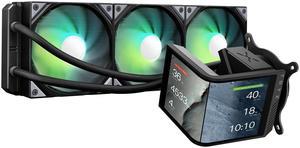
TRYX Panorama SE 360 ARGB 360mm AIO Rotatable 6.67'' AMOLED Curved Screen 3D Anamorphic Effect Customizable AIO Cooler 360mm Asetek Adela 280w TDP ARGB Fan Intel LGA 1851/1700/1200/115X AMD AM5/AM4
- Brand: TRYX
- Series: PANORAMA SE ARGB
- Part Number: L-P360L-AM3M-G0K
- Type: AIO
- Model #: L-P360L-AM3M-G0K
- Item #: 2YM-00BE-00013
- Return Policy: Standard Return Policy
$309.99
$409.99
$7.99 Shipping
Quick and easy to install with good and simple instructions. Took me approximately 20 minutes to remove an existing AIO and install this AIO. The 2K screen is BEAUTIFUL with its AMOLED screen. The fans are quiet and have rubber corners to minimize rattle noise. The KANALI software to control the screen is user-friendly and works well. Thought and time was spent on the application unlike other barebone controllers. You can do a 2:1 screen or two 1:1 screens on the 2K display. Displayable Date & Time, Motherboard temperature, and CPU/GPU/Memory temperature, frequency, usage, voltage, , Branding is not over the top! I can appreciate that there logo is not blaring in my build and taking attention away from the display.
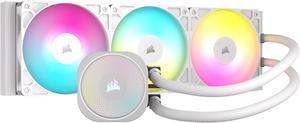
CORSAIR NAUTILUS 360 RS ARGB Liquid CPU Cooler – White – RS120 ARGB Fans – Fits Intel® LGA 1851, AMD® AM5/AM4 – Simple Daisy-Chain Connections - Direct Motherboard Connection
- Brand: CORSAIR
- Series: Nautilus Series
- Part Number: CW-9060095-WW
- Type: AIO
- Model #: CW-9060095-WW
- Item #: N82E16835181476
- Return Policy: Standard Return Policy
$184.99
Free Shipping
I've always been paranoid of using liquid cooling but something recently made me want to try it. Before this I was running the Noctua NH-D15 (which was good but huge and takes up so much space). Keeps your CPU running nice and chilly, highest I've seen my cpu go during normal gaming was 67 C as of writing this review (while playing dark and darker which is unoptimized IMO - it spikes cpu temps). Putting it all together is very straight forward, the daisy chaining makes cable management easy too. I did a burn test just to see how it would do (check screenshot), the radiator fans all stayed quiet during the test. Under normal/gaming use, your CPU won't hit 100% load on all cores. -Has long 450mm tubing, radiator fits nicely at the top of my Corsair 7000D case -LED lighting on the pump head, and in the radiator fans -Easy to assemble -Easy to mount -Pre-applied thermal paste
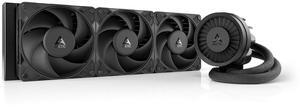
ARCTIC ACFRE00180A Liquid Freezer III Pro 360 AIO CPU Cooler, Water Cooling 38 mm Radiator, AMD AM5/AM4, Intel LGA1851/1700 (Black)
- Brand: Alphacool
- Series: ROG STRIX LC II 360
- Part Number: ACFRE00180A
- Block Dim.: 15.7 L x 4.7 W x 2.9 H inches
- Model #: ACFRE00180A
- Item #: 9SIA9H5KF33094
- Return Policy: View Return Policy
$169.99
Free Shipping
Keeps my R9 9950x3D under 40C while idle, and never above 65C while gaming. Lets my CPU overclock to 5Ghz while running 100% utilization for long periods of time. I recommend using the separate plugs for the fans vrm fan and the pump.
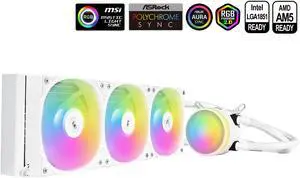
SAMA L60 CPU Liquid Cooler, AIO Cooler 360mm 4pin PWM Quiet Fans - FDB Bearings ARGB Water Cooling, White CPU Cooler Compatible LGA 1366/115X/2011/1200/1700 and AM4 AM5
- Part Number: L60-WHWAYXO3-G
- Type: Liquid Cooling System
- Block Compatibility: Intel&AMD
- Block Compatibility - AMD: AMD:AM5/AM4
- Model #: L60-WHWAYXO3-G
- Item #: 9SIB41PKCW8783
- Return Policy: View Return Policy
$52.99
$104.99
Free Shipping
easy install, matches other rgb, andc i was shocked to see 23 degrees celsius ,my air cooler was 56 degrees while idle
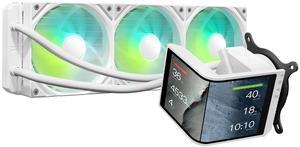
TRYX Panorama SE 360 ARGB White 360mm AIO Rotatable 6.67'' AMOLED Curved Screen 3D Anamorphic Effect Customizable AIO Cooler 360mm White Asetek Adela 280w TDP Intel LGA 1851/1700/1200/115X AMD AM5/AM4
- Brand: TRYX
- Series: PANORAMA SE ARGB
- Part Number: L-P360L-AM3M-G0W
- Type: AIO
- Model #: L-P360L-AM3M-G0W
- Item #: 2YM-00BE-00014
- Return Policy: Standard Return Policy
$349.99
$409.99
Free Shipping
The TRYX 360 MM Panorama SE AIO is a great choice for a custom computer build. The overall build quality is very good, better than the first version, and the pump and heat block unit seems much more robust and is much smaller. The screen is not too noticeably different than the first version but is on a different bracket and allows for a vertical mode. It comes with all the necessary hardware, the unboxing is once again a treat, and all the documentation is easy to understand. On top of it being another great addition to the lineup of one of the most unique coolers on the market, there are other pros: The ARGB and non-led versions of the fans are very sturdy and well-built. They look great as well. The screen is easy to install and magnetically clicks onto the pump base, and uses forks. It has a very high resolution and is crisp and easy to understand. It is also built off of Android, as I recognized after it rebooted for a firmware update. All the cables are of high quality and the tubes are inside braided covers that look professional. They are also long enough for the big cases needed for a large cooler like this, and bend easily, and you can rotate the pump block now to fit your case, as the old one was one way only. The software for the cooler is easy to use and provides a way to upload custom backgrounds from screen capture, preferably a 1440p MP4 video, similar to animated desktop backgrounds. The inbuilt library is small but has some excellent animated backgrounds for the cooler. There is an option to show many settings, including Temp and % Usage for GPU, CPU, and RAM, as well as other voltages and temps, and date and time. You can also show the GPU and CPU model, and orient these settings on the left, middle, or right of the screen. The new SE model features waterfall mode, and a METAL mounting bracket rather than a plastic one in the first edition. It also allows for a rotatable pump base. The new SE unit is built better, and doesn't have a fan anymore.
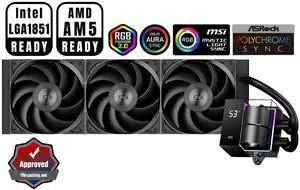
PCCOOLER CPS DS360 AIO CPU Liquid Cooler, 360mm Radiator, 310W TDP, Dual Chamber Pump, ARGB LEDs & Digital Display, Aluminum Pump Cover, for Intel LGA 1851/1700/1200/115X & AMD AM5/AM4, Black
- Part Number: DS360-BKNWXX-GL
- Type: Liquid Cooling System
- Block Compatibility: Intel: LGA 20XX/1851/1700/1200/115X AMD: AM5/AM4
- Block Compatibility - AMD: AMD: AM5/AM4
- Model #: DS360-BKNWXX-GL
- Item #: 9SIBYC4KEB5570
- Return Policy: View Return Policy
$109.99
Free Shipping
Pretty much everything is spot on. I was skeptical at first since there was only 2 reviews at the time when I purchased my AIO. I would definitely not skip this item.
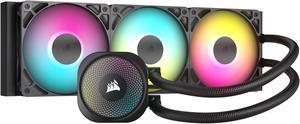
CORSAIR NAUTILUS 360 RS ARGB Liquid CPU Cooler – RS120 ARGB Fans – Fits Intel® LGA 1851, AMD® AM5/AM4 – Simple Daisy-Chain Connections - Direct Motherboard Connection
- Brand: CORSAIR
- Series: Nautilus Series
- Part Number: CW-9060093-WW
- Type: AIO
- Model #: CW-9060093-WW
- Item #: N82E16835181478
- Return Policy: Standard Return Policy
$184.99
Free Shipping
No controller needed. Just connect the Pump, RGB and Fans to your Motherboard headers and your good to go.
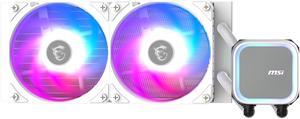
MSI MAG Coreliquid A13 240 White - AIO ARGB Liquid Cooling - 240mm Radiator - Dual 120mm ARGB PWM Fans - EZ Connect - LGA 1700/1851/AM5/AM4 Compatible
- Brand: MSI
- Type: AIO
- Block Compatibility: Intel Socket LGA 1700 / 1851 AMD Socket AM5/AM4
- Block Compatibility - AMD: AMD Socket AM5/AM4
- Model #: MAG Coreliquid A13 240 White
- Item #: N82E16835846068
- Return Policy: Standard Return Policy
$99.99
$128.99
$89.99 after $10.00 rebate card
Free Shipping
The thing that I'll say first is that the logo plate can interchange in any direction which means it can be installed either vertical or horizontal there are no limits, the white one which i bought goes well in my all white builds but most importantly the installed of this beast on the cpu processor was well equipped with the parts that made it easy breezy, thank-you msi I'm a believer.
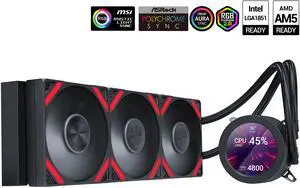
SAMA Q70 Black CPU Liquid Cooler, 360MM Liquid Water AIO CPU Cooler with 2.8" LCD Display, Magnetic Detachable, XT120 Modular Fans LCP Blade, Bonus Stands, 115X, 2011, 1200, 1700, AM4, AM5 AIO Cooler
- Part Number: Q70-BKWAYNO3-G
- Type: Liquid Cooling System
- Block Compatibility: Intel&AMD
- Block Compatibility - AMD: AMD:AM5/AM4
- Model #: Q70-BKWAYNO3-G
- Item #: 9SIB41PKCW8801
- Return Policy: View Return Policy
$94.99
$169.99
Free Shipping
Pretty damb good mached with Noctua past overclocked really good not passing 50°C gaming and 30°C Idle.
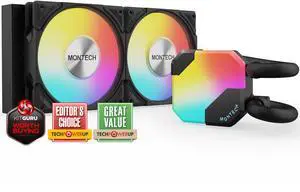
MONTECH HyperFlow ARGB 240 - AIO CPU Liquid Cooler, Intel&AMD Compatible, Chart-Topping Performance, Enhanced 3100RPM Water Pump Design, 2X Metal Pro 12 ARGB Ultimate Cooling Fans - Black
- Brand: MONTECH
- Type: Liquid Cooling System
- Block Compatibility: Intel: LGA115X/1200/1700/1851/20XX AMD:AM3/ AM4/AM5
- Fan Size: 2 Fan Slots (120 mm)
- Model #: HyperFlow ARGB 240
- Item #: N82E16835988002
- Return Policy: Standard Return Policy
$92.99
$109.99
Free Shipping
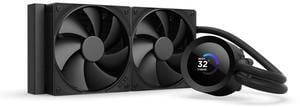
NZXT KRAKEN PLUS 240 MM AIO LIQUID COOLER WITH 1.54" LCD & STATIC PRESSURE FANS
- Brand: NZXT
- Model: RL-KN240-B2
- Part Number: RL-KN240-B2
- Type: AIO
- Model #: RL-KN240-B2
- Item #: N82E16835146166
- Return Policy: Standard Return Policy
$139.99
$199.99
Free Shipping