
Your Browsing History
BEST SELLERS


BEST SELLERS
In Water / Liquid Cooling
Our most popular products, based on sales and updated frequently.Shop Department
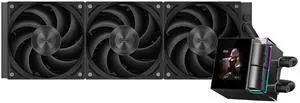
PCCOOLER CPS DS360 Display AIO CPU Liquid Cooler, 360mm Radiator, 315W TDP, ARGB LEDs & Customizable 2.4" IPS LCD Display, Ceramic Bearing, for Intel LGA 1851/1700/1200/115X & AMD AM5/AM4, Black
- Brand: PCCOOLER
- Series: DS
- Part Number: DS360-BKNWXY-GL
- Type: AIO
- Model #: DS360-BKNWXY-GL
- Item #: 9SIBYC4KME7861
- Return Policy: View Return Policy
$119.99
$129.99
Free Shipping
Pretty much everything is spot on. I was skeptical at first since there was only 2 reviews at the time when I purchased my AIO. I would definitely not skip this item.
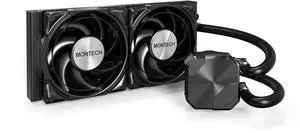
MONTECH HyperFlow Silent 240 Black – Ultra-Quiet AIO Liquid CPU Cooler, 3100RPM Pump, Triple Silent Fans, High-Efficiency Radiator for Superior Heat Dissipation, Intel & AMD Compatible, ARGB-Free Mini
- Part Number: HyperFlow Silent 240 Black
- Pump Speed: Pump: 3100 RPM ±10%
- Pump Noise: 45.18 dBA (Overall), Pump: 28.8 dBA, Fan: 24.8 dBA
- Fan Size: 120x120x28 mm
- Model #: HyperFlow Silent 240 Black
- Item #: N82E16835988007
- Return Policy: Standard Return Policy
$90.99
$29.99 Shipping
Easy to install for am5 running a 7800x3d and haven't had any issues.
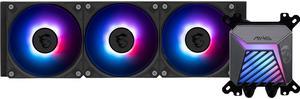
MSI MAG Coreliquid A15 360 Black- AIO ARGB Liquid Cooling - 360mm Radiator - Triple 120mm ARGB PWM Fans - EZ Connect - Uni Bracket - LGA 1700/1851/AM5/AM4 Compatible
- Brand: MSI
- Part Number: MAG CORELIQUID A15 360
- Type: AIO
- Block Compatibility: AMD Socket AM4 / AMD Socket AM5 / Intel LGA 1700 / Intel LGA 1851
- Model #: MAG CORELIQUID A15 360
- Item #: N82E16835846072
- Return Policy: Standard Return Policy
$129.99
$169.99
Free Shipping
Fans are already attached to the radiator. Nice Lighting.
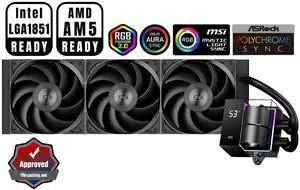
PCCOOLER CPS DS360 AIO CPU Liquid Cooler, 360mm Radiator, 310W TDP, Dual Chamber Pump, ARGB LEDs & Digital Display, Aluminum Pump Cover, for Intel LGA 1851/1700/1200/115X & AMD AM5/AM4, Black
- Part Number: DS360-BKNWXX-GL
- Type: Liquid Cooling System
- Block Compatibility: Intel: LGA 20XX/1851/1700/1200/115X AMD: AM5/AM4
- Block Compatibility - AMD: AMD: AM5/AM4
- Model #: DS360-BKNWXX-GL
- Item #: 9SIBYC4KEB5570
- Return Policy: View Return Policy
$109.99
$129.99
Free Shipping
I am not a fan of RGB, so I pick this item. The CPU block is beautiful, and the performance is very good on my system.
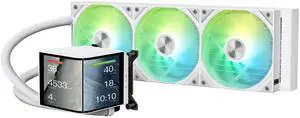
TRYX PANORAMA 360 ARGB White 360mm AIO 6.67'' AMOLED Curved Screen 3D Anamorphic Effect Customizable AIO Cooler 360mm Asetek 8th Gen V2 320w TDP Magnetic ARGB Fan Intel LGA 1851/1700 AMD AM5/AM4
- Brand: TRYX
- Series: PANORAMA ARGB
- Part Number: L-P360A-AS3M-G1W
- Type: AIO
- Model #: L-P360A-AS3M-G1W
- Item #: 2YM-00BE-00016
- Return Policy: Standard Return Policy
$399.99
$519.99
Free Shipping
can watch videos and have your own pictures on display and watch temps at the same time love the rain add-on having a 3 fan rad is the best u can do for your CPU
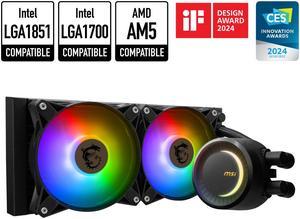
MSI MAG CoreLiquid E240 Black - AIO ARGB CPU Liquid Cooler - Rotating Cap Design - 240mm Radiator - Dual 120mm ARGB PWM Fans - LGA 1851,1700 Ready / AM5 Compatible
- Brand: MSI
- Type: Liquid Cooling System
- Block Compatibility: AMD Socket AM4 / AMD Socket AM5 / Intel LGA 1150 / Intel LGA 1151 / Intel LGA 1155 / Intel LGA 1156 / Intel LGA 1200 / Intel LGA 1700 / Intel LGA 1851
- Block Dim.: 41 (+/-0.2) x 47.6 (+/-0.2) mm
- Model #: MAG CORELIQUID E240
- Item #: N82E16835846048
- Return Policy: Standard Return Policy
$99.99
$124.99
Free Shipping
- Quite - 7600x stabilize at 85 C - Great RGB
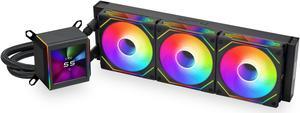
LIAN LI Galahad II LCD SL-INF 360 Black Liquid Cooler, Intel LGA 1851, 1700, 1200 & AMD AM5, AM4 Comatible - GA2ALCD36INB
- Brand: LIAN LI
- Part Number: GA2ALCD36INB
- Type: Liquid Cooling System
- Block Compatibility: AMD Socket AM4 / AMD Socket AM5 / Intel LGA 1150 / Intel LGA 1151 / Intel LGA 1155 / Intel LGA 1156 / Intel LGA 1200 / Intel LGA 1700 / Intel LGA 1851
- Model #: GA2ALCD36INB
- Item #: N82E16835353027
- Return Policy: Standard Return Policy
$309.99
$384.99
Free Shipping
- Can keep a 7850X under 85C at full load. - Fans are quiet - Looks amazing with the infinity fan - Easy cable management with since the fans are all daisy chained
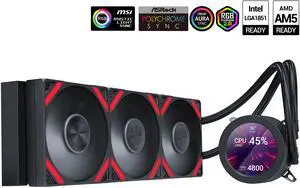
SAMA Q70 Black CPU Liquid Cooler, 360MM Liquid Water AIO CPU Cooler with 2.8" LCD Display, Magnetic Detachable, XT120 Modular Fans LCP Blade, Bonus Stands, 115X, 2011, 1200, 1700, AM4, AM5 AIO Cooler
- Part Number: Q70-BKWAYNO3-G
- Type: Liquid Cooling System
- Block Compatibility: Intel&AMD
- Block Compatibility - AMD: AMD:AM5/AM4
- Model #: Q70-BKWAYNO3-G
- Item #: 9SIB41PKCW8801
- Return Policy: View Return Policy
$109.99
$154.99
Free Shipping
Pretty damb good mached with Noctua past overclocked really good not passing 50°C gaming and 30°C Idle.
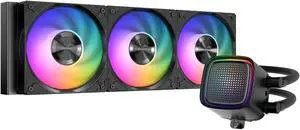
SAMA L50 360mm AIO Liquid CPU Cooler, ARGB Dot-Matrix Mirror Pump, 28mm PWM Fans, Hydraulic Bearing, Intel LGA 1851/1700 & AMD AM5/AM4 Compatible, Black
- Model #: L50-BKWAYX03-G
- Item #: 9SIB41PKPR6664
- Return Policy: View Return Policy
$62.99
$73.99
Free Shipping
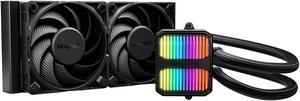
be quiet! SILENT LOOP 3 240mm All-in-One Water Cooling I Intel LGA 1851 / 1700 / 1200 / 1150 / 1151 / 1155 I AMD Socket AM5 / AM4 - BW024
- Brand: be quiet!
- Part Number: BW024
- Type: Liquid Cooling System
- Block Compatibility: AMD Socket AM4 / AMD Socket AM5 / Intel LGA 1150 / Intel LGA 1151 / Intel LGA 1155 / Intel LGA 1200 / Intel LGA 1700 / Intel LGA 1851
- Model #: BW024
- Item #: N82E16835269030
- Return Policy: Standard Return Policy
$149.99
Free Shipping
Buy it, the massive nickel plated base is going what be quiet intended. Its making good and full contact. I use this build for work so I dont overclock, I tend to underclock and/or undervolt. I have settled in on running on the MB thermal limit performance mode of 65c and a CO of -30 all core and its super fast, runs cool, no issues on this cooler. - 9950X Factory Stock - Cinebench R23 Score: 41733 - CPU (Tctl/Tdie) Max Temp: 68.2c - CPU Mark Score: 67595 - CPU Mark Single-thread Score: 4819 - 9950X Factory Stock CO -30 - Cinebench R23 Score: 44563 - CPU (Tctl/Tdie) Max Temp: 68.8c - CPU Mark Score: 70126 - CPU Mark Single-thread Score: 4837 - 9950X 65c Thermal Limit CO -30 - Cinebench R23 Score: 44314 - Max Recorded Wattage: 195w - CPU Mark Score: 69508 - CPU Mark Single-thread Score: 4862 - 9950X 75c Thermal Limit CO -30 - Cinebench R23 Score: 45821 - Max Recorded Wattage: 222w - CPU Mark Score: 70302 - CPU Mark Single-thread Score: 4865 - 9950X 85c Thermal Limit CO -30 - Cinebench R23 Score: 45695 - Max Recorded Wattage: 222w - CPU Mark Score: 70616 - CPU Mark Single-thread Score: 4843 - 9950X 65w Eco Mode CO -30 - Cinebench R23 Score: 31204 - CPU (Tctl/Tdie) Max Temp: 45.00c - CPU Mark Score: 58177 - CPU Mark Single-thread Score: 4873 - 9950X 105w Eco Mode CO -30 - Cinebench R23 Score: 39207 - CPU (Tctl/Tdie) Max Temp: 51.0c - CPU Mark Score: 66329 - CPU Mark Single-thread Score: 4844
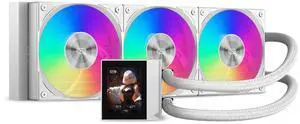
PCCOOLER CPS DC360 Pro ARGB Display AIO CPU Liquid Cooler, 360mm Radiator, 310W TDP, Customizable 2.4" IPS LCD Display, Ceramic Bearing, for Intel LGA 1851/1700/1200/115X & AMD AM5/AM4, White
- Part Number: DC360Pro-WHAWXY-GL
- Type: Liquid Cooling System
- Block Compatibility: Intel: LGA 1851/1700/1200/115X AMD: AM5/AM4
- Block Compatibility - AMD: AMD: AM5/AM4
- Model #: DC360Pro-WHAWXY-GL
- Item #: 9SIBYC4KEB5573
- Return Policy: View Return Policy
$109.99
$125.99
Free Shipping
can display images and show the CPU temperature.
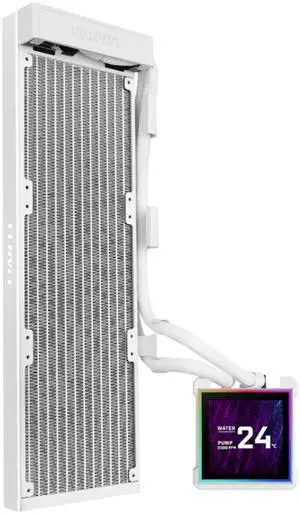
Lian Li Hydroshift II-S 360 Liquid CPU Cooler - 3.4" IPS LCD Square Screen - Daisy-Chain - Low-Noise - Intel LGA 1851/1700, AMD AM5/AM4 - Fits Most PC Fans - White (HS2LCDS36NW)
- Brand: LIAN LI
- Series: Hydroshift II-LCD-S
- Type: Liquid Cooling System
- Block Compatibility - AMD: AM4, AM5
- Model #: HS2LCDS36NW
- Item #: 2YM-002Y-00056
- Return Policy: Standard Return Policy
$219.99
$229.99
Free Shipping
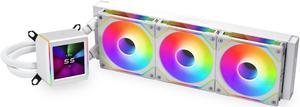
LIAN LI Galahad II LCD SL-INF 360 White Liquid Cooler, Intel LGA 1851/1700/1200 & AMD AM5/AM4 Compatible - GA2ALCD36INW
- Brand: LIAN LI
- Part Number: GA2ALCD36INW
- Type: Liquid Cooling System
- Block Compatibility: AMD Socket AM4 / AMD Socket AM5 / Intel LGA 1150 / Intel LGA 1151 / Intel LGA 1155 / Intel LGA 1156 / Intel LGA 1200 / Intel LGA 1700 / Intel LGA 1851
- Model #: GA2ALCD36INW
- Item #: N82E16835353028
- Return Policy: Standard Return Policy
$309.99
$384.99
Free Shipping
The product is good quality the aesthetic appeal is basically eye candy. Control software is good, has many features and easy to use.
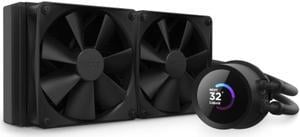
NZXT Kraken 240mm - RL-KN240-B1 – AIO CPU Liquid Cooler - LCD Display - 2 x F120P Static Pressure Fan Radiator Fans LGA 1851/1700 / AM5 Compatible
- Brand: NZXT
- Model: Kraken 240
- Part Number: RL-KN240-B1
- Type: Liquid Cooling System
- Model #: RL-KN240-B1
- Item #: N82E16835146118
- Return Policy: Standard Return Policy
$189.99
Free Shipping
Yea I like this AIO cooler compared to the last one i bought from another company, This im going to trust more even tho i dont have a flow indicator on this I love the Informative LED Screen that shows you temps and usage and or display your own favorite Picture. I was Able to properly front install this AIO Liquid cooler even with a large Video card 6600xt (triple fan card) in the way the hoses are long enough to mount this with the hoses coming out of the Radiator at the bottom going up to the pump properly, and I already had NZXT Cam installed since im a PC Tech and use multiple readouts for temps and speeds and its just as informative. I was also able to install ARGB fans on the inside of the PC on the radiator and the 2 Fans that came with the NZXT inside my front panel and yes full pull exhaust 4 fans so Extra cool.
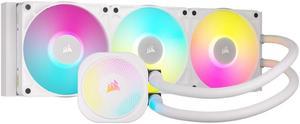
CORSAIR iCUE LINK TITAN 360 RX RGB Liquid CPU Cooler - White - RX120 RGB Fans - Fits Intel LGA 1851/1700, AMD AM5/AM4 - iCUE LINK System Hub Included
- Brand: Alphacool
- Part Number: CW-9061021-WW
- Type: AIO
- Block Compatibility: AMD Socket AM4 / AMD Socket AM5 / Intel LGA 1700 / Intel LGA 1851
- Model #: CW-9061021-WW
- Item #: 0EZ-00MD-00004
- Return Policy: Standard Return Policy
$279.99
Free Shipping
Very quite operation for a vertical install in an OC system.
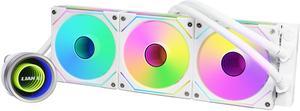
LIAN LI Galahad II Trinity SL-INF 360 GA2T36INW Liquid / Water Cooling
- Type: Liquid Cooling System
- Block Compatibility: Intel: LGA 1700 / 1200 / 1151 / 1150 / 1155 / 1156 /2066 / 2011-3 / 2011 AMD: AM5 / AM4 / AM3+ / AM3 / AM2+ / AM2 /FM2+ / FM2 / FM1 / Socket TR4 / sTRX4 / SP3
- Radiator Size: 397.5 x 119.2 x 27 mm
- Fan Size: 3 Fan Slots (120 mm)
- Model #: GA2T36INW
- Item #: N82E16835353019
- Return Policy: Standard Return Policy
$174.99
$254.99
$7.99 Shipping
You hear the water rush when you first start it up, so you know it's working
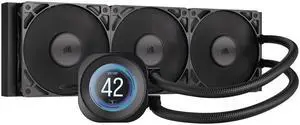
CORSAIR NAUTILUS 360 RS LCD Liquid CPU Cooler – 2.1" IPS LCD Screen – RS120 Fans – 360mm Radiator – Fits Intel® LGA 1851/1700, AMD® AM5/AM4 – Simple Daisy-Chain Connections
- Brand: CORSAIR
- Series: NAUTILUS 360 RS LCD
- Type: AIO
- Block Compatibility: AMD: AM5, AM4 | Intel: 1851, 1700
- Model #: CW-9061033-WW
- Item #: N82E16835181495
- Return Policy: Standard Return Policy
$224.99
Free Shipping
I changed the Heat sink fan for the Liquid Cooler. Heat sink fan was running full speed all the time. Processor was still high. This Cooler solved both problems. Now it is Quite and at 36 degrees peaking at mid 50 degrees.
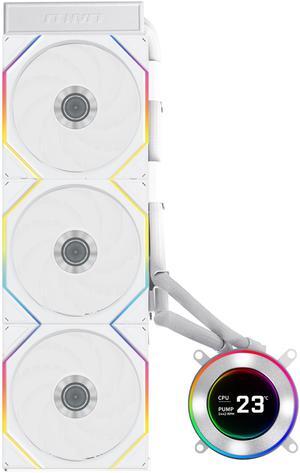
Lian Li Hydroshift II-C 360TL RGB Liquid CPU Cooler - 360mm AIO - 3X 120 RGB Fans - 2.1 IPS LCD Screen - 3 Control Mode - Flexible Tubes Clamp - LGA 1851/1700, AMD AM5/AM4 - White (HS2LCD36TW)
- Type: Liquid Cooling System
- Block Compatibility - AMD: AM4, AM5
- Block Compatibility - Intel: LGA1700, LGA1851
- Radiator Size: 15.75 x 4.8 x 0.86 inch
- Model #: HS2LCD36TW
- Item #: 2YM-002Y-00046
- Return Policy: Standard Return Policy
$299.99
$344.99
Free Shipping
It is very easy to install and work the first time I turned on the computer
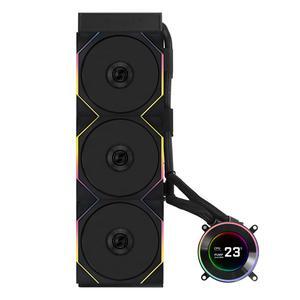
Lian Li HydroShift II - LCD-C 360TL RGB Liquid CPU Cooler - 360mm AIO - 3X 120 RGB Fans - 2.1 IPS LCD Screen - 3 Control Mode - Flexible Tubes Clamp - LGA 1851/1700, AMD AM5/AM4 - Black (HS2LCD36TB)
- Type: Liquid Cooling System
- Block Compatibility - AMD: AM4, AM5
- Block Compatibility - Intel: LGA1700, LGA1851
- Radiator Size: 15.75 x 4.8 x 0.86 inch
- Model #: HS2LCD36TB
- Item #: 2YM-002Y-00047
- Return Policy: Standard Return Policy
$309.99
$344.99
Free Shipping
Keep your CPU at low temperatures and look great without the hoses in front of the LCD screen.
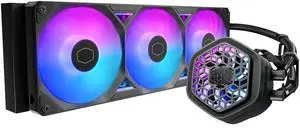
Cooler Master Atmos II 360 VRM AIO CPU Liquid Cooler - 360mm Radiator with VRM Cooling Fan, 3x ARGB PWM Fans, Dual-Chamber Pump, Ultra-Quiet Performance, AMD AM5/AM4 & Intel LGA 1851/1700, Black
- Brand: COOLER MASTER
- Part Number: MLX-D36M-A25SZ-V1
- Type: AIO
- Block Compatibility: AMD Socket AM4 / AMD Socket AM5 / Intel LGA 1150 / Intel LGA 1151 / Intel LGA 1155 / Intel LGA 1156 / Intel LGA 1200 / Intel LGA 1700 / Intel LGA 1851
- Model #: MLX-D36M-A25SZ-V1
- Item #: N82E16835103382
- Return Policy: Standard Return Policy
$219.99
Free Shipping
Atmos VRM works and looks better than my arctic liquid freezer