
Your Browsing History
BEST SELLERS


BEST SELLERS
In Water / Liquid Cooling
Our most popular products, based on sales and updated frequently.Shop Department
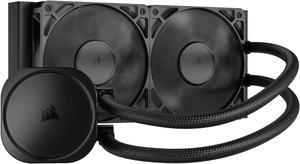
CORSAIR NAUTILUS 240 RS Liquid CPU Cooler – RS120 Fans – Fits Intel® LGA 1851/1700, AMD® AM5/AM4 – Simple Daisy-Chain - Direct Motherboard Connection
- Brand: CORSAIR
- Series: Nautilus Series
- Type: AIO
- Block Compatibility: Intel® LGA 1851/1700, AMD® AM5/AM4
- Model #: CW-9060088-WW
- Item #: N82E16835181473
- Return Policy: Standard Return Policy
$129.99
Free Shipping
-NO RGB -Does really well on intel current CPUs -easy installation
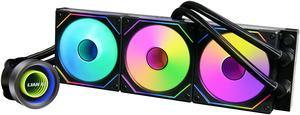
LIAN LI Galahad II Trinity SL-INF 360 GA2T36INB Liquid / Water Cooling
- Brand: LIAN LI
- Series: Galahad II Trinity SL-INF 360
- Type: Liquid Cooling System
- Block Compatibility: Intel: LGA 1700 / 1200 / 1151 / 1150 / 1155 / 1156 /2066 / 2011-3 / 2011 AMD: AM5 / AM4 / AM3+ / AM3 / AM2+ / AM2 /FM2+ / FM2 / FM1 / Socket TR4 / sTRX4 / SP3
- Model #: GA2T36INB
- Item #: N82E16835353018
- Return Policy: Standard Return Policy
$209.99
$254.99
Free Shipping
Well it was so easy to put in. I was using ARCTIC Liquid Freezer II 420.. huge. I went with white so.. just looks great.

MSI MAG CoreLiquid E360 White - AIO ARGB CPU Liquid Cooler - Rotating Cap Design - 360mm Radiator - Triple 120mm ARGB PWM Fans - LGA 1851,1700 Ready / AM5 Compatible
- Brand: MSI
- Type: Liquid Cooling System
- Block Compatibility: AMD Socket AM4 / AMD Socket AM5 / AMD Socket sTR4 / Intel LGA 1150 / Intel LGA 1151 / Intel LGA 1155 / Intel LGA 1156 / Intel LGA 1200 / Intel LGA 1700 / Intel LGA 1851
- Block Dim.: 41 (+/-0.2) x 47.6 (+/-0.2) mm
- Model #: MAG CORELIQUID E360 WH
- Item #: N82E16835846051
- Return Policy: Standard Return Policy
$119.99
$149.99
$109.99 after $10.00 rebate card
Free Shipping
Quiet and effective
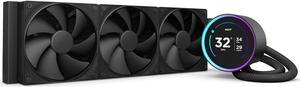
KRAKEN ELITE 360 BLACK AIO LIQUID COOLER WITH IPS LCD & STATIC PRESSURE FANS Intel Socket LGA 1851, 1700 & 1200/115X AMD Socket AM5, AM4
- Brand: NZXT
- Series: Kraken Elite
- Type: AIO
- Block Compatibility: Intel Socket LGA 1851, 1700 & 1200/115X Intel Core i9 / Core i7 / Core i5 /Core i3 Pentium / Celeron AMD Socket AM5, AM4 AMD Ryzen 9 / Ryzen 7 / Ryzen 5 / Ryzen 3
- Model #: RL-KN36E-B2
- Item #: N82E16835146163
- Return Policy: Standard Return Policy
$279.99
$399.99
Free Shipping
Easy assembly, sturdy materials, great packaging
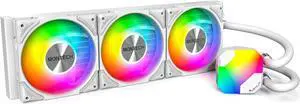
MONTECH HyperFlow ARGB 360 - AIO CPU Liquid Cooler, Intel&AMD Compatible, Chart-Topping Performance, Enhanced 3100RPM Water Pump Design, 3X Metal Pro 12 ARGB Ultimate Cooling Fans - White
- Brand: MONTECH
- Type: Liquid Cooling System
- Block Compatibility: Intel: LGA115X/1200/1700/20XX AMD:AM3/ AM4/AM5
- Fan Size: 3 Fan Slots (120 mm)
- Model #: HyperFlow ARGB 360 W
- Item #: N82E16835988005
- Return Policy: Standard Return Policy
$99.99
Free Shipping
Great color easy install looks clean
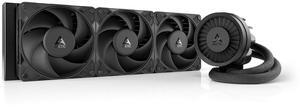
ARCTIC ACFRE00180A Liquid Freezer III Pro 360 AIO CPU Cooler, Water Cooling 38 mm Radiator, AMD AM5/AM4, Intel LGA1851/1700 (Black)
- Brand: Alphacool
- Series: ROG STRIX LC II 360
- Part Number: ACFRE00180A
- Block Dim.: 15.7 L x 4.7 W x 2.9 H inches
- Model #: ACFRE00180A
- Item #: 9SIA9H5KF33094
- Return Policy: View Return Policy
$179.99
Free Shipping
Keeps my R9 9950x3D under 40C while idle, and never above 65C while gaming. Lets my CPU overclock to 5Ghz while running 100% utilization for long periods of time. I recommend using the separate plugs for the fans vrm fan and the pump.
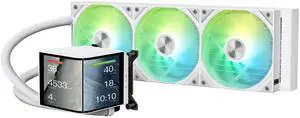
TRYX PANORAMA 360 ARGB White 360mm AIO 6.67'' AMOLED Curved Screen 3D Anamorphic Effect Customizable AIO Cooler 360mm Asetek 8th Gen V2 320w TDP Magnetic ARGB Fan Intel LGA 1851/1700 AMD AM5/AM4
- Brand: TRYX
- Series: PANORAMA ARGB
- Part Number: L-P360A-AS3M-G1W
- Type: AIO
- Model #: L-P360A-AS3M-G1W
- Item #: 2YM-00BE-00016
- Return Policy: Standard Return Policy
$399.99
$519.99
Free Shipping
can watch videos and have your own pictures on display and watch temps at the same time love the rain add-on having a 3 fan rad is the best u can do for your CPU
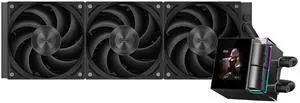
PCCOOLER CPS DS360 Display AIO CPU Liquid Cooler, 360mm Radiator, 315W TDP, ARGB LEDs & Customizable 2.4" IPS LCD Display, Ceramic Bearing, for Intel LGA 1851/1700/1200/115X & AMD AM5/AM4, Black
- Brand: PCCOOLER
- Series: DS
- Part Number: DS360-BKNWXY-GL
- Type: AIO
- Model #: DS360-BKNWXY-GL
- Item #: 9SIBYC4KME7861
- Return Policy: View Return Policy
$101.99
$129.99
Free Shipping
I am not a fan of RGB, so I pick this item. The CPU block is beautiful, and the performance is very good on my system.
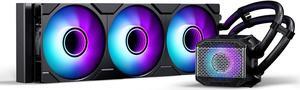
Phanteks Glacier One 360M25 G2 AIO Liquid CPU Cooler, Black, RGB Pump Cap Design, 3x 120mm M25 G2 PWM RGB Fans, for Intel LGA 1700, 1851, 1200, 115x and AMD AM4/AM5 sockets, Black PH-GO360M25G2_DBK02
- Brand: Phanteks
- Part Number: PH-GO360M25G2_DBK02
- Type: Liquid Cooling System
- Block Compatibility: Intel Socket LGA 115x, 1200, 1700, 1851, 2011, 2011-3, 2066 AMD Socket AM4, AM5, SP3, sTRX4, TR4, sWRX8
- Model #: PH-GO360M25G2_DBK02
- Item #: N82E16835709302
- Return Policy: Standard Return Policy
$119.99
$149.99
$10.00 USD Rebate available
Free Shipping
Keeps my 14700kf cooled very quiet.
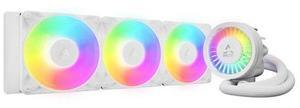
ARCTIC ACFRE00188A Liquid Freezer III Pro 360 A-RGB AIO CPU Cooler, Water Cooling 38 mm Radiator, AMD AM5/AM4, Intel LGA1851/1700 (White)
- Model #: ACFRE00188A
- Item #: 9SIA9H5KFS4399
- Return Policy: View Return Policy
$198.99
Free Shipping
Amazing AIO. Fans already preinstalled. Easy instructions to follow. Cools my CPU no issue
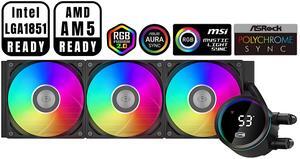
PCCOOLER CPS DA360 Pro ARGB Digital AIO CPU Liquid Cooler, 360mm Radiator, 300W TDP, 270° Rotatable Digital Display, Infinity Halo ARGB Effect, for Intel LGA 1851/1700/1200/115X & AMD AM5/AM4, Black
- Brand: PCCOOLER
- Series: DA
- Part Number: DA360Pro-BKAWXL-GL
- Type: Liquid Cooling System
- Model #: DA360Pro-BKAWXL-GL
- Item #: 9SIBYC4KEB5575
- Return Policy: View Return Policy
$99.99
Free Shipping
Easy to install , work great with My msi mother board no connectivity issues
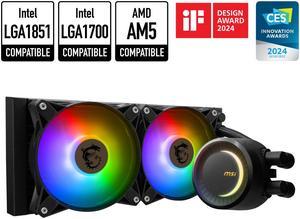
MSI MAG CoreLiquid E240 Black - AIO ARGB CPU Liquid Cooler - Rotating Cap Design - 240mm Radiator - Dual 120mm ARGB PWM Fans - LGA 1851,1700 Ready / AM5 Compatible
- Brand: MSI
- Type: Liquid Cooling System
- Block Compatibility: AMD Socket AM4 / AMD Socket AM5 / Intel LGA 1150 / Intel LGA 1151 / Intel LGA 1155 / Intel LGA 1156 / Intel LGA 1200 / Intel LGA 1700 / Intel LGA 1851
- Block Dim.: 41 (+/-0.2) x 47.6 (+/-0.2) mm
- Model #: MAG CORELIQUID E240
- Item #: N82E16835846048
- Return Policy: Standard Return Policy
$99.99
$124.99
Free Shipping
Rotating cap design Clean aesthetics Keeps my ryzen 8700g under 40 degrees Celsius.
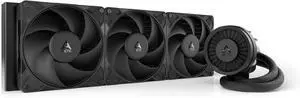
Arctic ACFRE00181A Liquid Freezer III Pro 420 AIO CPU Fans 3 x 140mm Water Cooling, AMD AM5/AM4, Intel LGA1851/1770 - Black
- Model #: ACFRE00181A
- Item #: 9SIA9H5KHY9858
- Return Policy: View Return Policy
$200.99
Free Shipping
The cooling on this is the best I've ever seen. I bought this to cool an AMD 9950X processor. I'm pegging all 16 cores for hours at a time to do AI processing. This is about at bad as it gets in terms of workload. With only the Arctic Cooler and the Paneling off the case, so therefore proper airflow was not happening, only the CPU cooling fans: 150 F (about 65C) With the paneling installed on the case and proper air flow: 100F (about 38C) I couldn't be happier with this. These are the top temperatures I see it get up to under these max workloads. It often hovers a few degrees lower. For reference, it's 78F in my office. I live in Arizona. It's hot here.
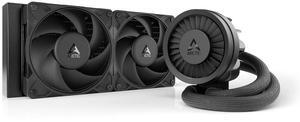
Arctic ACFRE00178A Liquid Freezer III Pro 240 AIO CPU Cooler, Water Cooling, AMD AM5/AM4, Intel LGA1851/1700 - Black
- Model: LF III PRO 240
- Color: Black
- LED Color: Non LED
- Model #: ACFRE00178A
- Item #: 9SIA9H5KG23995
- Return Policy: View Return Policy
$145.99
Free Shipping

KRAKEN ELITE RGB 360 WHITE AIO LIQUID COOLER WITH IPS LCD & STATIC PRESSURE FANS Intel Socket LGA 1851, 1700 & 1200/115X AMD Socket AM5, AM4
- Brand: NZXT
- Series: Kraken Elite
- Part Number: RL-KR36E-W2
- Type: AIO
- Model #: RL-KR36E-W2
- Item #: N82E16835146165
- Return Policy: Standard Return Policy
$349.99
$449.99
Free Shipping
The LCD screen is 2.73 HUGE and looks fantasticgreat build quality and easy-to-read instructions. Able to add GIFs"s to the screen is super dope. Everything works as it's supposed to. Upgraded from the older version and I just love it, the single frame fan system is sexy.
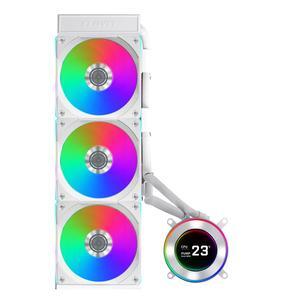
Lian Li Hydroshift II-C 360CL RGB Liquid CPU Cooler - 360mm AIO - 3X 120 RGB Fans - 2.1 IPS LCD Screen - 3 Control Mode - Flexible Tubes Clamp - LGA 1851/1700, AMD AM5/AM4 - White (HS2LCD36RW)
- Type: Liquid Cooling System
- Block Compatibility - AMD: AM4, AM5
- Block Compatibility - Intel: LGA1700, LGA1851
- Radiator Size: 15.75 x 4.8 x 0.86 inch
- Model #: HS2LCD36RW
- Item #: 2YM-002Y-00048
- Return Policy: Standard Return Policy
$229.99
$259.99
Free Shipping
Slim profile Cable management is easy and well thought of! Nice packaging Easy installation
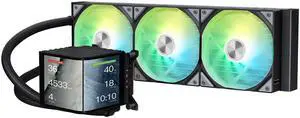
TRYX PANORAMA 360 ARGB 360mm AIO 6.67'' AMOLED Curved Screen 3D Anamorphic Effect Display Customizable AIO Cooler 360mm Asetek 8th Gen V2 320w TDP Magnetic ARGB Fan Intel LGA 1851/1700 AMD AM5/AM4
- Brand: TRYX
- Series: PANORAMA ARGB
- Part Number: L-P360A-AS3M-G1K
- Type: AIO
- Model #: L-P360A-AS3M-G1K
- Item #: 2YM-00BE-00015
- Return Policy: Standard Return Policy
$399.99
$519.99
Free Shipping
This is my first AIO cooler. I've always leaned towards high end air cooling in the past and I have to say I'm beyond impressed by what I'm seeing (and not hearing!) in this TRYX AIO. The heatsink (dual fan) I replaced with this was definitely skirting the mid-high to high end air cooling solutions. Not only does the TRYX keep my idle temps a few degrees cooler but under load with moderate gaming the temps are literally 10 degrees cooler. (i7 10700k with a mild overclock) Under extreme loads it sits around 10-15 degrees cooler but far less noisy compared to my air cooler. If I crank the fan speed up it will stay consistently ~15 degrees cooler than the air cooling. But the most impressive part of that is the silence. I'm able to maintain the level of cooling I am right now (check the included screenshot) without the need to have the TRYX fans spin up to an audible level. The pump is also silent. To the point I questioned if it was even running the first time I turned it on! Under heavy duty gaming the TRYX is still able to maintain significantly lower temps at much lower fan speeds. The silence really is golden. I really can't stress how quiet this is while still maintaining great temps. The ARGB lighting is a nice touch and added to the theme of my entire build. Keep in mind you need to either have support for it on your motherboard or a controller. There is no way to adjust the lighting without it. The install is simple. Took all of 10 minutes to get setup. Instructions are easy to follow. The screen can be mounted at different orientations, vertical and horizontal. All customizable through the software. You can also add some neat effects like rain or fog. There's ways to split the images as well and treat the display as two screens. Speaking of the software... this leads me to my one con.
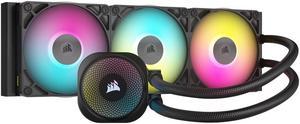
CORSAIR iCUE LINK TITAN 360 RX RGB Liquid CPU Cooler - RX120 RGB Fans - Fits Intel LGA 1851/1700, AMD AM5/AM4 - iCUE LINK System Hub Included
- Type: AIO
- Block Compatibility: AMD Socket AM4 / AMD Socket AM5 / Intel LGA 1700 / Intel LGA 1851
- Radiator Size: 396 mm
- Fan Size: 3 Fan Slots (120 mm)
- Model #: CW-9061018-WW
- Item #: 0EZ-00MD-00003
- Return Policy: Standard Return Policy
$224.99
$279.99
Free Shipping
It turns on.
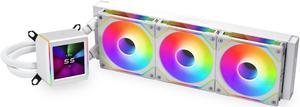
LIAN LI Galahad II LCD SL-INF 360 White Liquid Cooler, Intel LGA 1851/1700/1200 & AMD AM5/AM4 Compatible - GA2ALCD36INW
- Brand: LIAN LI
- Part Number: GA2ALCD36INW
- Type: Liquid Cooling System
- Block Compatibility: AMD Socket AM4 / AMD Socket AM5 / Intel LGA 1150 / Intel LGA 1151 / Intel LGA 1155 / Intel LGA 1156 / Intel LGA 1200 / Intel LGA 1700 / Intel LGA 1851
- Model #: GA2ALCD36INW
- Item #: N82E16835353028
- Return Policy: Standard Return Policy
$299.99
$384.99
$7.99 Shipping
The fans look beautiful and are very customizable.
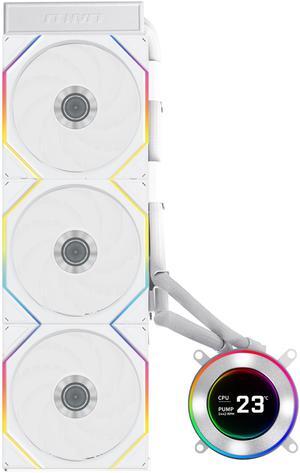
Lian Li Hydroshift II-C 360TL RGB Liquid CPU Cooler - 360mm AIO - 3X 120 RGB Fans - 2.1 IPS LCD Screen - 3 Control Mode - Flexible Tubes Clamp - LGA 1851/1700, AMD AM5/AM4 - White (HS2LCD36TW)
- Type: Liquid Cooling System
- Block Compatibility - AMD: AM4, AM5
- Block Compatibility - Intel: LGA1700, LGA1851
- Radiator Size: 15.75 x 4.8 x 0.86 inch
- Model #: HS2LCD36TW
- Item #: 2YM-002Y-00046
- Return Policy: Standard Return Policy
$309.99
$344.99
Free Shipping
Keep your CPU at low temperatures and look great without the hoses in front of the LCD screen.