
Your Browsing History
BEST SELLERS


BEST SELLERS
In Water / Liquid Cooling
Our most popular products, based on sales and updated frequently.Shop Department
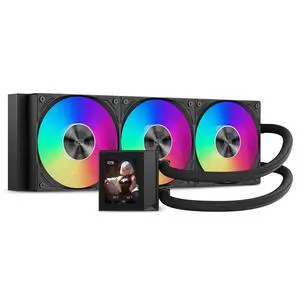
PCCOOLER CPS DC360 Pro ARGB Display AIO CPU Liquid Cooler, 360mm Radiator, 310W TDP, Customizable 2.4" IPS LCD Display, Ceramic Bearing, for Intel LGA 1851/1700/1200/115X & AMD AM5/AM4, Black
- Part Number: DC360Pro-BKAWXY-GL
- Type: Liquid Cooling System
- Block Compatibility: Intel: LGA 1851/1700/1200/115X AMD: AM5/AM4
- Block Compatibility - AMD: AMD: AM5/AM4
- Model #: DC360Pro-BKAWXY-GL
- Item #: 9SIBYC4KEB5572
- Return Policy: View Return Policy
$93.49
$139.99
Free Shipping
-Super easy to install took probably 5 minutes. -priced amazing for the performance and you get an amazing LcD display that you can customize that also reads out temp levels -awesome colors and good air flow go out the top of my case -very beginner friendly

KRAKEN ELITE RGB 360 WHITE AIO LIQUID COOLER WITH IPS LCD & STATIC PRESSURE FANS Intel Socket LGA 1851, 1700 & 1200/115X AMD Socket AM5, AM4
- Brand: NZXT
- Series: Kraken Elite
- Part Number: RL-KR36E-W2
- Type: AIO
- Model #: RL-KR36E-W2
- Item #: N82E16835146165
- Return Policy: Standard Return Policy
$349.99
$449.99
$99.99 Shipping
Performs well, temps have been good while gaming. It was easy to install. Looks very nice in my case.
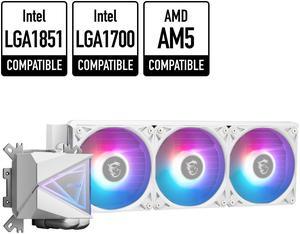
MSI MAG CoreLiquid I360 White - AIO ARGB CPU Liquid Cooler - Infinity Mirror Design - UNI Bracket - 360mm Radiator - Triple 120mm ARGB PWM Fans - LGA 1700/1851 / AM5/AM4 Compatible
- Brand: MSI
- Series: MAG Series
- Type: Liquid Cooling System
- Block Compatibility: Intel: LGA1150/1151/1155/1156/1200/1700/ 1851 AMD: AM5/AM4
- Model #: MAG CORELIQUID I360 WHITE
- Item #: N82E16835846064
- Return Policy: Standard Return Policy
$139.99
$189.99
$129.99 after $10.00 rebate card
Free Shipping
Looks good Quiet Easy setup
MONTECH HyperFlow ARGB 360 - AIO CPU Liquid Cooler, Intel&AMD Compatible, Chart-Topping Performance, Enhanced 3100RPM Water Pump Design, 3X Metal Pro 12 ARGB Ultimate Cooling Fans - White
- Brand: MONTECH
- Type: Liquid Cooling System
- Block Compatibility: Intel: LGA115X/1200/1700/20XX AMD:AM3/ AM4/AM5
- Fan Size: 3 Fan Slots (120 mm)
- Model #: HyperFlow ARGB 360 W
- Item #: N82E16835988005
- Return Policy: Standard Return Policy
$99.99
Free Shipping
Great color easy install looks clean
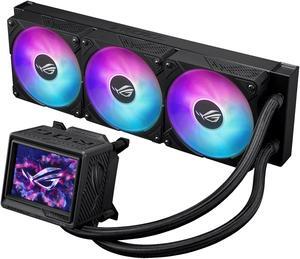
ASUS ROG RYUYJIN III 360 ARGB EXTREME all-in-one AIO CPU liquid cooler, AMD Ryzen 9000 & Intel® Core™ Ultra Ready, Asetek Gen8 V2 pump; high airflow & static pressure magnetic fans; customizable 3.5"
- Brand: ASUS
- Series: 90RC0131-M0AAY0
- Type: AIO
- Block Compatibility: AMD Socket AM4 / AMD Socket AM5 / Intel LGA 1200 / Intel LGA 1700 / Intel LGA 1851
- Model #: RYUJIN III 360 ARGB EXTREME
- Item #: N82E16835101119
- Return Policy: Standard Return Policy
$497.99
Free Shipping
Went from 80+ degrees to about 65 max load with a 13900k which is known to operate significantly hotter than other CPU's. Now that they updated armoury crate (we all know how bad it was) it is super responsive and very easy to customize.
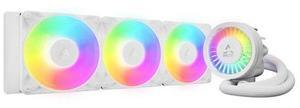
ARCTIC ACFRE00188A Liquid Freezer III Pro 360 A-RGB AIO CPU Cooler, Water Cooling 38 mm Radiator, AMD AM5/AM4, Intel LGA1851/1700 (White)
- Brand: Alphacool
- Series: ROG STRIX LC II 360
- Part Number: ACFRE00188A
- Block Compatibility: AMD Socket AM5
- Model #: ACFRE00188A
- Item #: 9SIA9H5KFS4399
- Return Policy: View Return Policy
$198.99
Free Shipping
TRYX PANORAMA 360 ARGB 360mm AIO 6.67'' AMOLED Curved Screen 3D Anamorphic Effect Display Customizable AIO Cooler 360mm Asetek 8th Gen V2 320w TDP Magnetic ARGB Fan Intel LGA 1851/1700 AMD AM5/AM4
- Brand: TRYX
- Series: PANORAMA ARGB
- Part Number: L-P360A-AS3M-G1K
- Type: AIO
- Model #: L-P360A-AS3M-G1K
- Item #: 2YM-00BE-00015
- Return Policy: Standard Return Policy
$399.99
$519.99
Free Shipping
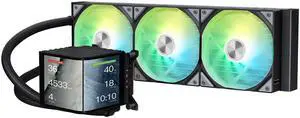
Not only is the TRYX Panorama incredibly great at cooling your CPU, but its also a ton of fun to play with if you are a fan of PC toys and have a case with a prominent window. I've been a huge fan of interesting PC accessories that blend function with flair ever since the Raptor X days where you could see the spinning platter, the X-Fi Fatal1ty logo that lit up, and the Nvidia side LED logo that lit up. The TRYX Panorama takes this concept to the next level with a 3D effect with a 2-sided AMOLED curved screen that allows you to upload and then display your own custom clips, pictures or gifs. Its truly awesome being able to upload and look at interesting and clever designs or choose one of the TRYX defaults. You could put a movie of an animated CPU if you wanted to, or just a bunch of electrons flying around to give it some interesting effects. Or maybe something calming like a nature scene of waves crashing against the beach or clouds flying across the sky. You can also capture movie content as mentioned and upload multiple backgrounds, then alternate or loop them. In fact, TRYX recommends rotating backgrounds so as not to cause burn-in on the AMOLED screen. So obviously the OLED 3D screen dominates here, but the 8th gen Asetek pump is outstanding as well along with the 360mm radiator. You can't hear any pump noise at all and the coldplate keeps the CPU super cool. I'm using a 9800x3D and it doesn't get hotter than 55C while gaming which is amazing. The AMOLED screen is actually a shroud that pulls off without any tools, it is held on by magnets to the base, which is the cold plate, pump and also has a small pump fan to keep things cool. Assembly is super easy, just identify the Make CPU you have, identify the correct hardware and do as the instructions say. If you built your own PC, you'll have no problems at all with this, 10/10 on ease of installation. Putting the rad in a push/pull config depending on your case may be a bit harder. I did push/pull and used the included fans as the push fans since they give good static pressure and don't have RGB, so they are hiding behind the rad. In terms of behavior, the software KANALI can be set to run at Windows start up and your custom images will not display while the power is off, a default splash screen that is black/white will flash the TRYX name if you put the PC to S3 Sleep, when it wakes up, you'll get your custom image/movie again after about 10 seconds which is a nice touch. Not only can you display your own custom gif/picture/movie, but you can also display up to 3 system vitals/metrics. I chose CPU and GPU temp as well as CPU frequency, but there are a lot more. You can also choose to display your CPU and GPU badge, so for example, AMD Ryzen 9800x3D in red badge and GeForce RTX 4090 in green badge. I do wish you could show more metrics, like 3 more on the right side of the panel. Also, I wish you could make the badges larger.
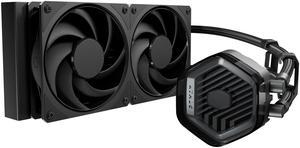
Cooler Master 240 Atmos Stealth High Performance Close-Loop AIO Liquid Cooler, R9|i7 Dual Chamber Pump, Customize Cover, Mobius 120, AMD Ryzen AM5|4, Intel LGA 1851|1700 Platform
- Brand: COOLER MASTER
- Part Number: MLX-D24M-A24PK-R1
- Type: Liquid Cooling System
- Block Compatibility: AMD Socket AM4 / AMD Socket AM5 / Intel LGA 1150 / Intel LGA 1151 / Intel LGA 1155 / Intel LGA 1156 / Intel LGA 1200 / Intel LGA 1700 / Intel LGA 1851
- Model #: MLX-D24M-A24PK-R1
- Item #: N82E16835103372
- Return Policy: Standard Return Policy
$159.99
Free Shipping
- It's an attractive AIO - It's easy to assemble - It has clean instructions and extra thermal paste - The fans that come with it are quiet and effecient
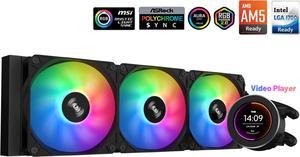
SAMA SM360 Black 360mm Liquid Water AIO CPU Cooler For Gaming PC Computer with Screen LCD Display, 3 ARGB PWM Silent Fans
- Brand: SAMA
- Type: Liquid Cooling System
- Block Compatibility: Intel: LGA 775,115X,1366,1200,1700AMD:AM5,AM4,AM3,AM2,FM1, FM2, FM3
- Block Compatibility - AMD: AM5,AM4,AM3,AM2,FM1.FM2,FM3
- Model #: SM360LD Black
- Item #: 9SIB41PJUX5123
- Return Policy: View Return Policy
$99.99
$134.99
Free Shipping
Ease of set up Performance is good Quiet pump Screen is great and easy to use No custom software needed, so VERY easy to set up.

MSI MAG CoreLiquid E360 White - AIO ARGB CPU Liquid Cooler - Rotating Cap Design - 360mm Radiator - Triple 120mm ARGB PWM Fans - LGA 1851,1700 Ready / AM5 Compatible
- Brand: MSI
- Type: Liquid Cooling System
- Block Compatibility: AMD Socket AM4 / AMD Socket AM5 / AMD Socket sTR4 / Intel LGA 1150 / Intel LGA 1151 / Intel LGA 1155 / Intel LGA 1156 / Intel LGA 1200 / Intel LGA 1700 / Intel LGA 1851
- Block Dim.: 41 (+/-0.2) x 47.6 (+/-0.2) mm
- Model #: MAG CORELIQUID E360 WH
- Item #: N82E16835846051
- Return Policy: Standard Return Policy
$119.99
$149.99
$109.99 after $10.00 rebate card
Free Shipping
Quiet and effective
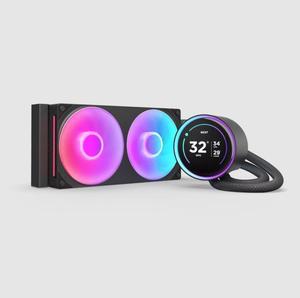
KRAKEN ELITE RGB 240 BLACK WITH AIO LIQUID COOLER WITH IPS LCD & STATIC PRESSURE FANS Intel Socket LGA 1851, 1700 & 1200/115X AMD Socket AM5, AM4
- Brand: NZXT
- Series: Kraken Elite
- Type: AIO
- Block Compatibility: Intel Socket LGA 1851, 1700 & 1200/115X AMD Socket AM5, AM4
- Model #: RL-KR24E-B2
- Item #: N82E16835146159
- Return Policy: Standard Return Policy
$169.99
$369.99
Free Shipping
Keeping temps low. Perfect lighting system for my build.
KRAKEN ELITE 360 BLACK AIO LIQUID COOLER WITH IPS LCD & STATIC PRESSURE FANS Intel Socket LGA 1851, 1700 & 1200/115X AMD Socket AM5, AM4
- Brand: NZXT
- Series: Kraken Elite
- Type: AIO
- Block Compatibility: Intel Socket LGA 1851, 1700 & 1200/115X Intel Core i9 / Core i7 / Core i5 /Core i3 Pentium / Celeron AMD Socket AM5, AM4 AMD Ryzen 9 / Ryzen 7 / Ryzen 5 / Ryzen 3
- Model #: RL-KN36E-B2
- Item #: N82E16835146163
- Return Policy: Standard Return Policy
$259.99
$399.99
Free Shipping
Easy assembly, sturdy materials, great packaging
be quiet! SILENT LOOP 3 420mm All-in-One Water Cooling I Intel LGA 1851 / 1700 / 1200 / 1150 / 1151 / 1155 I AMD Socket AM5 / AM4 / TR5 / TR4 - BW026
- Part Number: BW026
- Type: Liquid Cooling System
- Block Compatibility: AMD Socket AM4 / AMD Socket AM5 / AMD Socket sTR4 / AMD Socket sTR5 / Intel LGA 1150 / Intel LGA 1151 / Intel LGA 1155 / Intel LGA 1200 / Intel LGA 1700 / Intel LGA 1851
- Block Dim.: 93.5 x 80 x 56 mm
- Model #: BW026
- Item #: N82E16835269032
- Return Policy: Standard Return Policy
$189.99
Free Shipping
the product requires very simple setup , no software or rgb , a hub is required , in this instance i used the 7000D p/c case with built in hub .
Phanteks Glacier One 360M25 G2 AIO Liquid CPU Cooler, Black, RGB Pump Cap Design, 3x 120mm M25 G2 PWM RGB Fans, for Intel LGA 1700, 1851, 1200, 115x and AMD AM4/AM5 sockets, Black PH-GO360M25G2_DBK02
- Brand: Phanteks
- Part Number: PH-GO360M25G2_DBK02
- Type: Liquid Cooling System
- Block Compatibility: Intel Socket LGA 115x, 1200, 1700, 1851, 2011, 2011-3, 2066 AMD Socket AM4, AM5, SP3, sTRX4, TR4, sWRX8
- Model #: PH-GO360M25G2_DBK02
- Item #: N82E16835709302
- Return Policy: Standard Return Policy
$109.99
$149.99
$10.00 USD Rebate available
Free Shipping
Keeps my 14700kf cooled very quiet.
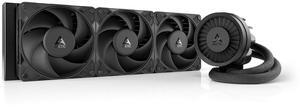
ARCTIC ACFRE00180A Liquid Freezer III Pro 360 AIO CPU Cooler, Water Cooling 38 mm Radiator, AMD AM5/AM4, Intel LGA1851/1700 (Black)
- Brand: Alphacool
- Series: ROG STRIX LC II 360
- Part Number: ACFRE00180A
- Block Dim.: 15.7 L x 4.7 W x 2.9 H inches
- Model #: ACFRE00180A
- Item #: 9SIA9H5KF33094
- Return Policy: View Return Policy
$176.99
$179.99
Free Shipping
Keeps my R9 9950x3D under 40C while idle, and never above 65C while gaming. Lets my CPU overclock to 5Ghz while running 100% utilization for long periods of time. I recommend using the separate plugs for the fans vrm fan and the pump.
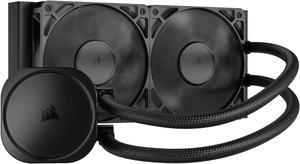
CORSAIR NAUTILUS 240 RS Liquid CPU Cooler – RS120 Fans – Fits Intel® LGA 1851/1700, AMD® AM5/AM4 – Simple Daisy-Chain - Direct Motherboard Connection
- Brand: CORSAIR
- Series: Nautilus Series
- Type: AIO
- Block Compatibility: Intel® LGA 1851/1700, AMD® AM5/AM4
- Model #: CW-9060088-WW
- Item #: N82E16835181473
- Return Policy: Standard Return Policy
$129.99
Free Shipping
-NO RGB -Does really well on intel current CPUs -easy installation
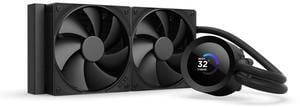
NZXT KRAKEN PLUS 240 MM AIO LIQUID COOLER WITH 1.54" LCD & STATIC PRESSURE FANS
- Brand: NZXT
- Model: RL-KN240-B2
- Part Number: RL-KN240-B2
- Type: AIO
- Model #: RL-KN240-B2
- Item #: N82E16835146166
- Return Policy: Standard Return Policy
$139.99
$199.99
Free Shipping
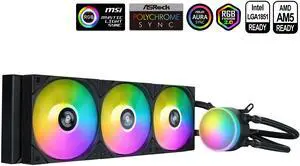
SAMA L60 CPU Liquid Cooler, AIO Cooler 360mm 4pin PWM Quiet Fans - FDB Bearings ARGB Water Cooling, Black CPU Cooler Compatible LGA 1366/115X/2011/1200/1700 and AM4 AM5
- Part Number: L60-BKWAYXO3-G
- Type: Liquid Cooling System
- Block Compatibility: Intel&AMD
- Block Compatibility - AMD: AMD:AM5/AM4
- Model #: L60-BKWAYXO3-G
- Item #: 9SIB41PKCW8764
- Return Policy: View Return Policy
$54.99
$76.90
Free Shipping
these bad babies where easy to set up and install keeps my pc very cool and argb works really good
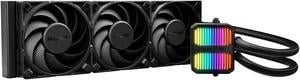
be quiet! SILENT LOOP 3 360mm All-in-One Water Cooling I Intel LGA 1851 / 1700 / 1200 / 1150 / 1151 / 1155 I AMD Socket AM5 / AM4 / TR5 / TR4 - BW025
- Brand: be quiet!
- Part Number: BW025
- Type: Liquid Cooling System
- Block Compatibility: AMD Socket AM4 / AMD Socket AM5 / AMD Socket sTR4 / AMD Socket sTR5 / Intel LGA 1150 / Intel LGA 1151 / Intel LGA 1155 / Intel LGA 1200 / Intel LGA 1700 / Intel LGA 1851
- Model #: BW025
- Item #: N82E16835269031
- Return Policy: Standard Return Policy
$189.99
$221.99
Free Shipping
I have done water cooling before and it was a PitA. This kit is different, simply bolt it on and power it up. I like simple and with this AIO, you get that. Temperatures are held down nicely and the case doesn't look crowded or cluttered when you're finished. The fans and pump run without excessive noise. Power draw is low enough to connect directly to your motherboard. Hoses and wiring is the proper length for many installations. Mounting is a breeze with included retrofit hardware. You also get a bottle of fluid for refill which should be a good thing unless you find yourself opening it in less than a years time.
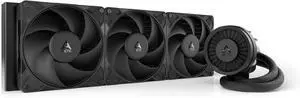
Arctic ACFRE00181A Liquid Freezer III Pro 420 AIO CPU Fans 3 x 140mm Water Cooling, AMD AM5/AM4, Intel LGA1851/1770 - Black
- Brand: Alphacool
- Part Number: ACFRE00181A
- Block Compatibility: AMD Socket AM5
- Block Dim.: 45.8 L x 14 W x 6.75 H centimeters
- Model #: ACFRE00181A
- Item #: 9SIA9H5KHY9858
- Return Policy: View Return Policy
$205.99
Free Shipping
The cooling on this is the best I've ever seen. I bought this to cool an AMD 9950X processor. I'm pegging all 16 cores for hours at a time to do AI processing. This is about at bad as it gets in terms of workload. With only the Arctic Cooler and the Paneling off the case, so therefore proper airflow was not happening, only the CPU cooling fans: 150 F (about 65C) With the paneling installed on the case and proper air flow: 100F (about 38C) I couldn't be happier with this. These are the top temperatures I see it get up to under these max workloads. It often hovers a few degrees lower. For reference, it's 78F in my office. I live in Arizona. It's hot here.