
Your Browsing History
BEST SELLERS


BEST SELLERS
In Memory
Our most popular products, based on sales and updated frequently.Shop Department
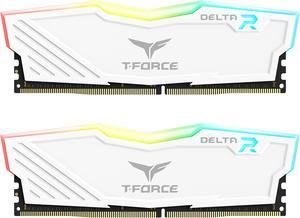
Team T-Force Delta RGB 32GB (2 x 16GB) 288-Pin PC RAM DDR4 3600 (PC4 28800) Desktop Memory Model TF4D432G3600HC18JDC01
- CAS Latency: CL18
- Voltage: 1.35V
- Multi-channel Kit: Dual Channel Kit
- Timing: 18-22-22-42
- Model #: TF4D432G3600HC18JDC01
- Item #: N82E16820331515
- Return Policy: Standard Return Policy
$359.99
Free Shipping
price performance easily overclocked
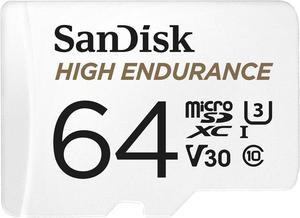
SANDISK 64GB High Endurance Video microSDXC Card with Adapter for dash cam and home monitoring systems - C10, U3, V30, 4K UHD, Micro SD Card - SDSQQNR-064G-GN6IA
- Card type: MicroSD
- Speed Class Rating: Class 10
- Speed Class Rating: UHS-I / U3 / Class 10 / V30
- Read Speed: 100MB/s
- Model #: SDSQQNR-064G-GN6IA
- Item #: 9SIB4UBKTS0547
- Return Policy: View Return Policy
$39.99
Free Shipping
Works in Nintendo Switch: formatting, downloading data, loading games are all seamless.
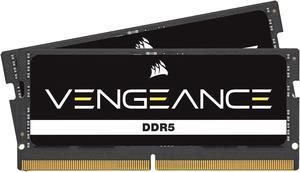
CORSAIR Vengeance 16GB (2 x 8GB) 262-Pin DDR5 SO-DIMM DDR5 4800 (PC4 38400) Laptop Memory Model CMSX16GX5M2A4800C40
- CAS Latency: CL40
- Timing: 40-40-40-77
- Voltage: 1.10V
- Heat Spreader: Yes
- Model #: CMSX16GX5M2A4800C40
- Item #: N82E16820236863
- Return Policy: Standard Return Policy
$361.99
Free Shipping
Easy to install and very fast finally able to play the new call of duty with no lag issues (upgraded from 8gb of ram)
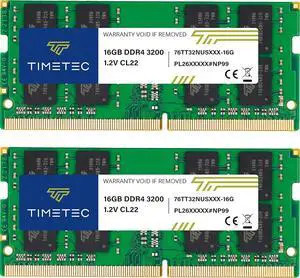
Timetec 32GB KIT (2x16GB) DDR4 3200MHz (PC4-3200AA) PC4-25600 SODIMM Laptop RAM 260-Pin 1.2V CL22 Non-ECC Unbuffered Memory Module for Laptop, Notebook, Mini PC, All-in-One
- CAS Latency: CL22
- Model #: 76TT32NUS2R8-16GK2
- Item #: 9SIC6U4KYN3369
- Return Policy: View Return Policy
$274.99
Free Shipping
- Cheaper than G.Skill kit that has exactly the same speed, timings, and voltage. - Timetec says it has a lifetime warranty. - Packaged well for shipping. - RAM label on both sticks looks professional.
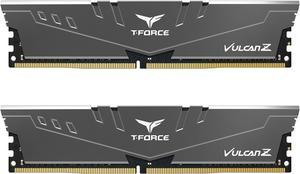
Team T-FORCE VULCAN Z 32GB (2 x 16GB) 288-Pin PC RAM DDR4 3600 (PC4 28800) Desktop Memory Model TLZGD432G3600HC18JDC01
- CAS Latency: CL18
- Voltage: 1.35V
- Multi-channel Kit: Dual Channel Kit
- Timing: 18-22-22-42
- Model #: TLZGD432G3600HC18JDC
- Item #: N82E16820331544
- Return Policy: Standard Return Policy
$401.99
Free Shipping
Works as expected on a Ryzen setup with MSI MPG B550 motherboard - I had to select XMP in the BIOS and it is running at 3600. - works as promised; - easy setup; - great price; - no LED lights;
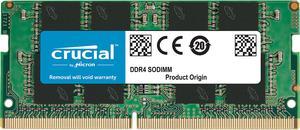
Crucial 16GB 260-Pin DDR4 SO-DIMM DDR4 3200 (PC4 25600) Laptop Memory Model CT16G4SFRA32A
- CAS Latency: CL22
- Timing: 22-22-22
- Voltage: 1.20V
- Buffered/Registered: Unbuffered
- Model #: CT16G4SFRA32A
- Item #: 9SIC7XMM4H5395
- Return Policy: View Return Policy
$209.00
$209.58
Free Shipping
Compatible with Dell 7090M Good brand
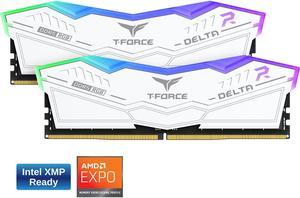
Team T-Force Delta RGB 32GB (2 x 16GB) 288-Pin PC RAM DDR5 6400 (PC5 51200) Desktop Memory Model FF4D532G6400HC32ADC01
- CAS Latency: CL32
- Voltage: 1.35V
- Timing: 32-39-39-84
- Recommend Use: Intel 600 Series / Intel 700 Series
- Model #: FF4D532G6400HC32ADC01
- Item #: N82E16820985154
- Return Policy: Standard Return Policy
$859.99
Free Shipping
Worked right out of the box so far I have no issues
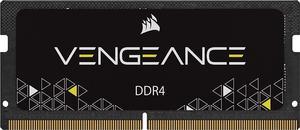
CORSAIR Vengeance 16GB 260-Pin DDR4 SO-DIMM DDR4 3200 (PC4 25600) Laptop Memory Model CMSX16GX4M1A3200C22
- CAS Latency: CL22
- Timing: 22-22-22-53
- Voltage: 1.20V
- Model #: CMSX16GX4M1A3200C22
- Item #: N82E16820236850
- Return Policy: Standard Return Policy
OUT OF STOCK
Sold Price: $159.99
Free Shipping
I settled on this product based on it's positive reviews. It was a simple and quick install. My laptop immediately recognized them as soon as I powered on the device. There is a significant reduction in ram and cpu usage overall after installation.
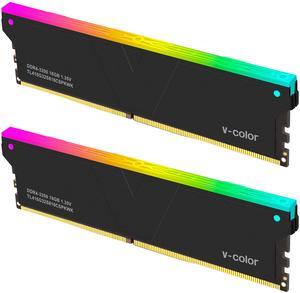
V-Color 32GB (2 x 16GB) DDR4 3200 (PC4 25600) Desktop memory Model TL416G32S816CSPKWK
- CAS Latency: CL16
- Multi-channel Kit: Dual Channel Kit
- Timing: 16-18-18-38
- Brand: V-Color
- Model #: TL416G32S816CSPKWK
- Item #: N82E16820012103
- Return Policy: Standard Return Policy
$299.99
Free Shipping
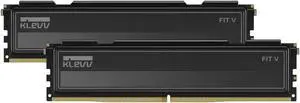
Klevv 32GB (2 x 16GB) DDR5 6000 (PC5 48000) Desktop Memory Model KD5AGU880-60A300L
- CAS Latency: CL30
- Voltage: 1.35V
- Multi-channel Kit: Dual Channel Kit
- Timing: 30-36-36-76
- Model #: KD5AGU880-60A300L
- Item #: N82E16820101113
- Return Policy: Standard Return Policy
$629.99
Free Shipping
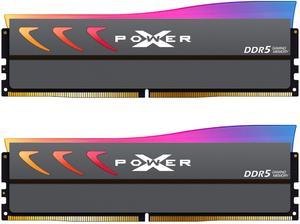
Silicon Power DDR5 32GB (2x16GB) Storm RGB 6000MT/s (PC5-48000) 288-pin CL36 1.35V UDIMM Desktop Memory Module RAM SP032GXLWU60FFDK Gray
- CAS Latency: CL36
- Voltage: 1.35V
- Multi-channel Kit: Dual Channel Kit
- Timing: 36-36-36-76
- Model #: SP032GXLWU60FFDK
- Item #: 9SIBYK2KN32339
- Return Policy: View Return Policy
$599.79
Free Shipping
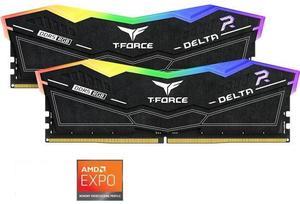
Team Group 16GB (2 x 8GB) 288-Pin PC RAM DDR5 6000 (PC5 48000) Memory Model FF7D516G6000HC38ADC01
- CAS Latency: CL38
- Voltage: 1.25V
- Multi-channel Kit: Dual Channel Kit
- Timing: 38-38-38-78
- Model #: FF7D516G6000HC38ADC01
- Item #: N82E16820985277
- Return Policy: Standard Return Policy
OUT OF STOCK
Sold Price: $349.99
Free Shipping

SanDisk 512GB Ultra Luxe USB Type-C Flash Drive - Up to 400MB/s, USB 3.2 Gen 1, Premium Metal Design - SDCZ75-512G-G46
- Part Number: SDCZ75-512G-G46
- USB Specification: USB 3.2 Gen 1
- USB Connectors: Type C
- Color: Silver
- Model #: SDCZ75-512G-G46
- Item #: 9SIB4UBKXB1561
- Return Policy: View Return Policy
OUT OF STOCK
Sold Price: $86.95
Free Shipping
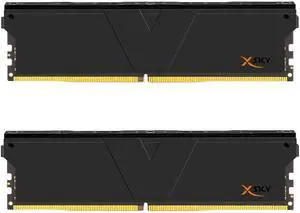
V-COLOR Manta XSky DDR5 32GB (2x16GB) 6000MHz CL26 1.45V SK Hynix IC Gaming Desktop Upgrade Memory Module Black, for AMD EXPO (TMXSO1660826KKK)
- CAS Latency: CL26
- Voltage: 1.45V
- Multi-channel Kit: Dual Channel Kit
- Timing: 26-36-36-96
- Model #: TMXSAO1660826KKK
- Item #: 0RN-00MB-000V4
- Return Policy: Standard Return Policy
$639.99
Free Shipping
No LED Low Latency Passed stress test
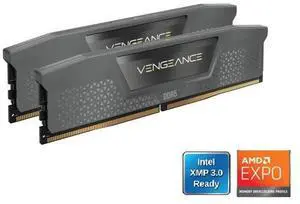
CORSAIR Vengeance 16GB (2 x 8GB) 288-Pin PC RAM DDR5 6000 (PC5 48000) Desktop memory Model CMK16GX5M2E6000Z36
- CAS Latency: CL36
- Voltage: 1.35V
- Multi-channel Kit: Dual Channel Kit
- Timing: 36-44-44-96
- Model #: CMK16GX5M2E6000Z36
- Item #: N82E16820982324
- Return Policy: Standard Return Policy
$412.99
Free Shipping
works as advertised with automatic EXPO boosts with a B650 and 9600X hurt my feelings to move from 32gb DDR3 to 16GB DDR5, but that's the economy, and for my daily usage, not noticing a difference. the RAM cooler looks understated, a welcome relief from gamer-boy RGB overdose My RAM chips report as Micron units, a good supplier.

5 Pack 64GB Flash Drive, USB 2.0 Swivel Thumb Drives Bulk Memory Stick Jump Drive Pen Drive Zip Drive for Data Storage,Black/Blue/Orange/Green/Red(5*64gb)
- Capacity: 320GB (64GB x 5)
- USB Specification: USB 2.0
- Model #: SW031
- Item #: 9SIB8T0J175484
- Return Policy: View Return Policy
$39.99
$55.99
Free Shipping
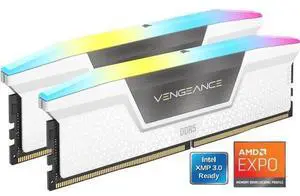
CORSAIR Vengeance RGB 32GB (2 x 16GB) 288-Pin PC RAM DDR5 6000 (PC5 48000) Desktop Memory Model CMH32GX5M2E6000Z36W
- CAS Latency: CL36
- Voltage: 1.40V
- Multi-channel Kit: Dual Channel Kit
- Timing: 36-44-44-96
- Model #: CMH32GX5M2E6000Z36W
- Item #: N82E16820982237
- Return Policy: Standard Return Policy
$799.99
Free Shipping
No issues with RAM. Works perfectly in high end gaming system. Bench scores high.
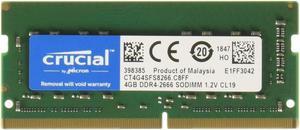
Crucial 4GB Single DDR4 2666 MT/s (PC4-21300) CL19 x8 SODIMM 260-Pin Memory - CT4G4SFS8266
- CAS Latency: CL19
- Voltage: 1.20V
- Buffered/Registered: Unbuffered
- Features: Speeds up to 3200 MT/s and faster data rates are expected to be available as DDR4 technology matures Increase bandwidth by up to 30% Reduce Power consumption by up to 40% and extend battery life Faster burst access speeds for improved sequential data throughput Optimized for next Generation Processors and Platforms
- Model #: CT4G4SFS8266
- Item #: 9SIBJK3KBG8086
- Return Policy: View Return Policy
$55.07
Free Shipping
- Exactly as described, no surprises
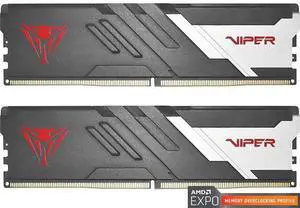
Patriot Viper Venom 32GB (2 x 16GB) 288-Pin PC RAM DDR5 6000 (PC5 48000) AMD EXPO Desktop Memory Model PVV532G600C36K
- CAS Latency: CL36
- Voltage: 1.35V
- Timing: 36-46-46-110
- Brand: Patriot
- Model #: VV532G60C36AK
- Item #: N82E16820225430
- Return Policy: Standard Return Policy
$579.99
$23.57 Shipping
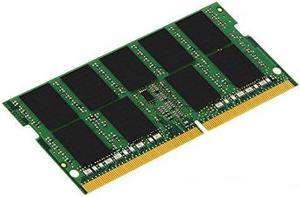
Kingston 8GB 260-Pin DDR4 SO-DIMM DDR4 2666 (PC4 21300) Memory (Notebook Memory) Model KCP426SS8/8
- CAS Latency: CL19
- Timing: 19-19-19
- Voltage: 1.20V
- Model #: KCP426SS8/8
- Item #: 9SIBDHPM107110
- Return Policy: View Return Policy
$69.99
$9.99 Shipping