
Your Browsing History
BEST SELLERS


BEST SELLERS
In Laptop Memory
Our most popular products, based on sales and updated frequently.Shop Department
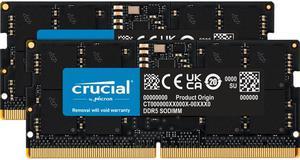
Crucial 64GB (2 x 32GB) 262-Pin DDR5 SO-DIMM DDR5 5600 Laptop Memory Model CT2K32G56C46S5
- CAS Latency: CL46
- Voltage: 1.10V
- Buffered/Registered: Unbuffered
- Part Number: CT2K32G56C46S5
- Model #: CT2K32G56C46S5
- Item #: 9SIADGEK7J7981
- Return Policy: View Return Policy
$899.99
$10.99 Shipping
This ram works perfectly to upgrade from 16gb to 64gb. Due to limitations of the i9 processor I have it will only perform at 5200 mhz instead of 5600 mhz. The trade off isn't noticeable for my needs as I'm not a gamer but bought the for graphics and using multiple applications at one time. The 32gb upgrade will however perform at 5600mhz.
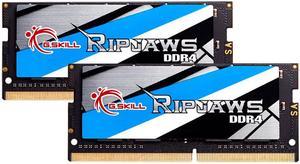
G.SKILL Ripjaws Series 32GB (2 x 16GB) 260-Pin DDR4 SO-DIMM DDR4 3200 (PC4 25600) Laptop Memory Model F4-3200C22D-32GRS
- CAS Latency: CL22
- Timing: 22-22-22-52
- Voltage: 1.20V
- Multi-channel Kit: Dual Channel Kit
- Model #: F4-3200C22D-32GRS
- Item #: N82E16820374024
- Return Policy: Standard Return Policy
$379.99
Free Shipping
Exactly what I needed
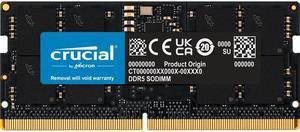
Crucial 32GB 262-Pin DDR5 SO-DIMM DDR5 5600 Laptop Memory Model CT32G56C46S5
- CAS Latency: CL46
- Voltage: 1.10V
- Buffered/Registered: Unbuffered
- Part Number: CT32G56C46S5
- Model #: CT32G56C46S5
- Item #: 9SIBDHAKTZ0964
- Return Policy: View Return Policy
$499.99
$19.00 Shipping
- Very stable Ram compatabile with any Laptop or Intel Nuc. I highly recomend this Crucial .
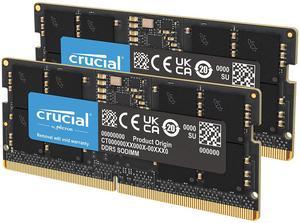
Crucial 128GB (2 x 64GB) 262-Pin DDR5 SO-DIMM DDR5 5600 (PC5 44800) Laptop Memory Model CT2K64G56C46S5
- CAS Latency: CL46
- Voltage: 1.10V
- Buffered/Registered: Unbuffered
- Part Number: CT2K64G56C46S5
- Model #: CT2K64G56C46S5
- Item #: N82E16820156426
- Return Policy: Standard Return Policy
$1,799.99
Free Shipping
Pros: High capacity (128GB total) Fast speeds (DDR5-5600) Excellent for multitasking and demanding workloads Easy installation Solid build quality
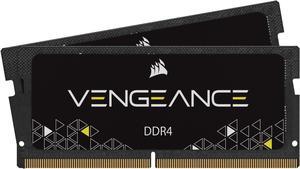
CORSAIR Vengeance 32GB (2 x 16GB) 260-Pin DDR4 SO-DIMM DDR4 3200 (PC4 25600) Laptop Memory Model CMSX32GX4M2A3200C22
- CAS Latency: CL22
- Timing: 22-22-22-53
- Voltage: 1.20V
- Features: 32GB (2x16GB) DDR4 SODIMM kit for 8th Generation or newer Intel Core i7, and AMD Ryzen 4000 Seires notebooks 3200MHz 22-22-22-53 latency 1.2V Auto-overclocking with compatible notebooks (no BIOS configuration required)
- Model #: CMSX32GX4M2A3200C22
- Item #: N82E16820236681
- Return Policy: Standard Return Policy
$351.99
$19.99 Shipping
I wanted to upgrade from 16g to 32g to improve my MSFS 2020 performance. Im happy with my results. One thing I want to point out. If youre upgrading both slots of ram it is possible to install them both upside down. If you do, you will get a solid black screen. It happened to me. However, no harm done. I switch place with each ram stack installing them correctly and it booted up instantly. Had I been only replacing one stick of ram, leaving the working ram in its factory original spot, I believe it would be impossible to install the ram upside down. But when replacing both ram sticks it is possible to install them upside down. So, beware.
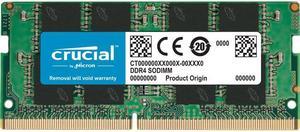
Crucial 8GB 260-Pin DDR4 SO-DIMM DDR4 2666 (PC4 21300) Laptop Memory Model CT8G4SFRA266
- CAS Latency: CL19
- Timing: 19-19-19
- Voltage: 1.20V
- Buffered/Registered: Unbuffered
- Model #: CT8G4SFRA266
- Item #: 9SIBJK3JKV8769
- Return Policy: View Return Policy
$104.35
Free Shipping
Came a day earlier than expected. Works great, improved my laptop performance from what i was doing with only 4GB. Best Price I could find without breaking the bank.
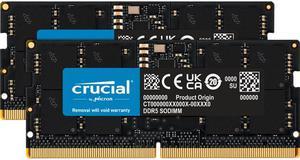
Crucial 32GB (2 x 16GB) 262-Pin DDR5 SO-DIMM DDR5 4800 (PC4 38400) Laptop Memory Model CT2K16G48C40S5
- CAS Latency: CL40
- Timing: 40-39-39
- Voltage: 1.10V
- Buffered/Registered: Unbuffered
- Model #: CT2K16G48C40S5
- Item #: 9SIBDHAKS38182
- Return Policy: View Return Policy
$449.99
$19.00 Shipping
It's a stick of laptop RAM. Pretty straightforward. Easy install, works immediately out of the box. Large capacity. Generally you don't (or can't) set RAM speed manually on a laptop, but if you can, make sure you set it in BIOS to run at the rated speed.
Crucial 32GB (2 x 16GB) 262-Pin DDR5 SO-DIMM DDR5 5600 Laptop Memory Model CT2K16G56C46S5
- CAS Latency: CL46
- Timing: 46-45-45
- Voltage: 1.10V
- Buffered/Registered: Unbuffered / Unregistered
- Model #: CT2K16G56C46S5
- Item #: 9SIBDHAKTB1749
- Return Policy: View Return Policy
$549.99
$19.00 Shipping
easy to install recognized immediately
Crucial 16GB 262-Pin DDR5 SO-DIMM DDR5 5600 Laptop Memory Model CT16G56C46S5
- CAS Latency: CL46
- Timing: 46-45-45
- Voltage: 1.10V
- Buffered/Registered: Unbuffered / Unregistered
- Model #: CT16G56C46S5
- Item #: 9SIAA4YKRT5383
- Return Policy: View Return Policy
$399.99
Free Shipping
-Cost -Speed -Capacity
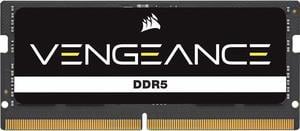
CORSAIR Vengeance 16GB 262-Pin DDR5 SO-DIMM DDR5 5600 (PC5 44800) Laptop Memory Model CMSX16GX5M1A5600C48
- CAS Latency: CL48
- Timing: 48-48-48-90
- Voltage: 1.10V
- Features: Upgrade your DDR5 gaming or performance laptop with cutting-edge CORSAIR VENGEANCE SERIES DDR5 SODIMM memory modules. Compatible with a wide range of Intel® and AMD® laptops and small-form-factor PCs, VENGEANCE SODIMM upgrades your existing memory, harnessing the faster frequencies and greater capacities of DDR5. Modules automatically set to maximum system speeds for faster load times and smoother multitasking, and installation is quick and easy – just a screwdriver is needed for most laptops. VENGEANCE SODIMM is compatible with Intel XMP 3.0 on high-frequency kits for exceptional performance. Each module is rigorously screened, thoroughly tested, and backed by a lifetime limited warranty to ensure high performance and reliability, granting your laptop an instant boost....
- Model #: CMSX16GX5M1A5600C48
- Item #: N82E16820982145
- Return Policy: Standard Return Policy
$282.99
$19.99 Shipping
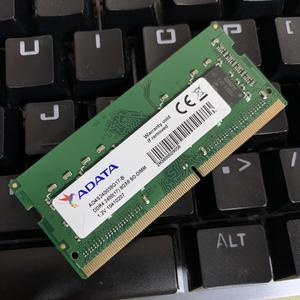
ADATA 8GB DDR4 2400 (PC4-19200) SODIMM 260-Pin Laptop Memory SODIMM Module Single Pack (AD4S240038G17-B)
- CAS Latency: CL17
- Voltage: 1.20V
- Buffered/Registered: Unbuffered
- Multi-channel Kit: Dual Channel Kit
- Model #: AD4S240038G17-B
- Item #: 9SIAU36DAT2847
- Return Policy: View Return Policy
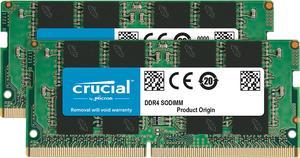
Crucial 32GB (2 x 16GB) 260-Pin DDR4 SO-DIMM DDR4 3200 (PC4 25600) Laptop Memory Model CT2K16G4SFRA32A
- CAS Latency: CL22
- Timing: 22-22-22
- Voltage: 1.20V
- Buffered/Registered: Unbuffered
- Model #: CT2K16G4SFRA32A
- Item #: 9SIBJK3JKV8733
- Return Policy: View Return Policy
$411.59
Free Shipping
Just exactly what I needed! So easy to install in my laptop. Now with 32 G Ram it does make a difference! Benny
Crucial 16GB 260-Pin DDR4 SO-DIMM DDR4 3200 (PC4 25600) Laptop Memory Model CT16G4SFRA32A
- CAS Latency: CL22
- Timing: 22-22-22
- Voltage: 1.20V
- Buffered/Registered: Unbuffered
- Model #: CT16G4SFRA32A
- Item #: 9SIBJK3JMU4857
- Return Policy: View Return Policy
$211.59
Free Shipping
Reliable memory, it worked no issues. Packaging appropriate for an electrostatic sensitive device. It arrived fact with no issues.
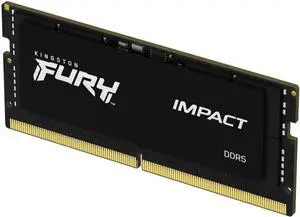
Kingston FURY Impact 32GB (1 x 32GB) 260-pin SO-DIMM DDR4 3200 MHz CL20 Black Memory (KF432S20IB/32)
- CAS Latency: CL20
- Timing: 20-22-22
- Voltage: 1.20V
- Recommend Use: AMD & Intel Compatible / AMD Ryzen Compatible / High Performance or Gaming Memory / Intel Compatible
- Model #: KF432S20IB/32
- Item #: 0RM-001W-005Y8
- Return Policy: Standard Return Policy
$449.99
$7.99 Shipping
Used this to upgrade a ThinkPad E14 Gen5 (21JR0019US) Works great and now I have 40GiB RAM total. Perfect for running containers/VMs
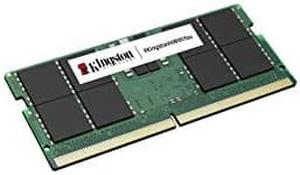
Kingston 8GB 5600MT/s DDR5 Non-ECC CL46 SODIMM 1Rx16
- Model #: KVR56S46BS6-8
- Item #: 9SIA7BBKET5340
- Return Policy: View Return Policy
$199.81
Free Shipping
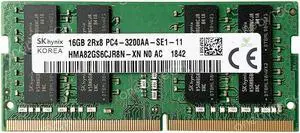
SK Hynix HMA82GS6CJR8N-XN 16GB 2Rx8 PC4-25600 DDR4 3200 MHz PC4-3200AA 260pin 1.2v SODIMM Memory
- CAS Latency: CL22
- Voltage: 1.20V
- Buffered/Registered: Unbuffered
- Multi-channel Kit: Dual Channel Kit
- Model #: HMA82GS6CJR8N-XNC
- Item #: 9SIAU36FEB9638
- Return Policy: View Return Policy
$148.92
Free Shipping
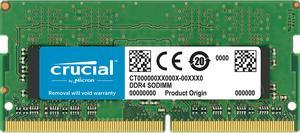
Crucial 16GB 260-Pin DDR4 SO-DIMM DDR4 2666 (PC4 21300) Laptop Memory Model CT16G4SFRA266
- CAS Latency: CL19
- Timing: 19-19-19
- Voltage: 1.20V
- Buffered/Registered: Unbuffered
- Model #: CT16G4SFRA266
- Item #: 9SIBJK3JN47755
- Return Policy: View Return Policy
$194.20
Free Shipping
I was not sure if it would work with my laptop, so I took the gamble. The RAM showed up safe and installed into my laptop with no issues. If it helps anybody, I have an Acer aspire vx15 vx5-591g, and i swapped one of the 8GB sticks for this 16GB stick. I know it is not advised to run mismatched sticks, but it worked fine and uses all (now) 24 GB of RAM.
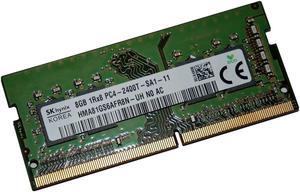
SK Hynix HMA81GS6AFR8N-UH Non ECC PC4-2400T 8GB DDR4 Sodimm Laptop Ram Memory
- CAS Latency: CL17
- Voltage: 1.20V
- Buffered/Registered: Unbuffered
- Multi-channel Kit: Dual Channel Kit
- Model #: HMA81GS6AFR8N
- Item #: 9SIAU36FEB9132
- Return Policy: View Return Policy
$75.92
Matches other stick, running on 16 gb now. Pretty cheap, too. I guess that explains why it was used in the stock build
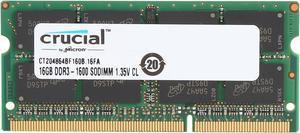
Crucial 16GB 204-Pin DDR3 SO-DIMM DDR3L 1600 (PC3L 12800) Laptop Memory Model CT204864BF160B
- CAS Latency: CL11
- Voltage: 1.35V
- Buffered/Registered: Unbuffered
- Features: CT204864BF160B is a single 16GB DDR3L 1.35V Notebook module that operates at speeds up to 1600 MT/s and has a CL11 latency. It is dual voltage and can operate at 1.35V or 1.5V. It is Unbuffered and is non-ECC. It conforms to the industry standard SODIMM layout of 204 pins and is compatible with computers that take DDR3L SODIMM memory.
- Model #: CT204864BF160B
- Item #: 9SIBJK3JKV8747
- Return Policy: View Return Policy
$132.57
Free Shipping
You can use 2 of these 16GB modules in an Intel Broadwell (5xxx) based laptop. Neither Intel or the manufacturer of the laptop will state this or support this configuration - mobile Broadwell does not officially support more than 2x8GB due to JEDEC timing noncompliance issues. This particular chip happens to use timings that seem to work with Broadwell. That being said there is no guarantee this will work with your BIOS. This will NOT work with Intel 4xxx line of processors unless they are stated to support 2x16GB explicitly. I have experienced no issues using ~28GB of RAM in Windows on 2x16GB of these modules with my Dell Latitude E7250 for about a week now. The other reviewer that could not get this to work simply did not read the manual or research how much memory their laptop could support. These chips max out the rate of mobile i7s (1600MHz) so they are going to be the best chip you can find for your laptop.
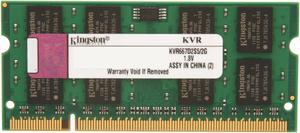
Kingston 2GB 200-Pin DDR2 SO-DIMM DDR2 667 (PC2 5300) Laptop Memory Model KVR667D2S5/2G
- CAS Latency: CL5
- Voltage: 1.80V
- Buffered/Registered: Unbuffered
- Parts: Lifetime limited
- Model #: KVR667D2S5/2G
- Item #: 9SIAA4Y3T37304
- Return Policy: View Return Policy
$24.40
Free Shipping
- Works fine, no problems