
Your Browsing History
BEST SELLERS


BEST SELLERS
In Docking Station
Our most popular products, based on sales and updated frequently.Shop Department
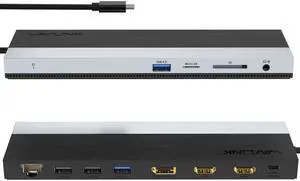
Wavlink USB-C Docking Station Triple Display Max 4K@60Hz with DisplayPort, 2xHDMI, PD, 85W Charging for PC, 2xUSB 3.0, 2x2.0, Gigabit Ethernet, SD/TF Slot, Audio Jack For Windows&Mac etc
- Part Number: 1x USB-C to Host with integrated cable 50cm length 2 x HDMI 2.0 1 x DisplayPort 1.4 1x USB-C supports PD 100W IN 2x USB-A 5Gbps 2x USB-A 480Mbps 1x Gigabit Ethernet 1x SD/Micro SD 3.0 1x Combo Audio 1x LED light Indicator
- Compatibility: Suitable for your thunderbolt 3/4 laptops or devices with full-featured type-c port(support charging and video output). Works with MacBook Pro/Air 2021/2020/2019/2018/2017/2016, iMac/ iMac Pro, Google Chromebook Pixel, Huawei MateBook Pro, Dell, Surface Book 2, HP, Lenovo, etc.
- Ports Spec: PD3.0 supports up to 85W Pass Through Charging, 2 x USB3.0 A port speed up to 5Gbps, 2 x USB2.0 A port speed up to 480Mbps, 2 x HDMI (2.0), 1 x DisplayPort (1.4), Integrated TRRS 4-pole phone jack, SD/Micro SD V3.0 Card Reader slot, 1x RJ45 10/100/1000Mbps Ethernet, 1x LED Power Indicator
- Parts: 1 Year...
- Model #: WL-UMD08
- Item #: 9SIC7HJM0A8391
- Return Policy: View Return Policy
$75.99
Free Shipping
The excellent USB-C hub which fits all my needs (Macbook Pro) perfectly. I am very pleased with my purchase. I like its design and overall work.
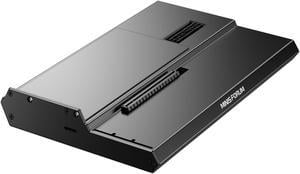
MINISFORUM DEG1 External GPU Docking Station, Mini eGPU Enclosure for RTX 4090, AMD RX 7900 XTX, Support ATX/SFX Standard Power Supplies, PCIe4.0x4 Expansion Interface Oculink Graphics Docking Station
- Model #: DEG1
- Item #: 9SIBZWDKEU5709
- Return Policy: View Return Policy
$155.00
Free Shipping
- It's worked flawlessly for the 2 months I've had it so far. Used with an RTX 5080 and RTX 5090 for long running workloads.
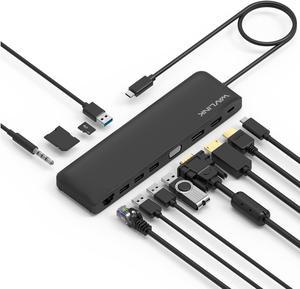
Wavlink USB C Triple Display 4K 12 in 1 MST USB C Docking Station, Type C Systems (DP & HDMI &VGA, USB 3.0&2.0 Ports, SD TF Card Reader, Gigabit Ethernet, Audio For for MacBook Pro & Windows
- Compatibility: This slim compact dock is compatible with USB-C Computers that have USB3.1 full function with data transfer, USB-C Power Delivery & Video Alternate Mode. Support Windows 7 / 8 / 10; Max OSX 10; Linux or the latest version. We provide 12 months warranty for this product.
- Ports Spec: One USB-C port supports PD 3.0 upstream power charging to PC computer with up to 100W Both DisplayPort v1.2a and HDMI v1.4b support 4K/30Hz single display One VGA port supports up to 2K (2048x1152) @60Hz single display Dual displays up to 2048x1152 @60Hz; Triple displays up to 1920x1080 @60Hz Two USB 3.0 ports and two USB 2.0 ports provide data transfer rates up to 5Gbps & 480Mbps separately One RJ45 Gigabit Ethernet port enables stable wired connection One built-in SD/TF card reader supports SD v2.0, SDHC up to 32GB, and SDXC up to 2TB One audio combo jack for stereo a...
- Model #: WS-UMD04-A
- Item #: 9SIACU9FE90633
- Return Policy: View Return Policy
$39.99
Free Shipping
Does everything i needed, works better then expected.
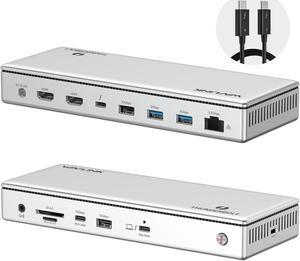
WAVLINK Thunderbolt 4 Docking Station, Single 8K, Triple 4K Display, 13 In 1 Laptop Dock for TBT 4/3 Mac & TBT 4 Windows PC, 40 Gbps with Max 96W Charging for Laptop with 2.5G RJ45
- Part Number: Front Panel: 1x 4-Pole Phone Jack; SD/TF Card Slots(312MB/s), 1x USB-C(10Gbps, PD 30W), 1x USB-A 10Gbps, 1x Thunderbolt 4 Host(40Gbps, 96W); Rear Panel: 1x DC IN (20V/8A, 160W); 2x 8K HDMI; 1x Thunderbolt 4 Downstream(8K, 40Gbps, 15W); 1x USB-A 10Gbps; 2x USB-A 5Gbps; 1x RJ45(2500Mbps)
- Compatibility: Compatible Systems -Thunderbolt 4 PC running Windows 10/11. -Thunderbolt 3/4 Mac running Mac OS 11 or later. -Compatible with Other USB4 and MFDP Hosts (Full-functional USB-C, supports DisplayPort+USB3.1+Power Delivery)
- Thunderbolt 3: Thunderbolt 4...
- Model #: WL-UTD45
- Item #: 9SIC7HJM0C0939
- Return Policy: View Return Policy
$249.99
Free Shipping
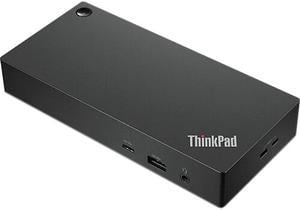
Lenovo ThinkPad Universal USB-C Dock
- Part Number: 40AY0090US
- Weight: 0.74 lbs
- Function: Internet Tablet
- Model #: 40AY0090US
- Item #: 9SIC1TEKJ89669
- Return Policy: View Return Policy
$229.00
$13.99 Shipping
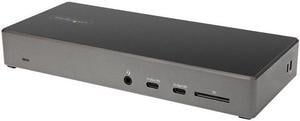
StarTech.com USB C Dock - Triple 4K Monitor USB Type-C Docking Station - 100W Power Delivery - DP 1.4 Alt Mode & DSC, 2 x DisplayPort 1.4/HDMI 2.0 - 6 x USB (2 x 10Gbps), SD - DK31C2DHSPD
- Compatibility: Windows 10 / Windows 8.1 / Chrome OS 78.x
- Thunderbolt 3: Yes
- Ports Spec: 1 x USB Type-C 3.0 (Fast-Charge, 24 pin) 2 x USB Type-A 3.1 (9 pin, Gen 1, 5 Gbps) 2 x USB Type C 3.1 (10 pin, Gen 2, 10 Gbps) 2 x USB Type-A 2.0 (4 pin) 2 x DisplayPort 1.4 1 x HDMI 2.0 1 x SD / MMC Slot 1 x RJ-45 1 x 3.5 mm Stereo Audio
- Dimension: 1.20" x 8.30" x 3.50"
- Model #: DK31C2DHSPD
- Item #: N82E16834977808
- Return Policy: Standard Return Policy
$250.99
$1.99 Shipping
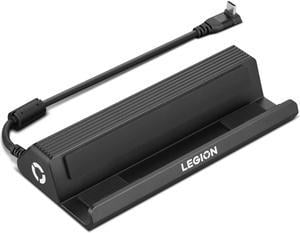
Lenovo Legion Go USB-C Dock, For Gaming
- Brand: Lenovo
- Model: GX91P83696
- Part Number: GX91P83696
- Color: Black
- Model #: GX91P83696
- Item #: 9SIAXCYKBV0678
- Return Policy: View Return Policy
$92.99
Free Shipping
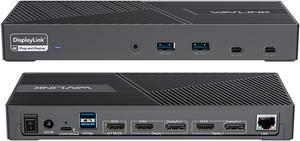
Wavlink DisplayLink Laptop Docking Station Triple Monitor 4K@60Hz, 100W Charging For Thunderbolt 3/4, New MacBook Neo, M1 M2 M3 Mac/Windows/Chrome, 3 HDMI, 2 DP, 6 USB Ports, 160W Power, LAN,Audio
- Compatibility: Perfect for laptops with USB 3.1 full-function type c port or thunderbolt 3/4 port. Support Windows 11/10/8.1/8/7; Mac OS 10.14-13.x and latest, Chrome OS, Ubuntu 20.04, 22.04, Android and Harmony OS. Unsupported with Unix systems, Linux and iPad OS. (Follow the instructions to download the latest DisplayLink drivers before use.)
- Ports Spec: 3 x HDMI (HDMI2.0) + 2 x DP (DP1.2), supports up to triple 4K@60Hz resolution display Supports USB Power delivery(PD3.0) up to 100W upstream Charging to a connected laptop Four USB3.1 Type-A (10G) and Two USB-C Gen2 (10G) ports to extend more connectivity to USB devices LAN port supports up to 1Gbps (10/100/1000Mbps),providing
- Dimension: Unit Size: 22.3x9.1x2.9cm/8.7x3.6x1.1in( L x W x H ) USB-C to C Cable Length: 100cm/39.4in...
- Model #: WL-UG69PD25 Pro
- Item #: 9SIC7HJM0A8392
- Return Policy: View Return Policy
$249.99
$269.99
Free Shipping
I am a Windows user but recently had to take up support for Apple MacBook's. I use three monitors to do my work\support and my new MacBook would not let me use the three monitors, just the MacBook screen and one external monitor. I tried just about everything and nothing worked. Someone told me about this Wavlink docking station, so I tried it and WOW, I was able to use all three monitors with little effort to get the dock to work with my MacBook and it also works with my Window's laptop, so now all I do is unplug one machine and plug in the other and I just get to work!! What a great dock, highly recommend!!
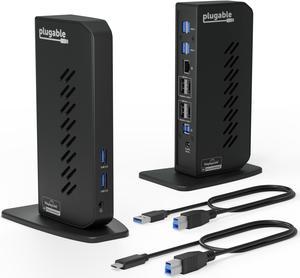
Plugable USB 3.0 and USB-C Dual 4K Display Docking Station with DisplayPort and HDMI for Windows and Mac (Dual 4K DisplayPort & HDMI, Gigabit Ethernet, Audio, 6 USB Ports) Vertical
- Compatibility: Windows 11, 10, 8.x, and 7 macOS 10.14+ ChromeOS 100+
- Ports Spec: HDMI 2.0 or DisplayPort, wired Gigabit Ethernet, 3.5mm combination audio jack, 6 x USB 3.0
- Parts: 2 Year Limited
- Labor: 2 Year Limited
- Model #: UD-6950Z
- Item #: 9SIADGEM1X4378
- Return Policy: View Return Policy
$213.22
$10.99 Shipping
- Multiple USB 3 Ports - Multiple Video Ports
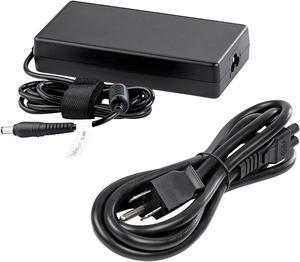
StarTech.com Replacement Universal AC/DC Power Adapter with NA Power Cord for Docking Stations DK30C2DPEP, DK30C2DPPD and DK31C3HDPD - 150W (19.5V/7.7A) 158-DOCKPOWERADAPTER
- Part Number: 158-DOCKPOWERADAPTER
- Compatibility: DK30C2DPEP, DK30C2DPPD, and DK31C3HDPD
- Model #: 158-DOCKPOWERADAPTER
- Item #: 9SIA7BBK358537
- Return Policy: View Return Policy
$81.75
$82.54
Free Shipping
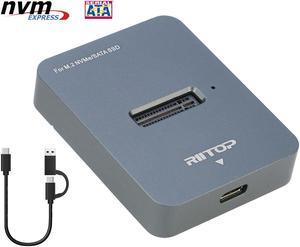
M.2 NVMe to USB C Docking Station, RIITOP External M.2 SSD to USB-C Reader Adapter for Both PCIe NVMe SSD M Key and B+M Key SATA-Based SSD
- Thunderbolt 3: Yes
- Model #: M2BM2DT
- Item #: 9SIAFMXHPJ6583
- Return Policy: View Return Policy
$35.99
Free Shipping
Able to boot from my old SSD, and clone it to a new one (using DiskGenius), when my new motherboard didn't support the old M.2 SSD's size. System was even pretty functional booted from the adapter.
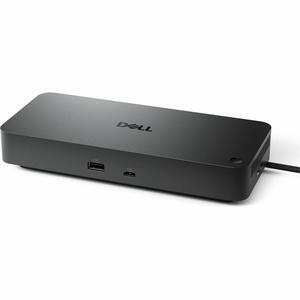
Dell Pro Dock WD25 - 130 W - USB Type C - 4 Displays Supported - 6x USB Ports - 4x USB Type-A Ports - USB Type-A - 2 x USB Type-C Ports - USB Type-C - 2 x DisplayPorts - 2.5 Gigabit Ethernet
- Brand: Dell
- Part Number: DELL-WD25
- Model #: DELL-WD25
- Item #: 9SIADGEKHG6523
- Return Policy: View Return Policy
$244.22
$10.99 Shipping
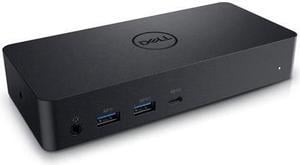
Dell Docking Station Universal Dock D6000 (FNVXM / 452-BCYT)
- Compatibility: Designed For Inspiron 14 7460, 15 Gaming 7567; Latitude 13 3379 2-in-1, 13 3380, 3189, 3480, 3580, 5280, 5285 2-in-1, 5289 2-In-1, 5480, 5580, 7280, 7480; Vostro 14 5468, 15 3568, 15 5568; XPS 13 9365 2-in-1 System Requirements OS Required Windows 7, 8, 8.1, 10 (32/64bit) or later System Requirement (Recommended) PC's equipped with USB3.0 or USB-C port DisplayLink Driver installation Refer user guide for details of system specs requirement
- Ports Spec: 1 x USB Type C 1 x display / video - HDMI 2 x display / video - DisplayPort 1 x USB host 3 x SuperSpeed USB 3.0 1 x SuperSpeed USB 3.0 with PowerShare 1 x USB Type C with PowerShare 1 x headphones / speakers
- Dimension: 1.20" x 3.10" x 6.60"
- Weight: 0.84 lb.
- Model #: DELL D6000
- Item #: 9SIA7BBHZ63393
- Return Policy: View Return Policy
$412.77
Free Shipping
Easy set up Compact size Works like a charm A plethora of ports. Arrived in a timely manner.
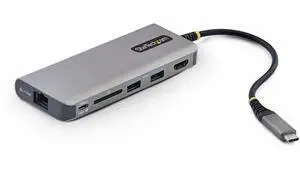
StarTech USB-C to HDMI Multiport Adapter with 140W PD Charging 4K 60Hz 3-Port USB 10Gbps Hub SD Card Slot Type-C Mini Dock 177BUSBCMULTIPORT
- Brand: StarTech
- Model #:
- Item #: 9SIAH2MM3J3821
- Return Policy: View Return Policy
$89.38
Free Shipping
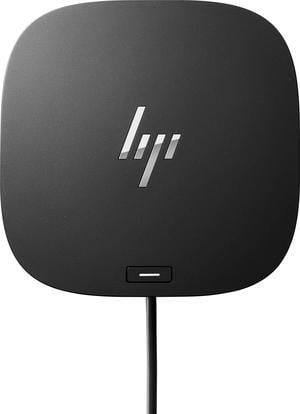
HP USB-C Dock G5 Docking Station (5TW10AA#ABA) – Dual 4K, USB-C, Power Delivery, Universal Business Laptop Dock
- Brand: HP
- Part Number: 5TW10AA#ABA
- Color: Black
- Compatibility: HP
- Model #: 5TW10AA#ABA
- Item #: 9SIA5SCM6A5647
- Return Policy: View Return Policy
$329.24
Free Shipping
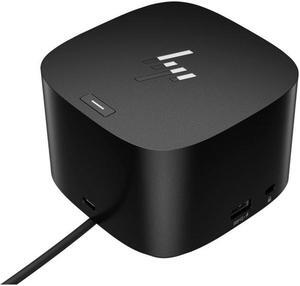
HP Thunderbolt Dock 120W G4 (4J0A2AA#ABA) Port Replicator
- Compatibility: HPINC
- Model #: 4J0A2AA#ABA
- Item #: 9SIADDZKJV7266
- Return Policy: View Return Policy
$314.27
$37.97 Shipping
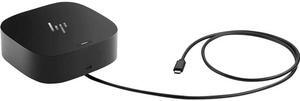
HP USB-C Dock G5 for Business for Notebook - USB Type C - 3 Displays Supported - Black - Wired - Ethernet - Windows 10, Windows 11, macOS, ChromeOS - 100W 5TW10AA
- Brand: HP
- Model: 5TW10AA
- Part Number: 5TW10AA#ABA
- Color: Black
- Model #: 5TW10AA
- Item #: 9SIADDZKJV7333
- Return Policy: View Return Policy
$214.27
Free Shipping
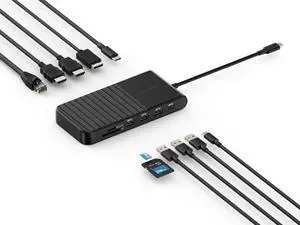
Kensington UH1510P USB C Hub 11-in-1 Triple Display with 2 HDMI 1 DP++, 85W Power Charging, Ethernet, SD/MicroSD Card Slots, 3xUSB-A, 2xUSB-C, USB C Dongle for Dell/HP/Lenovo/ThinkPad (K34040WW)
- Brand: Kensington
- Part Number: K34040WW
- Model #: K34040WW
- Item #: 9SIA7BBKHC8742
- Return Policy: View Return Policy
$136.75
Free Shipping
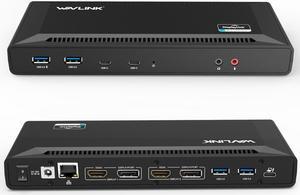
Wavlink USB C Laptop Docking Station Dual Monitor 5K/4K@60Hz with 65W Charging for New MacBook Neo, Thunderbolt 4/3, USB-C Windows, Mac, Chrome,Ubuntu 20.04,22.04(2HDMI, 2DP, 6 USB 3.0, 1Gbps Ethernet
- Compatibility: System Support: Windows11, 10, 8.1, 8, 7; macOS Ventura 13, Monterey 12, Big Sur 11, Catalina 10.15, Mojave 10.14; ChromeOS build R51 or later; Android 5 (Lollipop) onwards with USB OTG mode; Ubuntu 20.04, 22.04
- Ports Spec: 1x USB-C (USB3.1 Gen1) for host connection, supporting 65W Power Delivery to charging PC system 2x USB-C (USB3.1 Gen1) supporting 5V/0.9A with data transfer 5Gbps 1xUSB3.0 (Back) supporting BC1.2 fast-charging with data transfer 5Gbps 3x USB3.0 supporting 5V/0.9A with data transfer 5Gbps Separate 3.5 mm audio input and output jacks 1x RJ45 10/100/1000Mbps Ethernet...
- Model #: WL-UG69PD2-US
- Item #: 9SIC7HJM0A8393
- Return Policy: View Return Policy
$195.99
Free Shipping
had access to everything i plugged in. no heat problems, no hiccups!
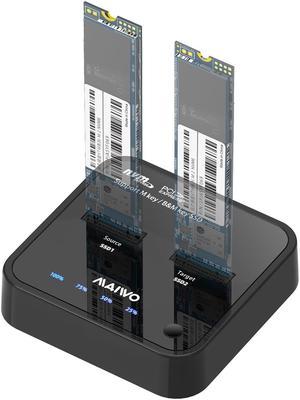
MAIWO M.2 Duplicator Cloner Dual-bay Offline NVMe Docking Station USB C to NVMe SSD Enclosure Aluminum M.2 Dock for PCIe M Key and M&B Key 2230/2242/2260/2280/22110mm Max 8TB 10Gbps
- Model #: K3016P
- Item #: 9SIB2HGFK33093
- Return Policy: View Return Policy
$89.99
Free Shipping
Always work efficiently.