



Meet Your Seller


Visit OWC Canada Store
FOLLOW
OWC 14-Port Thunderbolt Dock, 85W charging, (2) Thunderbolt 40 Gb/s (USB-C), (5) USB 3.2 Type-A, USB 3.2 (10Gb/s) Type-C, Mini DisplayPort, GbE, Audio, Single 5K or Dual 4K Displays, cable, For Mac/PC
- Thunderbolt certified for Windows and Mac
- Easily connect all of your peripherals
- 85W of notebook charging power
- Connect two 4K displays or one 5K display
- (5) USB 3.2 (5Gb/s) Type-A ports, (1) USB 3.2 (10Gb/s) Type-C port
- Thunderbolt cable included
- 2 Year OWC Limited Warranty
+
+
Overview
Specs
Reviews


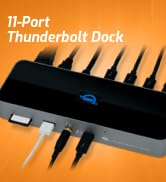




OWC 14-Port Thunderbolt Dock, 85W charging, (2) Thunderbolt 40 Gb/s (USB-C)
Power Delivery: Host Thunderbolt (USB Type-C) connection powers and charges notebook computers with up to 85W power; 2 High-Powered USB Type-A ports deliver 5Gb/s speed and up to 7.5W power to additional devices
Display Support: Up to one 5K display @ 60Hz, or two 4K displays @ 60Hz; Display Support by
Port: Thunderbolt
3: Up to 5K @ 60Hz via a native Thunderbolt 3 display or 4K @ 60Hz via a Thunderbolt display or a USB-C display adapter, Mini
DisplayPort 1.2: Up to 4K @ 60Hz
Import Fast: Up to 312MB/s, SD 4.0 UHS-II spec SD and microSD card reader slots to copy photos & movies from your media cards
Device Ports: (1) Host Port - Thunderbolt 3/4 (USB-C) up to 40 Gb/s (5000 MB/s) (backward compatible with Thunderbolt 2/Thunderbolt); (1) Thunderbolt 3 (USB-C) Port; (1) USB 3.2 Gen 2Type-C Port up to 10Gb/s (1250MB/s); (5) USB 3.2 Gen 1 Type-A Ports up to 600MB/s; (1) Mini-DisplayPort Port; (1) Gigabit Ethernet (GbE) RJ-45 Port; (1) S/PDIF Digital Audio Output Port; (1) 3.5 mm Stereo Audio Input/Output Combo Port; (1) microSD; (1) Secure Digital (SD)
Compatible with PC, Notebook, Desktop, or Tablet equipped with Thunderbolt (USB-C) Port; Thunderbolt certified for Windows and Mac; Thunderbolt cable included; 2 Year OWC Limited Warranty
Power Delivery: Host Thunderbolt (USB Type-C) connection powers and charges notebook computers with up to 85W power; 2 High-Powered USB Type-A ports deliver 5Gb/s speed and up to 7.5W power to additional devices
Display Support: Up to one 5K display @ 60Hz, or two 4K displays @ 60Hz; Display Support by
Port: Thunderbolt
3: Up to 5K @ 60Hz via a native Thunderbolt 3 display or 4K @ 60Hz via a Thunderbolt display or a USB-C display adapter, Mini
DisplayPort 1.2: Up to 4K @ 60Hz
Import Fast: Up to 312MB/s, SD 4.0 UHS-II spec SD and microSD card reader slots to copy photos & movies from your media cards
Device Ports: (1) Host Port - Thunderbolt 3/4 (USB-C) up to 40 Gb/s (5000 MB/s) (backward compatible with Thunderbolt 2/Thunderbolt); (1) Thunderbolt 3 (USB-C) Port; (1) USB 3.2 Gen 2Type-C Port up to 10Gb/s (1250MB/s); (5) USB 3.2 Gen 1 Type-A Ports up to 600MB/s; (1) Mini-DisplayPort Port; (1) Gigabit Ethernet (GbE) RJ-45 Port; (1) S/PDIF Digital Audio Output Port; (1) 3.5 mm Stereo Audio Input/Output Combo Port; (1) microSD; (1) Secure Digital (SD)
Compatible with PC, Notebook, Desktop, or Tablet equipped with Thunderbolt (USB-C) Port; Thunderbolt certified for Windows and Mac; Thunderbolt cable included; 2 Year OWC Limited Warranty
Warranty & Returns
Warranty, Returns, And Additional Information
Warranty
- Please contact the Seller directly for warranty information. Warranty information may also be found on the Manufacturer's website.
- Read full details
- CONTACT
Return Policies
- Return for refund within: 30 days
- Return for replacement within: 90 days
- This item is covered by OWC Canada Return Policy
Manufacturer Contact Info
- For a directory of all our manufacturers, please click below.
- Manufacturers Directory
LOADING...
The OWC 14-Port Thunderbolt Dock is a desktop docking station for Mac and PC users who want to connect many peripherals, charge a notebook at up to 85W, and run one 5K or two 4K displays through a Thunderbolt setup.
Recommended For
- Laptop users building a mostly fixed desk setup who want one Thunderbolt cable to connect peripherals, wired Ethernet, audio, displays, and notebook charging. ([owc.com](https://www.owc.com/solutions/thunderbolt-3-dock-14-port?utm_source=openai))
- Mac or Windows laptop users with Thunderbolt 3 who need a desk setup for one 5K display or two 4K displays, subject to the laptop’s own display support. ([owc.com](https://www.owc.com/solutions/thunderbolt-3-dock-14-port?utm_source=openai))
- Users with several USB-A peripherals—such as keyboards, mice, and external drives—who also want a faster USB-C port and card-reader access on the same dock. ([macworld.com](https://www.macworld.com/article/668015/owc-thunderbolt-3-dock-review.html?utm_source=openai))
- Notebook users whose charging needs fit the dock’s 85W host-power delivery and who want to reduce the number of cables connected to the laptop. ([macworld.com](https://www.macworld.com/article/668015/owc-thunderbolt-3-dock-review.html?utm_source=openai))
Real-World Use Scenarios
- At a home or office desk, a laptop user connects the dock once to bring up a monitor, wired network, USB accessories and charging, then disconnects one cable to leave. This reduces repeated plugging and unplugging of individual devices.
- For a desk setup with multiple screens, a user connects one 5K display or two 4K displays while keeping other peripherals attached to the dock. The laptop can serve as a more spacious work or editing station, provided its operating system and graphics hardware support the chosen display setup.
- At a workstation with a mix of older USB-A accessories and newer USB-C or Thunderbolt devices, the dock serves as a shared connection point for items such as a keyboard, mouse, external drive and display. This can reduce the need to swap adapters when moving a compatible laptop between desks.
- In a home office with unreliable or busy Wi-Fi, a user connects the laptop to the router through the dock’s Gigabit Ethernet port. The computer can use a wired network connection while the dock remains attached to desk peripherals.
- After a photo or video shoot, a creator can connect compatible camera media and external storage at the desk, then copy files while using a larger display and other editing peripherals. The dock helps consolidate those connections, though transfer times depend on the media, drive and workflow.