
Your Browsing History
BEST SELLERS


BEST SELLERS
In Docking Station
Our most popular products, based on sales and updated frequently.Shop Department
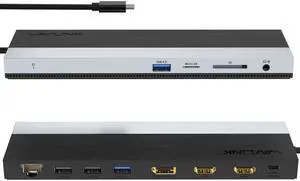
Wavlink USB-C Docking Station Triple Display Max 4K@60Hz with DisplayPort, 2xHDMI, PD, 85W Charging for PC, 2xUSB 3.0, 2x2.0, Gigabit Ethernet, SD/TF Slot, Audio Jack For Windows&Mac etc
- Part Number: 1x USB-C to Host with integrated cable 50cm length 2 x HDMI 2.0 1 x DisplayPort 1.4 1x USB-C supports PD 100W IN 2x USB-A 5Gbps 2x USB-A 480Mbps 1x Gigabit Ethernet 1x SD/Micro SD 3.0 1x Combo Audio 1x LED light Indicator
- Compatibility: Suitable for your thunderbolt 3/4 laptops or devices with full-featured type-c port(support charging and video output). Works with MacBook Pro/Air 2021/2020/2019/2018/2017/2016, iMac/ iMac Pro, Google Chromebook Pixel, Huawei MateBook Pro, Dell, Surface Book 2, HP, Lenovo, etc.
- Ports Spec: PD3.0 supports up to 85W Pass Through Charging, 2 x USB3.0 A port speed up to 5Gbps, 2 x USB2.0 A port speed up to 480Mbps, 2 x HDMI (2.0), 1 x DisplayPort (1.4), Integrated TRRS 4-pole phone jack, SD/Micro SD V3.0 Card Reader slot, 1x RJ45 10/100/1000Mbps Ethernet, 1x LED Power Indicator
- Parts: 1 Year...
- Model #: WL-UMD08
- Item #: 9SIC7HJM0A8391
- Return Policy: View Return Policy
$64.99
$99.99
Free Shipping
much more affordable than name brand docking stations supports 4k resolution easy to setup lightweight more ports than I will ever need I didnt need to install drivers to use and was able to use right out of the box
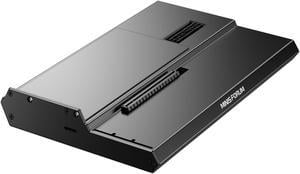
MINISFORUM DEG1 External GPU Docking Station, Mini eGPU Enclosure for RTX 4090, AMD RX 7900 XTX, Support ATX/SFX Standard Power Supplies, PCIe4.0x4 Expansion Interface Oculink Graphics Docking Station
- Model #: DEG1
- Item #: 9SIBZWDKEU5709
- Return Policy: View Return Policy
$155.00
Free Shipping
- It's worked flawlessly for the 2 months I've had it so far. Used with an RTX 5080 and RTX 5090 for long running workloads.
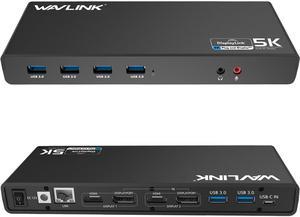
Wavlink Dual 4K Display Laptop Docking Station Single 5K/Dual 4K @60Hz USB 3.0 and USB-C Dual Monitor Docking Station With 2 x HDMI, 2 DP, Gigabit Ethernet, 6 x USB 3.0, Audio, Mic, For Windows/Mac
- Part Number: - 6 x SuperSpeed USB 3.0 ports - 2 x 4K DisplayPorts - 1 x Audio out - 1 x USB-C in - 2 x 4K HDMI - 1 x Mic in - 1 x Gigabit Ethernet - 1 x 5k (DisplayPort + DisplayPort)
- Compatibility: This laptop docking stations compatibility with Apple M1/M2 and Intel Macs (with macOS 10.14 or later) .Support Windows 11, 10, 8.x, and 7 with driver installation.Surface RT, Linux/Unix are not supported. (see Display Link website for more details).Docking station is suggested for use with web and productivity software; not recommended...
- Model #: WS-UG69DK1
- Item #: 9SIC7HJM0A8412
- Return Policy: View Return Policy
$165.99
Free Shipping
- Price is better than most for the features - No noise - Very easy setup right out of the box - Incredible amount of USB ports - No speed variance
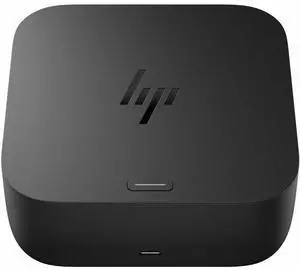
HP USB-C 100W G6 Dock 9X3V1U 9X3V1UTABA
- Brand: HP
- Model #:
- Item #: 9SIADGEKPH1076
- Return Policy: View Return Policy
$185.55
$10.99 Shipping
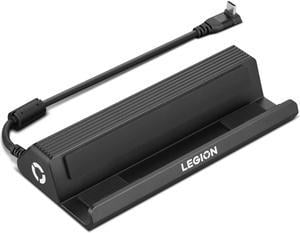
Lenovo Legion Go USB-C Dock, For Gaming
- Brand: Lenovo
- Model: GX91P83696
- Part Number: GX91P83696
- Weight: 1.00 lbs
- Model #: GX91P83696
- Item #: 9SIAXCYKBV0678
- Return Policy: View Return Policy
$53.99
$92.99
Free Shipping
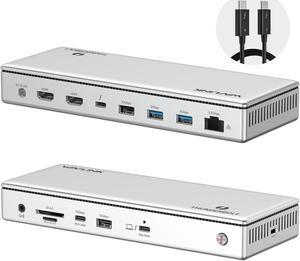
WAVLINK Thunderbolt 4 Docking Station, Single 8K, Triple 4K Display, 13 In 1 Laptop Dock for TBT 4/3 Mac & TBT 4 Windows PC, 40 Gbps with Max 96W Charging for Laptop with 2.5G RJ45
- Brand: Wavlink
- Part Number: Front Panel: 1x 4-Pole Phone Jack; SD/TF Card Slots(312MB/s), 1x USB-C(10Gbps, PD 30W), 1x USB-A 10Gbps, 1x Thunderbolt 4 Host(40Gbps, 96W); Rear Panel: 1x DC IN (20V/8A, 160W); 2x 8K HDMI; 1x Thunderbolt 4 Downstream(8K, 40Gbps, 15W); 1x USB-A 10Gbps; 2x USB-A 5Gbps; 1x RJ45(2500Mbps)
- Color: Silver
- Compatibility: Compatible Systems -Thunderbolt 4 PC running Windows 10/11. -Thunderbolt 3/4 Mac running Mac OS 11 or later. -Compatible with Other USB4 and MFDP Hosts (Full-functional USB-C, supports DisplayPort+USB3.1+Power Delivery)
- Model #: WL-UTD45
- Item #: 9SIC7HJM0C0939
- Return Policy: View Return Policy
$249.99
Free Shipping
I have been using this product for about ten days. The overall experience is very good. Before I bought this product, when my MacBook was connected to the monitor, I would feel that some of it would not run smoothly. But now the speed of the computer has increased significantly. It has many interfaces, usb type-C DP and so on. It is very convenient to use.
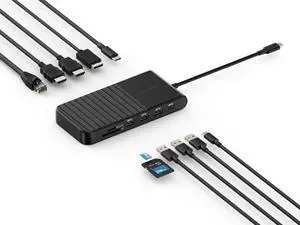
Kensington UH1510P USB C Hub 11-in-1 Triple Display with 2 HDMI 1 DP++, 85W Power Charging, Ethernet, SD/MicroSD Card Slots, 3xUSB-A, 2xUSB-C, USB C Dongle for Dell/HP/Lenovo/ThinkPad (K34040WW)
- Brand: Kensington
- Part Number: K34040WW
- Model #: K34040WW
- Item #: 1DN-0015-002C1
- Return Policy: Standard Return Policy
$129.99
Free Shipping
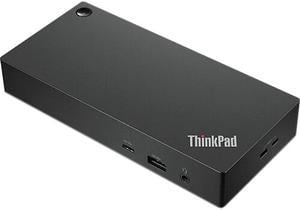
Lenovo ThinkPad Universal USB-C Dock
- Part Number: 40AY0090US
- Weight: 0.74 lbs
- Function: Internet Tablet
- Model #: 40AY0090US
- Item #: 9SIC1TEKJ89669
- Return Policy: View Return Policy
$229.00
$13.99 Shipping
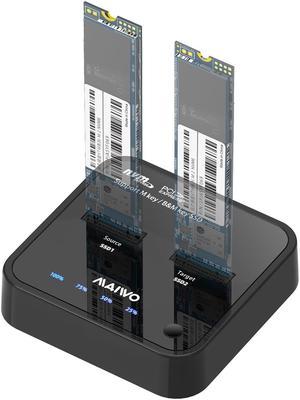
MAIWO M.2 Duplicator Cloner Dual-bay Offline NVMe Docking Station USB C to NVMe SSD Enclosure Aluminum M.2 Dock for PCIe M Key and M&B Key 2230/2242/2260/2280/22110mm Max 8TB 10Gbps
- Model #: K3016P
- Item #: 9SIB2HGFK33093
- Return Policy: View Return Policy
$89.99
Free Shipping
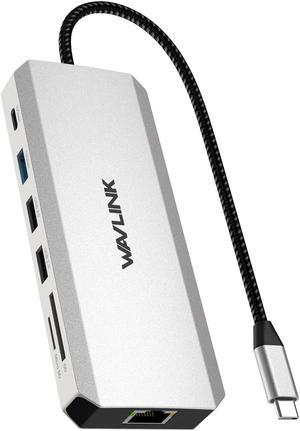
WAVLINK Laptop Docking Station USB C Hub Triple Monitor with 4K HDMI, Dual 8K DP, 100W PD, 10Gbps USB3.1, USB2.0, RJ45, SD/TF Slots, Audio/Mic for MacBook/Dell/HP/Lenovo
- Part Number: 1x USB-C(PD IN,100W), 1x HDMI (4K@60Hz), 2x DisplayPort(8K@30Hz), 1x 2.5G RJ45, 1xUSB3.1-A(10Gbps), 1xUSB3.1-C(10Gbps), 2 x USB2.0-A(480Mbps), 1x SD Card Slot, 1x TF Card Slot, 1 x Audio/Mic Port
- Compatibility: Widely compatible with Windows 11/10/8.1/8/7, Mac OS, Chrome OS, Linux, iPad OS, Harmony OS, Android with OTG function, iOS. Suitable for your Thunderbolt 3/4 laptops or devices with USB-C port that supports charging and video output(Check the details page or contact our customer service to see more compatible devices). No
- Weight: 0.27Lbs
- Content: 1 x USB-C Triple Display MST Docking Station 1 x Quick start guide
- Model #: WL-UMD306
- Item #: 9SIC7HJM0C0928
- Return Policy: View Return Policy
$79.99
Free Shipping
Small, light, lots of connections, it works.
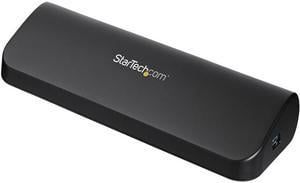
StarTech.com USB3SDOCKHDV USB 3.0 Docking Station, Compatible with Windows / macOS, Supports Dual Displays, HDMI / DVI / VGA (USB3SDOCKHDV) by StarTech.com.com
- Compatibility: Windows 8 (32/64-bit), 7 (32/64), Vista (32/64), XP SP3 (32/64), Windows Server 2008 R2, 2003 (32/64)
- Ports Spec: 1 x DVI-D (25 pin) Female 1 x HDMI (19 pin) Female 1 x RJ-45 Female 1 x USB 3.0 B (9 pin; SuperSpeed) Female 1 x VGA (15 pin; High Density D-Sub) Female 2 x 3.5 mm Mini-Jack (3 Position) Female 3 x USB 3.0 A (9 pin; SuperSpeed) Female
- Dimension: 12.00" x 7.00" x 1.70" (L x W x H)
- Weight: 0.64 lb.
- Model #: USB3SDOCKHDV
- Item #: 9SIAH2MKX90894
- Return Policy: View Return Policy
$120.10
Free Shipping
I've installed several of these units and have had zero problems. Like another mentioned, it's important to install drivers BEFORE connecting the unit. The video portion works great, giving an extended or mirrored desktop to your laptop.
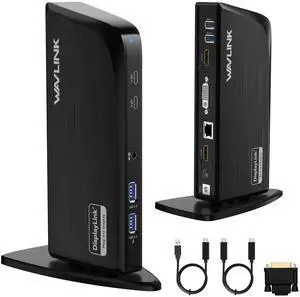
WAVLINK Laptop Docking Station, USB C to 3 Monitors with 4K@60Hz HDMI, 2K HDMI/DVI, 6X 5Gbps USB A/C Ports, Gigabit Ethernet for MacBook & Windows Laptops, Compatible with New MacBook Neo
- Brand: Wavlink
- Part Number: Front: 2×USB-C (5Gbps); Audio Jack; 2×USB-A (5Gbps); Rear: 2×USB-A (5Gbps); 2K HDMI Port; 2K DVI Port; RJ45 Gigabit Ethernet Port; 4K HDMI Port; USB-C Host; Power Port
- Color: Black
- Compatibility: ? Windows 7/8.1/10/11/Vista ? Mac OS 10.15-13.x and latest ? Android v5.0 or later with USB OTG cable ? Ubuntu 20.04, 22.04; Chrome OS
- Model #: WL-UG39DK10
- Item #: 9SIC7HJM0C0903
- Return Policy: View Return Policy
SOLD OUT
Sold Price: $149.99
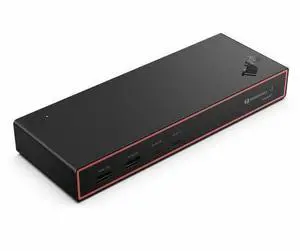
Lenovo ThinkPad Thunderbolt 4 Smart Dock Gen2 7500 - US - for Notebook, Display Screen, Monitor - Charging Capability - 135 W - Thunderbolt 4 - 4 Displays Supported (40BE0135US)
- Brand: Lenovo
- Part Number: 40BE0135US
- Color: Multicolor
- Compatibility: Notebook, Display Screen, Monitor
- Model #: 40BE0135US
- Item #: 9SIAXCYM129256
- Return Policy: View Return Policy
$339.99
$499.99
Free Shipping
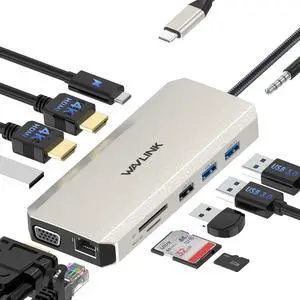
WAVLINK USB C Docking Station Triple Display With 2 HDMI, VGA, Ethernet,100W PD Charging, 5 USB, Gigabit Ethernet, SD/TF Card Reader,Audio Dell HP Surface Lenovo MacBook Laptop
- Part Number: 1x USB-C(PD IN,100W), 1x HDMI1 (4K@30Hz), 1x HDMI2 (4K@60Hz), 1x VGA(1080P), 1x Gigabit RJ45, 2xUSB3.0-A(5Gbps), 2 x USB2.0-A(480Mbps), 1x SD Card Slot, 1x TF Card Slot, 1 x Audio/Mic Port
- Compatibility: for MacBook, MacBook Pro 2016/2017/2018/2019/2020, iMac/ iMac Pro (21. 5 inch, 27 inch), Google Chromebook Pixel, Huawei MateBook, Huawei MateBook Pro, Dell, Surface Book2, HP, Lenovo, and Samsung S9, S9 Plus, S8, S8 Plus, Note 9, Note 8, Huawei New version phones and many other type-c port of full function
- Ports Spec: 2x 4K HDMI, 1x 2K VGA Port, 1000M RJ45 Ethernet Port, Type C PD 3. 0 charging port, 2x USB 3. 0 Ports, 2x USB 2. 0 Ports,3.5mm Audio Jack, and SD & TF card reader
- Weight: 3.0oz
- Model #: WL-UMD301
- Item #: 9SIC7HJM0C0941
- Return Policy: View Return Policy
$64.99
Free Shipping
Compact for use on the go or on your normal desk Works with Windows, Mac, and Chrome Nice variety of ports Pass-through charging is really helpful True one-connector docking
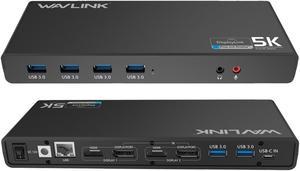
Universal 5K USB Laptop Docking Station,For Both USB C/A, USB 3.0 4K@60Hz Dual Video Docking Station 2 X HDMI, 2 x DisplayPort, Gigabit Ethernet, 6 x USB 3.0, Audio, Mic, For Windows & Mac
- Model #: WL-UG69DK1-4PX-New
- Item #: 9SIC7HJM0A8397
- Return Policy: View Return Policy
$164.99
Free Shipping
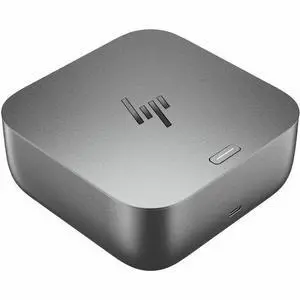
HP Thunderbolt 4 100W G6 Dock - for Desktop PC, Notebook - Charging Capability - 120 W - Thunderbolt 4 - 4 Displays Supported - 5 x USB Ports - 3 x USB Type-A Ports - USB Type-A - 2 x USB Type-C Ports
- Brand: HP
- Model: G6
- Part Number: 9X472UT#ABA
- Ports Spec: 5
- Model #: 9X472UT#ABA
- Item #: 9SIADGEKHV9455
- Return Policy: View Return Policy
$211.55
$18.99 Shipping
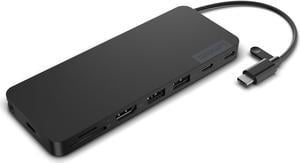
Lenovo USB-C Slim Travel Dock
- Brand: Lenovo
- Model: 4X11N40213
- Part Number: 4X11N40213
- Weight: 1.00 lbs
- Model #: 4X11N40213
- Item #: 9SIAXCYK8H6778
- Return Policy: View Return Policy
$77.99
$99.99
Free Shipping
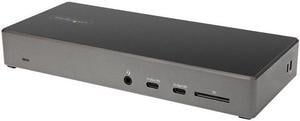
StarTech.com USB C Dock - Triple 4K Monitor USB Type-C Docking Station - 100W Power Delivery - DP 1.4 Alt Mode & DSC, 2 x DisplayPort 1.4/HDMI 2.0 - 6 x USB (2 x 10Gbps), SD - DK31C2DHSPD
- Brand: StarTech.com
- Color: Black & Space Gray
- Compatibility: Windows 10 / Windows 8.1 / Chrome OS 78.x
- Thunderbolt: Yes
- Model #: DK31C2DHSPD
- Item #: N82E16834977808
- Return Policy: Standard Return Policy
$256.99
$1.99 Shipping
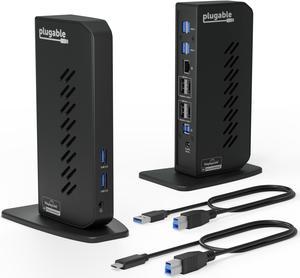
Plugable USB 3.0 and USB-C Dual 4K Display Docking Station with DisplayPort and HDMI for Windows and Mac (Dual 4K DisplayPort & HDMI, Gigabit Ethernet, Audio, 6 USB Ports) Vertical
- Compatibility: Windows 11, 10, 8.x, and 7 macOS 10.14+ ChromeOS 100+
- Ports Spec: HDMI 2.0 or DisplayPort, wired Gigabit Ethernet, 3.5mm combination audio jack, 6 x USB 3.0
- Parts: 2 Year Limited
- Labor: 2 Year Limited
- Model #: UD-6950Z
- Item #: 9SIADGEM1X4378
- Return Policy: View Return Policy
$203.22
$213.22
$10.99 Shipping
- Multiple USB 3 Ports - Multiple Video Ports
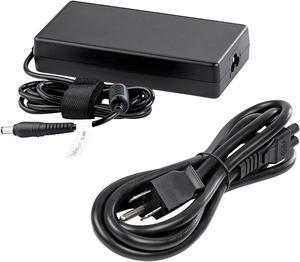
StarTech.com Replacement Universal AC/DC Power Adapter with NA Power Cord for Docking Stations DK30C2DPEP, DK30C2DPPD and DK31C3HDPD - 150W (19.5V/7.7A) 158-DOCKPOWERADAPTER
- Part Number: 158-DOCKPOWERADAPTER
- Compatibility: DK30C2DPEP, DK30C2DPPD, and DK31C3HDPD
- Model #: 158-DOCKPOWERADAPTER
- Item #: 9SIA7BBK358537
- Return Policy: View Return Policy
$82.54
Free Shipping