
Your Browsing History
BEST SELLERS


BEST SELLERS
In Computer Case
Our most popular products, based on sales and updated frequently.Shop Department
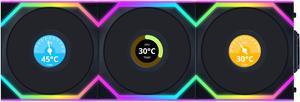
Lian Li UNI Fan SL LCD Wireless (Reverse Blade) 120mm ARGB Fan - Triple Pack - 1.6" LCD Display - 2.4 GHz Wireless Signal for RGB & Fan Control - Controller Included & Required - Black(12RSLLCD1W3B)
- Type: Case Fan
- Color: Black
- Model #: 12RSLLCD1W3B
- Item #: 1YF-005G-000H4
- Return Policy: International Order Return Policy
$159.99
$184.99
Free Shipping
Their choice to opt of of a connector and rely on a sata powered connector is amazing and makes cable management a breeze. L connect is an easy to use software.
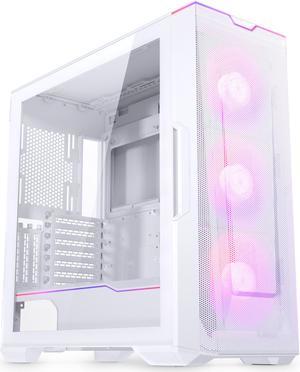
Phanteks Eclipse G500A DRGB, High Performance Mid-Tower Case, Mesh Front Panel, Integrated D/A-RGB Lighting, Tempered Glass Window, 3x M25-140 D-RGB Fans, Matte White
- Motherboard Compatibility: ATX, micro-ATX, mini-ITX, E-ATX (up to 280mm wide)
- Front Ports: 2 x USB 3.0, USB-C Gen 2, 1 x Audio, Power Button, D-RGB Mode, D-RGB color
- Brand: Phanteks
- Color: Matte White
- Model #: PH-EC500GA-DMW01A
- Item #: N82E16811854121
- Return Policy: Standard Return Policy
$99.99
$209.99
$19.99 Shipping
Great cable management. There is plenty of room for large builds. Optional vertical mount for gpu is a plus. Lots of airflow. Had no issues with build.
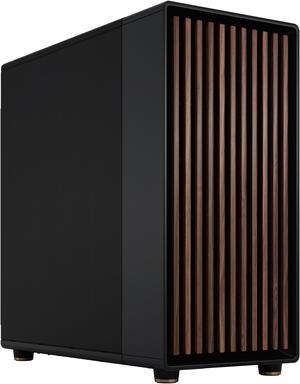
Fractal Design North XL ATX mATX Mid Tower PC Case - Charcoal Black Chassis with Walnut Front and Mesh Side Panel - FD-C-NOR1X-01
- Motherboard Compatibility: ATX / E-ATX / Micro ATX / Mini ITX
- Front Ports: Front I/O features two USB 3.0, one USB 3.2 Gen 2x2 Type-C, and headphone/mic jacks
- Power Supply Mounted: Bottom
- Brand: Fractal Design
- Model #: FD-C-NOR1X-01
- Item #: N82E16811352215
- Return Policy: Standard Return Policy
$259.99
$19.99 Shipping
- Lots of space internally. - Amazing airflow. - Dead quiet operation.
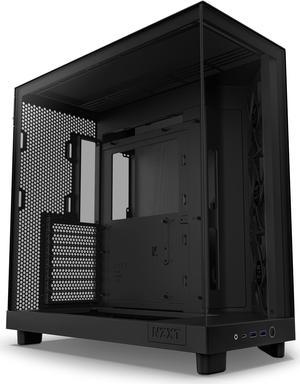
NZXT H6 FLOW Compact Dual-Chamber Mid-Tower Airflow Case, Black, CC-H61FB-01
- Motherboard Compatibility: ATX / Micro ATX / Mini ITX
- Front Ports: 2 x USB 3.2 Gen 1 Type-A, 1 x USB 3.2 Gen 2 Type-C, 1 x Audio,
- Brand: NZXT
- Color: Black
- Model #: CC-H61FB-01
- Item #: N82E16811146357
- Return Policy: Standard Return Policy
$119.99
$169.99
$14.99 Shipping
Very low Temperatures, Easy to build in, SOLID materials, Great Price
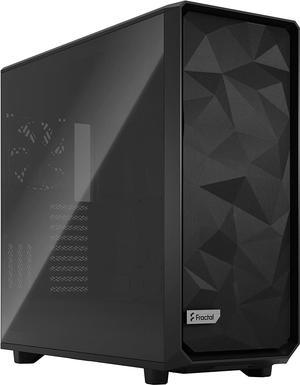
Fractal Design Meshify 2 XL Black ATX Flexible Light Tinted Tempered Glass Window Full Tower Computer Case
- Motherboard Compatibility: E-ATX / ATX / mATX / mITX / EE-ATX / SSI-CEB / SSI-EEB
- Front Ports: 3 front USB ports including one USB 3.2 Gen 2x2 Type-C
- Power Supply Mounted: Bottom
- Brand: Fractal Design
- Model #: FD-C-MES2X-02
- Item #: N82E16811352137
- Return Policy: Standard Return Policy
$309.99
$19.99 Shipping
- Great size - Wire management lanes are nicely positioned - Great airflow - A lot of room for many fan configurations
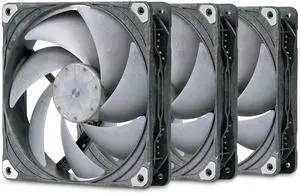
Phanteks T30-140 Triple-Pack, 140mm Premium High-Performance PWM Fan, Industrial Grade LCP Frame & Blades, 3-Mode Speed Switch, Unmatched Airflow for PC Cases & Radiators, Black/Grey
- Brand: Phanteks
- Fan Size: 140mm
- LED: Non-LED
- Type: Case Fan
- Model #: PH-F140T30_BG_3P
- Item #: N82E16835709319
- Return Policy: Standard Return Policy
$149.99
$6.99 Shipping
I have used the T30 120 for years on my watercooled builds for radiators and and for air cooling . I expect these to work as great as the 120s . Happy to finally have them in 140s so I can upgrade to the 420 mm radiators for my upgrade build Lian li 011 evo XL Msi Meg X870e Godlike Amd 9950x3d Msi RTX 5090 Suprim SOC with alphacool gpu waterblock These T30 140 fans 2 Alphacool 45 mm 420 mm radiator 1 Corsair X5 420 mm radiator Alphcool water pump used for years great pump Optmus AM5 signature V3 cpu waterblock
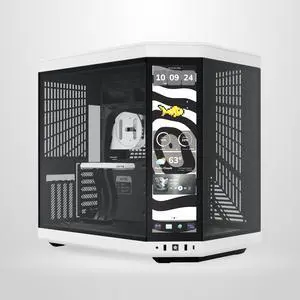
HYTE Y70 touch infinite Dual Chamber ATX Mid Tower Modern Aesthetic Case With Integrated 2.5K LCD Touchscreen - Panda
- Motherboard Compatibility: Micro ATX / ATX / ITX / E-ATX
- Front Ports: 1x Integrated 14.5"" 688 x 2560 (2.5K) 60Hz 5-Point Multi-Touch Display, 2x Front USB-A 3.2, 1x Front USB-C 3.2, 1x Audio/Mic Jack
- Brand: HYTE
- Series: Y70 TOUCH INFINITE
- Model #: CS-HYTE-Y70TTI-WB
- Item #: N82E16811737019
- Return Policy: Standard Return Policy
$439.99
$559.99
Free Shipping
This case is so spacious and the airflow is amazing. I appreciate being able to hide the cables in the back of the case. My build looks much cleaner than my last one. The glass panels allow you to see all your RGB parts well.
Lian Li UNI Fan SL Wireless 120mm ARGB Fan - Triple Pack - 2.4 GHz Wireless Signal for RGB & Fan Control - Customizable Lighting Effects - Controller Included & Required - Black (12SL1W3B)
- Brand: Lian li
- Fan Size: 120mm
- LED: ARGB
- Type: Case Fan
- Model #: 12SL1W3B
- Item #: 1YF-005G-000H3
- Return Policy: International Order Return Policy
$101.99
$119.99
Free Shipping
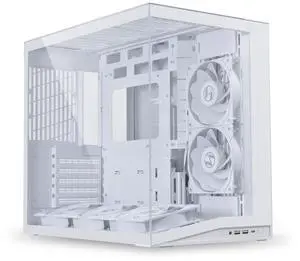
LIAN LI O11D MINI V2 Flow | Compact ATX Mid-Tower Airflow Computer Case | Panoramic View | High-Performance Airflow | Includes 5 x 120mm Reverse Blade Fans | Cable Management | White (O11DMIV2FW)
- Motherboard Compatibility: ATX (Back Connect) / Micro ATX / Mini ITX
- Front Ports: 2 x USB 3.0 1 x USB 3.2 Type C 1 x Audio 1 x Power Button
- Power Supply Mounted: Bottom
- Brand: LIAN LI
- Model #: O11DMIV2FW
- Item #: 2AM-000Z-000G1
- Return Policy: Standard Return Policy
$144.99
$59.99 Shipping
All the parts fit, was easy to install and the computer works like a dream! I love it!!
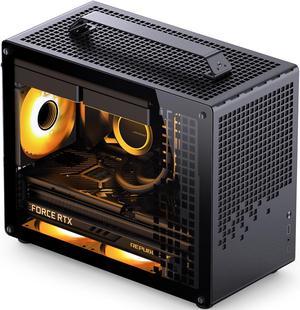
JONSPLUS Z20 BLACK Micro-ATX Computer Case,with Detachable Carrying handle , Mini Size, High-performance Hardware Compatible, Support 240AIO, H160mm Cooler, Black
- Motherboard Compatibility: Micro ATX / ITX / Mini ITX
- Front Ports: USB 3.2 Gen 1 Type-A:1 USB 3.2 Gen 2 Type-C:1 HP & Micr Audio Port x1
- Brand: JONSPLUS
- Color: Black
- Model #: Z20 BLACK
- Item #: 9SIAY3TKK28373
- Return Policy: View Return Policy
$132.88
Free Shipping
Great design for a small case
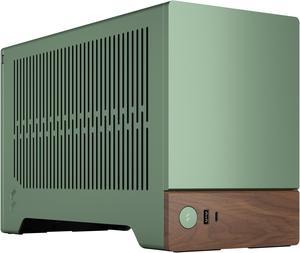
Fractal Design Terra Jade Mini-ITX Small Form Factor PC Case with PCIe 4.0 Riser
- Motherboard Compatibility: Mini ITX
- Front Ports: 1 x USB 3.2 Gen 2x2 Type-C, 1 x USB 3.0 Type-A,
- Power Supply Mounted: Rear
- Brand: Fractal Design
- Model #: FD-C-TER1N-03
- Item #: N82E16811352214
- Return Policy: Standard Return Policy
$279.99
$12.99 Shipping
Gorgeous form factor Thoughtful engineering for ATX builds
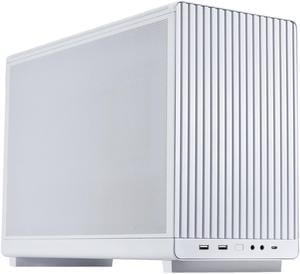
Lian Li A3-mATX PC Case - Micro ATX Case - Supports 360mm AIO Cooler & 415mm GPU - Sleek Front Panel - No Fans Included - White ------ A3-mATX-W
- Front Ports: 1 x Power Button, 2 x USB 3.0 Type-A, 1 x USB 3.1 Type-C, 2 x Audio,
- Brand: LIAN LI
- Model: A3- mATX White
- Color: White
- Model #: A3-mATX White
- Item #: 2AM-000Z-000D4
- Return Policy: Standard Return Policy
$99.99
$12.99 Shipping
When the panels are removed, this case is wide open and a piece of cake to install PS, MoBo, drives and cards. Cooling is not an issue, and it's deep enough to accept a full tower cooler, or a "C" style cooler, (C 140 from Noctua). I did not use an AIO liquid cooler, so you'll have to do your own homework on that.
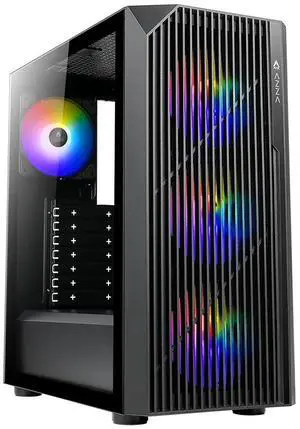
AZZA SOURCE CSAZ-203A02 Black Case
- Motherboard Compatibility: ATX / ITX / Micro ATX
- Front Ports: Power button,LED button, HD Audio, USB3.0 x 1, USB 2.0 x 1,Type C x1
- Power Supply Mounted: Bottom
- Brand: AZZA
- Model #: CSAZ-203A02
- Item #: N82E16811517081
- Return Policy: Standard Return Policy
$49.99
$34.99 after $15.00 rebate
$14.99 Shipping
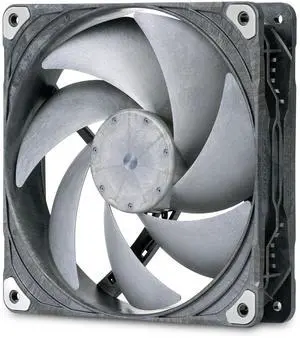
Phanteks T30-140, 140mm Premium High-Performance PWM Fan, Industrial Grade LCP Frame & Blades, 3-Mode Speed Switch, Unmatched Airflow for PC Cases & Radiators, Black/Grey
- Brand: Phanteks
- Fan Size: 140mm
- LED: Non-LED
- Type: Case Fan
- Model #: PH-F140T30_BG
- Item #: N82E16835709318
- Return Policy: Standard Return Policy
$59.99
$4.99 Shipping
- Adjustable speed with a toggle (Hybrid, Performance, Extreme). - At similar speed as the Noctua, they are bit less noisy.
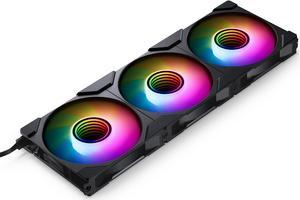
Phanteks M25-120 Gen2 Triple Pack, 3x 120mm ARGB High Performance Cooling Fans, Daisy-chain Unified Fan Frame, Infinity Mirror hub, single cable connection, Black
- Brand: Phanteks
- Fan Size: 120mm
- LED: DRGB
- Type: Case Fan
- Model #: PH-F120M25_G2_DBK01_3P
- Item #: 9SIAX6DKD11137
- Return Policy: View Return Policy
$78.88
Free Shipping
Fan performance is great. Audio levels are good even at full speed The infinity hubs on the fan hub looks Phantastic, LOL Love the cable system and the way the fans can link together.
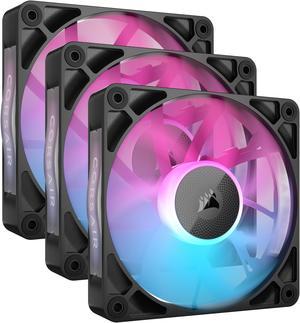
CORSAIR iCUE Link RX120 RGB 120mm PWM Fans with iCUE Link System Hub - Magnetic Dome Bearing - Triple Pack - Black
- Brand: Corsair
- Series: iCUE LINK
- Fan Size: 120mm
- LED: RGB
- Model #: CO-9051018-WW
- Item #: N82E16835181410
- Return Policy: Standard Return Policy
$131.99
$139.99
Free Shipping
These fans are quite and render true colors and easily controlled by the iCue app.
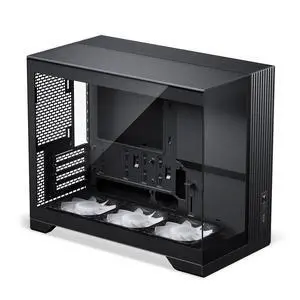
Phanteks XT V3, Compact Micro-ATX Gaming Chassis, Tempered Glass Front & Side, 3x 120mm D-RGB fans, 360mm Radiator Support, Black
- Motherboard Compatibility: Micro ATX / Mini ITX
- Brand: Phanteks
- Color: Black
- Case Material: Steel Chassis,?Tempered Glass Window, ABS plastic
- Model #: PH-XT325V_DBK01
- Item #: N82E16811854146
- Return Policy: Standard Return Policy
$89.99
$99.99
$14.99 Shipping
Great Cable Management, Small Footprint, Large GPU Support, Thought Out Design
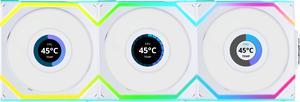
Lian Li UNI Fan SL LCD Wireless (Reverse Blade) 120mm ARGB Fan - Triple Pack - 1.6" LCD Display - 2.4 GHz Wireless Signal for RGB & Fan Control - Controller Included & Required - White(12RSLLCD1W3W)
- Type: Case Fan
- Color: White
- Model #: 12RSLLCD1W3W
- Item #: 1YF-005G-000H8
- Return Policy: International Order Return Policy
$159.99
$184.99
Free Shipping
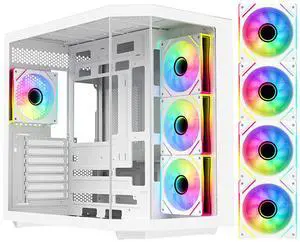
DIYPC ARGB-N3-W White USB3.0/ Type C Tempered Glass E-ATX /ATX Dual Chamber Gaming Computer Case w/ 3 x Tempered Glass Panel and 4 x ARGB PWM Fans (Pre-Installed).
- Motherboard Compatibility: ATX / E-ATX / Micro ATX / Mini-ITX
- Front Ports: 2 x USB 3.0 / 1 x Type C / Audio In & Out (HD)
- Power Supply Mounted: Top
- Brand: DIYPC
- Model #: ARGB-N3-W
- Item #: N82E16811353280
- Return Policy: Standard Return Policy
$94.99
$14.99 Shipping
White in color, so that it is easy to see screws and other parts when you drop them inside, making them easier to find and retrieve. Angled glass at the first corner from the main fan bank (3 fans), creating smoother airflow toward the CPU and GPU. Plenty of cold air intake grills so that all parts of the case receive airflow. Note: the 3 fan bank is in the "center" of the airflow, meaning the fans "pull" cold air from outside accross the back compartment holding the SSDs and PSU, while the motherboard is on the "push" side of the fan bank. Very well thought out design for air flow! Best I've used. Fan bank control panel design works well, allowing all fans speeds and LED colors to be controlled by a single power fan header and LED header on the motherboard. Sides of case have "captured" screws so they don't get lost when removing sides and working on the inside. Screen filters covering the air intake grills on the inside of the case are magnetic, making them easy to remove and clean periodically, especially so since remove the case sides is easy. The feet underneath the case that the unit stands on are taller than normal, allowing for two benefits: cables can (such as an HDMI or DP cable) routed below the case if needed, and air flow intake grills have more space to pull air. Sufficient room at the top of the case for liquid cooling bracket. Tempered glass seems very thick and durable.
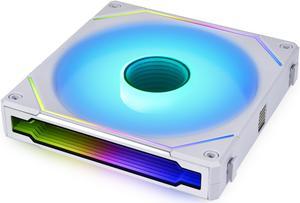
LIAN LI UNI FAN SL INFINITY 140 RGB WHITE ---UF-SLIN140-1W(No controller included)
- Type: Case Fan
- Color: White
- Fan Counts: 1 Fan
- Fan Controller: No Controller
- Model #: UF-SLIN140-1W
- Item #: 1YF-005G-000B4
- Return Policy: International Order Return Policy
$34.99
$41.99
Free Shipping
Very easy to setup and user friendly to new PC builders