• $57.57
  • Free 45-day Returns
Ships from China.
Price alert
Shop it at NeweggBusiness.

Meet Your Seller

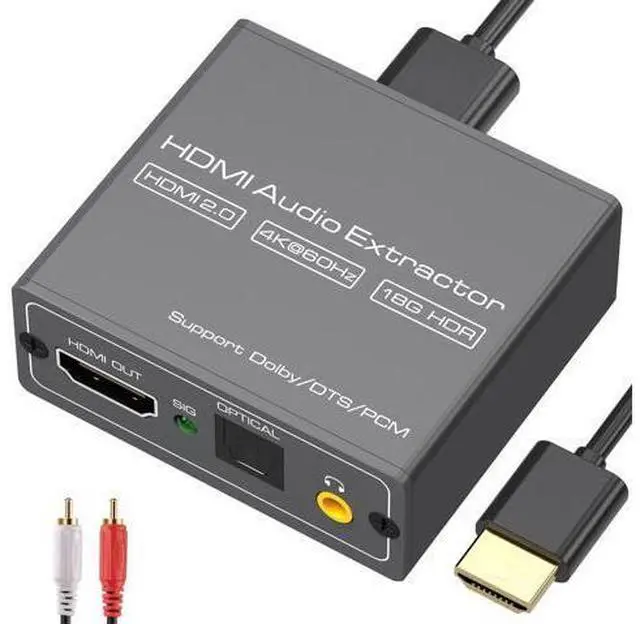
4K60Hz HDMI Audio Extractor Splitter Converter to Optical and 3.5mm and AUX Adapter Supports 2.0 and 18Gpbs Bandwidth Digital DTS PCM HDR10

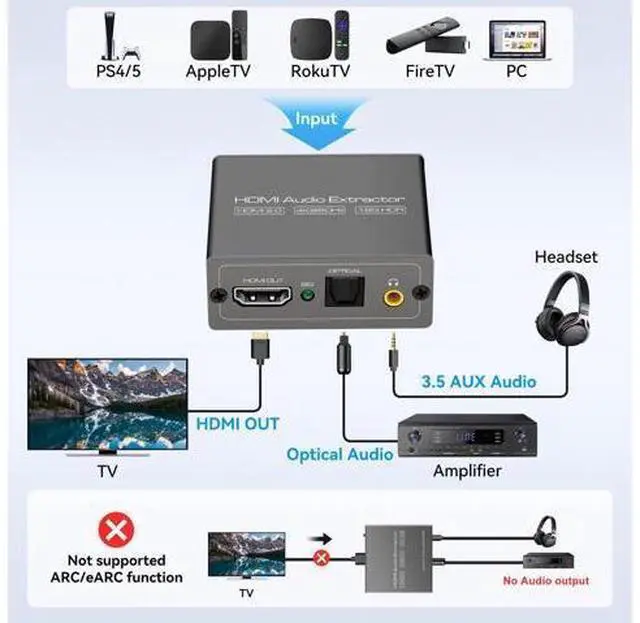
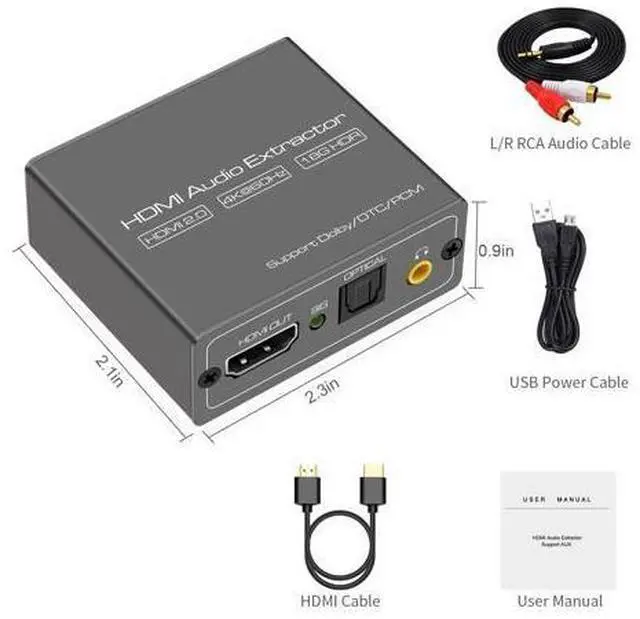
  • [4K 60Hz HDMI Audio Extractor]The HDMI Audio Splitter can extract audio information from HDMI signal and transmit it to sound receiver through optical SPDIF and 3.5mm interface.(Note: Devices do not support ARC and eARC.TV is not supported as the input source.)
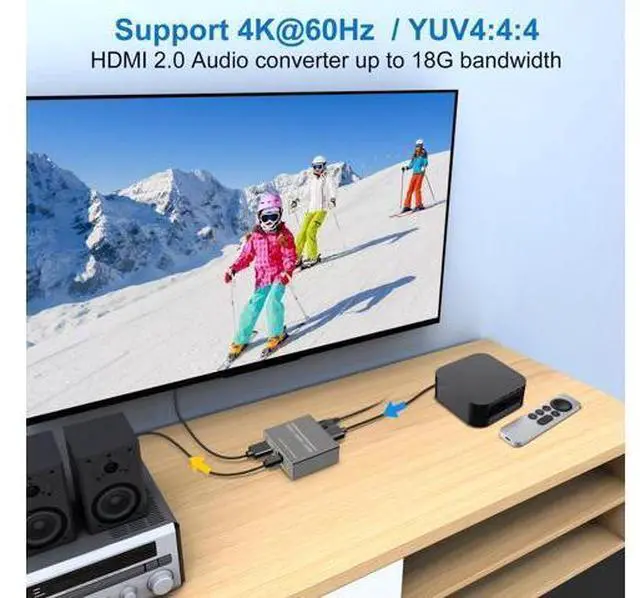
  • [4K Ultra HD with HDMI 2.0v]The HDMI Audio converter up to 18G bandwidth, support 1080P@144Hz, 1080P@120Hz, 4K 50/60HZ (YUV444). Supports HDMI 2.0b (18Gbps) HDCP 2.2 and DVI compliant
  • Supports HDR10(We suggest using HDMI 2.0 certified cable to get HDR10 compatibility),The audio sampling rate up to 192kHz
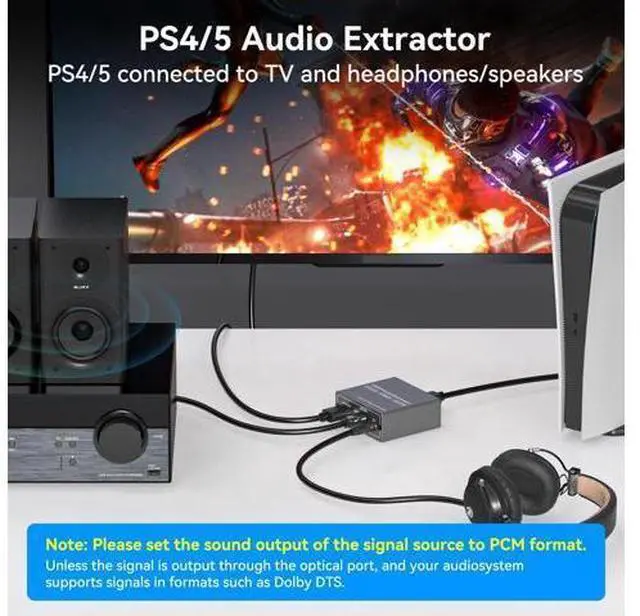
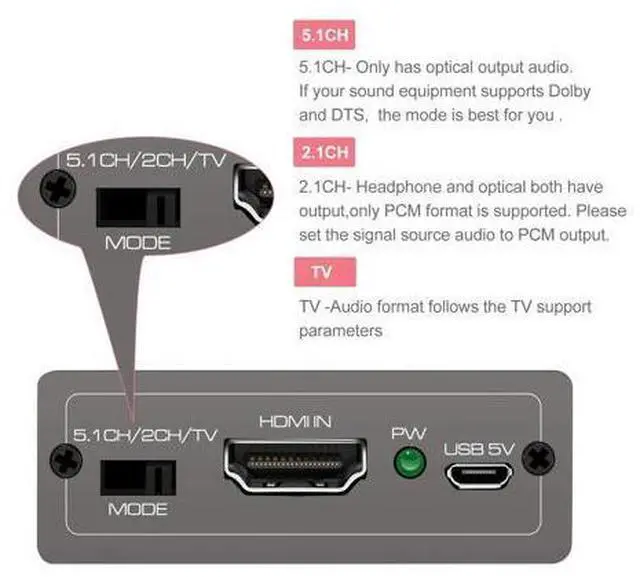
  • [3 working modes]This audio extractor has 2.0CH, 5.1CH and TV mode. Select 3.5mm stereo output, please use 2.0CH mode. Select optical output, please use 5.1CH mode. When you use the first two modes and find that no audio signal is output, use the TV mode.Note:If no sound is obtained, please set the sound of the signal source to PCM format
+
+
Overview
Specs
Reviews
[4K 60Hz HDMI Audio Extractor]The HDMI Audio Splitter can extract audio information from HDMI signal and transmit it to sound receiver through optical SPDIF and 3.5 mm interface.
(Note: Devices do not support ARC and eARC. TV is not supported as the input source. ). [4K Ultra HD with HDMI 2.0 v]The HDMI Audio converter up to 18G bandwidth, support 1080P@144Hz, 1080P@120Hz, 4K 50/60HZ (YUV444). Supports HDMI 2.0 b (18Gbps) HDCP 2.2 and DVI compliant. Supports HDR10(We suggest using HDMI 2.0 certified cable to get HDR10 compatibility), The audio sampling rate up to 192kHz. [3 working modes]This audio extractor has 2.0CH, 5.1CH and TV mode. Select 3.5 mm stereo output, please use 2.0CH mode. Select optical output, please use 5.1CH mode. When you use the first two modes and find that no audio signal is output, use the TV mode.
Note: If no sound is obtained, please set the sound of the signal source to PCM format.

Warranty & Returns

Warranty, Returns, And Additional Information

Warranty

  • Please contact the Seller directly for warranty information. Warranty information may also be found on the Manufacturer's website.
  • CONTACT

Return Policies

Manufacturer Contact Info

LOADING...