
Your Browsing History
- Free 15-day Returns
$39.99
Ships from China.


Meet Your Seller

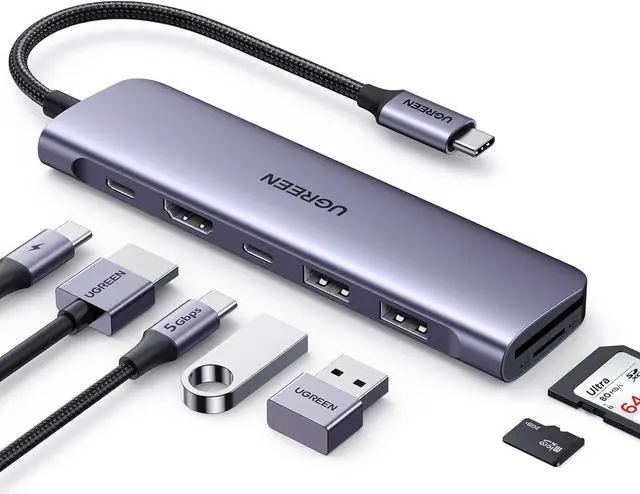
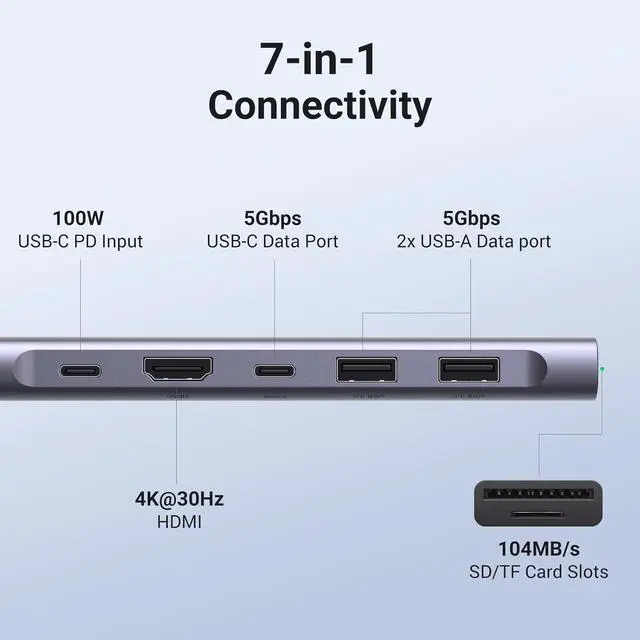


UGREEN Revodok 1071 USB C Hub for Laptop 7 in 1 USB C Dock 4K HDMI, 100W PD Charging, USB-C & 2 USB-A 5Gbps Data Ports, SD/TF Card Reader for MacBook Pro/Air, iPad Pro, XPS, Thinkpad
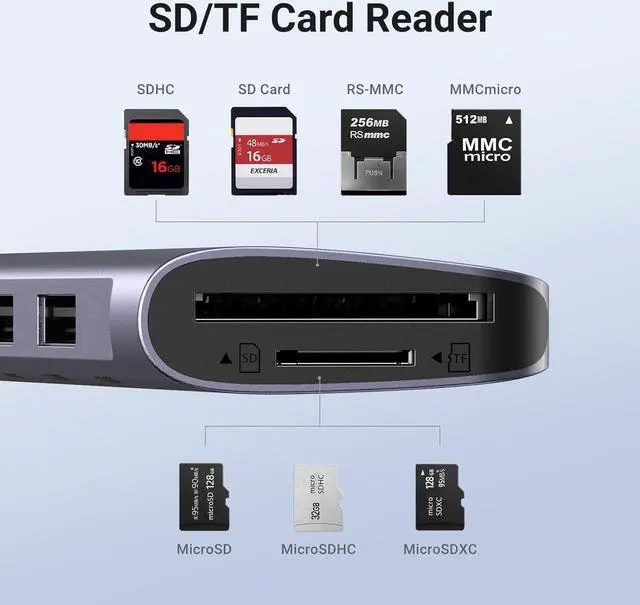
- 7-in-1 USB C Hub: Inspire more potential of your laptops USB-C port with 5Gbps USB-C & USB-A data ports, 4K HDMI, 100W Power Delivery, and SD/Micro SD card reader.
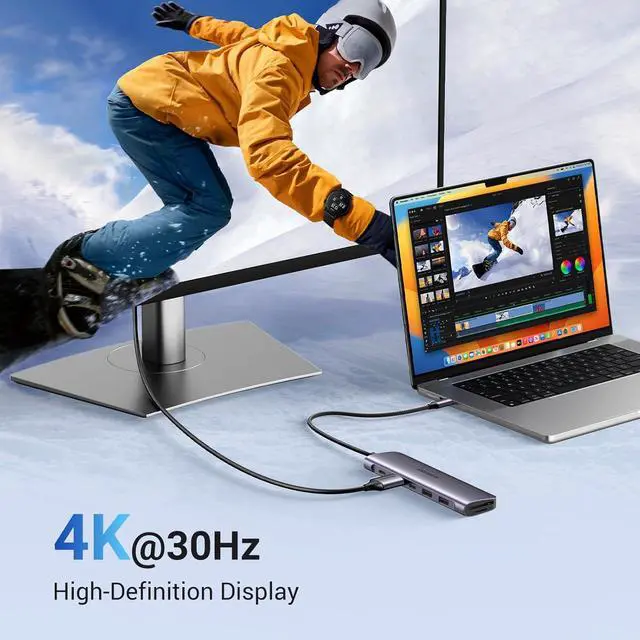
- Brillant 4K Display: Simply connect to an external monitor via the 4K HDMI port of the usb c dongle to see all in sharp and glorious detail.
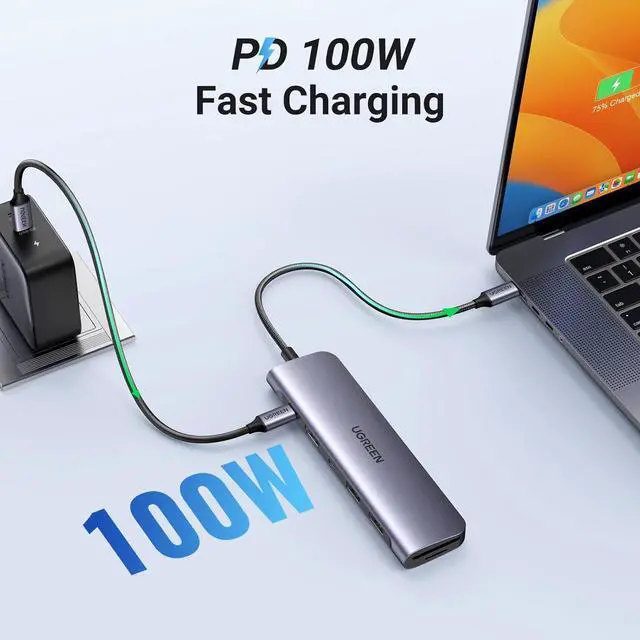
- Powerful 100W Charging: USB C hub for laptop supports up to 95W USB C pass-through charging via Type-C port to keep your laptop powered. 5W is reserved for other interface operations.
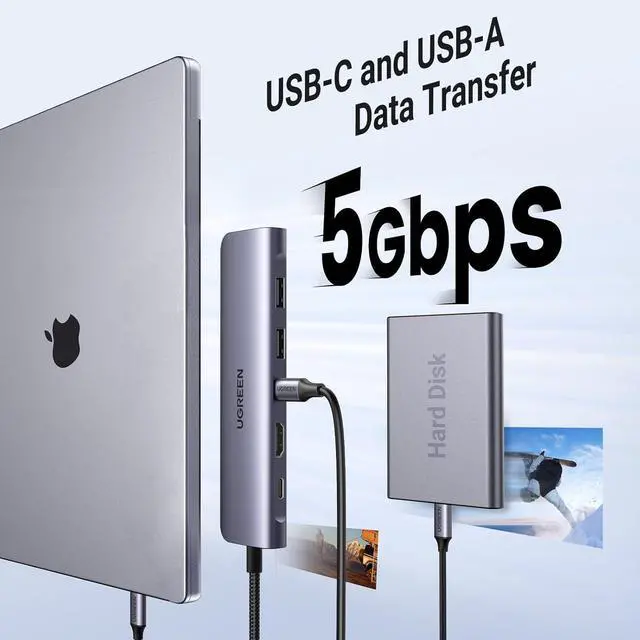
- Transfer Files in Second: Transfer files, movies, and photos at speeds up to 5 Gbps via the USB-C data port and dual USB-A ports. To ensure the stable data transfer, please connect two 2.5inch hard drives at max.
+
+
Overview
Specs
Reviews
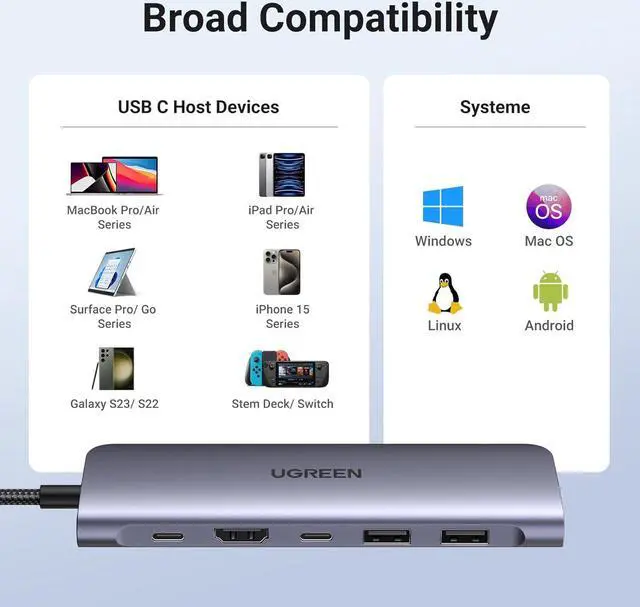
Broad Compatibility: The USB C dongle is compatible with almost USB-C devices such as MacBook Pro, MacBook Air, MacBook M1, M2, M3, iMac, iPad Pro, iPhone 15 Pro/Pro Max, Chromebook, Surface, Steam deck, Rog Ally etc.
Does the usb c female port of the hub support video output?
The leftmost c-port only supports charging and the middle c-port only supports data transferring, both of them don't support video output.
Can I get 4K resolution when using the hub with iPad?
No, this hub supports up to 1080P resolution when used with iPad.
Why does the 30W ROG Ally Turbo Mode cannot be triggered?
It is suggestd to connect a 87W or above PD charger to trigger the 30W turbo mode.
Is this USB C HUB compatible with Nintendo switch?
No
Why are SD and TF cards not recognized on mobile phones/tablets?
When using the hub with phone or tablets, please insert the SD/TF card first, and then connect the hub to the device.
Does the usb c female port of the hub support video output?
The leftmost c-port only supports charging and the middle c-port only supports data transferring, both of them don't support video output.
Can I get 4K resolution when using the hub with iPad?
No, this hub supports up to 1080P resolution when used with iPad.
Why does the 30W ROG Ally Turbo Mode cannot be triggered?
It is suggestd to connect a 87W or above PD charger to trigger the 30W turbo mode.
Is this USB C HUB compatible with Nintendo switch?
No
Why are SD and TF cards not recognized on mobile phones/tablets?
When using the hub with phone or tablets, please insert the SD/TF card first, and then connect the hub to the device.
Warranty & Returns
Warranty, Returns, And Additional Information
Warranty
- Please contact the Seller directly for warranty information. Warranty information may also be found on the Manufacturer's website.
- CONTACT
Return Policies
- Return for refund within: 15 days
- Return for replacement within: 30 days
- This item is covered by Superior Quality Return Policy
Manufacturer Contact Info
- For a directory of all our manufacturers, please click below.
- Manufacturers Directory
LOADING...