




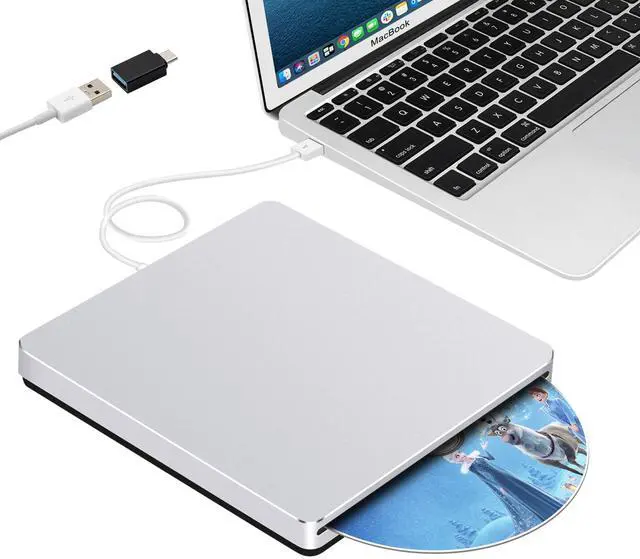




Guamar focuses on external CD/DVD drive research and production for many years.
We value the user experience, constantly innovate our products according to user needs, and we are committed to providing people with convenient, high quality products.
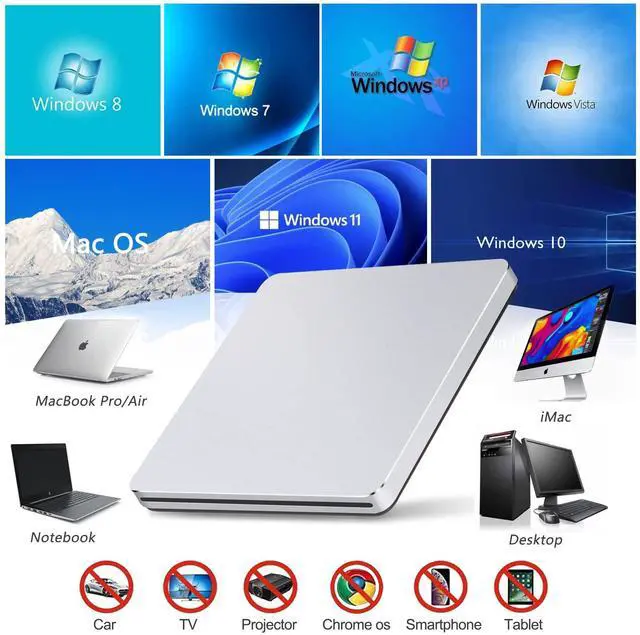
Guamar external CD/DVD drive for laptop compatible with Windows 11/10/8/ 7/XP/Vista,Linux and all vision Mac OS system. Plug and Play.
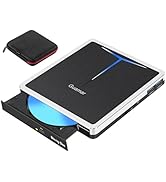
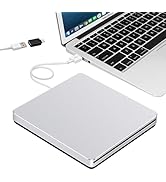
External DVD Drive for PC
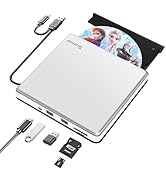
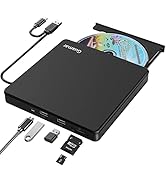
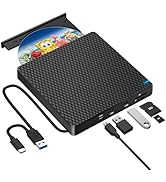
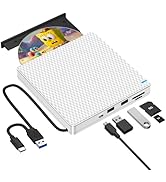
External CD/DVD Drive for Mac
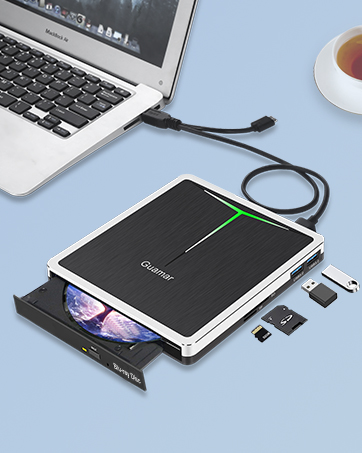
External Blu Ray Drive
Guamar external Blu ray drive with 2 USB ports and SD/TF slot, compatible with Windows 11/10/8/7, Linux and all vision Mac OS system.
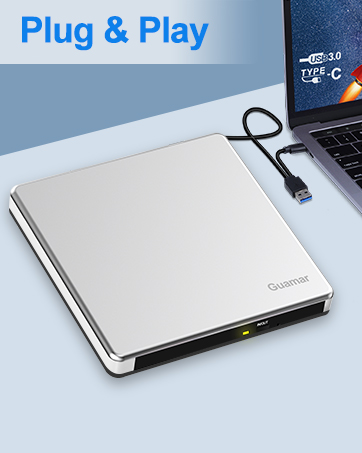
Eexternal DVD Drive for Laptop
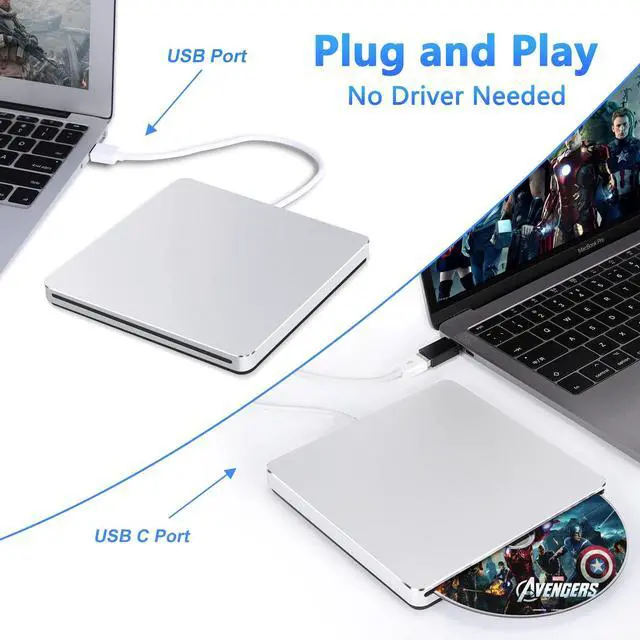
External CD/DVD drive Player comes with USB 3.0 & USB-C dual interface, makes it easier to use for different computers. Plug and Play.
Guamar External CD/DVD Drive for Laptop MacBook Air/Pro iMac

Powered by the USB / USB C port, it is suitable to connect laptop or desktop computer with USB A / Type-C interface. Plug & Play.
Product Features:
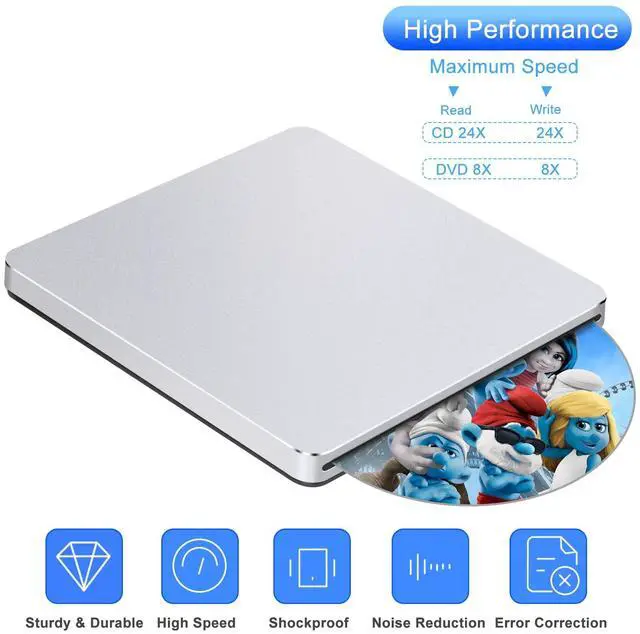
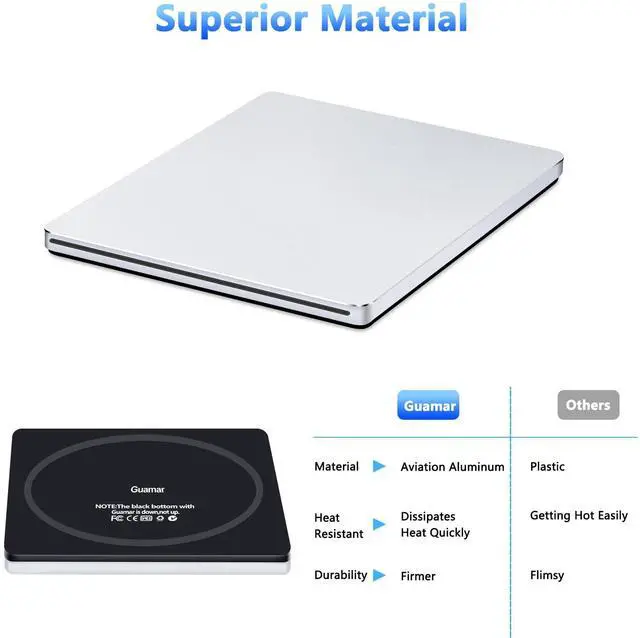
1.Guamar external DVD drive for laptop is made with Aluminum Alloy material of shockproof, low noise, anti-interference and high durability.
This external CD DVD burner works well in burning / writing / reading for Laptop / MacBook /Desktop / PC.
2.Easy to use.No need to install the driver, plug & play.
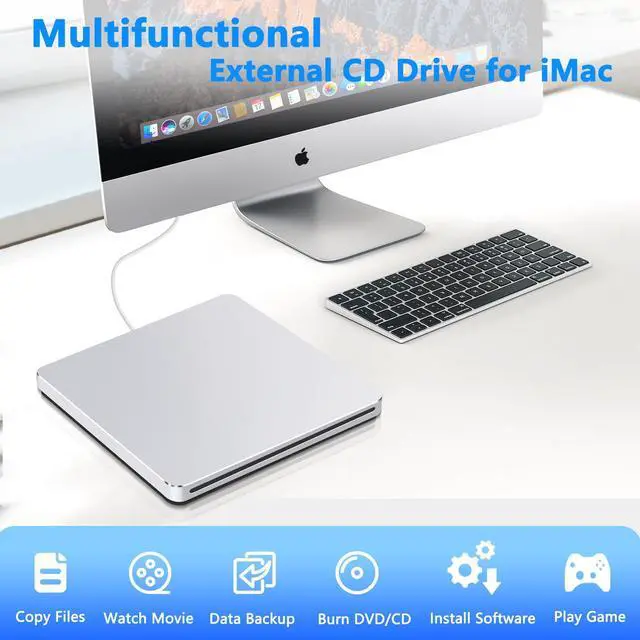
3.Can burn files,install software,create backup CD/DVD discs,watch DVD movies, listen music etc.
4.It is a slot-in drive, not a tray drive. No eject button, just slot-loading.
5.Compatible with Windows 11/10/8/7/XP/Vista,Linux and all Version Mac OS system.
Plug and Play CD/DVD Player

Know Before You Buy the Guamar USB DVD Drive External:
1.This external DVD drive for PC does Not compatible with Tablet,TV, Car, Smart phone, Projector, Chrome OS and Bluray disc.
2.For desktop,please plug external DVD player into the USB/USB C port connected to the mother board.
3.Please make sure your computer has a "Media Player" software before using DVD burner external.
4.Windows 11 requires a media player (e.g. VLC) and a network connection.
5.Make sure your USB DVD drive is set to the right region code. You can only change the region code 4-5 times.
6.Plug-and-play means that this CD player for laptop does not require manual installation of drivers, but you need to install the corresponding software to play or burn discs.
Mlti-functional CD/DVD Reader and Writer external USB

Using Guamar external CD/DVD drive for PC ,you can easily watch movies,rip CDs/DVDs, burn files, install software or create backup datas that meet all your burning and playback needs.
Supported formats: DVD-ROM, DVD-video, CD-R/RW, CD-ROM, CD-EXTRA, CD-TEXT
Supported media types: CD-ROM, CD-R, CD-RW, DVD-ROM, DVD-R, DVD-RW, DVD+RW, DVD+R, DVD+R DL(dual layer), DVD-R DL, DVD RAM
Read Speed: CD-ROM: 24x Max; DVD-ROM: 8x Max; DVD-ROM(DL): 6x Max
Write speed: 24x CD-R, 6x CD-RW, DVD±R: 8X Max; DVD±R DL: 4X Max; DVD-R±9: 2.4x Max
Rewrite Speed: DVD+RW: 4X Max; DVD-RW: 4x Max; CD-RW: 10X Max; DVD-RAM: 3x Max
Computer Output for drive : 3V-5V (1.3A-2A) -- Lower to this may cause a recognizing failure or reading failure

Elegant Appearance
The DVD burner external is made of high quality aviation aluminum alloy, which is more sturdy and better heat dissipation than the all-plastic external CD drive, and looks more elegant.

Usb Cable Embedded Design
CD DVD external drive for laptop with a single USB cable that's built into the USB 3.0 Superdrive and you'll never have to worry about lost cables.

Shockproof & Non-slip Rubber Pad
The bottom of the external disc drive for laptop is designed with a large non-slip rubber ring to prevent it from sliding while working.


Extra USB-C Adapter
Each external CD DVD drive equipped with a USB 3.0 to Type-C adapter make it easier to connect to more laptops and PC desktop computers. Please connect the laptop/desktop by the USB A/USB-C interface directly.
Portable Compact Design
Ultra-thin DVD Drive
Sleek & lightweight make this portable external CD drive for pc easy to use and carry,whether you're at the office or on travelling,CD burner can slips easily into your bag,perfect companion for DVD lovers, using everywhere.
What you get
1* External CD/DVD Drive
1* USB 3.0 to USB-C Adapter
1* User Manual

Guamar CD burner for Mac works well with Windows 11/10/7/8/XP/Vista,Linux and Mac OS. Compatible with MacBook Pro Air/Mac Mini/iMac and other Laptop.
How to use CD Drive on Mac OS:
1. Click "Finder", select "Preferences" and make sure "CDs, DVDs, and iOS Devices" is selected.
2. Plug the USB A or USB-C connector of the optical drive directly into the USB port on your MacBook Air/MacBook Pro/iMac/Mac mini (not via a USB hub or extension cord).
3. Insert your CDs or DVDs.
4. Your Mac will recognize this USB CD drive, read the disc and display the disk icon.
5. Use media players (such as Apple Music, iTunes, DVD Player, VLC etc.) or burning /ripping software(HandBrake/MakeMKV) to read/write the disc.
How to Eject a Disc on Mac:1.Right-click the disc icon and select Eject,or choose File > Eject from the menu.
2.Keyboard Shortcut: Press Command + E at the same time to eject the disc.(works when the disc is selected in Finder).
Troubleshooting:
Check whether the CD reader can be recognized by the computer:
For Mac system, the Mac OS computers will display the device icon after the disc is placed the CD drive.
For Windows system, if your computer can recognize the CD reader for Mac, you will see the “DVD RW Drive” icon in “My Computer”.
If the CD burner for Mac is not recognized by your computer, the following are the solution tips:1.Reconnect the USB cable or try a different USB ports on your computer.
2.Restart your Mac.3.Check System Report (click the Apple logo > About This Mac > System Report > USB to see if the device is listed).
Cannot Read/Write Discs:1.Clean the disc or try a different one.2.Ensure the disc format is compatible (supports: CD-R/RW, DVD±R/RW, DVD±R DL, CD-ROM, DVD-ROM, DVD-RAM, VCD-ROM and SVCD).3.Power Issues:connect your Mac to a power adapter.
 USB 2.0 & USB C External CD/DVD Drive Burner for Laptop Mac Silver |  USB-C & USB 3.0 External CD/DVD Drive for Laptop Portable DVD CD Player Burner |  USB 3.0 & USB C External CD/DVD Drive for Laptop Portable DVD Burner |  USB 3.0 & USB C External CD/DVD Burner Drive with Storage Carrying Case |  Guamar External CD DVD Drive: USB-C CD Burner Portable DVD Player for Laptop ... |  USB 3.0 & USB C External Bluray Drive Burner with Storage Carrying Case | |
|---|---|---|---|---|---|---|
| Customer Reviews | — | — | — | — | — | — |
| Price | — | — | — | — | — | — no data |
| Interface Type | USB 2.0 & USB C | USB 3.0 & USB C | USB 3.0 & USB C | USB 3.0 & USB C | USB 3.0 & USB C | USB 3.0 & USB C |
| Operating System | Windows 11 / 10 / 8 / 7 / XP/Vista,Mac OS,Linux | Windows 11 / 10 / 8 / 7 / XP/Vista,Mac OS,Linux | Windows 11 / 10 / 8 / 7 / XP/Vista,Mac OS,Linux | Windows 11 / 10 / 8 / 7 / XP/Vista,Mac OS,Linux | Windows 11 / 10 / 8 / 7 / XP/Vista,Mac OS,Linux | Windows 11 / 10 / 8 / 7 / XP/Vista,Mac OS,Linux |
| Read/Write | ? | ? | ? | ? | ? | ? |
| Supported Disc | DVD±RW / DVD±R DL / CD±RW / DVD-Rom / CD-Rom / CD±R / DVD-RW / DVD±R / DVD-RAM | DVD±RW / DVD±R DL / CD±RW / DVD-Rom / CD-Rom / CD±R / DVD-RW / DVD±R / DVD-RAM | DVD±RW / DVD±R DL / CD±RW / DVD-Rom / CD-Rom / CD±R / DVD-RW / DVD±R / DVD-RAM | DVD±RW / DVD±R DL / CD±RW / DVD-Rom / CD-Rom / CD±R / DVD-RW / DVD±R / DVD-RAM | DVD±RW / DVD±R DL / CD±RW / DVD-Rom / CD-Rom / CD±R / DVD-RW / DVD±R / DVD-RAM | DVD±RW/DVD±R DL/CD±RW/DVD-Rom/CD-Rom/CD-R/DVD±R/DVD-RAM/BD-ROM/BD-R/BD-RE |
| Reading Speed | DVD 8X ; CD 24X | DVD 8X ; CD 24X | DVD 8X ; CD 24X | DVD 8X ; CD 24X | DVD 8X ; CD 24X | DVD-ROM: 8X; CD-ROM: 24X BD-ROM: 2.0X (for Video) / Max 6X (for Data) |
| Writing Speed | DVD±R DL 4X; DVD±R 8X; DVD±RW 6X; CD-R 24X; CD-RW 6X | DVD±R DL 4X; DVD±R 8X; DVD±RW 6X; CD-R 24X; CD-RW 6X | DVD±R DL 4X; DVD±R 8X; DVD±RW 6X; CD-R 24X; CD-RW 6X | DVD±R DL 4X; DVD±R 8X; DVD±RW 6X; CD-R 24X; CD-RW 6X | DVD±R DL 4X; DVD±R 8X; DVD±RW 6X; CD-R 24X; CD-RW 6X | DVD±R DL 6X ;DVD±R 8X ;DVD±RW 8X ;CD-R:24X ;CD-RW 6X;DVD-RAM:3X-5X PCAV (4.7GB) ;BD-R (SL/DL): 6X ;BD-RE (SL/DL): 2X ;BD-R (TL/QL): 4X ;BD-RE (TL): 2X |
| Extra USB Ports & SD/TF Slot | no data | ? | ? | ? | ? | ? |
| Extra Removable Power Cord | no data | ? | ? | ? | ? | ? |
Guamar External CD/DVD Drive for Laptop MacBook Air/Pro iMac
Powered by the USB / USB C port, it is suitable to connect laptop or desktop computer with USB A / Type-C interface. Plug & Play.
Product Features:
1.Guamar external DVD drive for laptop is made with Aluminum Alloy material of shockproof, low noise, anti-interference and high durability.
This external CD DVD burner works well in burning / writing / reading for Laptop / MacBook /Desktop / PC.
2.Easy to use.No need to install the driver, plug & play.
3.Can burn files,install software,create backup CD/DVD discs,watch DVD movies, listen music etc.
4.It is a slot-in drive, not a tray drive. No eject button, just slot-loading.
5.Compatible with Windows 11/10/8/7/XP/Vista,Linux and all Version Mac OS system.
Plug and Play CD/DVD Player
Know Before You Buy the Guamar USB DVD Drive External:
1.This external DVD drive for PC does Not compatible with Tablet,TV, Car, Smart phone, Projector, Chrome OS and Bluray disc.
2.For desktop,please plug external DVD player into the USB/USB C port connected to the mother board.
3.Please make sure your computer has a "Media Player" software before using DVD burner external.
4.Windows 11 requires a media player (e.g. VLC) and a network connection.
5.Make sure your USB DVD drive is set to the right region code. You can only change the region code 4-5 times.
6.Plug-and-play means that this CD player for laptop does not require manual installation of drivers, but you need to install the corresponding software to play or burn discs.
Mlti-functional CD/DVD Reader and Writer external USB
Using Guamar external CD/DVD drive for PC ,you can easily watch movies,rip CDs/DVDs, burn files, install software or create backup datas that meet all your burning and playback needs.
Supported formats: DVD-ROM, DVD-video, CD-R/RW, CD-ROM, CD-EXTRA, CD-TEXT
Supported media types: CD-ROM, CD-R, CD-RW, DVD-ROM, DVD-R, DVD-RW, DVD+RW, DVD+R, DVD+R DL(dual layer), DVD-R DL, DVD RAM
Read Speed: CD-ROM: 24x Max; DVD-ROM: 8x Max; DVD-ROM(DL): 6x Max
Write speed: 24x CD-R, 6x CD-RW, DVD±R: 8X Max; DVD±R DL: 4X Max; DVD-R±9: 2.4x Max
Rewrite Speed: DVD+RW: 4X Max; DVD-RW: 4x Max; CD-RW: 10X Max; DVD-RAM: 3x Max
Computer Output for drive : 3V-5V (1.3A-2A) -- Lower to this may cause a recognizing failure or reading failure
Elegant Appearance
The DVD burner external is made of high quality aviation aluminum alloy, which is more sturdy and better heat dissipation than the all-plastic external CD drive, and looks more elegant.
Usb Cable Embedded Design
CD DVD external drive for laptop with a single USB cable that's built into the USB 3.0 Superdrive and you'll never have to worry about lost cables.
Shockproof & Non-slip Rubber Pad
The bottom of the external disc drive for laptop is designed with a large non-slip rubber ring to prevent it from sliding while working.
Portable Compact Design
Extra USB-C Adapter
Each external CD DVD drive equipped with a USB 3.0 to Type-C adapter make it easier to connect to more laptops and PC desktop computers. Please connect the laptop/desktop by the USB A/USB-C interface directly.
Ultra-thin DVD Drive
Sleek & lightweight make this portable external CD drive for pc easy to use and carry,whether you're at the office or on travelling,CD burner can slips easily into your bag,perfect companion for DVD lovers, using everywhere.
What you get
1* External CD/DVD Drive
1* USB 3.0 to USB-C Adapter
1* User Manual
Guamar CD burner for Mac works well with Windows 11/10/7/8/XP/Vista,Linux and Mac OS. Compatible with MacBook Pro Air/Mac Mini/iMac and other Laptop.
How to use CD Drive on Mac OS:
1. Click "Finder", select "Preferences" and make sure "CDs, DVDs, and iOS Devices" is selected.
2. Plug the USB A or USB-C connector of the optical drive directly into the USB port on your MacBook Air/MacBook Pro/iMac/Mac mini (not via a USB hub or extension cord).
3. Insert your CDs or DVDs.
4. Your Mac will recognize this USB CD drive, read the disc and display the disk icon.
5. Use media players (such as Apple Music, iTunes, DVD Player, VLC etc.) or burning /ripping software(HandBrake/MakeMKV) to read/write the disc.
How to Eject a Disc on Mac:1.Right-click the disc icon and select Eject,or choose File > Eject from the menu.
2.Keyboard Shortcut: Press Command + E at the same time to eject the disc.(works when the disc is selected in Finder).
Troubleshooting:
Check whether the CD reader can be recognized by the computer:
For Mac system, the Mac OS computers will display the device icon after the disc is placed the CD drive.
For Windows system, if your computer can recognize the CD reader for Mac, you will see the “DVD RW Drive” icon in “My Computer”.
If the CD burner for Mac is not recognized by your computer, the following are the solution tips:1.Reconnect the USB cable or try a different USB ports on your computer.
2.Restart your Mac.3.Check System Report (click the Apple logo > About This Mac > System Report > USB to see if the device is listed).
Cannot Read/Write Discs:1.Clean the disc or try a different one.2.Ensure the disc format is compatible (supports: CD-R/RW, DVD±R/RW, DVD±R DL, CD-ROM, DVD-ROM, DVD-RAM, VCD-ROM and SVCD).3.Power Issues:connect your Mac to a power adapter.
USB 2.0 & USB C External CD/DVD Drive Burner for Laptop Mac Silver | USB-C & USB 3.0 External CD/DVD Drive for Laptop Portable DVD CD Player Burner | USB 3.0 & USB C External CD/DVD Drive for Laptop Portable DVD Burner | USB 3.0 & USB C External CD/DVD Burner Drive with Storage Carrying Case | Guamar External CD DVD Drive: USB-C CD Burner Portable DVD Player for Laptop ... | USB 3.0 & USB C External Bluray Drive Burner with Storage Carrying Case | |
|---|---|---|---|---|---|---|
| Customer Reviews | — | — | — | — | — | — |
| Price | — | — | — | — | — | — no data |
| Interface Type | USB 2.0 & USB C | USB 3.0 & USB C | USB 3.0 & USB C | USB 3.0 & USB C | USB 3.0 & USB C | USB 3.0 & USB C |
| Operating System | Windows 11 / 10 / 8 / 7 / XP/Vista,Mac OS,Linux | Windows 11 / 10 / 8 / 7 / XP/Vista,Mac OS,Linux | Windows 11 / 10 / 8 / 7 / XP/Vista,Mac OS,Linux | Windows 11 / 10 / 8 / 7 / XP/Vista,Mac OS,Linux | Windows 11 / 10 / 8 / 7 / XP/Vista,Mac OS,Linux | Windows 11 / 10 / 8 / 7 / XP/Vista,Mac OS,Linux |
| Read/Write | ? | ? | ? | ? | ? | ? |
| Supported Disc | DVD±RW / DVD±R DL / CD±RW / DVD-Rom / CD-Rom / CD±R / DVD-RW / DVD±R / DVD-RAM | DVD±RW / DVD±R DL / CD±RW / DVD-Rom / CD-Rom / CD±R / DVD-RW / DVD±R / DVD-RAM | DVD±RW / DVD±R DL / CD±RW / DVD-Rom / CD-Rom / CD±R / DVD-RW / DVD±R / DVD-RAM | DVD±RW / DVD±R DL / CD±RW / DVD-Rom / CD-Rom / CD±R / DVD-RW / DVD±R / DVD-RAM | DVD±RW / DVD±R DL / CD±RW / DVD-Rom / CD-Rom / CD±R / DVD-RW / DVD±R / DVD-RAM | DVD±RW/DVD±R DL/CD±RW/DVD-Rom/CD-Rom/CD-R/DVD±R/DVD-RAM/BD-ROM/BD-R/BD-RE |
| Reading Speed | DVD 8X ; CD 24X | DVD 8X ; CD 24X | DVD 8X ; CD 24X | DVD 8X ; CD 24X | DVD 8X ; CD 24X | DVD-ROM: 8X; CD-ROM: 24X BD-ROM: 2.0X (for Video) / Max 6X (for Data) |
| Writing Speed | DVD±R DL 4X; DVD±R 8X; DVD±RW 6X; CD-R 24X; CD-RW 6X | DVD±R DL 4X; DVD±R 8X; DVD±RW 6X; CD-R 24X; CD-RW 6X | DVD±R DL 4X; DVD±R 8X; DVD±RW 6X; CD-R 24X; CD-RW 6X | DVD±R DL 4X; DVD±R 8X; DVD±RW 6X; CD-R 24X; CD-RW 6X | DVD±R DL 4X; DVD±R 8X; DVD±RW 6X; CD-R 24X; CD-RW 6X | DVD±R DL 6X ;DVD±R 8X ;DVD±RW 8X ;CD-R:24X ;CD-RW 6X;DVD-RAM:3X-5X PCAV (4.7GB) ;BD-R (SL/DL): 6X ;BD-RE (SL/DL): 2X ;BD-R (TL/QL): 4X ;BD-RE (TL): 2X |
| Extra USB Ports & SD/TF Slot | no data | ? | ? | ? | ? | ? |
| Extra Removable Power Cord | no data | ? | ? | ? | ? | ? |
Guamar focuses on external CD/DVD drive research and production for many years.
We value the user experience, constantly innovate our products according to user needs, and we are committed to providing people with convenient, high quality products.
Guamar external CD/DVD drive for laptop compatible with Windows 11/10/8/ 7/XP/Vista,Linux and all vision Mac OS system. Plug and Play.
External DVD Drive for PC
External CD/DVD Drive for Mac
External Blu Ray Drive
Guamar external Blu ray drive with 2 USB ports and SD/TF slot, compatible with Windows 11/10/8/7, Linux and all vision Mac OS system.
Eexternal DVD Drive for Laptop
External CD/DVD drive Player comes with USB 3.0 & USB-C dual interface, makes it easier to use for different computers. Plug and Play.