
Your Browsing History
BEST SELLERS


BEST SELLERS
In Water / Liquid Cooling
Our most popular products, based on sales and updated frequently.Shop Department
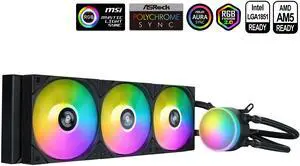
SAMA L60 CPU Liquid Cooler, AIO Cooler 360mm 4pin PWM Quiet Fans - FDB Bearings ARGB Water Cooling, Black CPU Cooler Compatible LGA 1366/115X/2011/1200/1700 and AM4 AM5
- Part Number: L60-BKWAYXO3-G
- Type: Liquid Cooling System
- Block Compatibility: Intel&AMD
- Block Compatibility - AMD: AMD:AM5/AM4
- Model #: L60-BKWAYXO3-G
- Item #: 9SIB41PKCW8764
- Return Policy: View Return Policy
$64.99
Free Shipping
looks great and runs very well. very easy to install
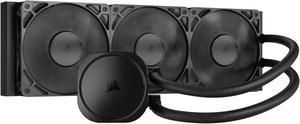
CORSAIR NAUTILUS 360 RS Liquid CPU Cooler – RS120 Fans – Fits Intel® LGA 1851/1700, AMD® AM5/AM4 – Simple Daisy-Chain - Direct Motherboard Connection
- Brand: CORSAIR
- Series: Nautilus Series
- Type: AIO
- Block Compatibility: Intel® LGA 1851/1700, AMD® AM5/AM4
- Model #: CW-9060089-WW
- Item #: N82E16835181474
- Return Policy: Standard Return Policy
$129.99
$154.99
Free Shipping
9800x3d does internet at 45c games at 60c to 70 c with spikes to 80 if im rendering, AMAZEBALLZ!

MSI MAG Coreliquid A13 360 Black - AIO ARGB Liquid Cooling - 360mm Radiator - Triple 120mm ARGB PWM Fans - EZ Connect - LGA 1700/1851/AM5/AM4 Compatible
- Brand: MSI
- Type: AIO
- Block Compatibility: Intel Socket LGA 1700 / 1851 AMD Socket AM5/AM4
- Block Compatibility - AMD: AMD Socket AM5/AM4
- Model #: MAG Coreliquid A13 360
- Item #: N82E16835846069
- Return Policy: Standard Return Policy
$109.99
$164.99
Free Shipping
I got it in a combo deal and gave it to my son for his build. It helps keep his temperatures cool and his fans quiet.
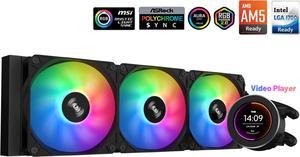
SAMA SM360 Black 360mm Liquid Water AIO CPU Cooler For Gaming PC Computer with Screen LCD Display, 3 ARGB PWM Silent Fans
- Brand: SAMA
- Type: Liquid Cooling System
- Block Compatibility: Intel: LGA 775,115X,1366,1200,1700AMD:AM5,AM4,AM3,AM2,FM1, FM2, FM3
- Block Compatibility - AMD: AM5,AM4,AM3,AM2,FM1.FM2,FM3
- Model #: SM360LD Black
- Item #: 9SIB41PJUX5123
- Return Policy: View Return Policy
$79.99
$169.99
Free Shipping
Easy setup Beautiful LED Great cooling

MSI MAG Coreliquid A13 240 Black - AIO ARGB Liquid Cooling - 240mm Radiator - Dual 120mm ARGB PWM Fans - EZ Connect - LGA 1700/1851/AM5/AM4 Compatible
- Brand: MSI
- Type: AIO
- Block Compatibility: Intel Socket LGA 1700 / 1851 AMD Socket AM5/AM4
- Block Compatibility - AMD: AMD Socket AM5/AM4
- Model #: MAG Coreliquid A13 240
- Item #: N82E16835846067
- Return Policy: Standard Return Policy
$99.99
$129.99
$89.99 after $10.00 rebate card
Free Shipping
asus DriverHub automatically popped up after windows was done loading and had all the driver updates on one page ready to install.
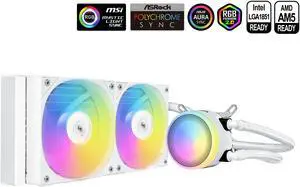
SAMA L40 CPU Liquid Cooler, 240mm AIO Cooler 4pin PWM Quiet Fans - FDB Bearings ARGB Water Cooling,White CPU Cooler Compatible LGA 1366/115X/2011/1200/1700 and AM4 AM5
- Brand: SAMA
- Series: L40 Series
- Model: L40-White
- Part Number: L40-WHWAYXO2-G
- Model #: L40-WHWAYXO2-G
- Item #: 9SIB41PKCW8785
- Return Policy: View Return Policy
$39.99
$44.99
Free Shipping
Very good cooling for a 240mm and a very clean aesthetic
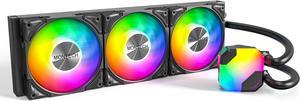
MONTECH HyperFlow ARGB 360 - AIO CPU Liquid Cooler, Supports Intel LGA 1851/1700, AMD AM5/AM4, Enhanced 3100RPM Water Pump Design, 3X Metal Pro 12 ARGB Ultimate Cooling Fans - Black
- Brand: MONTECH
- Type: Liquid Cooling System
- Block Compatibility: Intel: LGA115X/1200/1700/1851/20XX AMD:AM3/ AM4/AM5
- Fan Size: 3 Fan Slots (120 mm)
- Model #: HyperFlow ARGB 360
- Item #: N82E16835988004
- Return Policy: Standard Return Policy
$79.99
$129.99
Free Shipping
Everything is excellent. As described.
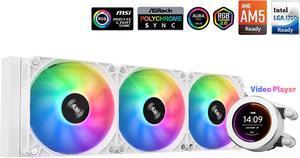
SAMA SM360 Gaming Water Liquid Cooler White 360mm AIO PC CPU Cooler with LCD Display Moitor Screen, 3 ARGB PWM Silent Fans
- Brand: SAMA
- Type: Liquid Cooling System
- Block Compatibility: Intel: LGA 775,115X,1366,1200,1700AMD:AM5,AM4.AM3,AM2,FM1.FM2, FM3
- Block Compatibility - AMD: AM5.AM4,AM3,AM2,FM1 FM2.FM3
- Model #: SM360LD White
- Item #: 9SIB41PJUX5124
- Return Policy: View Return Policy
$112.99
Free Shipping
The aio has run well so far. Playing Star Wars Battlefront 2 my cpu would run at 86 C* on the AMD cpu cooler, which was a little high for my comfort. I installed the AIO which was fairly easy to do. Be careful when trying to remove the old cpu fan as to not rip out the cpu socket. The water cooler needs to be attached to a usb 2.0 and the AIO cooler on the motherboard. Then the wires for the fan I ended up daisy chaining with my other cpu fans and they worked at first boot up. I needed to buy a fan hub (aigoo) previously so just plugged the AIO fan into the hub and had the hub connected to cpu fan on the motherboard. Since running the AIO cooler Star Wars Battlefront 2 now the cpu runs at 66 C which is almost a 20 C drop which I was pleasantly suprised. The software isnt great but I was able to customize the display which I found super awesome. My PC theme is Dragon Ball Super Goku SSJ Blue. I was able to download a clip of Goku Powering up and was able to get the video on the water cooler display. I have been very happy with this cooler so far but it has only been 1 day. The AIO cooler does come with thermal paste as well so no need to buy new thermal paste.
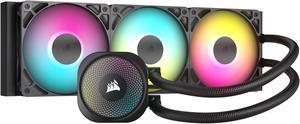
CORSAIR NAUTILUS 360 RS ARGB Liquid CPU Cooler – RS120 ARGB Fans – Fits Intel® LGA 1851, AMD® AM5/AM4 – Simple Daisy-Chain Connections - Direct Motherboard Connection
- Brand: CORSAIR
- Series: Nautilus Series
- Part Number: CW-9060093-WW
- Type: AIO
- Model #: CW-9060093-WW
- Item #: N82E16835181478
- Return Policy: Standard Return Policy
$144.99
$184.99
Free Shipping
The daisy-chain linking of the fans was nice for getting each fan connected for both power and RGB functioning. Extension cables are also included. The pump blocks RGB connector can also be linked as the beginning of the chain leading to the motherboard. The pump is extraordinarily quiet; using a dB meter up close barely registers. The fans are also very quiet until throttled up to their highest RPM, and even then it is merely a whisper. The coolant hoses are reasonably flexible without kinking and are also long enough to extend past full length GPU cards and reach the bottom of the case in a front mount configuration. Keep in mind, over time, most coolants will develop air pockets and it is best to trap that air away from the pump to insure the greatest lifespan of your AIO cooling system and minimize gurgling sounds. This is why your hoses should always be oriented at their lowest points on both the pump and the radiator. Thermal paste is pre-applied to the pump block and there should be no need to add more. Alternatively, a white variant of this model is also available.
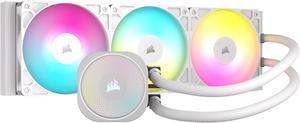
CORSAIR NAUTILUS 360 RS ARGB Liquid CPU Cooler – White – RS120 ARGB Fans – Fits Intel® LGA 1851, AMD® AM5/AM4 – Simple Daisy-Chain Connections - Direct Motherboard Connection
- Brand: CORSAIR
- Series: Nautilus Series
- Part Number: CW-9060095-WW
- Type: AIO
- Model #: CW-9060095-WW
- Item #: N82E16835181476
- Return Policy: Standard Return Policy
$154.99
$184.99
Free Shipping
I have both the nautilus 240 rs and 360 rs, both have worked amazing right out of the box with zero issues and cools great. Although i do recommend use a commander core xt (if you can buy one) it makes controlling the fan speeds and RGB a lot easier. But besides that i highly recommend because theyre not too expensive and the fans that come with, they push and pull a great amount of air. Perfect for someone looking to do a white build or to upgrade their AIO.
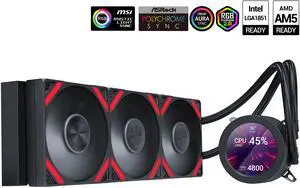
SAMA Q70 Black CPU Liquid Cooler, 360MM Liquid Water AIO CPU Cooler with 2.8" LCD Display, Magnetic Detachable, XT120 Modular Fans LCP Blade, Bonus Stands, 115X, 2011, 1200, 1700, AM4, AM5 AIO Cooler
- Part Number: Q70-BKWAYNO3-G
- Type: Liquid Cooling System
- Block Compatibility: Intel&AMD
- Block Compatibility - AMD: AMD:AM5/AM4
- Model #: Q70-BKWAYNO3-G
- Item #: 9SIB41PKCW8801
- Return Policy: View Return Policy
$94.99
$169.99
Free Shipping
-Better than my MSI Mag a15 360 - Looks premium for the price
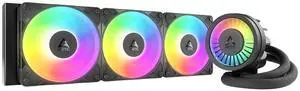
ARCTIC ACFRE00184A Liquid Freezer III Pro 360 A-RGB AIO CPU Cooler, Water Cooling 38 mm Radiator, AMD AM5/AM4, Intel LGA1851/1700 (Black)
- Brand: Alphacool
- Series: ROG STRIX LC II 360
- Part Number: ACFRE00184A
- Block Compatibility: AMD Socket AM5
- Model #: ACFRE00184A
- Item #: 9SIA9H5KF33096
- Return Policy: View Return Policy
$179.99
Free Shipping
Amazing AIO. Fans already preinstalled. Easy instructions to follow. Cools my CPU no issue
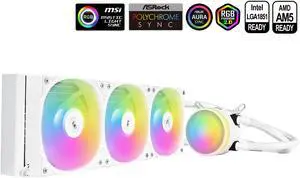
SAMA L60 CPU Liquid Cooler, AIO Cooler 360mm 4pin PWM Quiet Fans - FDB Bearings ARGB Water Cooling, White CPU Cooler Compatible LGA 1366/115X/2011/1200/1700 and AM4 AM5
- Part Number: L60-WHWAYXO3-G
- Type: Liquid Cooling System
- Block Compatibility: Intel&AMD
- Block Compatibility - AMD: AMD:AM5/AM4
- Model #: L60-WHWAYXO3-G
- Item #: 9SIB41PKCW8783
- Return Policy: View Return Policy
$54.99
$104.99
Free Shipping
Fans at the highest but not noisy like some aio coolers. Cools my 9600x very well, 56°c gaming, the highest was 58°C.
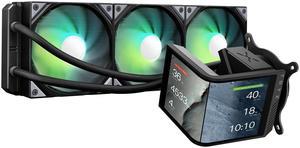
TRYX Panorama SE 360 ARGB 360mm AIO Rotatable 6.67'' AMOLED Curved Screen 3D Anamorphic Effect Customizable AIO Cooler 360mm Asetek Adela 280w TDP ARGB Fan Intel LGA 1851/1700/1200/115X AMD AM5/AM4
- Brand: TRYX
- Series: PANORAMA SE ARGB
- Part Number: L-P360L-AM3M-G0K
- Type: AIO
- Model #: L-P360L-AM3M-G0K
- Item #: 2YM-00BE-00013
- Return Policy: Standard Return Policy
$349.99
$409.99
Free Shipping
Nice screen hardware monitor good performance without overclocking 55 degrees max easy to install on am5
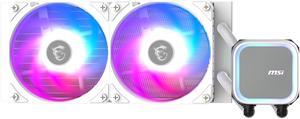
MSI MAG Coreliquid A13 240 White - AIO ARGB Liquid Cooling - 240mm Radiator - Dual 120mm ARGB PWM Fans - EZ Connect - LGA 1700/1851/AM5/AM4 Compatible
- Brand: MSI
- Type: AIO
- Block Compatibility: Intel Socket LGA 1700 / 1851 AMD Socket AM5/AM4
- Block Compatibility - AMD: AMD Socket AM5/AM4
- Model #: MAG Coreliquid A13 240 White
- Item #: N82E16835846068
- Return Policy: Standard Return Policy
$99.99
$128.99
$89.99 after $10.00 rebate card
Free Shipping
Cools well
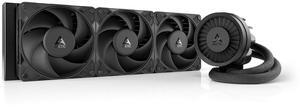
ARCTIC ACFRE00180A Liquid Freezer III Pro 360 AIO CPU Cooler, Water Cooling 38 mm Radiator, AMD AM5/AM4, Intel LGA1851/1700 (Black)
- Brand: Alphacool
- Series: ROG STRIX LC II 360
- Part Number: ACFRE00180A
- Block Dim.: 15.7 L x 4.7 W x 2.9 H inches
- Model #: ACFRE00180A
- Item #: 9SIA9H5KF33094
- Return Policy: View Return Policy
$169.99
Free Shipping
The cooling on this is the best I've ever seen. I bought this to cool an AMD 9950X processor. I'm pegging all 16 cores for hours at a time to do AI processing. This is about at bad as it gets in terms of workload. With only the Arctic Cooler and the Paneling off the case, so therefore proper airflow was not happening, only the CPU cooling fans: 150 F (about 65C) With the paneling installed on the case and proper air flow: 100F (about 38C) I couldn't be happier with this. These are the top temperatures I see it get up to under these max workloads. It often hovers a few degrees lower. For reference, it's 78F in my office. I live in Arizona. It's hot here.
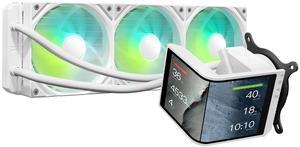
TRYX Panorama SE 360 ARGB White 360mm AIO Rotatable 6.67'' AMOLED Curved Screen 3D Anamorphic Effect Customizable AIO Cooler 360mm White Asetek Adela 280w TDP Intel LGA 1851/1700/1200/115X AMD AM5/AM4
- Brand: TRYX
- Series: PANORAMA SE ARGB
- Part Number: L-P360L-AM3M-G0W
- Type: AIO
- Model #: L-P360L-AM3M-G0W
- Item #: 2YM-00BE-00014
- Return Policy: Standard Return Policy
$349.99
$409.99
Free Shipping
The 6.5 rotatable AMOLED screen is a standout feature, providing crisp, vibrant visuals. Cooling performance is excellent, handling demanding tasks with ease (280w TDP). Quiet operation under load, staying well below 30dB, which is a big plus for quieter builds. Easy installation with wide compatibility across Intel and AMD sockets. KANALI software offers robust customization for display, letting you upload your own media or use preloaded 3D animations. Customer service is outstanding quick and attentive support when issues arise.
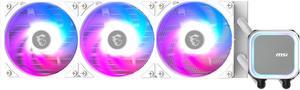
MSI MAG Coreliquid A13 360 White - AIO ARGB Liquid Cooling - 360mm Radiator - Triple 120mm ARGB PWM Fans - EZ Connect - LGA 1700/1851/AM5/AM4 Compatible
- Brand: MSI
- Type: AIO
- Block Compatibility: Intel Socket LGA 1700 / 1851 AMD Socket AM5/AM4
- Block Compatibility - AMD: AMD Socket AM5/AM4
- Model #: MAG Coreliquid A13 360 White
- Item #: N82E16835846070
- Return Policy: Standard Return Policy
$109.99
$164.99
$99.99 after $10.00 rebate card
Free Shipping
-Good looking cooler with RGB -I like how much surface area for the cooling tubes there is -Almost as easy to install as a regular CPU fan
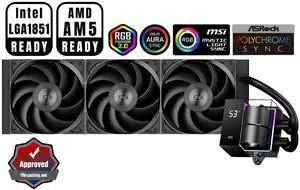
PCCOOLER CPS DS360 AIO CPU Liquid Cooler, 360mm Radiator, 310W TDP, Dual Chamber Pump, ARGB LEDs & Digital Display, Aluminum Pump Cover, for Intel LGA 1851/1700/1200/115X & AMD AM5/AM4, Black
- Part Number: DS360-BKNWXX-GL
- Type: Liquid Cooling System
- Block Compatibility: Intel: LGA 20XX/1851/1700/1200/115X AMD: AM5/AM4
- Block Compatibility - AMD: AMD: AM5/AM4
- Model #: DS360-BKNWXX-GL
- Item #: 9SIBYC4KEB5570
- Return Policy: View Return Policy
$93.49
Free Shipping
Pretty much everything is spot on. I was skeptical at first since there was only 2 reviews at the time when I purchased my AIO. I would definitely not skip this item.
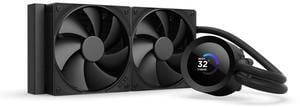
NZXT KRAKEN PLUS 240 MM AIO LIQUID COOLER WITH 1.54" LCD & STATIC PRESSURE FANS
- Brand: NZXT
- Model: RL-KN240-B2
- Part Number: RL-KN240-B2
- Type: AIO
- Model #: RL-KN240-B2
- Item #: N82E16835146166
- Return Policy: Standard Return Policy
$139.99
$199.99
Free Shipping