
Your Browsing History
BEST SELLERS


BEST SELLERS
In Water / Liquid Cooling
Our most popular products, based on sales and updated frequently.Shop Department
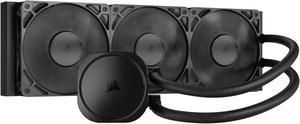
CORSAIR NAUTILUS 360 RS Liquid CPU Cooler – RS120 Fans – Fits Intel® LGA 1851/1700, AMD® AM5/AM4 – Simple Daisy-Chain - Direct Motherboard Connection
- Brand: CORSAIR
- Series: Nautilus Series
- Type: AIO
- Block Compatibility: Intel® LGA 1851/1700, AMD® AM5/AM4
- Model #: CW-9060089-WW
- Item #: N82E16835181474
- Return Policy: Standard Return Policy
$154.99
Free Shipping
9800x3d does internet at 45c games at 60c to 70 c with spikes to 80 if im rendering, AMAZEBALLZ!
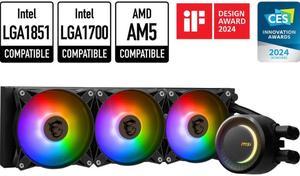
MSI MAG CoreLiquid E360 Black - AIO ARGB CPU Liquid Cooler - Rotating Cap Design - 360mm Radiator - Triple 120mm ARGB PWM Fans - LGA 1851,1700 Ready / AMD AM5 Compatible
- Type: Liquid Cooling System
- Block Dim.: 41 (+/-0.2) x 47.6 (+/-0.2) mm
- Block Material: Copper
- Radiator Size: Radiator Size: 360 mm Radiator Dimensions: 394 x 119.2 x 27mm / 15.51 x 4.69 x 1.06 inches
- Model #: MAG CORELIQUID E360
- Item #: N82E16835846050
- Return Policy: Standard Return Policy
$119.99
$224.99
$109.99 after $10.00 rebate card
Free Shipping
-Setup is pretty straightforward (advise to watch youtube video as well as it shows you how to cable manage those annoying aRGB and fan PWM cables -Mounting is super-easy for AM5 socket. -Quiet fans when idling/not working on CPU-heavy tasks -Excellent cooling performance (My Ryzen 9800X3D never exceeds 81C when running Prime95 small FFT and is idling at 35C or even lower) -RGBs are cool, I guess if you value these things (you will need Mystic Light or MSI Centre to control the RGB lights)
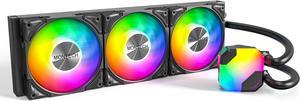
MONTECH HyperFlow ARGB 360 - AIO CPU Liquid Cooler, Supports Intel LGA 1851/1700, AMD AM5/AM4, Enhanced 3100RPM Water Pump Design, 3X Metal Pro 12 ARGB Ultimate Cooling Fans - Black
- Brand: MONTECH
- Type: Liquid Cooling System
- Block Compatibility: Intel: LGA115X/1200/1700/1851/20XX AMD:AM3/ AM4/AM5
- Fan Size: 3 Fan Slots (120 mm)
- Model #: HyperFlow ARGB 360
- Item #: N82E16835988004
- Return Policy: Standard Return Policy
$99.99
$129.99
Free Shipping
Easy to install Keeps cpu at about 39 degrees idle and haven't seen it get above 50 while playing Monster Hunter Wilds.
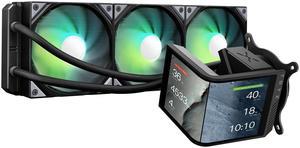
TRYX Panorama SE 360 ARGB 360mm AIO Rotatable 6.67'' AMOLED Curved Screen 3D Anamorphic Effect Customizable AIO Cooler 360mm Asetek Adela 280w TDP ARGB Fan Intel LGA 1851/1700/1200/115X AMD AM5/AM4
- Brand: TRYX
- Series: PANORAMA SE ARGB
- Part Number: L-P360L-AM3M-G0K
- Type: AIO
- Model #: L-P360L-AM3M-G0K
- Item #: 2YM-00BE-00013
- Return Policy: Standard Return Policy
$319.99
$409.99
Free Shipping
- The packaging and assembly of the product were well-designed, with a sturdy box and pre-installed fans that made installation easier. - The instructions were clear and simple, making it easy to install, even for inexperienced users. - The performance benchmarks showed good results, with temperatures that were not excessively high and noise levels that were relatively quiet, around 35-45 decibels. - The product was quiet during real-world testing, including browsing, working with multimedia, and gaming, with fan noise staying at low decibels even at 60-70% of their max speed. - The compatibility and fitment of the radiator were good, with no design issues that could impact fitment on most cases. - The cable management was clean, thanks to the proprietary cabling for ARGB and sufficient cable length. - For design features, included AMOLED screen and customizable software, were well-thought-out and added to the product's uniqueness. - The build quality was generally good, with a 6-year warranty to back it up.

MSI MAG Coreliquid A13 360 Black - AIO ARGB Liquid Cooling - 360mm Radiator - Triple 120mm ARGB PWM Fans - EZ Connect - LGA 1700/1851/AM5/AM4 Compatible
- Brand: MSI
- Type: AIO
- Block Compatibility: Intel Socket LGA 1700 / 1851 AMD Socket AM5/AM4
- Block Compatibility - AMD: AMD Socket AM5/AM4
- Model #: MAG Coreliquid A13 360
- Item #: N82E16835846069
- Return Policy: Standard Return Policy
$119.99
$164.99
$109.99 after $10.00 rebate card
Free Shipping
I got it in a combo deal and gave it to my son for his build. It helps keep his temperatures cool and his fans quiet.
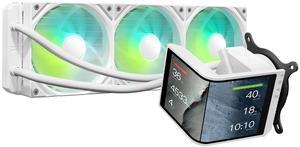
TRYX Panorama SE 360 ARGB White 360mm AIO Rotatable 6.67'' AMOLED Curved Screen 3D Anamorphic Effect Customizable AIO Cooler 360mm White Asetek Adela 280w TDP Intel LGA 1851/1700/1200/115X AMD AM5/AM4
- Brand: TRYX
- Series: PANORAMA SE ARGB
- Part Number: L-P360L-AM3M-G0W
- Type: AIO
- Model #: L-P360L-AM3M-G0W
- Item #: 2YM-00BE-00014
- Return Policy: Standard Return Policy
$329.99
$409.99
$7.99 Shipping
This is my first AIO cooler. I've always leaned towards high end air cooling in the past and I have to say I'm beyond impressed by what I'm seeing (and not hearing!) in this TRYX AIO. The heatsink (dual fan) I replaced with this was definitely skirting the mid-high to high end air cooling solutions. Not only does the TRYX keep my idle temps a few degrees cooler but under load with moderate gaming the temps are literally 10 degrees cooler. (i7 10700k with a mild overclock) Under extreme loads it sits around 10-15 degrees cooler but far less noisy compared to my air cooler. If I crank the fan speed up it will stay consistently ~15 degrees cooler than the air cooling. But the most impressive part of that is the silence. I'm able to maintain the level of cooling I am right now (check the included screenshot) without the need to have the TRYX fans spin up to an audible level. The pump is also silent. To the point I questioned if it was even running the first time I turned it on! Under heavy duty gaming the TRYX is still able to maintain significantly lower temps at much lower fan speeds. The silence really is golden. I really can't stress how quiet this is while still maintaining great temps. The ARGB lighting is a nice touch and added to the theme of my entire build. Keep in mind you need to either have support for it on your motherboard or a controller. There is no way to adjust the lighting without it. The install is simple. Took all of 10 minutes to get setup. Instructions are easy to follow. The screen can be mounted at different orientations, vertical and horizontal. All customizable through the software. You can also add some neat effects like rain or fog. There's ways to split the images as well and treat the display as two screens. Speaking of the software... this leads me to my one con.
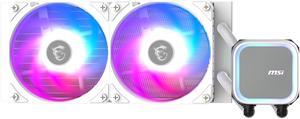
MSI MAG Coreliquid A13 240 White - AIO ARGB Liquid Cooling - 240mm Radiator - Dual 120mm ARGB PWM Fans - EZ Connect - LGA 1700/1851/AM5/AM4 Compatible
- Brand: MSI
- Type: AIO
- Block Compatibility: Intel Socket LGA 1700 / 1851 AMD Socket AM5/AM4
- Block Compatibility - AMD: AMD Socket AM5/AM4
- Model #: MAG Coreliquid A13 240 White
- Item #: N82E16835846068
- Return Policy: Standard Return Policy
$99.99
$127.99
$89.99 after $10.00 rebate card
Free Shipping
Quiet Easy to install Clear instructions
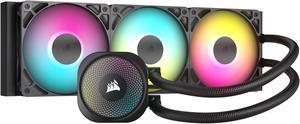
CORSAIR NAUTILUS 360 RS ARGB Liquid CPU Cooler – RS120 ARGB Fans – Fits Intel® LGA 1851, AMD® AM5/AM4 – Simple Daisy-Chain Connections - Direct Motherboard Connection
- Brand: CORSAIR
- Series: Nautilus Series
- Type: AIO
- Block Compatibility: Intel® LGA 1851/1700, AMD® AM5/AM4
- Model #: CW-9060093-WW
- Item #: N82E16835181478
- Return Policy: Standard Return Policy
$184.99
Free Shipping
- CPU Temps are lower than my previous 240mm unit - RGB is very nice once installed - Quieter than expected. Originally it was very loud, running at 100% constantly no matter what settings I adjusted to lower the fan speed. Realized I plugged my Pump Fan lead into the CPU Fan slot on my MB. Switched to the Pump Fan slot and it regulates properly now and is quiet unless I'm running a game on Ultra settings
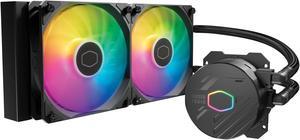
Cooler Master MasterLiquid 240L Core 240mm Close-Loop AIO Liquid Cooler, ARGB Sync, Gen S Coldplate Pump, 120mm PWM, CryoFuze Thermal Paste AMD AM5/AM4, Intel LGA 1851/1700/1200 (MLW-D24M-A18PZ-R1)
- Brand: COOLER MASTER
- Series: MasterLiquid
- Part Number: MLW-D24M-A18PZ-R1
- Type: Liquid Cooling System
- Model #: MLW-D24M-A18PZ-R1
- Item #: N82E16835103353
- Return Policy: Standard Return Policy
$74.99
$109.99
$7.99 Shipping
I originally had a fan cooler which worked great temps around 65 C and I was very happy with it. This cooler replaced that fan and now keeps my CPU under 50 C, much lower than i expected. looks great as well.
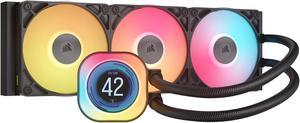
CORSAIR iCUE LINK TITAN 360 RX LCD Liquid CPU Cooler – RX120 RGB Fans – Fits Intel® LGA 1851/1700, AMD® AM5/AM4 – iCUE LINK System Hub Included
- Brand: CORSAIR
- Part Number: CW-9061023-WW
- Type: AIO
- Block Compatibility: AMD: AM5, AM4 | Intel: 1851, 1700
- Model #: CW-9061023-WW
- Item #: N82E16835181479
- Return Policy: Standard Return Policy
$309.99
Free Shipping
Well packaged! Nice software and lighting features! Installed easily and perfectly in the Corsair case. Thermal compound was pre installed!
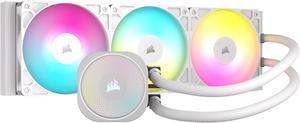
CORSAIR NAUTILUS 360 RS ARGB Liquid CPU Cooler – White – RS120 ARGB Fans – Fits Intel® LGA 1851, AMD® AM5/AM4 – Simple Daisy-Chain Connections - Direct Motherboard Connection
- Brand: CORSAIR
- Series: Nautilus Series
- Type: AIO
- Block Compatibility: Intel® LGA 1851/1700, AMD® AM5/AM4
- Model #: CW-9060095-WW
- Item #: N82E16835181476
- Return Policy: Standard Return Policy
$184.99
Free Shipping
Fairly easy to install Keeps my stock 12700k at around 60°C under load Pretty quiet once you get a nice fan curve set up Doesn't require Corsair iCue
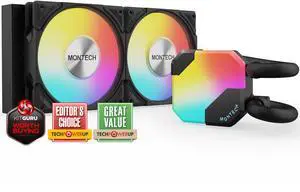
MONTECH HyperFlow ARGB 240 - AIO CPU Liquid Cooler, Intel&AMD Compatible, Chart-Topping Performance, Enhanced 3100RPM Water Pump Design, 2X Metal Pro 12 ARGB Ultimate Cooling Fans - Black
- Brand: MONTECH
- Type: Liquid Cooling System
- Block Compatibility: Intel: LGA115X/1200/1700/1851/20XX AMD:AM3/ AM4/AM5
- Fan Size: 2 Fan Slots (120 mm)
- Model #: HyperFlow ARGB 240
- Item #: 9SIA92GKTF9300
- Return Policy: View Return Policy
$39.95
$19.99 Shipping
Easy to install for am5 running a 7800x3d and haven't had any issues.

MSI MAG Coreliquid A13 240 Black - AIO ARGB Liquid Cooling - 240mm Radiator - Dual 120mm ARGB PWM Fans - EZ Connect - LGA 1700/1851/AM5/AM4 Compatible
- Brand: MSI
- Type: AIO
- Block Compatibility: Intel Socket LGA 1700 / 1851 AMD Socket AM5/AM4
- Block Compatibility - AMD: AMD Socket AM5/AM4
- Model #: MAG Coreliquid A13 240
- Item #: N82E16835846067
- Return Policy: Standard Return Policy
$99.99
$129.99
$89.99 after $10.00 rebate card
Free Shipping
The MSI MAG Coreliquid A13 240 Black is truly an outstanding AIO cooler and a huge upgrade for my system. The cooling performance is top-tier; the 240mm radiator keeps my CPU temps remarkably low, even during intense, multi-hour gaming sessions. Installation was straightforward and hassle-free thanks to the clear mounting hardware. Beyond performance, the ARGB lighting is vibrant, easily synchronized, and gives my entire build a professional and stunning aesthetic touch. Its quiet, powerful, and looks fantastica perfect blend of function and style. Highly recommended for anyone looking for superior liquid cooling!
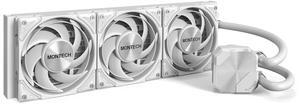
MONTECH HyperFlow Silent 360 White – Ultra-Quiet AIO Liquid CPU Cooler, 3100RPM Pump, Triple Silent Fans, High-Efficiency Radiator for Superior Heat Dissipation, Intel & AMD Compatible, ARGB-Free Mini
- Brand: Montech
- Series: HyperFlow Silent
- Part Number: HyperFlow Silent 360 White
- Pump Speed: Pump: 3100 RPM ±10%
- Model #: HyperFlow Silent 360 White
- Item #: N82E16835988008
- Return Policy: Standard Return Policy
$89.99
Free Shipping
Good cooling for a 7800x3d, not too loud if proper fan curves are used, great value overall, pairs great with a Montech King 95 Pro case, 6 year warranty-huge factor for me picking this aio.
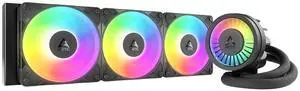
ARCTIC ACFRE00184A Liquid Freezer III Pro 360 A-RGB AIO CPU Cooler, Water Cooling 38 mm Radiator, AMD AM5/AM4, Intel LGA1851/1700 (Black)
- Model #: ACFRE00184A
- Item #: 9SIA9H5KF33096
- Return Policy: View Return Policy
$184.99
$194.99
Free Shipping
Amazing AIO. Fans already preinstalled. Easy instructions to follow. Cools my CPU no issue
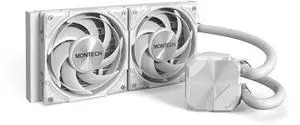
MONTECH HyperFlow Silent 240 White – Ultra-Quiet AIO Liquid CPU Cooler, 3100RPM Pump, Triple Silent Fans, High-Efficiency Radiator for Superior Heat Dissipation, Intel & AMD Compatible, ARGB-Free Mini
- Part Number: HyperFlow Silent 360 White
- Type: AIO
- Pump Speed: Pump: 3100 RPM ±10%
- Pump Noise: 45.18 dBA (Overall), Pump: 28.8 dBA, Fan: 24.8 dBA
- Model #: HyperFlow Silent 240 White
- Item #: N82E16835988006
- Return Policy: Standard Return Policy
$69.99
Free Shipping
I can't hear it.
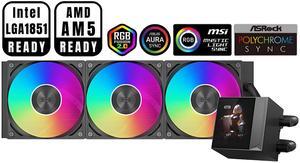
PCCOOLER CPS DC360 Pro ARGB Display AIO CPU Liquid Cooler, 360mm Radiator, 310W TDP, Customizable 2.4" IPS LCD Display, Ceramic Bearing, for Intel LGA 1851/1700/1200/115X & AMD AM5/AM4, Black
- Part Number: DC360Pro-BKAWXY-GL
- Type: Liquid Cooling System
- Block Compatibility: Intel: LGA 1851/1700/1200/115X AMD: AM5/AM4
- Block Compatibility - AMD: AMD: AM5/AM4
- Model #: DC360Pro-BKAWXY-GL
- Item #: 9SIBYC4KEB5572
- Return Policy: View Return Policy
$109.99
$125.99
Free Shipping
best temp ,silent fans, and also nice control app
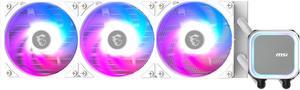
MSI MAG Coreliquid A13 360 White - AIO ARGB Liquid Cooling - 360mm Radiator - Triple 120mm ARGB PWM Fans - EZ Connect - LGA 1700/1851/AM5/AM4 Compatible
- Brand: MSI
- Type: AIO
- Block Compatibility: Intel Socket LGA 1700 / 1851 AMD Socket AM5/AM4
- Block Compatibility - AMD: AMD Socket AM5/AM4
- Model #: MAG Coreliquid A13 360 White
- Item #: N82E16835846070
- Return Policy: Standard Return Policy
$119.99
Free Shipping
-Good looking cooler with RGB -I like how much surface area for the cooling tubes there is -Almost as easy to install as a regular CPU fan
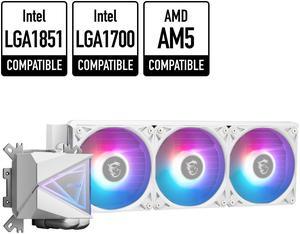
MSI MAG CoreLiquid I360 White - AIO ARGB CPU Liquid Cooler - Infinity Mirror Design - UNI Bracket - 360mm Radiator - Triple 120mm ARGB PWM Fans - LGA 1700/1851 / AM5/AM4 Compatible
- Brand: MSI
- Series: MAG Series
- Type: Liquid Cooling System
- Block Compatibility: Intel: LGA1150/1151/1155/1156/1200/1700/ 1851 AMD: AM5/AM4
- Model #: MAG CORELIQUID I360 WHITE
- Item #: N82E16835846064
- Return Policy: Standard Return Policy
$201.99
$191.99 after $10.00 rebate card
Free Shipping
Good design, beautiful, cpu cooling work great.
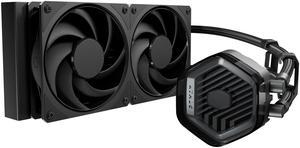
Cooler Master 240 Atmos Stealth High Performance Close-Loop AIO Liquid Cooler, R9|i7 Dual Chamber Pump, Customize Cover, Mobius 120, AMD Ryzen AM5|4, Intel LGA 1851|1700 Platform
- Brand: COOLER MASTER
- Part Number: MLX-D24M-A24PK-R1
- Type: Liquid Cooling System
- Block Compatibility: AMD Socket AM4 / AMD Socket AM5 / Intel LGA 1150 / Intel LGA 1151 / Intel LGA 1155 / Intel LGA 1156 / Intel LGA 1200 / Intel LGA 1700 / Intel LGA 1851
- Model #: MLX-D24M-A24PK-R1
- Item #: N82E16835103372
- Return Policy: Standard Return Policy
$159.99
$163.99
$29.99 Shipping
- Fits in 2.75 slot mode on the FormD T1 - Keeps my -35 undervolted 9800X3D at 47 on idle and less than 60 under load - Very securely packaged with handy instructions. - Quiet pump