


BEST SELLERS


BEST SELLERS
In Network Attached Storage (NAS)
Our most popular products, based on sales and updated frequently.Shop Department
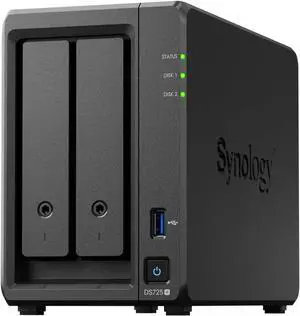
Synology 2-bay DiskStation DS725+ (Diskless)
- Brand: Synology
- Included HDD Capacity: Diskless System
- Form Factor: 2-bay;4GB DDR4
- Port USB: 1 x USB3.2
- Model #: DS725+
- Item #: N82E16822108852
- Return Policy: Extended Holiday Return Policy
$1,210.99
$9.99 Shipping
As of DSM 7.3 you can now use any name brand drive again. I tested with my old 4 TB Seagate Red drives and no issues.
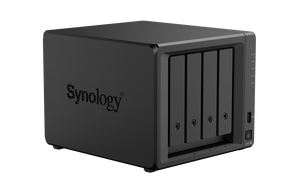
Synology 4-bay DiskStation DS925+
- Brand: Synology
- Included HDD Capacity: Diskless System
- Form Factor: 4-bay;4GB DDR4 ECC SODIMM
- HDD Interface: 4 x SATA (4 x Bay)
- Model #: DS925+
- Item #: N82E16822108847
- Return Policy: Extended Holiday Return Policy
COMING SOON
Hot swappable drives. Comes with key to lock the drives from being removed. Toolless drive installation. Fast.
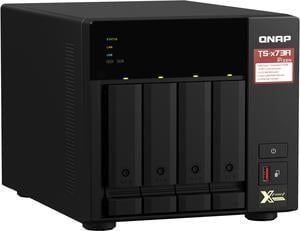
QNAP TS-473A-8G-US 4 Bay Ryzen Desktop NAS (Diskless)
- Form Factor: 4-Bay
- Port RJ-45: 2 x 2.5 GbE
- Port USB: 3 x Type-A USB 3.2 Gen 2 5V/1A 10Gbps 1 x Type-C USB 3.2 Gen 1 5V/1A 5Gbps
- HDD Interface: 4 x SATA (4 x Bay)
- Model #: TS-473A-8G-US
- Item #: 9SIADGEEUW5970
- Return Policy: View Return Policy
$1,389.22
$31.50 Shipping
Unit comes with 8 mb of RAM. Upgrading to 32 was easy and allowed use of the more advanced QTS Hero software.
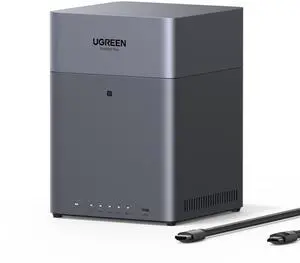
UGREEN NASync DH4300 Plus Storage Hub with HDMI Cable
- Brand: Ugreen
- Included HDD Capacity: Diskless System
- Form Factor: 4-Bay
- Port RJ-45: 1x 2.5GbE
- Model #: DH4300Plus
- Item #: N82E16822995007
- Return Policy: Extended Holiday Return Policy
$521.99
$554.99
Free Shipping
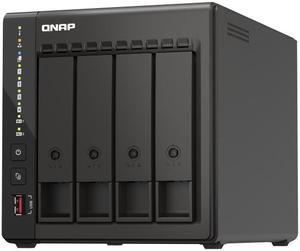
QNAP 4-Bay High-Performance desktop NAS with Intel Celeron 4-Core J6412, onboard 8GB RAM, 2 x 2.5GbE, 1 x HDMI 1.4b, 2 x M.2 PCIe Gen 3 Slots, 2x USB 3.2 Gen2 Type A, long term supply up to 2029
- Form Factor: 4-Bay
- Port RJ-45: 2 x 2.5 GbE
- HDD Interface: 4 x SATA (4 x Bay)
- Processor: Intel® Celeron® J6412 4-core/4-thread processor, burst up to 2.6 GHz
- Model #: TS-453E-8G-US
- Item #: N82E16822099150
- Return Policy: Extended Holiday Return Policy
$1,149.99
$19.99 Shipping
I haven't set-up or used this item yet Newegg Order process was very easy and shipping took only 3 days to send to my address in California - received item a few days earlier than estimated
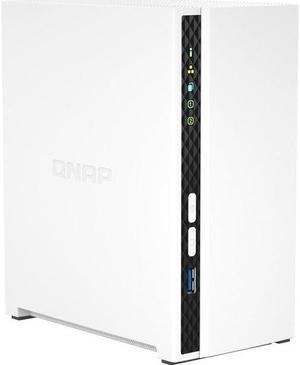
QNAP TS-233-US Network Storage
- Form Factor: 2-Bay
- Port RJ-45: 1 x 10/100/1000M
- Port USB: 1 x USB3.0 + 2 x USB2.0
- HDD Interface: 2 x SATA (2 x Bay)
- Model #: TS-233-US
- Item #: 9SIADGEHBS0872
- Return Policy: View Return Policy
$389.22
$18.99 Shipping
Affordable. And works very well
QNAP TS-H2477AXU-RP-R7-32G-US 4U 24-Bay QuTS hero NAS, AMD Ryzen 7000 series 8C16T, 32GB DDR5 non-ECC,2 x 550W redundant - TS-H2477AXU-RP-R7-32G-US
- Brand: Qnap
- Part Number: TS-H2477AXU-RP-R7-32G-US
- Model #: TS-H2477AXU-RP-R7-32G-US
- Item #: 14P-000R-004R3
- Return Policy: Extended Holiday Return Policy
$10,299.99
$14.99 Shipping
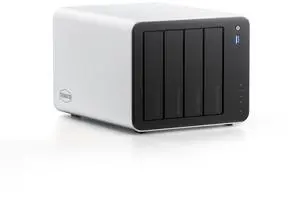
TERRAMASTER F4-425 Pro - 4Bay, Intel N305 8-Core, 8GB RAM, 5GbE LAN x 2, M.2 Slot x 3, AI-Native OS TOS 7, OpenClaw Supported, Network Attached Storage for Home, Business and Media Server (Diskless)
- Brand: Terra Master
- Model: F4-425 Pro (N305
- Included HDD Capacity: Diskless System
- Form Factor: 4-Bay
- Model #: F4-425 Pro (N305)
- Item #: 9SIACN5M209461
- Return Policy: View Return Policy
$969.99
Free Shipping
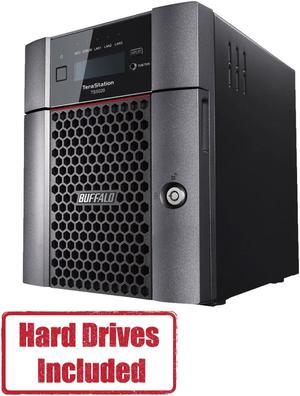
BUFFALO TeraStation 5420 4-Bay 8TB (2x4TB) Business Desktop NAS Storage Hard Drives Included
- Form Factor: 4-Bay
- Port RJ-45: 1 x 10GbE + 2 x 1GbE
- Port USB: 2 x USB3.0 + 2 x USB2.0
- HDD Interface: 4 x SATA (4 x Bay)
- Model #: TS5420DN0802
- Item #: 9SIAA4YKFU9822
- Return Policy: View Return Policy
$1,883.99
Free Shipping
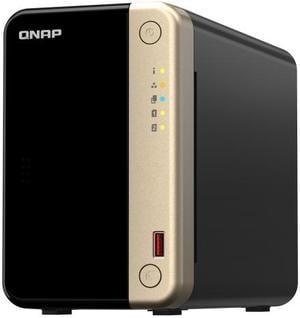
QNAP TS-264 2-Bay High-Performance Desktop NAS. Intel 4C/4T Processor, burst up to 2.9GHz with 8GB DDR4 RAM On-Board, 2 x 2.5GbE, 2 x M.2 2280 PCIe Gen 3 x1, 1 x PCIe Gen3 x2 slot for network/storage
- Form Factor: 2-Bay
- Processor: Intel Celeron N5095
- Installed Memory: 8GB
- Power: 65W adapter, 100-240V
- Model #: TS-264-8G-US
- Item #: N82E16822099151
- Return Policy: Extended Holiday Return Policy
$799.99
Free Shipping
Synology RX418 4bay Expansion Unit (Diskless)
- Port eSATA: 1 x eSATA
- HDD Interface: 4 x SATA (4 x Bay)
- Power: AC input power voltage: 100V to 240V AC Power frequency: 50 to 60 Hz, single phase
- Temperature: Operating Temperature: 5 ~ 35 degree Celsius (40 ~ 95 degree Fahrenheit) Storage Temperature: -20 ~ 60 degree Celsius (-5 ~ 140 degree Fahrenheit)
- Model #: RX418
- Item #: 9SIAMW5JXK4408
- Return Policy: View Return Policy
$1,369.99
Installing and setting up the RX418 was very easy. It installed into the rack just like any other component with the included parts. From there it was plugging in the power, connecting it to my RX820+ with the included eSATA cable, and installing the hard drives. I had the RS820+ turned off while the RX418 was being connected just to be extra safe. I turned on both units and logged onto the DSM of the RX820+ from a computer. While in the DSM I saw that the RX418 along with the hard drives had been discovered. One may treat the hard drives as if they were on the host machine. I decided create a storage pool with the disks in the RX418. If the host system (my RS820+ in my case) is connected to a UPS then it handles shutting down the RX418. (It's possible to configure the DSM such that alerts from the UPS are passed onto other machines on the network. I was using this because I had two Synology NASs, one which was replaced by the RX418, but there was only one USB connection to the UPS. This feature let me shut down the second NAS safely. Go to Control Panel -> Hardware & Power -> UPS. It might be placed differently depending on which version of the DSM you are running but at there bottom there is a button labelled "Device Information" to get details about the UPS. Above that there is a checkbox for "Enable network UPS server". To send notices to other Synology devices, I don't know about other brands, ensure that it is enabled, and click on the button below labelled "Permitted Synology NAS Devices" which will let you enter the IP addresses of any NASs you wish to shut down at the same time as the one you are logged onto.
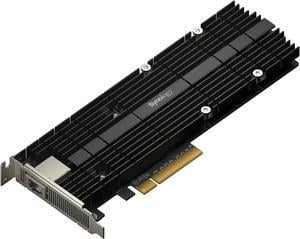
Synology E10M20-T1 10Gb Ethernet and M.2 Adapter card
- Type: Accessory
- Model #: E10M20-T1
- Item #: 9SIA7BBHZ63028
- Return Policy: View Return Policy
$418.17
$10.00 Shipping
- M.2SSD and 10GBE in one card - Performance - Ease of installation - Heat sink
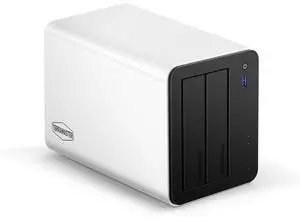
TERRAMASTER F2-425 Plus NAS Storage - 2Bay Intel N150 Quad-Core CPU, 8GB RAM DDR5, 5GbE LAN x 2, M.2 Slot x 3, Network Attached Storage for Teamwork, Multimedia Server (Diskless)
- Brand: Terra Master
- Model: 2 Bay, F2-425 Plus
- Included HDD Capacity: Diskless System
- Form Factor: 2-Bay
- Model #: F2-425 Plus
- Item #: 9SIACN5KNM3107
- Return Policy: View Return Policy
$689.99
Free Shipping