




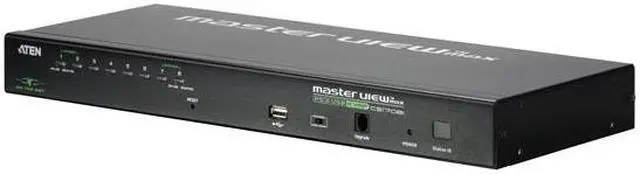


ATEN 8-port 1 user(1 IP or 1 Local) IP KVM
- 8 Ports 1 Port
- AutoScan Interval 1-255 sec.
- Video Resolution Local: 2048x1536; DDC2B
- Remote: 1600x1200@60Hz/24bit color depth
+
+
Overview
Specs
Reviews
8-PORT PS/2-USB KVM ON THE NET WITH 1 LOCAL/REMOTE USER ACCESS
Warranty & Returns
Warranty, Returns, And Additional Information
Warranty
- Limited Warranty period (parts): 3 years
- Limited Warranty period (labor): 3 years
- Read full details
Return Policies
- Return for refund until: January 31, 2027
- Return for replacement until: January 31, 2027
- This item is covered by Newegg.ca's Extended Holiday Return Policy.
- Read full return policy for details.
We want to ensure your holiday shopping this year is hassle-free. That’s why we’re automatically extending our return policies on almost every product! For purchases placed between November 1st, 2026 and December 31, 2026 you will have until January 31, 2027 to return your product.
Manufacturer Contact Info
- Manufacturer Product Page
- Manufacturer Website
- Support Phone: 1-888-999-2836
- Support Website
- View other products from ATEN
LOADING...
The ATEN CS1708i is an 8-port KVM over IP switch for IT teams and server administrators who need to monitor and control up to eight computers from one console, locally or remotely over a network. It supports USB and PS/2 computers, BIOS-level access, and daisy chaining for larger setups.
Recommended For
- IT administrators who need to reach up to eight rack-mounted servers over the network for BIOS-level checks, troubleshooting, or maintenance without being physically at the local console.
- Small server-room teams that want one local keyboard, monitor, and mouse console to switch among several computers, with optional daisy-chaining as the installation grows.
- Administrators maintaining older or mixed-generation computers that use VGA and PS/2 or USB keyboard-and-mouse connections.
- Support staff who need remote console access to machines that are difficult to reach in person, and whose workflow can use the switch’s Windows or Java client software.
Real-World Use Scenarios
- A technician managing a small server rack can switch among up to eight connected machines from one local keyboard, monitor, and mouse, avoiding repeated trips between consoles.
- When a server is stuck during startup or needs BIOS-level attention, an administrator can use the KVM console to view and control it before its operating system is available.
- An administrator away from the equipment can connect over the network to check a machine’s screen and perform basic keyboard-and-mouse troubleshooting, reducing the need to be physically at the rack.
- In a lab or server room with a mix of older PS/2 and USB-connected computers, staff can manage the connected machines through the same KVM setup rather than maintaining separate consoles.
- For a larger rack that outgrows eight directly connected computers, an IT team can daisy-chain compatible units and continue selecting machines from a centralized KVM setup.
Spec Summary
| Attribute | Value |
|---|---|
| Best For | Managing and remotely accessing up to 8 PS/2- or USB-connected computers from one KVM console; supports daisy-chaining for larger installations |
| Computer And Console Connections | 8 computer connections and 1 monitor connection, using SPHD-17 PC connectors and SPHD-18 console connectors; supports USB and PS/2 |
| Video Resolution | Local console: up to 2048 × 1536 with DDC2B; remote sessions: up to 1600 × 1200 at 60 Hz and 24-bit color depth |
| Control And Switching | Select computers using push buttons, hot keys, or the on-screen display; AutoScan interval is adjustable from 1 to 255 seconds |
| Remote Access And Expansion | IP-based remote access, BIOS-level access, and daisy-chain support for up to 15 additional units, enabling control of up to 128 computers |
| Compatibility And Display Support | Supports Windows, Linux, Mac, and Sun systems; Video DynaSync stores the console monitor’s EDID to optimize display resolution, and Mouse DynaSync supports mouse synchronization |
| Status Indicators | Front-panel indicators show online and selected computers, station ID, power, and LAN status |
| Power | 5.3 V DC; 9.5 W power consumption |
| Operating Environment | Operating temperature: 0–50 °C; storage temperature: −20–60 °C; humidity: 0–80% RH, non-condensing |
| Physical And Mounting | Rack-mountable in a 19-inch system rack; 1.73 × 17.21 × 6.29 inches; weighs 6.19 lb (about 2.8 kg) |
| Model Identifiers | ATEN CS1708i |