
Your Browsing History




Featured Brands






Whether it’s to navigate your keepsake media collection or stream high-resolution videos in your own personal cloud, or to share and access files securely to other employers with ease as a business owner, an NAS (Network Attached Storage) provides a high-capacity storage solution that connects to your home or office network. With 24/7 access through your mobile device or PC, NAS is a cost-effective way to back up important data without paying a high cloud subscription fee.
Shop Internal Hard Drives

Shop External Hard Drives

Hard Drive Popular Brands


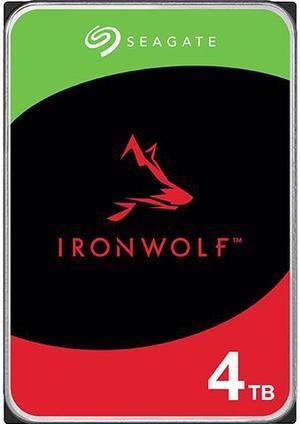
Seagate IronWolf ST4000VN006 4TB 5400 RPM 256MB Cache SATA 6.0Gb/s 3.5" Internal Hard Drive HDD
- Brand: Seagate
- Series: IronWolf
- Capacity: 4TB
- RPM: 5400 RPM
- Model #: ST4000VN006
- Item #: N82E16822185030
- Return Policy: Standard Return Policy
- $279.99 –
- More options from $279.99 - $601.62
- Free Shipping
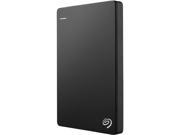
Seagate Portable 2TB External Hard Drive Portable HDD – USB 3.0 for PC, Mac, PS4, & Xbox (STGX2000400)
- Model #: STGX2000400
- Item #: 2RC-02PD-00002
- Return Policy: Standard Return Policy
- $209.99
- $179.99 –
- Save: 14%
- More options from $179.99 - $306.01
- Est. Shipping Fee $3.99
TOSHIBA 4TB Canvio Advance Portable External Hard Drive USB 3.0 Model HDTCA40XK3CA Black
- Form Factor: 2.5"
- Dimensions: 0.77" x 3.10" x 4.30"
- Weight: 0.48 lb.
- Package Contents: Toshiba Canvio Advance Portable Hard Drive USB 3.0 Cable (works with USB 2.0) Quick Start Guide Downloadable Software* * Software is available via a free download that is subject to Toshiba Electronic Devices & Storage Corporation's and/or Toshiba America Electronic Components, Inc.'s standard End User License Agreement. Software is compatible with Windows PC only.
- Model #: HDTCA40XK3CA
- Item #: N82E16822149773
- Return Policy: Standard Return Policy
- $267.99 –
- More options from $259.22 - $377.48
- Free Shipping
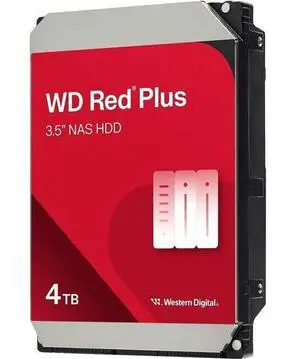
WD Red Plus 4TB 3.5" 5400RPM SATA Internal Hard Disk Drive - WD40EFZZ
- Brand: Western Digital
- Model: WD40EFZZ
- Capacity: 4TB
- RPM: 5400 RPM
- Model #: WD40EFZZ
- Item #: 1Z4-0002-01R24
- Return Policy: Standard Return Policy
- $274.99 –
- More options from $274.99 - $343.64
- Free Shipping
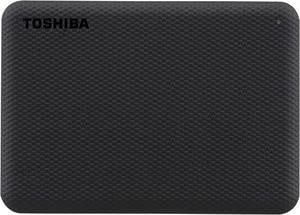
TOSHIBA 2TB Canvio Advance Portable External Hard Drive USB 3.0 Model HDTCA20XK3AA Black
- Form Factor: 2.5"
- Dimensions: 0.55" x 3.10" x 4.30"
- Weight: 0.33 lb.
- Package Contents: Toshiba Canvio Advance Portable Hard Drive USB 3.0 Cable (works with USB 2.0) Quick Start Guide Downloadable Software* * Software is available via a free download that is subject to Toshiba Electronic Devices & Storage Corporation's and/or Toshiba America Electronic Components, Inc.'s standard End User License Agreement. Software is compatible with Windows PC only.
- Model #: HDTCA20XK3AA
- Item #: N82E16822149772
- Return Policy: Standard Return Policy
- $179.99
- $169.99 –
- Save: 5%
- More options from $169.99 - $345.99
- Free Shipping
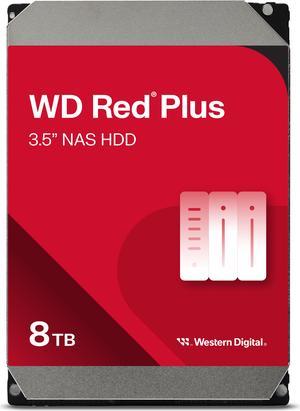
WD Red Plus 8TB 5640 RPM 256MB Cache SATA 6.0Gb/s 3.5" Hard Drives -WD80EFPX
- Brand: WD
- Series: Red Plus
- Capacity: 8TB
- RPM: 5640 RPM
- Model #: WD80EFPX
- Item #: 1Z4-0002-01NP7
- Return Policy: Standard Return Policy
- $499.99 –
- More options from $499.99 - $746.52
- Free Shipping
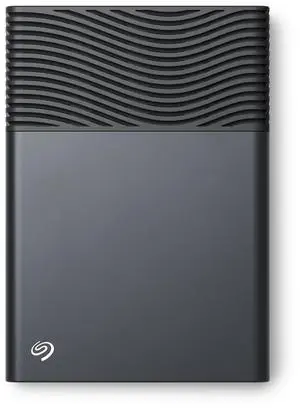
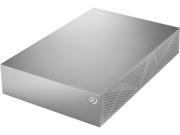
- Brand: Seagate
- Capacity: 8TB
- Color: Space Gray
- Interface: USB Type-C
- Model #: STNB8000400
- Item #: N82E16822185121
- Return Policy: Standard Return Policy
- $404.99 –
- More options from $404.99 - $511.14
- $9.99 Shipping
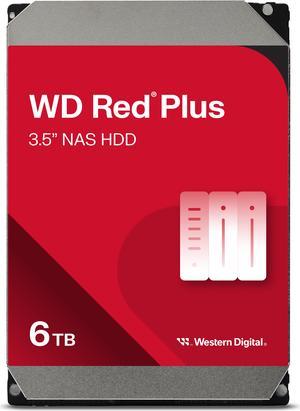
WD Red Plus 6TB 5400 RPM 256MB Cache SATA 6.0Gb/s 3.5" Hard Drives - WD60EFPX
- Brand: WD
- Series: Red Plus
- Capacity: 6TB
- RPM: 5400 RPM
- Model #: WD60EFPX
- Item #: N82E16822234534
- Return Policy: Standard Return Policy
- $389.99 –
- More options from $389.99 - $999.00
- Free Shipping
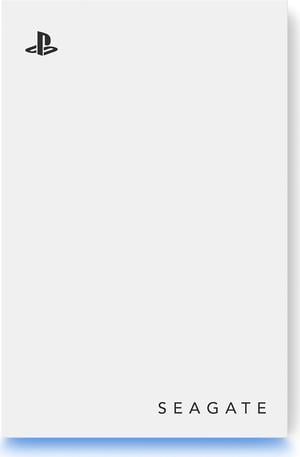
Seagate Game Drive for PS5 5TB External HDD - USB 3.0, Officially Licensed, Blue LED (STLV5000100)
- Part Number: STLV5000100
- Dimensions: 20.5mm/0.807in × 76.0mm/2.99in × 113.5mm/4.469in
- Weight: 249g/0.549lb
- Model #: STLV5000100
- Item #: N82E16822185103
- Return Policy: Standard Return Policy
- $309.99 –
- More options from $309.99 - $478.51
- $9.99 Shipping
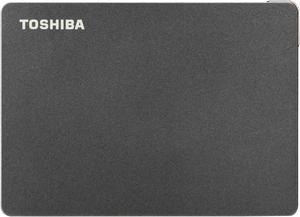
TOSHIBA 1TB Canvio Gaming Portable External Hard Drive USB 3.0 Model HDTX110XK3AA Black
- Form Factor: 2.5"
- Dimensions: 0.53" x 3.15" x 4.37"
- Weight: 0.33 lb.
- Package Contents: Toshiba Canvio Gaming Portable Hard Drive USB Type-A to Micro-B Cable Quick Start Guide
- Model #: HDTX110XK3AA
- Item #: N82E16822149765
- Return Policy: Standard Return Policy
- $134.99 –
- More options from $134.99 - $249.61
- $7.99 Shipping
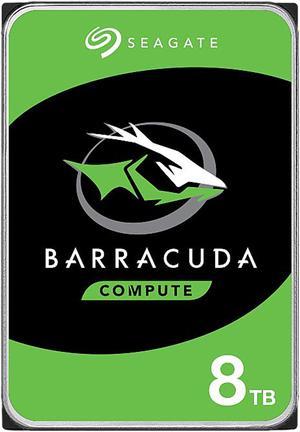
Seagate BarraCuda NE-ST8000DM004 8TB 5400 RPM 256MB Cache SATA 6.0Gb/s 3.5" Internal Hard Drive Bare Drive
- Brand: Seagate
- Series: BarraCuda
- Capacity: 8TB
- RPM: 5400 RPM
- Model #: ST8000DM004
- Item #: N82E16822183793
- Return Policy: Standard Return Policy
- $344.99 –
- More options from $344.99 - $540.72
- Free Shipping
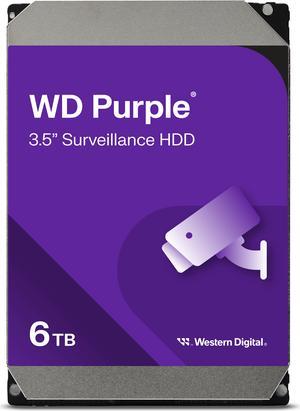
WD Purple 6TB 3.5" SATA Internal Hard Disk Drive WD64PURZ
- Brand: Western Digital
- Capacity: 6TB
- RPM: 5400 RPM
- Interface: SATA 6.0Gb/s
- Model #: WD64PURZ
- Item #: 1Z4-0002-01N54
- Return Policy: Standard Return Policy
- $399.99 –
- More options from $399.00 - $478.99
- Free Shipping
Related searches
Hard Drives
Hard drives are the central storage device for data on your computer. On it rests the documents you create, the music you listen to, the games you play and the video you view. You'll want to choose a drive which is optimized for your primary purpose.There are a few main things to consider when selecting a hard drive: internal or external hard drive, connection type, speed and capacity. Whether you call it a Hard Drive, a Hard Disk, or an HDD, budget permitting, always go for the fastest drive you can. Speed of data access is measured using RPMs (revolutions per minute). Typical drives range from 5400 to 7200 ROM, with more and more 9600 RPM drive appearing on the scene. A faster rotational speed means greater performance, especially in games, but may cause greater heat and noise.
The capacity, measured in GB (gigabytes), should depend on your own storage requirements. A higher capacity drive will invariably cost more than a smaller drive, so a balance must usually be struck between capacity and cost.
The hard drive interface, whether it's IDE, SATA, or SCSI determine a drive's application: IDE and SATA for personal storage and SCSI for enterprise and mission critical storage. Please see our Internal Hard Drive Buying Guide for more information.
ATA/IDE
Whether you call it "Advanced Technology Attachment" or "Integrated Drive Electronics", the name given to it by Western Digital, this connection method has the drive controller integrated into the drive, rather than connected to the motherboard. They can communicate at up to 133 MB/s.SATA 1.5 Gbit/s
First-generation SATA interfaces, also known as SATA/150 or unofficially as SATA 1, communicate at a rate of 150MB/s or 1.5 Gbit/s.SATA 3.0 Gbit/s
Soon after SATA 1.5 Gbit/s introduction a number of shortcomings were observed. This feature, Native Command Queuing (NCQ), was adopted as an optional supported feature for SATA 1.5 Gbit/s and SATA 3.0 Gbit/s devices.SATA 3.0 Gbit/s is designed to fall back to SATA 1.5 Gbit/s when in communication with these older devices. In practice, some older SATA controllers do not properly implement SATA speed negotiation. SATA cables are less expensive and more compact than for ATA.
With the introduction of SATA, convention ATA is sometimes called Parallel ATA (PATA), which refers to the method in which the data travels over the wires.
Cables and Connectors for SATA Devices
Connectors and Cables are the same for either generation. They are used on 3.5-in SATA hard disks for desktop and server computers and 2.5-in disks for laptop or small computers.SCSI (Small Computer System Interface)
Actually a variety of interfaces ranging from Narrow SCSI at 40Mb/s to Ultra-640 SCSI at 5120Mb/s may be substantially more expensive than other connections, but it offers a wider range of connection and device possibilities. Frequently SCSI connections may be found in higher-speed disks, up to 15000 RPM.Computer hard drives contain all the data in your PC, from the operating system to music, movies and video games. Whether you have a laptop or a desktop computer, there are several types of hard drives to choose from. The most common hard drive interfaces are PATA, SATA and SAS.
HDDs Provide Up To 10TB of Storage Space
HDDs use platters to perform their essential functions. A motor spins the plates while an actuator arm reads and writes on them. Inside the hard drive, there's also an I/O controller that communicates with the other components of the computer system. SSDs, instead, use flash memory.
For this reason, SSDs are much faster. They also tend to generate less heat inside the computer case and to consume less energy than HDDs. Since they have less fragile internal parts, SSDs are generally more durable. However, HDDs can have up to 10TB of capacity, while SSDs can only handle up to 4TB of storage space. Thanks to their speed, SSDs are standard as boot drives. HDDs, instead, work better as mass storage devices.
Are PATA Desktop Hard Drives Compatible With Older Computers?
PATA hard drives need bulky ribbon-like cables to connect to the motherboard. These cables may cause overheating inside the computer case, especially for laptops. If you want multiple PATA hard drives in your PC, you must connect them with the correct jumpers in a master-slave configuration. The master drive communicates directly with the computer and controls the slave drive. This is possible thanks to the configuration of the motherboard, which has both a primary and secondary PATA channel. The PATA standard can transmit data at a maximum speed of 133MBps.
SATA Drives Are Faster and Require Less Bulky Cables
SATA computer hard drives can transmit data at a speed of 150, 300 or 600MBps. SATA drives improve the overall speed of the PC, allowing apps and games to load faster. These drives connect directly to the motherboard with cables that are much smaller than the PATA ones, allowing air to flow better inside the computer case. Each drive connects directly to the motherboard, with no need for a master-slave configuration. SATA cables have a maximum length of 3.3ft so that you can mount the hard drive everywhere inside the computer case.
SAS Internal Hard Drives Offer Superior Reliability
Thanks to their speed and reliability, SAS drives are mostly common in servers, data centers and business computer systems. They can run 24 hours a day, seven days a week, and handle up to 1.6 million hours of use at 45°. On the other hand, SATA drives have more capacity and consume less power. SAS drives use cables with a maximum length of 33ft, to meet the needs of large or complex servers. They use a redundant array of independent disks (RAID) to prevent data losses and downtime; If one of the drives fails while you're working, the data will still be available on another drive.
Bestselling Hard Drive Reviews:
Alex A.
4/15/2026 8:31:38 AM
Just works!
“ I bought this for use in an external 4-bay USB drive enclosure to add to 3 older Seagate Compute 8TB drives for a total formatted capacity of 43.6TB. ”
Seagate BarraCuda ST24000DM001 24TB 7200 RPM 512MB Cache SATA 6.0Gb/s 3.5" Internal Hard Drive