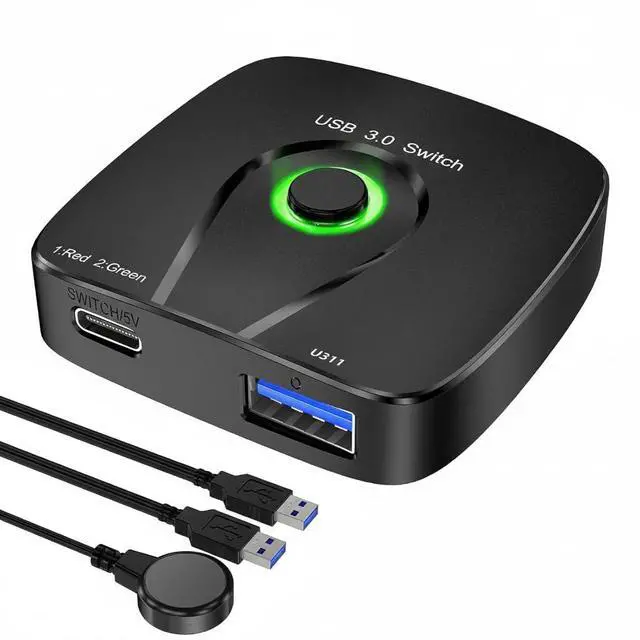
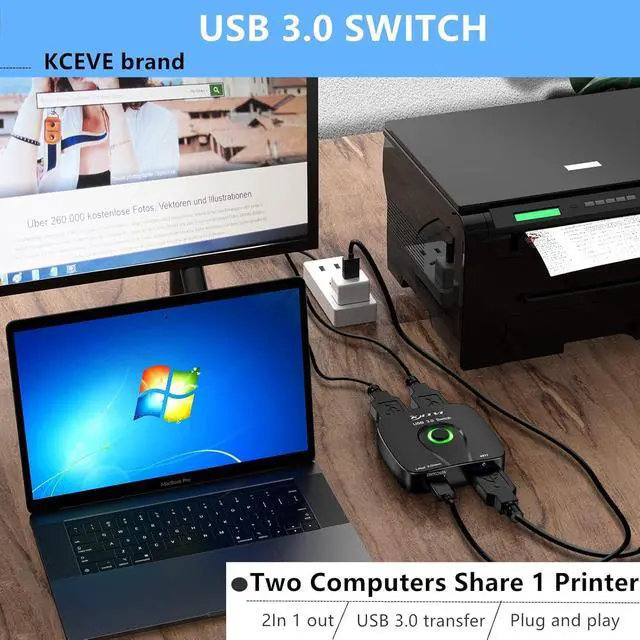
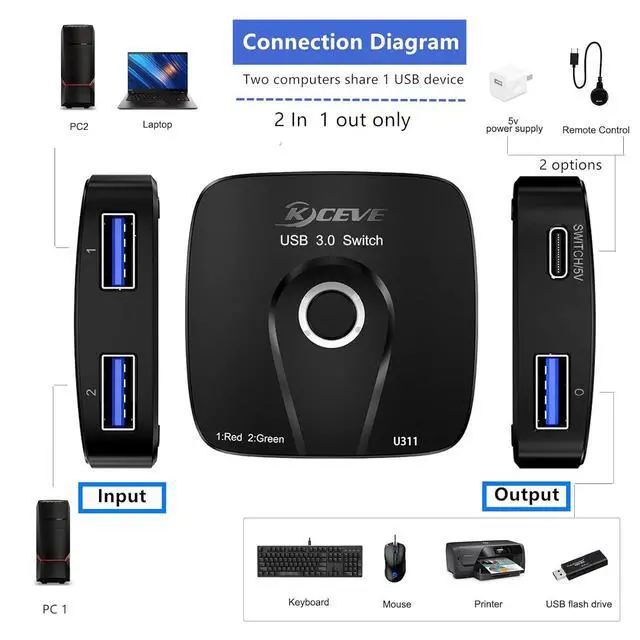
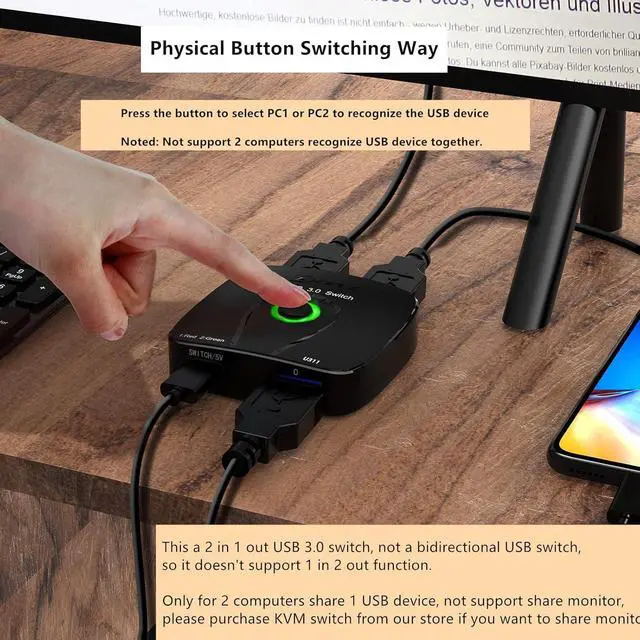
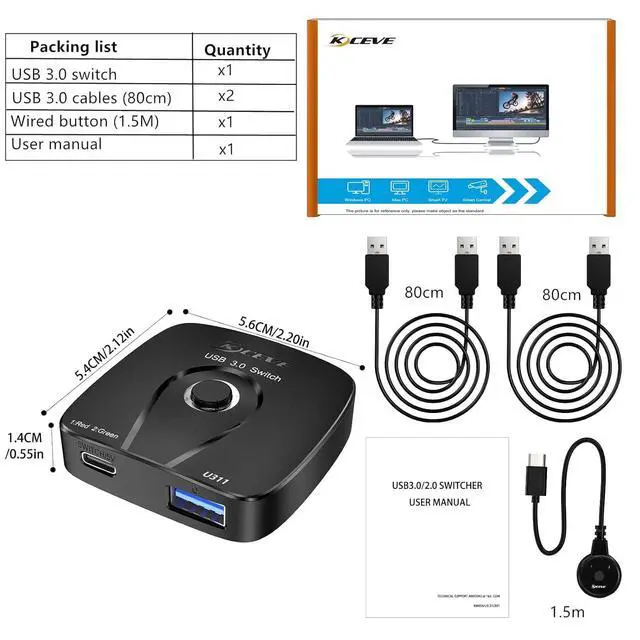
This USB 3.0 switch allows two computers to share one USB device, such as a printer, scanner, mouse, keyboard, card reader, flash drive, and other USB devices. This 2 in 1 out USB 3.0 switch is not a bidirectional USB switch and therefore does not support 1 in 2 out functionality.
The USB 3.0 switch supports ultra-fast USB 3.0 data transfer and is backward compatible with USB 2.0 and USB 1.1 devices. Save time and improve efficiency.
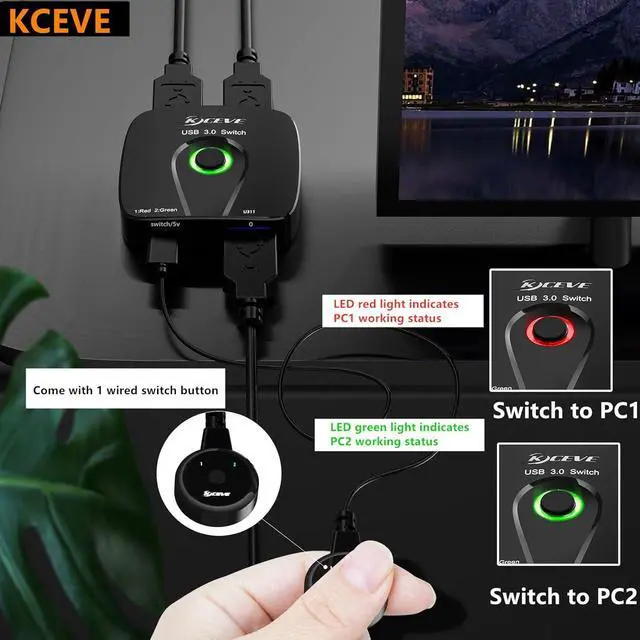
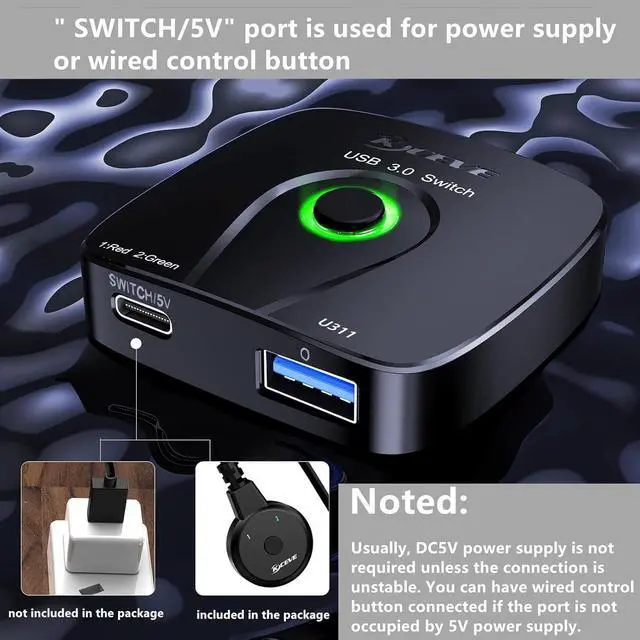
The "SWITCH/5V" interface is used for power or an external control button. DC5V power is not normally required unless USB connection is unstable. You can connect an external control button if the port is not powered by a 5V power supply.
This USB 3.0 switch offers excellent compatibility, driver-free support for Windows 10/8/8.1/7/Vista/XP, Mac OS X, Linux, and Chrome OS, and is simply plug-and-play. The LED indicator makes it easy to see which computer is in control.
Our USB 3.0 switch works with all USB 3.0 devices. Please note that an external 5V adapter is required when using a high-power USB device. (Power adapter not included).
+
+
Overview
Specs
Reviews
USB Switcher 2 in 1 Out, USB 3.0 Switch for 2 Computers Share 1 Device for Keyboard Mouse Printer with 2 USB Cables
Learn more about the Generic Brand U21
Model
Brand
TRENDnet
Model
U21
Part Number
U21
Details
Type
USB
PC Connectors
Plug In
Console Connectors
Plug In
Computer Connections
USB 2.0
Monitor Connections
4 Ports
PC Selection
Push Buttons
Monitors Supported
VGA DDC, DDC2, DDC2B
Features
Audio Features
Offers audio and microphone switching
USB Features
with USB support
SplitterOnly
VGA Monitor Splitter only
Application
Plug In, USB-C, HDMI, USB 3.0
Features
Plug In, USB-C, HDMI, USB 3.0, 0, IP00
Dimensions & Weight
Dimensions
14.33in W x 12.83in H x 9.06in D
Package Contents
Package Contents
with Built-in Cables
Additional Information
First Listed on Newegg
April 08, 2026
Customer Reviews of the Generic Brand U21
There are no reviews yet.
Do you own this product?
Warranty & Returns
Warranty, Returns, And Additional Information
Warranty
Please contact the Seller directly for warranty information. Warranty information may also be found on the Manufacturer's website.