• $155.99
  • Price alert

    Shipped by xiuhuishangmao

    Shop it at NeweggBusiness.

    Meet Your Seller

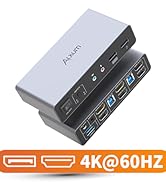
    HDMI DP USB 3.0 KVM Switch with Audio and Microphone Ports-2 Monitors to 2 Computers Dual Mode Switching 4K@60Hz 3 USB A 5Gbps,Includes 2 USB-B Cables,DC 5V Power Adapter and Desktop Controller

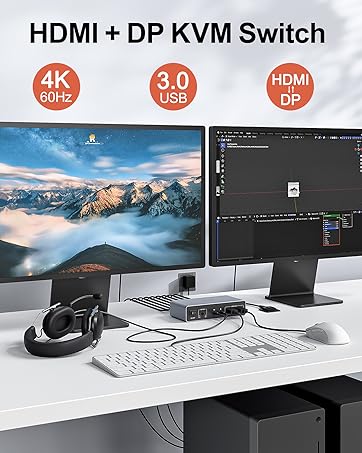
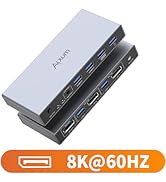
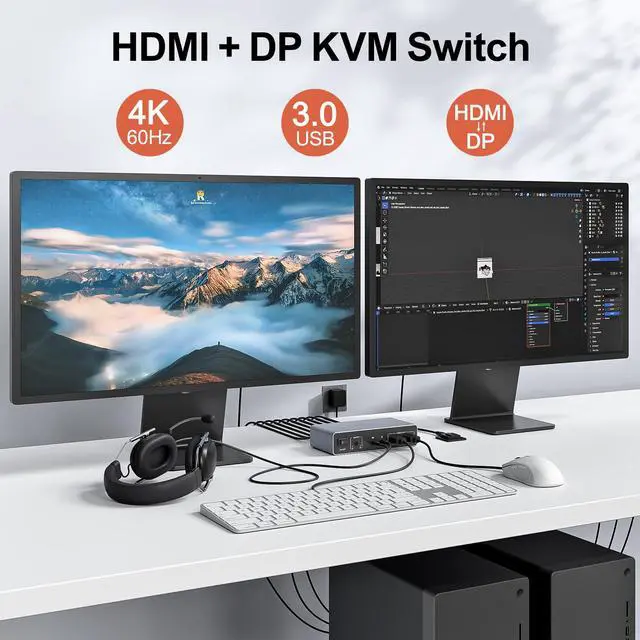
    • TWO Monitor KVM Switch for 2 Computers This HDMI and DisplayPort KVM switch allows you to connect two computers to two monitors. It features two computer input ports (One HDMI and One DisplayPort) and two monitor output ports (One HDMI and One DisplayPort), Enabling seamless switching between systems.Note: It is not recommended to connect a laptop when outputting to two monitors simultaneously.
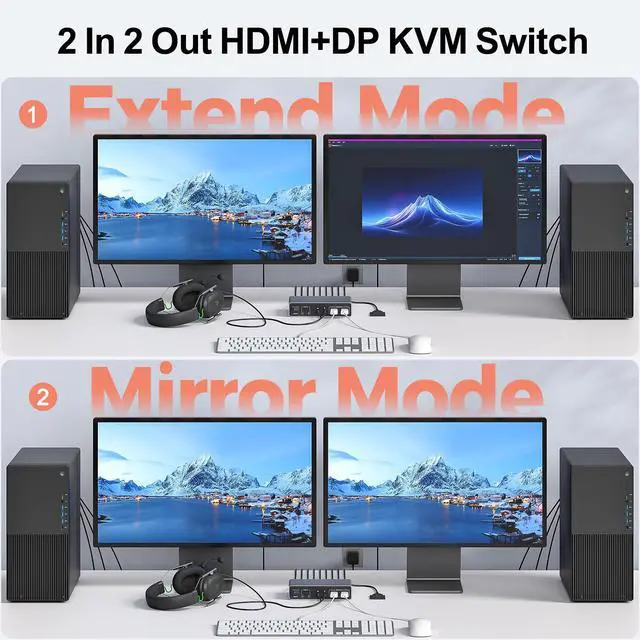
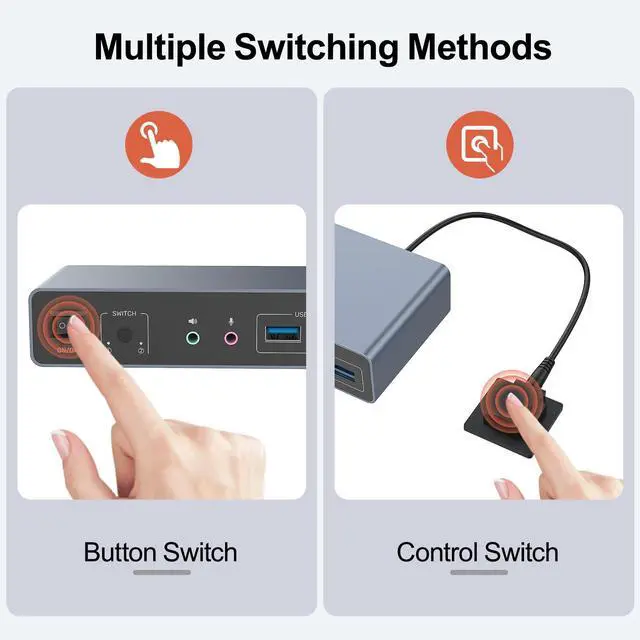
    • Dual Switching ModesInstantly switch between two computers via the device buttons or the included remote control. Its compact design allows you to tuck the switch away in any corner, creating a neat and organized workspace. It helps keep your desktop clean and efficient, whether in an office, studio, or home environment.NOTE:If you need to switch the copy mode or extended mode, set the 2 computers to Copy Mode or Extended Mode at the same time by operating on the monitor.
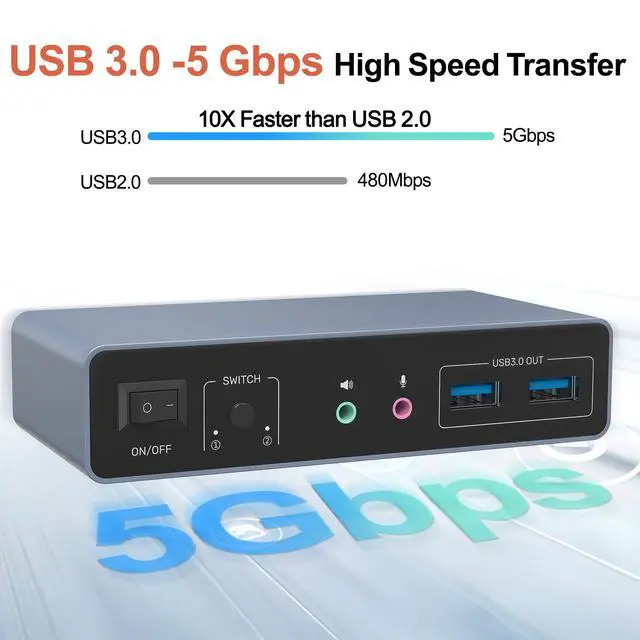
    • Multimedia Connectivity - This HDMI/DisplayPort KVM switch features audio and microphone ports, along with three additional USB-A ports (USB 3.0, Up to 5Gbps). It supports devices such as mice, keyboards, printers, External hard drives with USB-A interfaces, allowing you to control two computers with just one set of peripherals.
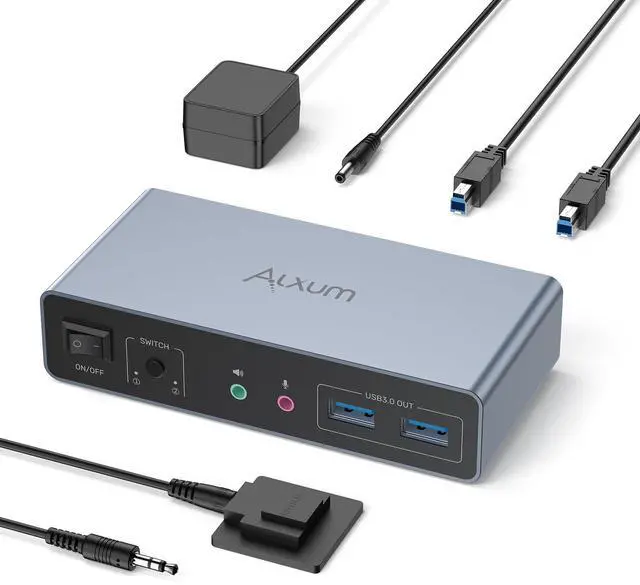
    • Package Content: 1 x USB HDMI DP KVM Switch, 2 x USB A to B cable, 1 x Desktop Controller, 1 x DC 5V Power Adapter, 1 x User Manual. Please contact us if you have any questions before purchase or during use. We provide 24-hour customer-friendly support service.
    +
    +
    Overview
    Specs
    Reviews
    Alxum hdmi dp 2 in 2 out kvm switch

    Alxum 4K HDMI Display KVM Switch - Two Computers to Two Monitors

    The Optimal Choice for Multi-Host Workstations

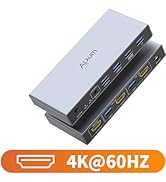
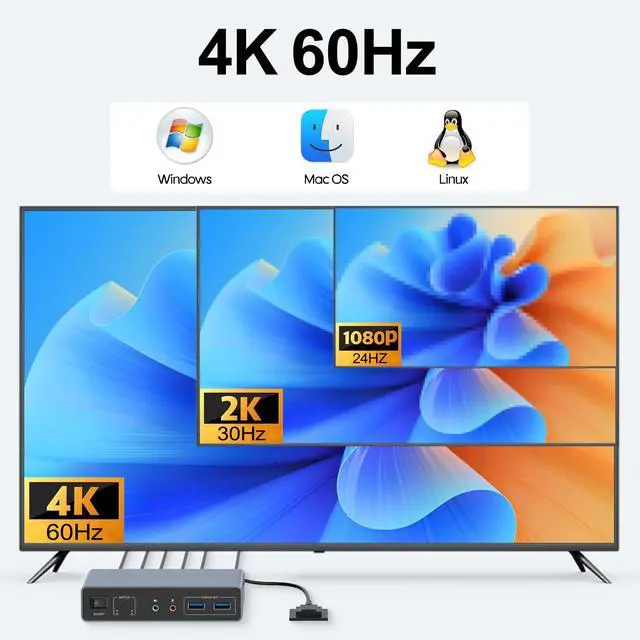
    • Supports Ultra HD video resolution up to 3840×2160@60Hz
    • Supports HDMI 2.0 with backward compatibility to HDMI 1.4
    • Supports 3.5mm stereo audio output
    • Supports 5Gbps High-Speed Data Transfer (backward compatible with USB 2.0/1.1)
    • Supports microphone input
    • Supports HDCP 2.3
    • Dual switching modes (button/IR remote control)
    • Plug-and-play operation (no drivers required)

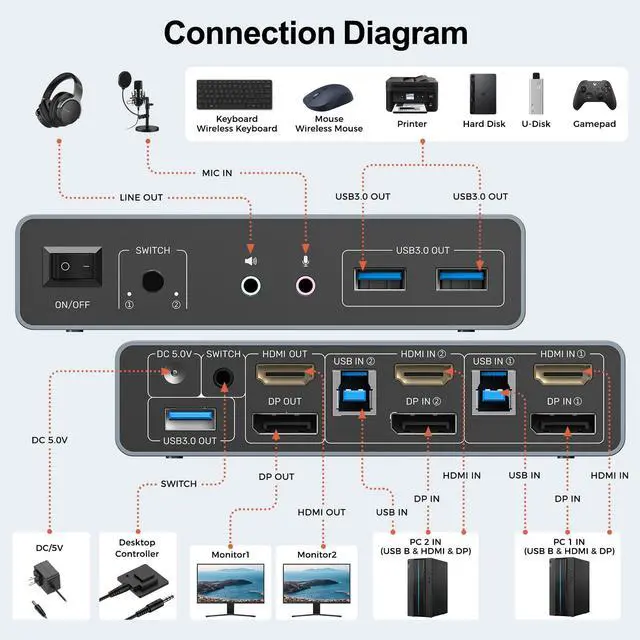
    Connection Diagram

    KVM Switching Usage Guidelines

    1.Not recommended for laptop connections when driving dual displays simultaneously.

    2.Generally not advised for laptop usage scenarios.

    3.It is not recommended to use HDMI to DP conversion cable, or DP to HDMI conversion cable.

    4.Please keep the 5V power adapter connected during use. Don't use any over 5V power adapter

    5.For protection during transportation, KVM Switcher is covered with a clear protective film. You can remove the protective film before use.

    The HDMI ports of the KVM switch need to achieve a resolution of 4K@60Hz. It's essential to ensure that the cables in use, the connected display screens, and the host are all compatible with and support 4K@60Hz

    Notes:

    • For Dual-Screen Setup:

    Each computer must connect to USB IN, HDMI IN+DP IN;

    HDMI OUT+DP OUT to two monitors respectively.

    • Example:

    PC 1: USB IN+DP IN+HDMI IN(the ports on the same host)+HDMI OUT

    PC 2 :USB IN+DP IN+HDMI IN(the ports on the same host)+DP OUT

    • Two Display Modes

    Mirror Mode: Both monitors display the same image;

    Extended Mode: Use two monitors to show separate screens from one PC.

    Package Content

    package content
    Alxum hdmi dp 2 in 2 out kvm switch

    Alxum 4K HDMI Display KVM Switch - Two Computers to Two Monitors

    The Optimal Choice for Multi-Host Workstations

    • Supports Ultra HD video resolution up to 3840×2160@60Hz
    • Supports HDMI 2.0 with backward compatibility to HDMI 1.4
    • Supports 3.5mm stereo audio output
    • Supports 5Gbps High-Speed Data Transfer (backward compatible with USB 2.0/1.1)
    • Supports microphone input
    • Supports HDCP 2.3
    • Dual switching modes (button/IR remote control)
    • Plug-and-play operation (no drivers required)

    Connection Diagram

    KVM Switching Usage Guidelines

    1.Not recommended for laptop connections when driving dual displays simultaneously.

    2.Generally not advised for laptop usage scenarios.

    3.It is not recommended to use HDMI to DP conversion cable, or DP to HDMI conversion cable.

    4.Please keep the 5V power adapter connected during use. Don't use any over 5V power adapter

    5.For protection during transportation, KVM Switcher is covered with a clear protective film. You can remove the protective film before use.

    The HDMI ports of the KVM switch need to achieve a resolution of 4K@60Hz. It's essential to ensure that the cables in use, the connected display screens, and the host are all compatible with and support 4K@60Hz

    Notes:

    • For Dual-Screen Setup:

    Each computer must connect to USB IN, HDMI IN+DP IN;

    HDMI OUT+DP OUT to two monitors respectively.

    • Example:

    PC 1: USB IN+DP IN+HDMI IN(the ports on the same host)+HDMI OUT

    PC 2 :USB IN+DP IN+HDMI IN(the ports on the same host)+DP OUT

    • Two Display Modes

    Mirror Mode: Both monitors display the same image;

    Extended Mode: Use two monitors to show separate screens from one PC.

    Package Content

    package content

    HDMI & Displayport USB 3.0 KVM Switch


    Product information

    Operation Mode ON-ON
    Current Rating 2 Amps
    Operating Voltage 5 Volts
    Contact Type Normally Open
    Connector Type Plug In
    Brand Alxum
    Switch Type Kvm
    Terminal Solder
    Material Plastic
    Item dimensions L x W x H 5.12 x 2.46 x 1.17 inches
    Circuit Type 1-way
    Mounting Type Desktop
    Number of Positions 2
    Upper Temperature Rating 40 Degrees Celsius
    Controller Type Usb
    Control Method Touch
    Connectivity Protocol Usb
    Color HDMI+DP
    Item Dimensions 5.12 x 2.46 x 1.17 inches
    Unit Count 1.0 Count
    Number of Items 1
    Material Type Plastic
    Contact Material Aluminum
    International Protection Rating IPX0
    Specification Met CE, FCC, UL
    Brand Name Alxum
    Model SJW-DKM202B
    Manufacturer Alxum
    Included Components Kvm Switch

    Additional Features

    • Ultra HD 4K Resolutions-Alxum KVM switches Supports Ultra HD 4K resolution at 60Hz, with backward compatibility for 4K@30Hz and 1080p displays.NOTE:1.Use a 4K-compatible HDMI cable and monitor for optimal results.2.For protection during transportation, the product is covered with a clear protective film. You can remove the clear protective film before use.
    • NOTE:1.To Use Dual-Screen Mode, Both of your Computers Must be Desktop PCs. This USB 3.0 KVM Switch is NOT Recommended for use with Laptops.2.To Control two monitors with two computers, All interfaces must be properly connected.3.When using the KVM switch, Ensure the included DC 5V power adapter is connected.

    Warranty & Returns

    Warranty, Returns, And Additional Information

    Warranty

    • Please contact the Seller directly for warranty information. Warranty information may also be found on the Manufacturer's website.
    • CONTACT

    Return Policies

    Manufacturer Contact Info

    LOADING...