




Yinker VGA KVM Switch 2 Port
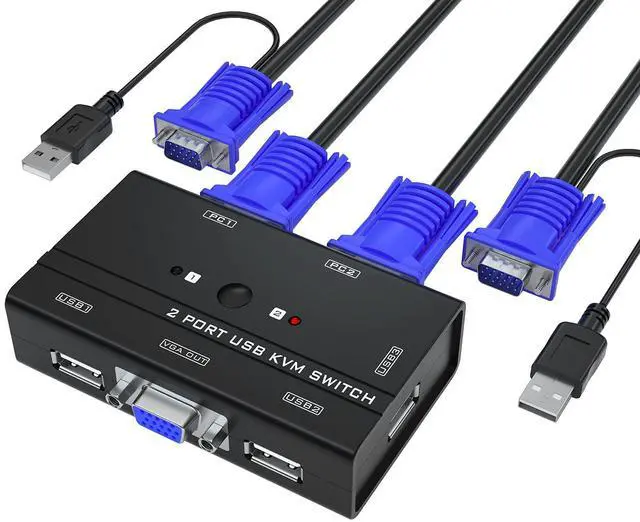
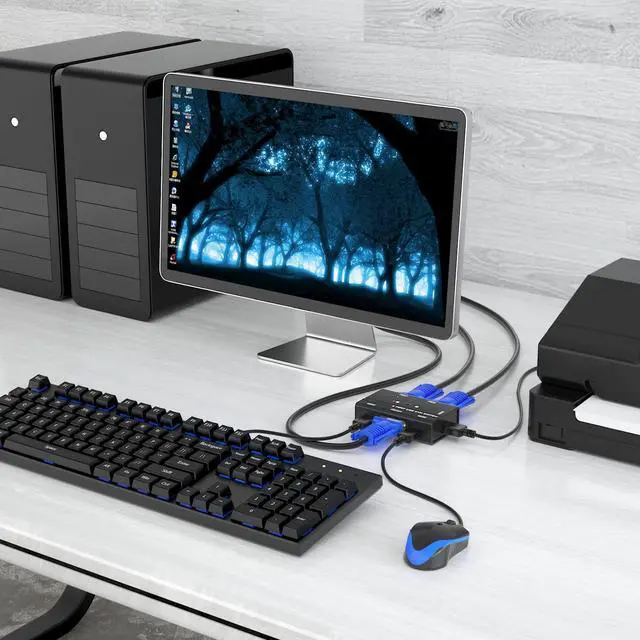
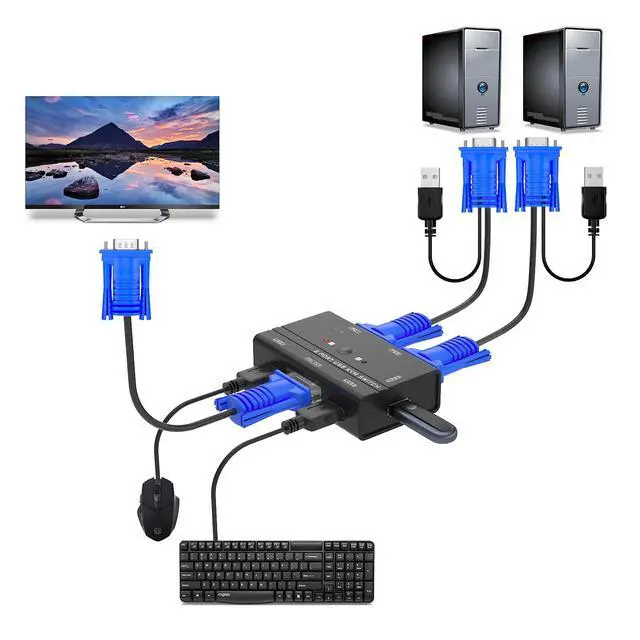
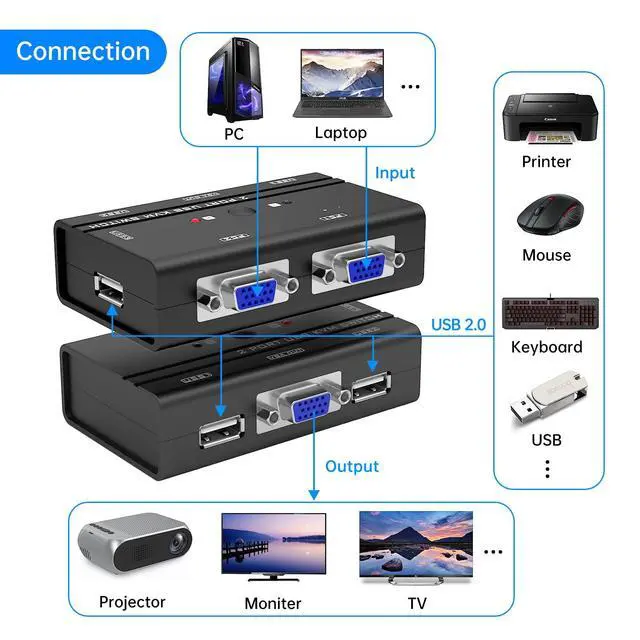
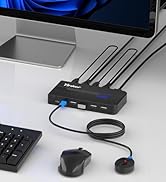
- This 2 port USB VGA KVM switch allows 2 computers to share one set of monitor, keyboard, mouse and printer/U disk/USB speaker.
- This the latest version with 2 pack 2in1 KVM cables. It also support wireless keyboard, mouse or combo.
- The handy and small size make it suitable both for home and work environment, taking you no space to place.

Yinker Easily-Switching KVM VGA with 2in1 VGA&USB cables
- Button Switch: Easily switch with a simple button press, totally manual switch. With the mechanic sound while pressing, indicating whether press it successfully, a great experience for those enjoying clicking sound.
- Unlike to old VGA KVM, Yinker novel KVM comes with 2 pack KVM Cable with both VGA and USB splitted pigtail. Really save your place and minimize cable mess.
- Simple Plug & Play, no need to download any software or connect any power adapter. All power comes from the host computers through the connection of the USB pigtail.

Yinker High Resolution VGA KVM Switch
- Support resolution max to 1920*1440. Compatible with 1080P 720P 480P. Perform best at 1920*1080. Support DDC and Automatic Identification high quality output.
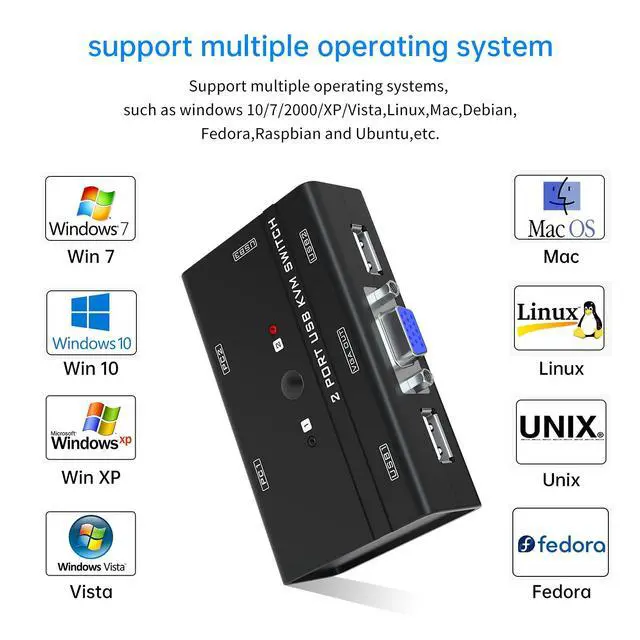
- Wide Compatibility in Operate System: Windows 10/8/7 / XP / Vista (32/64-bit), Mac, Linux, DOS, Win3, WINNT, Netware, and Unix. Also support online games and DVR..
Package:
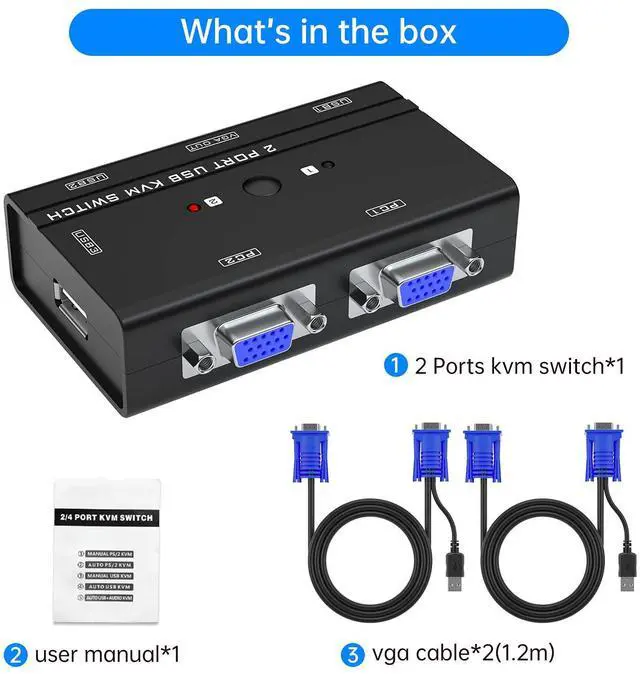
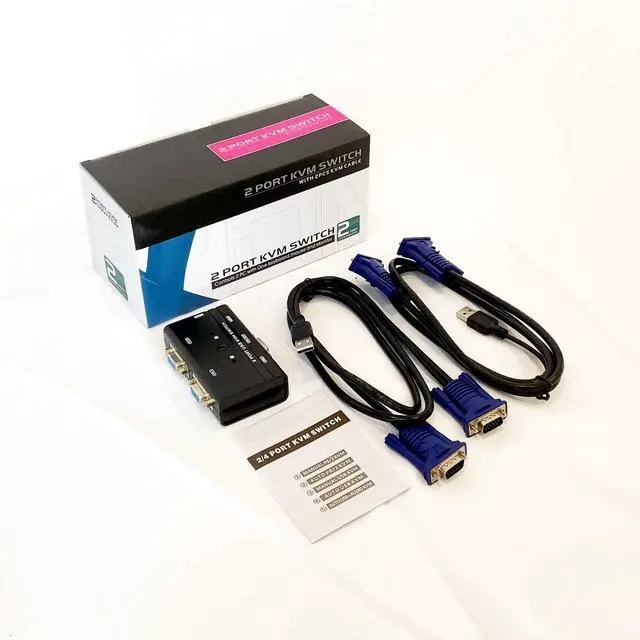
1* Yinker KVM VGA 2 Port
2* VGA&USB KVM Cables
1* User Manual

FAQ about KVM VGA Switch
1.Q: What is a KVM? How can it effect me?
A: KVM is a device allows you manage 2 PCs by one set of Monitor Keyboard Mouse. Also allows you share one USB device likes USB printer, USB speaker. The USB and VGA integrated KVM cable is novel in market and can minimize your cable mess.
2.Q: What kind of keyboard and mouse do it support?
A: This VGA KVM support wired and wireless keyboard and mouse. Also support 2 in 1 combo. But do not support Bluetooth keyboard mouse without a dongle. Do not recommend mechanic keyboard and mouse.
3.Q: Does this KVM support hotkey switch?
A: This VGA KVM is a manual KVM which support switching by panel button. It does not support switching by hotkey.
4.Q: Why my Keyboard and Mouse suddenly not work after weeks performance?
A: This may contribute to updates version of the USB driver, please update it and plug again.
Noted: The connection must be correct, or no signal sent. USB & VGA end be plugged into host computer, VGA end plugged into KVM.

 2 port VGA KVM |  4 port VGA KVM |  8 port VGA KVM |  VGA KVM Cable 1Pack |  VGA KVM Cable 2Pack | |
|---|---|---|---|---|---|
| Customer Reviews | — | — | — | — | — |
| Price | — | — | — | — | — no data |
| Name | KVM switch | KVM switch | KVM switch | KVM Cable | KVM Cable |
| Port | 2 ports | 4 ports | 8 ports | USB VGA 2in1 | USB VGA 2in1 |
| Resolution | 1080P | 1080P | 1080P | / | / |


Yinker VGA KVM Switch 2 Port
- This 2 port USB VGA KVM switch allows 2 computers to share one set of monitor, keyboard, mouse and printer/U disk/USB speaker.
- This the latest version with 2 pack 2in1 KVM cables. It also support wireless keyboard, mouse or combo.
- The handy and small size make it suitable both for home and work environment, taking you no space to place.
Yinker Easily-Switching KVM VGA with 2in1 VGA&USB cables
- Button Switch: Easily switch with a simple button press, totally manual switch. With the mechanic sound while pressing, indicating whether press it successfully, a great experience for those enjoying clicking sound.
- Unlike to old VGA KVM, Yinker novel KVM comes with 2 pack KVM Cable with both VGA and USB splitted pigtail. Really save your place and minimize cable mess.
- Simple Plug & Play, no need to download any software or connect any power adapter. All power comes from the host computers through the connection of the USB pigtail.
Yinker High Resolution VGA KVM Switch
- Support resolution max to 1920*1440. Compatible with 1080P 720P 480P. Perform best at 1920*1080. Support DDC and Automatic Identification high quality output.
- Wide Compatibility in Operate System: Windows 10/8/7 / XP / Vista (32/64-bit), Mac, Linux, DOS, Win3, WINNT, Netware, and Unix. Also support online games and DVR..
Package:
1* Yinker KVM VGA 2 Port
2* VGA&USB KVM Cables
1* User Manual
FAQ about KVM VGA Switch
1.Q: What is a KVM? How can it effect me?
A: KVM is a device allows you manage 2 PCs by one set of Monitor Keyboard Mouse. Also allows you share one USB device likes USB printer, USB speaker. The USB and VGA integrated KVM cable is novel in market and can minimize your cable mess.
2.Q: What kind of keyboard and mouse do it support?
A: This VGA KVM support wired and wireless keyboard and mouse. Also support 2 in 1 combo. But do not support Bluetooth keyboard mouse without a dongle. Do not recommend mechanic keyboard and mouse.
3.Q: Does this KVM support hotkey switch?
A: This VGA KVM is a manual KVM which support switching by panel button. It does not support switching by hotkey.
4.Q: Why my Keyboard and Mouse suddenly not work after weeks performance?
A: This may contribute to updates version of the USB driver, please update it and plug again.
Noted: The connection must be correct, or no signal sent. USB & VGA end be plugged into host computer, VGA end plugged into KVM.
2 port VGA KVM | 4 port VGA KVM | 8 port VGA KVM | VGA KVM Cable 1Pack | VGA KVM Cable 2Pack | |
|---|---|---|---|---|---|
| Customer Reviews | — | — | — | — | — |
| Price | — | — | — | — | — no data |
| Name | KVM switch | KVM switch | KVM switch | KVM Cable | KVM Cable |
| Port | 2 ports | 4 ports | 8 ports | USB VGA 2in1 | USB VGA 2in1 |
| Resolution | 1080P | 1080P | 1080P | / | / |
Yinker KVM Switch
Our Best Seller KVM
2 IN 1 OUT KVM SWITCH
LCD RACK MOUNT KVM CONSOLE