


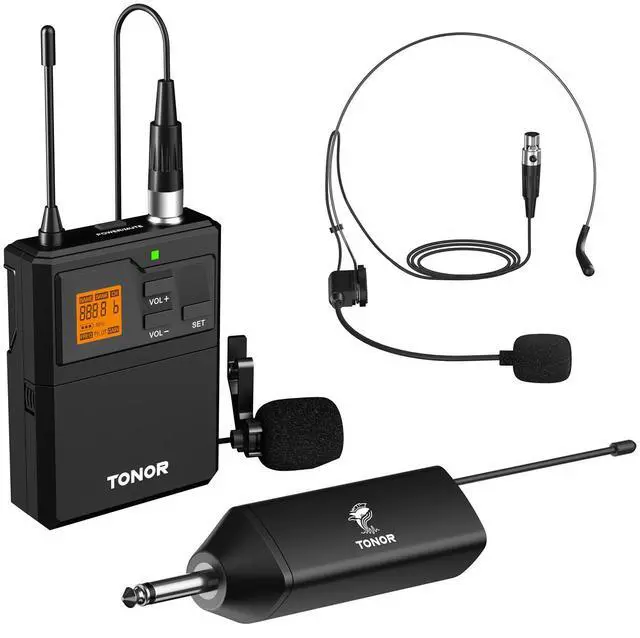


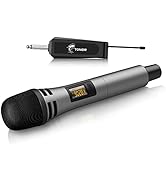
TONOR UHF Wireless Microphone
Merchant Video


Designed for Optimal Convenience

15 Adjustable Frequencies
Our microphone offers 15 frequency options per bodypack, allowing for versatile and seamless performances.Please avoid putting force on the transmitter antenna to prevent breakage and malfunction.

Rechargeable Design
Enjoy a hassle-free experience with our convenient feature that allows you to effortlessly resume from the last set channel after disconnecting and reconnecting the power cord, ensuring a seamless power-on experience.
Versatile Bodypack with Multiple Functions

ON/MUTE/OFF Button
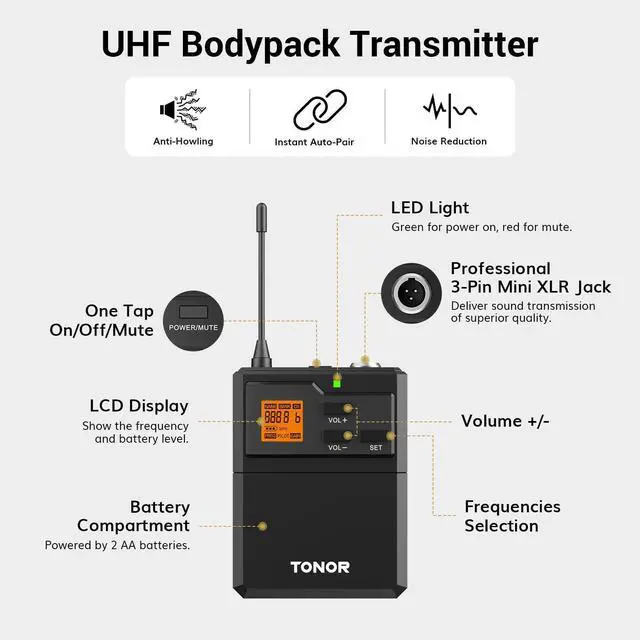
This button not only powers the device but also has a one-click mute function to prevent disturbance when used by multiple people.

Easy to Connect
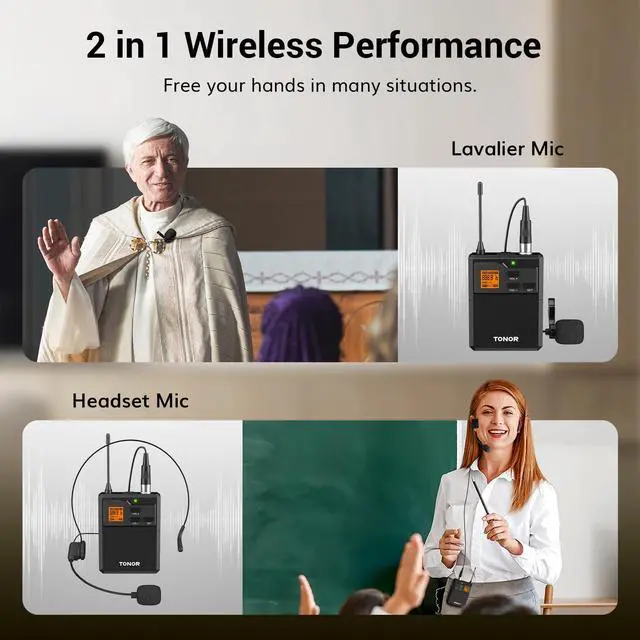
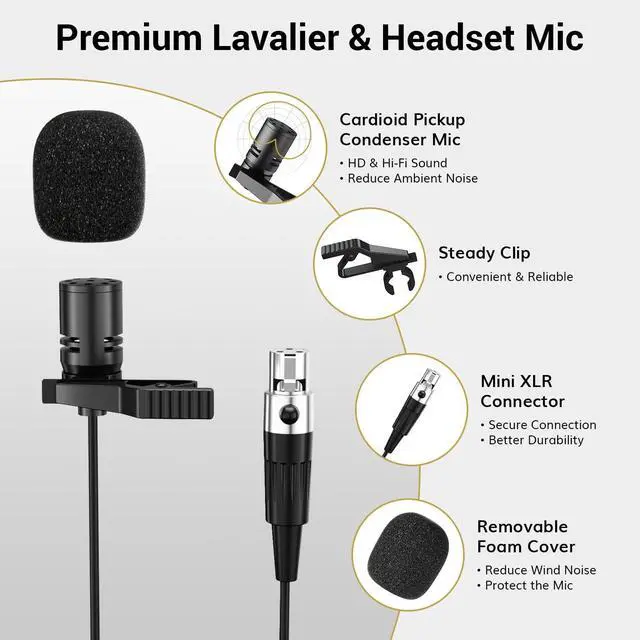
The bodypack’s XLR jack allows for easy connection of headset and lavalier microphones, ensuring high-quality sound transmission.

Easy to Operate
Green LED for power on, red for mute. Volume can be adjusted from 0 to 40 levels, with the frequency changed by a short press of the set button.

Battery Compartment
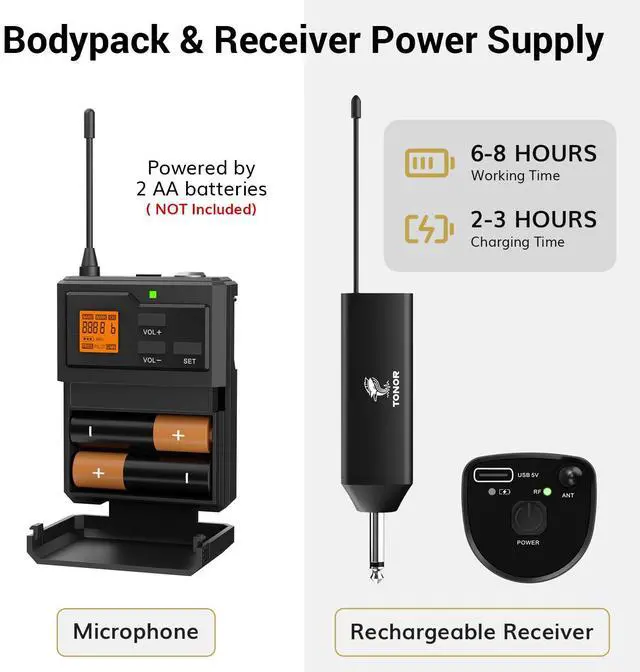
This microphone operates on 2 AA batteries, preferably high-capacity ones, offering extended usage without the need for charging.

Keep the headset mic 2-3 meters away and lower the input volume.
keep the lavalier mic at chest level and increase the input volume.
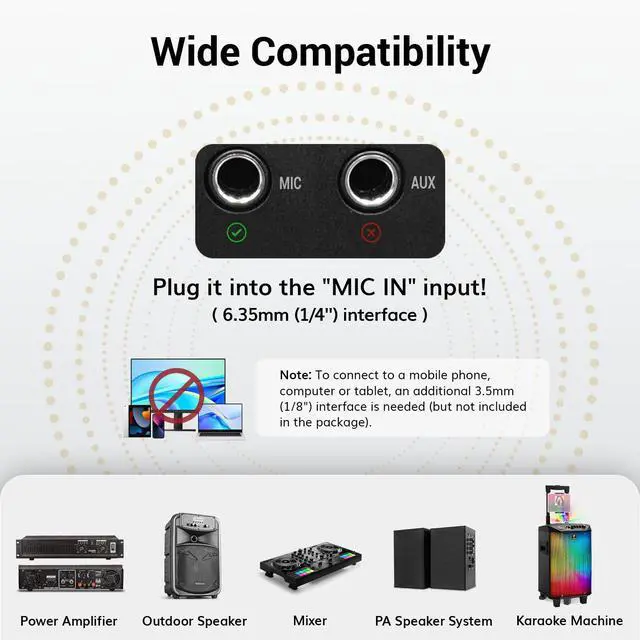
With 6.35mm microphone interface
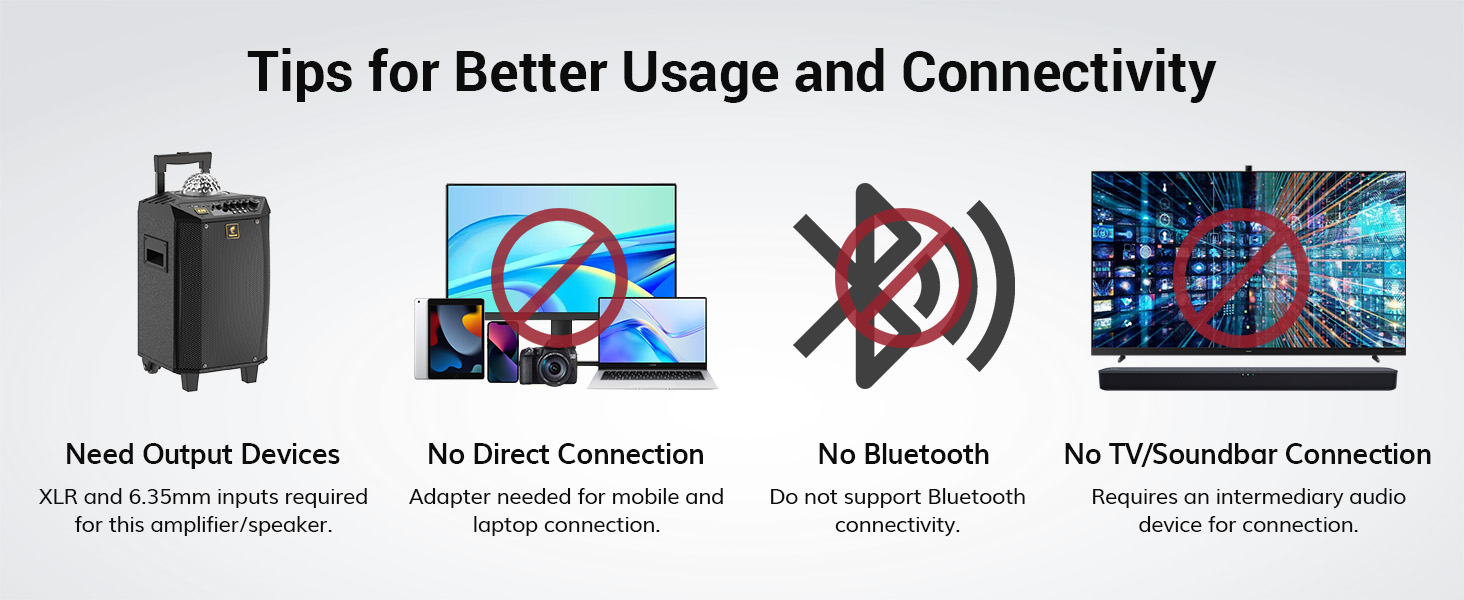
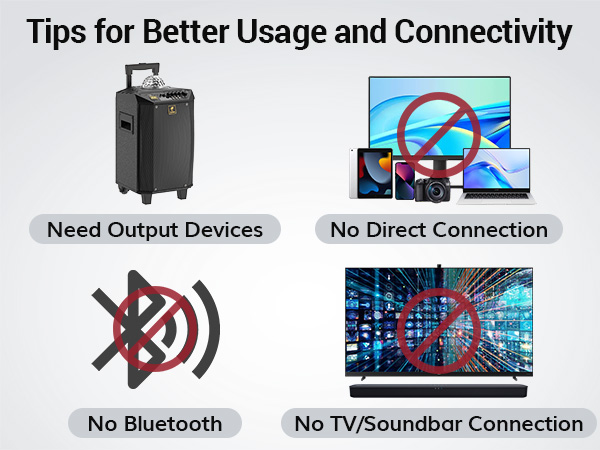
Note: To connect to a mobile phone, computer or tablet, an additional 3.5mm(1/8") interface is needed (but not included in the package).
How to charge the receiver?
Use a USB to Type-C cable. Avoid using a dual Type-C cable and avoid using fast-charging adapters to prevent product damage.
How can I change the frequency of the receiver?
The microphone utilizes frequency hopping technology. When you click the frequency selection button on the belt-pack transmitter to change the frequency, the receiver will immediately adjust accordingly.
Why is the sound unclear, poor, or easy to cause feedback?
The speaker position, sound reflection, or excessive gain may cause these issues. Try lowering the microphone volume and avoid the speaker facing the microphone.
Why do I get interference when using my microphone?
(1) There is wireless signal interference nearby
(2) The user puts the device in a metal cabinet, resulting in signal shielding
Why can’t the receiver enter pairing mode?
With the microphone turned on, press and hold the SET button for 5 seconds until the screen flashes, then restart the receiver and short-press the microphone SET button to sync.
Compare These Microphones
 TW621 | 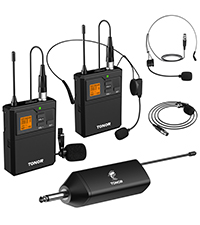 TW632 |  TW821 |  TW822 |  TW842 |  TW620 |  TW515 | |
|---|---|---|---|---|---|---|---|
Customer Reviews | — | — | — | — | — | — | — |
Price | — | — | — | — | — | — | — |
UHF | ? | ? | ? | ? | ? | ? | ? |
Material | Metal + ABS | Metal + ABS | Metal + ABS | Metal + ABS | Metal + ABS | All Metal Build | ABS Plastic |
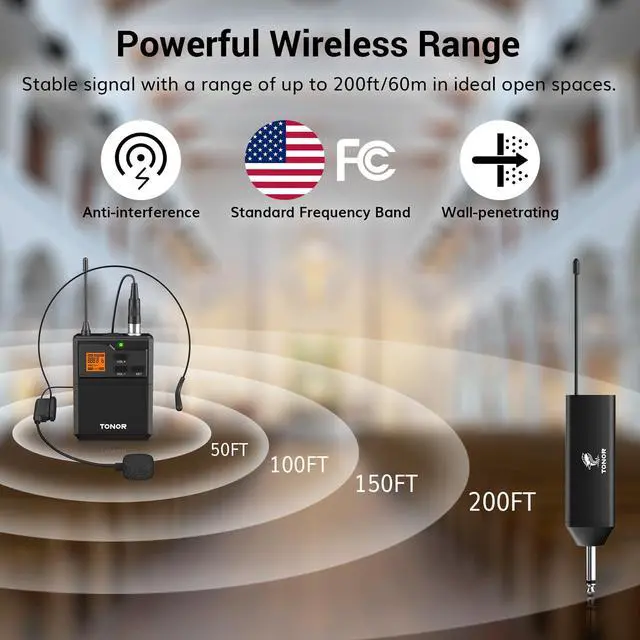
Operating Distance | 200ft | 200ft | 200ft | 200ft | 295ft | 60m | 200ft |
No. of Channel | 1 x 15 | 2 x 15 | 2 x 15 | 2 x 15 | 4 x 10 | 1 x 15 | 2 x 30 |
Frequency Response | 40hz-18khz | 40hz-18khz | 40hz-18khz | 40hz-18khz | 40hz-18khz | 50Hz-15kHz | 40hz-18khz |
MUTE | ? | ? | ? Bodypack | ? | ? Bodypack | — | — |
Output Method | 6.35mm Output | 6.35mm Output | 6.35mm Output + XLR Output | 6.35mm Output + XLR Output | 6.35mm Output + XLR Output | 6.35mm Output | 6.35mm Output |
MUST Need Device | Amplifier/Speaker/PA System | Amplifier/Speaker/PA System | Amplifier/Speaker/PA System | Amplifier/Speaker/PA System | Amplifier/Speaker/PA System | Amplifier/Speaker/PA System | Amplifier/Speaker/PA System |

TONOR Microphone
Your Sound Master

Experts in audio equipment, Tonor provides solutions for enthusiasts all around the world.
Clear Sound: Our only goal is to record and transmit your voice precisely and completely without the distraction of noise.
Easy to Use: Most of our devices are plug-and-play, so you can start content creating or live streaming without any worries.
Cost-effective: Choose our products to meet your pursuit of sound while saving unnecessary expenses.
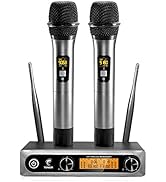
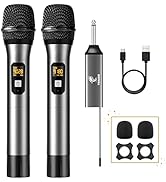
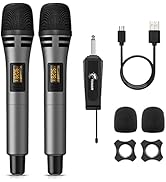
visit the store
TONOR UHF Wireless Microphone
Merchant VideoSuperior Sound Quality
With professional cardioid dynamic capsule, the microphone effectively eliminates surrounding noise.


Designed for Optimal Convenience
15 Adjustable Frequencies
Our microphone offers 15 frequency options per bodypack, allowing for versatile and seamless performances.Please avoid putting force on the transmitter antenna to prevent breakage and malfunction.
Rechargeable Design
Enjoy a hassle-free experience with our convenient feature that allows you to effortlessly resume from the last set channel after disconnecting and reconnecting the power cord, ensuring a seamless power-on experience.
Versatile Bodypack with Multiple Functions
ON/MUTE/OFF Button
This button not only powers the device but also has a one-click mute function to prevent disturbance when used by multiple people.
Easy to Connect
The bodypack’s XLR jack allows for easy connection of headset and lavalier microphones, ensuring high-quality sound transmission.
Easy to Operate
Green LED for power on, red for mute. Volume can be adjusted from 0 to 40 levels, with the frequency changed by a short press of the set button.
Battery Compartment
This microphone operates on 2 AA batteries, preferably high-capacity ones, offering extended usage without the need for charging.

Keep the headset mic 2-3 meters away and lower the input volume.
keep the lavalier mic at chest level and increase the input volume.
With 6.35mm microphone interface
Note: To connect to a mobile phone, computer or tablet, an additional 3.5mm(1/8") interface is needed (but not included in the package).
How to charge the receiver?
Use a USB to Type-C cable. Avoid using a dual Type-C cable and avoid using fast-charging adapters to prevent product damage.
How can I change the frequency of the receiver?
The microphone utilizes frequency hopping technology. When you click the frequency selection button on the belt-pack transmitter to change the frequency, the receiver will immediately adjust accordingly.
Why is the sound unclear, poor, or easy to cause feedback?
The speaker position, sound reflection, or excessive gain may cause these issues. Try lowering the microphone volume and avoid the speaker facing the microphone.
Why do I get interference when using my microphone?
(1) There is wireless signal interference nearby
(2) The user puts the device in a metal cabinet, resulting in signal shielding
Why can’t the receiver enter pairing mode?
With the microphone turned on, press and hold the SET button for 5 seconds until the screen flashes, then restart the receiver and short-press the microphone SET button to sync.
Compare These Microphones
TW621 | TW632 | TW821 | TW822 | TW842 | TW620 | TW515 |
|---|---|---|---|---|---|---|
| Customer Reviews | ||||||
| — | — | — | — | — | — | — |
| Price | ||||||
| — | — | — | — | — | — | — |
| UHF | ||||||
| ? | ? | ? | ? | ? | ? | ? |
| Material | ||||||
| Metal + ABS | Metal + ABS | Metal + ABS | Metal + ABS | Metal + ABS | All Metal Build | ABS Plastic |
| Operating Distance | ||||||
| 200ft | 200ft | 200ft | 200ft | 295ft | 60m | 200ft |
| No. of Channel | ||||||
| 1 x 15 | 2 x 15 | 2 x 15 | 2 x 15 | 4 x 10 | 1 x 15 | 2 x 30 |
| Frequency Response | ||||||
| 40hz-18khz | 40hz-18khz | 40hz-18khz | 40hz-18khz | 40hz-18khz | 50Hz-15kHz | 40hz-18khz |
| MUTE | ||||||
| ? | ? | ? Bodypack | ? | ? Bodypack | — | — |
| Output Method | ||||||
| 6.35mm Output | 6.35mm Output | 6.35mm Output + XLR Output | 6.35mm Output + XLR Output | 6.35mm Output + XLR Output | 6.35mm Output | 6.35mm Output |
| MUST Need Device | ||||||
| Amplifier/Speaker/PA System | Amplifier/Speaker/PA System | Amplifier/Speaker/PA System | Amplifier/Speaker/PA System | Amplifier/Speaker/PA System | Amplifier/Speaker/PA System | Amplifier/Speaker/PA System |
TONOR Microphone
Your Sound Master
Experts in audio equipment, Tonor provides solutions for enthusiasts all around the world.
Clear Sound: Our only goal is to record and transmit your voice precisely and completely without the distraction of noise.
Easy to Use: Most of our devices are plug-and-play, so you can start content creating or live streaming without any worries.
Cost-effective: Choose our products to meet your pursuit of sound while saving unnecessary expenses.
visit the store