


Best Sellers
 Hot Seller
- $1,138.22
- + $18.99 Shipping
 Top Rated
- $1,160.45
- + FREE SHIPPING
Top Rated- $1,148.06
- + FREE SHIPPING

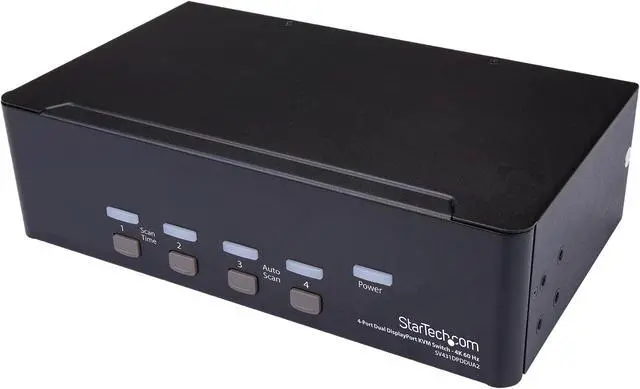
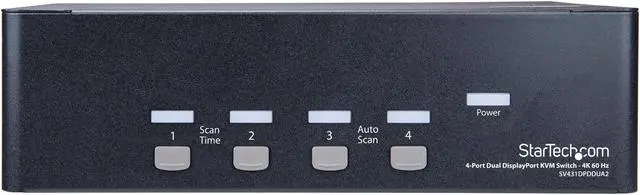


StarTech.com SV431DPDDUA2 DisplayPort KVM - 4 port - 4K 60Hz - Dual Monitor KVM - DisplayPort Switch - KVM DisplayPort - Desktop KVM Switch
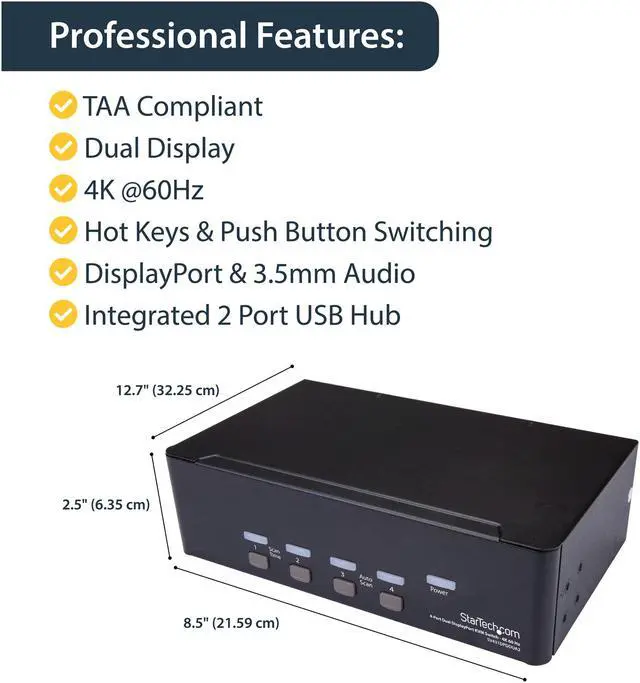
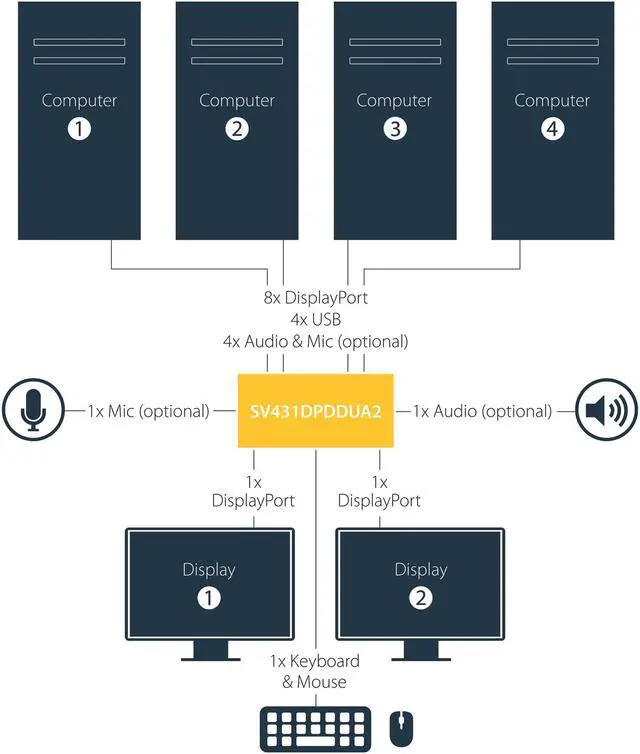
- This 4 port Dual DP KVM switch combines dual 4K 60Hz displays with KVM switch control of four connected computers
- Maximum productivity with dual-display, multi-computer access
- Multimedia control with separate 3.5mm microphone and speaker support
- Support for 4K 60Hz
- Share USB peripherals with built-in 2-port USB hub
- 4 port KVM / Desktop KVM switch / DisplayPort KVM / DisplayPort KVM switch / DisplayPort switch / Dual monitor KVM / KVM DisplayPort / DisplayPort 1.2 KVM
+
+
Overview
Specs
Reviews (16)
4-Port Dual DisplayPort KVM Switch - 4K 60Hz
Warranty & Returns
Warranty, Returns, And Additional Information
Warranty
- Limited Warranty period (parts): 2 years
- Limited Warranty period (labor): 2 years
- Read full details
Return Policies
- Return for refund until: January 31, 2027
- Return for replacement until: January 31, 2027
- This item is covered by Newegg.ca's Extended Holiday Return Policy.
- Read full return policy for details.
We want to ensure your holiday shopping this year is hassle-free. That’s why we’re automatically extending our return policies on almost every product! For purchases placed between November 1st, 2026 and December 31, 2026 you will have until January 31, 2027 to return your product.
Manufacturer Contact Info
- Manufacturer Product Page
- Manufacturer Website
- Support Phone: 1-800-265-1844
- Support Email: support@startech.com
- Support Website
- View other products from STARTECH
LOADING...
LOADING...
The StarTech.com SV431DPDDUA2 is a four-computer DisplayPort KVM switch for users who want to control multiple computers with one dual-monitor setup, supporting up to 4K at 60Hz and switching by hotkey or push button.
Recommended For
- Desk-based professionals switching among several computers—such as workstations, test PCs, or a work laptop and desktop—who want to share two DisplayPort monitors, a keyboard, and a mouse.
- Graphic-design, CAD, or video-editing users who need a dual-monitor DisplayPort workstation and want to switch computers without reconnecting displays.
- Users with up to four computers that each provide two DisplayPort outputs, who want one-button or hotkey switching across the same two monitors.
- Work-from-home or shared-desk users who want to switch analog speakers and a microphone along with their computers, and share a small number of USB peripherals.
Real-World Use Scenarios
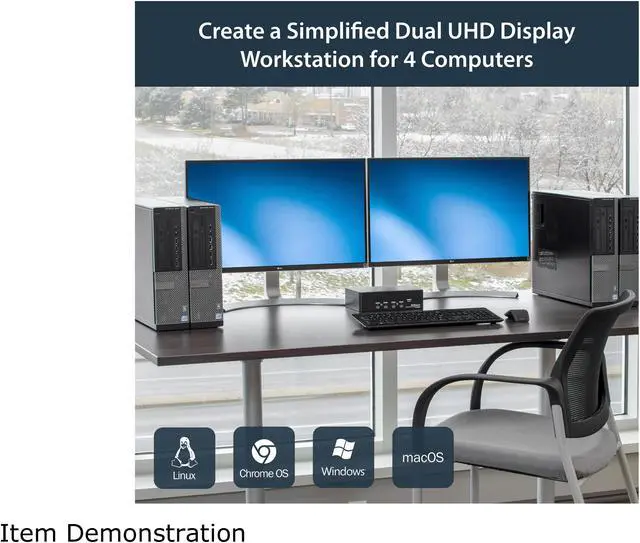
- At a desk shared by several DisplayPort-equipped computers, switch one keyboard, mouse, and two monitors between up to four systems instead of moving cables; the selected computer takes over the shared workstation.
- For graphic design, CAD, or video-editing work across multiple computers, keep a two-monitor layout available when switching systems, so reference material and the main work can remain visible across both displays.
- In a home office with separate work and personal computers, switch the desk’s displays and input devices between systems without rebuilding the setup each time you change tasks.
- In a server room or multi-computer work area, use one console to access different connected systems; push-button or hotkey switching makes it practical to move between machines without dedicating a monitor, keyboard, and mouse to each one.
- When switching between computers during calls or other audio work, share the connected analog microphone and speakers along with the displays and USB peripherals, reducing the need to reconnect those desk devices.
Spec Summary
| Attribute | Value |
|---|---|
| Best For | Sharing two DisplayPort displays, USB peripherals, and audio across four computers in personal, gaming, or business setups |
| Video Support | Two DisplayPort console outputs support dual-display setups, with resolutions up to 3840 × 2160 at 60 Hz; also supports 1024 × 768, 1280 × 720, 1920 × 1080, 1920 × 1200, and 2560 × 1600 |
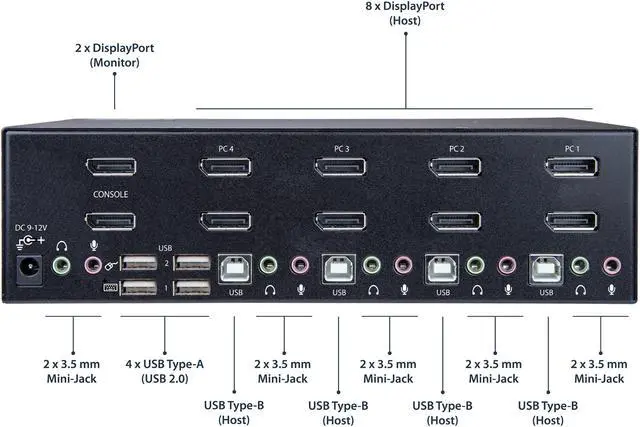
| Ports And Connectivity | Connects four computers using USB-B, DisplayPort, and 3.5 mm audio connections; console connections include two DisplayPort outputs, USB-A 2.0 and HID ports, and 3.5 mm audio jacks, with a built-in 2-port USB hub |
| Switching And Status | Select computers with push buttons or hotkeys; AutoScan intervals are 3, 8, 15, or 30 seconds, with power, online, and selection indicators |
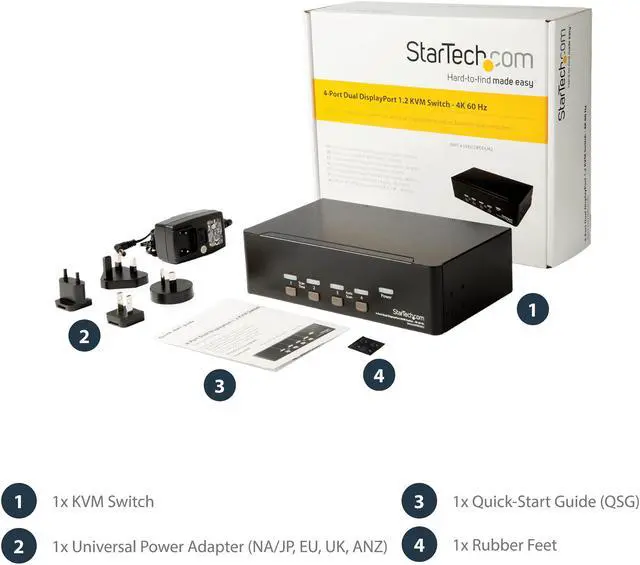
| Power | Includes an AC adapter; accepts 100–240 V AC input and provides 12 V DC output, with 18 W power consumption |
| Physical And Environmental | Measures 2.70 × 5.00 × 2.50 inches and weighs 2.70 lb; operating temperature is 0–40°C, with 0–80% non-condensing humidity |
| Model Identifiers | StarTech.com SV431DPDDUA2 |