


Best Sellers
 Top Rated
- $604.39
- + FREE SHIPPING
 Hot Seller
- $607.09
- + FREE SHIPPING
Top Rated- $668.26
- + FREE SHIPPING

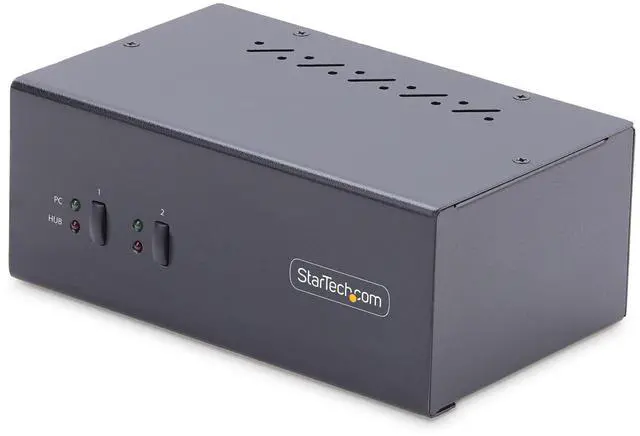
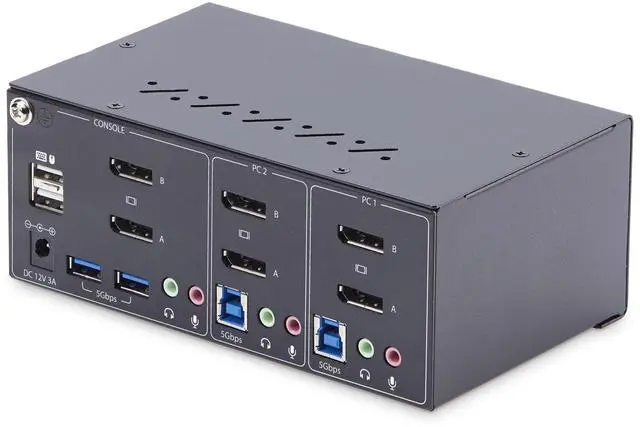
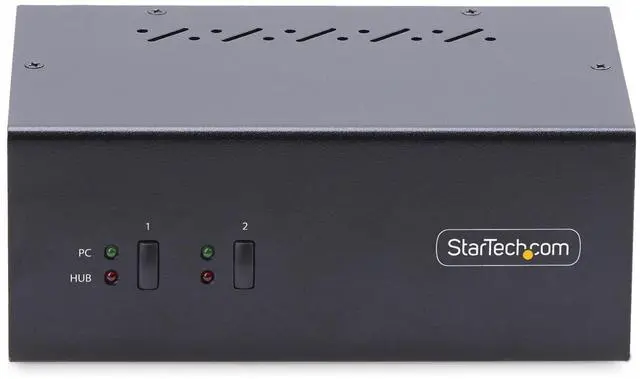
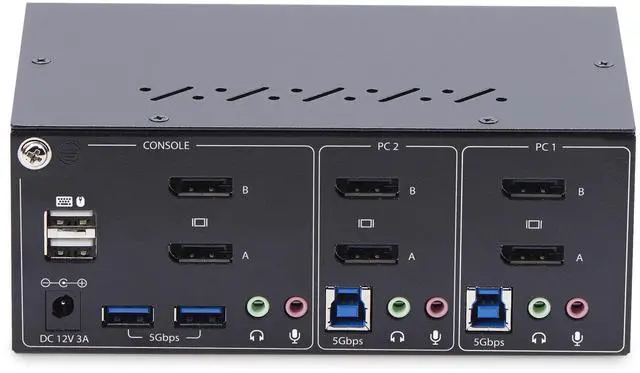
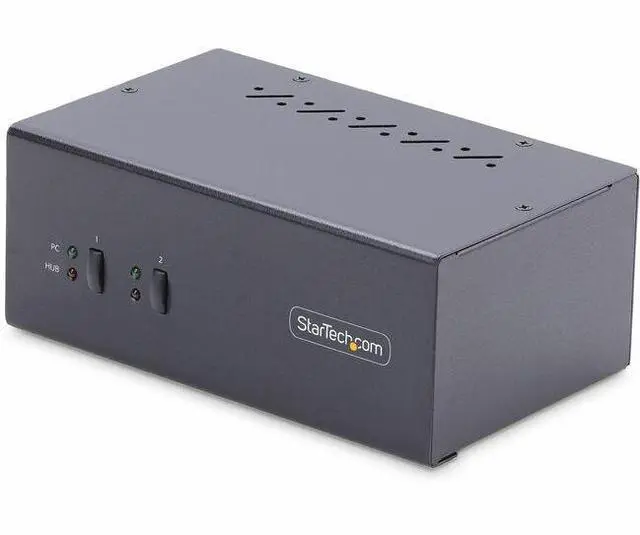


StarTech 2-Port Dual-Monitor DisplayPort KVM Switch, 4K 60Hz P2DD46A2-KVM-SWITCH
- Manufacturer: STARTECH
- Manufacturer Part Number: P2DD46A2KVMSWITCH
- UPC: 065030899505
+
+
Overview
Specs
Reviews
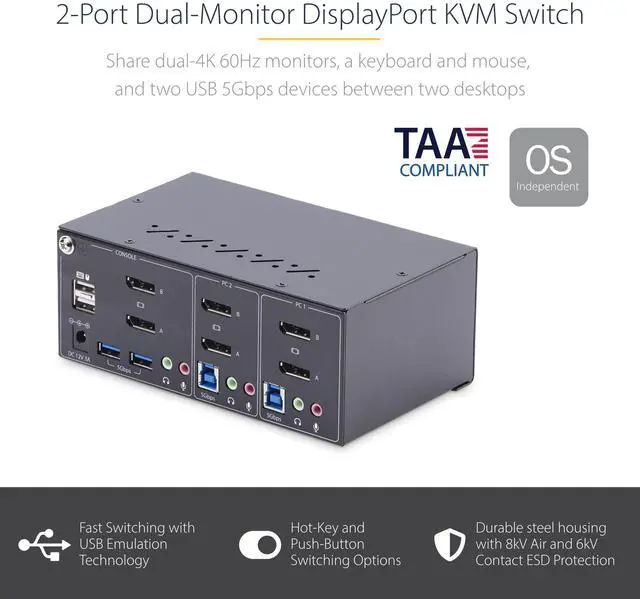
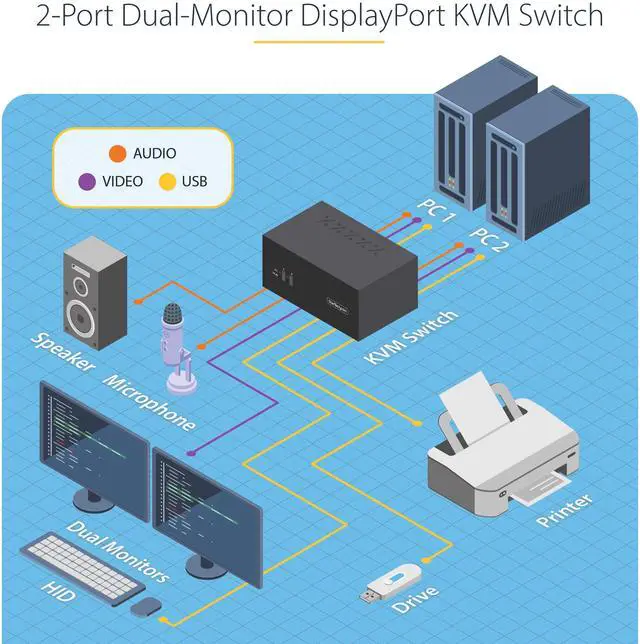
Share a mouse, keyboard, and dual 4K 60Hz DisplayPort displays between two DisplayPort-enabled computers, using two USB 3.2 Gen 1 hub portsThis Dual-Monitor KVM Switch enables users to switch between two desktops that are USB-A and DisplayPort enabled. It allows for sharing of dual-4K 60Hz DisplayPort monitors, a keyboard and mouse, and two USB 5Gbps devices. Fast Switching with USB EmulationUSB Emulation technology enables faster switching of a keyboard, video, and mouse compared to traditional KVMs. USB Emulation also ensures compatibility with combination keyboards/mice as well as keyboards featuring additional function keys.
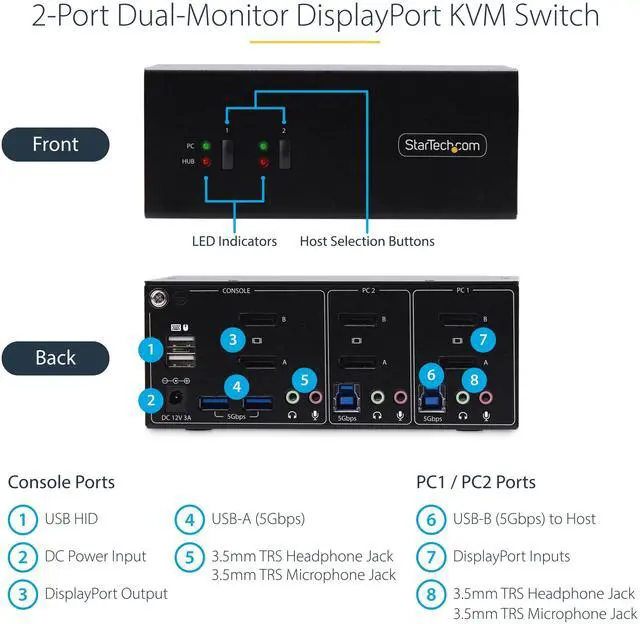
Dual-4K 60Hz Displays & USB 5Gbps Hub PortsThis TAA-Compliant KVM Switch supports dual-4K 60Hz DisplayPort monitors, making it ideal for working with high-resolution graphics or video. Additionally, it offers two USB 3.2 Gen 1 (5Gbps) Hub Ports for fast data transfer, and two USB 2.0 HID Ports for the keyboard and mouse. 8kV air and 6kV contact Electrostatic Discharge (ESD) protection. Customizable SwitchingThis Universal KVM Switch provides various switching options, including hotkey or push-button switching. Hotkeys allow for independent switching of USB/Video and Audio, enabling audio playback from one computer while controlling the other.
An audible buzzer confirms hotkey input, and LEDs provide a visual status of the selected host. Enhance Productivity and Device Management with the StarTech. com Connectivity Tools ApplicationDeveloped to improve performance and security, StarTech. com Connectivity Tools is the only software suite on the market that works with a wide range of IT connectivity accessories.
The software suite includes: Advanced Windows
Layout Utility: Setup and save custom windows layouts.
MAC Address Pass-Through Utility: Improve network security.
USB Event Monitoring Utility: Track and log connected USB devices.
Wi-Fi Auto Switch Utility: Enable users to quickly access faster network speeds via wired LAN. For more information and to download the StarTech. com Connectivity Tools application, please
visit: www. startech. com/connectivity-toolsThe StarTech. com Advantage
Warranty & Returns
Warranty, Returns, And Additional Information
Warranty
- Limited Warranty period (parts): 1 year
- Limited Warranty period (labor): 1 year
- Read full details
Return Policies
- Return for refund until: January 31, 2027
- Return for replacement until: January 31, 2027
- This item is covered by Newegg.ca's Extended Holiday Return Policy.
- Read full return policy for details.
We want to ensure your holiday shopping this year is hassle-free. That’s why we’re automatically extending our return policies on almost every product! For purchases placed between November 1st, 2026 and December 31, 2026 you will have until January 31, 2027 to return your product.
Manufacturer Contact Info
- Manufacturer Website
- Support Phone: 1-800-265-1844
- Support Email: support@startech.com
- Support Website
- View other products from STARTECH
LOADING...
LOADING...
The StarTech P2DD46A2-KVM-SWITCH is a 2-port DisplayPort KVM switch for users who want to share two 4K 60Hz monitors, a keyboard, a mouse, and USB devices between two DisplayPort computers.
Recommended For
- Desktop users who switch between two DisplayPort computers and want to share two monitors, a keyboard, a mouse, and USB peripherals without reconnecting them.
- CAD/CAM, video-editing, and content-creation users who work across two computers and want to keep a dual-DisplayPort-monitor workspace connected to both.
- Users with two USB-A- and DisplayPort-equipped desktops who want to switch between computers using either a physical button or a keyboard hotkey.
- IT or support teams that need a two-computer desk setup and can use StarTech’s optional connectivity tools for USB event logging or restoring Windows window layouts.
Real-World Use Scenarios
- At a shared desk, switch two DisplayPort computers between the same pair of monitors, keyboard, and mouse; this reduces the need to reconnect desk equipment when moving between systems.
- For CAD, video editing, or content-creation work across two computers, switch both monitors together while keeping a dual-screen workspace on the selected system.
- When one computer is used for work and another for personal tasks, use the push button or keyboard hotkey to change the active computer without swapping the shared keyboard and mouse by hand.
- At a desk where both computers use shared accessories, connect devices such as a webcam or external storage to the KVM’s USB hub ports; those accessories can be shared by the currently selected computer.
- When listening to audio from one connected computer while working on the other, use the independent audio switching option so the audio source does not have to follow the selected keyboard, mouse, and video system.
Spec Summary
| Attribute | Value |
|---|---|
| Best For | Switching compatible DisplayPort and USB-A desktops and USB peripherals between two computer positions |
| Switching And Compatibility | Two-position KVM switching for DisplayPort and USB-A desktops, USB 3.2 Gen 1 devices, and USB 2.0 HID devices |
| Control | Push-button computer switching |
| Included Components | KVM switch, universal power adapter, and quick-start guide |
| Power And Operating Conditions | 12 V operating voltage, 1 A current rating, and operating temperatures from 0°C to 40°C |
| Physical Specifications | Black steel housing with surface mounting; dimensions are 6.4 × 3.9 × 2.6 inches |
| Weight | 1.26 |
| Model Identifiers | StarTech P2DD46A2-KVM-SWITCH |